ADHD Life Planner App
A daily planner built around how ADHD brains actually work. Pick your Top 3, plan around your energy, empty your head into a brain dump, and keep habits, money, meals and goals in one place.
- One time purchase
- No account
- No ads
- Phone, tablet and computer
What's inside
Everything lives in one app, and you can turn off any section you don't need.
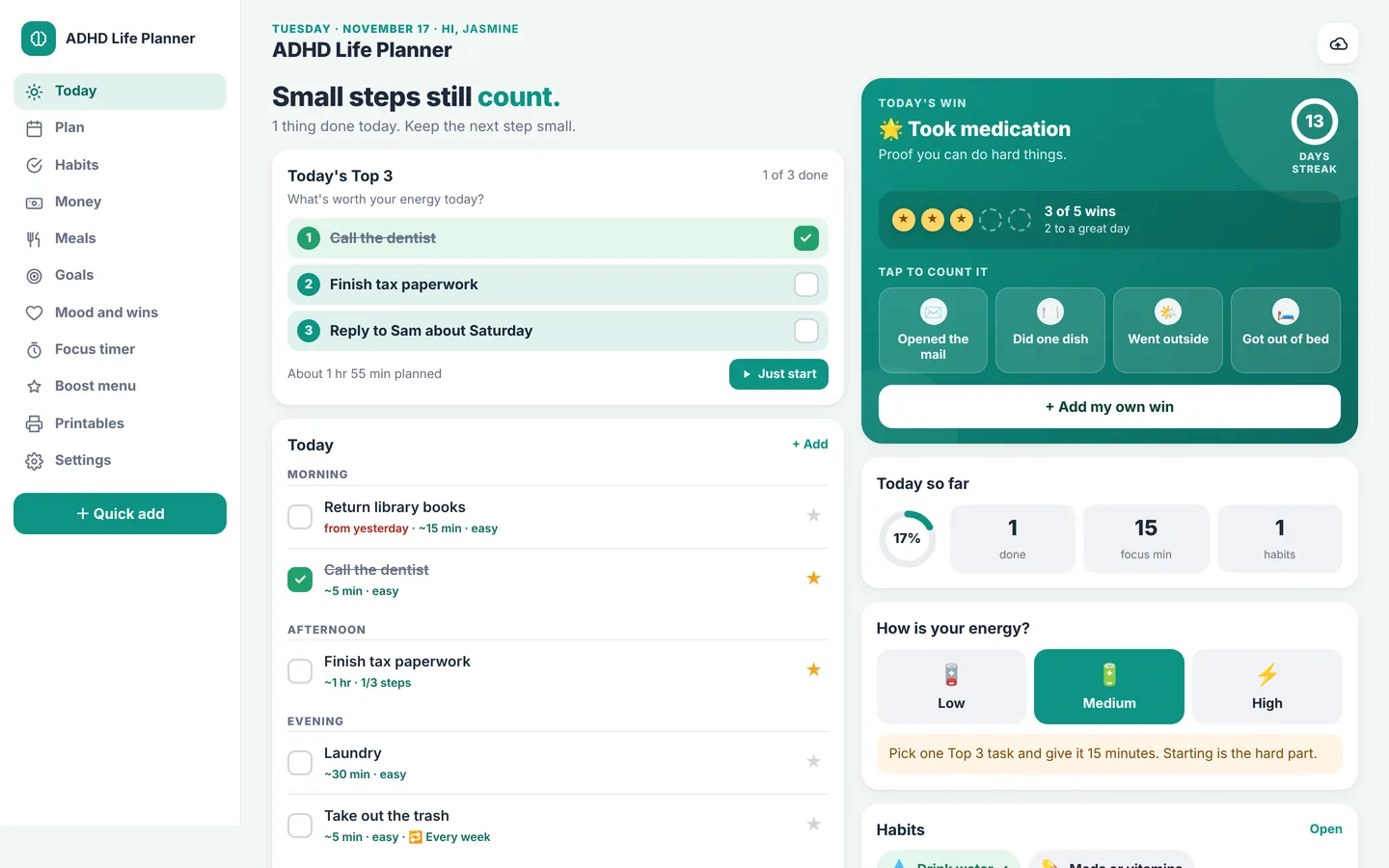
Start with three things, not thirty.
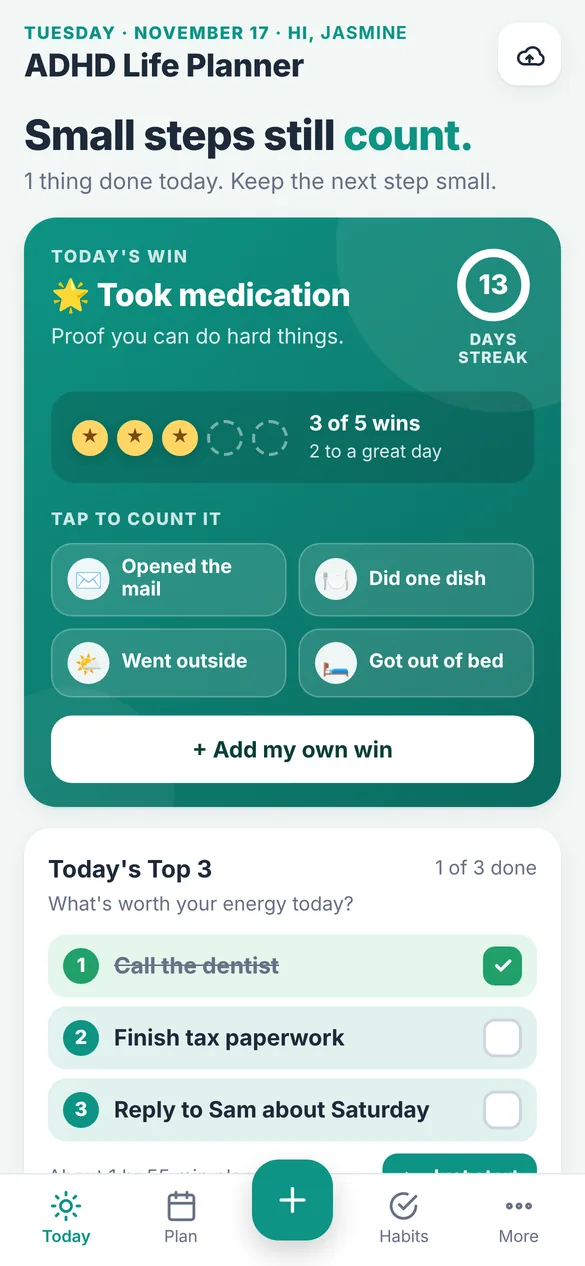
Pick your Top 3 for the day and let everything else wait its turn. Tell the app how much energy you have and it suggests a pace that fits.
- Top 3: the three tasks that matter most today
- Energy check: tap Low, Medium or High for a tip that matches your day
- Today's Win: a win counter, a day streak and one tap wins like Took my meds
- Just Start: one tap starts a focus timer on your next task
- Wrap up: see what got done, move the rest, and choose tomorrow's Top 3
Plan your week around your energy.
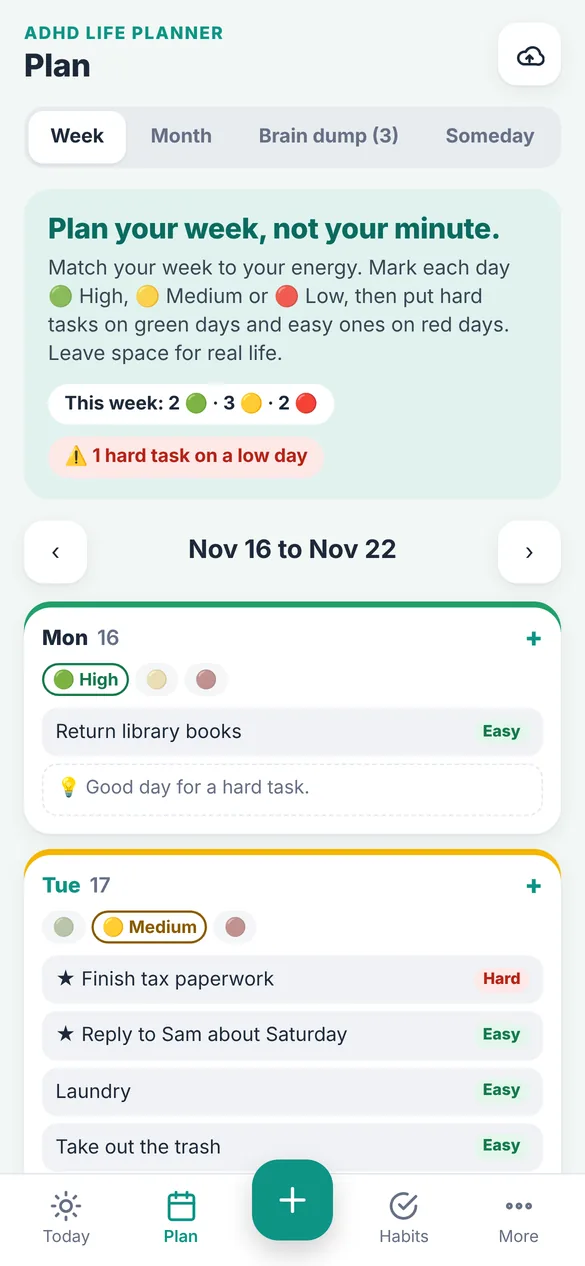
Mark each day as high, medium or low energy. If a hard task lands on a low day, the planner gives you a heads up so you can move it before it becomes a problem.
- Week view: energy levels for each day, with easy and hard task labels
- Month view: birthdays, appointments, bill due dates and deadlines in one place
- Repeating tasks: daily, weekdays, weekly or monthly, and the next one appears when you check it off
- Appointments: add any appointment to your phone's calendar
Get it out of your head.
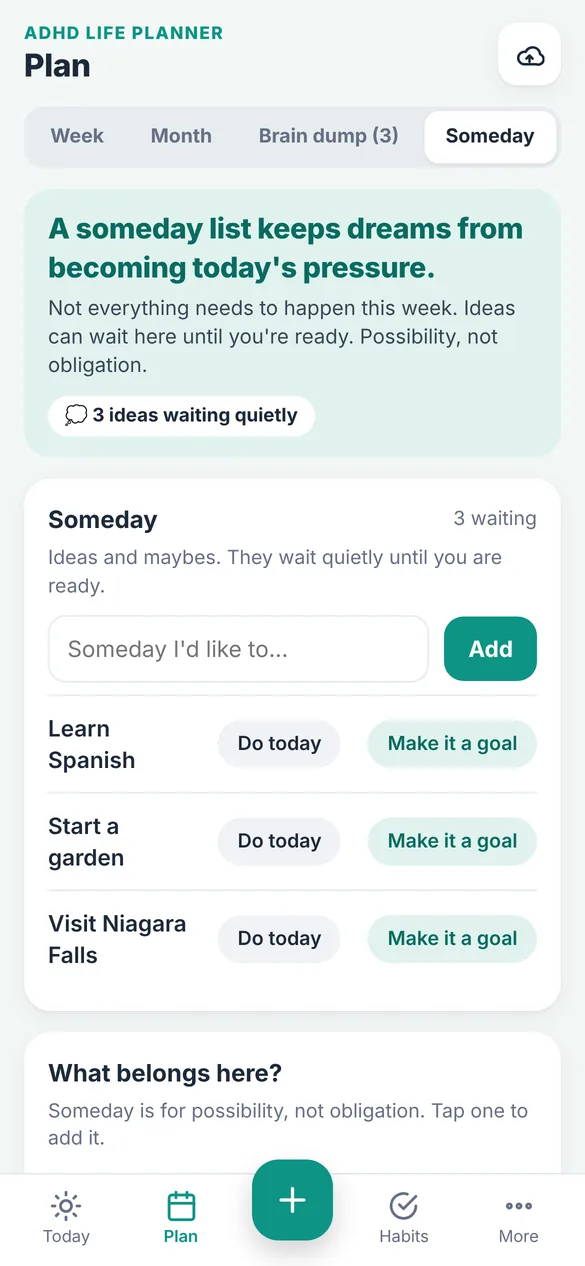
Type thoughts one per line, then sort each one to today, tomorrow, a day you pick, Someday or your grocery list. Ideas that can wait go to Someday, and any of them can become a goal later.
- Brain Dump: empty your head first, organize second
- Someday: a parking spot for ideas that aren't for this week
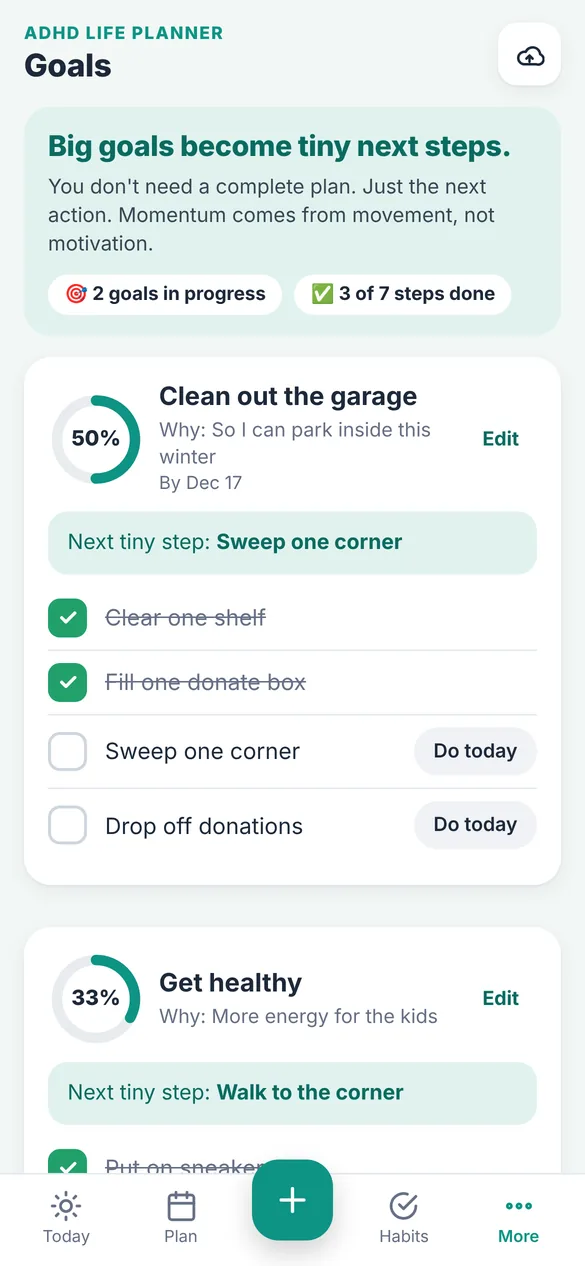
Same steps, less thinking.
Ready made routines for mornings, evenings, leaving the house, starting work, after school and a weekly reset. Use them as they are or build your own. Checklists reset every morning.
- Routines: step by step checklists that reset daily
- Habits: streaks, a weekly view and tiny starter habits
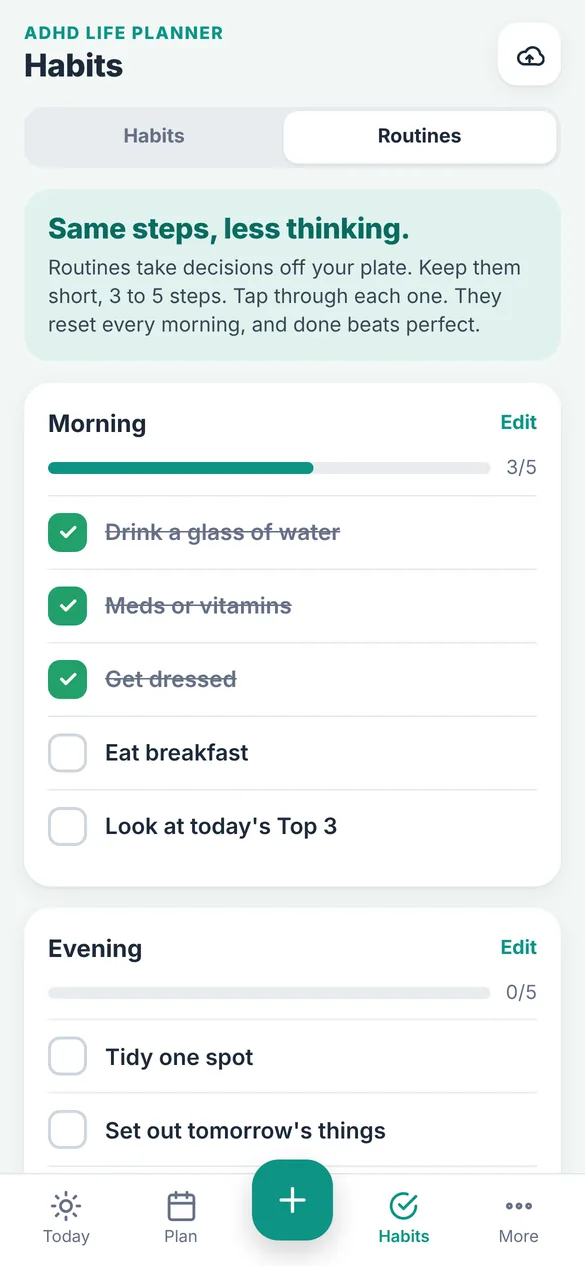
Money without the overwhelm.
One spending number for the month and how much is left. Log a purchase in a few taps and check off bills as you pay them.
- Monthly budget: what's left to spend, right at the top
- Bills: due dates, check offs and overdue flags
- Spending: see where it went by category
- Savings goals: track progress toward anything you're saving for
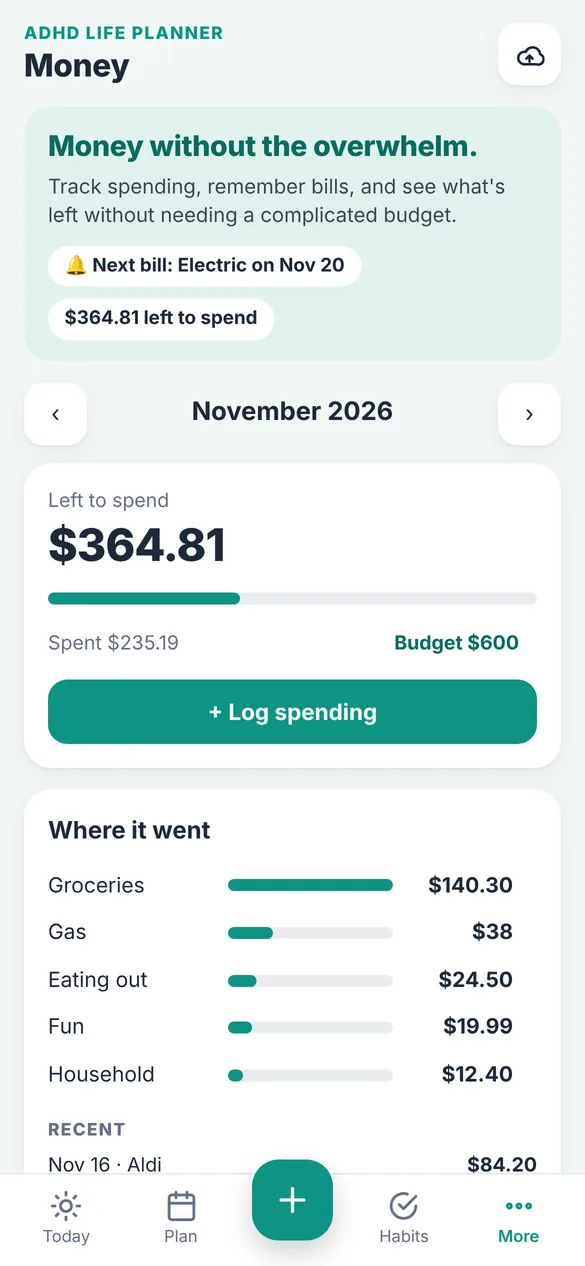
Meals without the mental load.
Plan breakfast, lunch and dinner for the week and keep one grocery list. Backup meals are there for the nights when nothing sounds doable.
- Weekly meal plan: the whole week at a glance
- Grocery list: one list with check offs
- Backup meals: easy go to meals, one tap to make one tonight's dinner
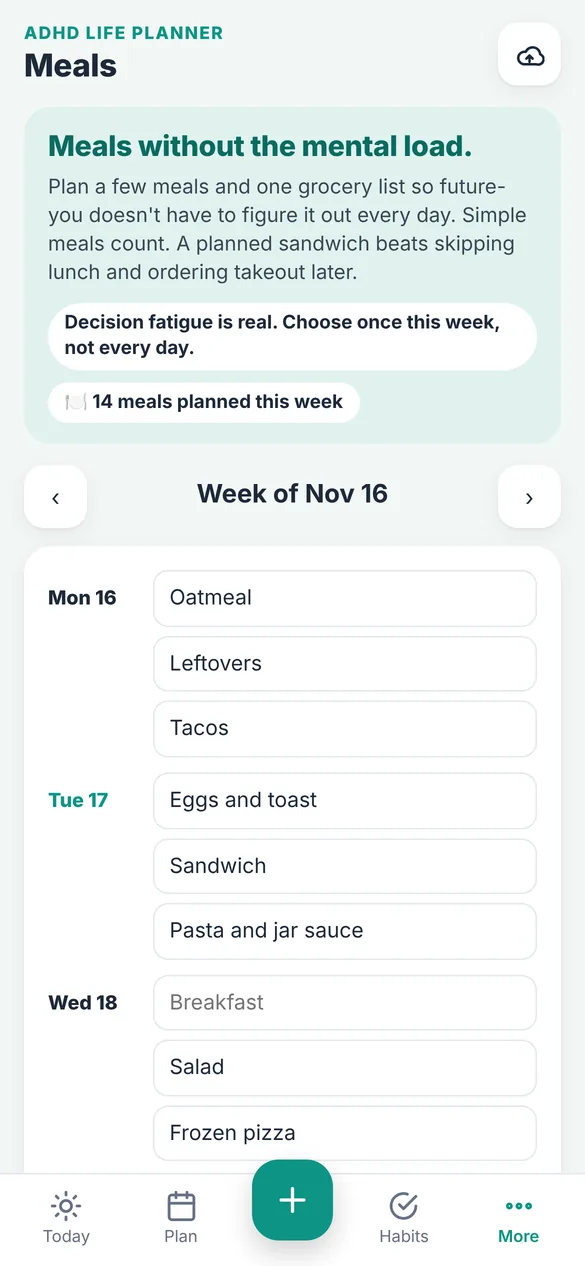
Big goals become tiny next steps.
Break a goal into small steps and send the next one to today. A progress ring shows how far you've come so you can see it moving.
- Tiny steps: the smallest next action, ready to send to today
- Progress: see how far along each goal is
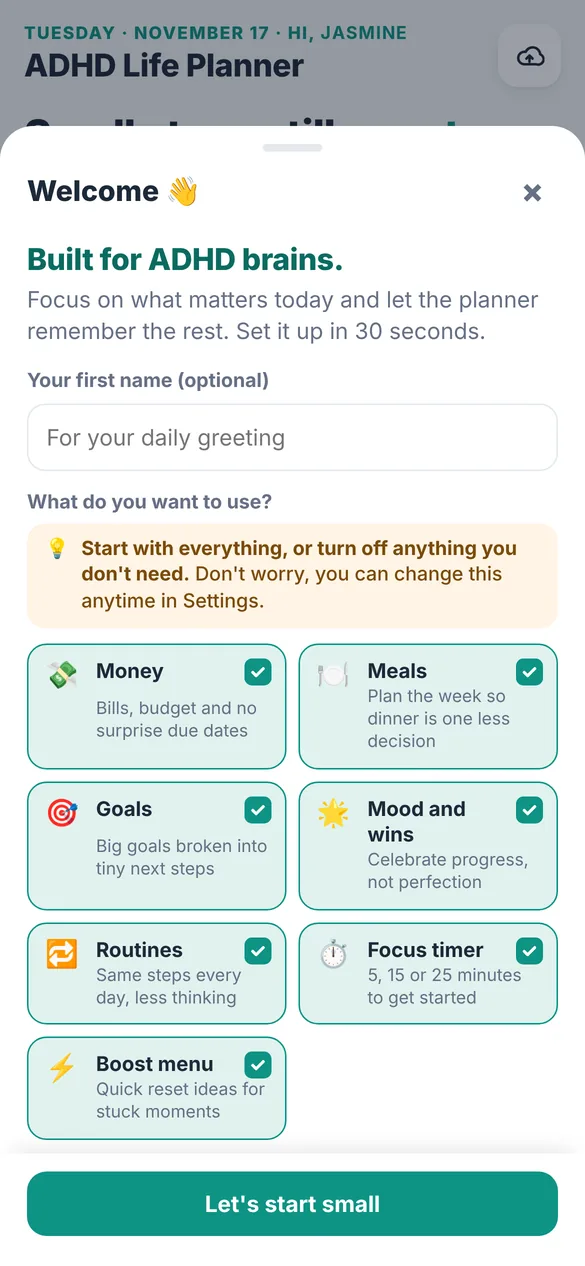
Set it up in about 30 seconds.
Add your name for a daily greeting and choose which sections you want. Start with everything or switch off what you don't use, so the app only shows what you need.
- Your sections: turn Money, Meals, Goals, Routines and more on or off
- Your look: 6 color themes plus light or dark mode
- Your details: your name, your own app name and your currency symbol
Little extras that help
Focus timer
5, 15, 25 or 45 minutes, with a chime and a quick did you finish check in.
Boost menu
Quick resets like stretching or stepping outside, plus an I'm stuck, pick one for me button.
Mood and wins
Log wins big and small and do a quick daily mood check in with notes.
Printables
Print today's plan, your week, meals, habits or budget filled in from the app, or print blank pages.
Fresh Start
Old leftover tasks can move to Someday in one tap. No pile of red overdue items.
Works offline
Once it's on your home screen it opens without an internet connection.
Your planner stays yours
The app saves everything on your own device. There's no account to make and nothing is sent to us. If you want a safety net, back up to your own Google Drive or save a backup file.
- One time purchase, never a subscription
- Saved privately on your device
- Works offline once installed
- Optional backup to your own Google Drive
- Export and restore a backup file anytime
- No account, no login, no ads
How it works
Buy on Etsy
Your download has the link to your planner.
Open the link
On your phone, tablet or computer, in Safari or Chrome.
Add it to your home screen
It opens like any other app. Install guide
Good to know: the app doesn't send push notifications. Add appointments to your phone's calendar if you want reminders.
Printables are letter size, and you can also save them as a PDF from the print screen.
Questions
Is there a subscription?
No. You pay once on Etsy and the app is yours. There are no monthly fees, no upgrades to unlock and no ads.
Does it work on iPhone and Android?
Yes. It works in Safari on iPhone and in Chrome on Android, plus tablets and computers. You add it to your home screen from the browser, so there is no app store download.
Will it send me reminders?
No, the app does not send push notifications. For anything time sensitive, you can add an appointment straight to your phone's calendar and let your calendar remind you.
Where is my planner data stored?
On your own device. Nothing is sent to us. You can turn on Google Drive backup, which saves to your own Google account, or export a backup file whenever you like.
Can I use it on my phone and my computer?
Yes. Each device keeps its own copy, so you back up on one and restore on the other when you switch. The Guide walks through it step by step.
Can I try it before I buy?
Yes. The free demo lets you tap around the real app in your browser. Nothing you enter in the demo is saved.
What if it doesn't work on my phone?
Send a message through Etsy and I'll help you get it running. If we can't get it working, you can get a refund within 30 days.
Try it before you buy
Tap around the real planner in your browser. No sign up needed.