Cleaning Schedule Know What Needs Cleaning Today, and Nothing More
Cleaning lists that cover the whole house at once just pile up. This app breaks your home into small daily chores, spreads them across the week and shows you exactly what is due today.
- One time purchase
- No account or login
- No ads
- Phone, tablet and computer
What's inside
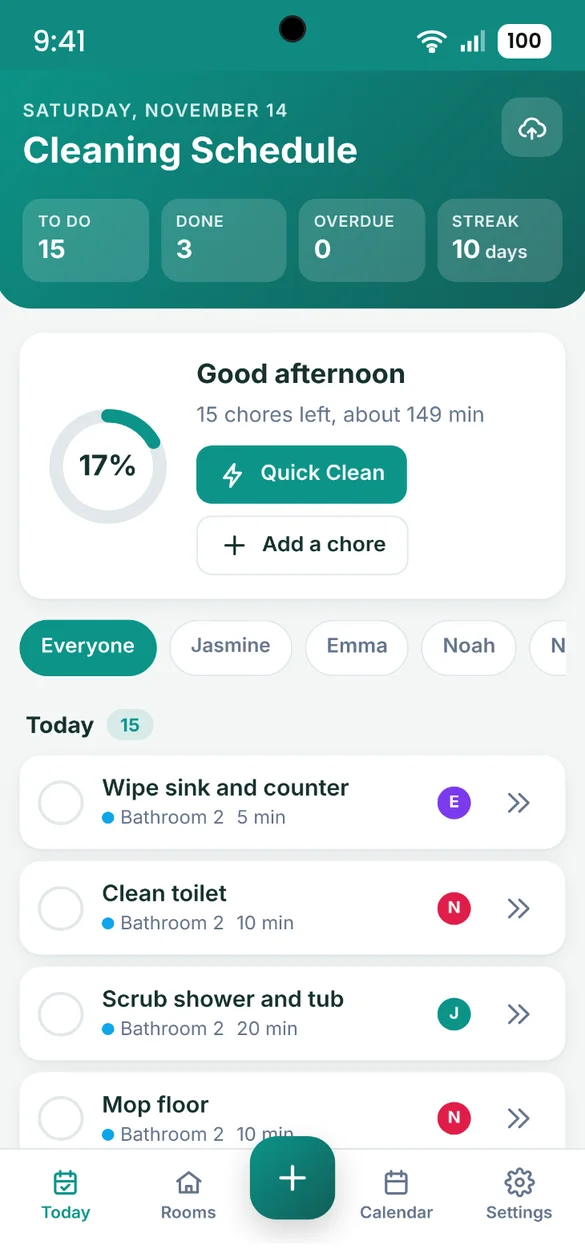
Small daily chores, spread across the week, for everyone at home.
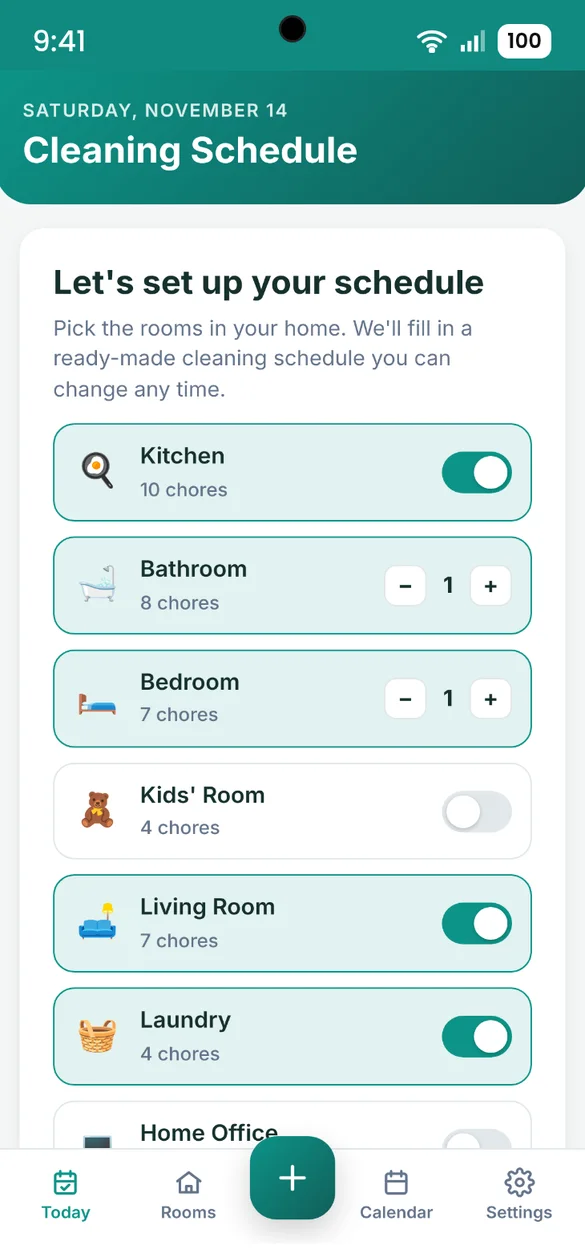
Your schedule in one tap.
Pick the rooms in your home and the app fills in a ready-made cleaning schedule you can change any time.
- 53 ready-made chores: for 10 room types
- Rooms: from the kitchen and bathrooms to the laundry, office and outdoors
- Spread across the week: so no single day is overloaded
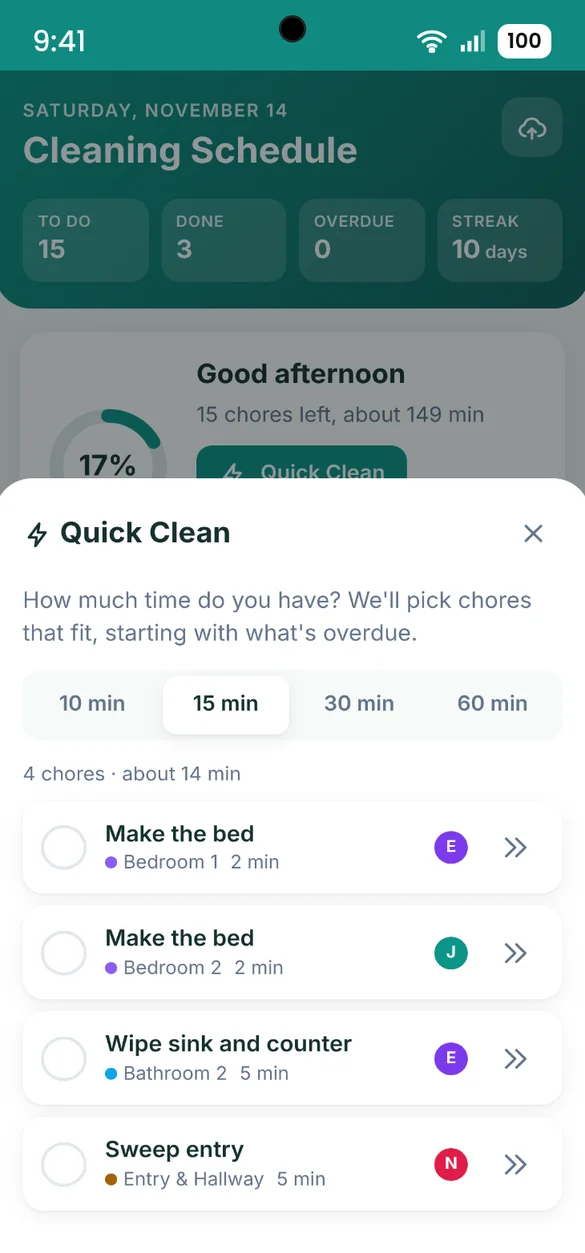
Got 15 minutes?
Pick the time you have and get a short list that fits, starting with what is most overdue.
- Pick a time: 10, 15, 30 or 60 minutes
- Most overdue first: so the right things get done
- Check off: right from the list
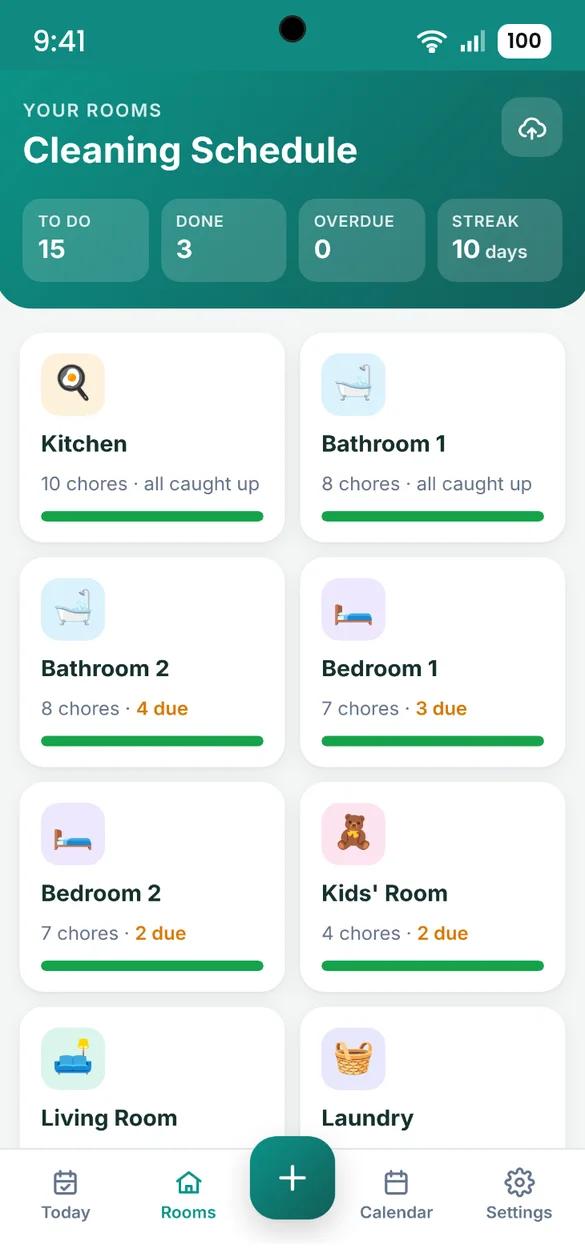
See which rooms need you.
Every room has a freshness bar, so you can tell at a glance where to start.
- Chore count: for each room
- Due or caught up: shown on every room
- Tap a room: to see and edit all of its chores
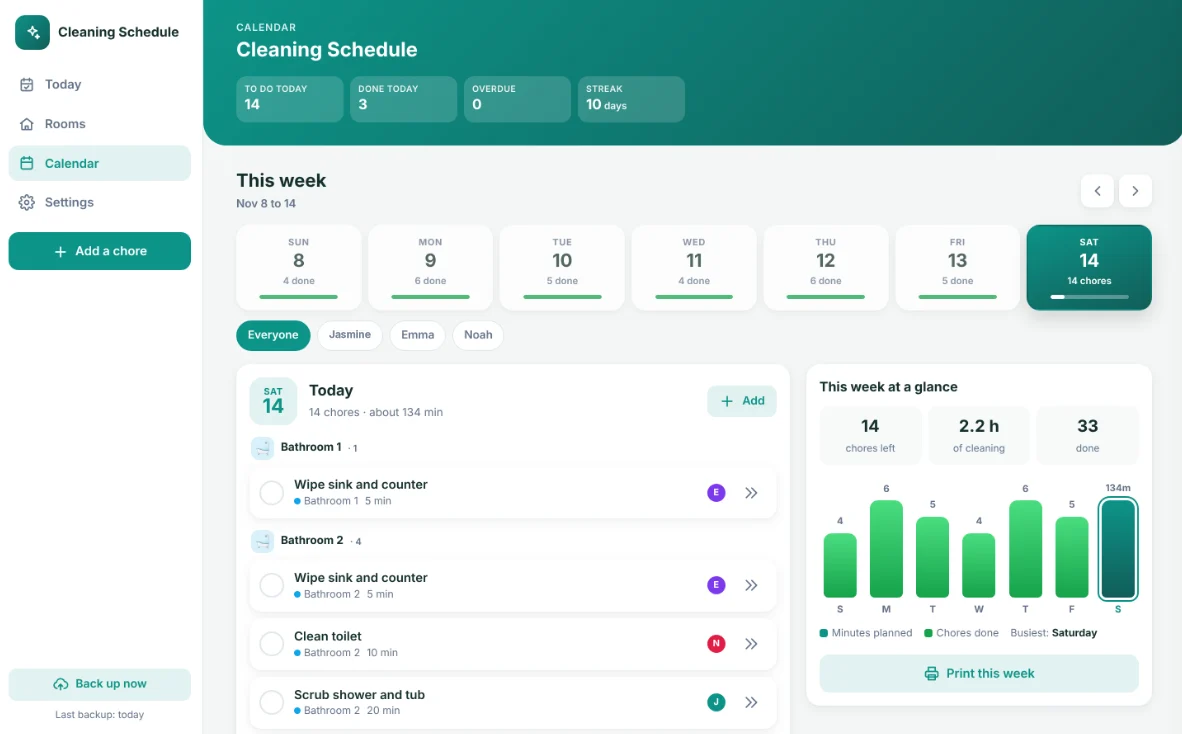
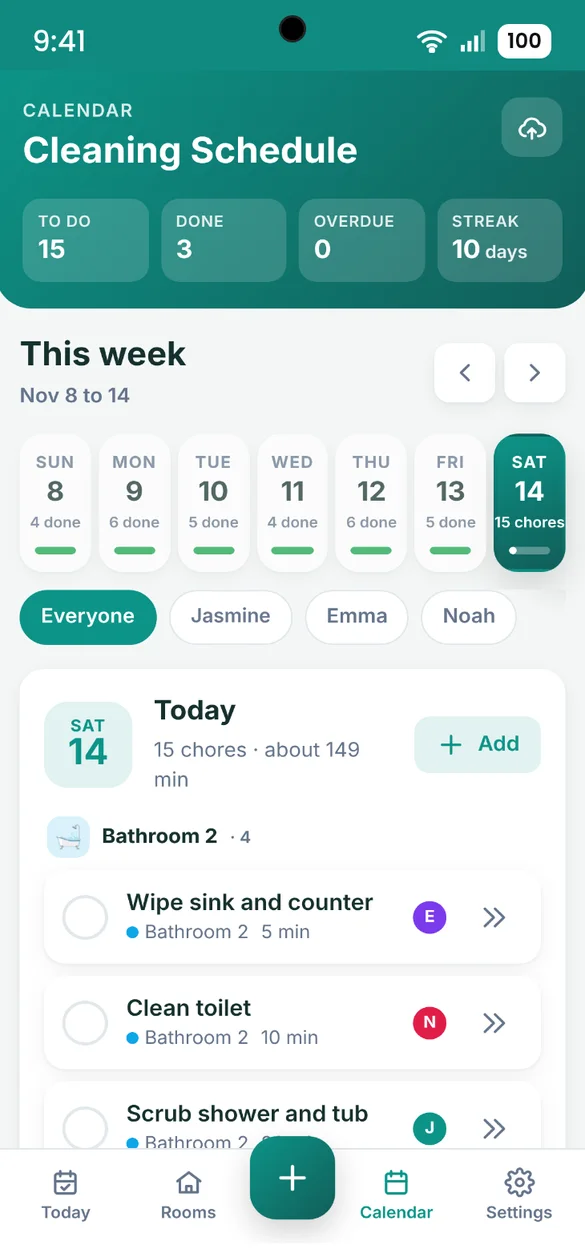
Plan the whole week.
See your whole week, tap any day to see its chores grouped by room, and add a chore right to that day.
- Week at a glance: with how much is done each day
- Busiest day: see how much is planned for each day
- Add to any date: straight from the calendar
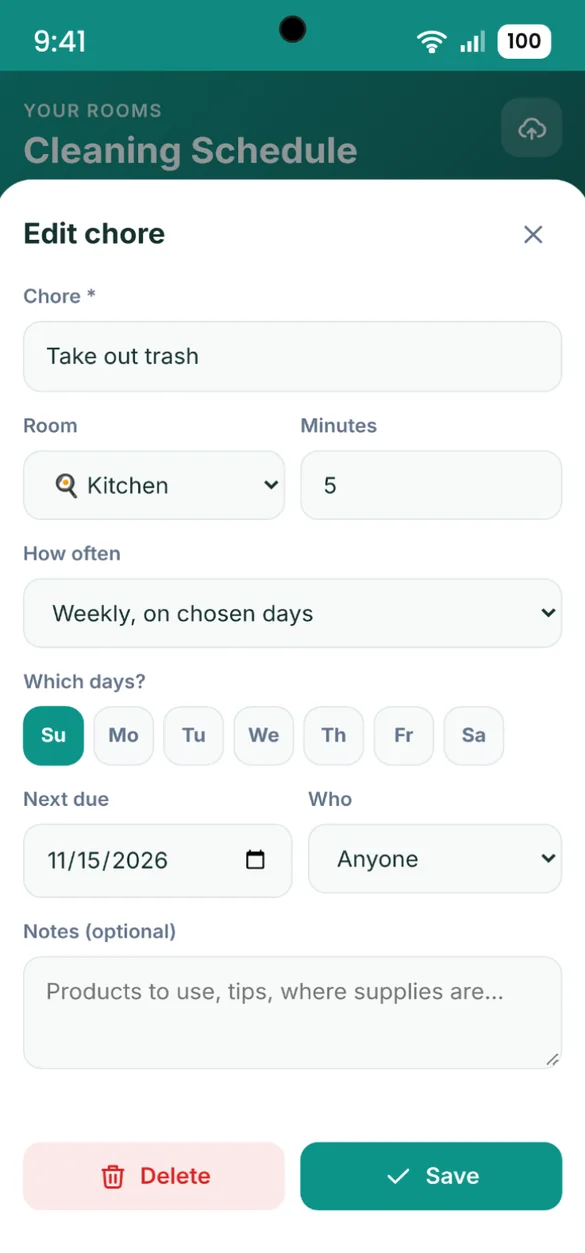
Change anything.
Set how often a chore repeats, how long it takes and who does it. Add or delete chores any time.
- How often: daily to once a year
- Weekly: on the exact days you pick
- Minutes and notes: like which products to use
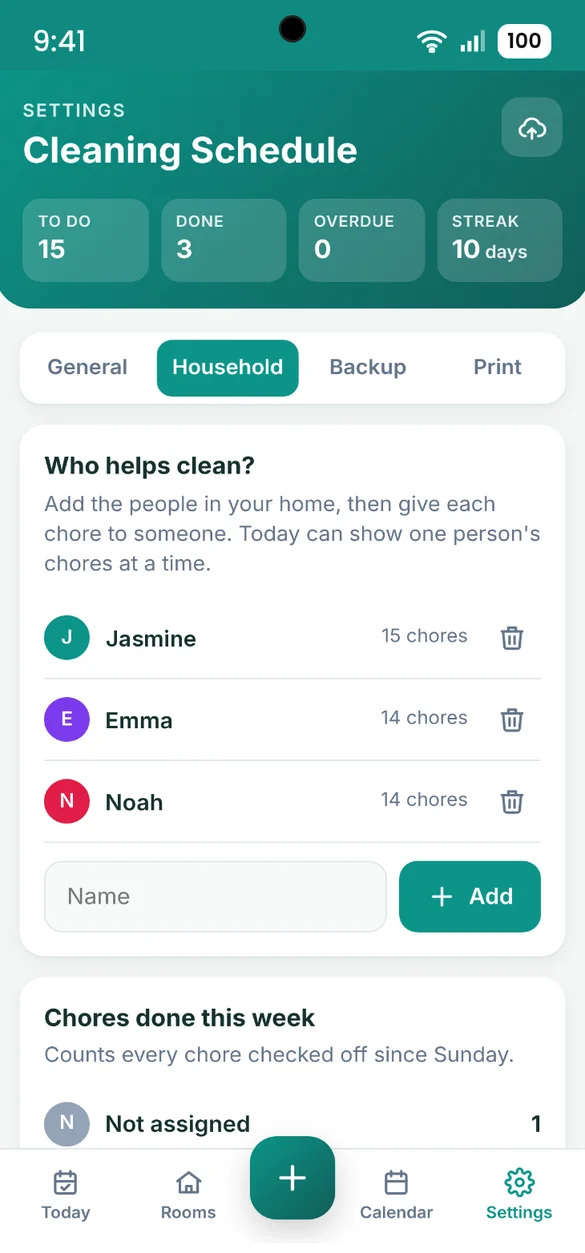
Everyone pitches in.
Add the people in your home and give each one their chores, so everyone knows their part.
- Up to 8 people: each with their own color
- Filter by person: to see one person's chores
- Done this week: see who checked off what since Sunday
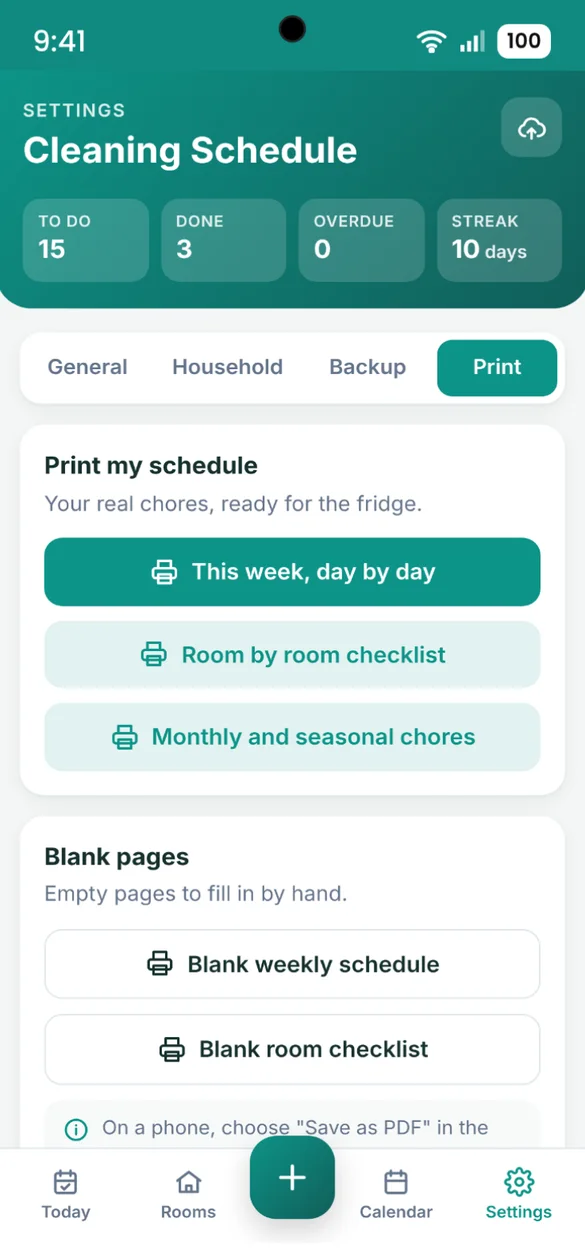
Put it on the fridge.
Print your real schedule, or blank pages to fill in by hand.
- This week: day by day
- Room checklists: plus monthly and seasonal chores
- Blank pages: a weekly schedule and a room checklist
Little extras that help
Progress ring
Fills up as you check off today's chores.
Daily streak
Keep it going one day at a time.
Skip a chore
Not today? It moves to its next date.
8 color themes
Pick your color and switch to dark mode.
Your own app name
Rename the app to whatever you like.
Works offline
Check off chores even with no Wi-Fi.
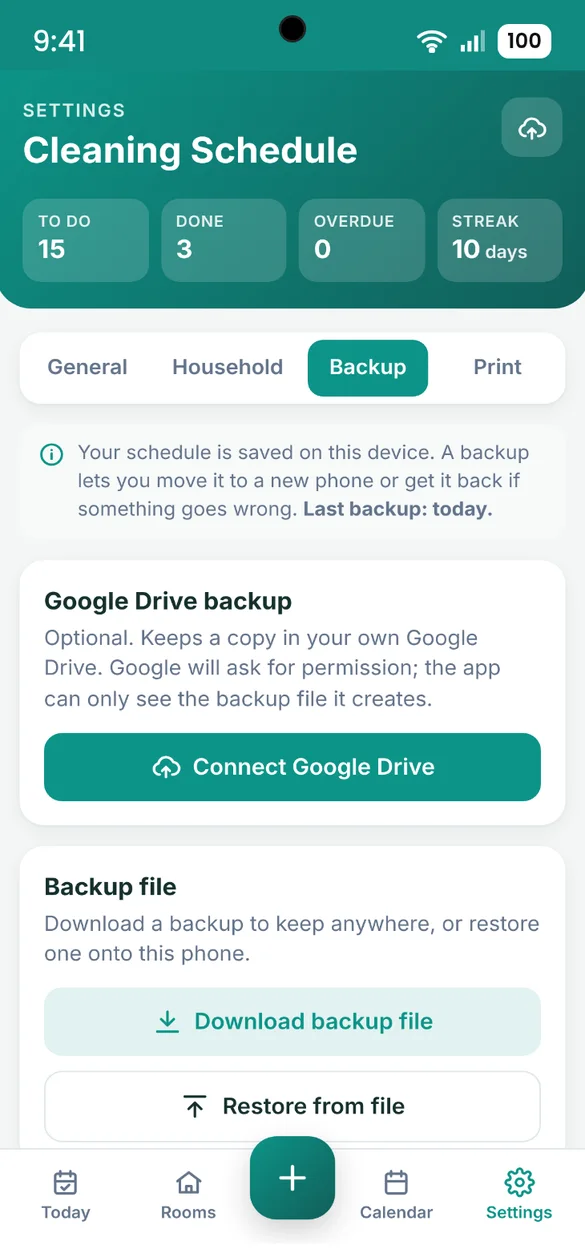
Your schedule stays yours.
Your schedule is saved privately on your device and works offline, with no account or login. Connect your own Google Drive, or download a backup file and keep it yourself. Use either one to move your schedule to a new phone.
- One time purchase, yours forever
- Saved privately on your device, offline
- Optional Google Drive backup, in your own account
- Backup file you can download anytime
- Restore on a new phone
- No account or login, ever
- No ads, ever
How it works
Buy on Etsy
Download your PDF with the link to your app.
Tap the link
Open it on your phone, tablet or computer.
Add it to your home screen
Or bookmark it, then pick your rooms and tap Create my schedule. Install guide
Good to know: this is a web app, not a paper planner. Your schedule is saved on the device you use, so each phone or computer keeps its own copy.
To move it to a new phone, download a backup file or use Google Drive, then restore it on the new phone.
Questions
Is there a subscription?
No. You pay once on Etsy and the app is yours. No monthly fees and no ads.
How do I set it up?
Pick the rooms in your home and tap Create my schedule. The app fills in a ready-made schedule from 53 chores across 10 room types and spreads them across the week, so no single day is overloaded. Change anything later.
What if I miss a chore?
Anything you missed stays on the Today screen with what is due today, so nothing gets lost. You can also skip a chore and it moves to its next date.
How does Quick Clean work?
Tap 10, 15, 30 or 60 minutes and the app picks chores that fit the time you have, starting with what is most overdue. Check them off right from the list.
How often can a chore repeat?
Daily, every few days, on chosen weekdays, every 2 weeks, monthly, every 3 months, every 6 months or once a year. Set how many minutes it takes and add notes like which products to use.
Can my family share the chores?
Add up to 8 people and give each chore to someone, then show one person's chores at a time. Your schedule is saved on the device you use, and each phone or computer keeps its own copy, so it does not sync between phones. Print the week for the fridge so everyone can see their part.
Can I use it on my phone and my computer?
Yes. On a computer it opens as a full layout with a sidebar, your week and this week at a glance. To move your schedule between devices, back up on one and restore on the other.
What if it doesn't work on my phone?
Send a message through Etsy and I'll help you get it working. If it doesn't install or work on your phone, you can get a refund within 30 days.
Try it before you buy
The real app with sample data. Nothing you type is saved.