Client Tracker Clients, Bookings and Payments
The appointment book for people who run their business on their own. See who is next, what is paid and what is still owed, with every client's notes, photos and visit history one tap away.
- One time purchase
- No monthly fees
- No account or login
- Phone, tablet and computer
What's inside
For stylists, estheticians, nail techs, lash artists, massage therapists, groomers, trainers and anyone who books their own clients.
Your whole day. One screen.
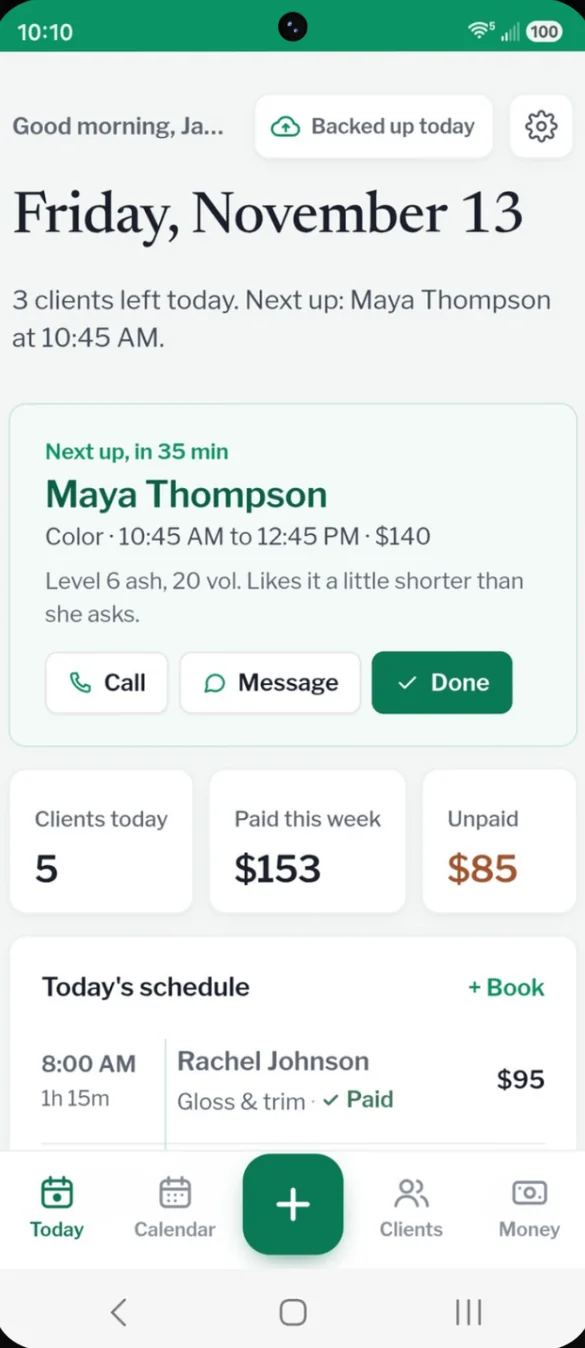
Open the app and see who is next and how long until they arrive, with their notes right there. Clients today, paid this week and anything unpaid sit below, then your full schedule for the day.
- Next up: with a countdown and the client notes
- One tap: Call, Message or Done
- Reach out: upcoming birthdays and clients you have not seen in a while, with a Message button
Your week, with room to book.
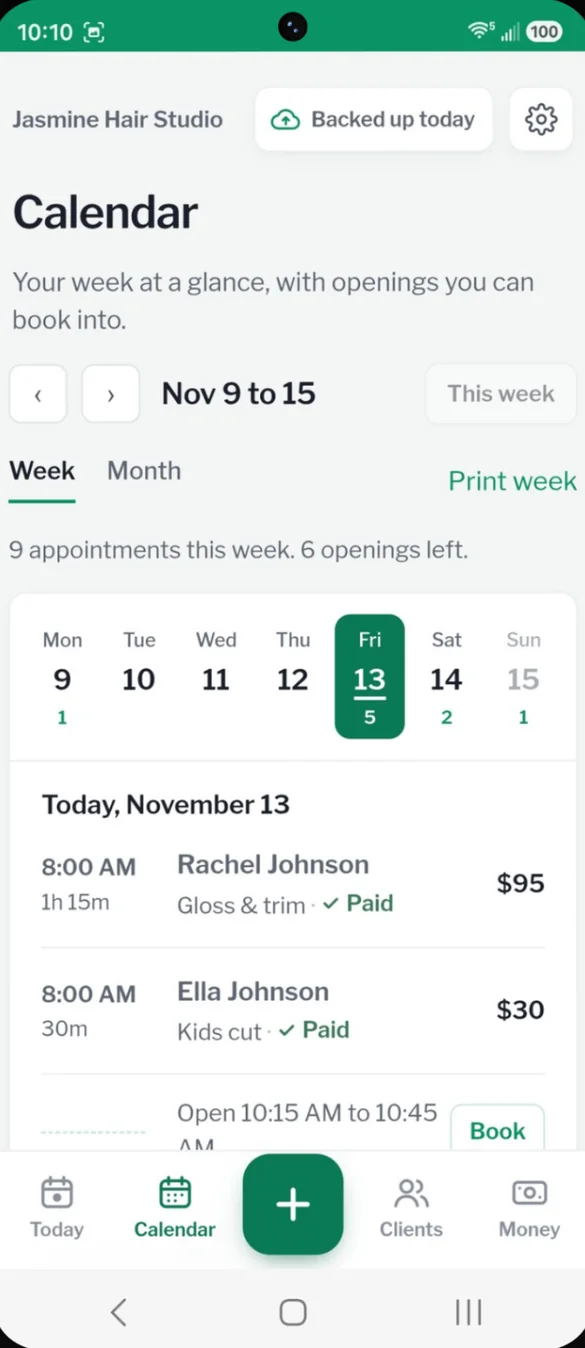
See every appointment day by day. Set your working hours once and the calendar shows your open times, so you can see where to fit someone in.
- Openings: from your working hours
- Tap to book: any open time
- Print week: your schedule on paper in one tap
See the month at a glance.
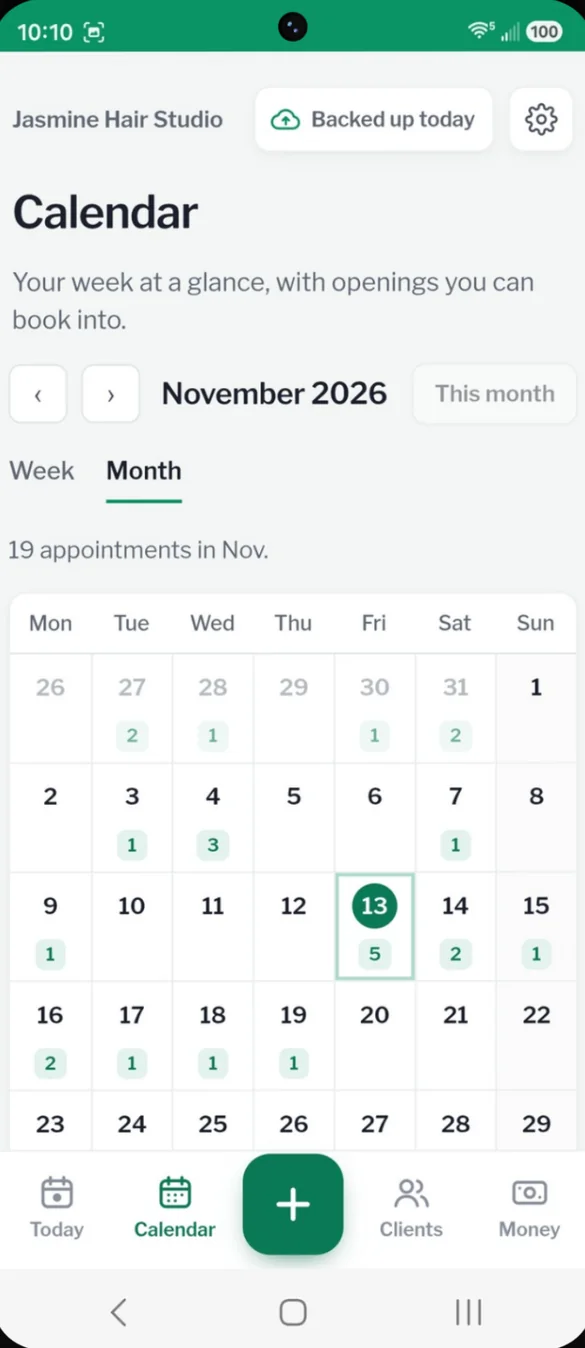
Every day shows how many clients you have, so busy and quiet days stand out. Tap any day to see who is coming.
- Count on every day: busy and quiet days at a glance
- Tap a day: to see its appointments
- Plan ahead: time off around the quiet days
Every client, one tap away.
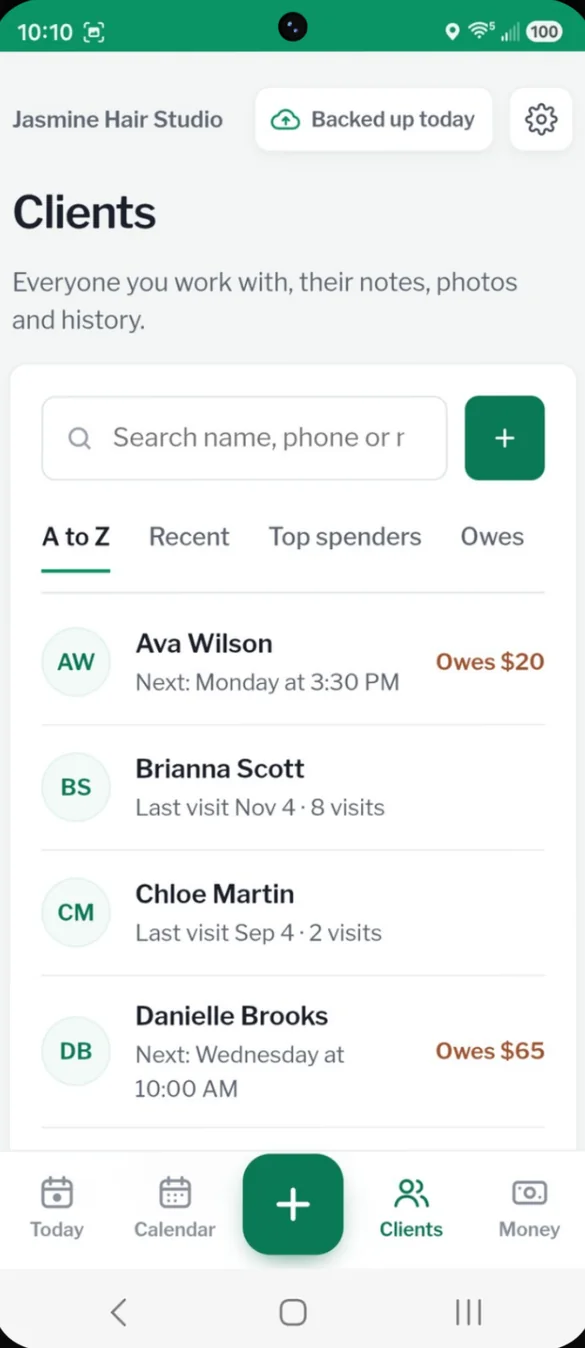
Phone, email, birthday, notes, preferences, photos and every past visit, all in one place. When you mark an appointment done, the app suggests their next visit based on how often they usually come in.
- Search: by name or phone
- Sort: A to Z, recent visits, top spenders or who owes you
- Book their next visit: tap the suggestion and the booking fills itself in
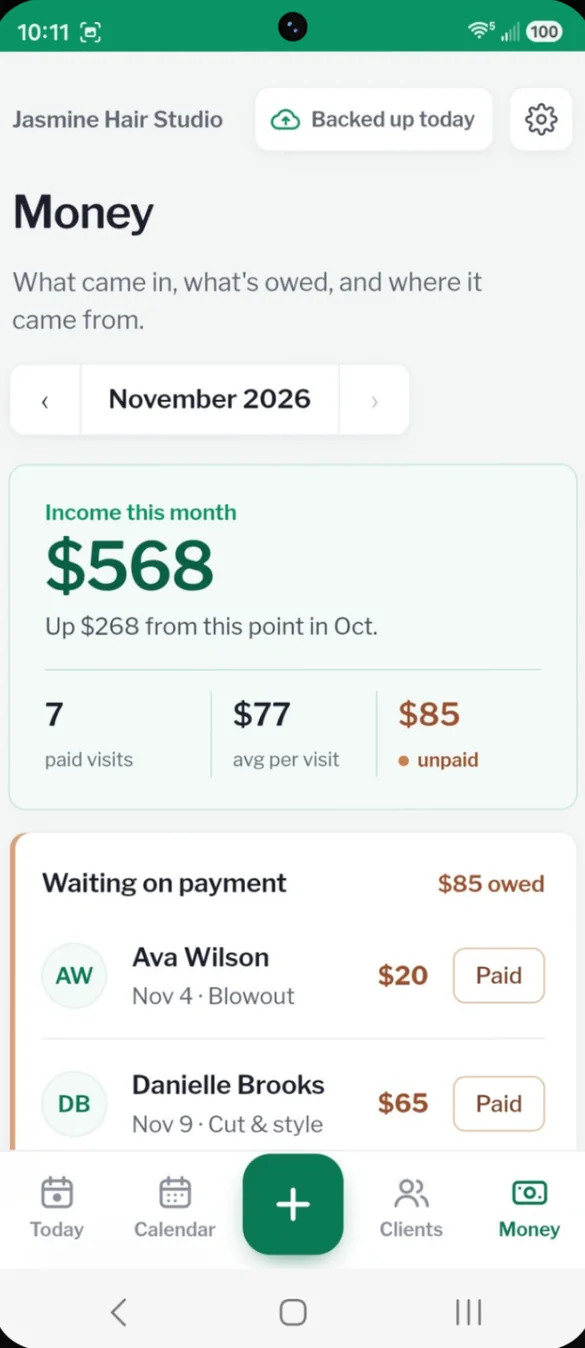
Know what you made.
See your income for the month and how it compares to last month, your average per visit, and every unpaid visit with a one tap Paid button.
- Compared to last month: up or down at this point in the month
- Breakdowns: by service and by payment method
- Tips and product sales: logged too
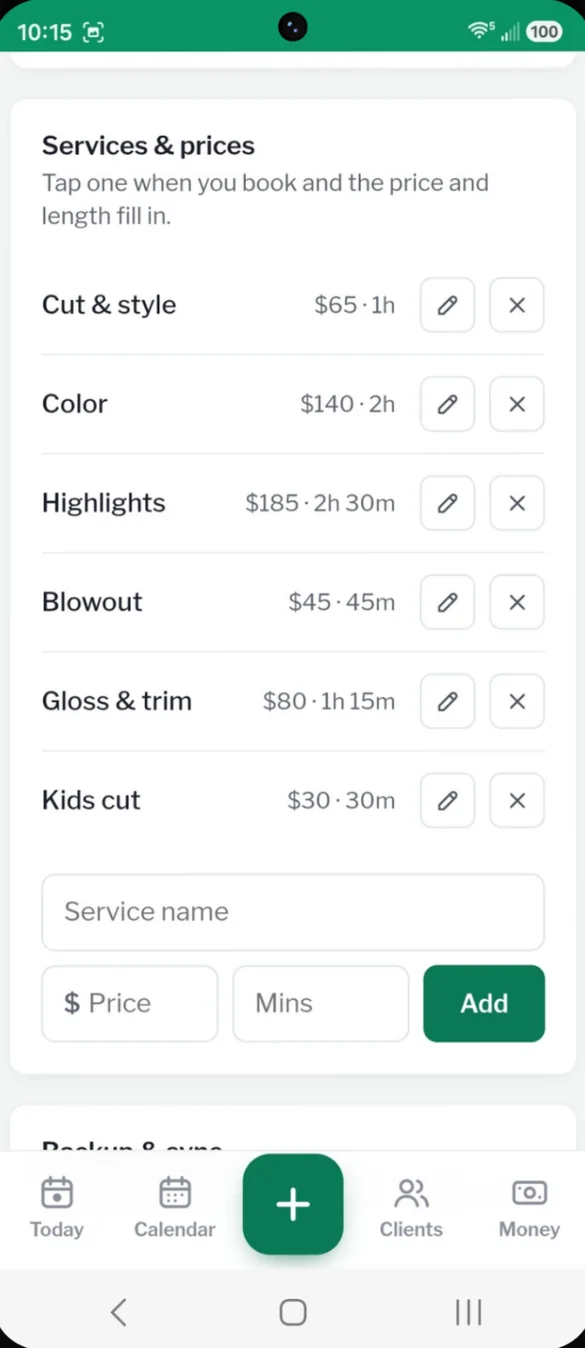
Book in seconds.
Add your services once with their price and length. Pick one when you book and the price and appointment time fill in for you.
- Your services: your prices
- Length: sets the appointment time
- Edit or add: anytime
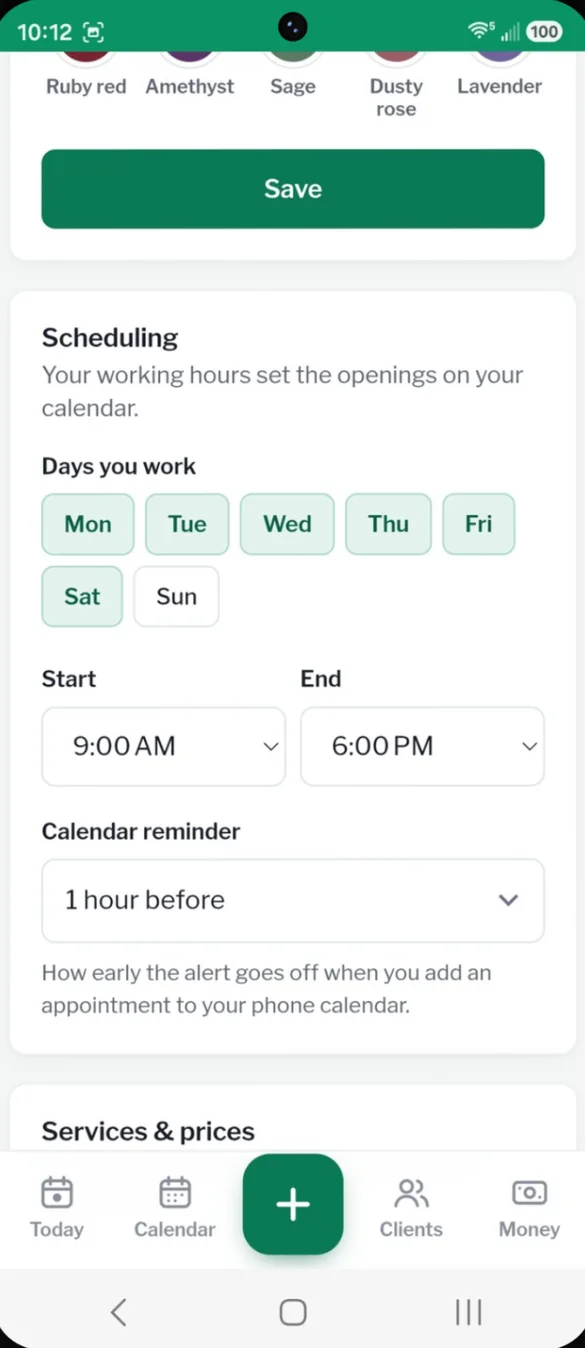
Set your hours once.
Choose the days you work and your start and end times. Those set the openings on your calendar. Add any appointment to your phone calendar with a reminder.
- Days you work: tap to choose
- Openings: fill in from your hours
- Phone calendar reminder: 15 minutes to a day before
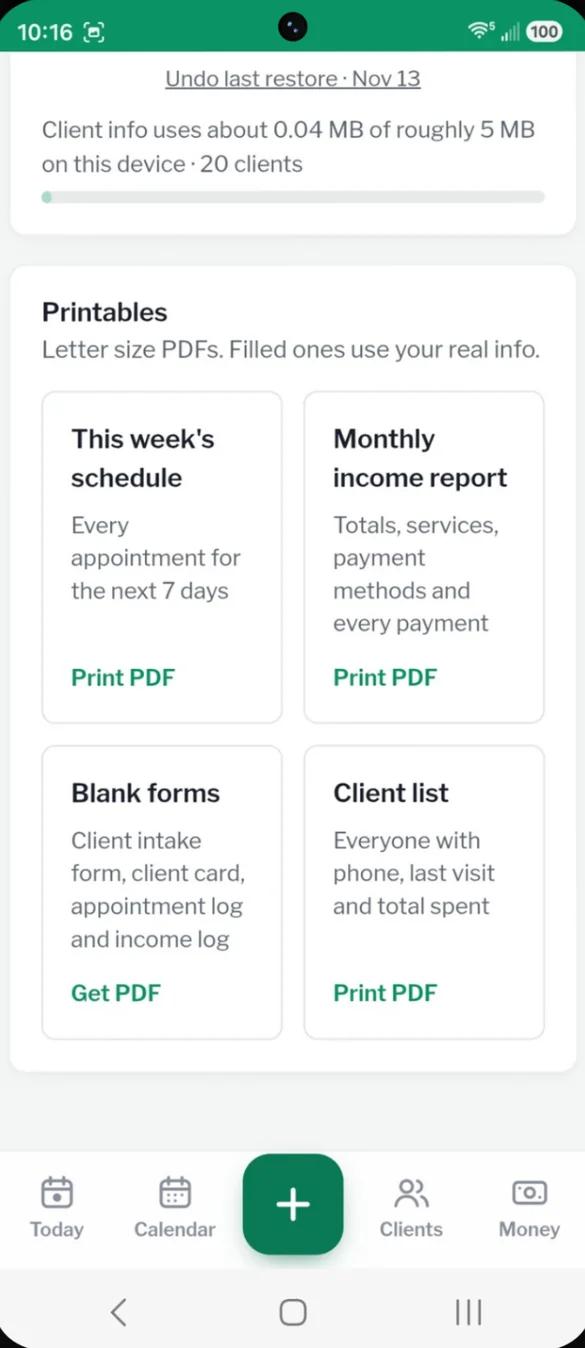
Print what you need.
Print this week's schedule, a monthly income report or your full client list with your real info. The PDFs are made right on your phone.
- This week's schedule: every appointment for the next 7 days
- Monthly income report: totals, services and payment methods
- Client list: everyone with phone, last visit and total spent
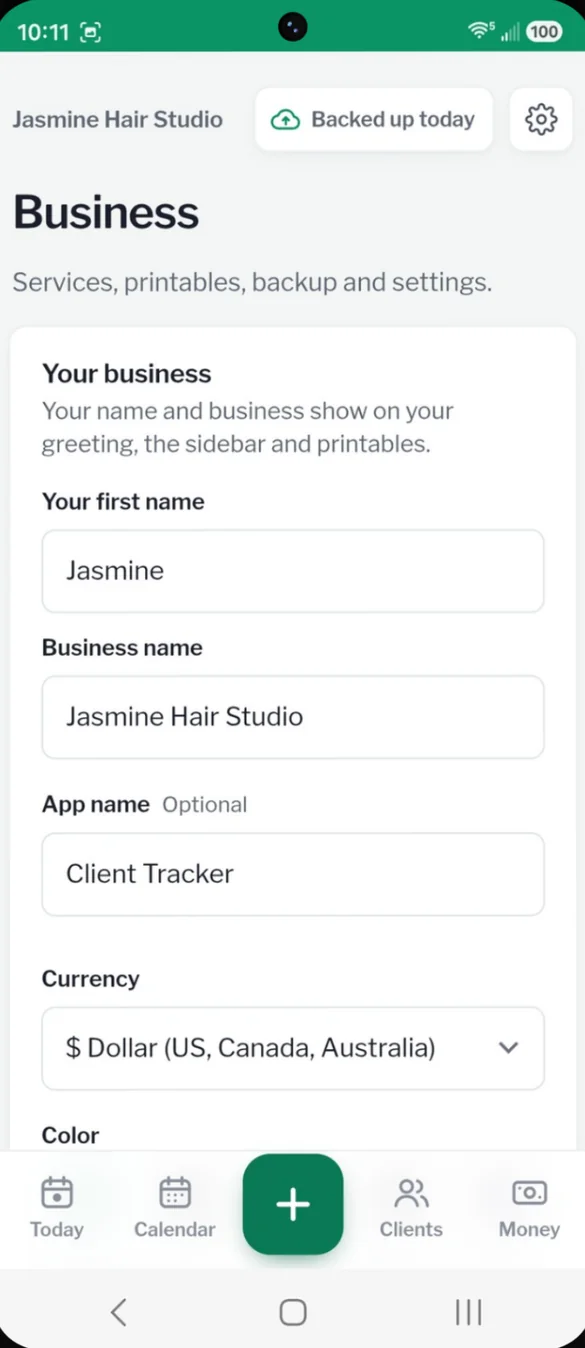
Make it yours.
Your business name shows on your greeting, the menu and your printables. Set your currency, and pick one of 10 color themes.
- Business name: throughout the app
- Currency: for your country
- 10 color themes: one tap to switch
Little extras that help
Next visit suggestions
Mark a visit done and the app suggests when to book them again.
Reach out
Birthdays and clients you have not seen in a while show up on Today.
Phone reminders
Add any appointment to your phone calendar with a reminder.
8 bonus printable pages
New client form, client card, gift certificates, consent and photo release and more.
Phone and computer
On a computer it opens a full layout with a sidebar.
Works offline
Once it's on your home screen it opens without internet.
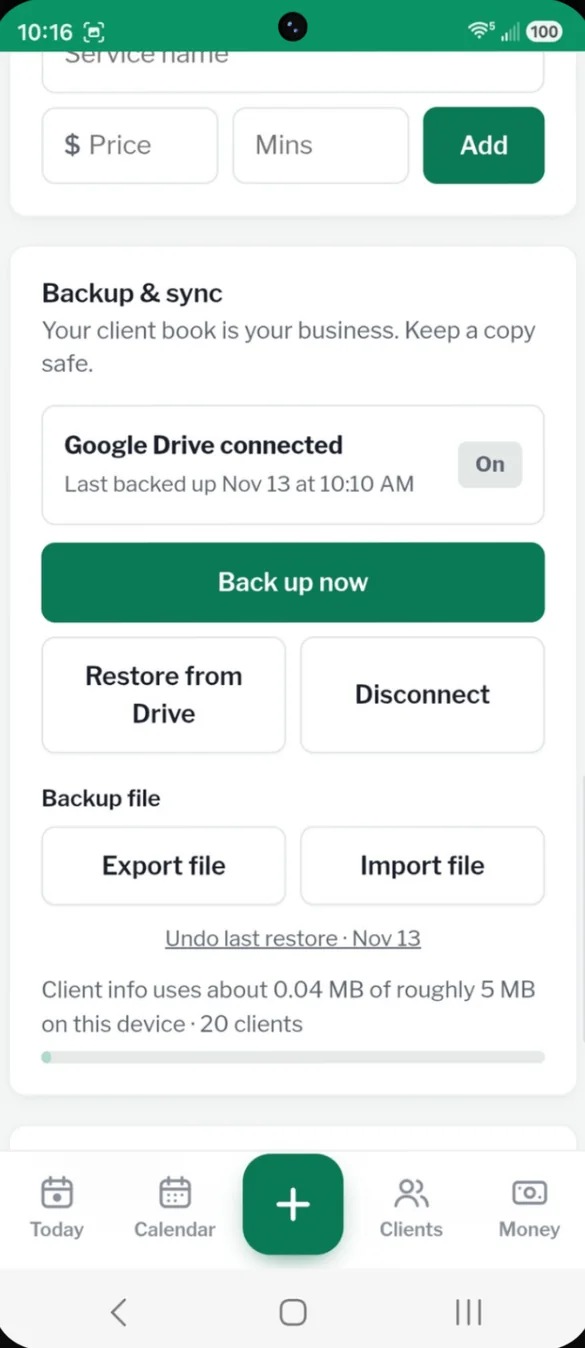
Your client book stays yours.
Your client info stays on your device. You choose where backups go: a file you export, or your own Google Drive. Drive backup is also how you move your client book between your phone and computer.
- One time purchase, no subscription ever
- Saved privately on your device
- Works offline once installed
- Optional backup to your own Google Drive
- Backup file with restore and undo
- Printables made on your device
- No account, no login, no ads
How it works
Buy on Etsy
Download your PDFs, including the 8 bonus printable pages.
Tap the link
Open the link in the PDF on your phone, tablet or computer.
Add it to your home screen
Or bookmark it on a computer, then add your services and clients. Install guide
Good to know: this is your private client book, not an online booking site. Clients do not book themselves, and the app does not send texts on its own. The Message button opens your own texting app.
The consent and photo release form uses general wording, so adjust it to fit your trade and your state's rules.
Questions
Is there a subscription?
No. You pay once on Etsy and the app is yours. No monthly fees and no ads.
Can clients book themselves online?
No. This is your private client book, not an online booking site. You add appointments as clients call or message you.
Does it text my clients for me?
No. The app does not send texts on its own. The Message button opens your own texting app, so messages come from your phone number.
Who is it for?
Anyone who books their own clients: hair stylists, estheticians, nail techs, lash artists, massage therapists, pet groomers, trainers and more.
Where is my client info saved?
On your own device. If you turn on Google Drive backup, a copy goes to your own Drive, and you can export a backup file anytime.
Can I use it on my phone and my computer?
Yes. On a computer it opens a full layout with a sidebar. To move your client book between them, back up on one and restore on the other.
Can I try it before I buy?
Yes. The free demo lets you tap around the real app in your browser.
What if it doesn't work on my phone?
Send a message through Etsy and I'll help you get it working. If we can't, you can get a refund within 30 days.
Try it before you buy
Tap around the real app in your browser. No sign up needed.