Content & Social Media Planner Ideas, Calendar and Goals
Every post, idea and publish date, in one place. Plan for Pinterest, Instagram, TikTok, Facebook, YouTube, your blog and your email list, on your phone and your computer.
- One time purchase
- No account or login
- No ads
- Phone, tablet and computer
What's inside
Your ideas, drafts and schedule together, so posting consistently gets easier.
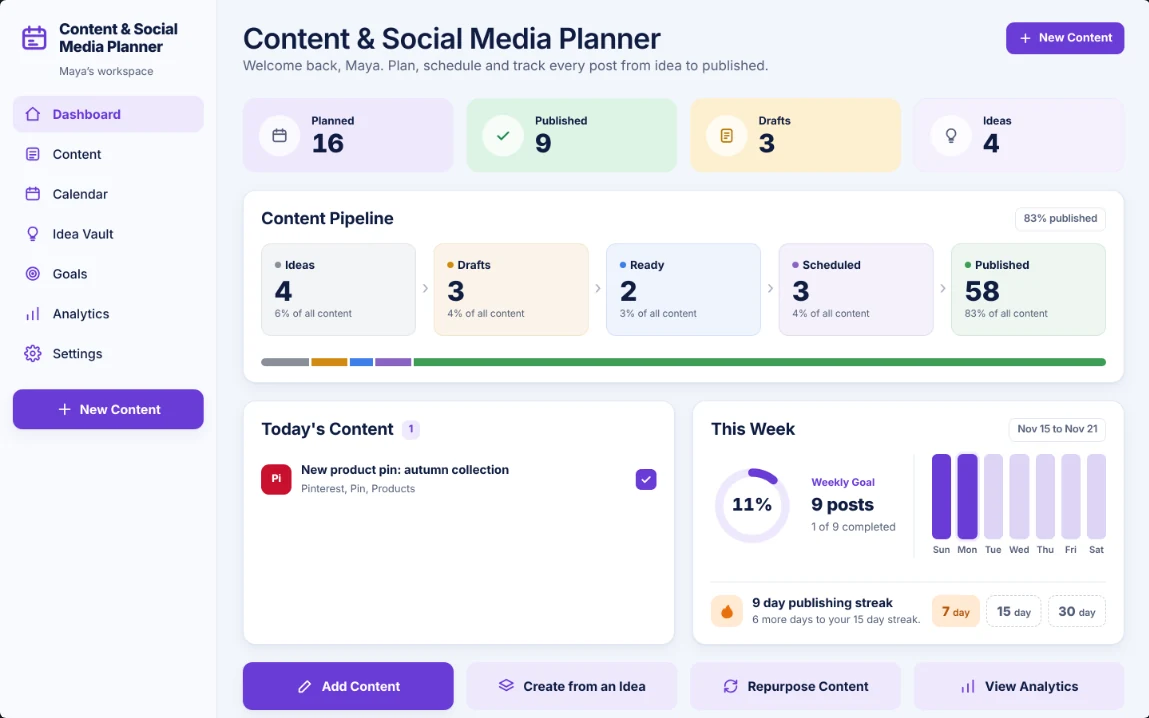
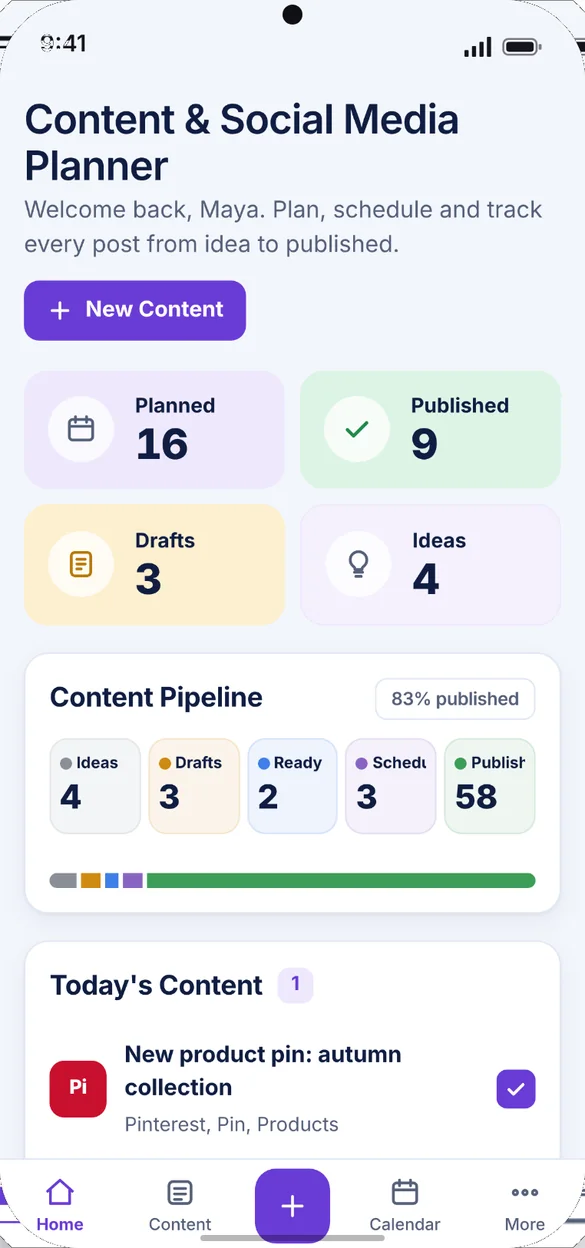
Your whole plan on one screen.
Home opens with how many posts you have planned this month, how many you've published, and how many drafts and ideas are waiting.
- Four counts: planned, published, drafts and ideas
- Today's content: with a box to tick when it goes live
- Nothing slips: posts past their date show up to review
See where every post stands.
From Ideas to Drafts, Ready, Scheduled and Published, with a count for each stage and how much of your content is published.
- Five stages: Ideas, Drafts, Ready, Scheduled and Published
- Tap a stage: to open its list
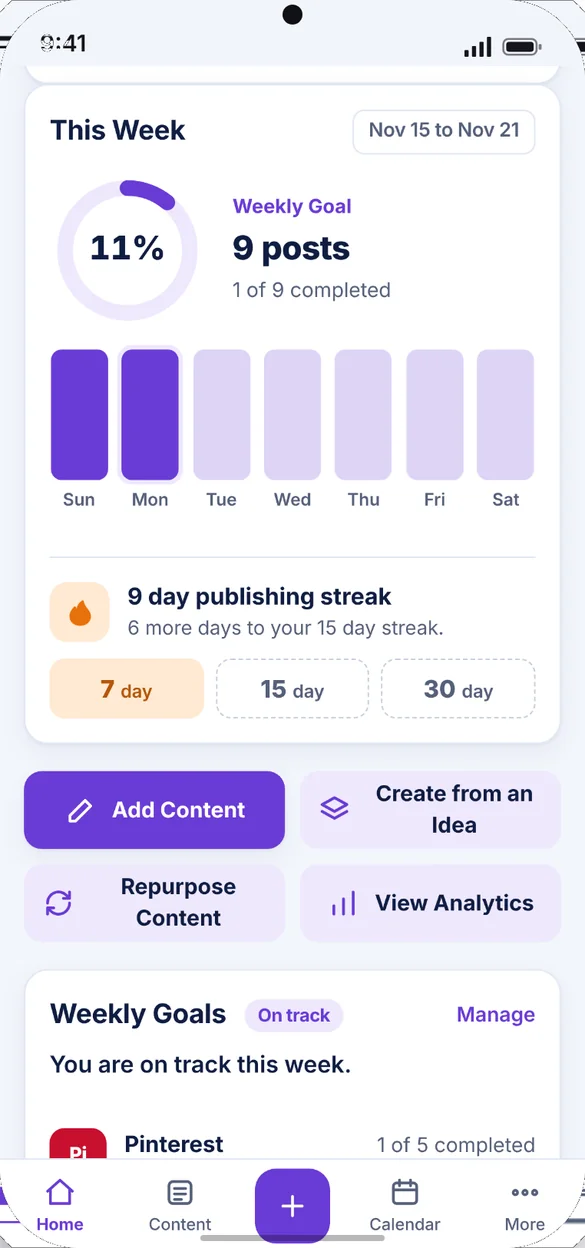
- This week: a goal ring and a bar for each day
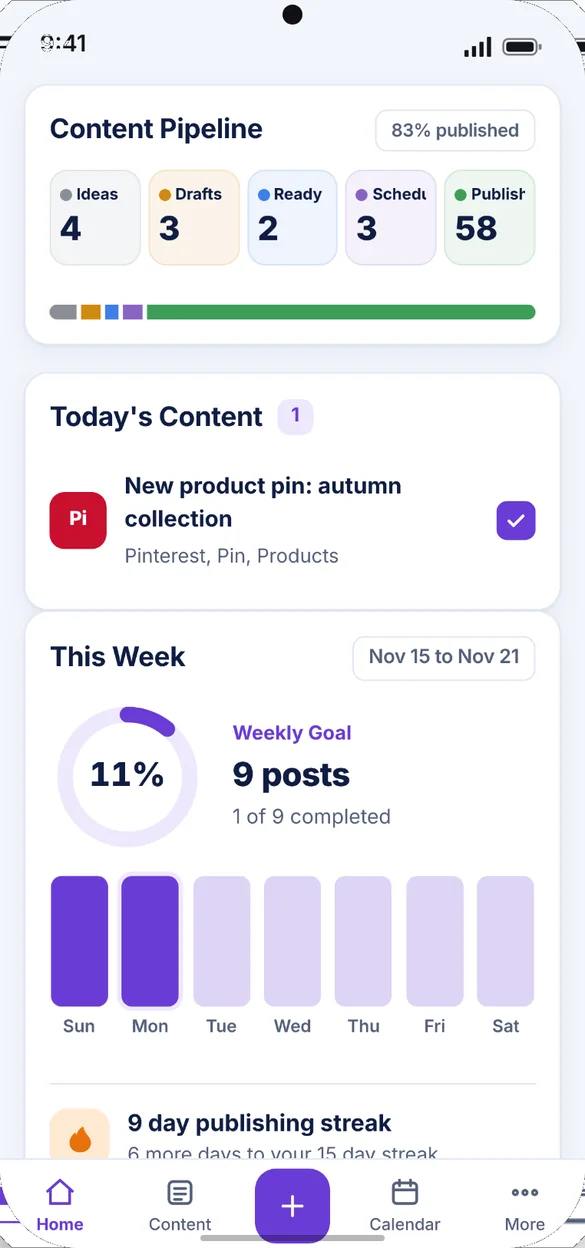
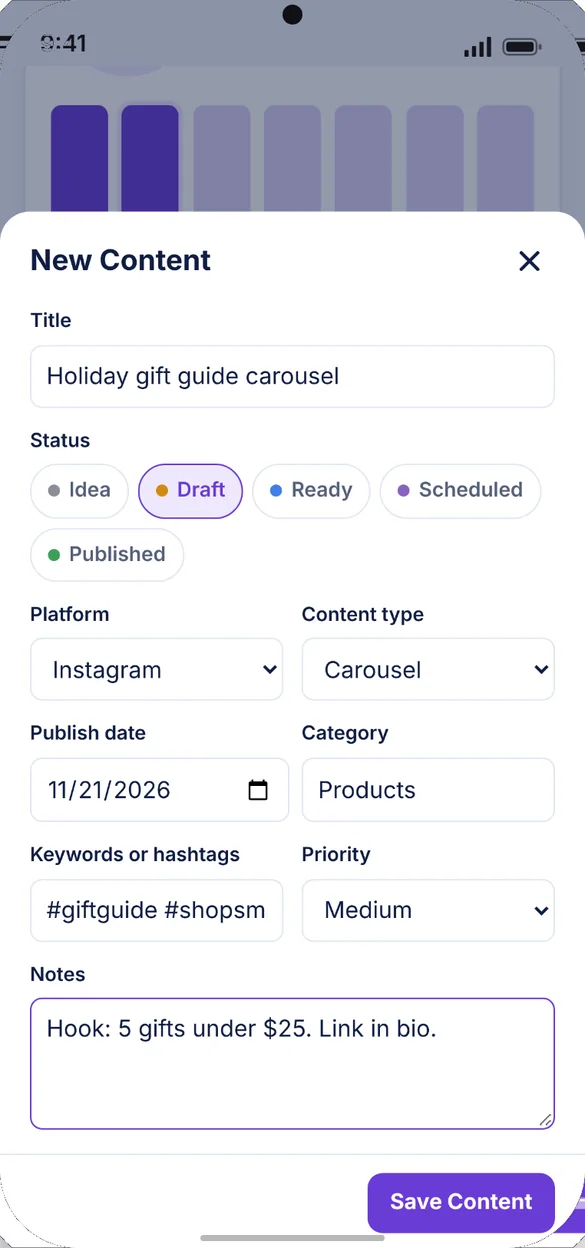
Plan a post in seconds.
Give it a title, a platform and a date. Add the rest if you want: content type, category, keywords, priority and notes for your caption, hook or links.
- 7 platforms: Pinterest, Instagram, TikTok, Facebook, YouTube, blog and email
- Every status: Idea, Draft, Ready, Scheduled or Published
- Notes: for captions, hooks and links
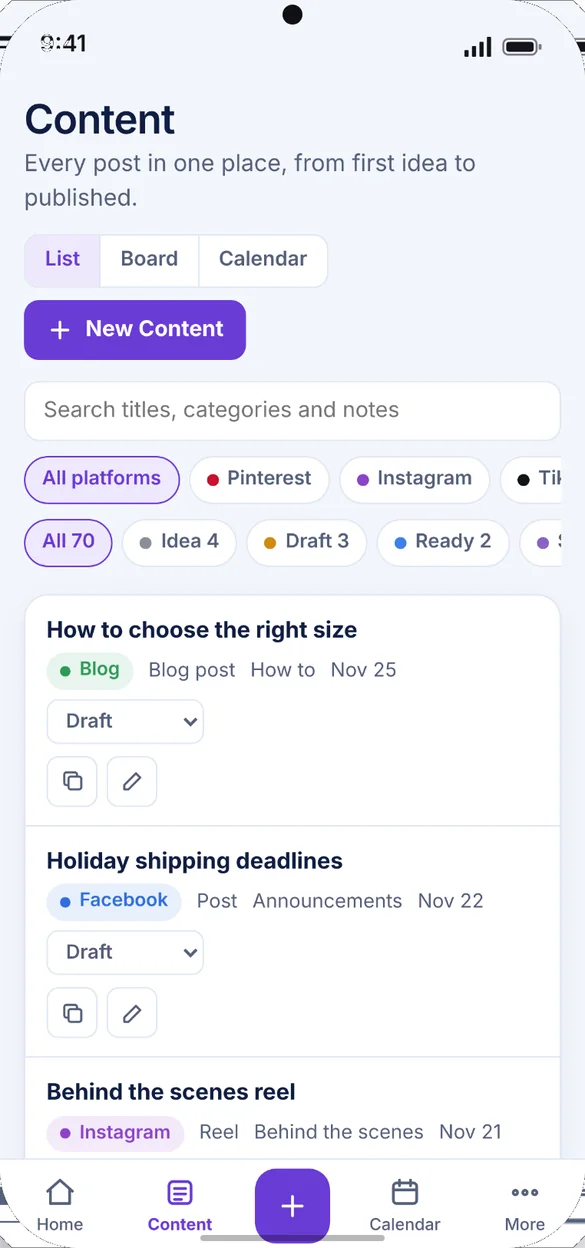
Every post in one place.
Search every post and filter by platform and status. Change a status or duplicate a post right from the list. On a computer, switch to a board and drag cards across.
- Search and filter: by platform and status
- Change status: without opening the post
- Board view: drag and drop on a computer
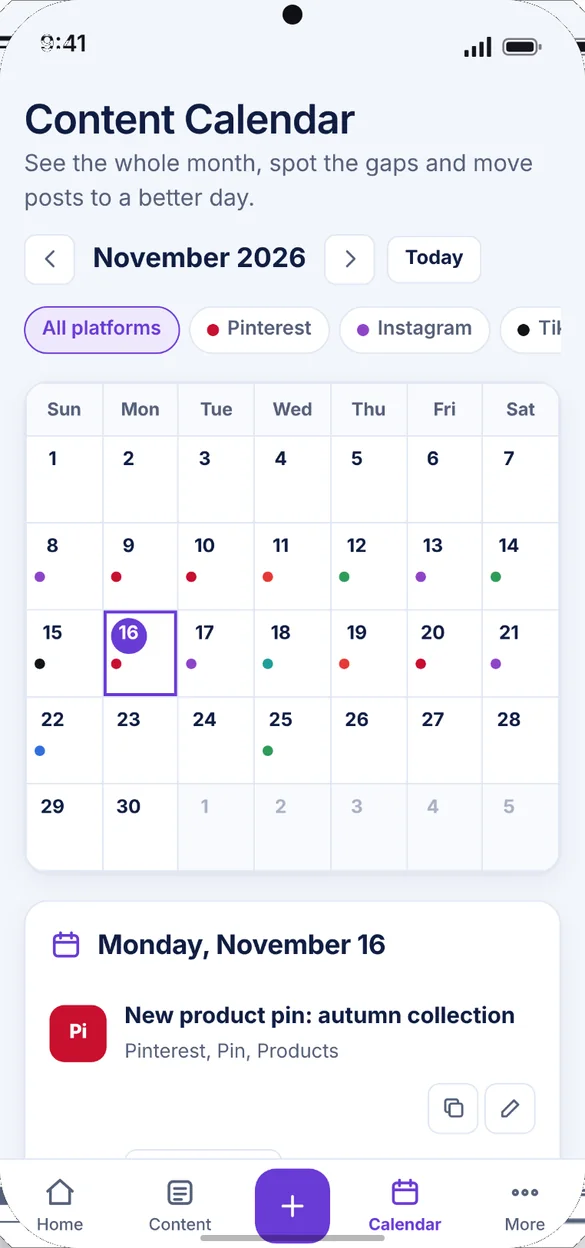
See the whole month.
Every platform has its own color, so gaps stand out. Tap a day to see what's planned, add something new or change a status.
- A color for every platform: filter to just one
- Tap a day: to add, edit or duplicate
- Drag to a new day: on a computer
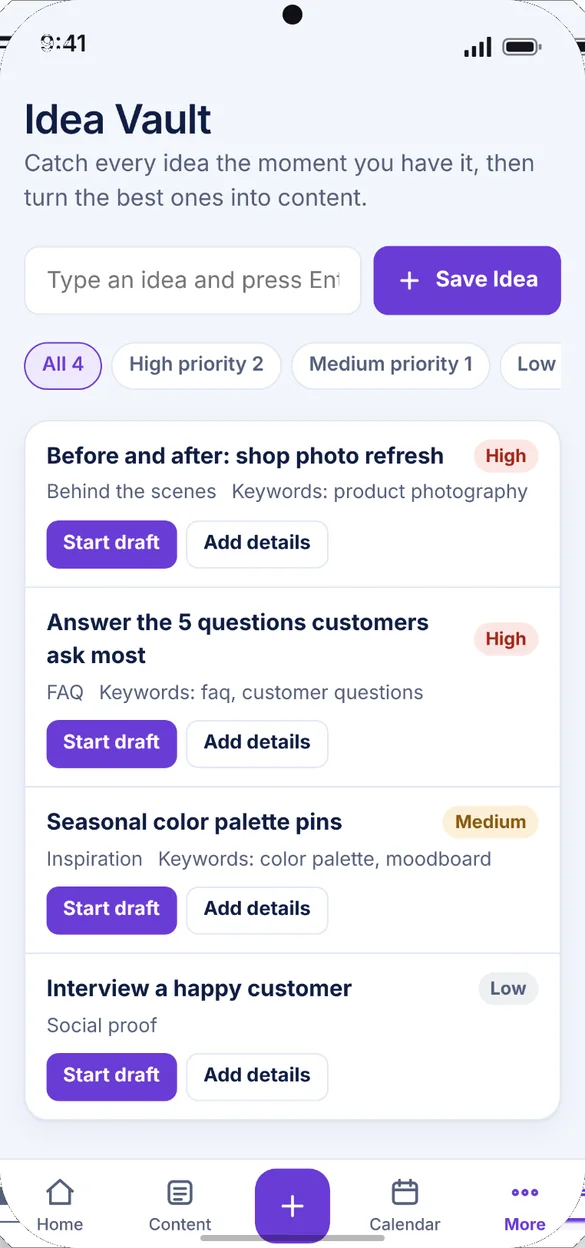
Catch every idea.
Type an idea and press Enter, and it's saved. Add keywords, a category and a priority later, then start a draft when you're ready.
- Saved in a second: just type and press Enter
- Priority: high, medium or low
- Start draft: one tap turns an idea into a draft
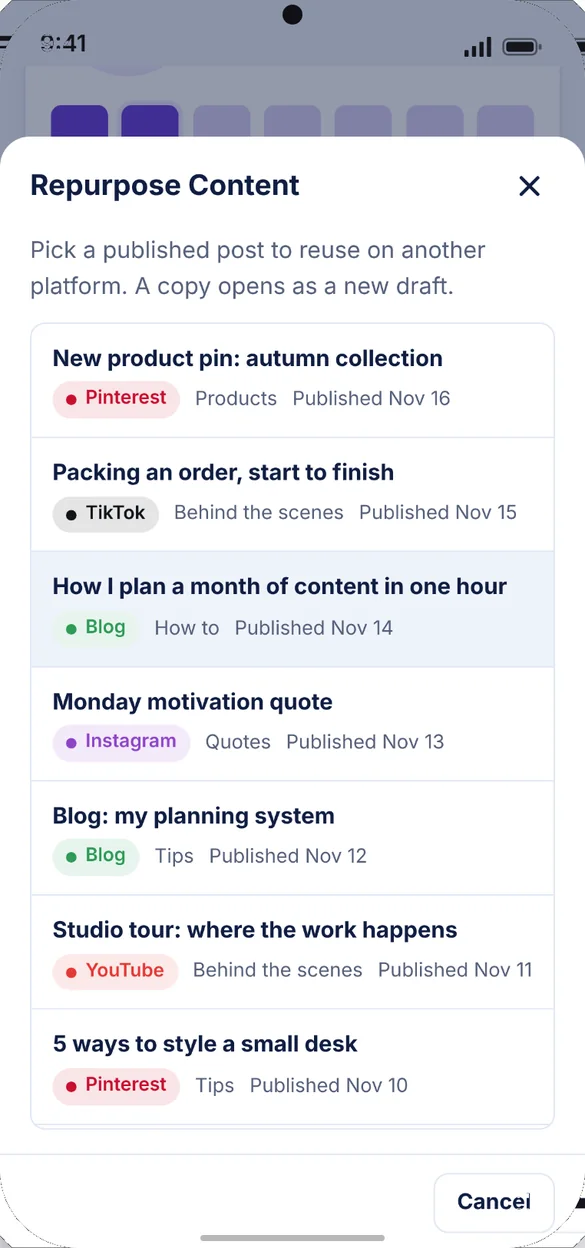
Use a good post twice.
Pick a post you already published and the app makes a copy as a new draft, ready to reuse on another platform. The original stays as it is.
- A copy opens: as a new draft
- The original: stays as it is
- Create from an idea: pick a saved idea and it moves to Draft
Keep the streak going.
Every day you publish adds to your streak, with milestones at 7, 15 and 30 days. Home shows how many days are left to the next one.
- Milestones: at 7, 15 and 30 days
- Weekly goal ring: how far along you are this week
- Quick actions: add content, create from an idea, repurpose
Know if you are on track.
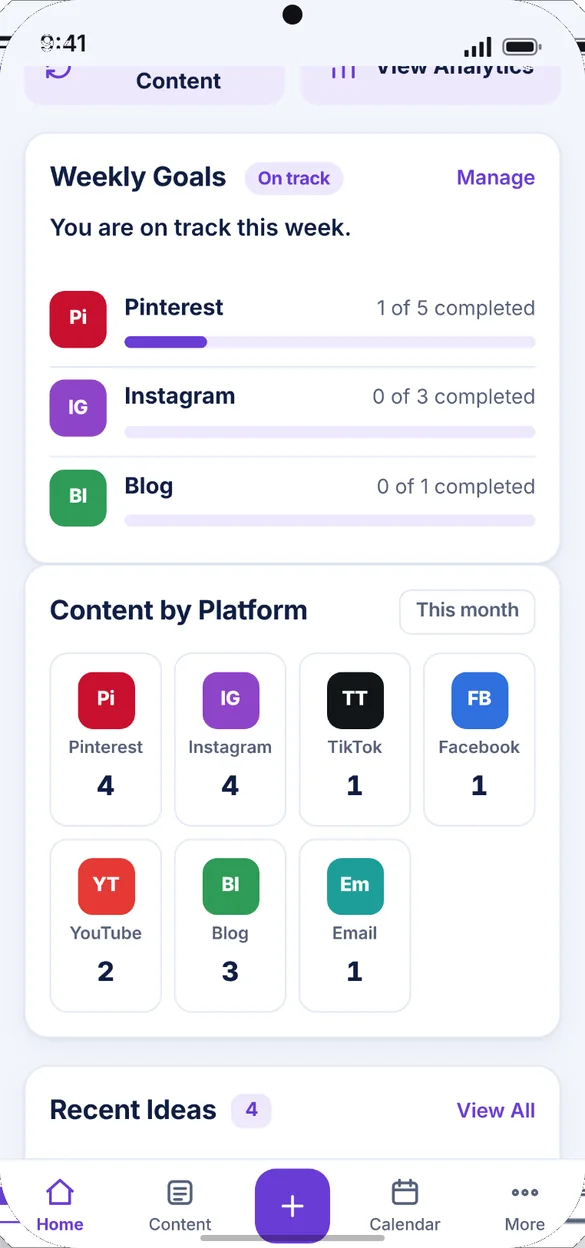
Set how many times you want to post on each platform each week. Home shows your progress and tells you if you are on track or behind.
- A goal for each platform: set once
- On track or behind: at a glance
- Content by platform: a count for every platform this month
See what you actually published.
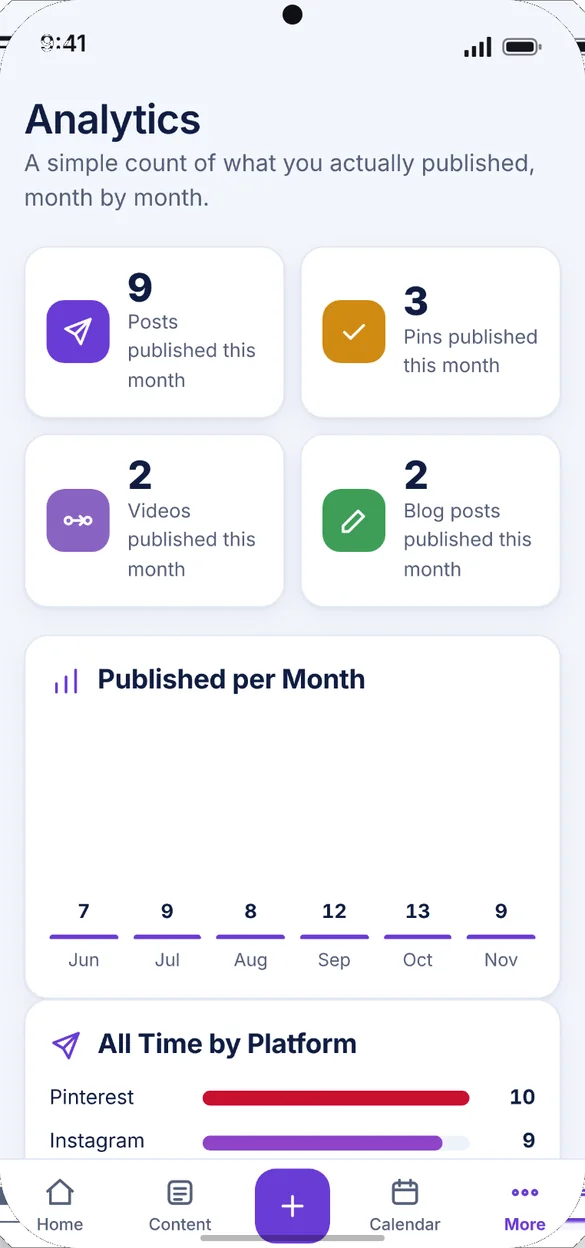
Each post you mark Published is counted. See your posts, pins, videos and blog posts for the month, plus a six month chart.
- This month: posts, pins, videos and blog posts
- Last six months: in one chart
- All time: totals by platform
Your name, your colors.
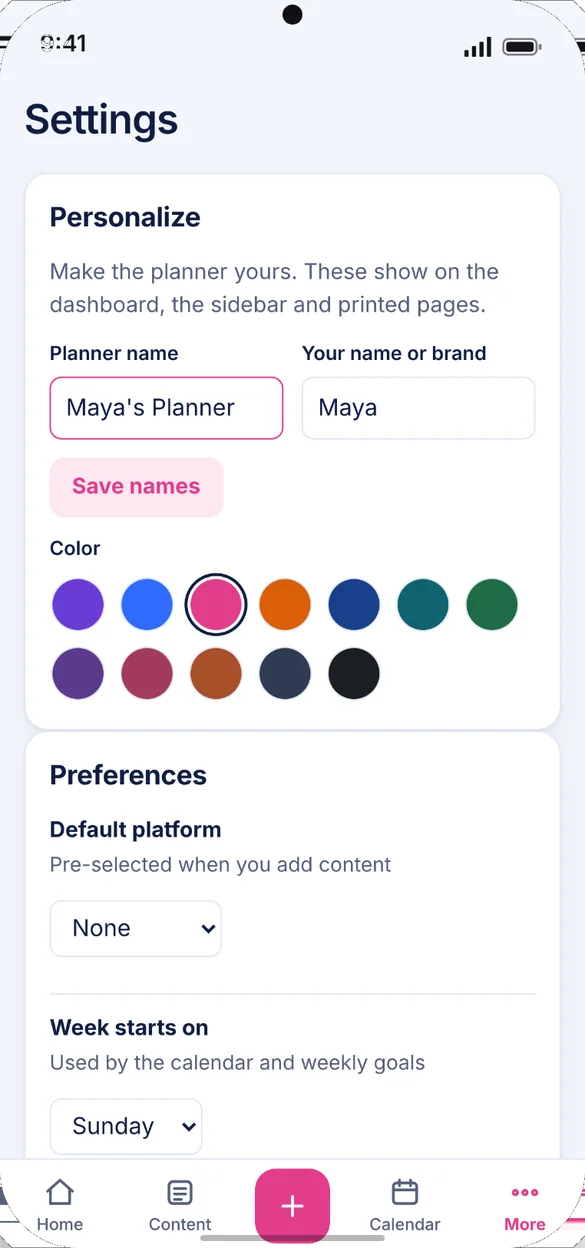
Rename the planner, add your name or brand, and choose from 12 colors. Set your default platform and the day your week starts.
- 12 colors: pick the one you like
- Your name or brand: on the dashboard, sidebar and printed pages
- Your own icons: for any platform
Little extras that help
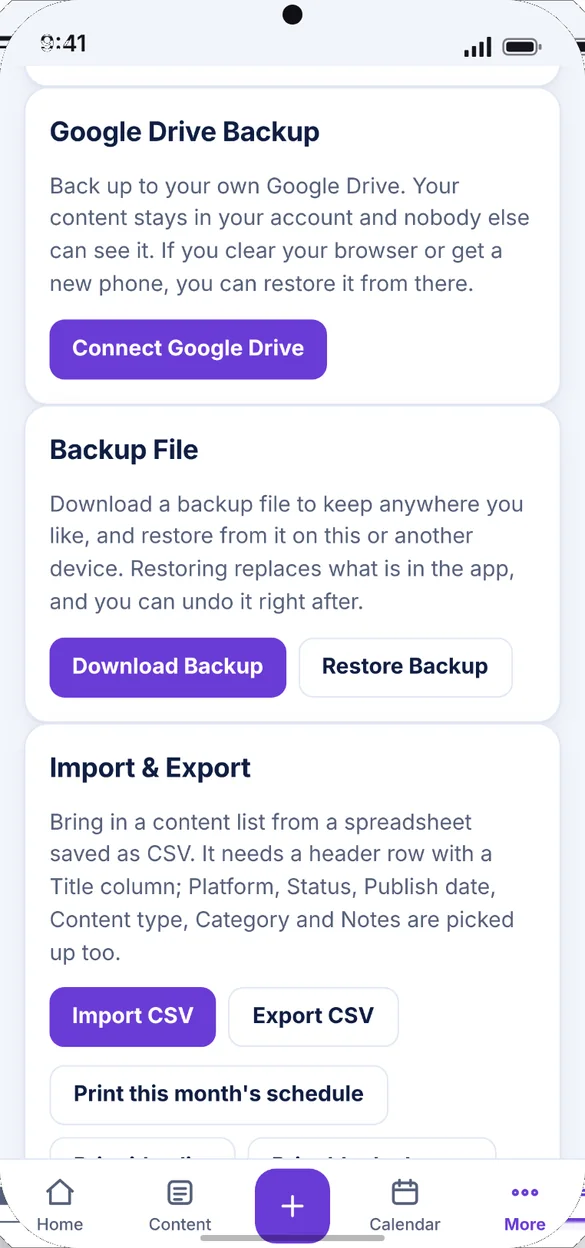
Spreadsheet import
Bring in your spreadsheet as a CSV file in seconds.
Printable pages
Print the month's schedule or your idea list, made on your device.
Try sample data
Load a filled in planner to explore, then clear it in one tap.
5 bonus printables
Monthly calendar, weekly planner, post sheet, idea vault and goals page.
Phone and computer
On a computer it opens a full dashboard with a drag and drop board.
Works offline
Save an idea or check your schedule anywhere, even with no signal.
Your content plan stays yours.
Everything saves privately on your device, with no account and no connection to your social accounts. Backups go where you choose: a file you download, or your own Google Drive, which keeps a rolling week of daily snapshots. A backup is also how you move your plan between devices.
- One time purchase, yours forever
- Saved privately on your device
- Works offline once installed
- Optional Google Drive backup with a rolling week of daily snapshots
- Backup file with undo after a restore
- No connection to your social accounts
- No account, no login, no ads
How it works
Buy on Etsy
Download your PDFs, including the 5 bonus printable pages.
Tap the link
Open the link or scan the QR code in the PDF on your phone, tablet or computer.
Add it to your home screen
Or bookmark it, then add your first post. Install guide
Good to know: this is a planner, so it doesn't post for you, send push notifications or connect to Instagram, Pinterest, TikTok or any other account. The publishing tracker counts the posts you mark Published. It doesn't pull in views, likes or followers.
Each device keeps its own copy, so use Google Drive backup or a backup file to move between devices. Google Drive backup needs an internet connection.
Questions
Is there a subscription?
No. You pay once on Etsy and the app is yours. No monthly fees and no ads.
Does it post for me?
No. It's a planner. It doesn't post for you, send push notifications or connect to Instagram, Pinterest, TikTok or any other account.
Does it show my views or likes?
No. The publishing tracker counts the posts you mark Published. It doesn't pull in views, likes or followers.
Which platforms can I plan for?
Pinterest, Instagram, TikTok, Facebook, YouTube, your blog and your email list. Platforms show as colored two letter tiles, and you can add your own icon for any of them.
Can I bring in my spreadsheet?
Yes. Save your spreadsheet as a CSV file and import it. You can also export everything to a spreadsheet that opens in Excel, Numbers or Google Sheets.
Can I use it on my phone and my computer?
Yes, but each device keeps its own copy. Use Google Drive backup or a backup file to move your content between them.
Can I try it before I buy?
Yes. The free demo uses sample data and doesn't save anything, so try every button.
What if it doesn't work on my phone?
Send a message through Etsy and I'll help you get it working. If the app doesn't install or work on your phone, you can get a refund within 30 days.
Try it before you buy
The real app with sample data. Nothing you type is saved.