Credit Card Tracker Best Card, Payoff Plan and Due Dates
Always know which card to use, when it's due and how to pay it off. Every card in one place, on your phone and your computer.
- One time purchase
- No account or login
- No ads
- Phone, tablet and computer
What's inside
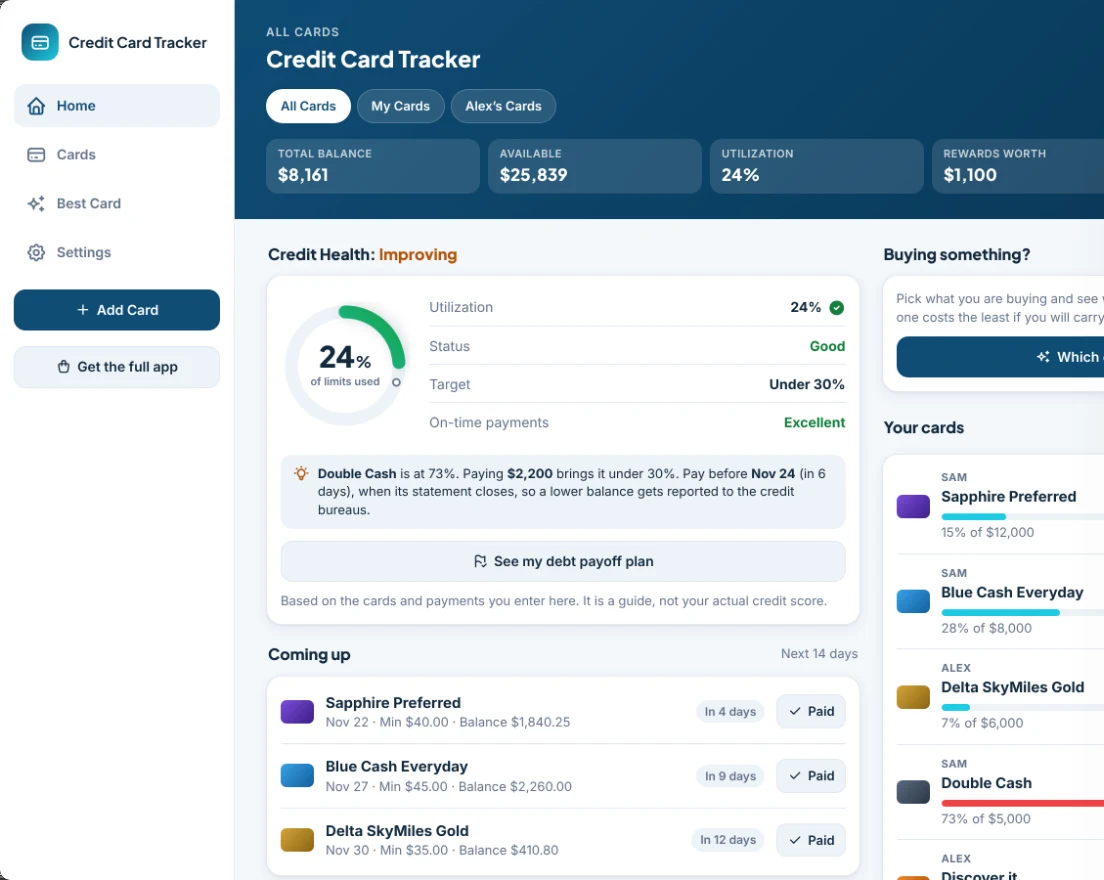
Your cards, due dates and payoff plan together, so the app does the thinking for you.
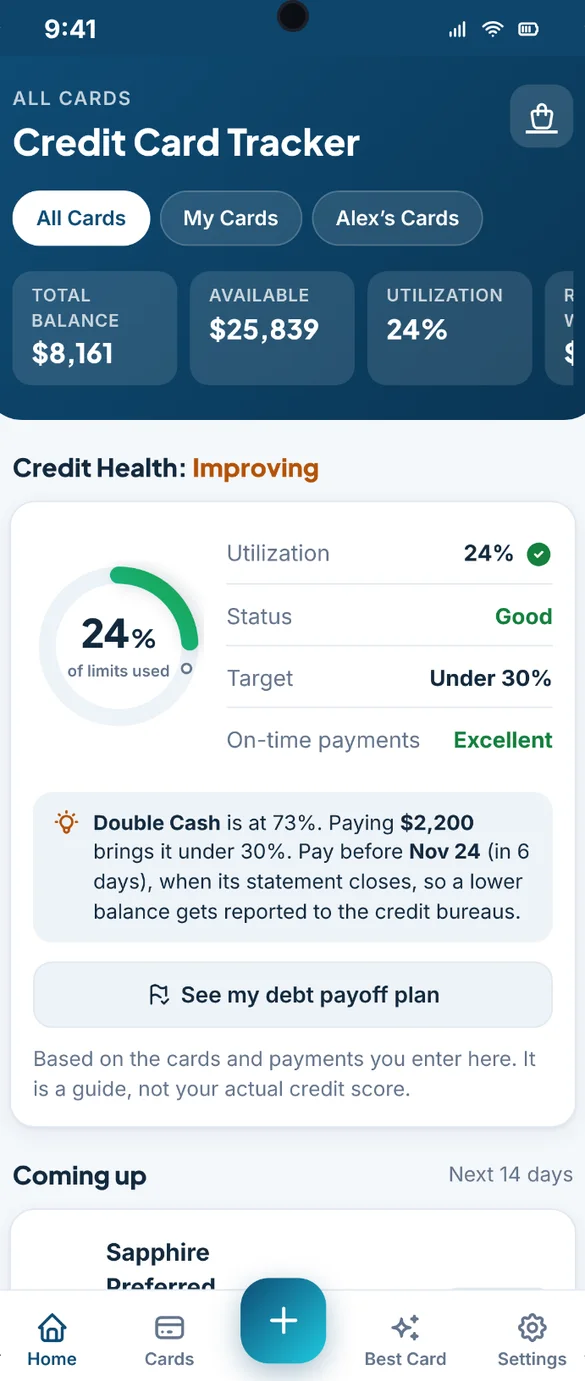
Your credit health at a glance.
See how much of your limits you are using in a simple ring, your on-time payment record and a clear status: Good, Improving or Needs Attention.
- Under 30%: see when you get there
- Tips with real numbers: like how much to pay to get a card under 30%
- Pay before it closes: so a lower balance gets reported
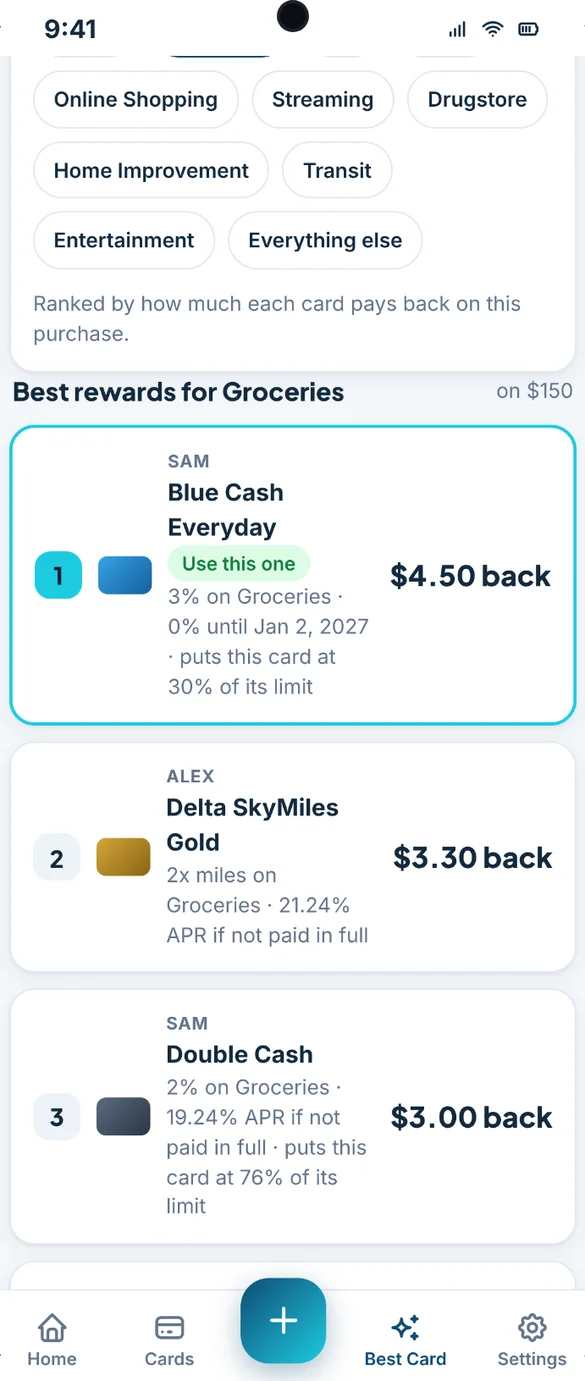
Always know which card to use.
Pick what you are buying, like groceries, gas, dining or travel, and the app ranks your cards by how much each one pays back. Carrying a balance? Switch modes and it ranks them by the lowest interest, counting any 0% offer.
- Most back: cash back, points or miles
- Lowest interest: if you carry a balance
- A warning: before a card goes over 30% or its limit
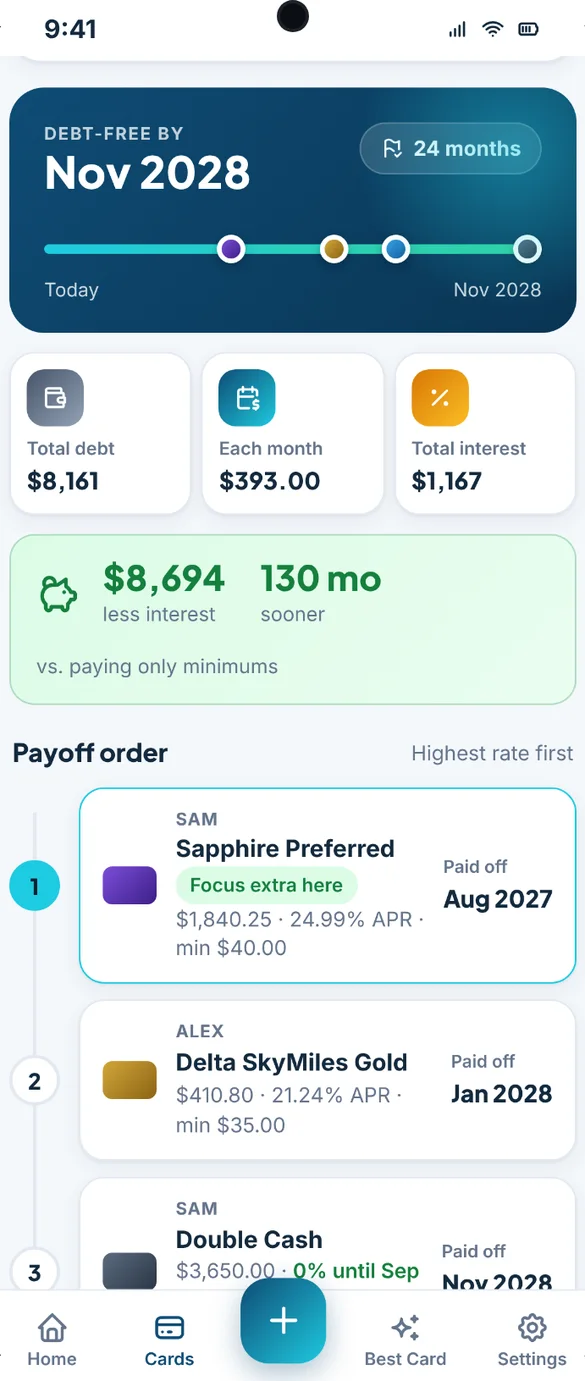
Your debt-free date, mapped out.
Choose Avalanche (highest rate first) or Snowball (smallest balance first) and add an extra amount each month. See your debt-free date on a timeline and the order to pay your cards.
- Payoff order: and when each card is paid off
- Total interest: for your plan
- What you save: compared to paying only the minimums
Never miss a due date.
See every payment coming up in the next 14 days and mark it paid with one tap. Add reminders to your phone calendar for due dates, statement closing dates and 0% offers before they end.
- Next 14 days: every payment in one list
- One tap: to mark it paid
- Heads up: rotating 5% categories, annual fees and offers ending
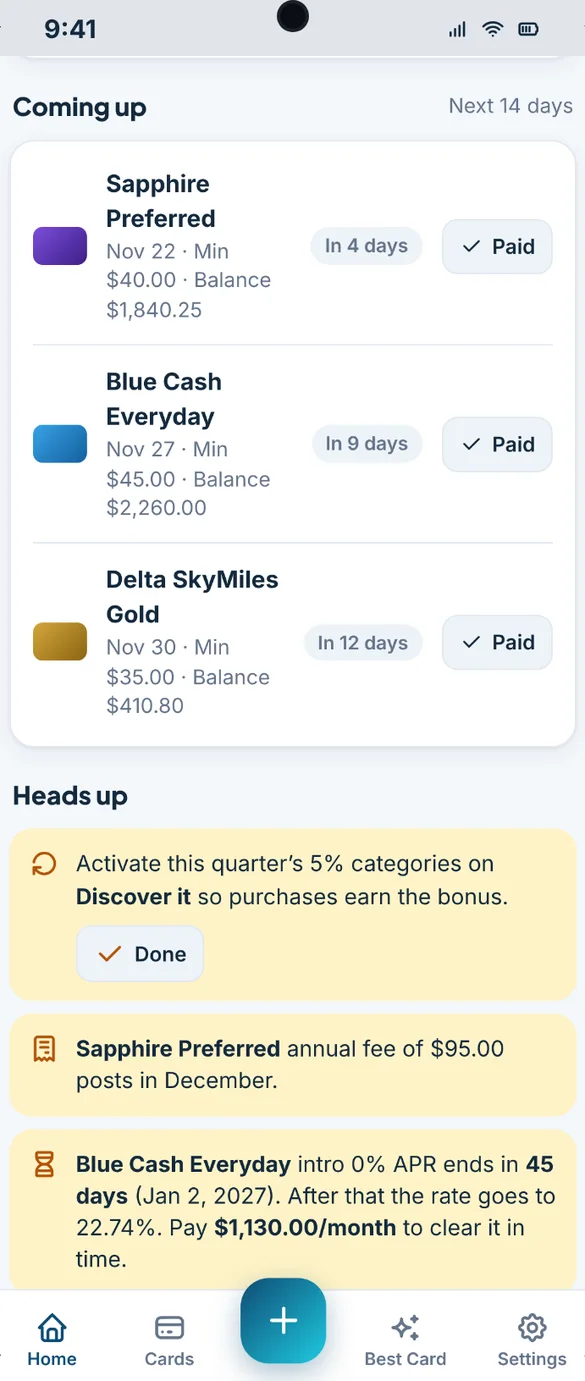
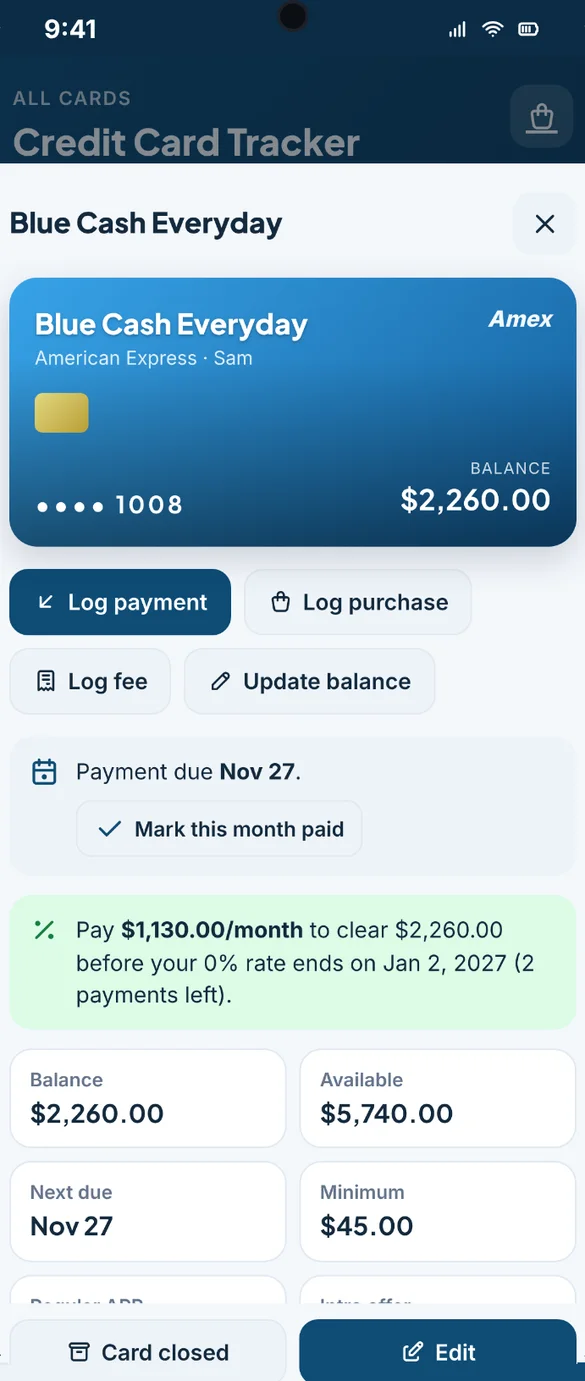
Beat your 0% deadline.
Enter the end date of any 0% offer and the app tells you how much to pay each month to clear the balance in time. You get a heads up as the date gets close.
- Monthly amount: to clear it before the rate jumps
- Payments left: counted for you
- Quick logging: payments, purchases, fees and balance updates
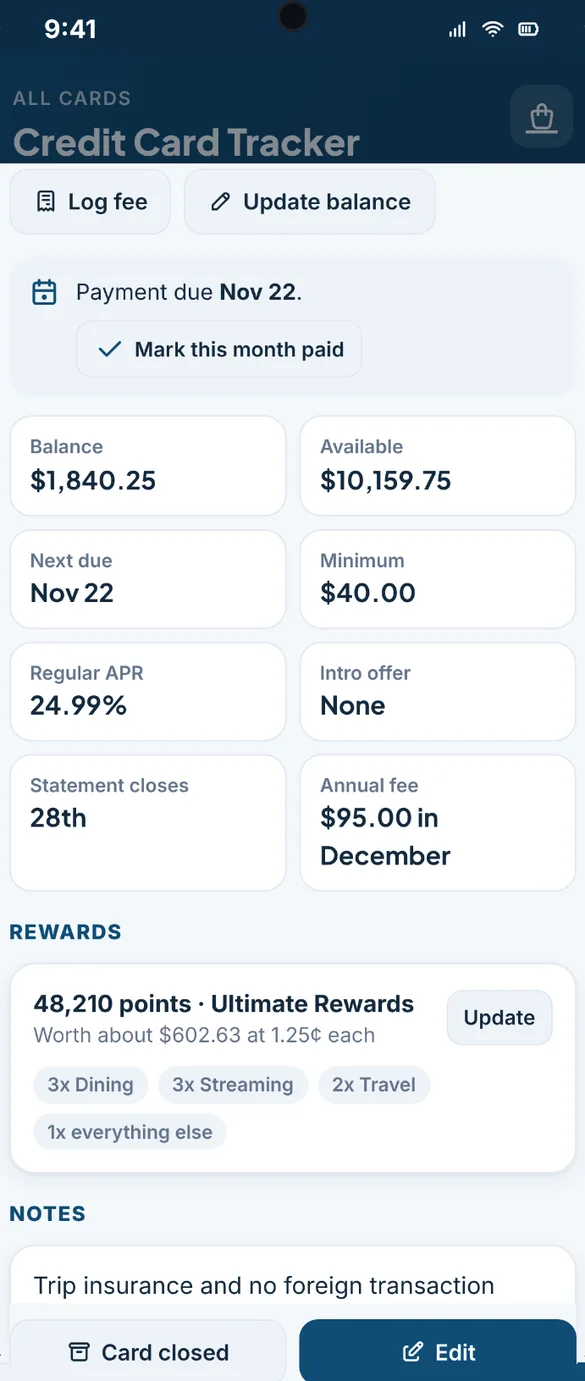
Track points, miles and cash back.
Track the points, miles or cash back on each card, set your bonus categories like 3x on dining, and see what your rewards are worth in dollars. Logging a purchase adds the rewards it earned.
- Bonus categories: like 3x dining or 2x travel
- Worth in dollars: at the value you set
- Rotating 5%: a reminder each quarter
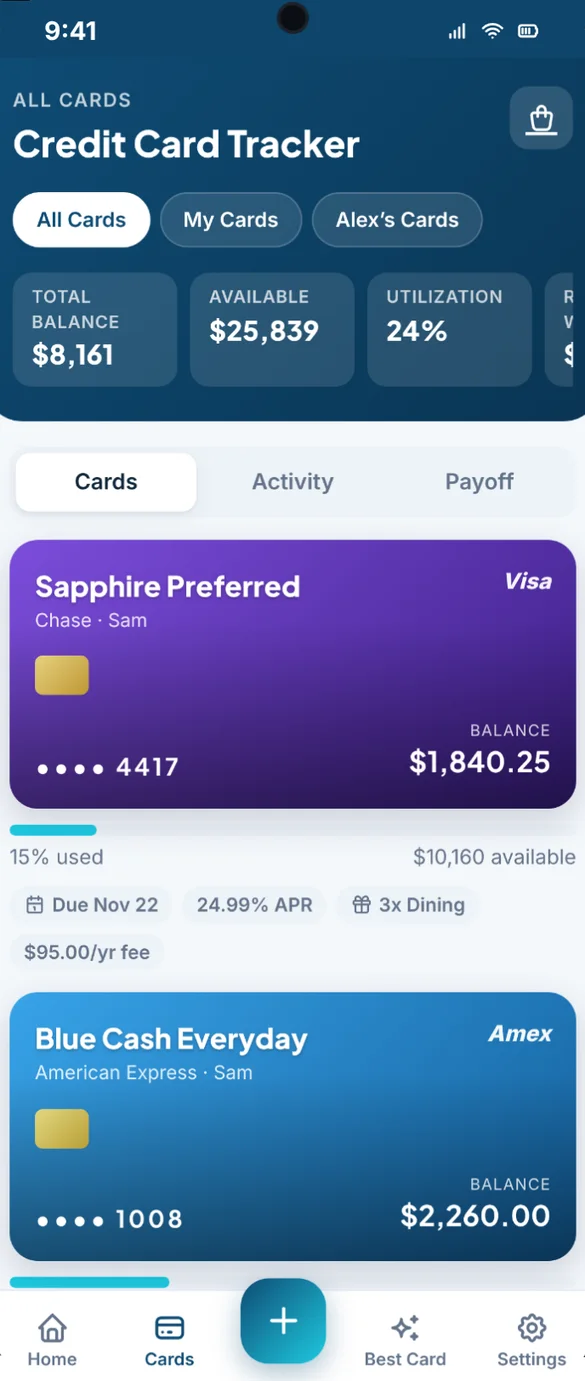
Every card in one place.
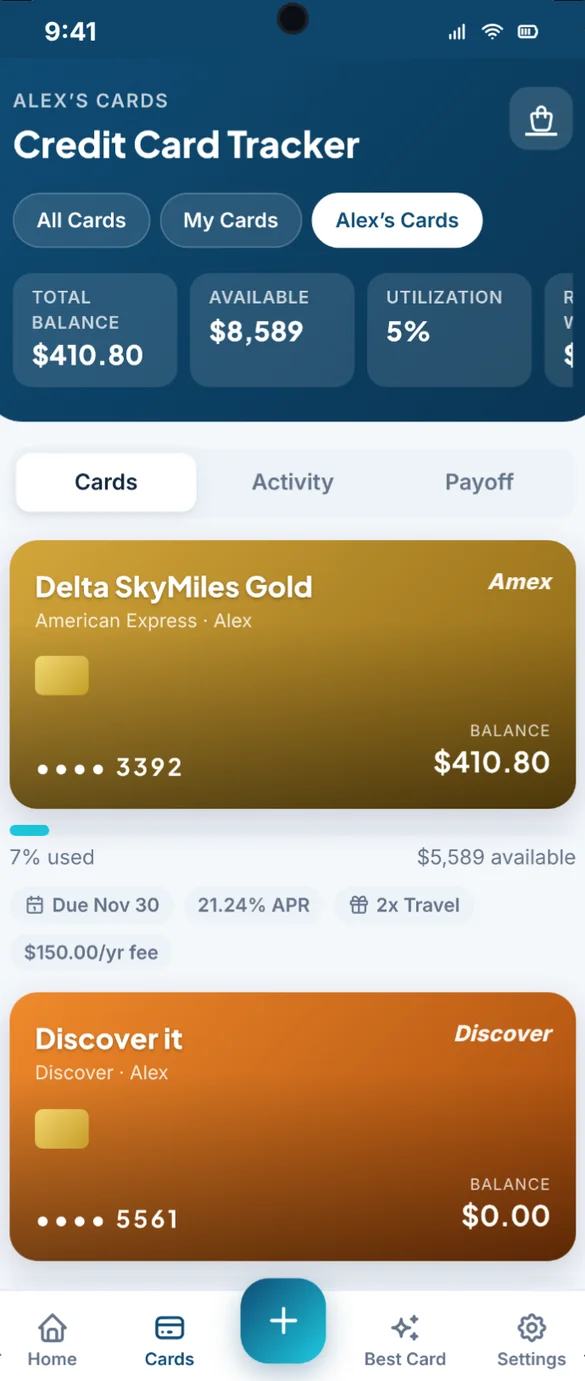
Color code each card or add a picture of the front. Track the limit, balance, APR, minimum payment, annual fee and notes, with a bar showing how much of each limit is used.
- Your colors: or a picture of your card
- Utilization bar: on every card
- Last 4 digits only: no full card number needed
Made for couples too.
Add your partner or anyone else, then switch between All Cards, My Cards and their cards. Each person gets their own credit health and payoff plan.
- Add a person: in seconds
- Their own view: with credit health for each person
- All Cards: the whole household together
A full history for every card.
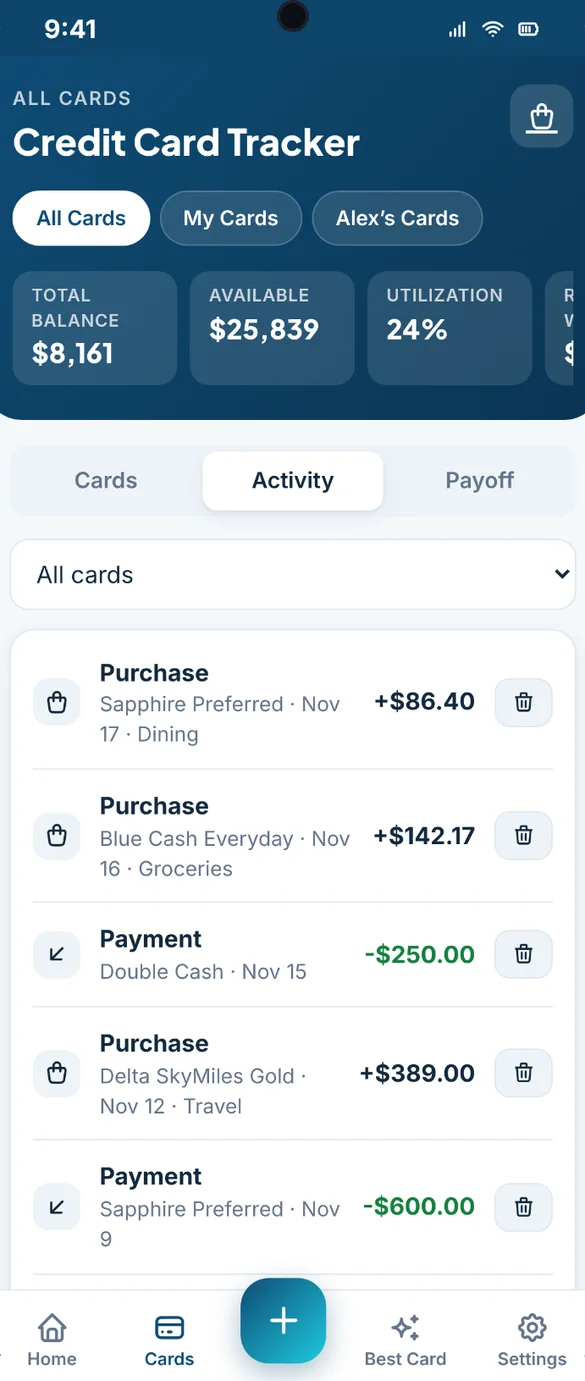
Log payments, purchases, fees and rewards to build a history for every card. Filter by card to see just one.
- Log a payment: in seconds
- Fees and interest: tracked with the rest
- Filter: by card
Your app, your way.
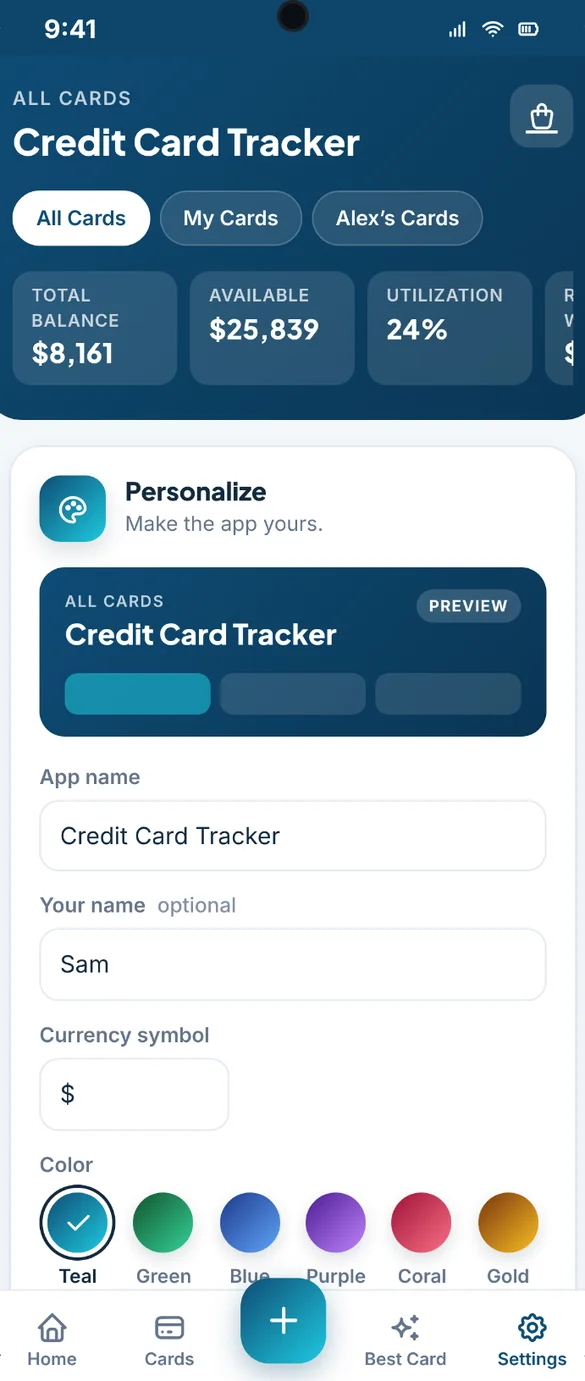
Rename the app, add your name, pick from 6 colors, switch on dark mode and set your currency symbol.
- 6 colors: and dark mode
- Your name: optional
- Your currency: any symbol you use
Little extras that help
Calendar reminders
Add due dates, closing dates and offer end dates to your phone calendar.
Limit warnings
A heads up before a purchase pushes a card past 30% or over its limit.
Printable pages
Print a summary of all your cards, or save it as a PDF.
Blank sheet
A printable sheet to fill in your cards by hand.
Phone and computer
A phone app and a full desktop layout in one purchase.
Works offline
Check your cards and due dates anywhere, even with no signal.
Your card details stay yours.
This is a tracker, not a bank app. It never connects to your accounts and never asks for a full card number, security code or bank login. Everything saves privately on your device, and backups go where you choose: a file you download, or your own Google Drive.
- One time purchase, yours forever
- Saved privately on your device, offline
- Optional Google Drive backup, in your own account
- Backup file you can download anytime
- Never asks for a full card number or bank login
- No account or login, ever
- No ads, ever
How it works
Buy on Etsy
Download your Start Here PDF.
Tap the link
Open it on your phone, tablet or computer.
Add it to your home screen
Or bookmark it, then add your first card. Install guide
Good to know: this is a tracker, not a bank app. It never connects to your accounts, so you enter balances yourself. Credit Health is a guide based on what you enter, not your actual credit score.
Each device keeps its own copy, so use Google Drive backup or a backup file to move between devices.
Questions
Is there a subscription?
No. You pay once on Etsy and the app is yours. No monthly fees and no ads.
Does it connect to my bank or card accounts?
No. It's a tracker, not a bank app. It never connects to your accounts and never asks for a full card number, security code or bank login. You enter your balances yourself.
Is Credit Health my credit score?
No. Credit Health is a guide based on the cards and payments you enter. It is not your actual credit score.
Avalanche or Snowball, which should I pick?
Avalanche pays the highest rate first, so you usually pay less interest. Snowball pays the smallest balance first, so you clear cards sooner. The app shows your debt-free date and total interest for the one you choose.
Can my partner and I both use it?
Yes. Add your partner or anyone else, then switch between All Cards, My Cards and their cards. Each person gets their own credit health and payoff plan.
Can I use it on my phone and my computer?
Yes. It works on your phone and has a full desktop layout too. Each device keeps its own copy, so use Google Drive backup or a backup file to move between them.
Can I try it before I buy?
Yes. The free demo has sample cards, and nothing you type is saved, so try every button.
What if it doesn't work on my phone?
Send a message through Etsy and I'll help you get it working. If we can't, you can get a refund within 30 days.
Try it before you buy
The real app with sample data. Nothing you type is saved.