End of Life Planner Your Family's Emergency Binder
Everything your family would need to know, in one private place. Most families spend the hardest week of their lives hunting for a will, a password or a phone number. This gives you one calm place to write it all down, a section at a time.
- One time purchase
- No account or login
- Passcode lock
- Phone, tablet and computer
What's inside
Twelve sections, one at a time, at your own pace.
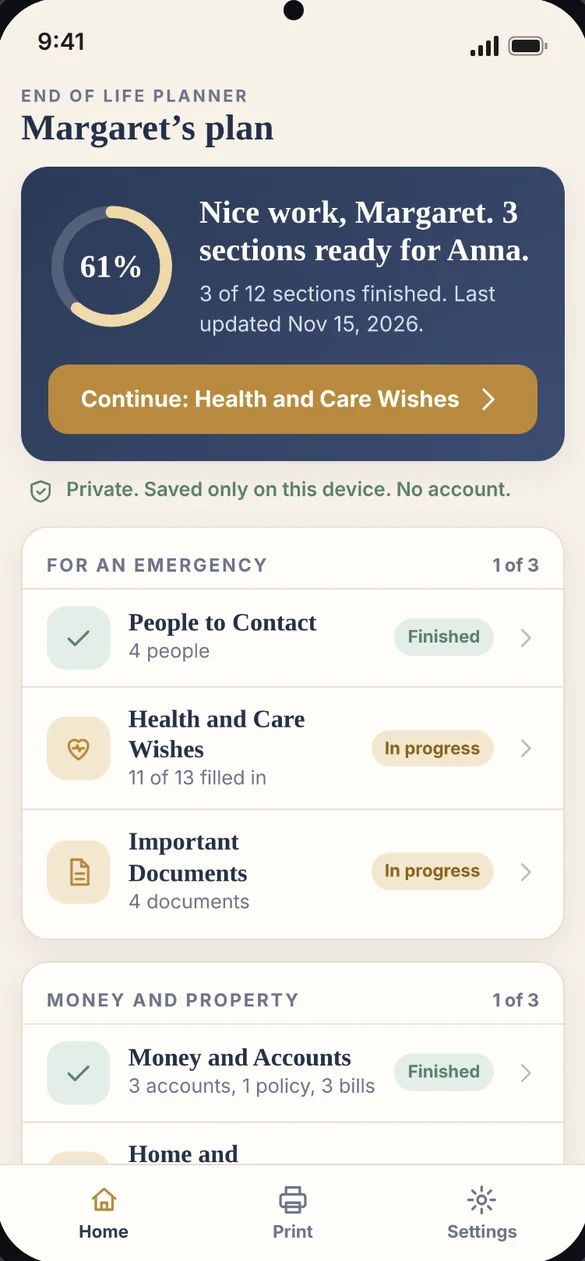
Everything in order, at a glance.
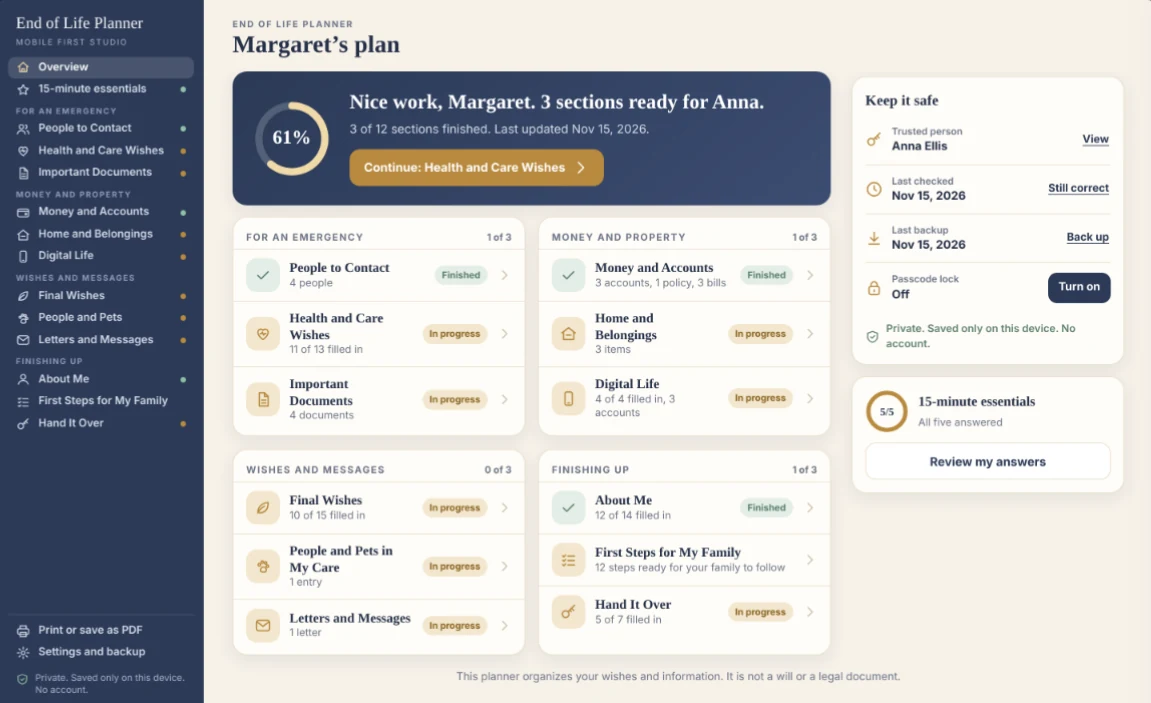
Home shows how far along you are and what to do next. All 12 sections sit in four simple groups, and each one shows what is filled in and about how long it takes.
- Progress: for every section and the whole plan
- A next step: one button to pick up where you left off
- Four groups: For an emergency, Money and property, Wishes and messages, and Finishing up
Start with five short answers.
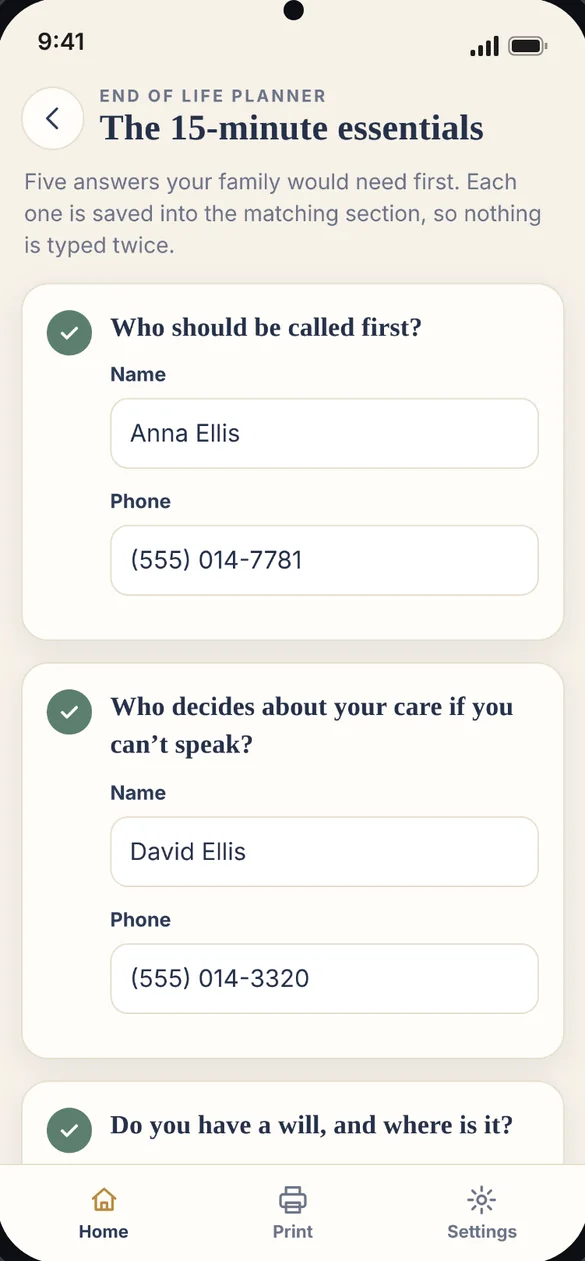
Not sure where to begin? Answer five questions first: who to call, who decides about your care, where your will is, where your passwords are kept, and burial or cremation.
- Five questions: the ones families most need answered first
- Saved in the right place: each answer fills in its matching section
- Nothing typed twice: no repeating yourself later
The first calls, already listed.
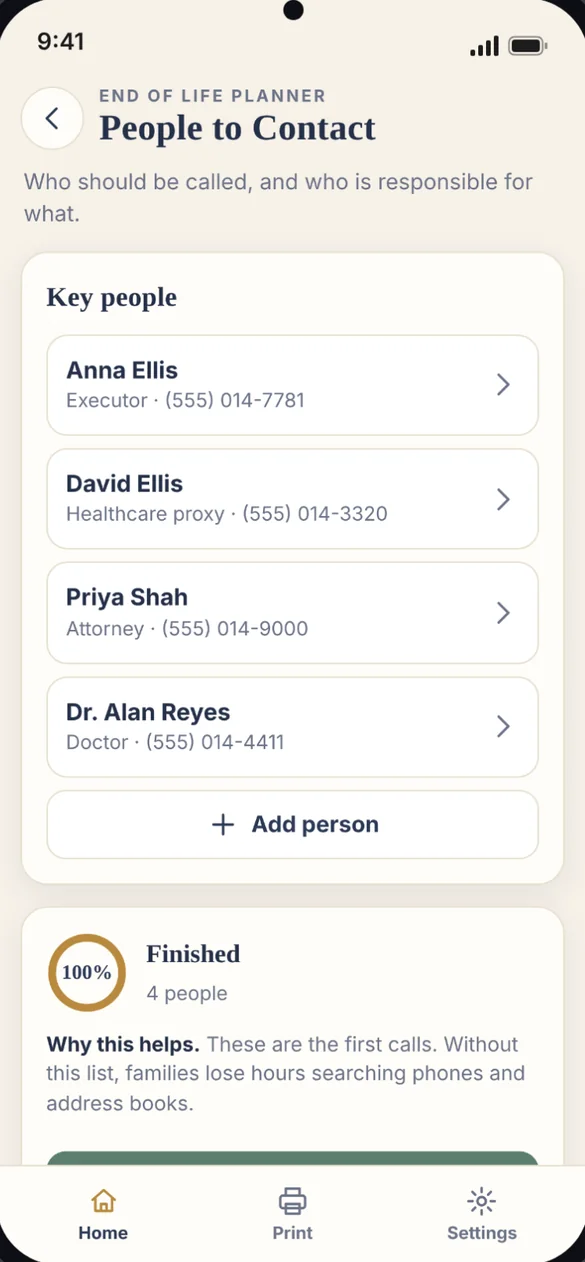
Your executor, healthcare proxy, attorney, doctor, family and friends, each with a phone number and their role.
- Roles and phone numbers: for every person
- Call first: mark who should be called first
- Add anyone: family, friends and professionals
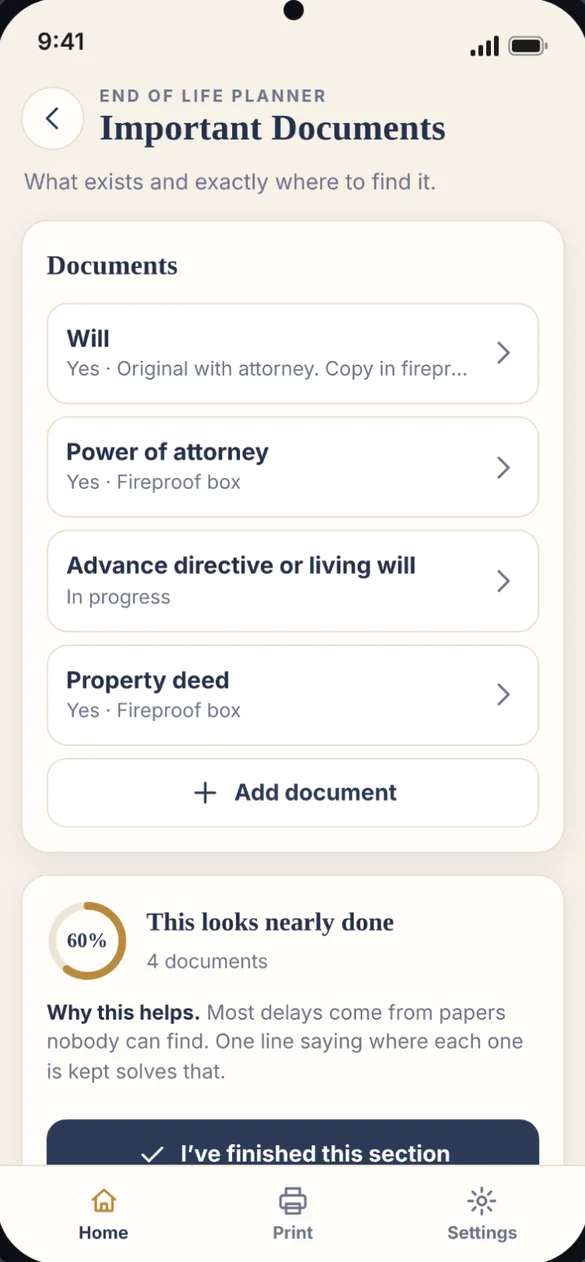
Every paper, and exactly where it is.
Will, power of attorney, advance directive, birth certificate, deeds, titles and more. Note whether you have each one, where it is kept and who has a copy.
- Where it is kept: one line saves hours of searching
- Who has a copy: your attorney, a family member, or both
- Have it or not yet: so gaps are easy to spot
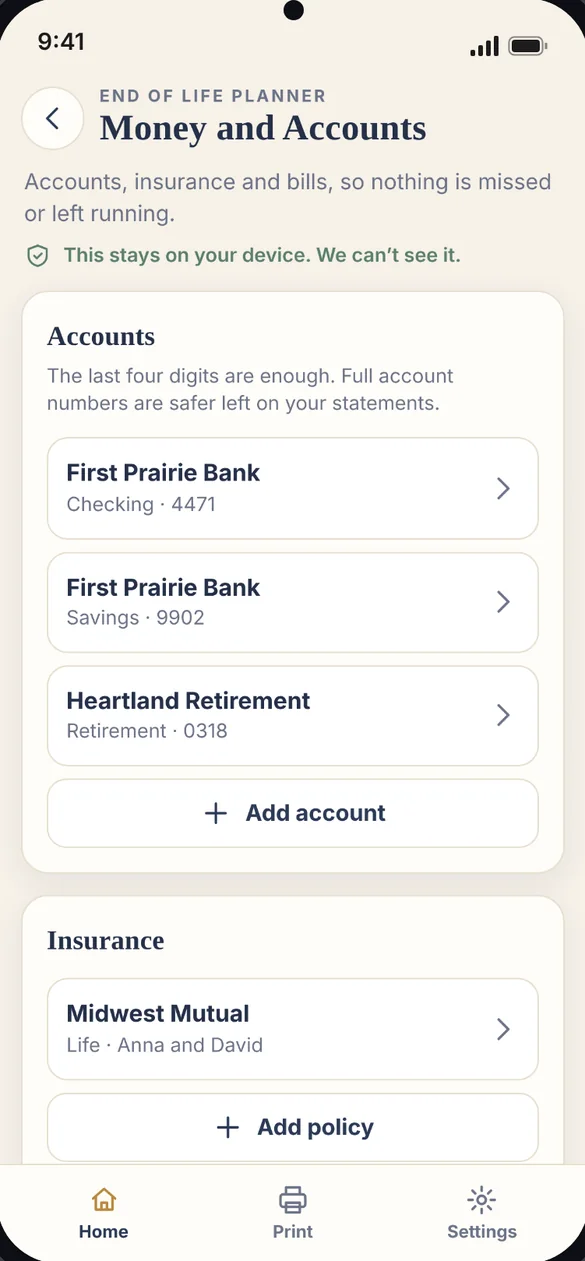
Nothing missed. Nothing left running.
Bank, credit card, investment and retirement accounts, insurance with beneficiaries and agent details, and every bill and subscription with what should happen to it.
- Last four digits only: full account numbers stay on your statements
- Insurance: beneficiaries and agent details
- Bills: cancel, transfer or keep paying
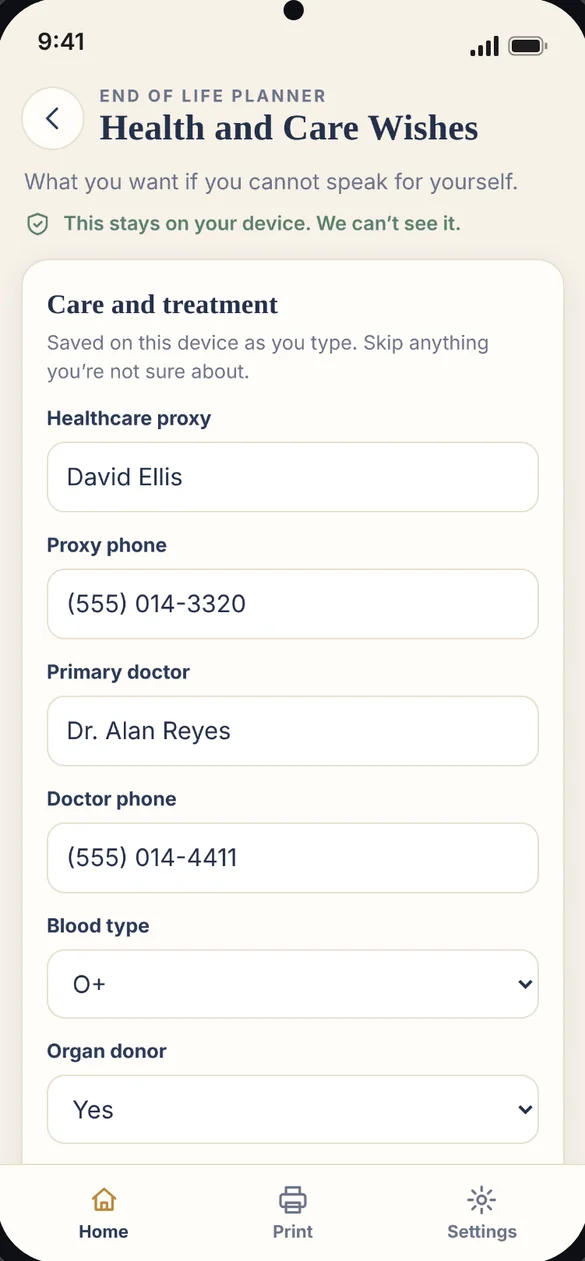
Your wishes, if you cannot speak.
Your healthcare proxy, doctor, blood type, allergies, conditions, medications, organ donor choice, where your advance directive is kept and your wishes about life support.
- Proxy and doctor: with phone numbers
- Allergies and medications: in one place
- Life support and donor wishes: written in your own words
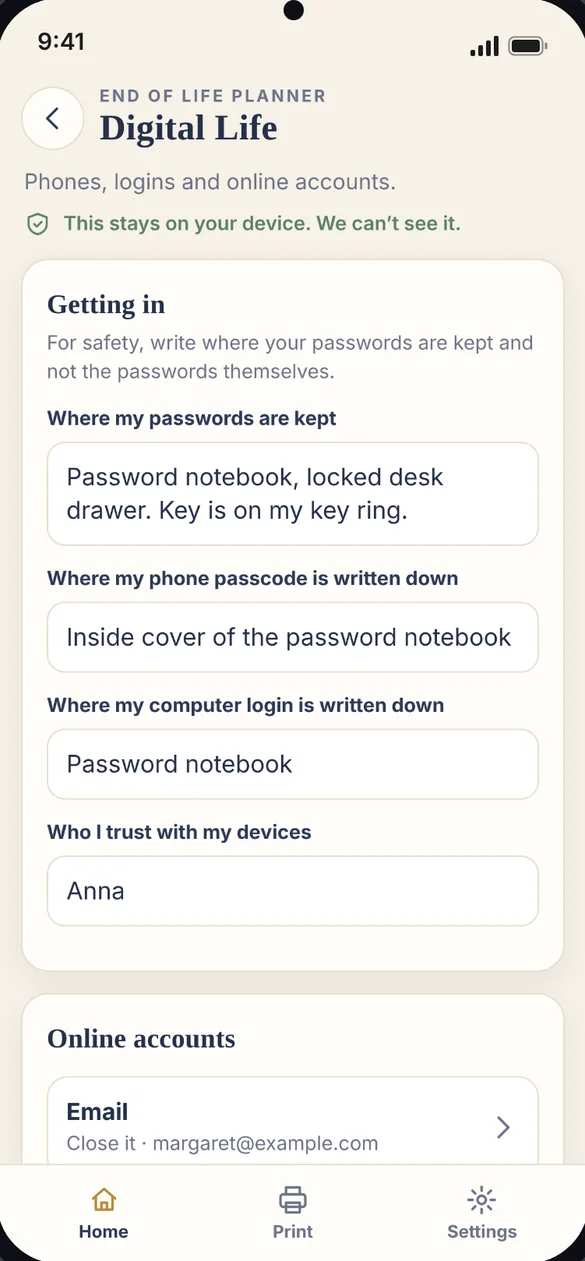
A way in, without sharing passwords.
Write down where your passwords are kept and where your phone and computer logins are written, not the passwords themselves. Then choose what happens to each online account.
- Where logins are kept: phone, computer and password book
- Each online account: close it, memorialize it, transfer it or keep it open
- Who you trust: with your devices
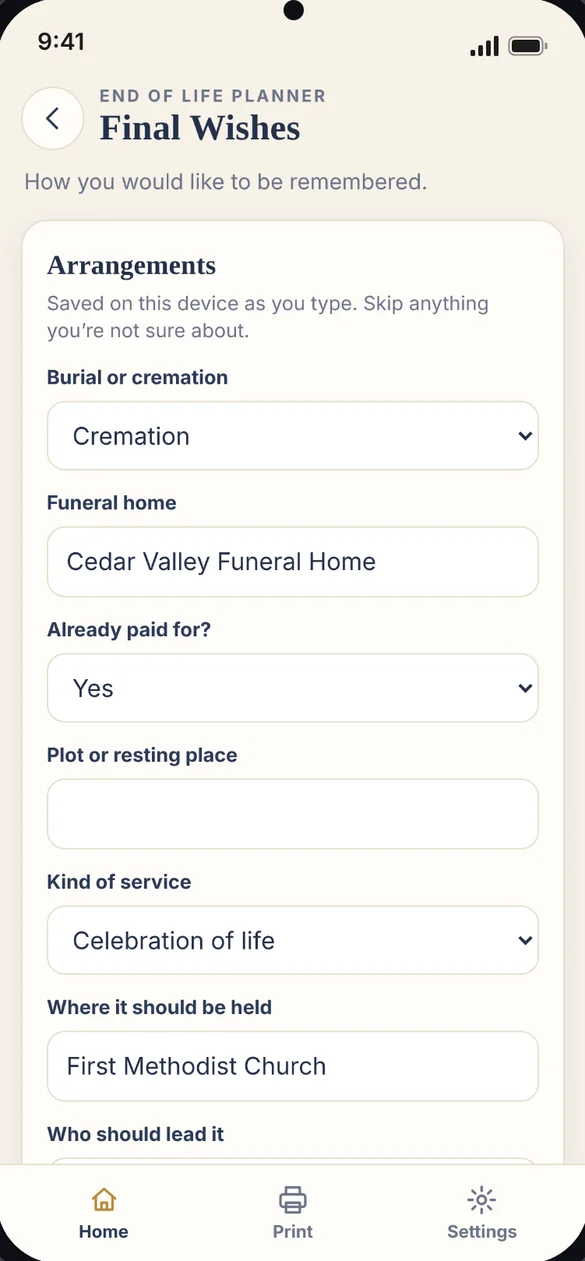
How you would like to be remembered.
Burial or cremation, the funeral home, the kind of service, who should lead it and speak, music, readings, flowers or donations, and notes for your obituary.
- Arrangements: burial or cremation and the funeral home
- The service: where, who leads it, music and readings
- Obituary notes: the details you want included
Words for the people you love.
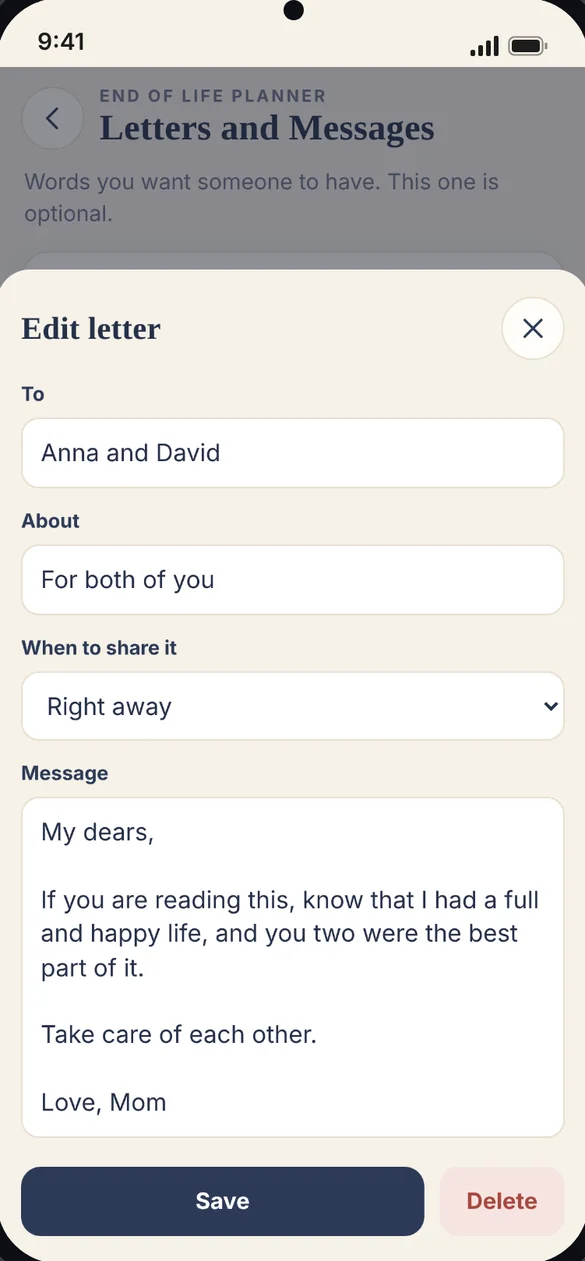
Write to the people you love and choose when each letter should be shared. This section is optional, with no deadline.
- A letter for each person: or one for several
- When to share it: you choose the timing
- Optional: write when you are ready
A checklist for the hardest week.
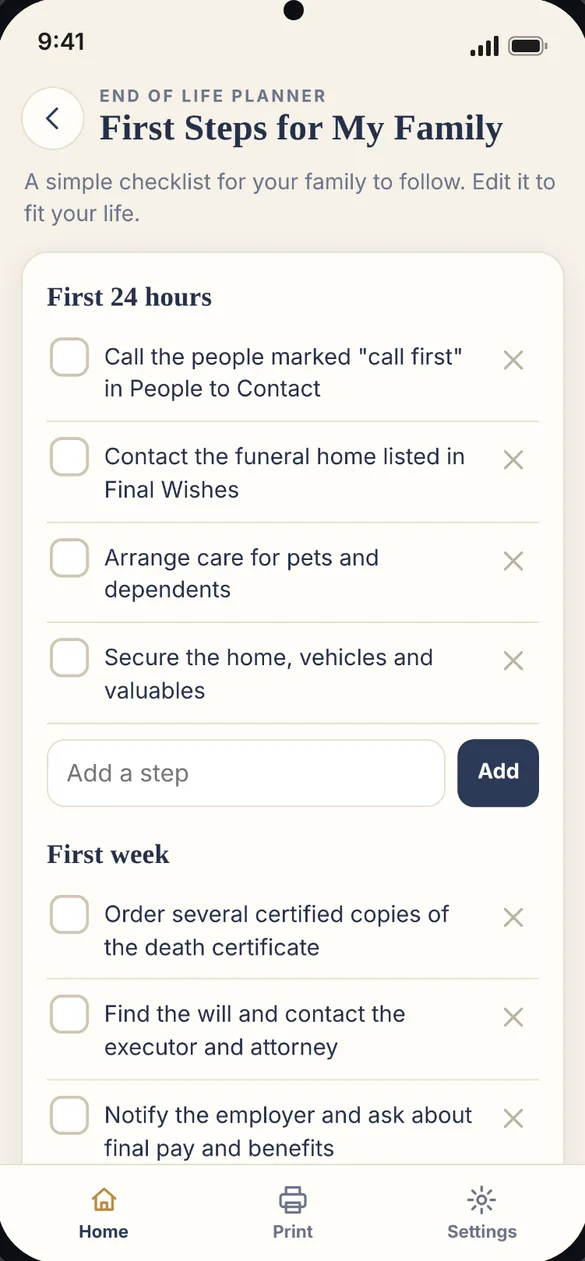
A ready made checklist of 12 steps for the first 24 hours, the first week and the first month. Edit it, remove what does not fit and add your own.
- 12 steps to start: grouped by when they matter
- Linked to your plan: steps point to the right sections
- Make it fit: edit, remove or add steps
A plan only helps if it is found.
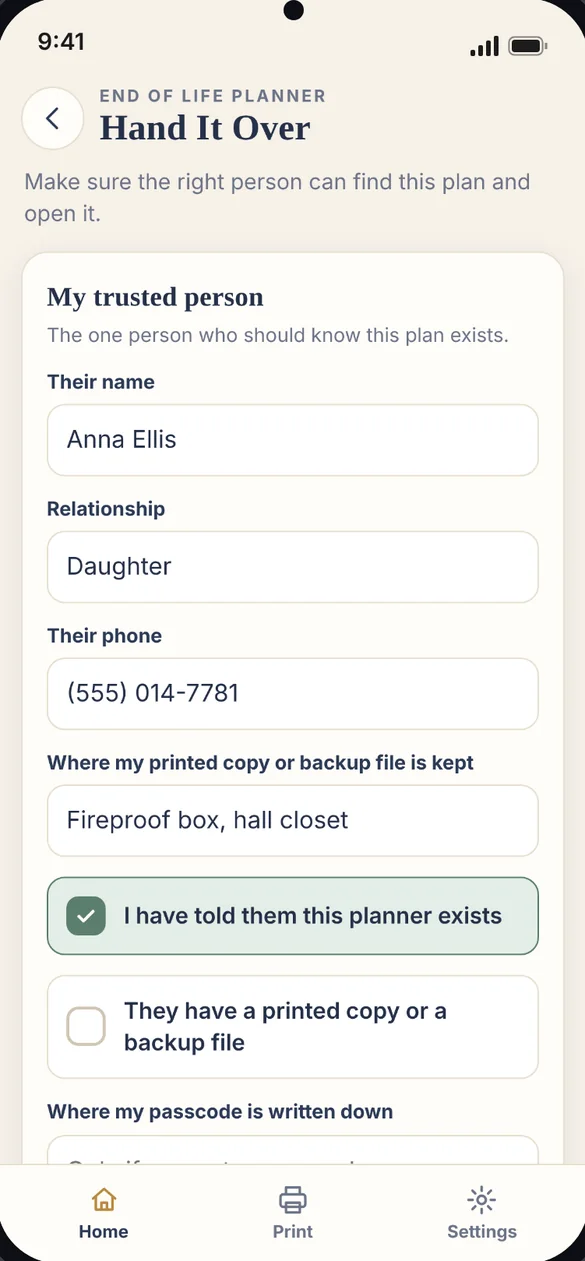
Name your trusted person, note that you have told them, and record where your printed copy is kept and where your passcode is written down.
- Your trusted person: name, relationship and phone
- Where the copy is: printed copy or backup file
- Where the passcode is: so they can open the plan
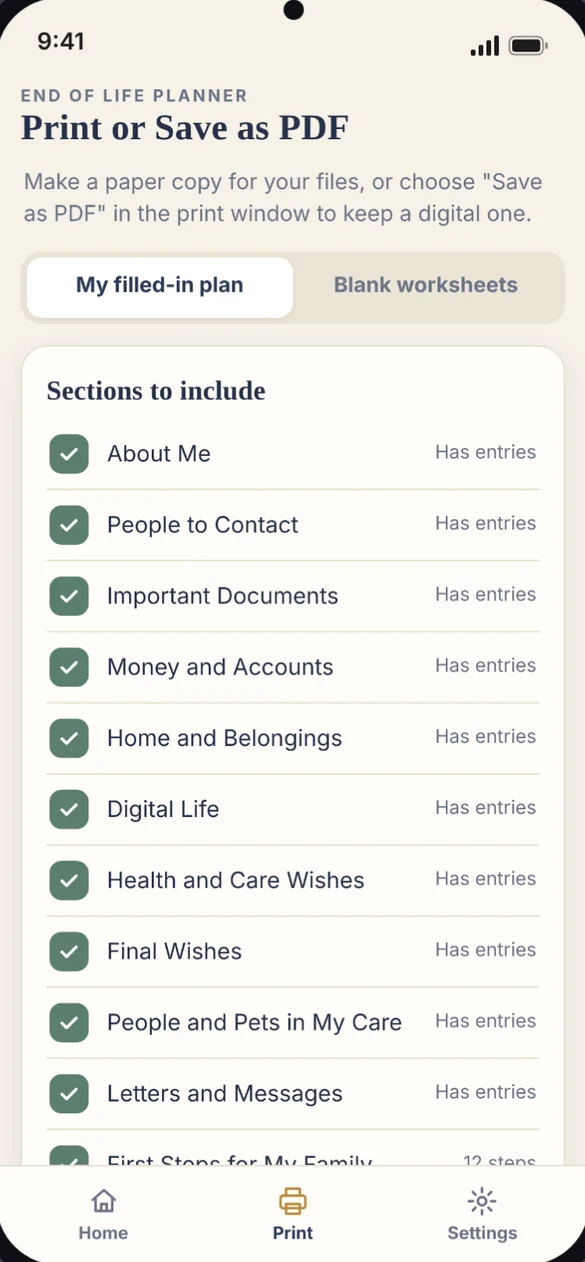
Print your plan, or print it blank.
Print your filled in plan with a cover page, or choose only the sections you want. Helping a parent, or prefer pen and paper? Print blank worksheets instead.
- Choose sections: print all of it or just a few
- Cover page: included with your plan
- Blank worksheets: for every section
Little extras that help
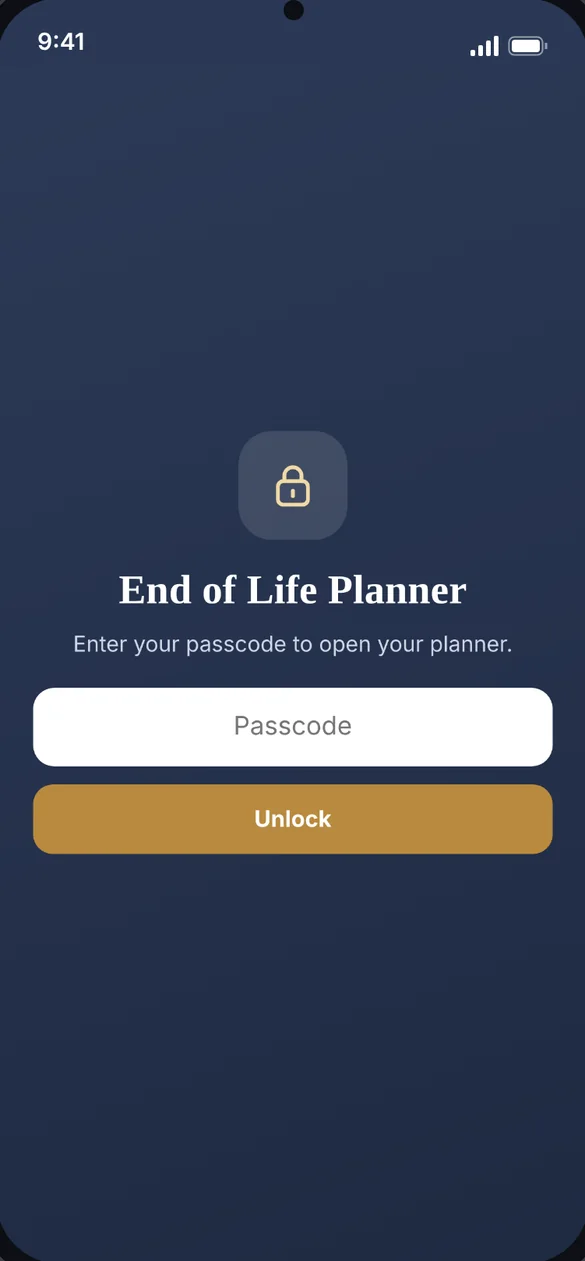
Passcode lock
Your planner is encrypted on your device and locks again after five minutes away.
Home and belongings
Home, vehicles, heirlooms and storage, who gets them and where keys and titles are.
People and pets in my care
Who should care for them, a backup, and the routines they will need.
A plan for your spouse too
Up to four separate plans on one device, each with its own printout.
21 bonus worksheets
Blank pages for every section, to fill in by hand.
Phone and computer
On a computer it opens a full layout with a sidebar and a Keep it safe panel.
Private by design.
Your plan is saved on your device, and nothing you type is sent to us or anyone else. Set a passcode and the planner is encrypted and opens only with that passcode. The app records where your passwords and documents are kept, never the passwords or scans themselves.
- One time purchase, yours forever
- Saved privately on your device
- Nothing you type is sent to us or anyone else
- Optional passcode lock with encryption
- Backup file, encrypted when a passcode is set
- Passwords themselves are never stored
- No account, no login, no ads
How it works
Buy on Etsy
Download your PDFs, including the 21 bonus worksheets.
Tap the link
Open the link in the PDF on your phone, tablet or computer.
Start with the essentials
Add it to your home screen, then answer the 15-minute essentials. Install guide
Good to know: this planner organizes your wishes and information. It is not a will or a legal document, so speak with an attorney about those. It does not send reminders.
Your plan does not sync between devices. If you set a passcode and forget it, it cannot be reset, so write it down and keep it with your important papers. The free demo uses sample data, and printing, passcode lock and backup are in the full app.
Questions
Is there a subscription?
No. You pay once on Etsy and the app is yours. No monthly fees and no ads.
Is this a will or a legal document?
No. It organizes your wishes and information so your family can find them. It is not a will or a legal document, so speak with an attorney about those.
Where is my plan saved?
On the device you use. Nothing you type is sent to us or anyone else. You can download a backup file anytime, and it is encrypted when a passcode is set.
Should I write my passwords in it?
No, and the app is built that way on purpose. It records where your passwords and documents are kept, not the passwords or scans themselves.
What if I forget my passcode?
A passcode cannot be reset. Write it down and keep it with your important papers, and note in Hand It Over where it is written.
Can my spouse use it too?
Yes. Keep up to four separate plans on one device, each with its own answers and its own printout.
Can I use it on my phone and my computer?
Yes, but your plan does not sync between devices. To move it, download a backup file on one and restore it on the other.
What if it doesn't work on my phone?
Send a message through Etsy and I'll help you get it working. If it doesn't install or work on your phone, you can get a refund within 30 days.
Try it before you buy
Tap around the real app with sample data. Nothing you type is saved.