Family Recipe Archive The Recipes and the Stories Behind Them
Family recipes get lost one card at a time. Keep every recipe your family loves in one place, with a photo, who passed it down and the memory behind it, then print it all as your own family cookbook.
- One time purchase
- No account or login
- No ads
- Phone, tablet and computer
What's inside
Save the recipe, the photo and the story. Print it when you're ready.
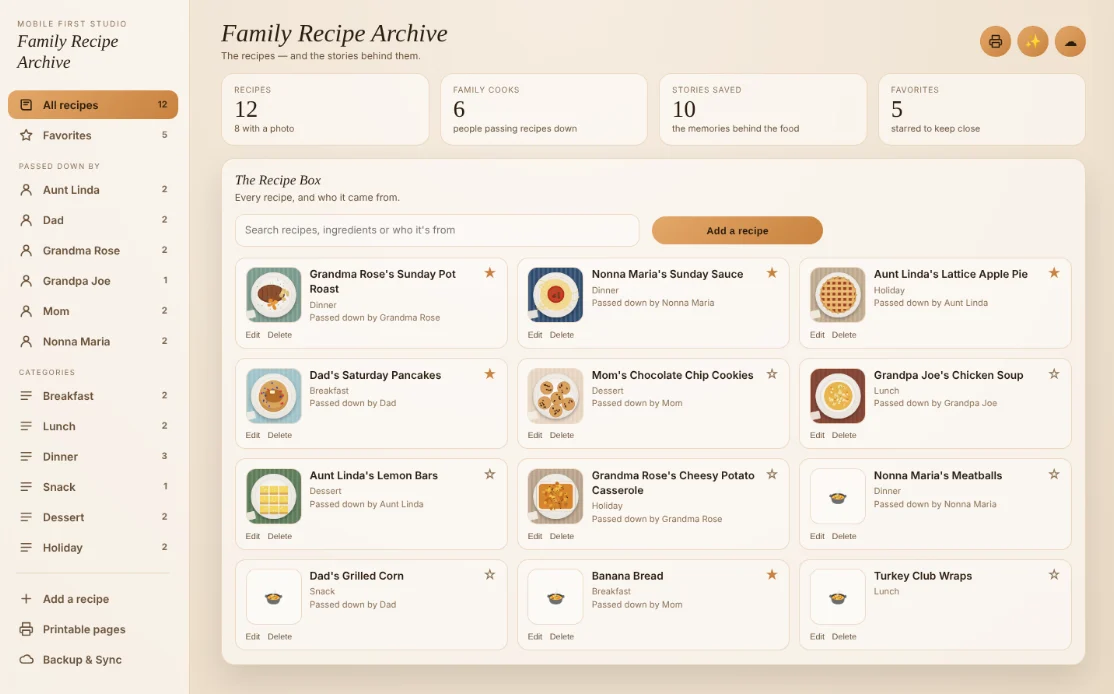
Every recipe, and who it came from.
Grandma Rose's recipes stay together, and Uncle Mike's get their own spot. Every recipe shows its photo, its category and who passed it down.
- Filter: by All, Favorites or any family member
- Search: by name, ingredient, story or who it came from
- Categories: Breakfast, Lunch, Dinner, Snack, Dessert and Holiday
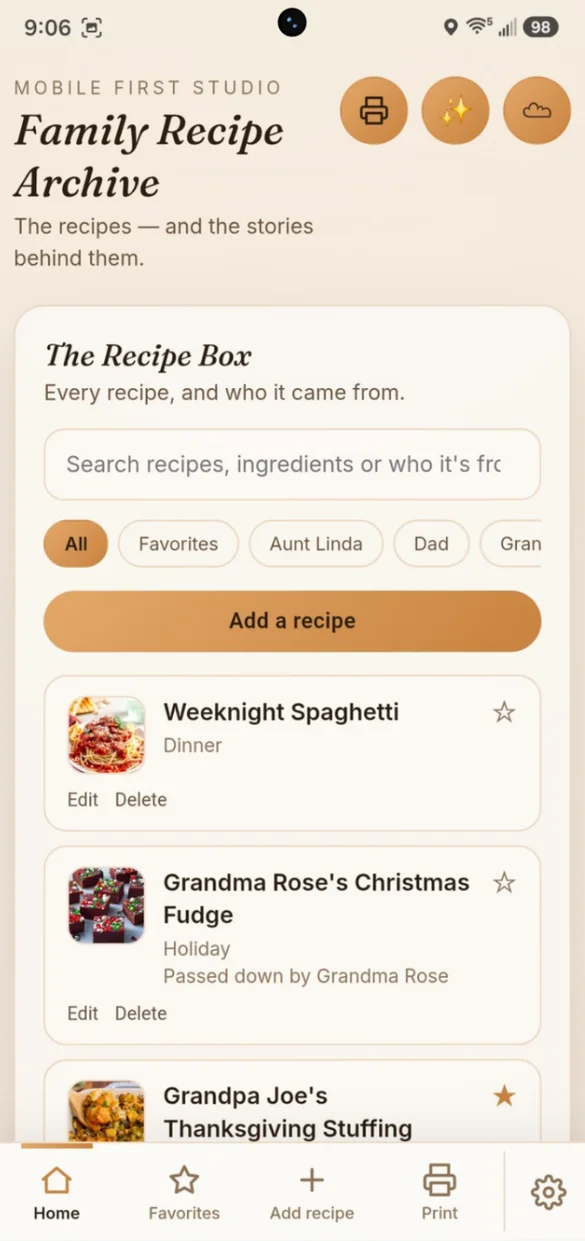
The keepers, one tap away.
Star the recipes your family asks for most. Tap Favorites in the bottom bar to see only those.
- Star: any recipe from the list
- Favorites: always in the bottom bar
- Print: just your favorites as their own cookbook
Write it down before it's lost.
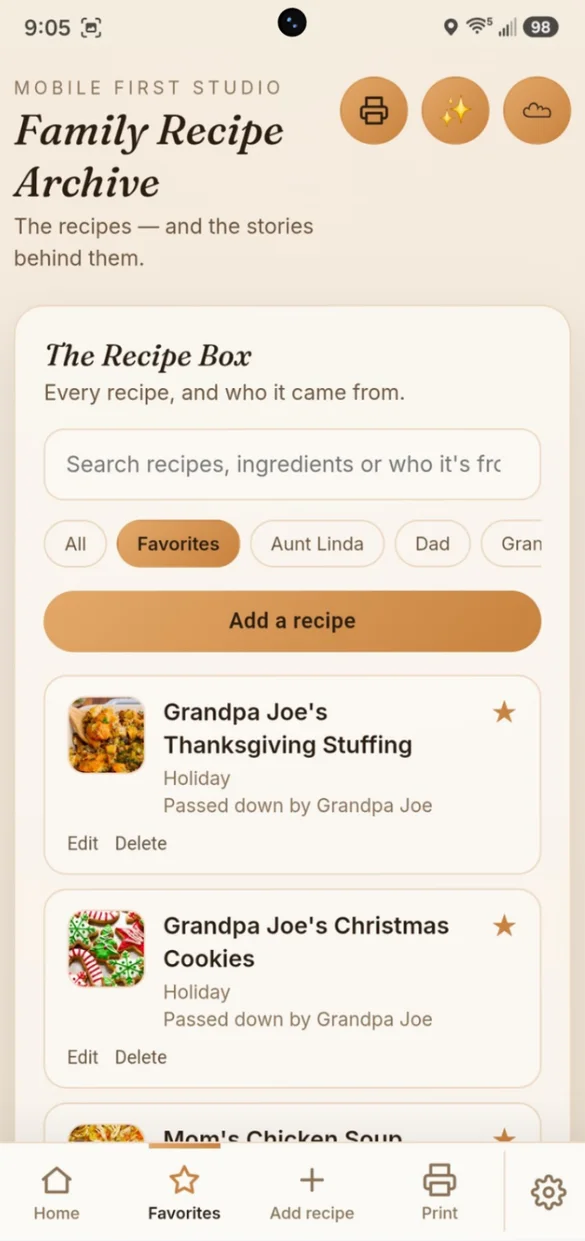
Type it in once: the ingredients and steps, one per line, and the category it belongs in.
- Passed down by: credit the person it came from
- The story: the memory, the occasion, why it matters
- Mark as favorite: right when you save it
Not just the recipe. The whole keepsake.
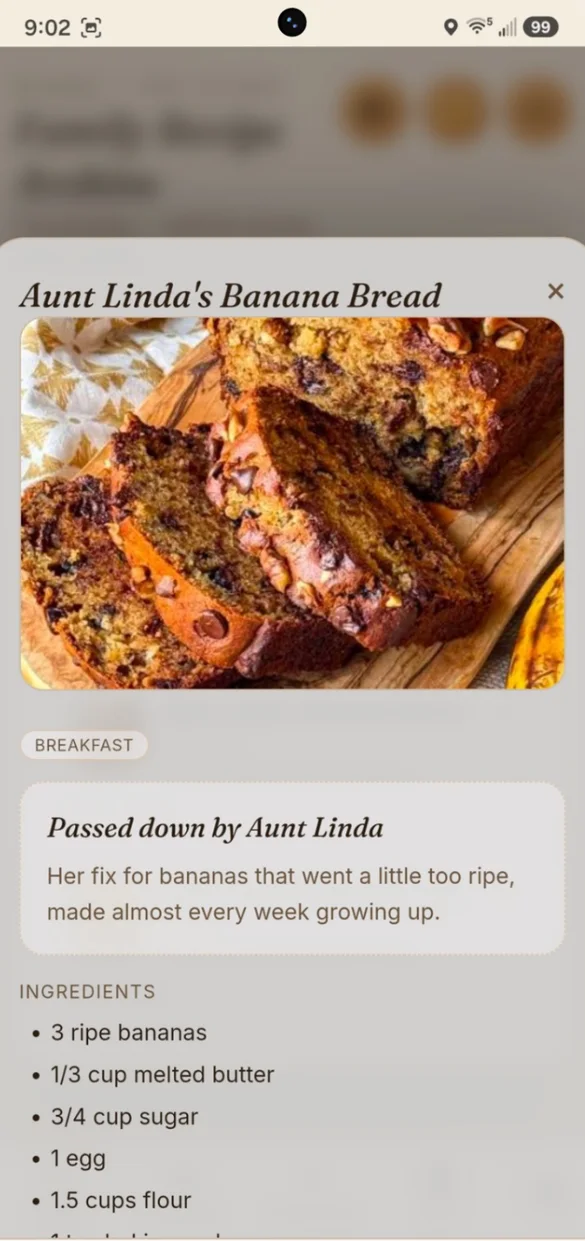
Every recipe can hold a photo of the dish or the original handwritten card, who passed it down and the story behind it, right beside the ingredients and steps.
- A photo: of the dish or the original card
- Passed down by: on every recipe it applies to
- The story: kept with the food it belongs to
Print the family cookbook.
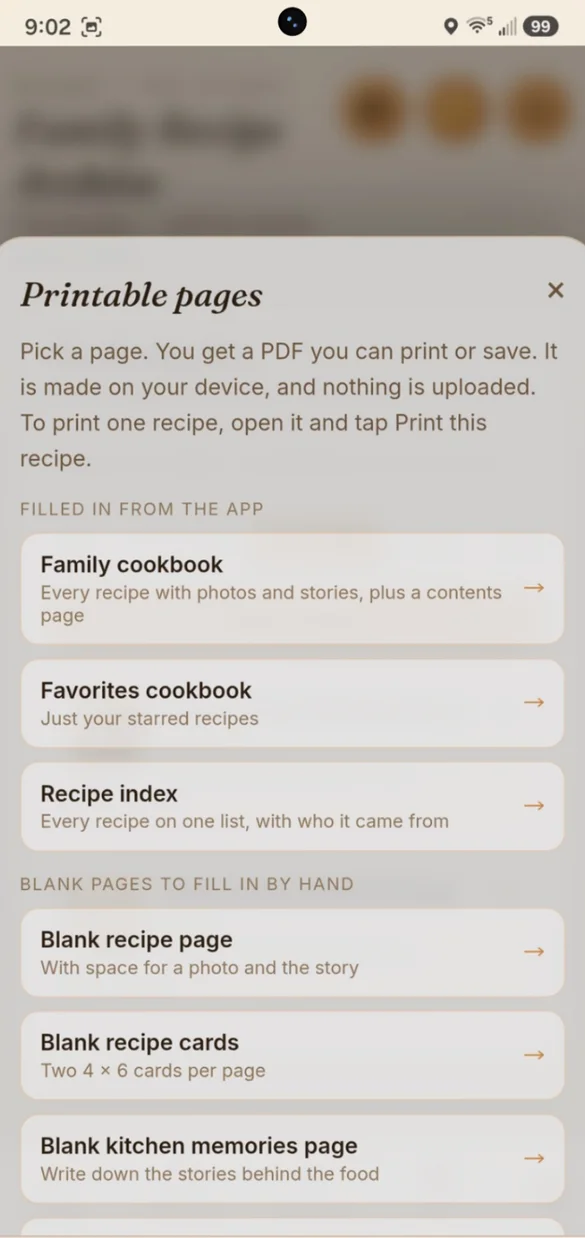
Turn your recipes into a printed cookbook in one tap. The PDF is made on your device, and nothing is uploaded.
- Family cookbook: every recipe, plus a contents page
- Favorites cookbook: just your starred recipes
- Blank pages: recipe pages, 4 x 6 cards and a kitchen memories page
Your name. Your colors.
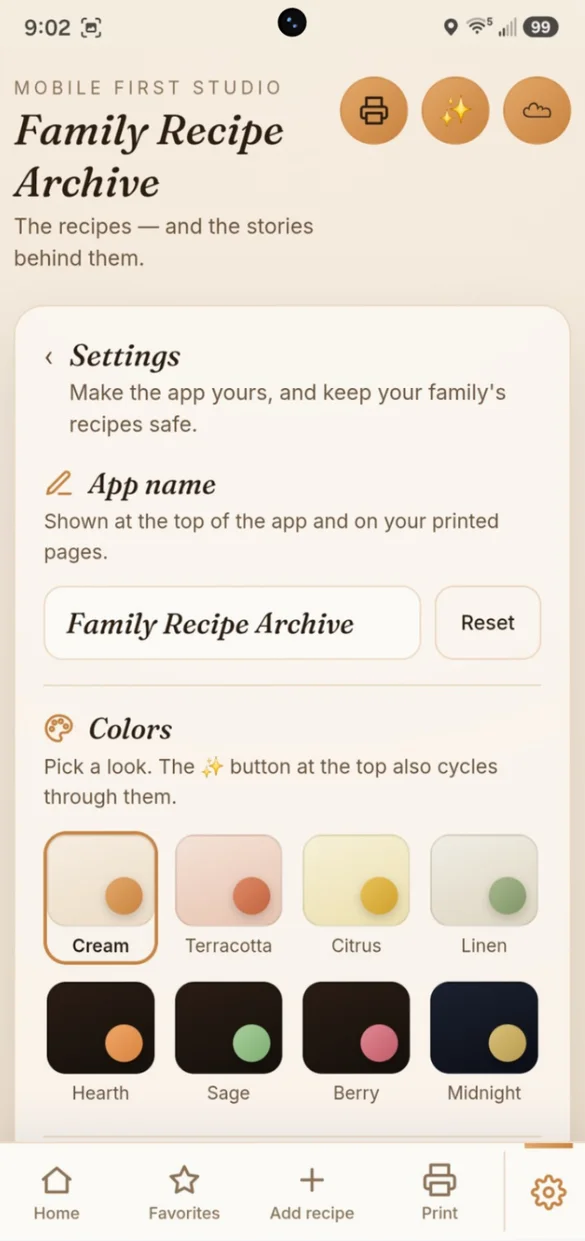
Give the app your own name. It shows at the top of the app and on your printed pages.
- Your name: on the app and printed pages
- 8 color themes: Cream, Terracotta, Citrus, Linen, Hearth, Sage, Berry and Midnight
- One place: for backup and printing too
Little extras that help
Search everything
Find a recipe by its name, an ingredient, its story or who it came from.
Print one recipe
Open any recipe and print it on its own to share.
Recipe index
Every recipe and who it came from, on one printed list.
Switch themes fast
Tap the ✨ button at the top to cycle through the colors.
Bonus PDF
Blank recipe pages, 4 x 6 cards, a memories page and an index for a binder.
Works offline
Open your recipes in the kitchen, even with no Wi-Fi.
Your family's recipes stay yours.
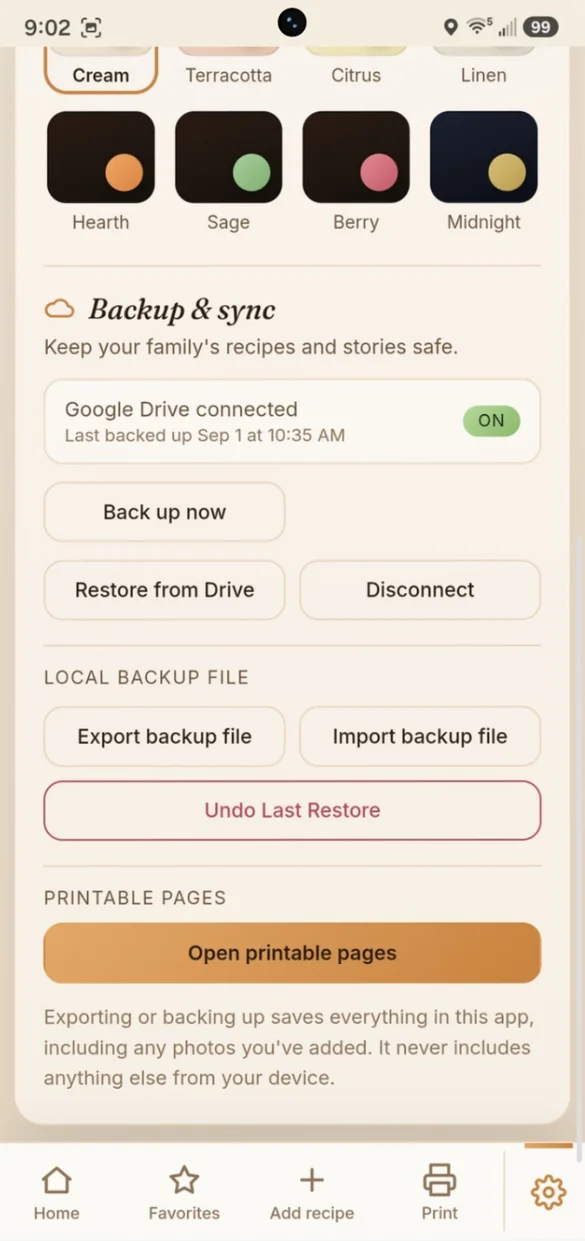
Everything saves privately on your device and works offline, with no account or login. Connect your own Google Drive in one tap, or download a backup file and keep it yourself. Your photos are included either way, and one tap undoes a restore.
- One time purchase, yours forever
- Saved privately on your device, offline
- Optional Google Drive backup, in your own account
- Backup file you can download anytime
- Photos included in your backups
- Undo a restore with one tap
- No account or login, ever
- No ads, ever
How it works
Buy on Etsy
Download your app link and your bonus printable PDF.
Tap the link
Open it on your phone, tablet or computer.
Add it to your home screen
Or bookmark it, then add your first family recipe. Install guide
Good to know: this is a working recipe box and a family keepsake in one. Every recipe has its own ingredients and steps, and the photo, the credit and the story are optional. Photos are resized automatically before they are saved.
Mostly saving recipes from websites and cooking from them day to day? Recipe Box is made for that.
Questions
Is there a subscription?
No. You pay once on Etsy and the app is yours. No monthly fees and no ads.
What can I save with each recipe?
A title, a category, the ingredients and the steps, one per line. You can also add a photo, who passed it down and the story behind it. Those three are optional, so you can add them now or come back later.
Can I add a photo of Grandma's handwritten card?
Yes. Add a photo of the dish or the original card. Photos are resized automatically before they are saved, and they are included in your backups.
Can I print a family cookbook?
Yes. Print every recipe with its photo, story, ingredients and steps, plus a contents page with page numbers. You can also print just your favorites, a recipe index or any single recipe. The PDF is made on your device and nothing is uploaded.
Can family members write recipes down by hand?
Yes. Your download comes with a PDF of blank pages: a recipe page with a photo box and space for the story, 4 x 6 recipe cards, a kitchen memories page and a recipe index for a binder. You can print them from inside the app too.
Can I use it on my phone and my computer?
Yes. On a computer it opens as a full dashboard with a sidebar of family cooks and categories, your recipe stats and all your recipes in a grid. Back up on one and restore on the other.
How is it different from Recipe Box?
Recipe Box is made for everyday cooking, like pasting in recipes and scaling servings. Family Recipe Archive is made for keeping: the photo, who passed it down and the story behind each dish, ready to print as a family cookbook.
What if it doesn't work on my phone?
Send a message through Etsy and I'll help you get it working. If it doesn't install or work on your phone, you can get a refund within 30 days.
Try it before you buy
The real app with sample data. Nothing you type is saved.