Fleet Maintenance Tracker Service, Costs and Trips
Keep every van, truck and car on schedule from one dashboard, and see what each vehicle really costs your business. Fleet software usually charges per vehicle every month. This is a one time purchase.
- One time purchase
- No per vehicle fees
- No account or login
- Phone, tablet and computer
What's inside
Maintenance, costs, trips and paperwork for every vehicle, on your phone or your office computer.
Know what's due before it costs you.
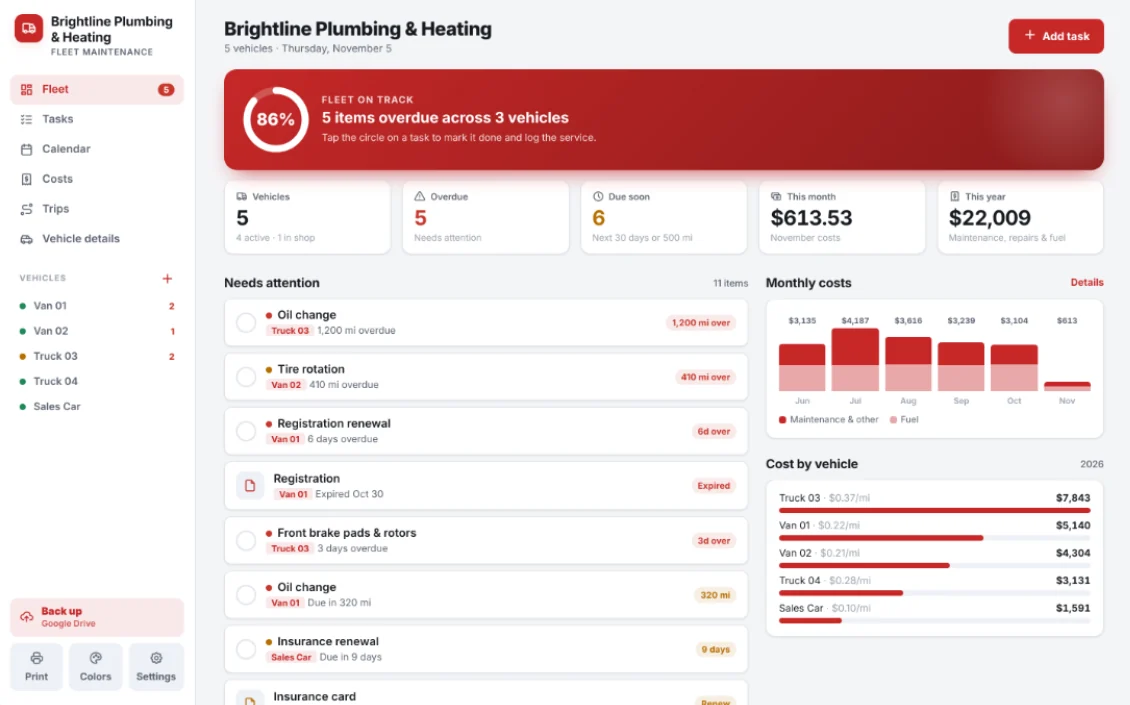
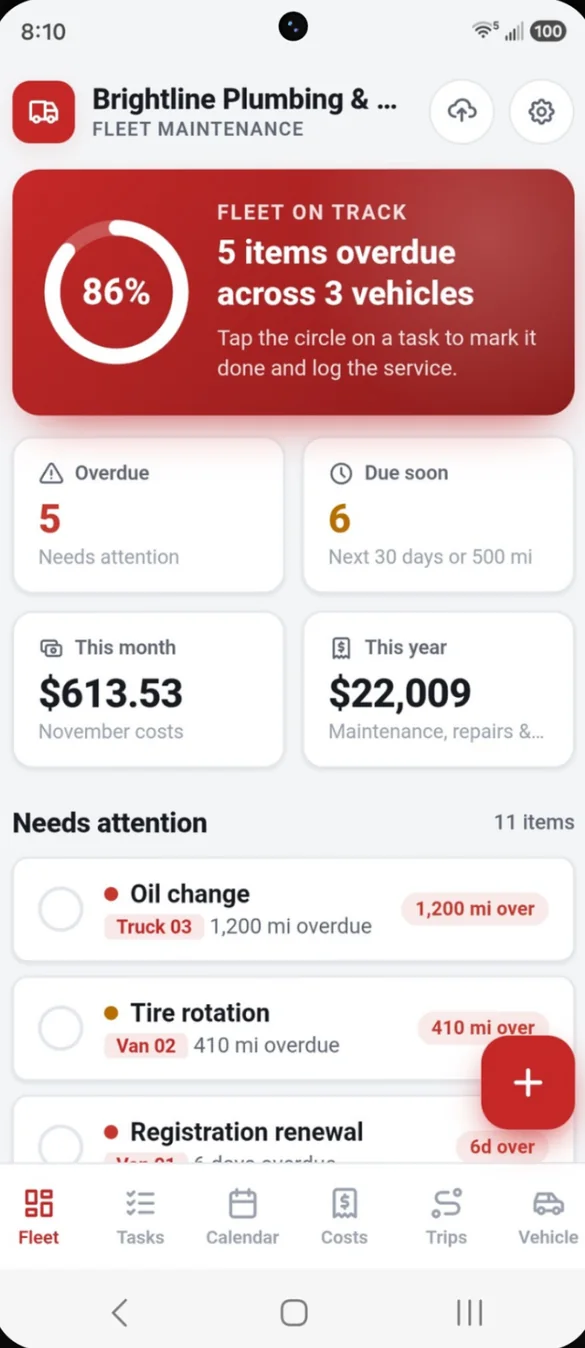
Open the app and see everything that needs attention across every vehicle: overdue tasks, what's due in the next 30 days, documents about to expire, and what you've spent this month and this year.
- Needs attention: overdue and due soon, across the whole fleet
- Spending: this month and this year
- Tap to finish: tap the circle on a task to mark it done and log the service
Every van, truck and car in one place.
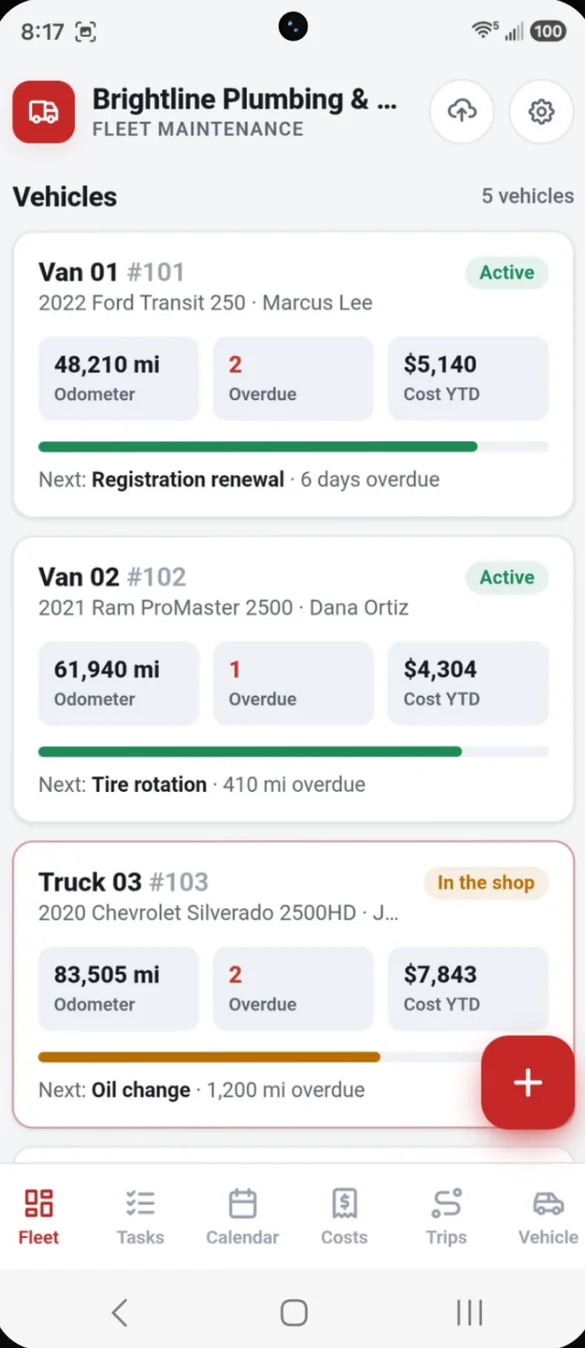
Each vehicle gets a card with its unit number, driver, odometer, status and next service. Add as many vehicles as you need.
- Status: active, in the shop or out of service
- At a glance: odometer, overdue count and cost so far this year
- Next up: the next service each vehicle needs
Reminders by date or by mileage.
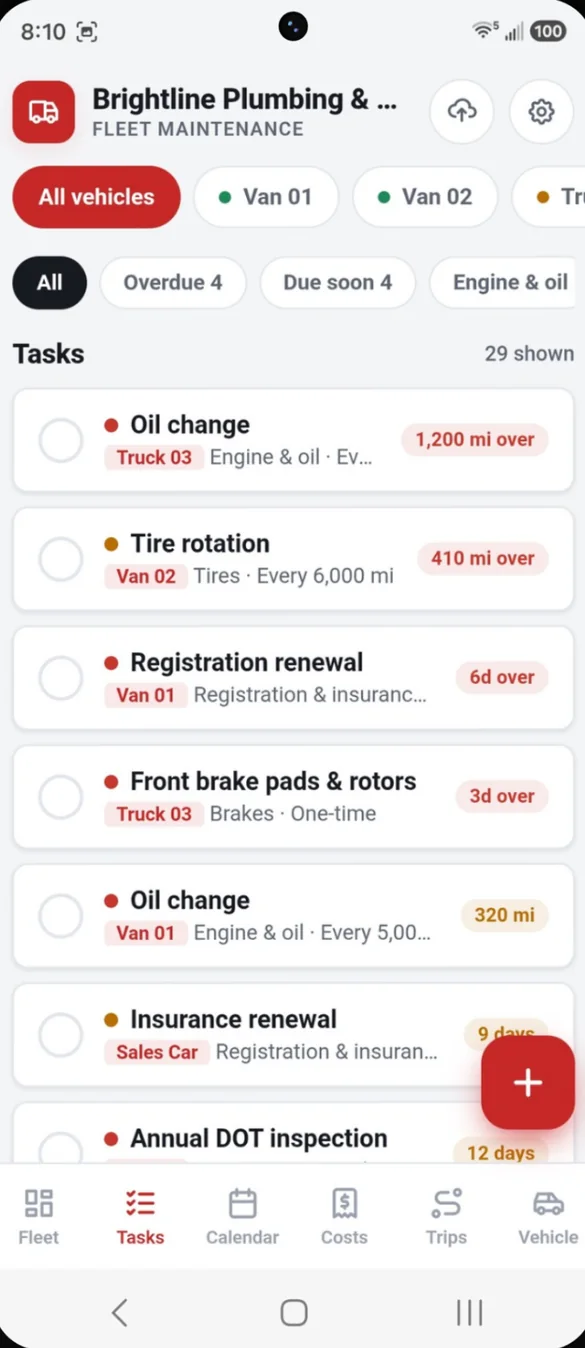
Set each task by date, by mileage or as a one time job. When you mark it done, record the date, odometer, cost, shop and a photo of the invoice. It goes into the service history and the cost lands in expenses.
- Starter schedules: pick Van, Pickup, Heavy duty or Car and the usual tasks are added in one tap
- Filters: overdue, due soon and by category
- Priority flags: and your own categories
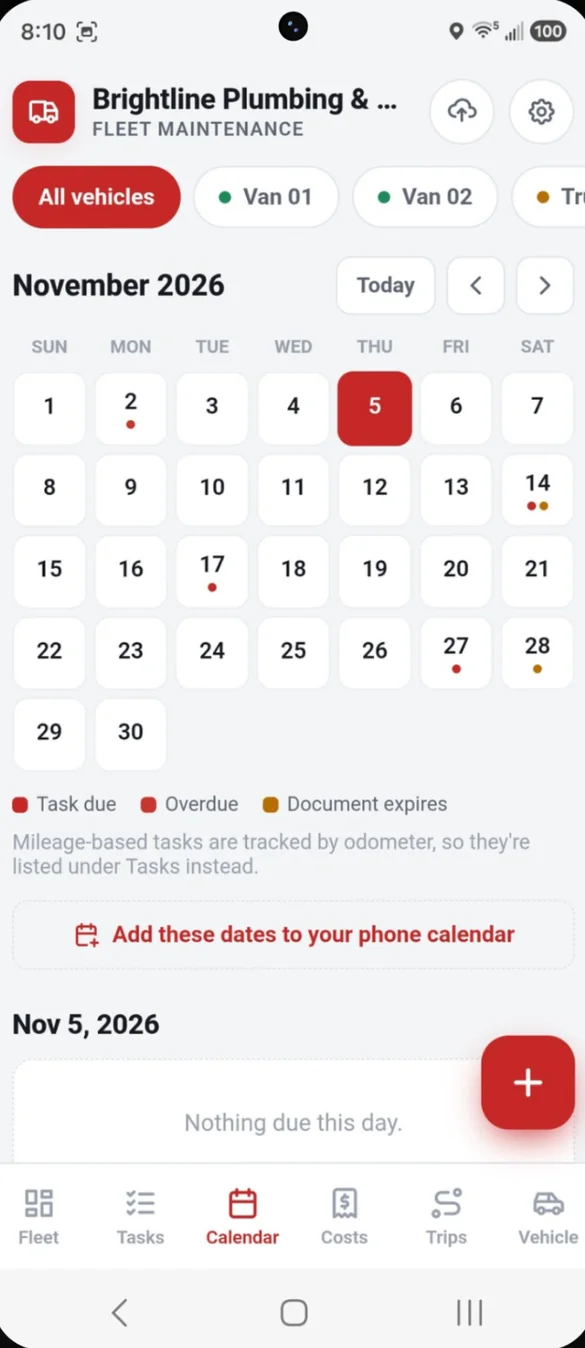
Every due date on one calendar.
See every due date for the fleet on a month calendar, with document expiry dates marked. Then add them to your phone calendar with a reminder the day before.
- Month view: for the whole fleet or one vehicle
- Document expiry: shown alongside task due dates
- Phone calendar: add due dates with a reminder the day before
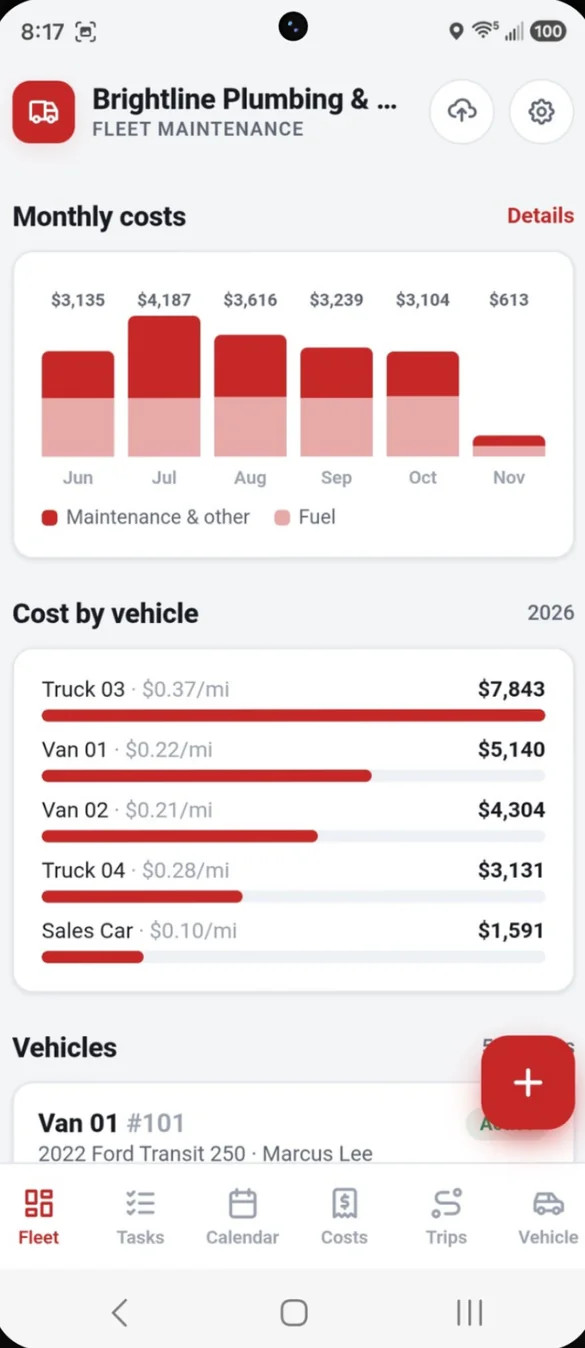
See where the money goes.
See costs by month, by category and by vehicle, with cost per mile for each one. Spot the vehicle that costs you the most.
- Monthly chart: maintenance and fuel by month
- Cost by vehicle: with cost per mile for each
- By category: repairs, parts, tires, insurance and more
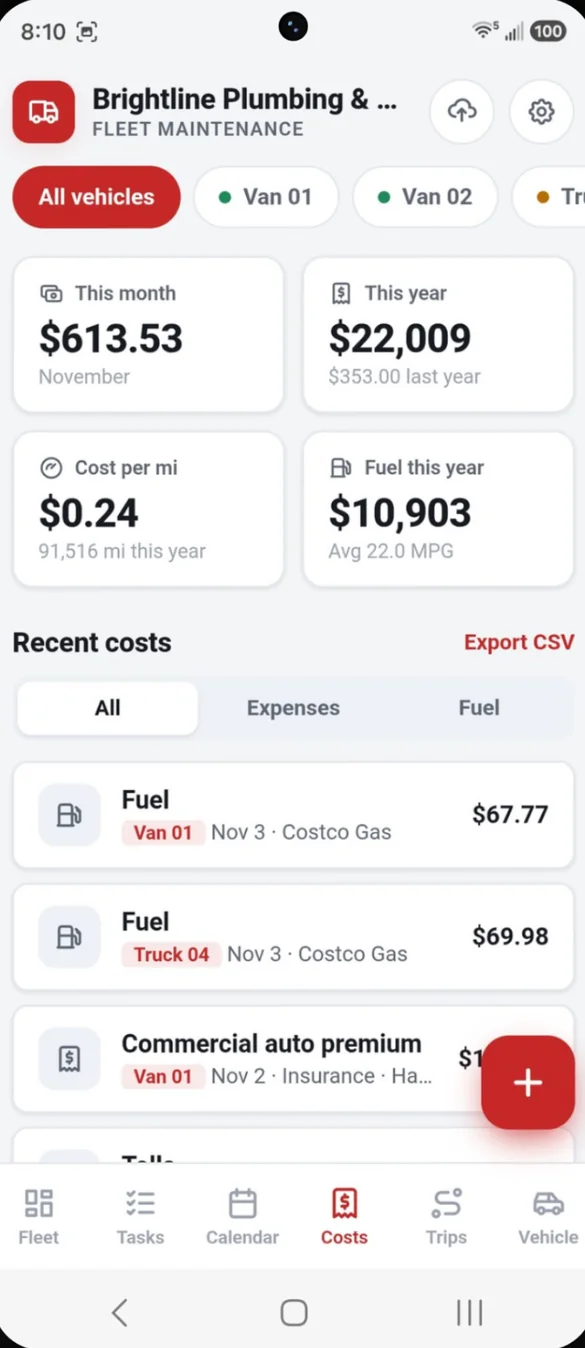
Every receipt, ready for your accountant.
Log repairs, parts, tires, insurance, registration, tolls and fuel for each vehicle. Snap a photo of the receipt, and set repeating costs like monthly insurance once.
- Receipt photos: kept with the record
- Repeating costs: added for you each time
- CSV export: that opens in Excel
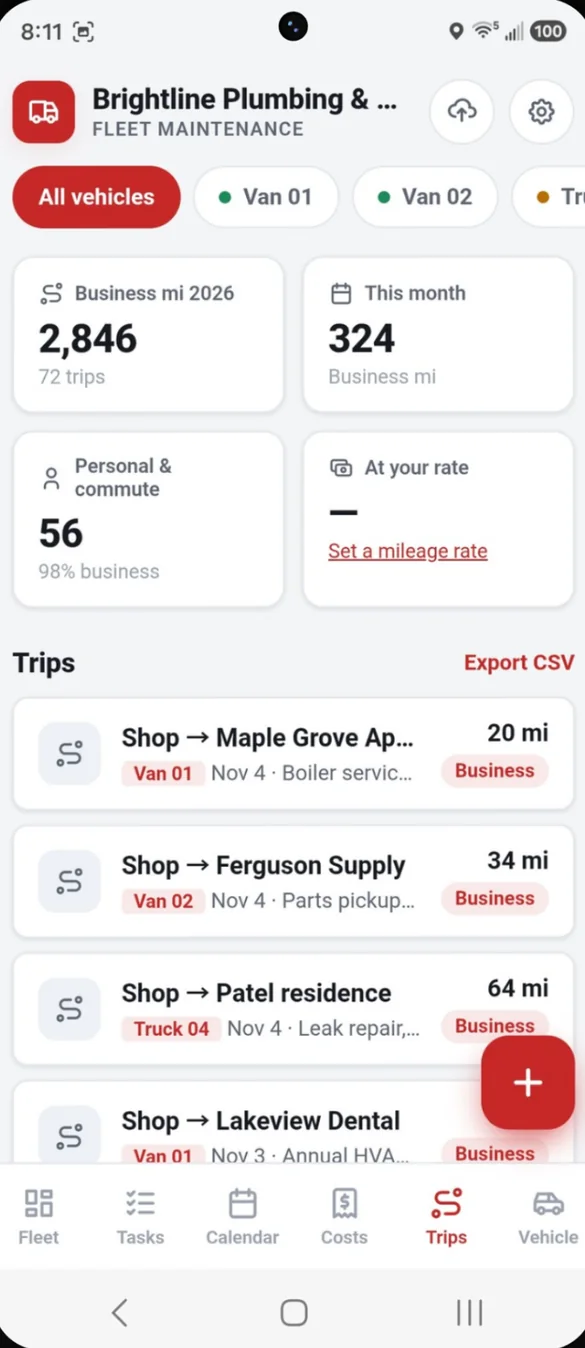
Business miles, added up for you.
Log where each vehicle went and why, using odometer readings or just the miles. Trips are totaled for the year by vehicle and by driver.
- Business, personal or commute: for every trip
- Mileage rate: optional, set the rate your accountant gives you
- CSV export: for your records
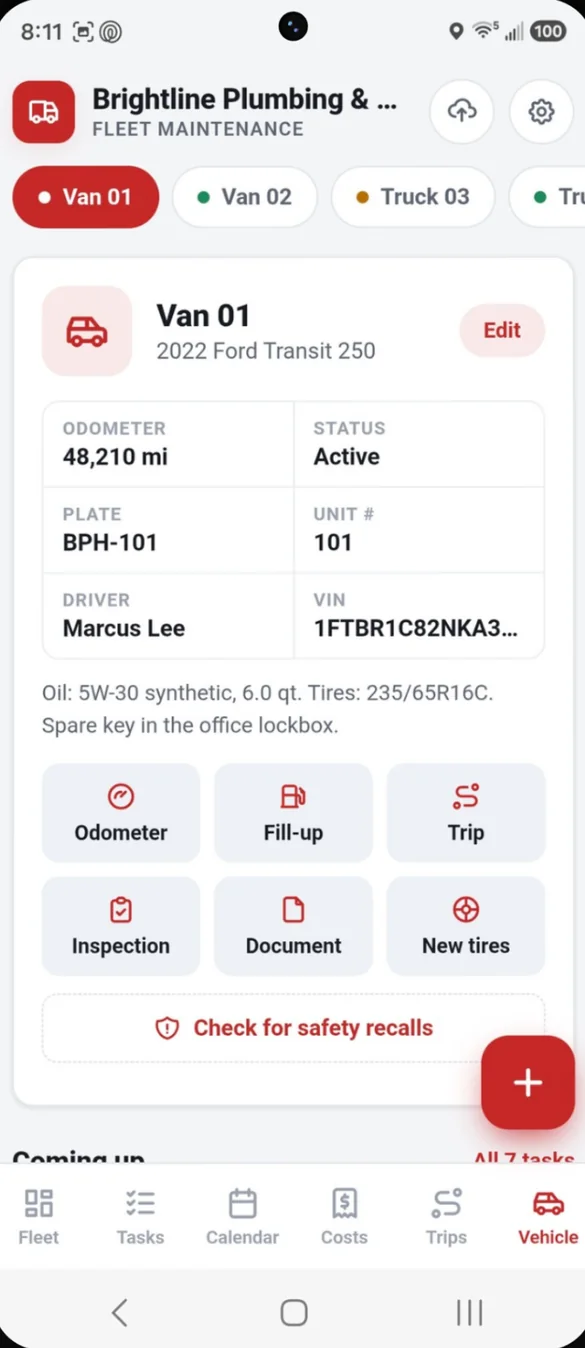
The whole story of every vehicle.
Plate, VIN, driver, notes, service history, documents, tires and fuel, all on one page. Log a fill up, a trip, an inspection or new tires right from here.
- Recall check: from NHTSA's public recall database
- Inspections: a tap through pre trip walk around
- Tires and documents: tread warranty, registration and insurance with expiry dates
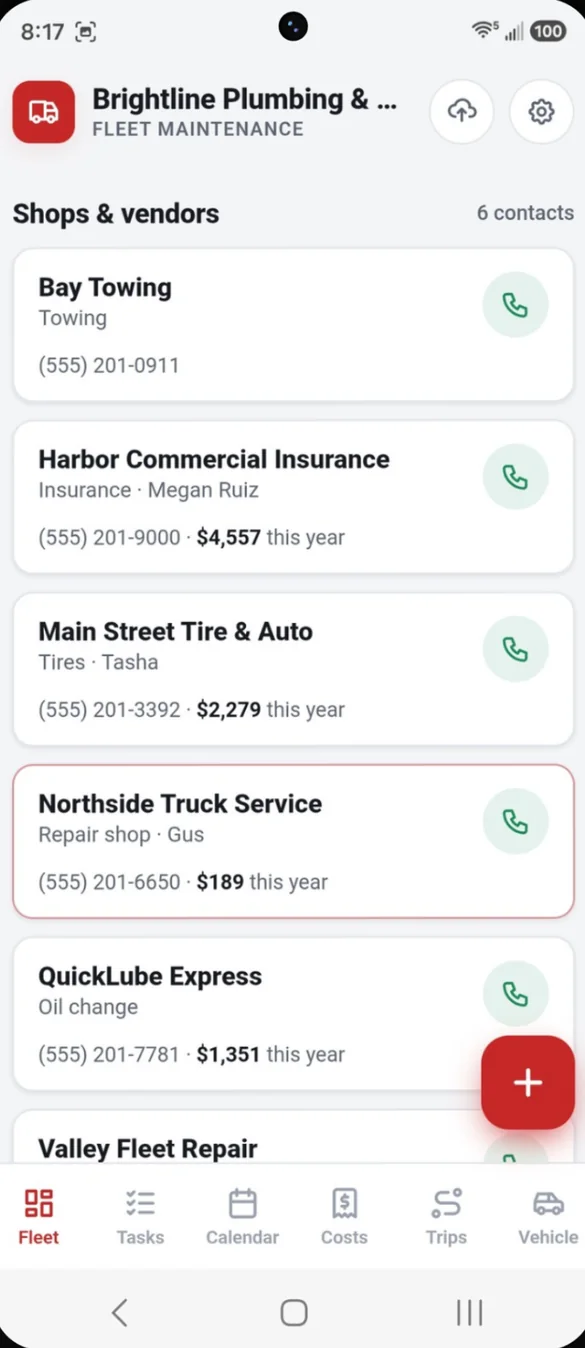
Your shops, one tap away.
Keep your repair shop, tire shop, towing and insurance agent together, and see what you've spent with each this year.
- Tap to call: from the list
- Spending: with each shop this year
- Contacts: a name for each place
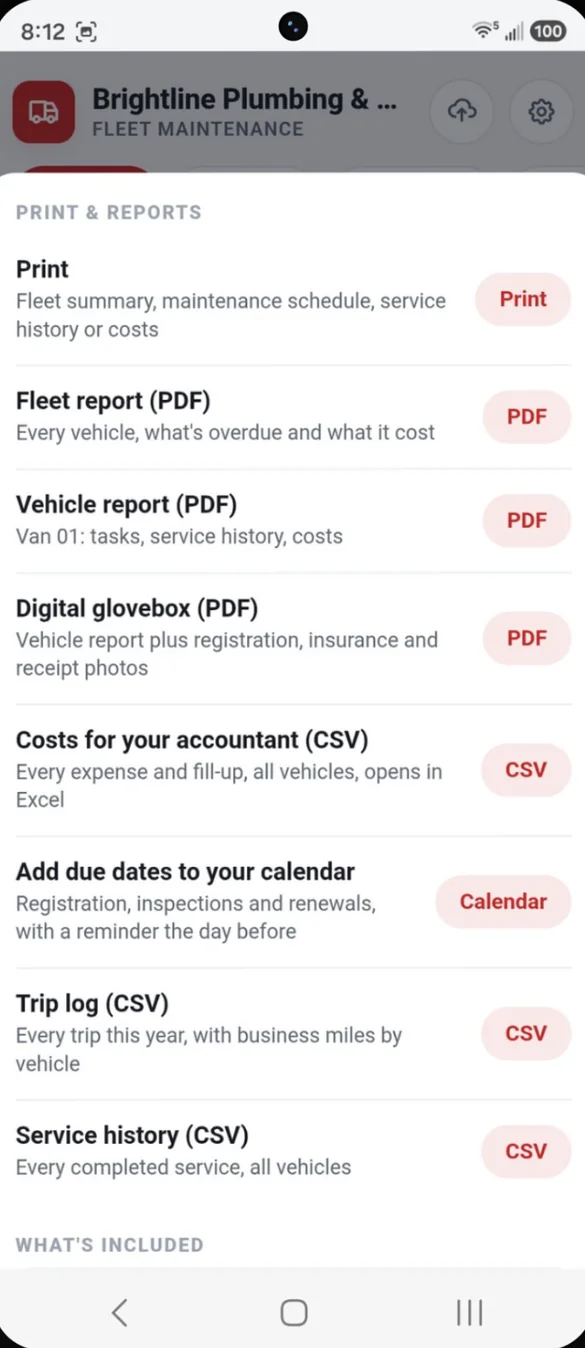
Reports your accountant will love.
Print a fleet summary, maintenance schedule, service history or costs. Download fleet, vehicle and digital glovebox PDFs, plus CSV files that open in Excel.
- PDF reports: fleet and vehicle
- Digital glovebox: vehicle report plus registration, insurance and receipt photos
- CSV files: costs, trips and service history
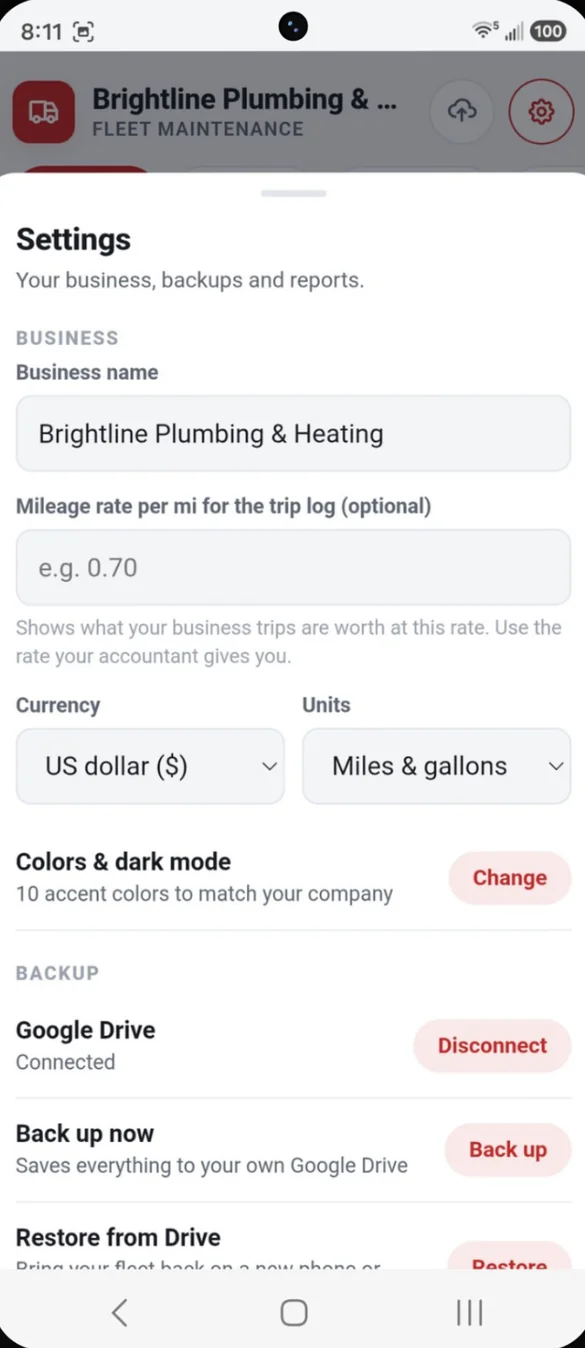
Set up once, with your name on it.
Add your business name to the app and your reports, and choose miles or kilometers and your currency.
- Business name: on the app and every report
- Units: miles and gallons, or kilometers
- Currency: pick yours in Settings
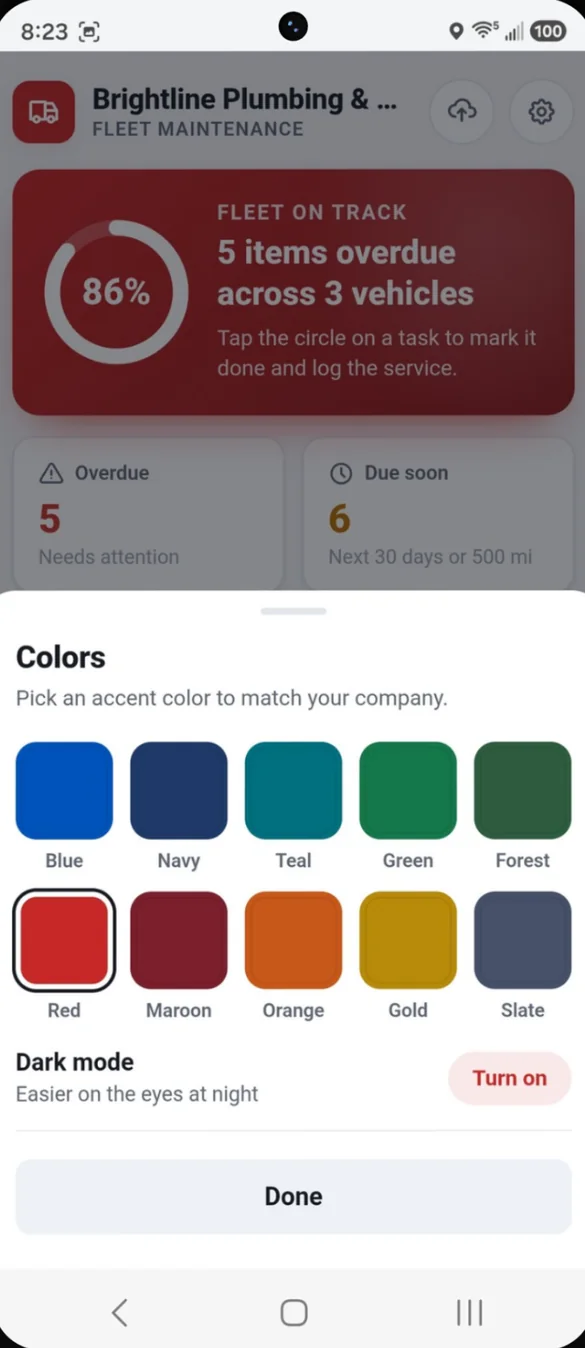
Colors to match your company.
Pick one of 10 accent colors to match your brand, or turn on dark mode for early mornings and late nights.
- 10 accent colors: blue, navy, teal, green, red and more
- Dark mode: easier on the eyes at night
- One tap: to switch anytime
Little extras that help
Fill from VIN
Type the VIN and the year, make and model fill in for you.
Fuel log and MPG
Log fill ups and see MPG, your average and best, and this year's fuel cost.
Inspections that act
Anything marked as a problem becomes a high priority repair task.
10 page bonus binder
A printable fleet binder with logs, checklists and a renewals tracker.
Phone and computer
On a computer it opens a full layout with a side menu.
Works offline
Once it's on your home screen it opens without internet.
Your fleet records stay with you.
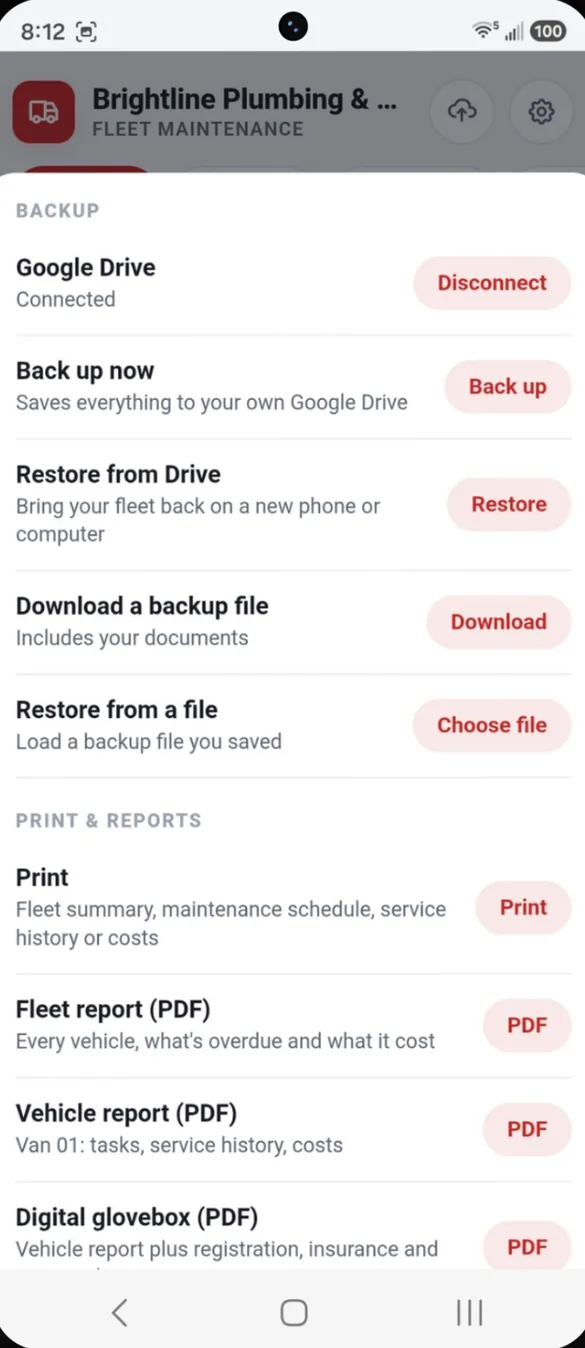
Everything saves privately on your device. You choose where backups go: a file you download, with your documents included, or your own Google Drive with one tap on the cloud. Drive backup is also how you move your fleet between your phone and office computer. Recall checks look up NHTSA's public recall database, so they need an internet connection.
- One time purchase, yours forever
- Saved privately on your device
- Works offline once installed
- Optional backup to your own Google Drive
- Backup file you can download, documents included
- No per vehicle fees
- No account, no login, no ads
How it works
Buy on Etsy
Your download has the app link and the 10 page bonus fleet binder.
Open the link
On your phone, tablet or computer.
Add your vehicles
Add it to your home screen, add your vehicles and pick a starter schedule. Install guide
Good to know: this is built for one person managing a fleet, like a small business owner, office manager or fleet manager. Everything lives on your device, so there is no live syncing between devices or drivers.
The trip log is a record keeping tool, not tax advice. Ask your accountant which miles and rate apply to you.
Questions
Is there a subscription or a fee per vehicle?
No. You pay once on Etsy and the app is yours. Track as many vehicles as you like, with no monthly or per vehicle fees.
Can my drivers use it on their own phones?
Not as a shared live system. It's built for one person managing the fleet, and everything is saved on that device. There is no live syncing between devices or drivers.
Can I use it on my phone and my office computer?
Yes. Back up to your own Google Drive on one, then restore on the other. You can also use a backup file.
How does the recall check work?
Tap Check for safety recalls on a vehicle, and the app looks up recalls in NHTSA's public recall database by make, model and year. It needs an internet connection.
Will the trip log work for taxes?
It records business, personal and commute miles and exports them as a CSV. It is a record keeping tool, not tax advice, so ask your accountant which miles and rate apply to you.
Does it work in kilometers?
Yes. Choose miles or kilometers and your currency in Settings.
Can I try it before I buy?
Yes. The free demo lets you tap around the real app in your browser.
What if it doesn't work on my phone?
Send a message through Etsy and I'll help you get it working. If we can't, you can get a refund within 30 days.
Try it before you buy
Tap around the real app in your browser. No sign up needed.