Flow Tracker Cycle, Symptoms, Fertility and BBT
Your cycle day, phase, predictions, symptoms and history in one clean app on your home screen. No paper calendar, no separate symptom app, and no account. Print a cycle report for your doctor whenever you need one.
- One time purchase
- No account or login
- Optional PIN lock
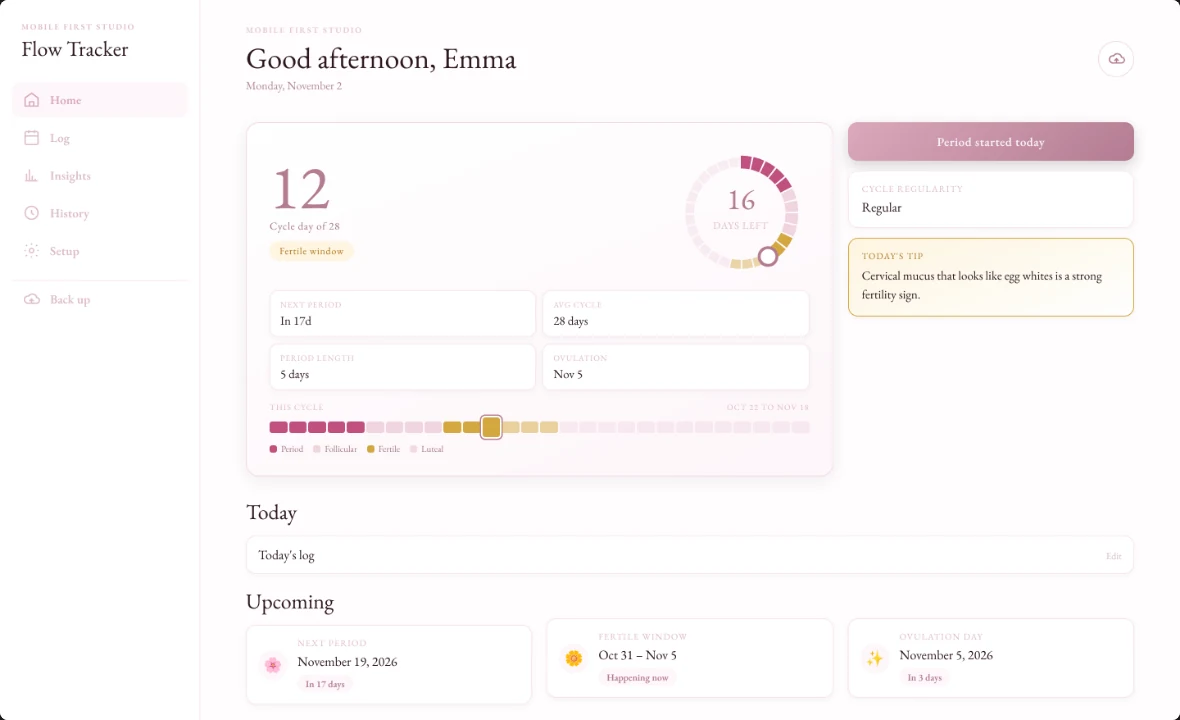
- Phone, tablet and computer
What's inside
Home, Log, Insights, History and Setup: everything about your cycle in five tabs.
Your cycle at a glance.
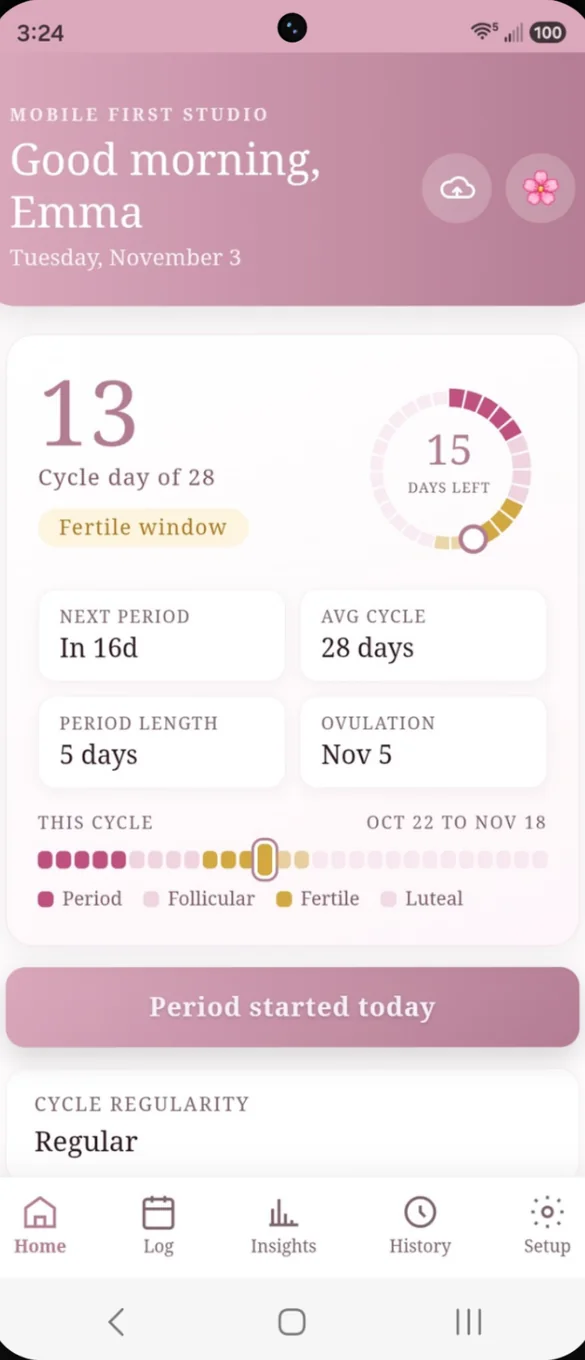
Open the app to a personal greeting, your cycle day and a color coded ring showing how many days are left. Countdowns show your next period, fertile window and ovulation day.
- This cycle: a timeline of every day by phase
- Daily tip: that changes with your phase
- Heads up: banners when a PMS window is near or your period is late
- One tap: to start your period
A calendar that knows your cycle.
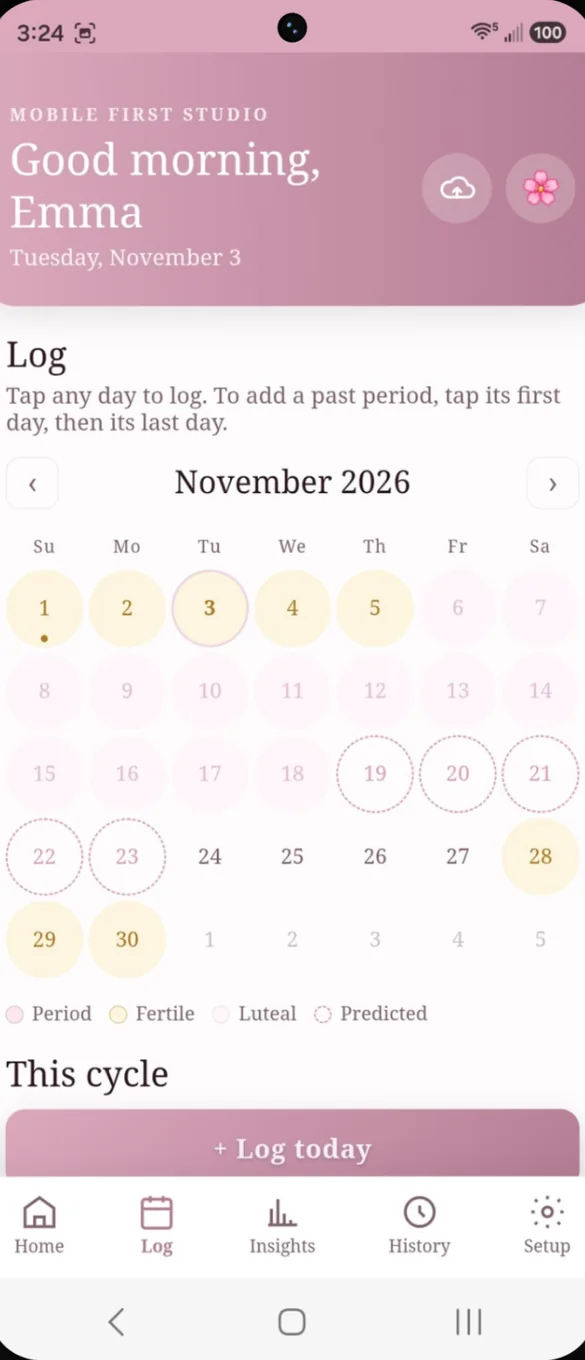
Every day is color coded by phase, so period, fertile and luteal days stand out. Predicted days show before they happen.
- Color coded: period, fertile, luteal and predicted
- Tap any day: to log or edit it
- Past periods: tap the first day, then the last day
Flow, symptoms and mood in a few taps.
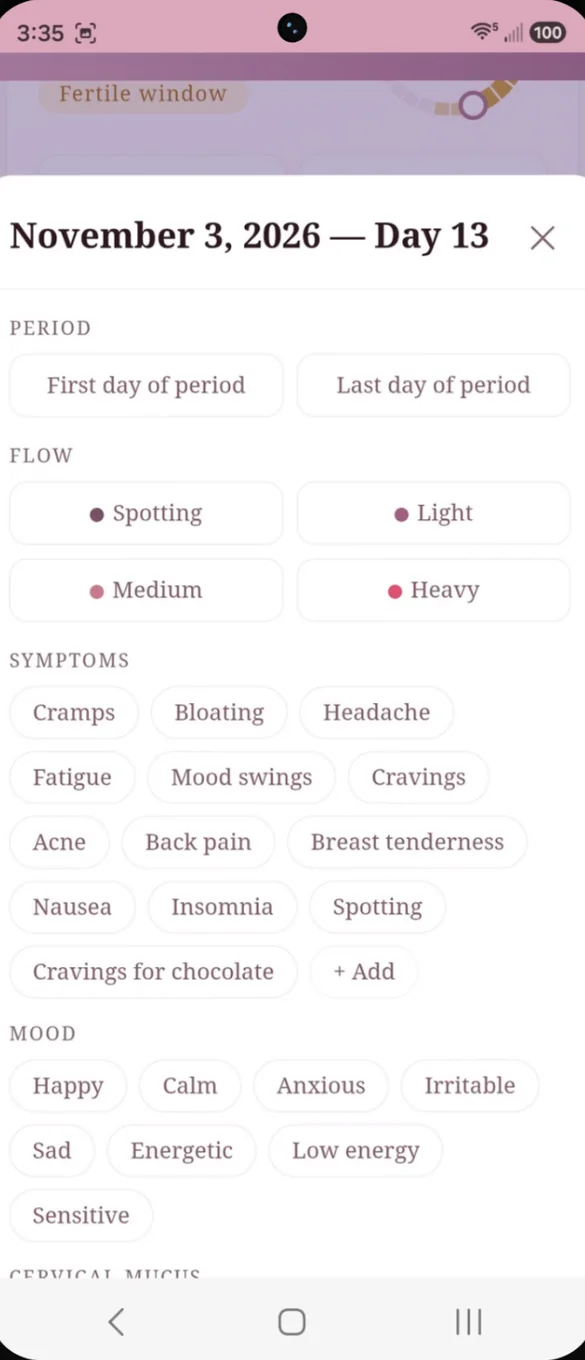
Log flow, symptoms and mood for any day, past or present. Add your own symptoms, and write a private note.
- Flow: spotting, light, medium or heavy
- Symptoms: a built in list plus your own
- Mood: from happy and calm to sensitive and low energy
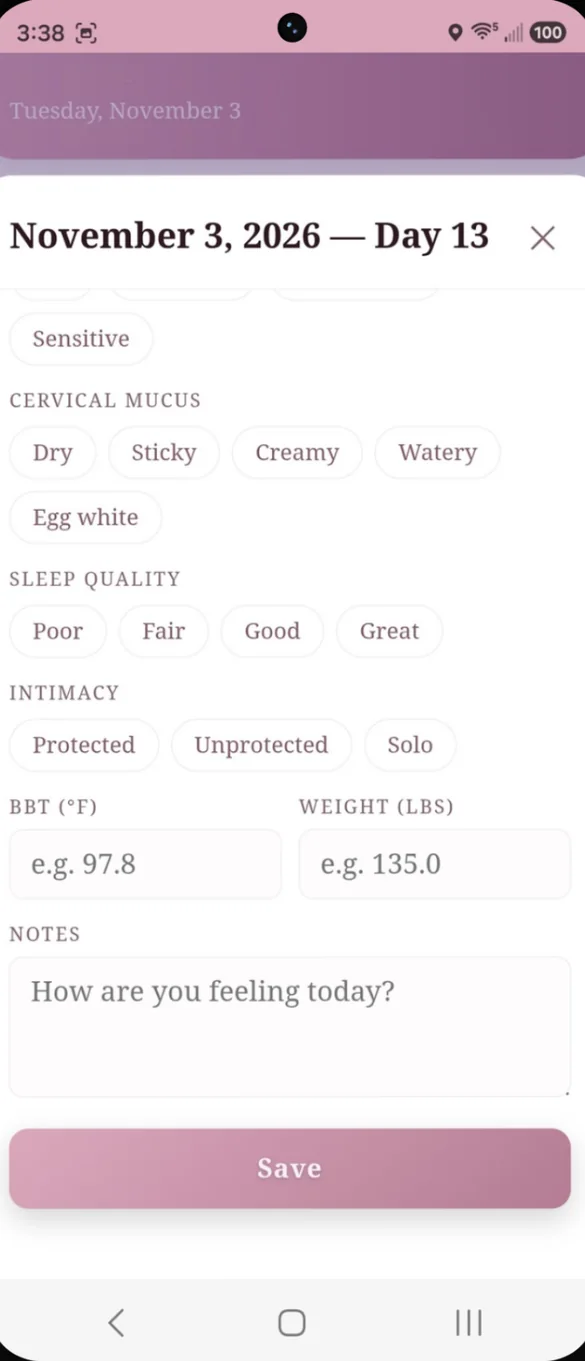
Built for trying to conceive too.
Log cervical mucus, sleep quality and intimacy alongside your symptoms. Add your basal body temperature and weight each day.
- Cervical mucus: dry, sticky, creamy, watery or egg white
- Sleep quality: poor, fair, good or great
- BBT and weight: charted for you in Insights
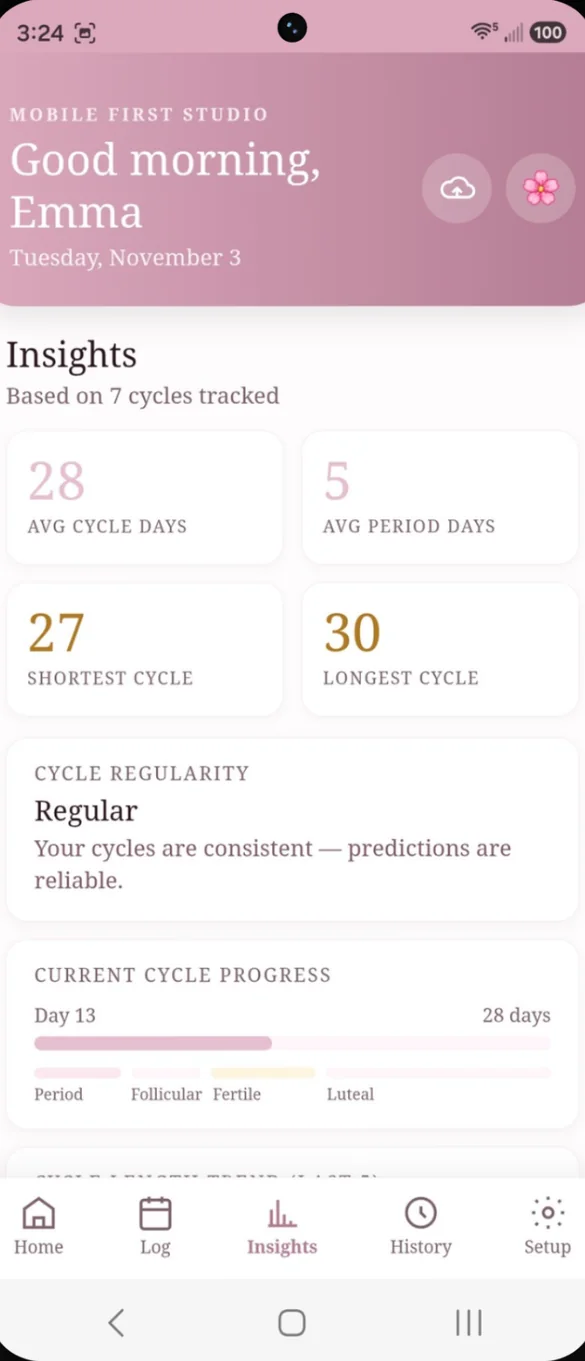
Your patterns, in plain language.
See your average cycle and period length, your shortest and longest cycles, and a regularity rating explained in plain words.
- Averages: worked out from what you log
- Regularity: with a note on how reliable predictions are
- Cycle progress: where you are across all four phases
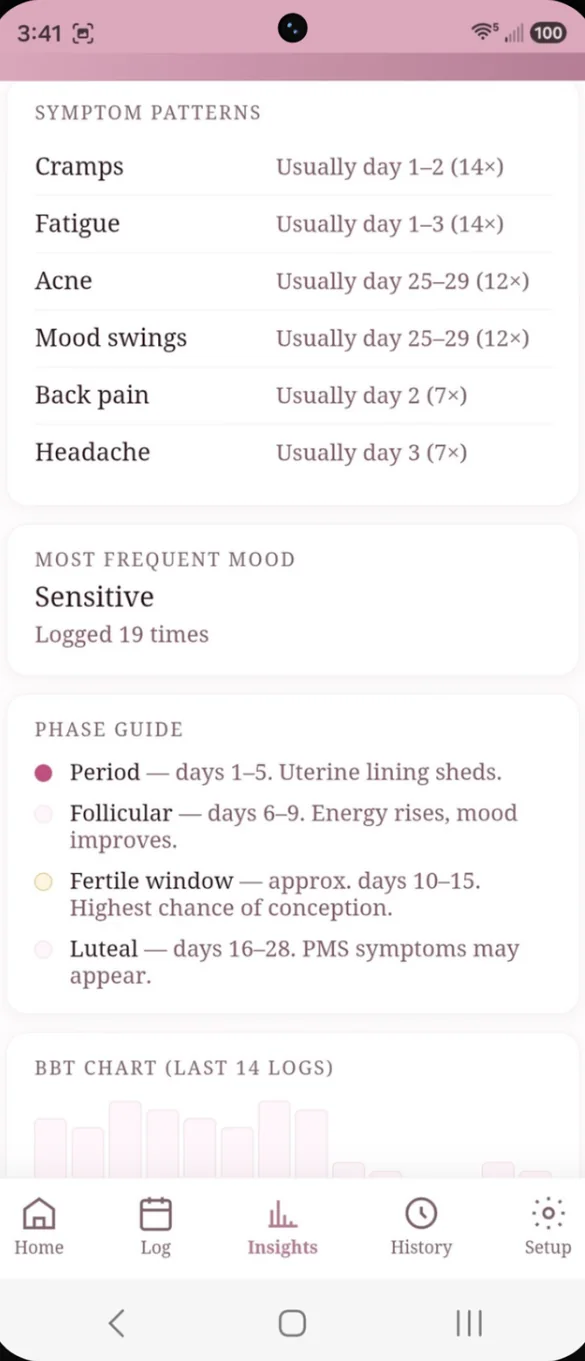
Know what to expect, and when.
See which symptoms tend to show up on which cycle days, and the mood you log most often.
- Symptom patterns: tied to the days they usually appear
- Most frequent mood: and how often you logged it
- BBT chart: built from your recent logs
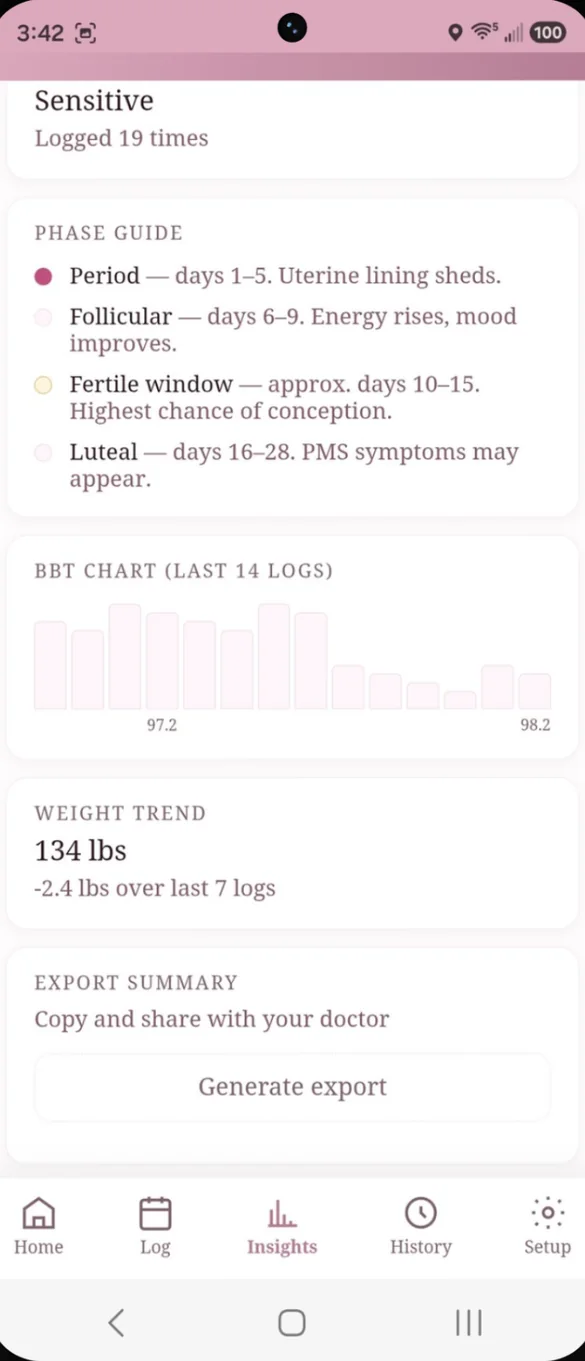
What is happening, phase by phase.
A built in phase guide explains what is happening in your body during each phase. Generate a short summary of your cycle history to copy into a message, email or patient portal.
- Phase guide: period, follicular, fertile window and luteal
- Weight trend: change over your recent logs
- Doctor ready summary: copy and share in one tap
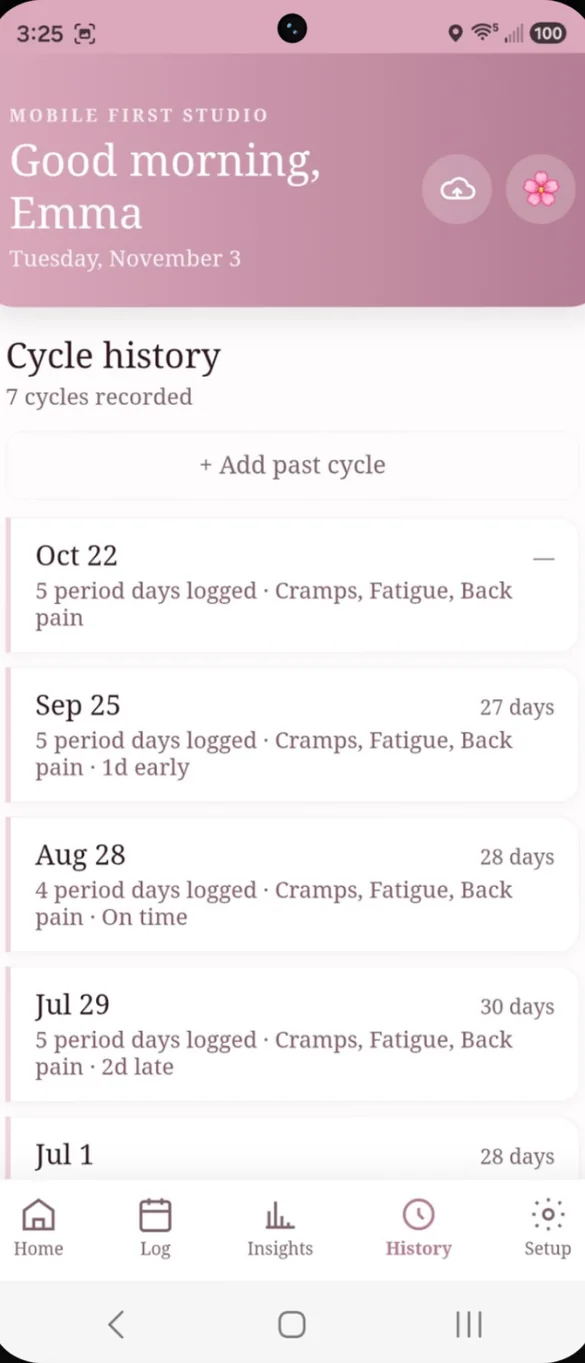
Every cycle, on record.
Every cycle you track is saved with its length and symptoms. Add past cycles anytime to sharpen your predictions.
- Every cycle: with length and symptoms
- Early, late or on time: at a glance
- Add past cycles: from before you started using the app
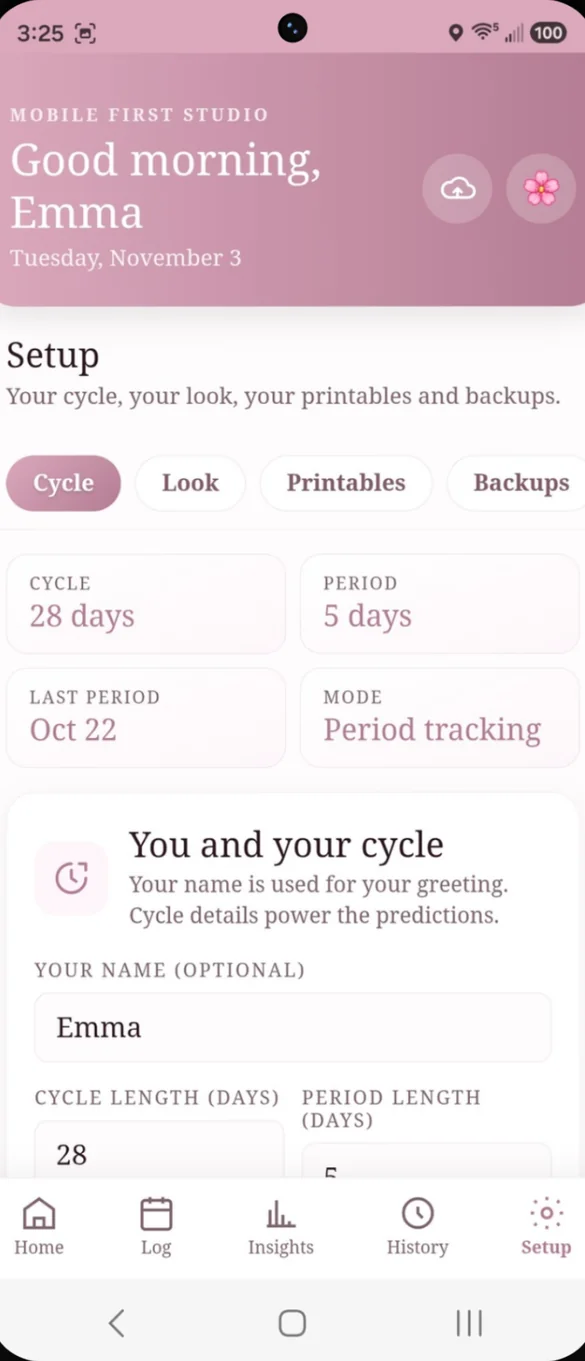
Track for you, however that looks.
Set your usual cycle and period length and your last period date. Choose a tracking mode: period tracking, trying to conceive or avoiding pregnancy.
- Three modes: period tracking, trying to conceive or avoiding pregnancy
- Your name: for your greeting, if you want it
- Daily pill check-in: turn it on and Home asks if you took it today
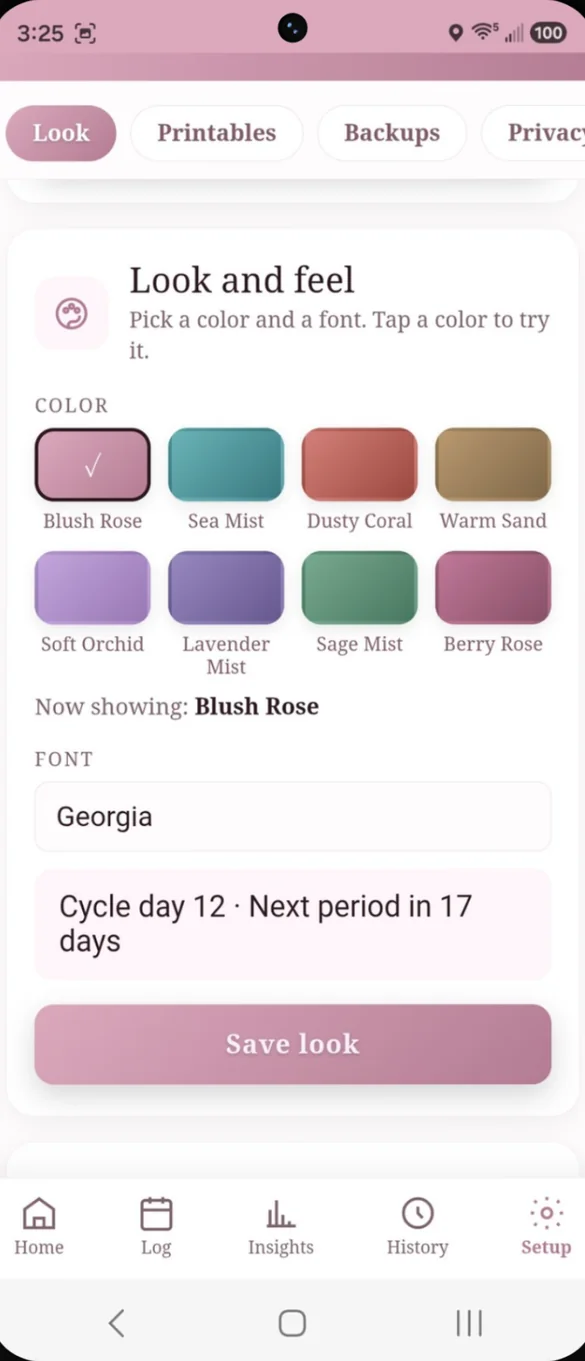
Make it feel like yours.
Pick from 8 soft colors and 5 fonts. Tap a color to try it before you save.
- 8 colors: from Blush Rose to Berry Rose
- 5 fonts: with a live preview
- Quick switch: tap the flower on Home to change colors
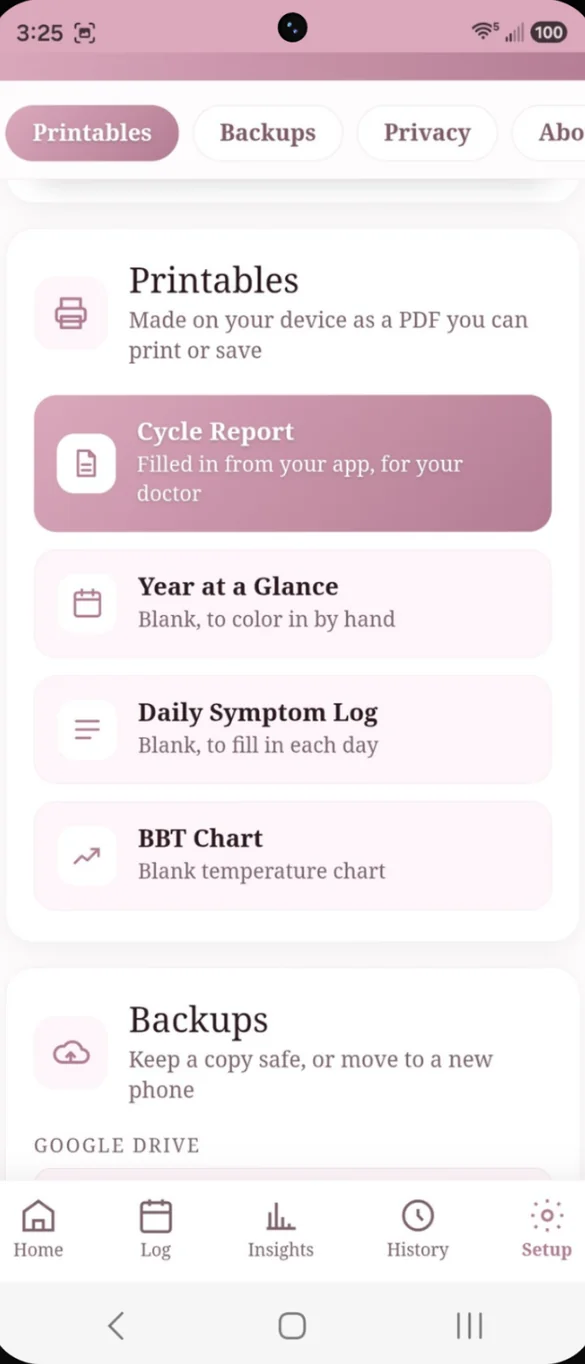
Your cycle, on paper.
Print a Cycle Report for your doctor, filled in from your own logs. Or print blank pages to fill in by hand. PDFs are made right on your device.
- Cycle Report: averages, history, symptom patterns and daily log
- Blank pages: Year at a Glance, Daily Symptom Log and BBT Chart
- Also in your download: blank copies of all three
Little extras that help
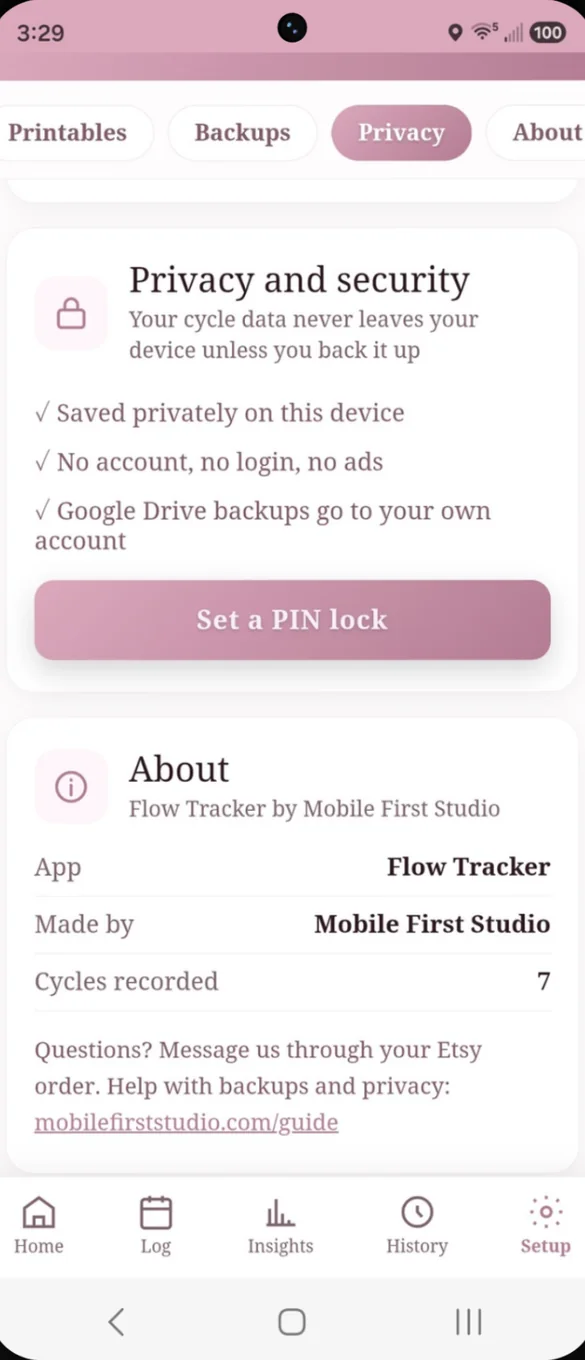
PIN lock
Set a 4 digit PIN and the app asks for it when it opens.
Daily pill check-in
Home asks if you took your pill today, with one tap to mark it.
Doctor ready summary
A short text summary to paste into a message or patient portal.
Late and PMS banners
Home lets you know when PMS is near or your period is late.
Phone and computer
On a computer it opens a full dashboard with a side menu.
Works offline
Once it's on your home screen it opens without internet.
Your cycle data stays yours.
Everything saves on your device, with no account and no syncing with any health platform or other app. Backups go where you choose: a file you download, or your own Google Drive with the cloud button. Add a 4 digit PIN so your cycle data isn't the first thing someone sees if they pick up your phone.
- One time purchase, yours forever
- Saved privately on your device
- Works offline once installed
- Optional backup to your own Google Drive
- Backup file you can download anytime
- Optional 4 digit PIN lock
- No account, no login, no ads
How it works
Buy on Etsy
Your download has the app link and blank printable trackers.
Tap the link
Open the PDF and tap the link on your phone, tablet or computer.
Add it to your home screen
Or bookmark it, then set your cycle and period length. Install guide
Good to know: predictions, the fertile window and ovulation dates are estimates based on what you log. They are not medical advice and not a method of birth control.
You enter every cycle yourself, with no syncing to any health platform or other app. There is no PIN reset, so choose a PIN you will remember.
Questions
Is there a subscription?
No. You pay once on Etsy and the app is yours. No monthly fees and no ads.
Where is my cycle data saved?
On your own device. There is no account and no syncing with any health platform or other app. If you turn on Google Drive backup, a copy goes to your own Drive account.
Can I use it to avoid pregnancy?
There is an avoiding pregnancy mode, but predictions, the fertile window and ovulation dates are estimates based on what you log. They are not medical advice and not a method of birth control.
Can I share my cycle history with my doctor?
Yes. Print a Cycle Report with your averages, history, symptom patterns and daily log, or generate a short text summary to copy into a message or patient portal.
What if I forget my PIN?
There is no PIN reset, so choose a PIN you will remember.
Does it send reminders?
No. The daily pill check-in shows on Home when you open the app, but it does not send a notification.
Can I use it on my phone and my computer?
Yes. On a computer it opens a full dashboard with a side menu. Back up to your own Google Drive on one and restore on the other to move your history across.
What if it doesn't work on my phone?
Send a message through Etsy and I'll help you get it working. If we can't, you can get a refund within 30 days.
Try it before you buy
Tap around the real app in your browser. No sign up needed.