Gift and Holiday Planner Gifts, Cards and Gatherings
Gifts, budgets, cards, gatherings, decorating and storage, all in one holiday app. Four simple tabs keep the season organized, and you can print any of it when you want it on paper.
- One time purchase
- No account or login
- No ads
- Phone, tablet and computer
What's inside
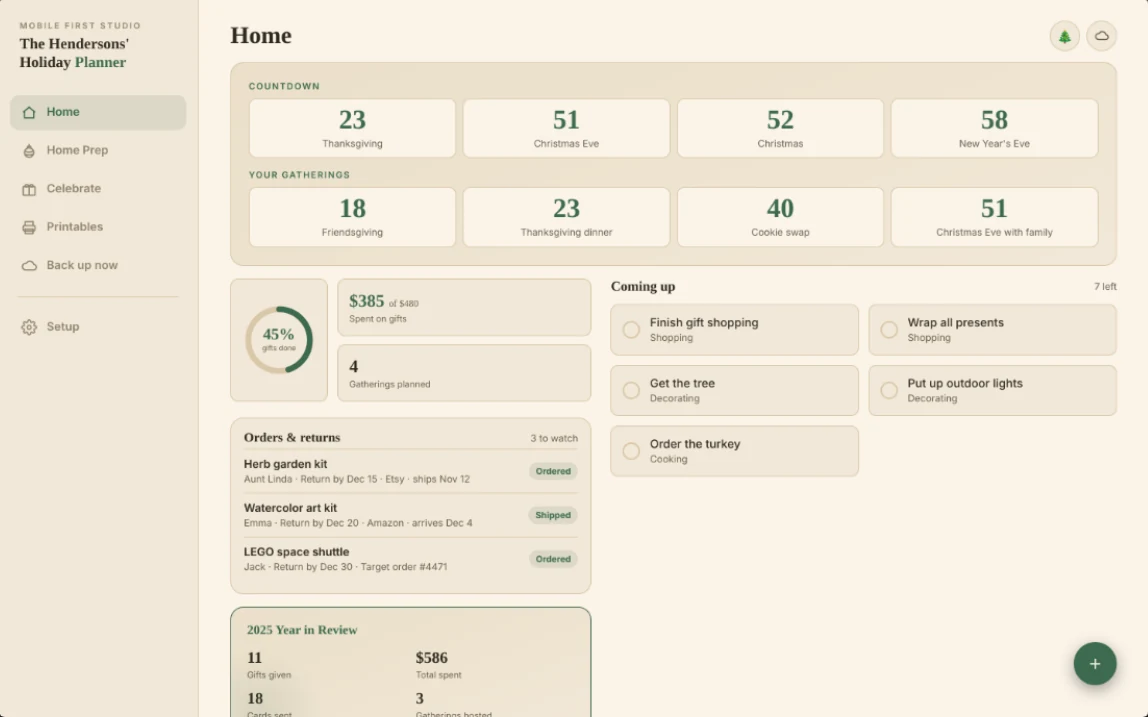
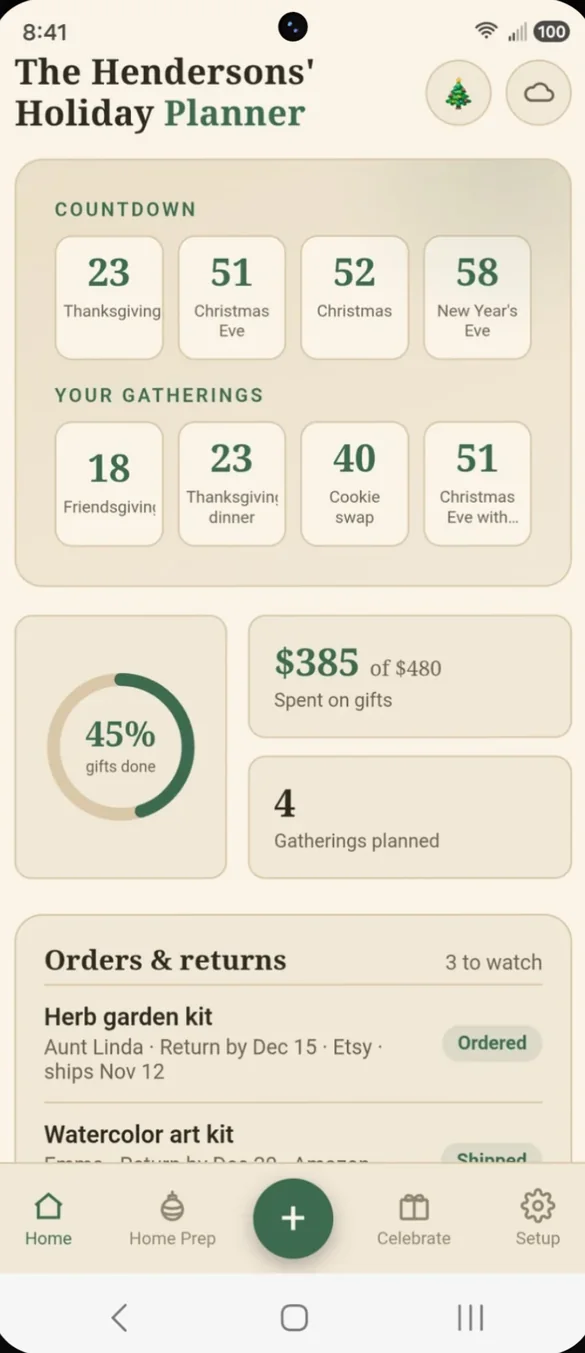
Home, Home Prep, Celebrate and Setup: everything for the season in four tabs.
Every countdown. One glance.
Countdowns to Thanksgiving, Christmas Eve, Christmas and New Year's Eve sit at the top, plus one for each of your own gatherings. Below that you see gift progress, spending against your budget and orders still on the way.
- Holiday countdowns: and one for every gathering you add
- Spent vs. budget: and how many gifts are done
- Orders and returns: anything on the way or due back soon
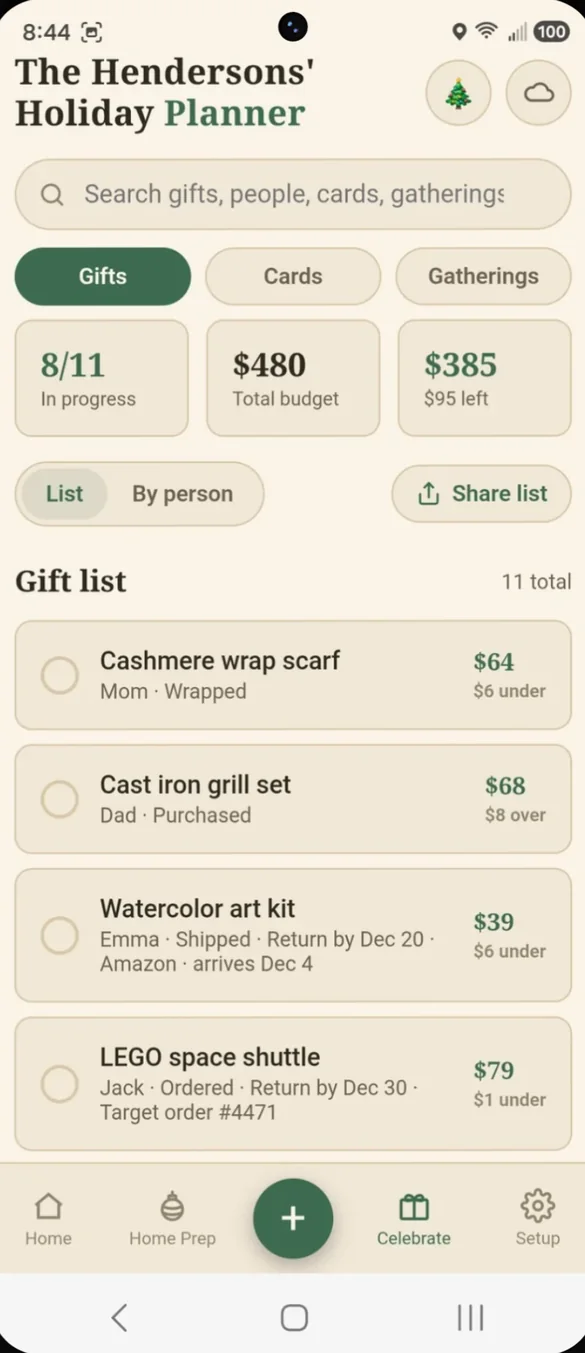
Budget it. Buy it. Track it.
Add a recipient, the gift and a budget, then enter what you actually paid. The app shows what came in under, what went over and what is left.
- By person: everyone's gifts together, with what you gave them in past years
- Online orders: ordered or shipped, with a return by date that turns red in the last week
- Share your list: with one tap
- Stocking stuffers and deals: separate lists so the small stuff adds up too
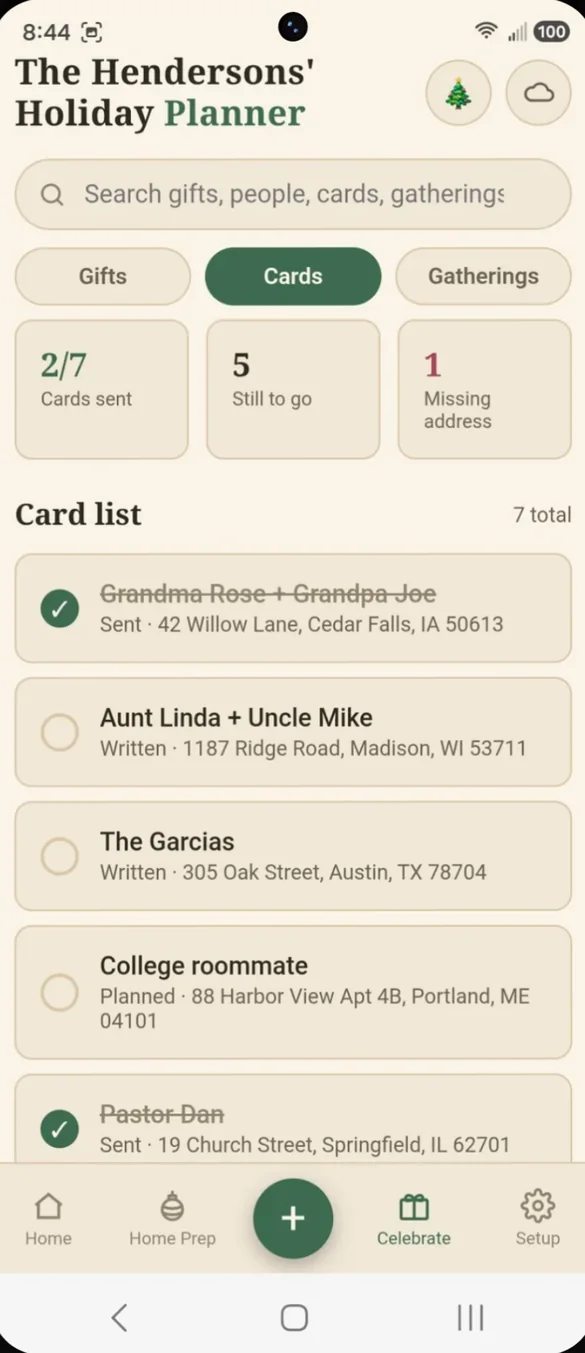
Every card. Every address.
Save each card recipient's mailing address and track planned, written and sent. See who is still missing an address, then print labels.
- Avery 5160 labels: 30 per page
- Missing addresses: counted at the top
- Next year: addresses carry over
Who's coming. Who's bringing what.
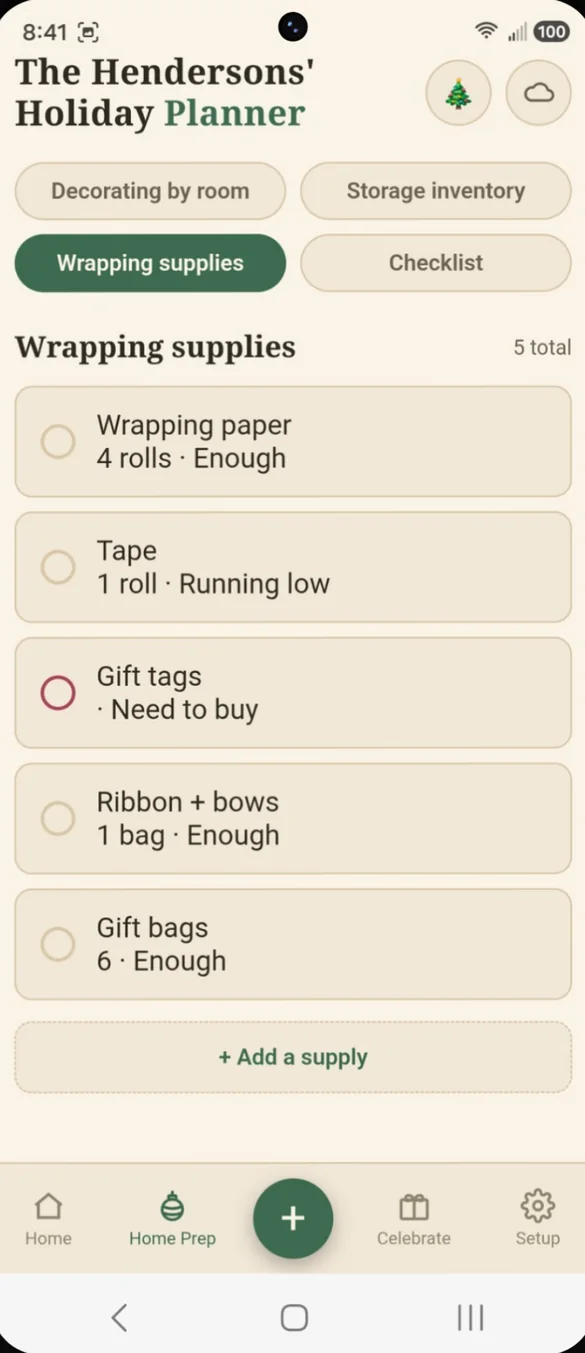
Thanksgiving dinner, Friendsgiving, the cookie swap, Christmas Eve. Each gathering gets a guest list with RSVPs, a potluck menu and its own to-do list.
- RSVPs: coming, maybe or can't come
- Potluck menu: who is bringing each dish
- Countdown: each gathering counts down on Home
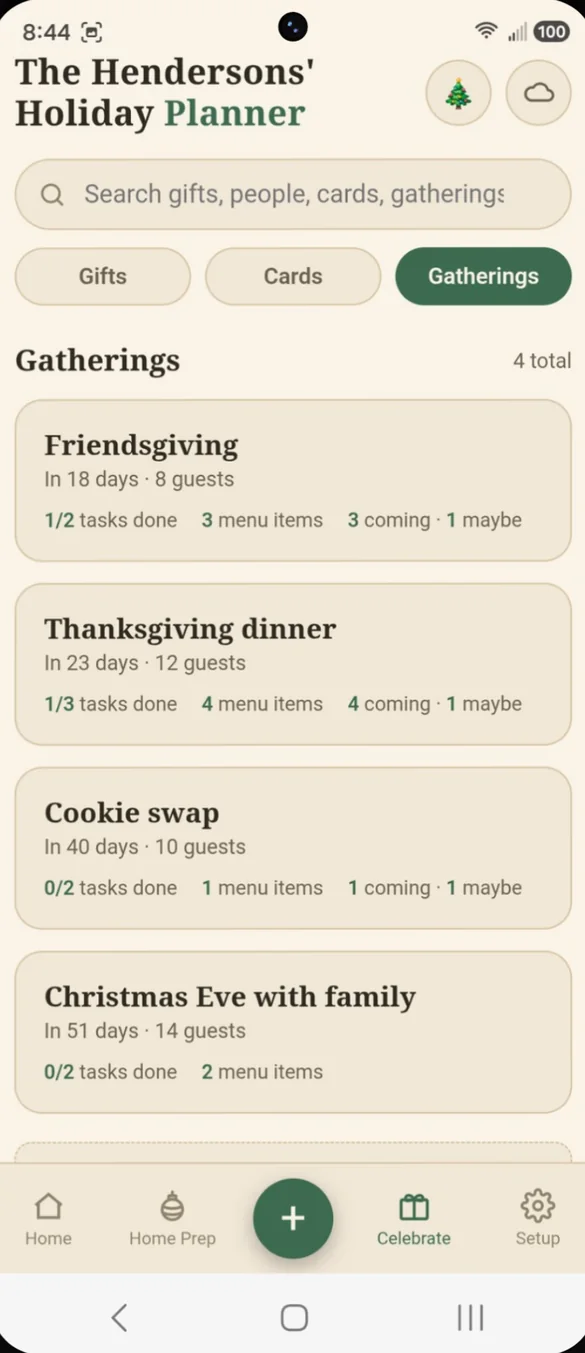
Room by room. Tap to check.
Living room, porch, dining room. Each room has its own checklist you tick off right on the card as the house comes together.
- A checklist per room: add tasks in one tap
- Progress: see how many are done in each room
- Next year: your rooms carry over
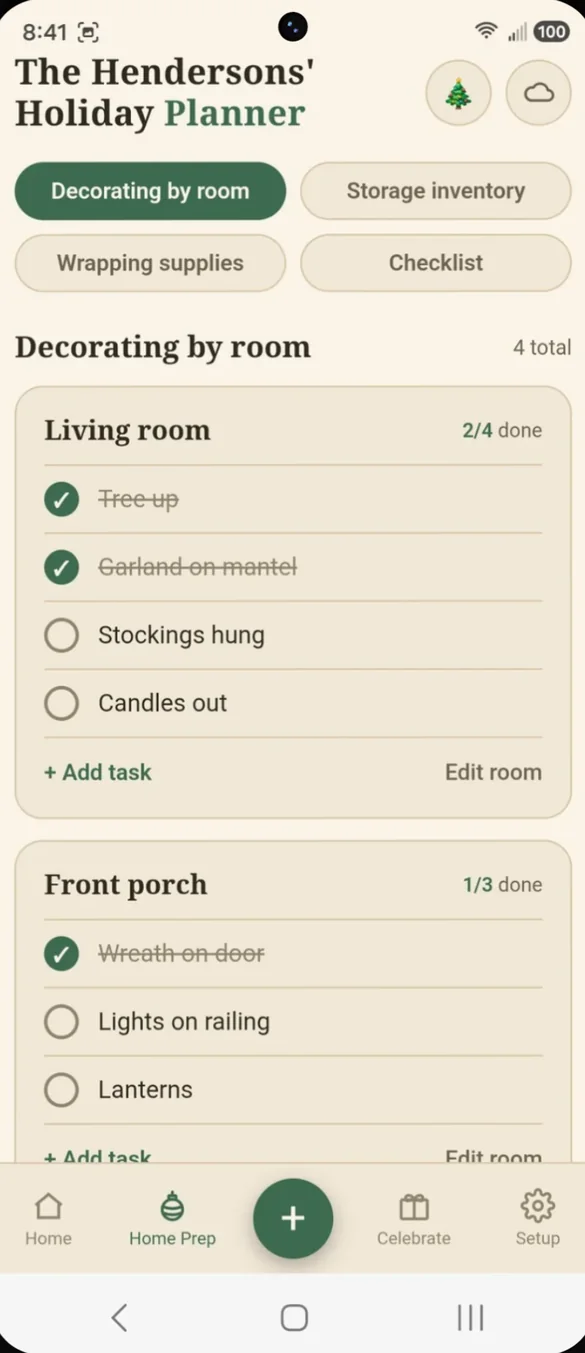
Know which bin before the garage.
Write down where each box of decorations lives once. It carries over every year, so next November you go straight to it.
- Every bin: and exactly where it is
- Carries over: year to year
- No more digging: through the garage
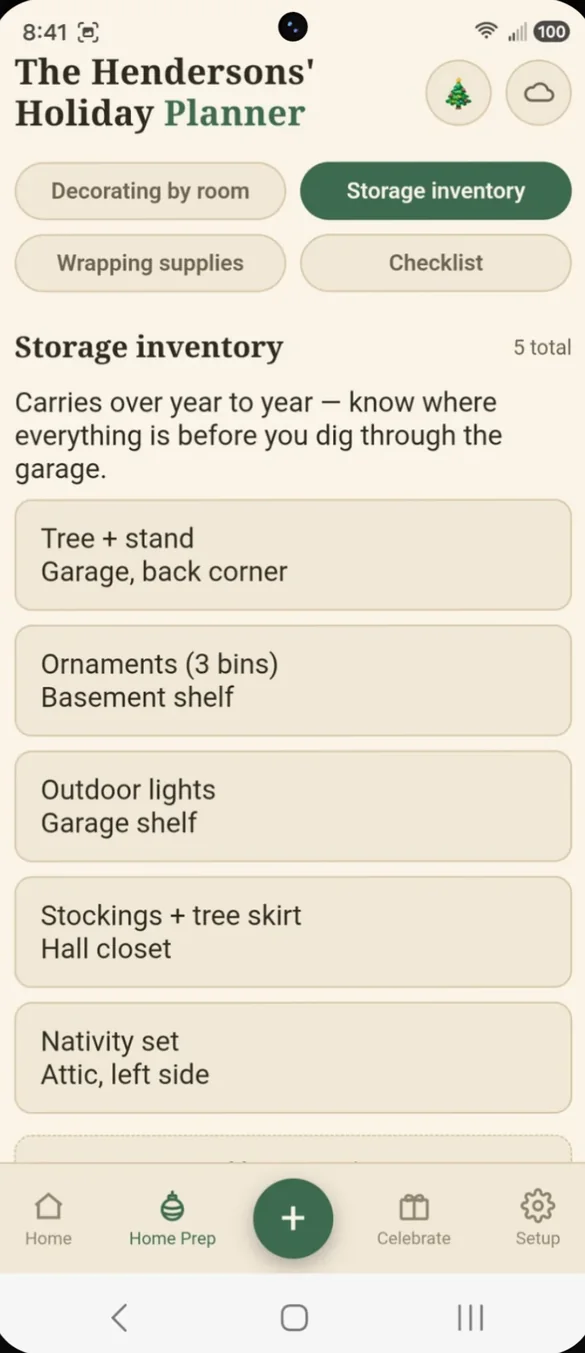
Never run out of tape again.
Track paper, tape, tags and bows, marked enough, running low or need to buy, so wrapping night goes smoothly.
- Three levels: enough, running low or need to buy
- Quantities: for every supply
- Check before you shop: one list to look at
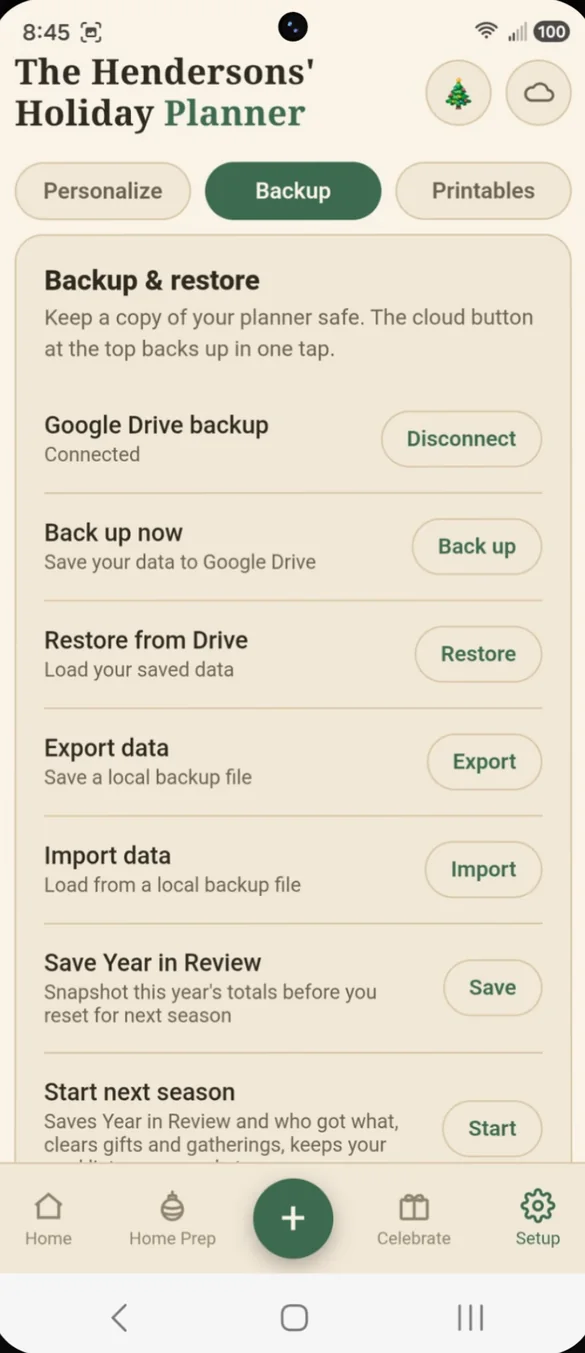
The whole season on one list.
Shopping, decorating, cooking, travel and more, all in one list. Your next tasks show up on Home.
- Grouped by category: shopping, decorating, cooking and more
- Tap to check off: as you go
- On Home: the next ones up
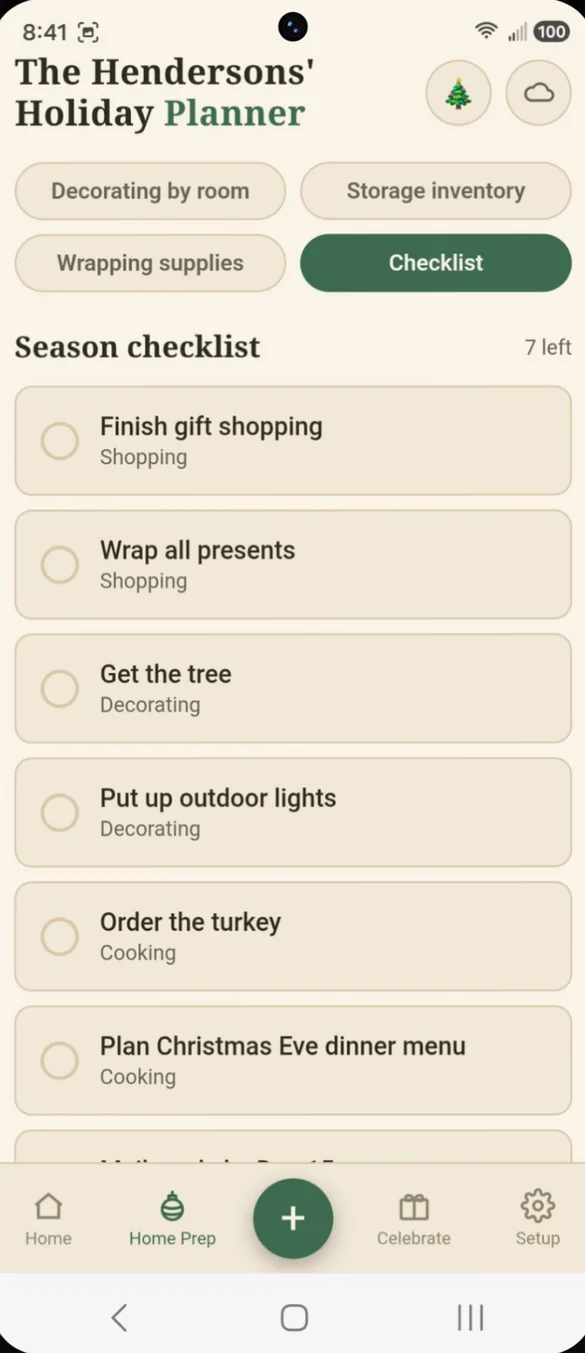
Your name. Your colors.
Put your family's name on the app and every printed page. Choose from 8 color themes, and set your currency and Thanksgiving.
- Family name: at the top of the app and every page
- 8 themes: from Evergreen to Peppermint
- Currency and Thanksgiving: US, Canadian or none
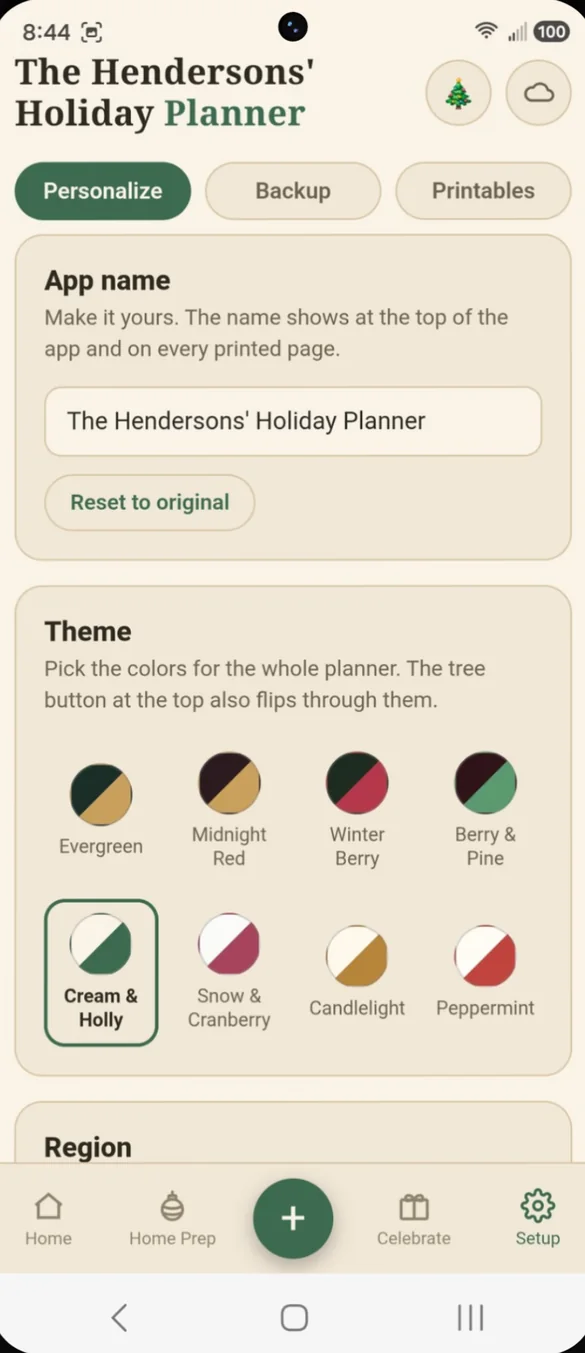
Print the plan, or a blank page.
Make PDFs right from the app, filled in with your own info: gift list, card list, gathering plans, home prep and checklist. Or print blank pages to fill in by hand.
- Filled in: from what is in your planner
- Blank pages: gift list, card list, gathering planner, checklist and a holiday calendar
- Letter size: 8.5 by 11 inch pages
Little extras that help
Stocking stuffers
A separate list with budgets, so the little extras don't quietly add up.
Black Friday deals
Log deals you are watching with a store and target price.
Year in Review
Gifts given, money spent, cards sent and gatherings hosted.
Start next season
Clears the gift list but keeps cards, rooms and storage.
6 page bonus PDF
Blank pages included with your download.
Phone and computer
On a computer it opens a full screen layout with a sidebar.
Your holiday plans stay yours.
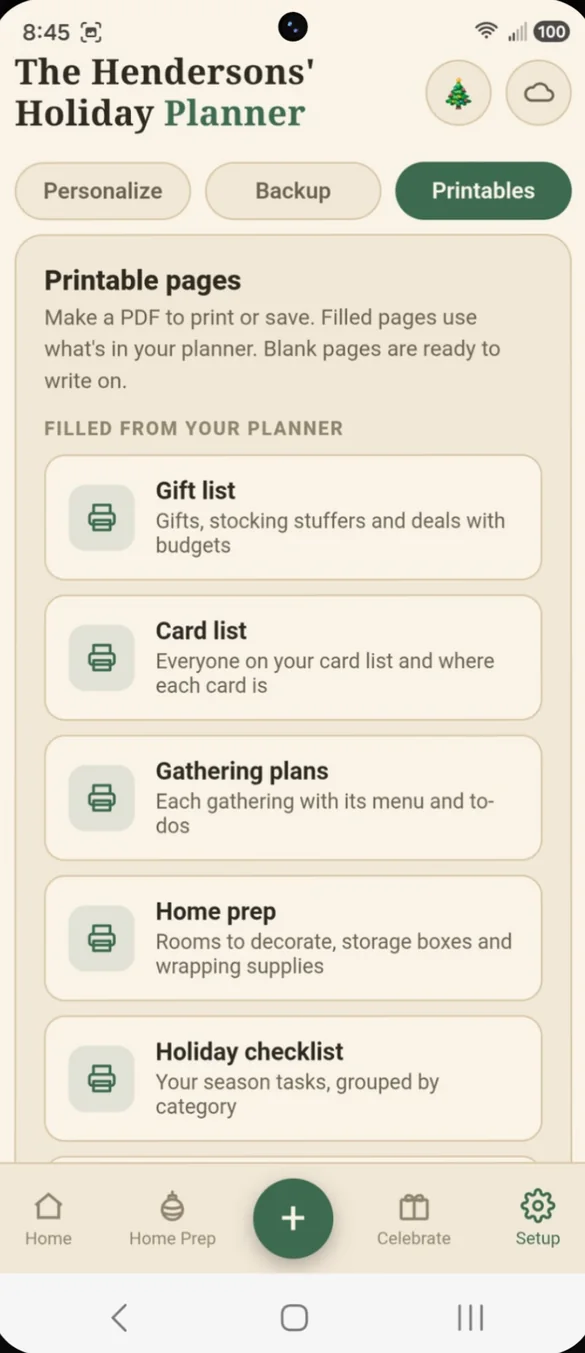
Everything saves privately on your device. You enter it all yourself, and nothing syncs with any store, calendar or event service. Back up with one tap on the cloud to your own Google Drive, or download a backup file. Drive backup is also how you move your plans between your phone and computer.
- One time purchase, no subscriptions ever
- Saved privately on your device
- Works offline once installed
- Optional one tap backup to your own Google Drive
- Backup file you can download and restore
- Nothing syncs with any store or calendar
- No account, no login, no ads
How it works
Buy on Etsy
Your download has the link to your planner plus the bonus PDF.
Open the link
On your phone, tablet or computer, in any browser.
Add it to your home screen
Then add your gift list, cards, gatherings and rooms. Install guide
Good to know: everything is included: gifts, cards, gatherings, home prep, printables and Year in Review. There are no tiers or add-ons.
You enter everything yourself, and nothing syncs with any store, calendar or event service. Printed pages are letter size.
Questions
Is there a subscription?
No. You pay once on Etsy and the app is yours. Everything is included, with no tiers or add-ons.
Can I use it again next year?
Yes. When the season ends, Start next season saves your totals and who got what, clears the gift list, and keeps your card list, rooms and storage for next year.
Does it connect to stores or track my orders?
No. You enter everything yourself. Nothing syncs with any store, calendar or event service, which keeps your data private.
Can I print address labels?
Yes. Print your card addresses on standard Avery 5160 label sheets, 30 per page.
Does it work outside the US?
Yes. Use $, £, €, ¥, ₹ or kr, and choose US Thanksgiving, Canadian Thanksgiving or none.
Can I use it on my phone and my computer?
Yes. On a computer it opens a full screen layout with a sidebar. Back up to your own Google Drive on one and restore on the other to move your plans across.
Can I try it before I buy?
Yes. The free demo lets you tap around the real app in your browser.
What if it doesn't work on my phone?
Send a message through Etsy and I'll help you get it working. If we can't, you can get a refund within 30 days.
Try it before you buy
Tap around the real app in your browser. No sign up needed.