Homeschool Planner Lessons, Attendance and Records
Plan every lesson, track attendance and keep homeschool records for every child, all in one place. Your records fill in as you check off each lesson, on your phone, tablet or computer.
- One time purchase
- No account or login
- No ads
- Phone, tablet and computer
What's inside
Lesson plans and school records together, so the paperwork keeps itself.
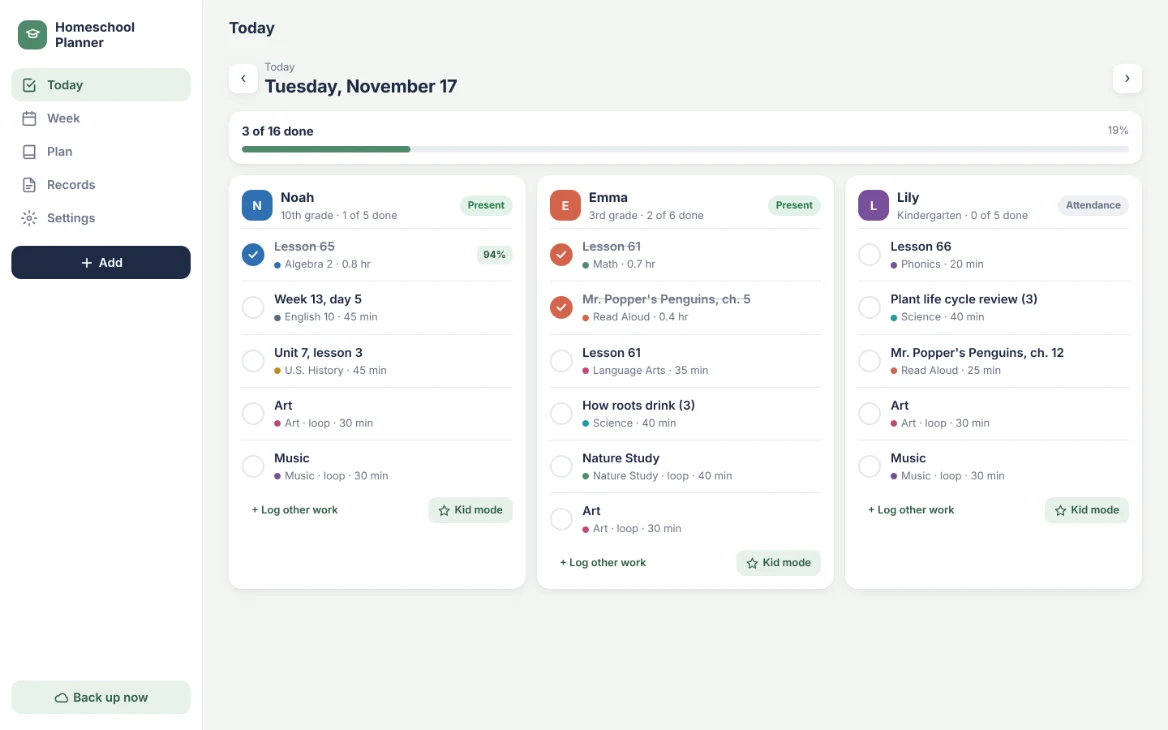
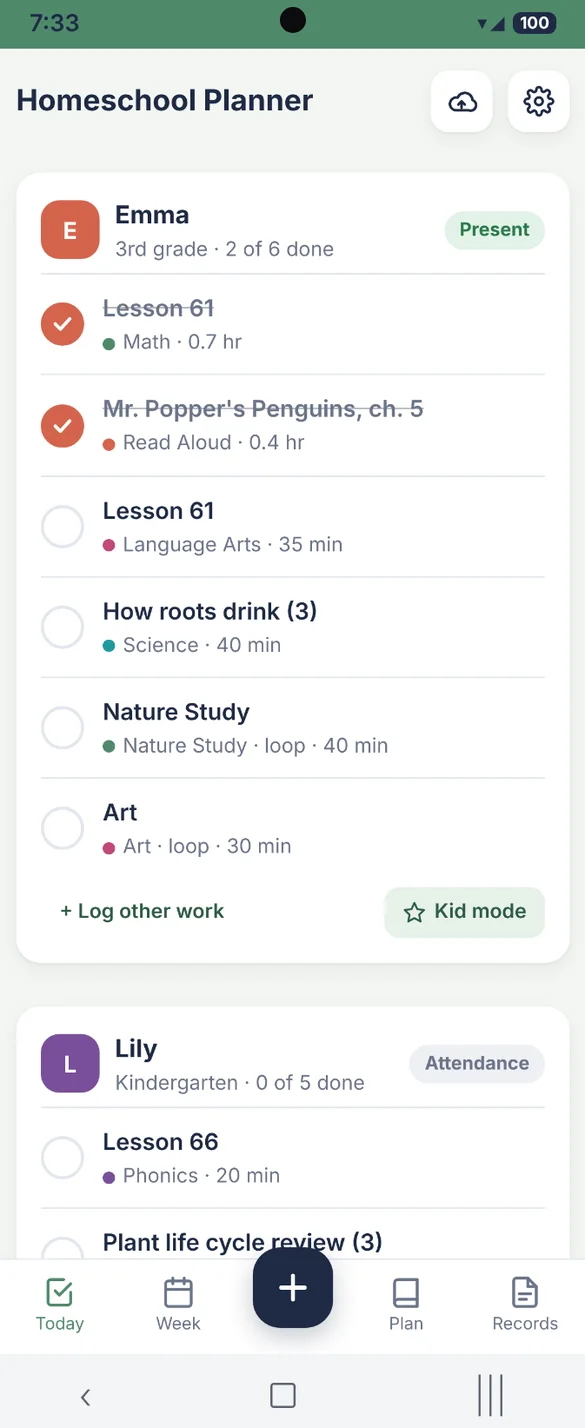
Every child's day, at a glance.
Open the app and see each child's lessons for today, in order. Check them off as you go and the day fills in your records for you.
- Every child: their own list and color
- Attendance: marks the day present when you check off a lesson
- Log other work: add anything extra you did
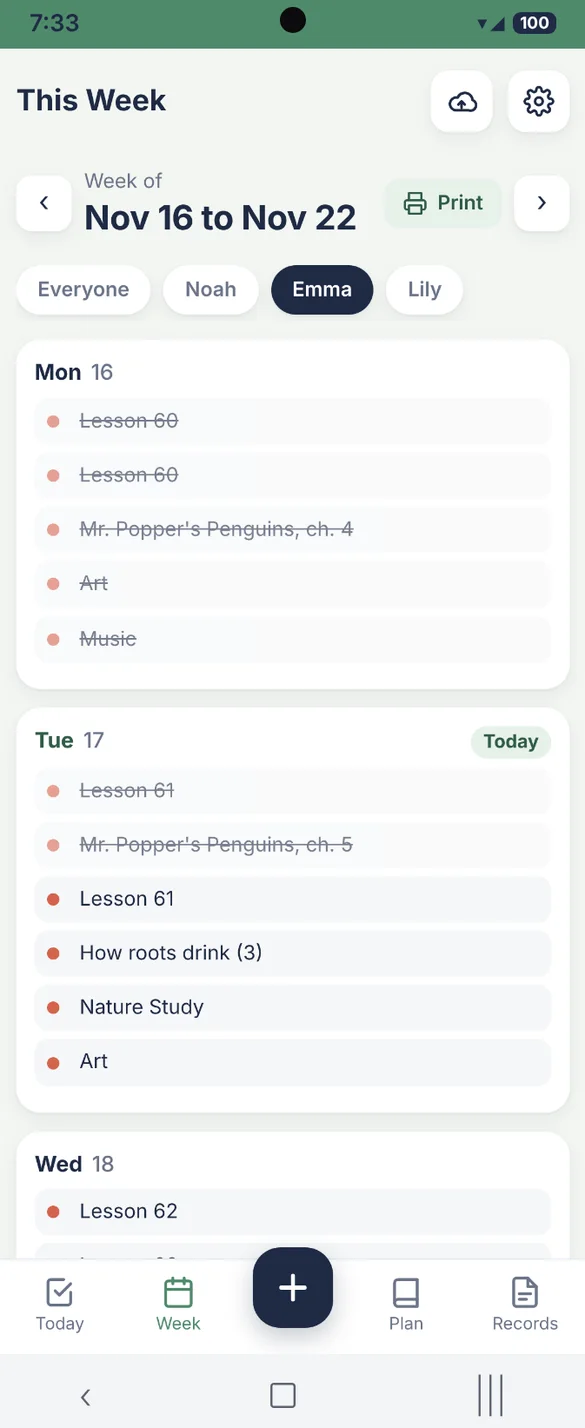
See the whole week ahead.
Each day shows the next lesson in every subject. Look at one child or everyone, and print the week as a plan on paper.
- Nothing falls behind: miss a day and pick up tomorrow
- One child or all: tap a name to filter
- Loop schedules: subjects like art and music take turns
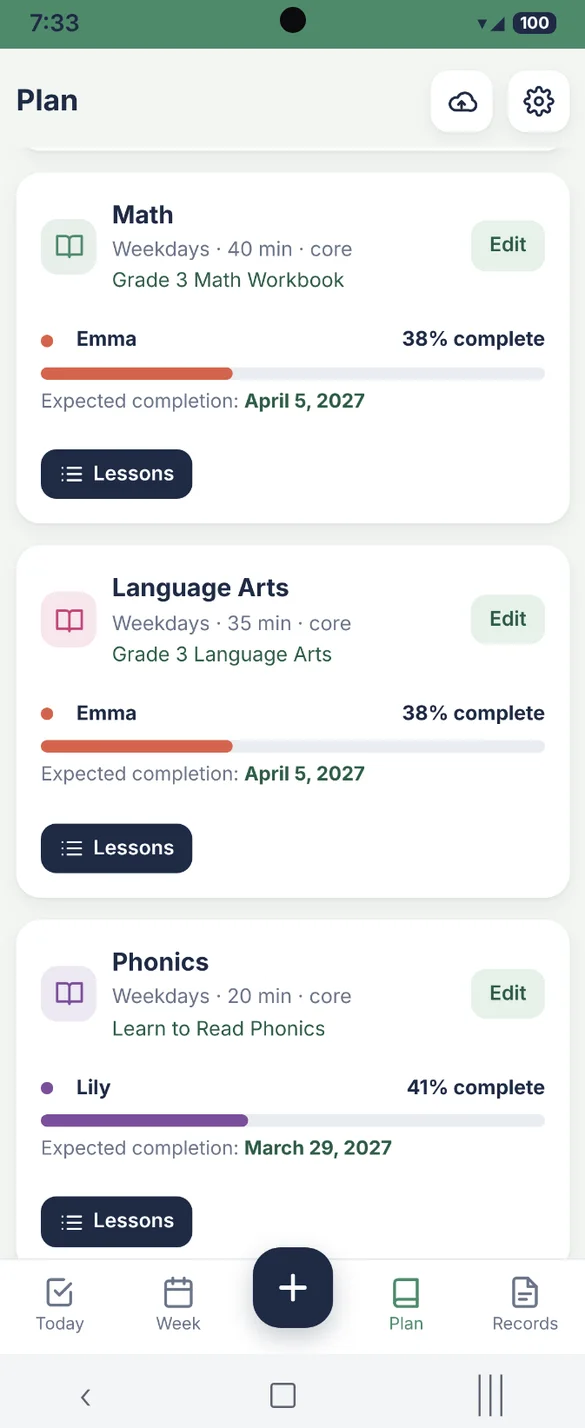
Know when you'll finish.
Every subject shows how far along each child is and an expected finish date based on your schedule. You see right away if a subject will run past the end of the school year.
- Percent complete: for each child in each subject
- Finish date: worked out from your schedule
- Your curriculum: save the book, publisher and a link
Lessons in order, every day.
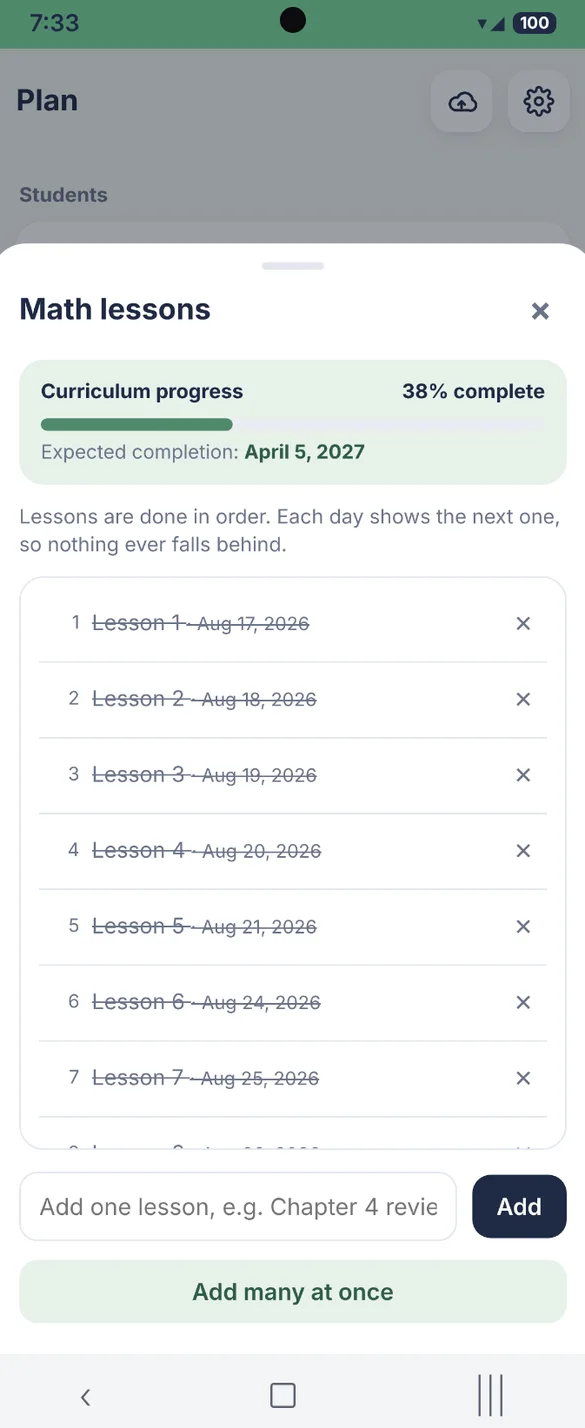
Each subject keeps its lessons in order, and Today always shows the next one. Move lessons up or down, and see the date each one was done.
- In order: the next lesson is always ready
- Done dates: see when each lesson was finished
- Notes and grades: saved with each lesson
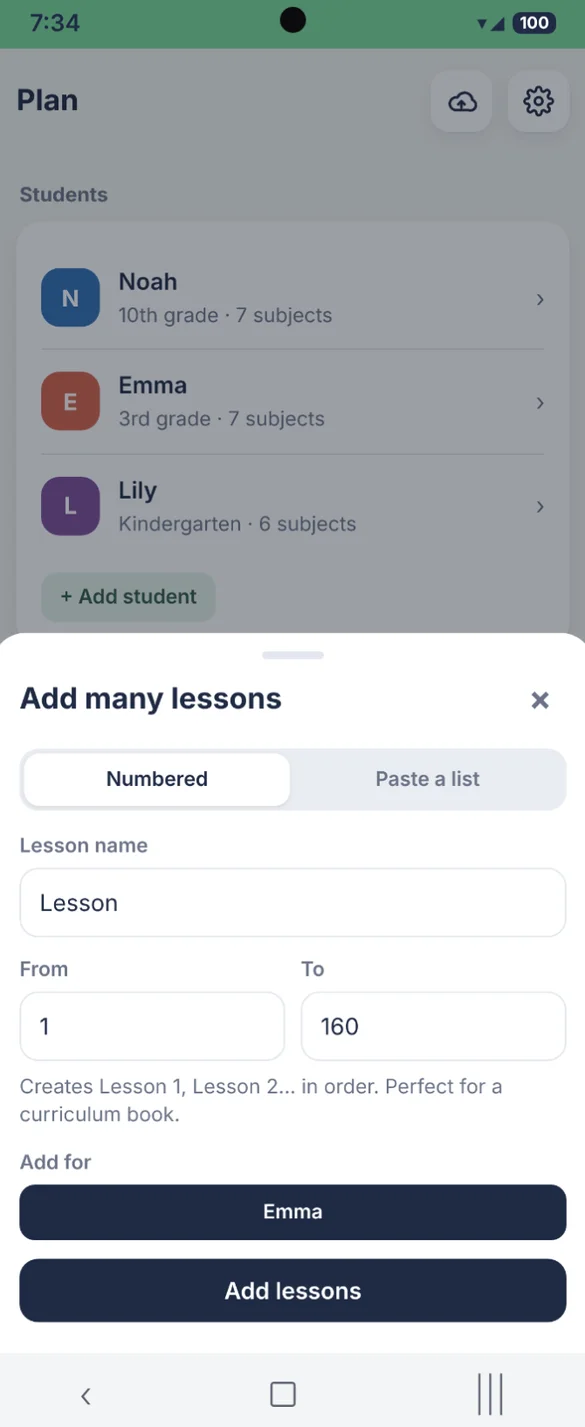
A whole year in seconds.
Type a name and a range to make Lesson 1 to 160 at once, or paste in your table of contents with one lesson per line. Add them for one child or several.
- Numbered: a full range in one tap
- Paste a list: one lesson per line
- Change anytime: add or remove lessons
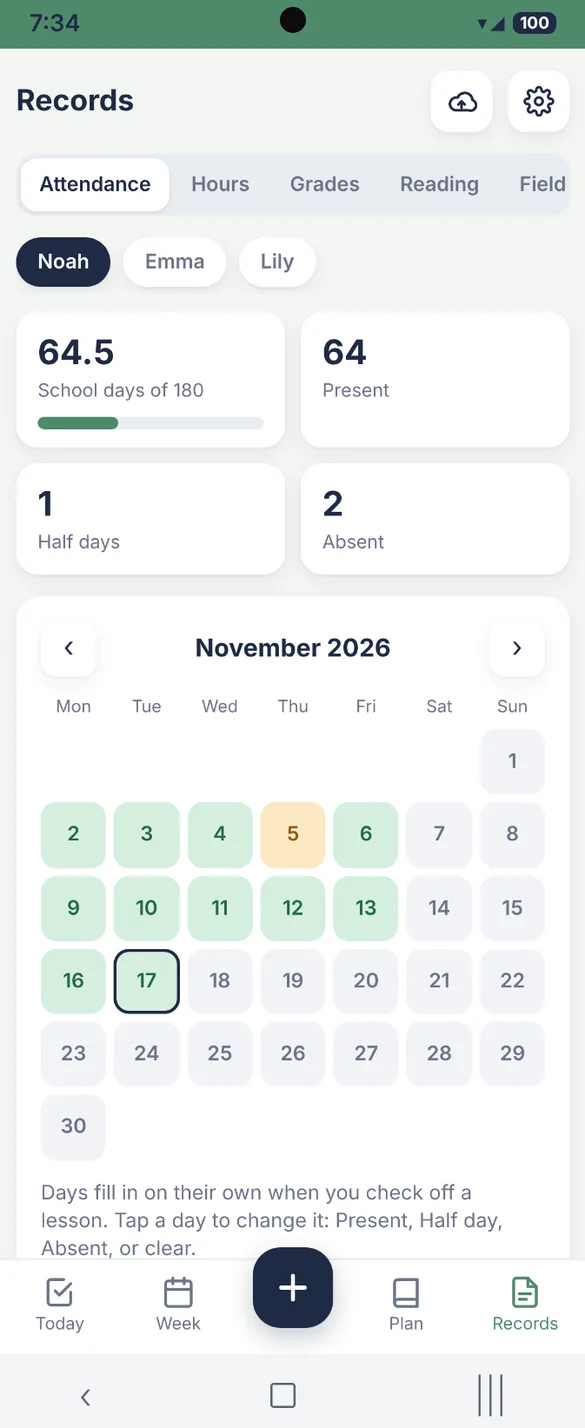
Attendance that keeps itself.
Checking off a lesson marks the day present. Tap any day on the calendar to make it a half day or an absence, and see your total against the days you need.
- One tap: present, half day or absent
- Required days: your total out of the days you need
- Printable record: ready for your files
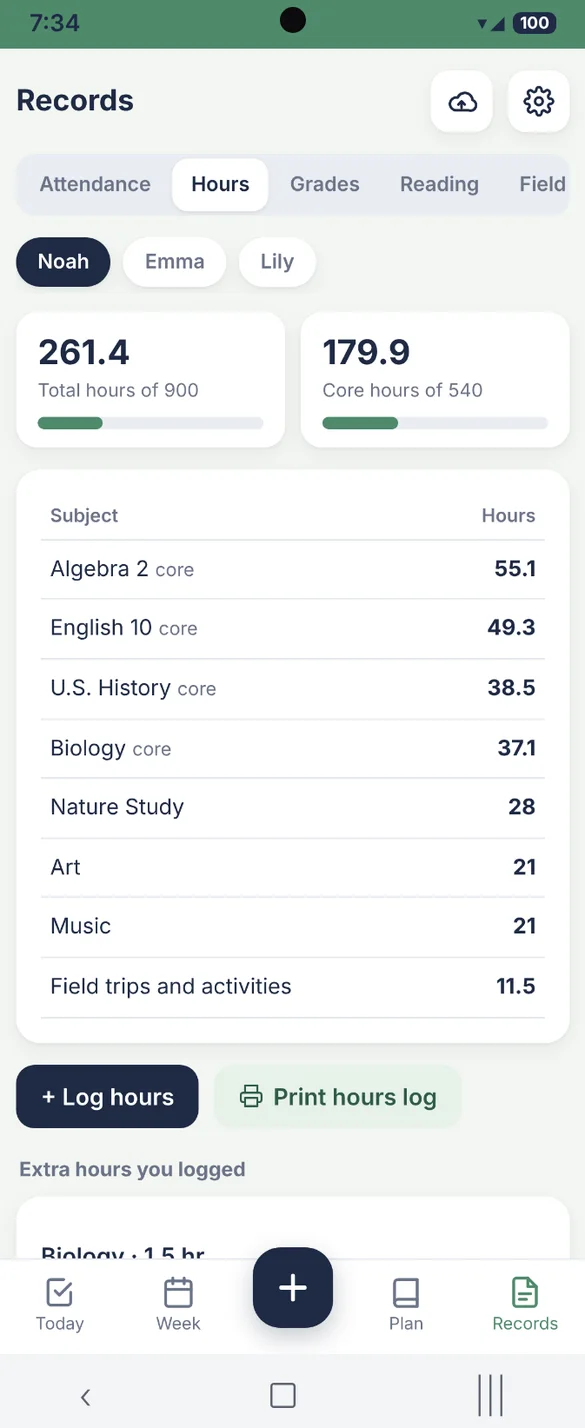
Every hour, added up.
Hours add up by subject as lessons are checked off. Track total and core hours against the target you set, and log extra learning time anytime.
- By subject: see where the time goes
- Core hours: tracked on their own
- Print: an hours log for your records
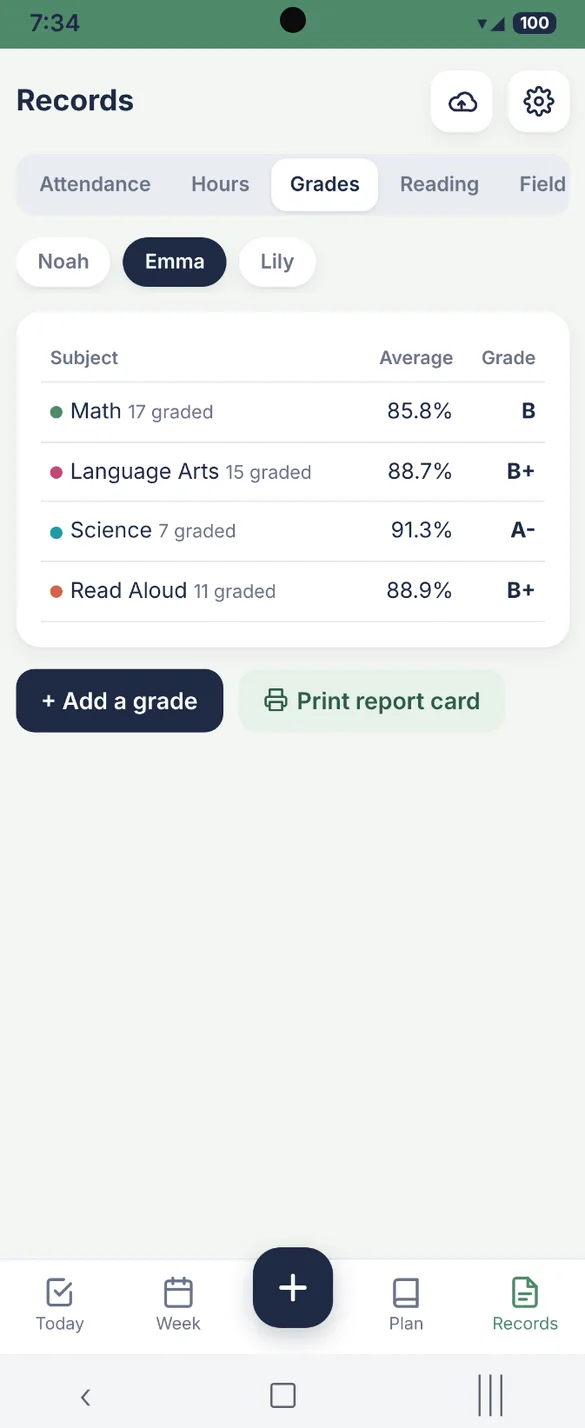
Grades and report cards.
Add a score to any lesson, test or project, in points or percent. See averages and letter grades by subject, then print a report card.
- Letter grades: worked out for you
- By subject: tap to see every grade
- Report card: print it anytime
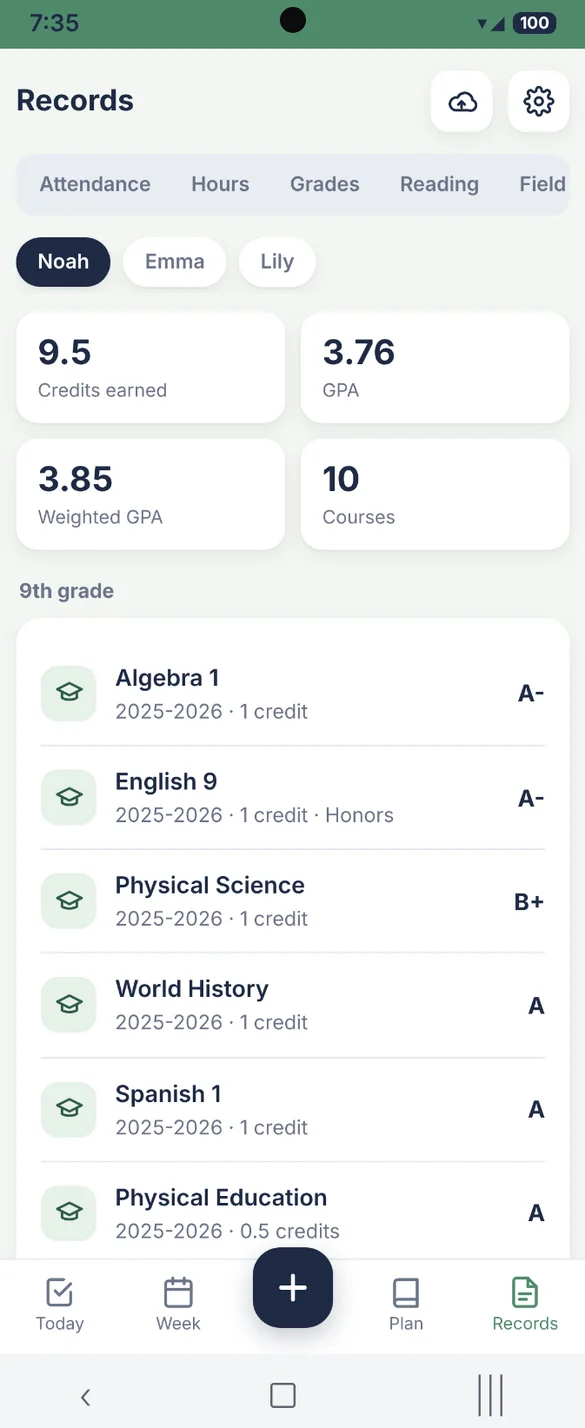
A transcript, done for you.
Add courses, credits and final grades by year. GPA and weighted GPA for Honors and AP are calculated for you, ready to print.
- GPA: plus weighted GPA
- Honors and AP: weighted for you
- Print it: a clean transcript layout
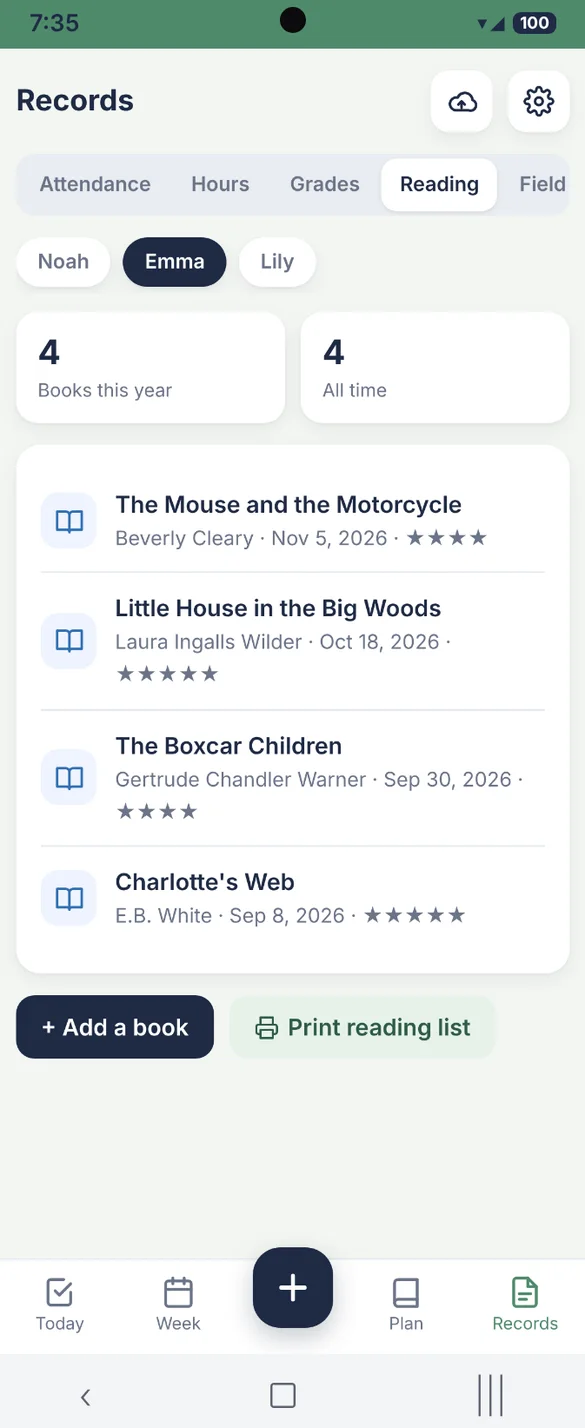
Every book. Every trip.
Keep a list of every book each child reads, with author, date and a star rating. Log field trips, co-op classes, sports, lessons and volunteering too, and the time counts toward hours.
- Reading log: title, author and rating
- Activities: trips, co-op, sports and more
- Print both: lists for your records
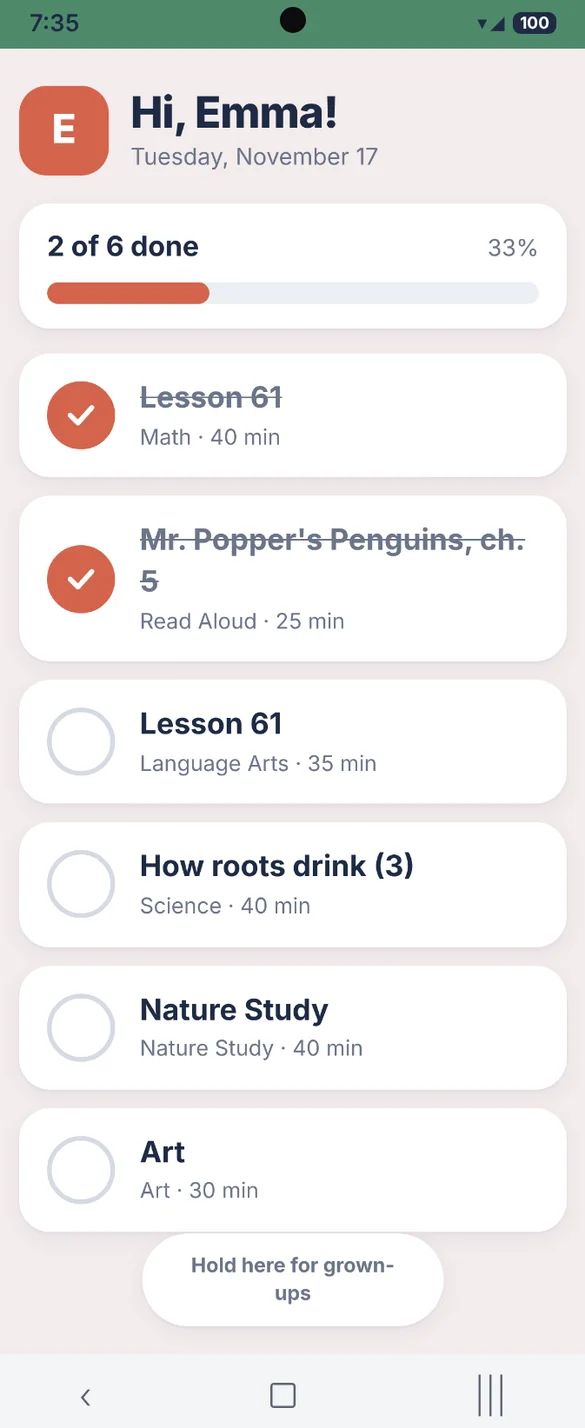
A screen just for your child.
Today's list with big checkboxes and confetti, and nothing else to tap. No settings or records, and a grown-up presses and holds to leave.
- Big checkboxes: easy for small hands
- Kid safe: no settings or records
- Grown-ups only: press and hold to leave
Set up in minutes.
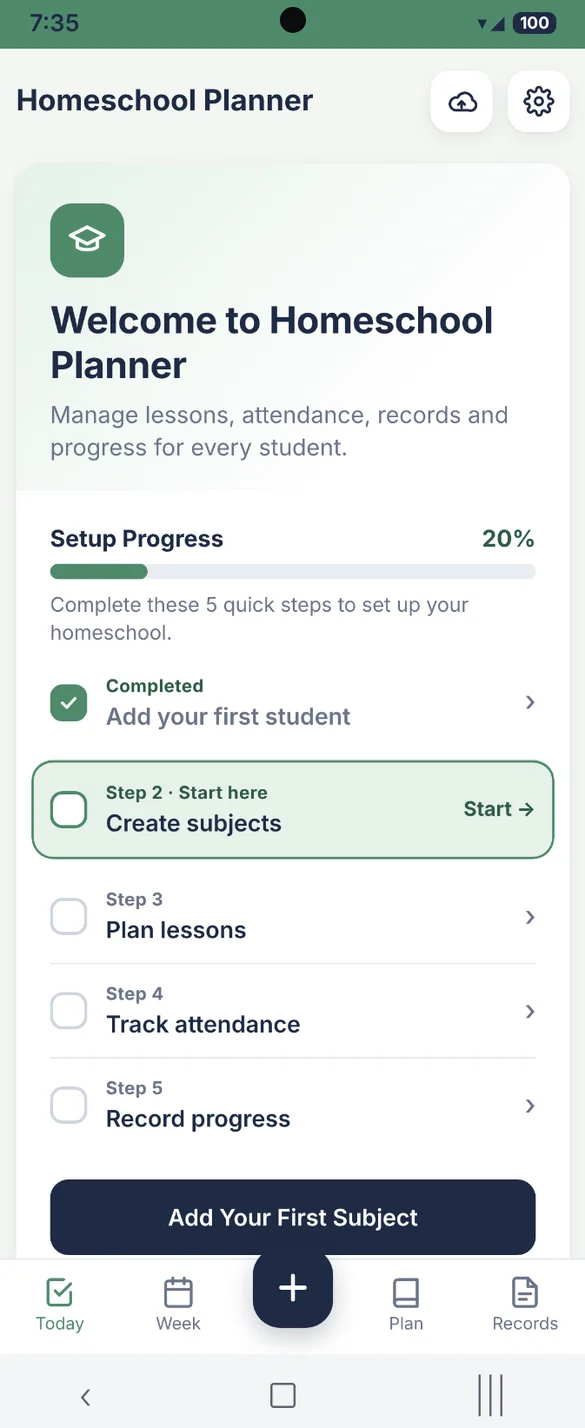
The app starts empty and ready for your family. A short checklist walks you through adding students, subjects and lessons, one step at a time.
- Starts clean: ready for your family
- Setup progress: see what's next
- Hide it: when you're all set
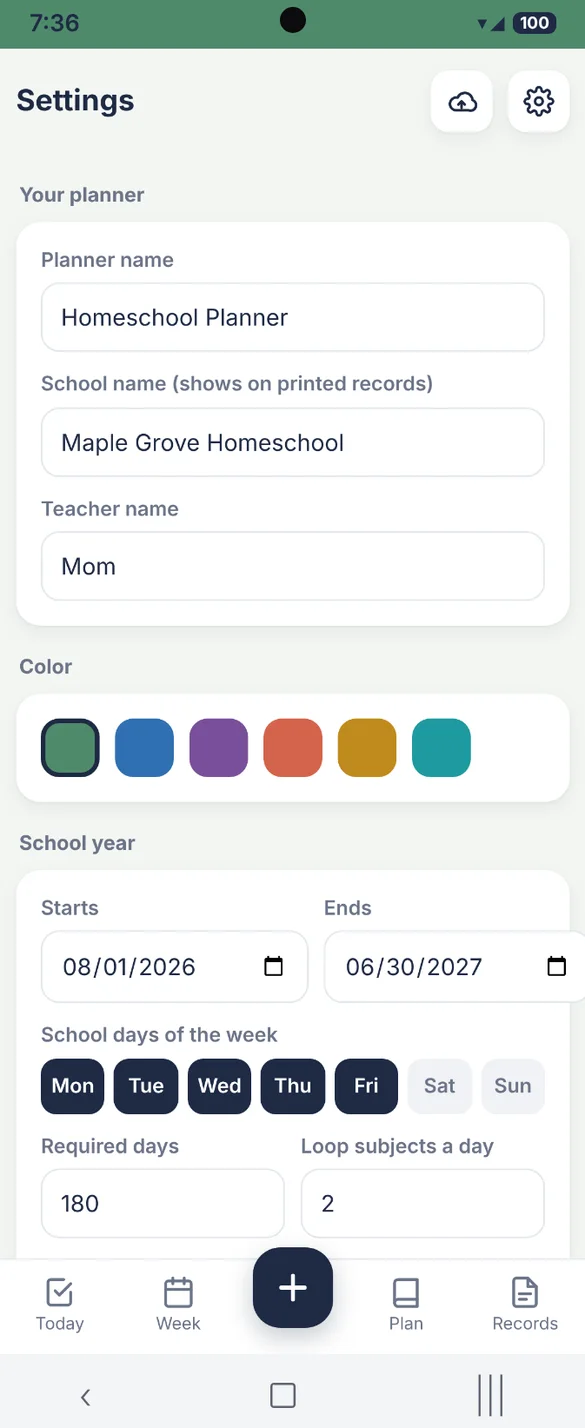
Your school, your colors.
Rename the planner, add your school name to printed records and pick from 6 colors. Set your school year, school days and required days.
- School name: on every printed record
- 6 colors: pick your favorite
- Your school year: start and end dates and school days
Little extras that help
Printable records
Year summary, attendance, hours, report card, transcript, lesson log, reading list and more.
Blank printables
Weekly lesson planner, attendance sheet, reading log and field trip log.
Shared subjects
Teach one subject to several kids, or give each child their own.
Spreadsheet export
Export your lesson log as a CSV file for Excel or Google Sheets.
Confetti
A little celebration when a lesson is checked off. Turn it off anytime.
Works offline
Check off lessons with no signal, on your phone, tablet or computer.
Your family's records stay yours.
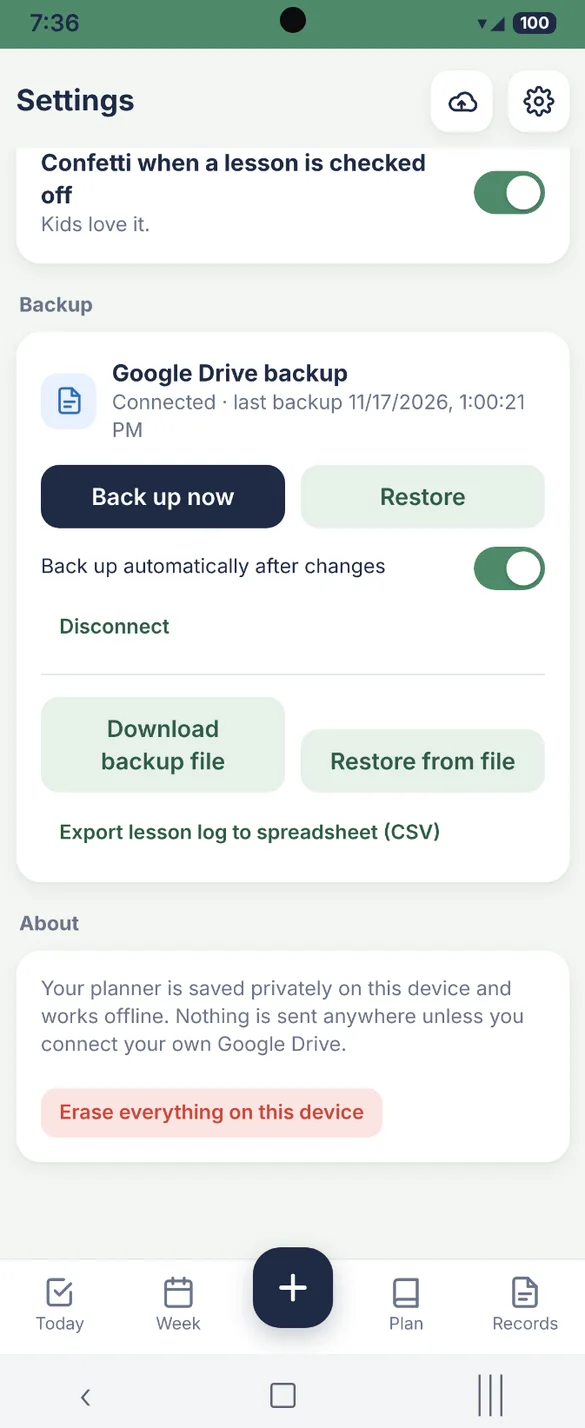
Your planner saves privately on your device and works offline, with no account or login. Nothing is sent anywhere unless you connect your own Google Drive for backup. You can also download a backup file anytime, and a backup is how you move your planner between devices.
- One time purchase, yours forever
- Saved privately on your device
- Works offline
- Optional Google Drive backup, in your own account
- Backup file you can download anytime
- No account or login, ever
- No ads, ever
How it works
Buy on Etsy
Download your PDF, with the link to your app and the blank printables.
Tap the link
Open it on your phone, tablet or computer.
Add it to your home screen
Or bookmark it, then add your first student. Install guide
Good to know: this is a planning and record keeping tool. Homeschool requirements vary by state, so check your state's rules for the days, hours and records you need to keep.
Lesson lists are entered by you, and curriculum is not included. Each device keeps its own copy, so use Google Drive backup or a backup file to move between devices.
Questions
Is there a subscription?
No. You pay once on Etsy and the app is yours. No monthly fees and no ads.
Is curriculum included?
No. You type in or paste your own lesson lists. The app plans, tracks and prints your records around the curriculum you already use.
Does it meet my state's rules?
It tracks the days, hours and records many states ask for, and you set your own required days and hours. Rules vary by state, so check what yours needs you to keep.
How many children can I add?
As many as you have. Each child gets their own color, subjects, lessons and records. A subject can be shared between kids or set up for one child.
What happens if we miss a day?
Nothing falls behind. Lessons stay in order, so tomorrow simply shows the next lesson where you left off.
Can I use it on my phone and my computer?
Yes. Each device keeps its own copy, so back up on one and restore on the other with Google Drive or a backup file.
Can I try it before I buy?
Yes. The free demo has sample students and lessons, and nothing you type is saved, so try every button.
What if it doesn't work on my phone?
Send a message through Etsy and I'll help you get it working. If we can't, you can get a refund within 30 days.
Try it before you buy
The real app with sample data. Nothing you type is saved.