Inventory Tracker Stock, Sales and Real Profit
Your stock, your sales and your real profit, in one simple app. Made for handmade shops, reselling side hustles and boutiques, on your phone and your computer.
- One time purchase
- No account or login
- No ads
- Phone, tablet and computer
What's inside
Know what you have, what sold and what you actually made.
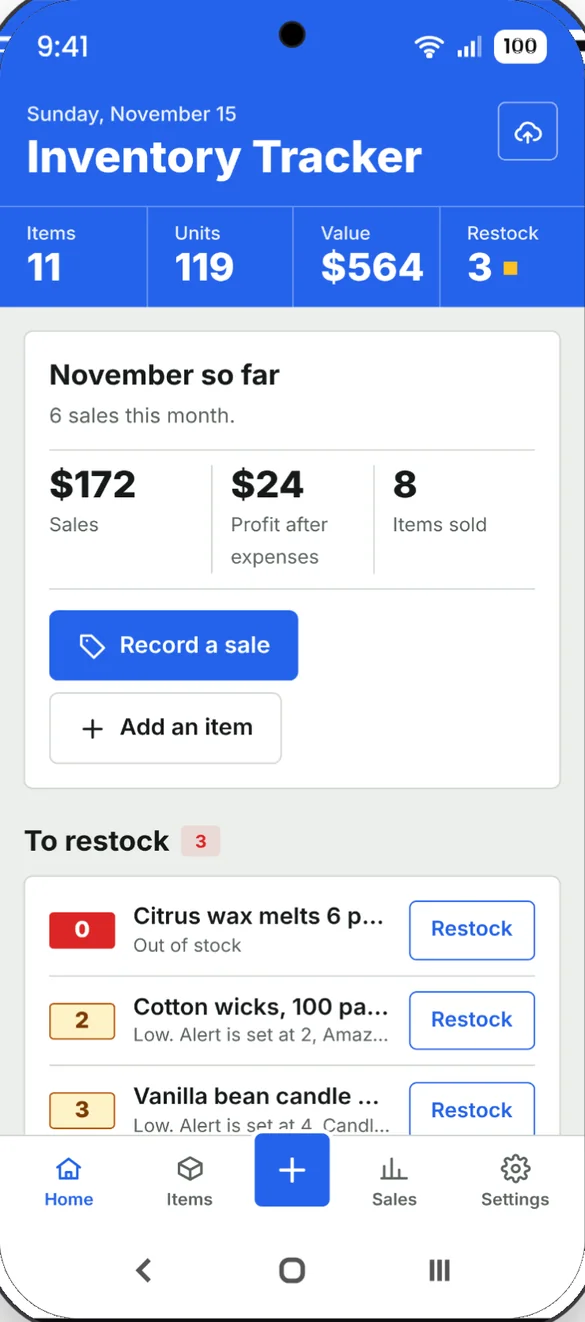
Your business at a glance.
This month's sales, profit and items sold, your restock list and what just sold. Home also shows your best sellers from the last 90 days and what your stock is worth.
- This month: sales, profit after expenses and items sold
- To restock: anything low or out, with a Restock button
- Stock value: what you paid, what it brings in and the profit to make
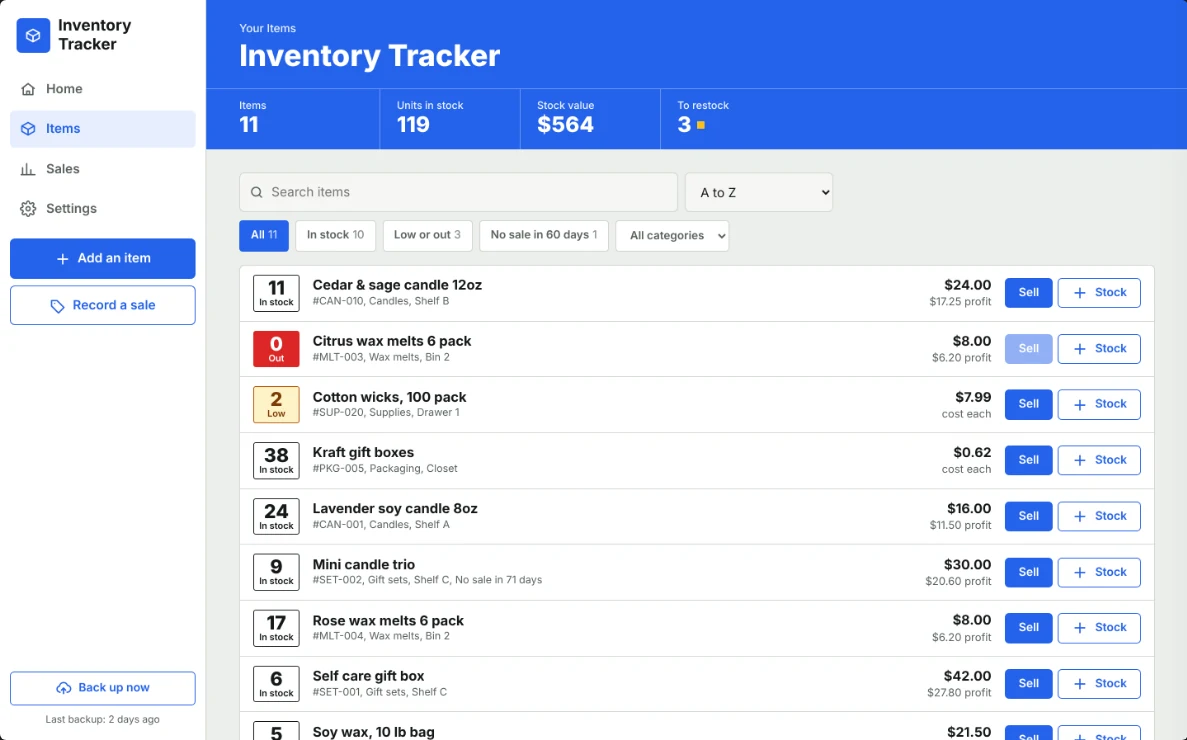
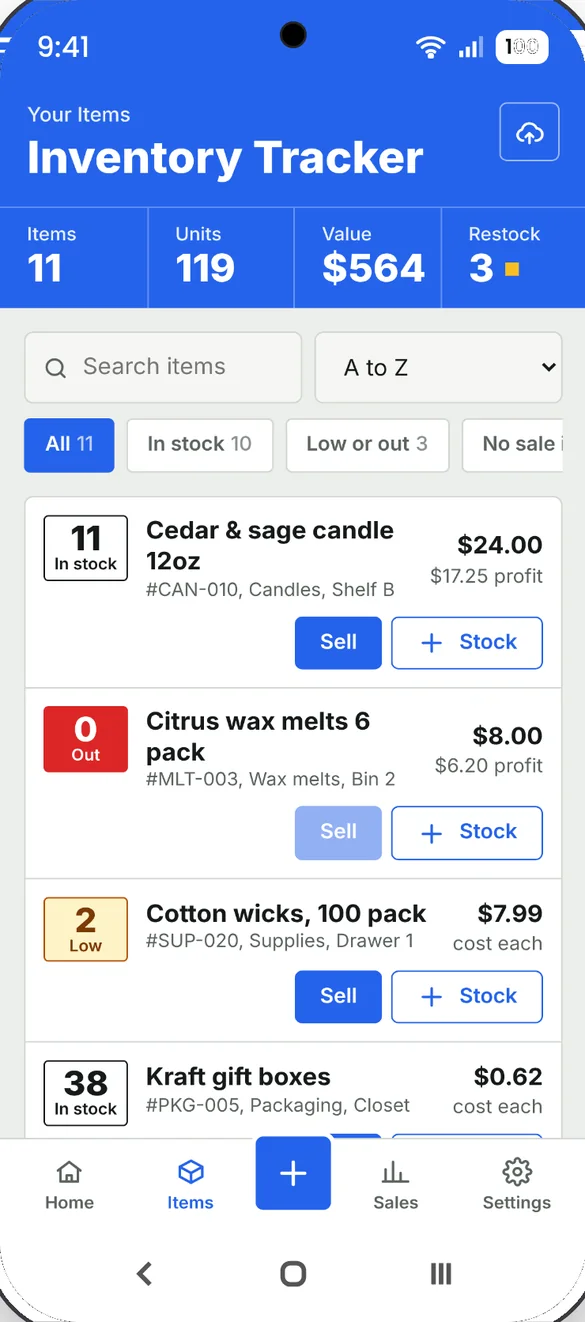
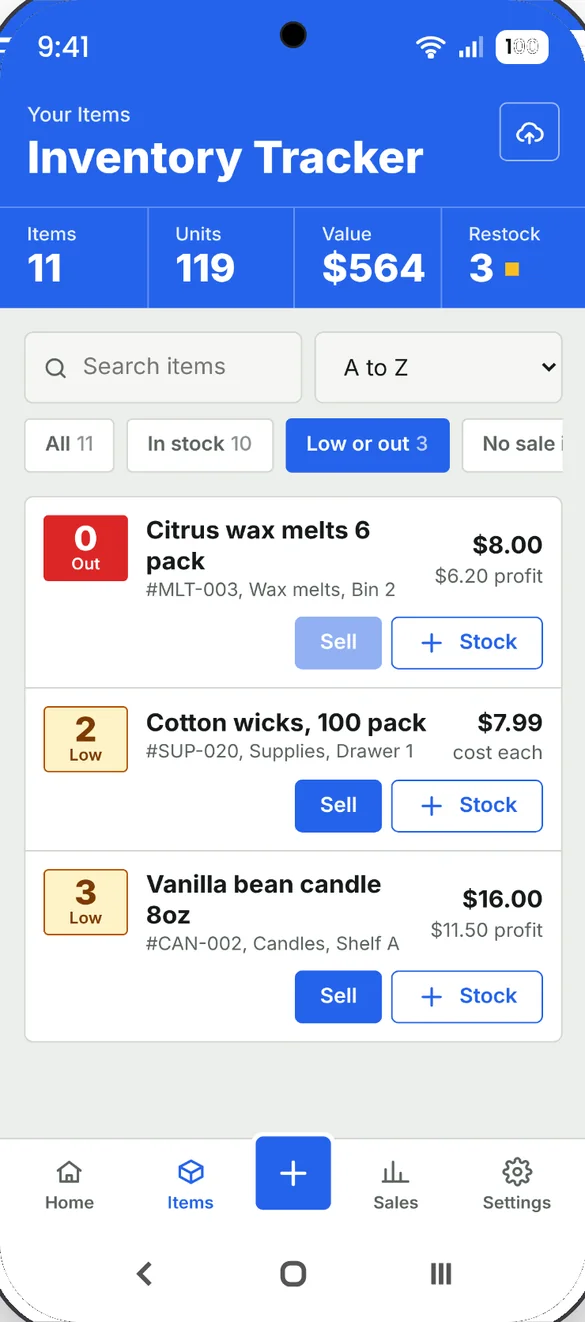
Everything you stock.
Every item shows how many you have, its price and profit. Search by name, SKU, category or location, and sort by lowest stock, highest value or newest.
- Count, cost, price and SKU: for every item
- Where it is kept: and who supplies it
- Filters: all, in stock, low or out, or no sale in 60 days
Record a sale in two taps.
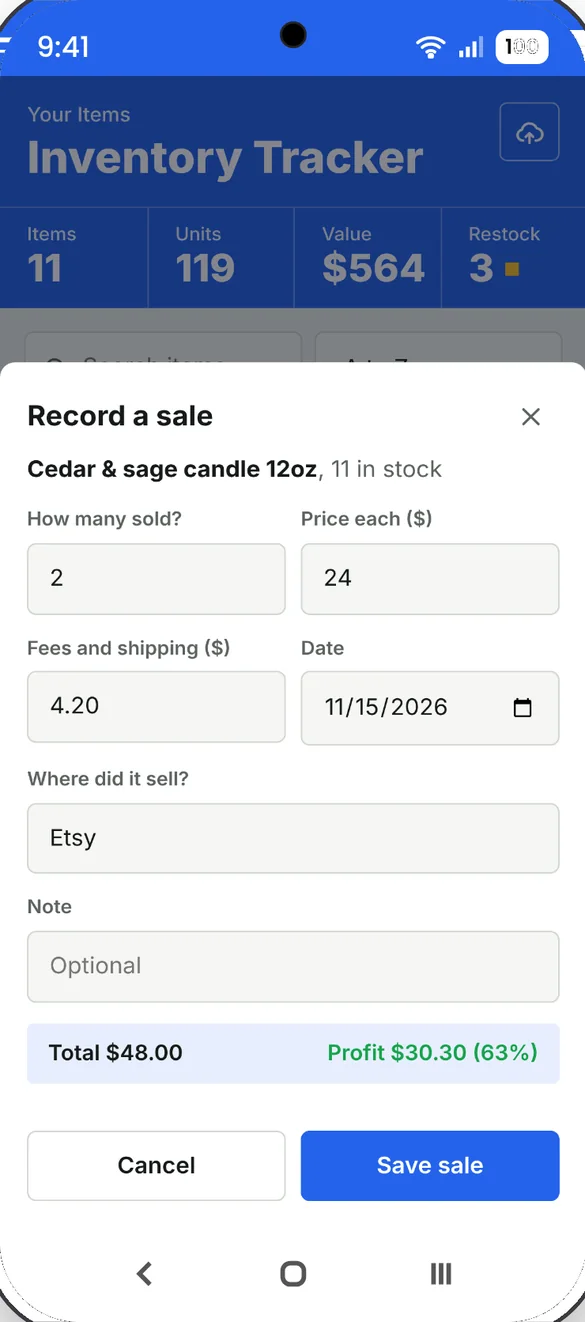
Tap Sell, enter how many and the price, and the count goes down. Add fees and shipping and where it sold, and the app works out your profit.
- Profit after fees and cost: shown before you save
- Where it sold: Etsy, eBay, in person or anywhere else
- Undo any sale: and the stock goes back
Never run out by surprise.
Set a low stock number for each item. Anything running low or out shows on Home under To restock.
- Low or out filter: one tap on the Items screen
- Restock: tap Stock to add what you bought or made
- Average cost: your cost per item updates if the price changed
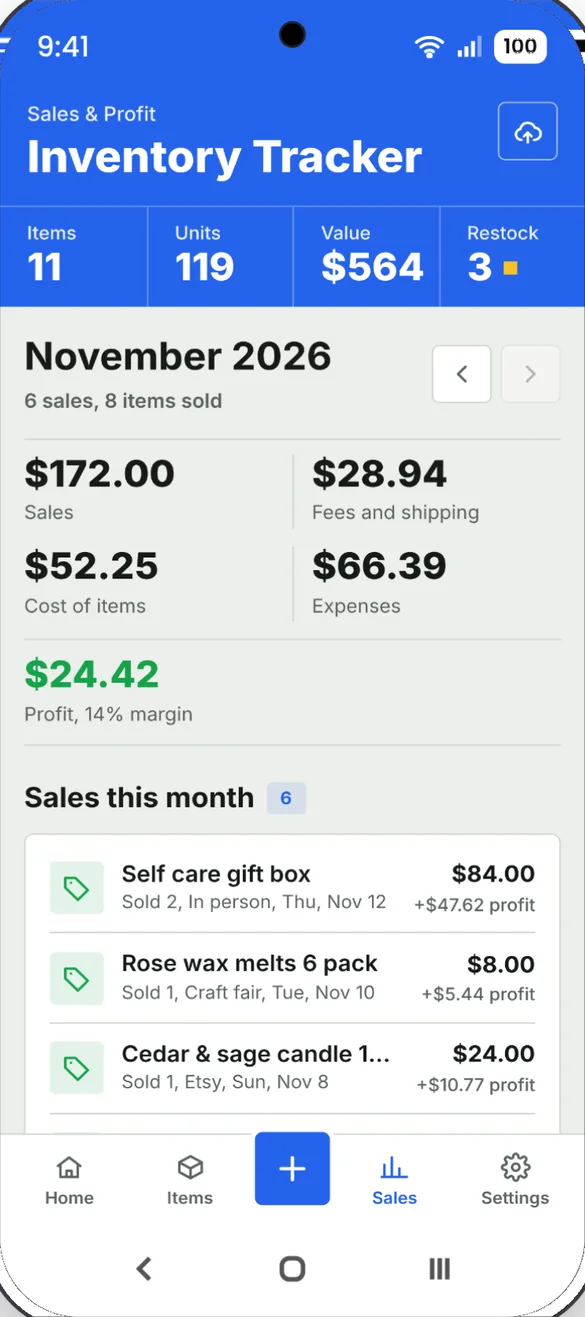
Know what you really made.
Sales, fees and shipping, cost of items, expenses and profit for any month, with a breakdown of where things sold.
- Profit and margin: for every month
- Every sale: with where it sold and its profit
- Any month: use the arrows to look back
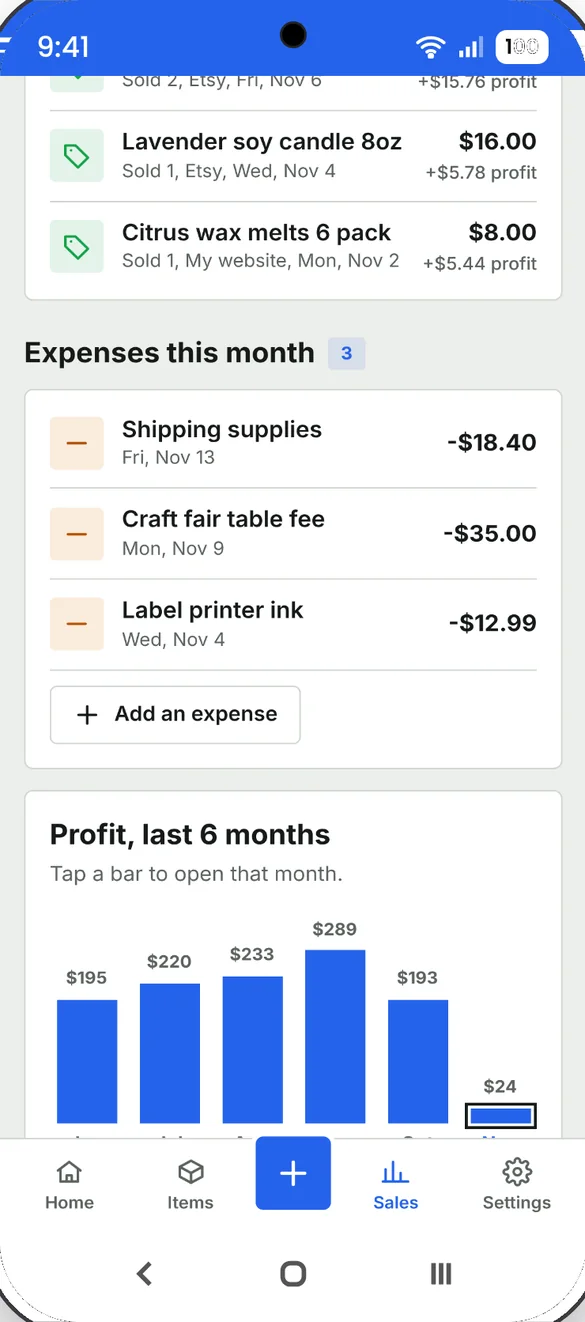
Count every cost.
Add supplies, shipping materials, booth fees, mileage and other costs. They come off that month's profit.
- Add in seconds: with a name, amount and date
- 6 month profit chart: tap a bar to open that month
- Save as a spreadsheet: items, sales and expenses as CSV files
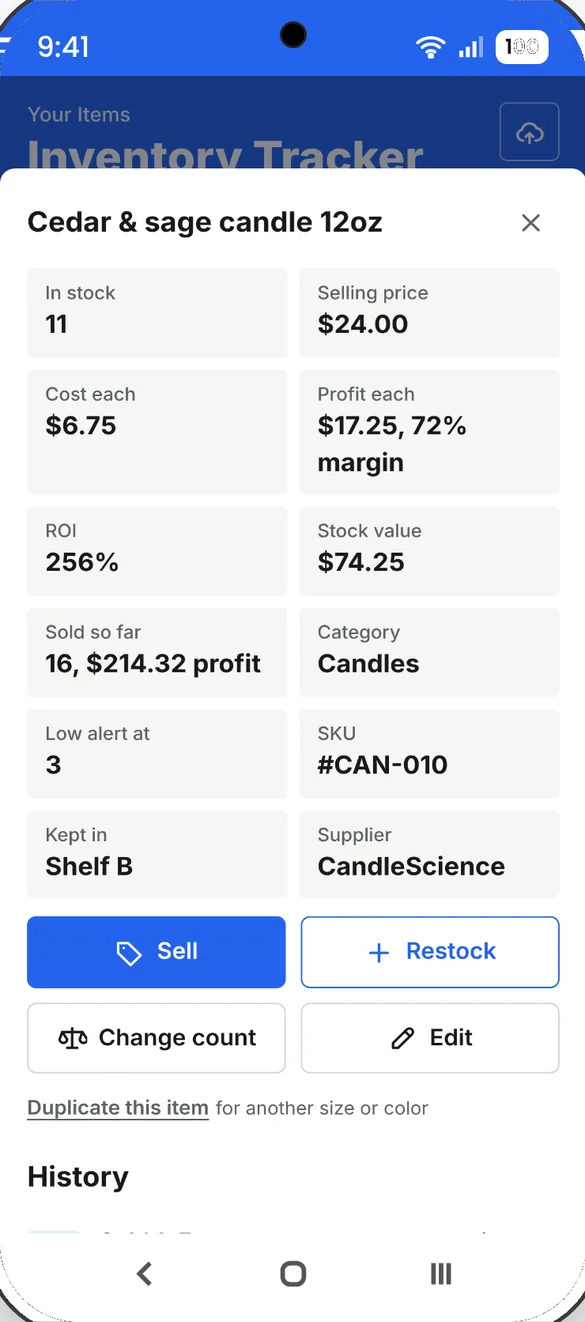
See what each item earns.
Open any item to see its profit, margin and ROI, stock value and how many have sold, along with its full history.
- Profit, margin and ROI: for every item
- Change count: for damaged, lost, gifted or recounted, never counted as a sale
- Duplicate: for another size or color
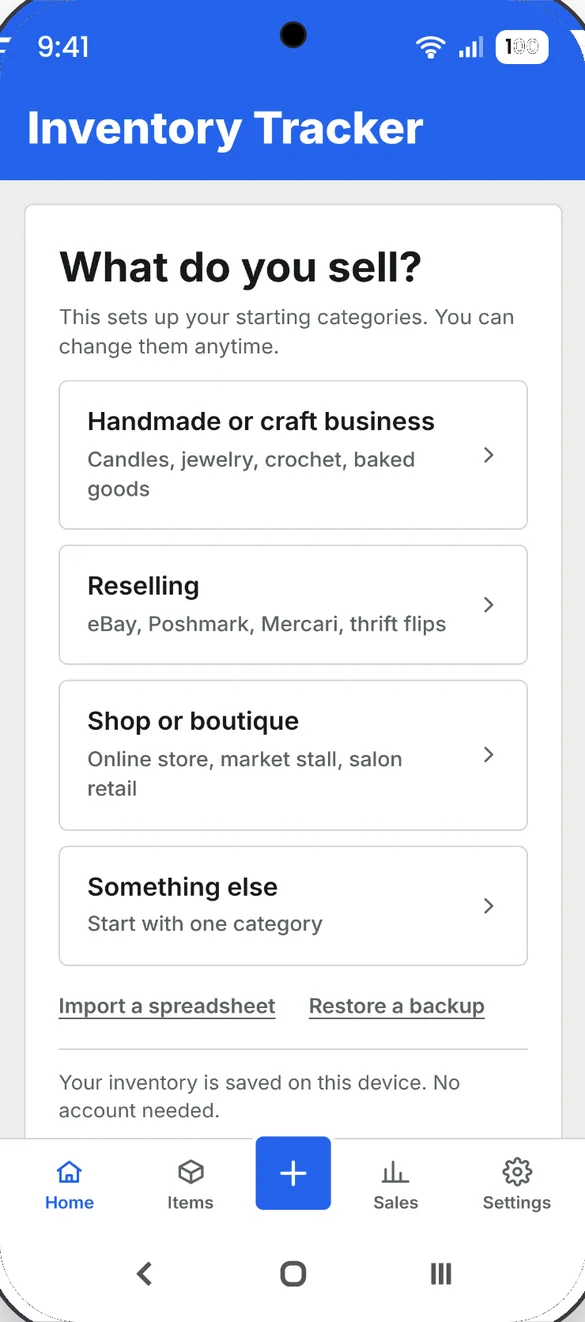
Start in about a minute.
Pick what you sell and your starting categories are ready. Add your first item and you are tracking.
- Handmade, reselling or shop: or something else
- Import a spreadsheet: from Excel or Google Sheets
- No account needed: your inventory is saved on your device
Put it on paper.
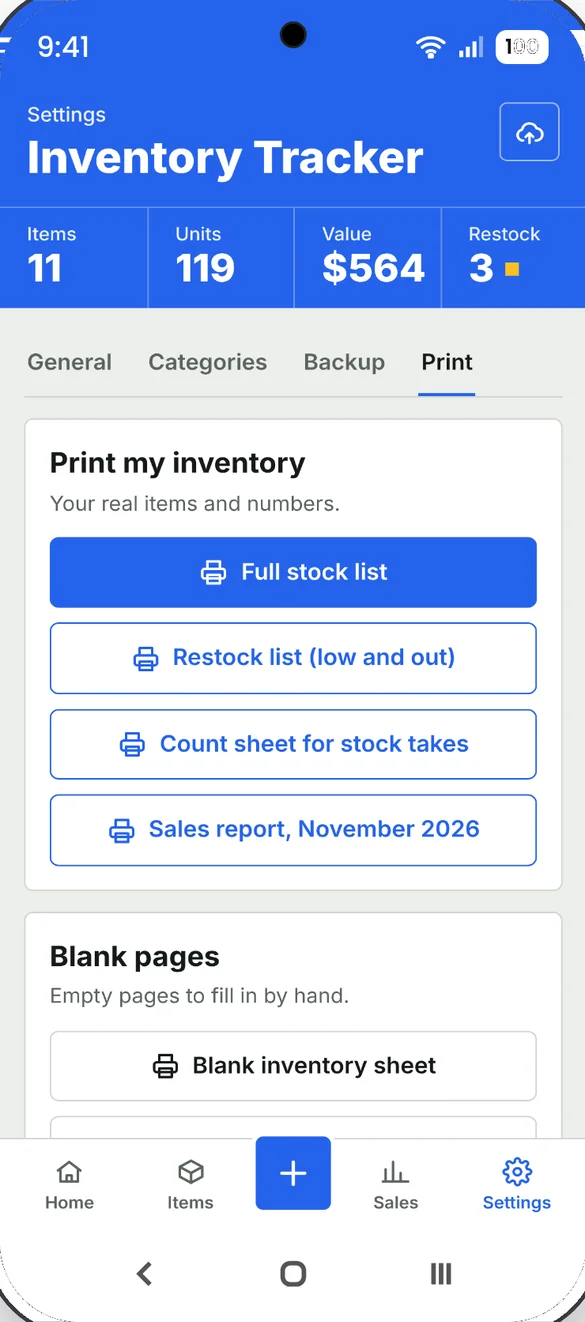
Print your real stock and sales, or blank pages to fill in by hand. Every PDF is made right on your phone.
- Stock list and count sheet: for stock takes
- Restock list and sales report: for any month
- Blank pages: an inventory sheet and a sales log
Little extras that help
Slow stock
One tap shows every item that has not sold in 60 days.
Change count
Fix the count for damaged, lost or gifted items with a reason.
Duplicate items
Same thing in another size or color? Duplicate and rename it.
8 bonus pages
Pricing worksheet, supplier list, order and sourcing logs, labels and more.
Make it yours
8 themes, dark mode, your shop name and your currency.
Works offline
Record a sale anywhere, even with no signal.
Your business stays yours.
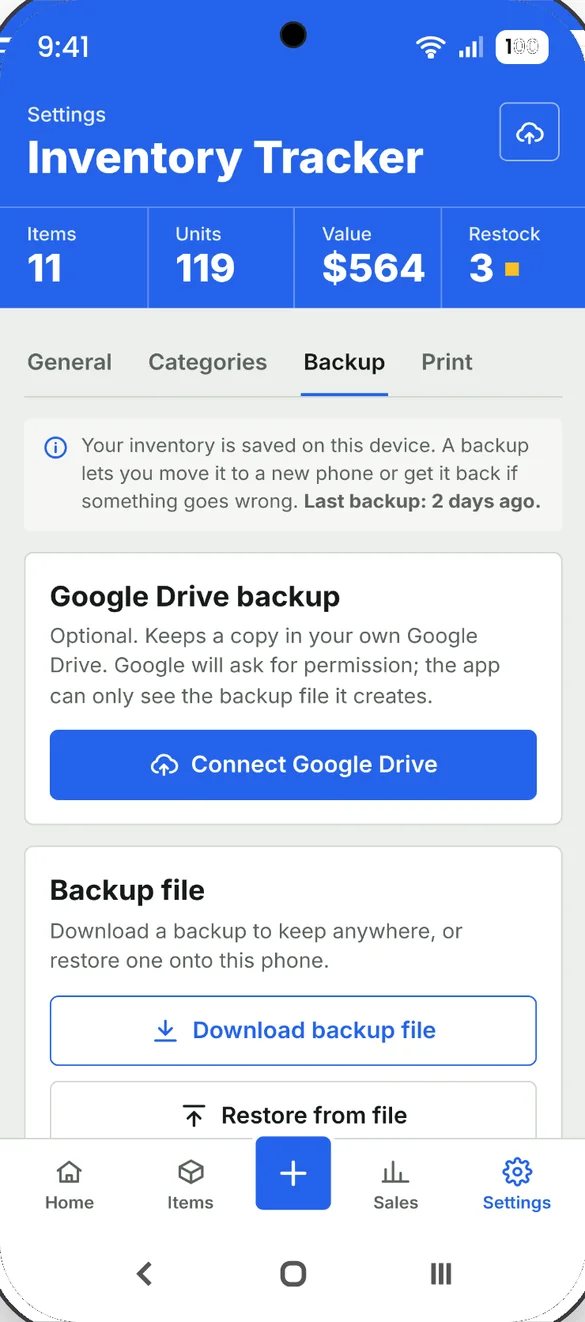
Your inventory is saved on your device, with no account and no connection to your selling sites. Backups go where you choose: a file you download, or your own Google Drive. A backup is also how you move your inventory between your phone and computer.
- One time purchase, yours forever
- Saved privately on your device
- Works offline once installed
- Optional backup to your own Google Drive
- Backup file with undo after a restore
- No connection to your selling sites
- No account, no login, no ads
How it works
Buy on Etsy
Download your PDFs, including the 8 bonus printable pages.
Tap the link
Open the link in the PDF on your phone, tablet or computer.
Add it to your home screen
Or bookmark it, then add your first item. Install guide
Good to know: you update counts by hand. It doesn't scan barcodes or connect to Etsy, eBay or other selling sites, which keeps it simple and private. It's a record keeper, not accounting or tax advice.
Each device keeps its own copy, so use a backup file or Google Drive to move your inventory. Google Drive backup needs an internet connection.
Questions
Is there a subscription?
No. You pay once on Etsy and the app is yours. No monthly fees and no ads.
Does it connect to Etsy or eBay?
No. You update counts by hand. It doesn't connect to Etsy, eBay or other selling sites, which keeps it simple and private.
Can it scan barcodes?
No. You add and sell items by tapping, not scanning.
Can I import my existing list?
Yes. If you already keep a list in Excel or Google Sheets, import it as a CSV file instead of typing it in.
Is this accounting or tax software?
No. It's a record keeper for your stock, sales and expenses, not accounting or tax advice.
Can I use it on my phone and my computer?
Yes, but each device keeps its own copy. To move your inventory, download a backup file or use Google Drive, then restore it on the other device.
Can I try it before I buy?
Yes. The free demo uses sample data and doesn't save anything, so try every button.
What if it doesn't work on my phone?
Send a message through Etsy and I'll help you get it working. If the app doesn't install or work on your phone, you can get a refund within 30 days.
Try it before you buy
The real app with sample data. Nothing you type is saved.