Job Application Tracker Every Application, Follow-Up, Interview and Offer
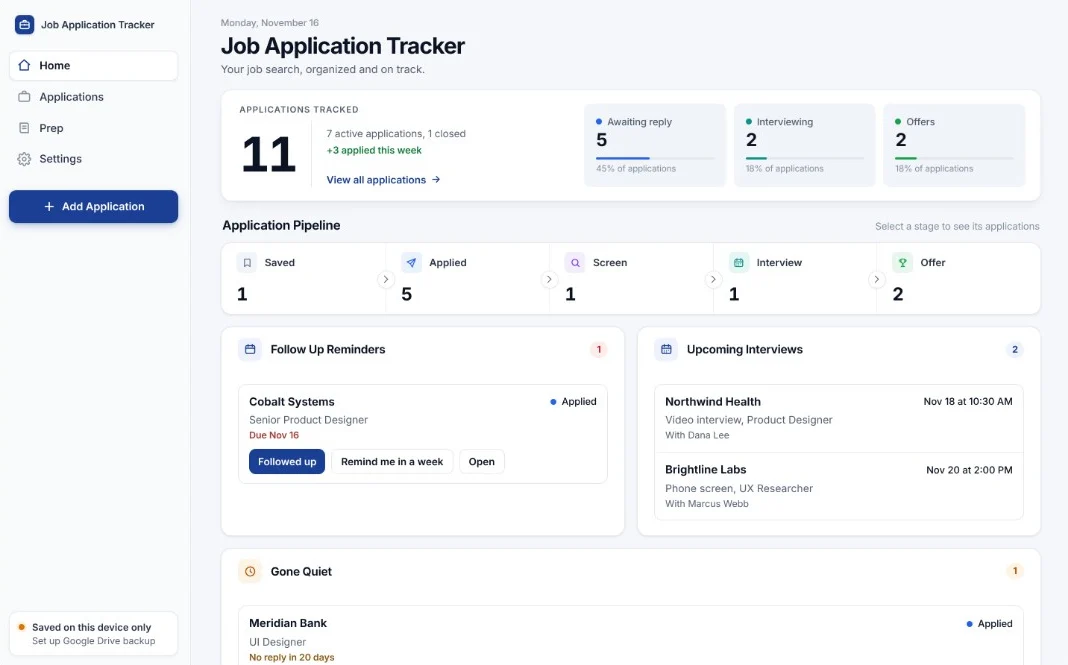
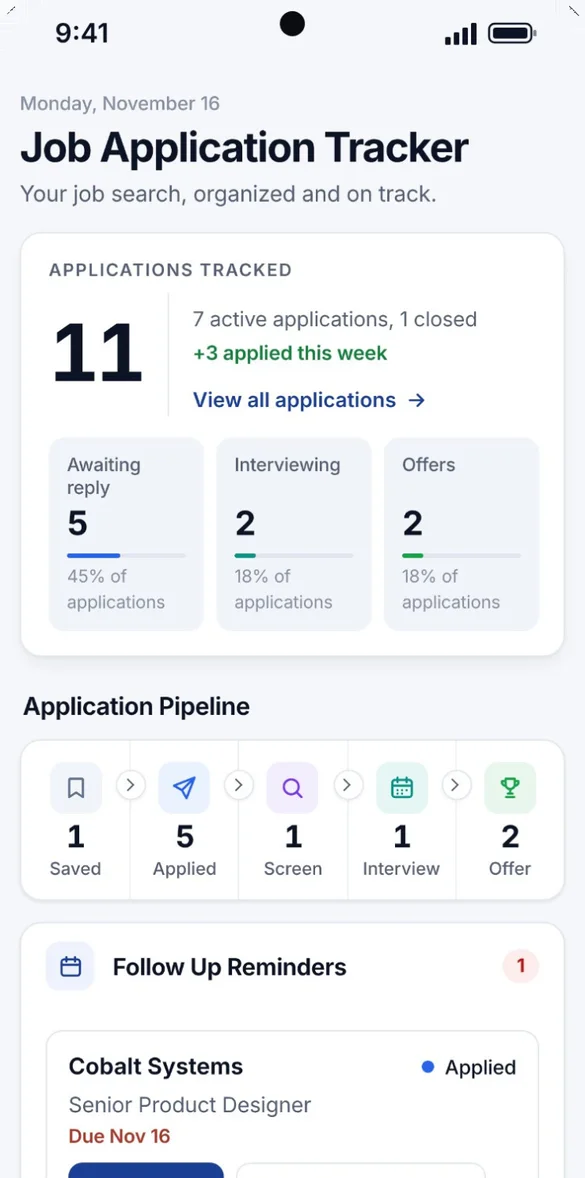
A job search moves fast. Keep track of where you applied, who you talked to and when to follow up in one place, on your phone and your computer, plus a work search log you can print.
- One time purchase
- No account or login
- No ads
- Phone, tablet and computer
What's inside
From the first application to the offer you say yes to.
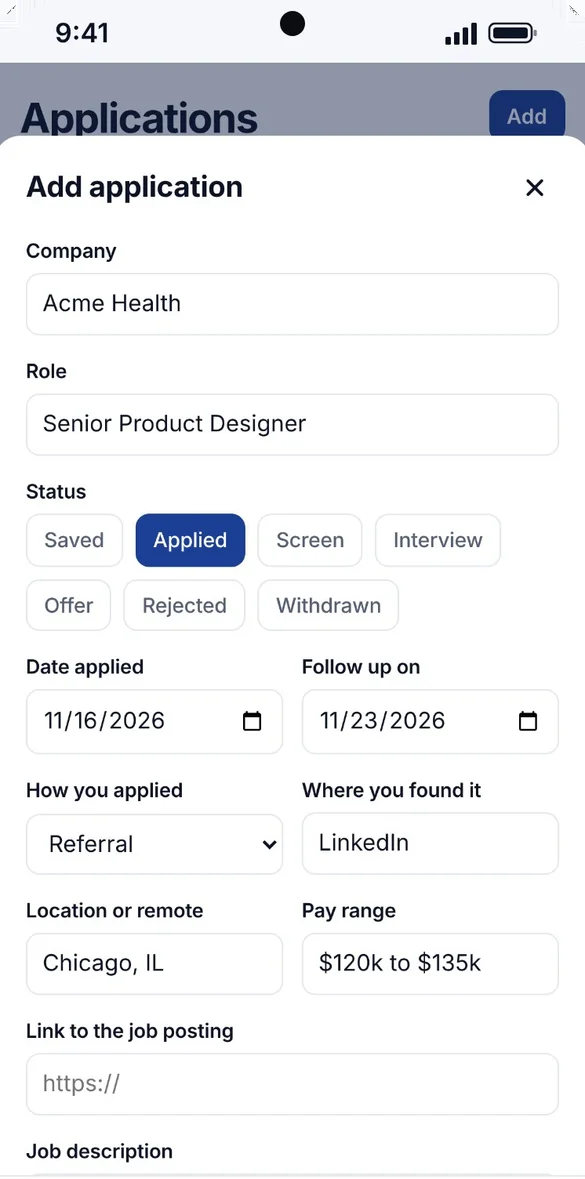
Log it in seconds.
Save the company, role, pay range, location, job link, how you applied and where you found it, all in one form.
- Stages: Saved, Applied, Screen, Interview, Offer, Rejected or Withdrawn
- Follow-up date: set for you a week after you apply
- Job description: paste it in so you keep it if the posting comes down
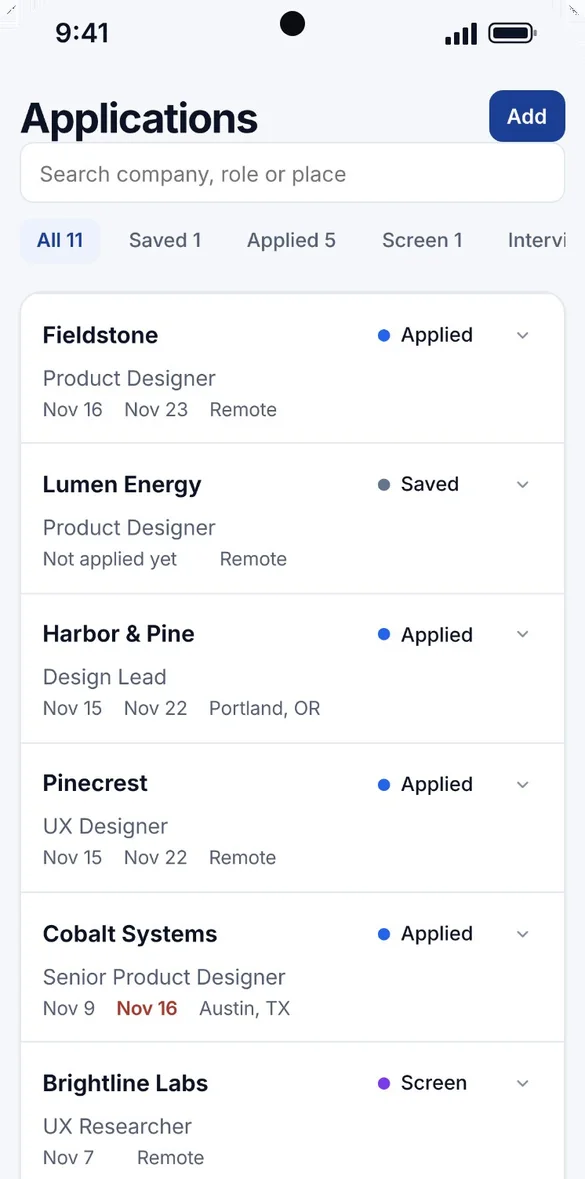
Every job, in order.
Search your applications and filter by stage. Every status change is dated, so each application has its own timeline.
- Filter: by every stage
- Change status: right from the list
- Board view: drag cards across columns on a computer
Never miss a follow-up.
Follow-ups show up on Home the day they are due, next to your upcoming interviews.
- One tap: Followed up, or remind me in a week
- Gone Quiet: no reply after 14 days
- Your calendar: add any follow-up in one tap
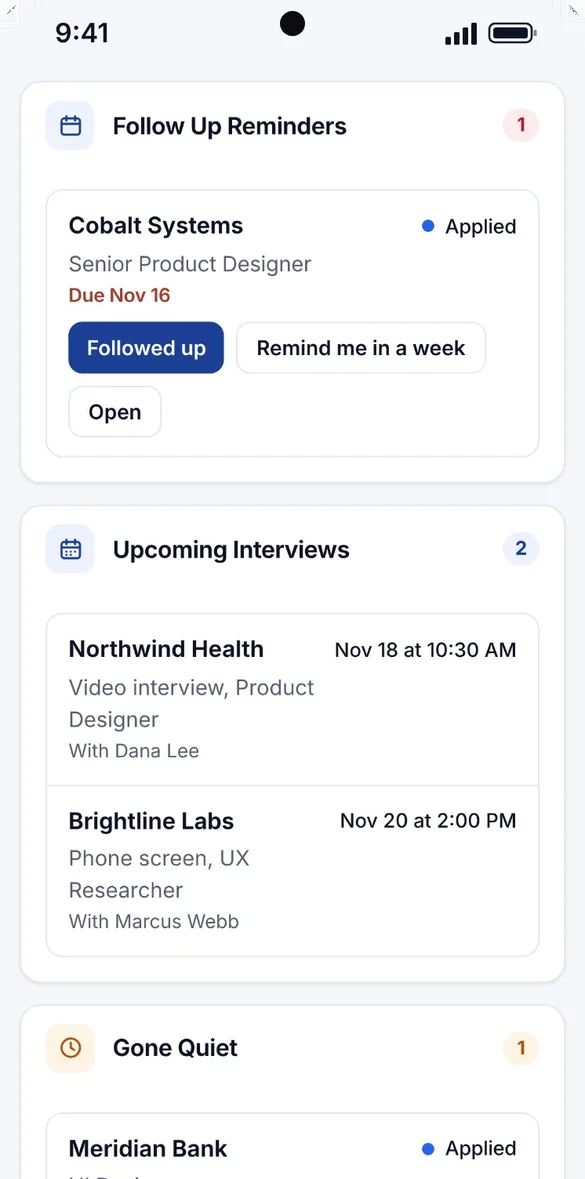
Walk in prepared.
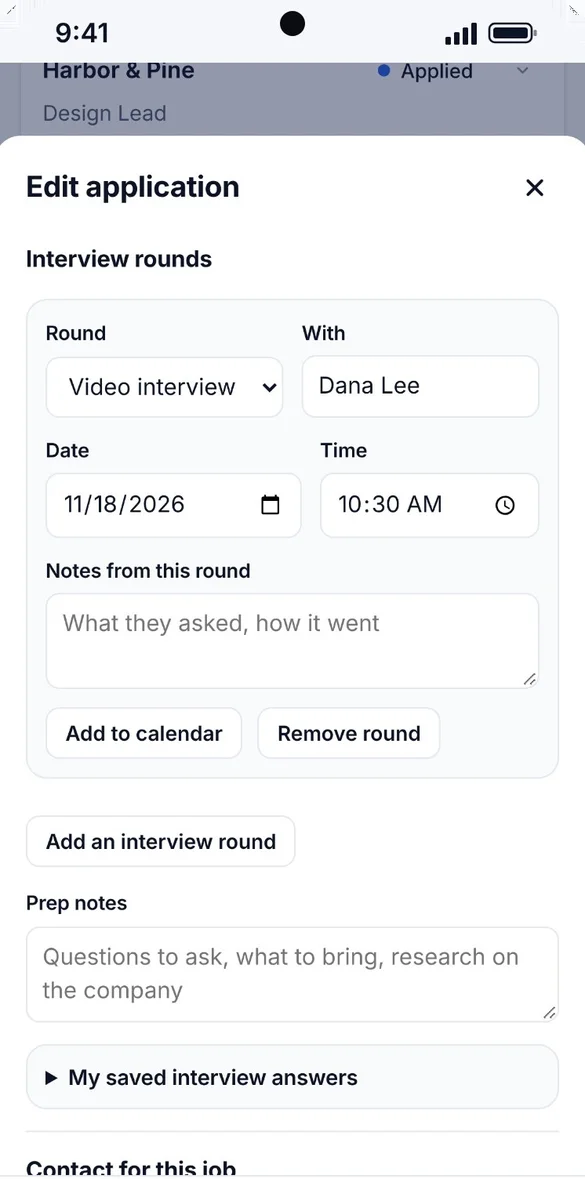
Add every round with the date, time and who you are meeting, plus prep notes for the company.
- Rounds: phone screen, video, in person, panel or final
- Notes: what they asked and how it went
- Add to calendar: any round, in one tap
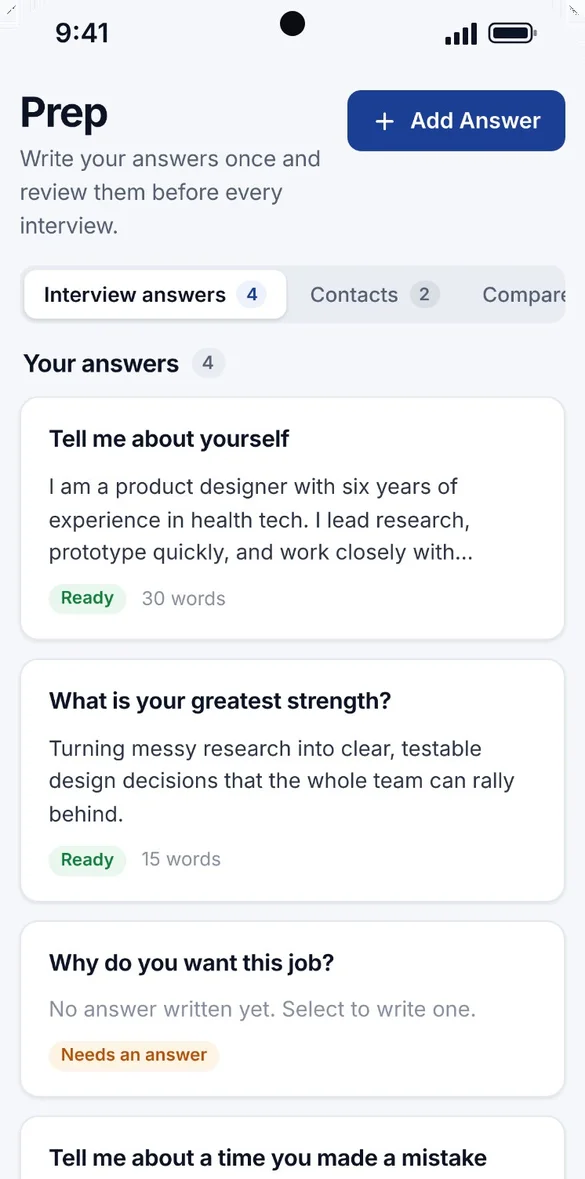
Your best answers, ready.
Write your answers once and read them before every interview.
- 10 common questions: built in
- Needs an answer: see which ones are still blank
- Inside every application: right where you need them
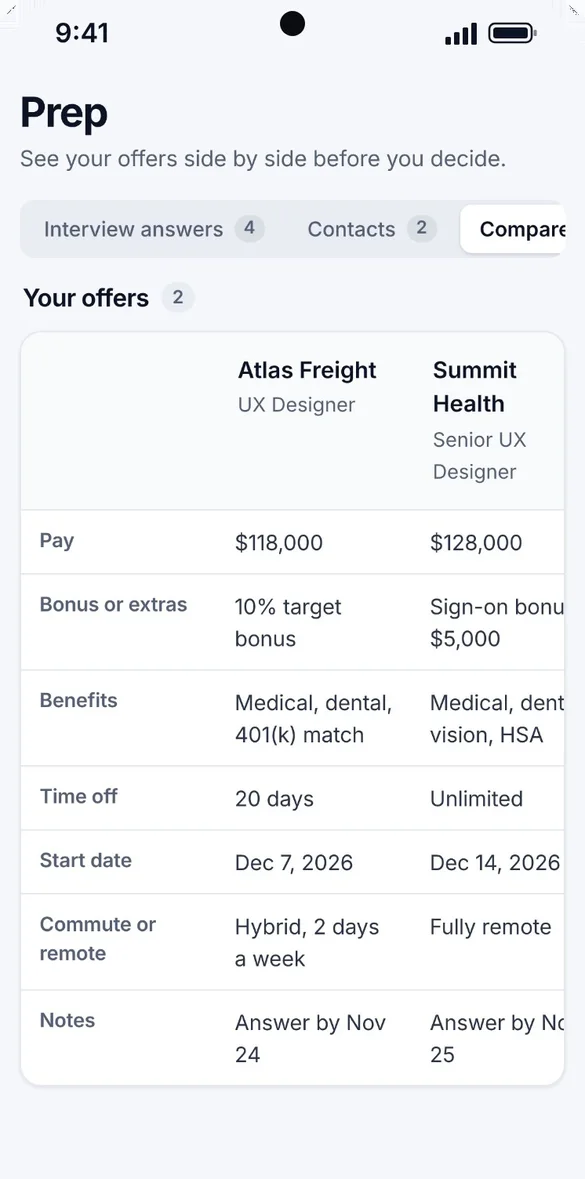
Pick the right offer.
When an application reaches Offer, add the details and every offer lines up side by side.
- Pay and bonus: plus benefits
- Time off: and start date
- Remote or commute: and your own notes
Little extras that help
Weekly goal
Set a goal from 1 to 20 applications a week and watch your progress on Home.
Printable logs
Your full application log or a weekly work search log, plus blank versions.
Contacts
Recruiters, hiring managers and referrals, with when you last spoke.
Spreadsheet import
Bring in a CSV, or export to Excel, Numbers or Google Sheets.
Archive and duplicate check
Archive closed applications, and get a heads up before saving one twice.
Try with sample data
Explore a filled-in tracker, then clear it in one tap.
Your job search stays yours.
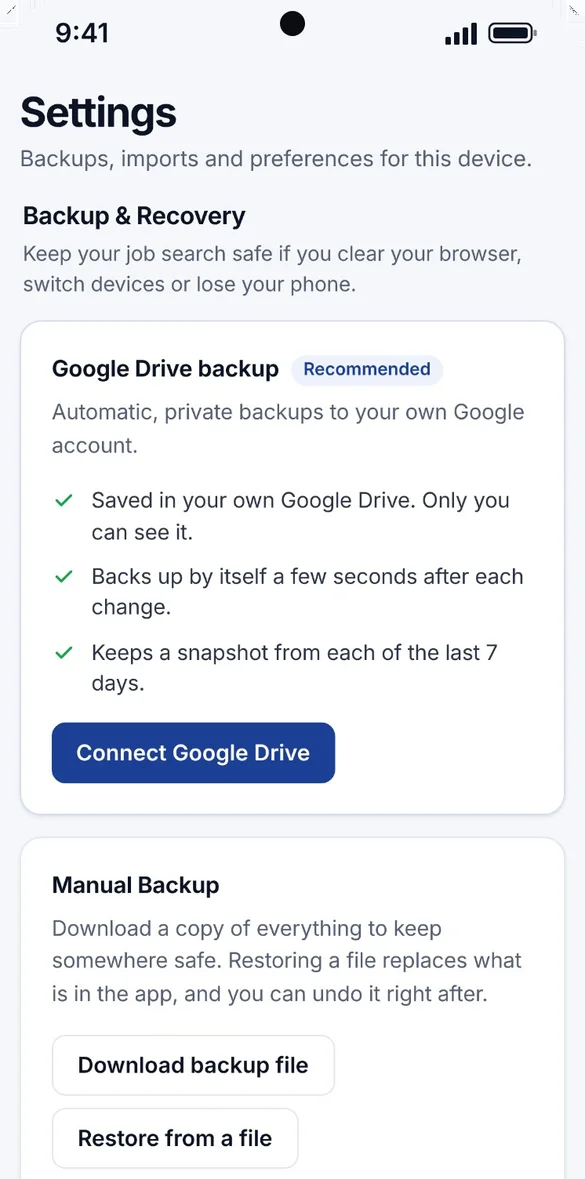
Everything saves privately on your device and works offline, with no account or login. Connect your own Google Drive for automatic backups and a snapshot from each of the last 7 days, or download a backup file and keep it yourself. You can undo a restore right after.
- One time purchase, yours forever
- Saved privately on your device, offline
- Optional Google Drive backup, in your own account
- A week of daily Drive snapshots
- Backup file you can download anytime
- Undo a restore with one tap
- No account or login, ever
- No ads, ever
How it works
Buy on Etsy
Download your app PDF and your 5 bonus printable pages.
Tap the link
Or scan the QR code on your phone, tablet or computer.
Add it to your home screen
Or bookmark it, then add your first application. Install guide
Good to know: this is a web app for tracking by hand. It does not send push notifications or connect to job boards, email or LinkedIn. Each device keeps its own copy, and Google Drive backup needs an internet connection.
Unemployment work search requirements differ by state, so check what yours needs on each record.
Questions
Is there a subscription?
No. You pay once on Etsy and the app is yours. No monthly fees and no ads.
Can I print a work search log for unemployment?
Yes. Print a weekly work search log with the date, employer, position, how you applied, contact and result, the details unemployment offices usually ask for. Requirements differ by state, so check what yours needs on each record.
Will it remind me to follow up?
Home shows the follow-ups due today, with one tap to mark one done or push it a week. Applications with no reply after 14 days show up under Gone Quiet. The app does not send push notifications, but you can add any follow-up or interview to your calendar in one tap.
Does it connect to LinkedIn, job boards or my email?
No. It is for tracking by hand, on purpose, to keep it simple and private. You add each application yourself, and you can paste in the full job description so you still have it if the posting comes down.
Can I bring in my job search spreadsheet?
Yes. Save your spreadsheet as a CSV file and import it. You can also export everything to a spreadsheet that opens in Excel, Numbers or Google Sheets.
How does the interview answer library work?
Write your answers to common interview questions once, then read them back before every interview. 10 common questions are built in, you can add your own, and your saved answers show inside every application.
Can I use it on my phone and my computer?
Yes. On a computer it opens as a full dashboard with a sidebar, a board you drag cards across and side by side offers. Each device keeps its own copy, so back up on one and restore on the other to move between them.
What if it doesn't work on my phone?
Send a message through Etsy and I'll help you get it working. If it doesn't install or work on your phone, you can get a refund within 30 days.
Try it before you buy
The real app with sample data. Nothing you type is saved.