Kitchen HQ Recipes, Meal Plan and Pantry
Your recipes, your weekly meal plan and your pantry, finally in one place. No more scattered screenshots, half-used bookmarks or food that goes bad because nothing was tracking it.
- One time purchase
- No account or login
- No ads
- Phone, tablet and computer
What's inside
Know what to cook and what you already have, on your phone or your computer.
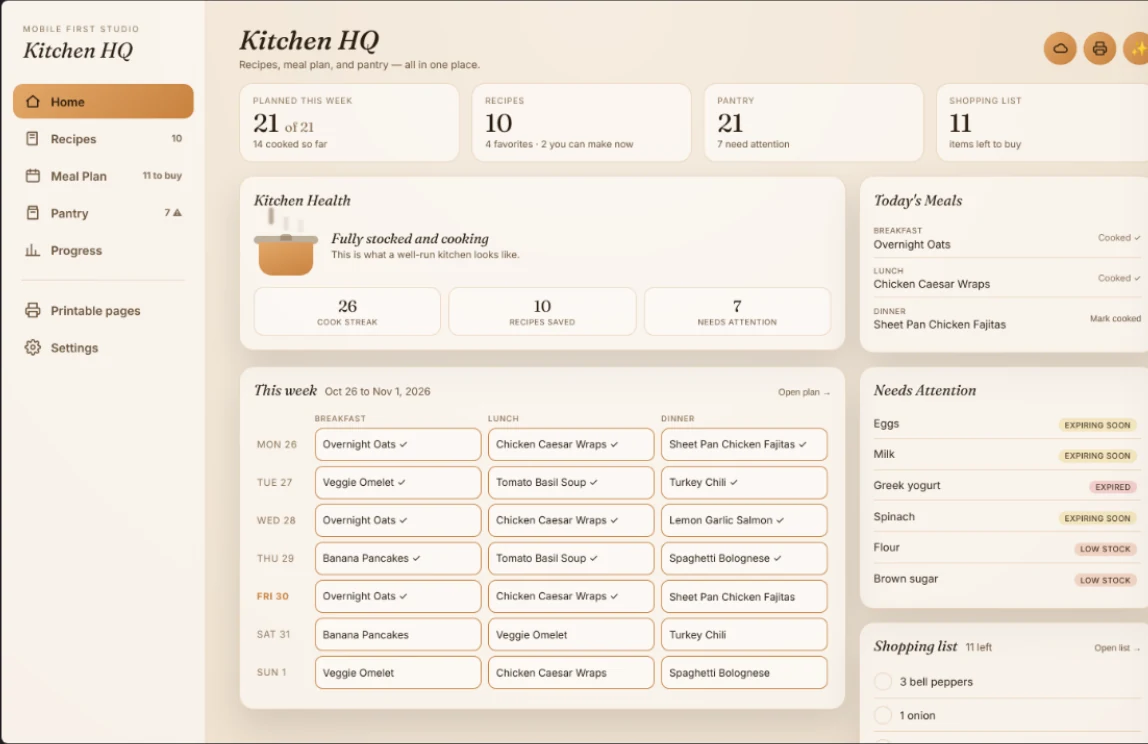
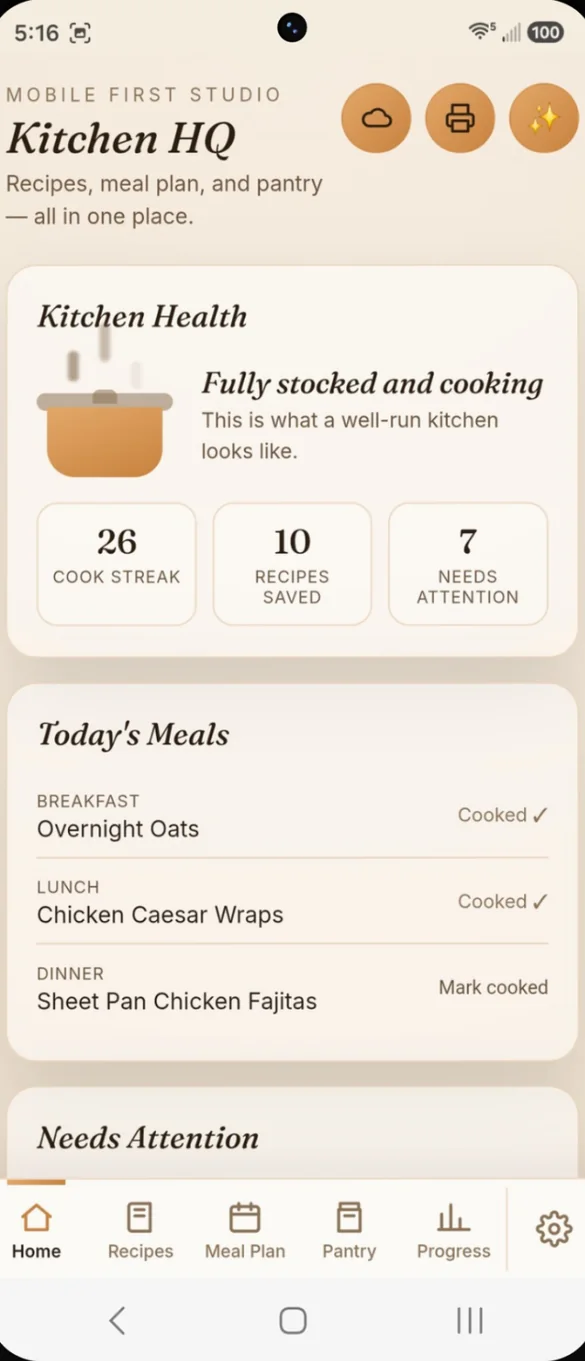
Your kitchen at a glance.
Open the app and see your cook streak, recipes saved and anything that needs attention before it goes to waste. Today's breakfast, lunch and dinner are right there too.
- Kitchen health: cook streak, recipes saved and items needing attention
- Today's meals: one tap to mark a meal cooked or plan an empty one
- Needs attention: anything expiring soon, expired or running low
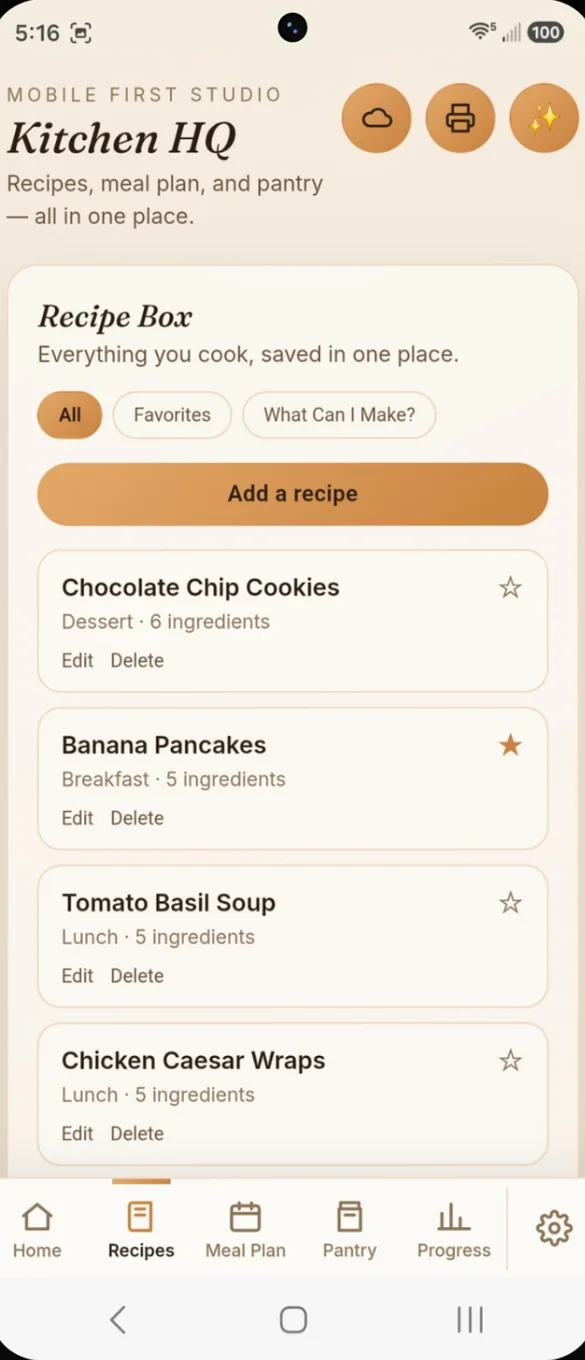
Every recipe you actually cook.
Save your go-to recipes once, with full ingredients and steps. Filter by favorites, or open any recipe to see it in full.
- All or favorites: filter with one tap
- Full recipes: ingredients and steps for each one
- Star your favorites: they print first in your recipe book
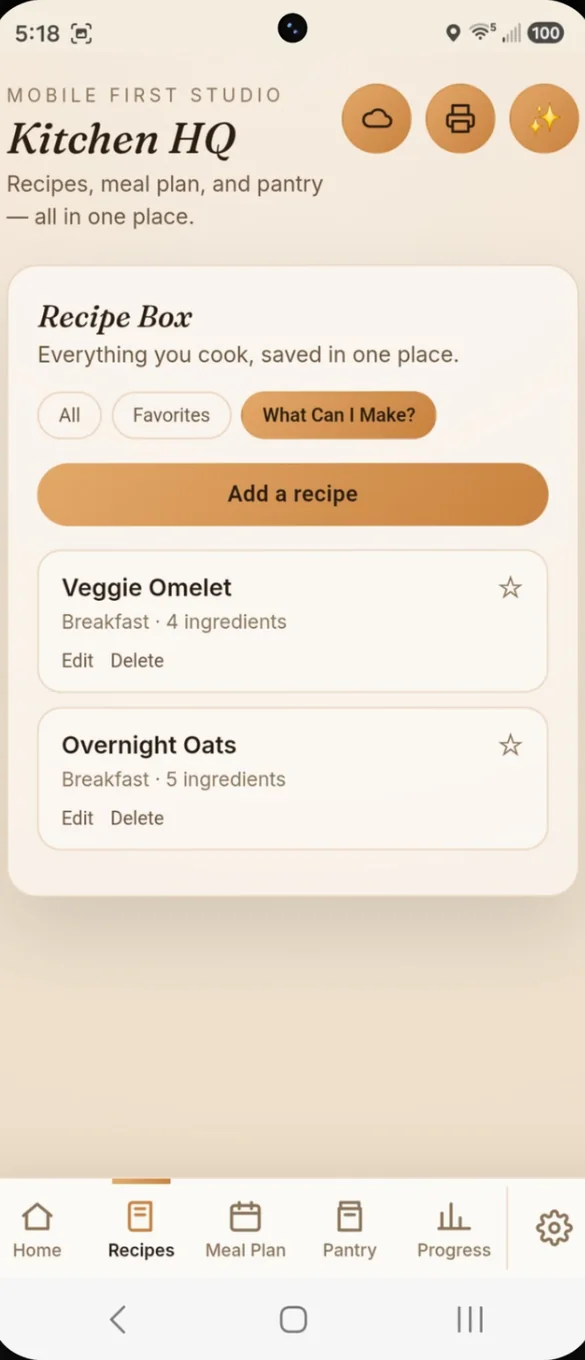
Ask what you can make. Get a real answer.
Kitchen HQ checks your saved recipes against what is actually in your pantry right now, and shows what you can cook today.
- Matched to your pantry: only recipes you can make now
- Updates as you go: when your pantry changes
- No more guessing: in front of the fridge
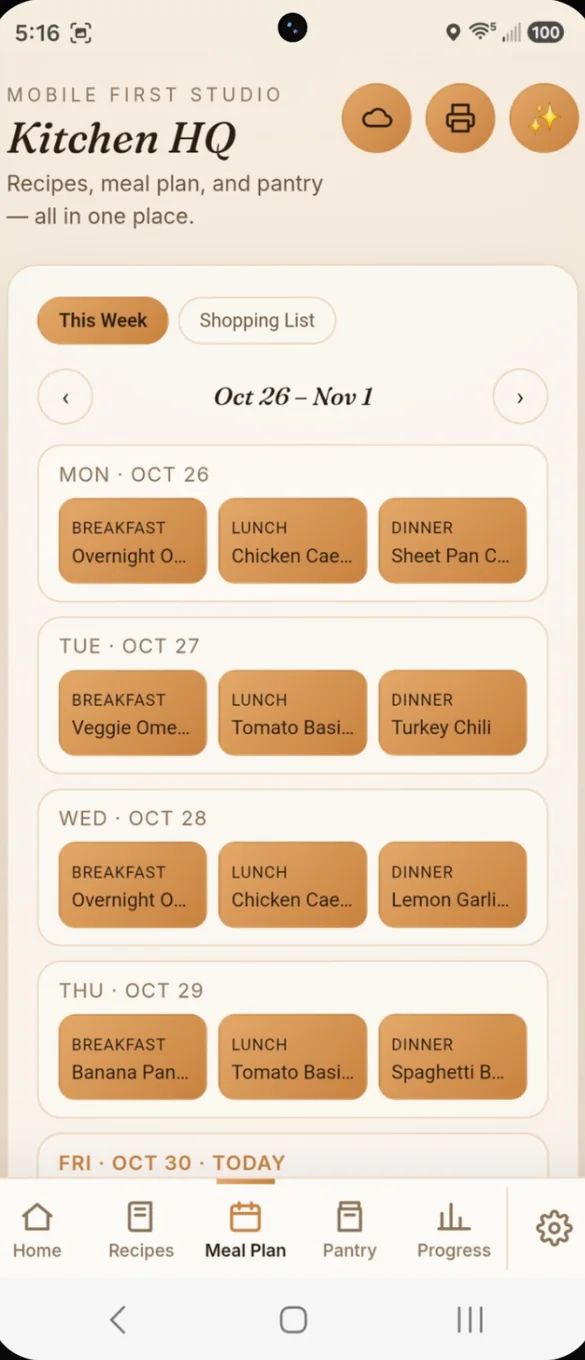
Plan the week, shop in one tap.
Lay out breakfast, lunch and dinner for the whole week. Then build your shopping list in one tap, already checked against your pantry.
- Weekly grid: breakfast, lunch and dinner for every day
- Shopping list: built from your plan
- Skip what you have: so you don't buy it twice
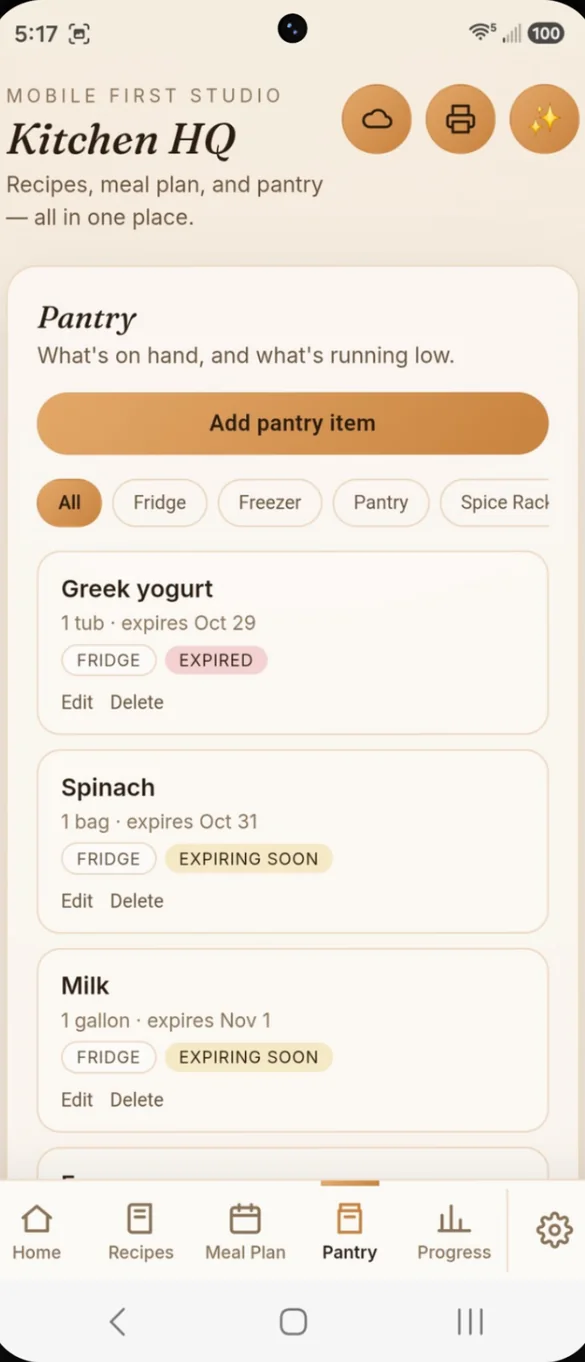
Know what's in stock, before you shop.
Track your fridge, freezer, pantry and spice rack separately, so nothing gets lost in the back of a shelf.
- Four places: fridge, freezer, pantry and spice rack
- Freshness badges: fresh, expiring soon and expired
- Low stock flags: so you restock before you run out
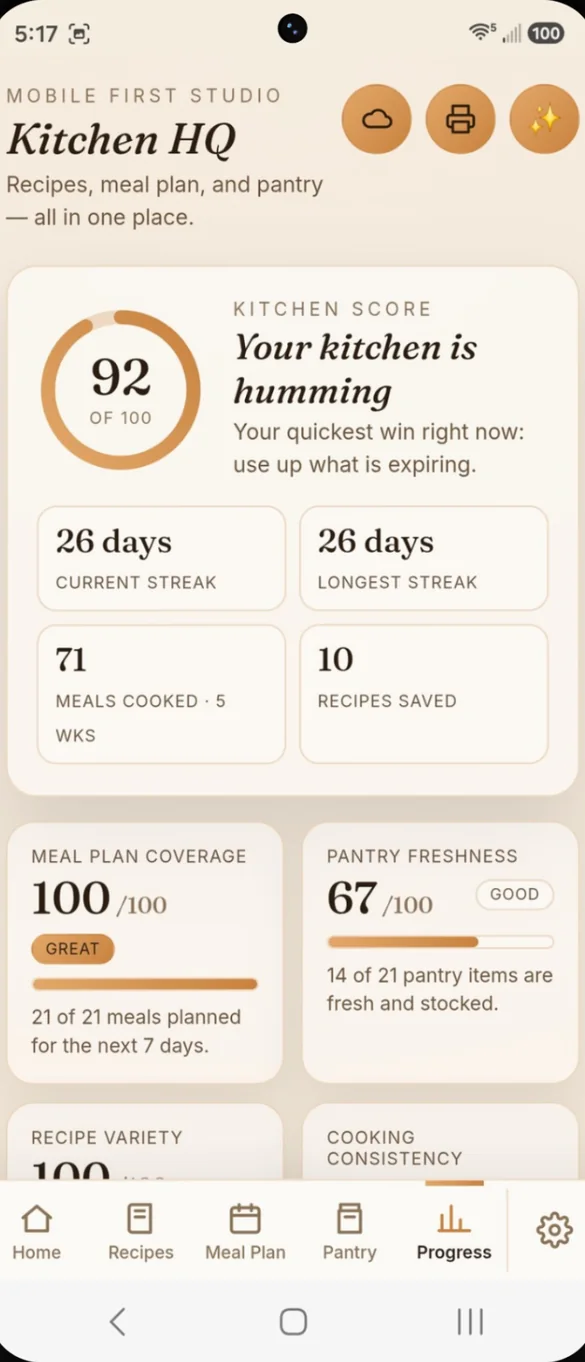
See how your kitchen habits are going.
Your kitchen score is built from four real scores worked out from your own data. A 5 week cooking calendar shows what is working.
- Four scores: meal plan coverage, pantry freshness, recipe variety and cooking consistency
- Cook streak: current and longest
- Most cooked: your top recipes and meals cooked per week
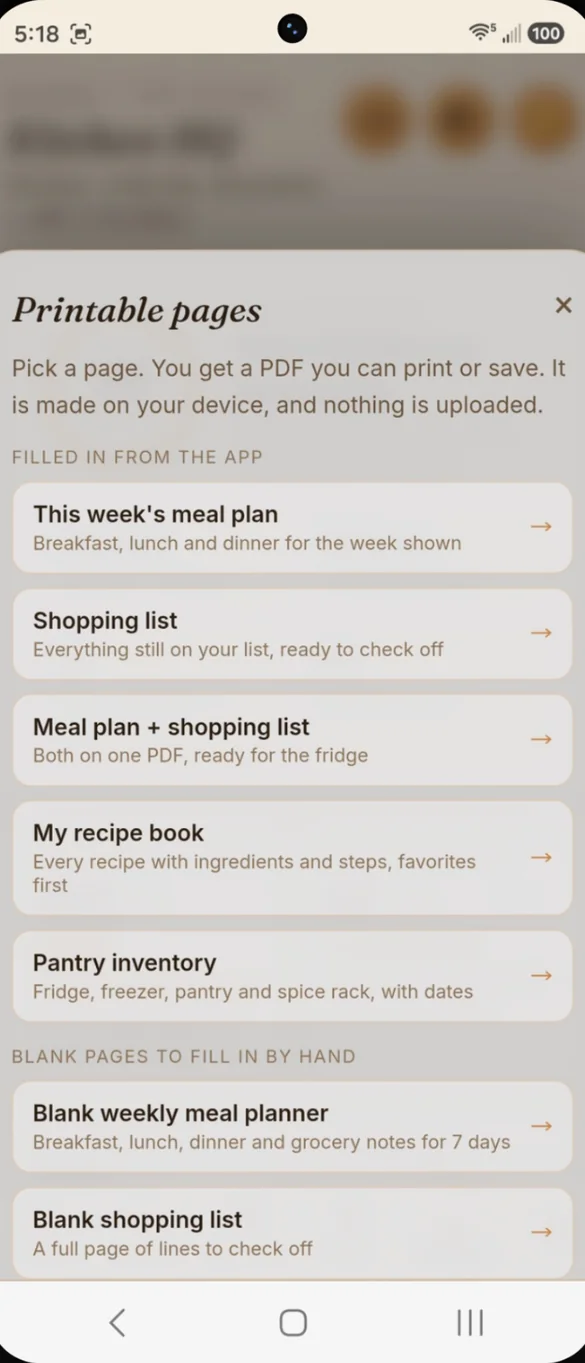
Print the week. Stick it on the fridge.
Turn your meal plan, shopping list, recipes or pantry into a PDF in one tap. It is made on your device, and nothing is uploaded.
- Filled in for you: meal plan, shopping list, both together, recipe book and pantry inventory
- Recipe cards: print any single recipe
- Blank pages: meal planner, shopping list, recipe cards and pantry inventory
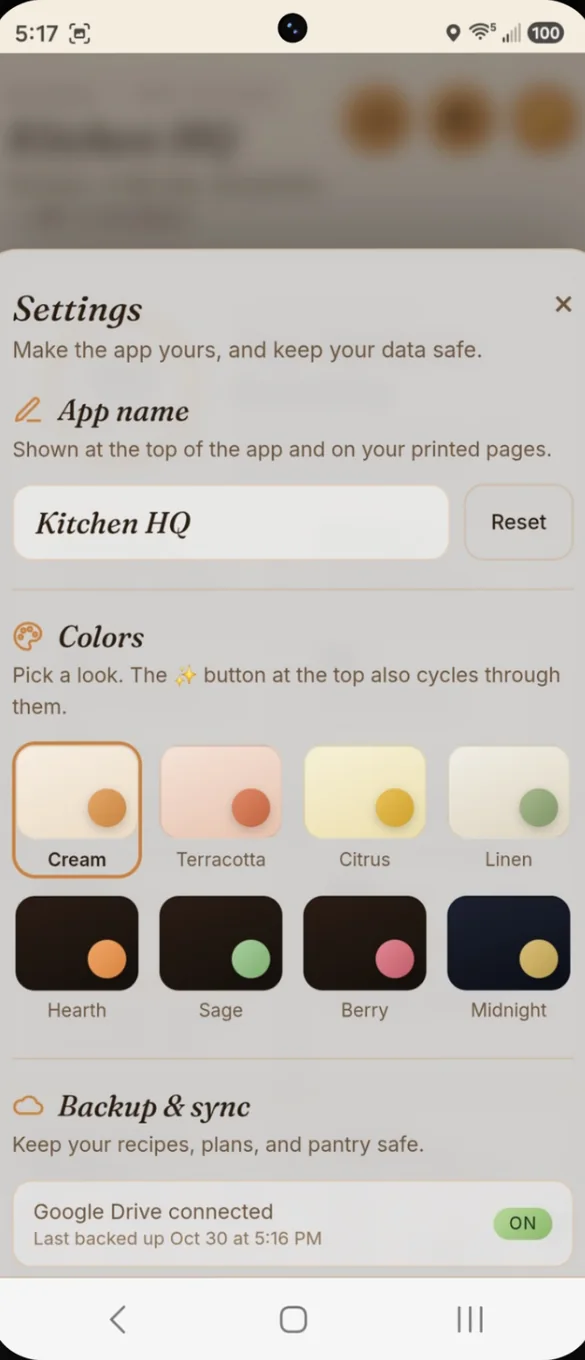
Make it yours.
Give the app your own name and pick from 8 color themes, from warm cream to deep midnight. Backup and printing are in the same place.
- Your name: at the top of the app and on printed pages
- 8 themes: switch anytime with a single tap
- One place: for backup, restore and printing
Little extras that help
Recipe cards
Print any recipe as a card, or your whole recipe book with favorites first.
Fridge ready PDF
This week's meal plan and shopping list together on one page.
5 week cooking calendar
See which days you cooked at a glance.
4 page bonus PDF
Blank planner, shopping list, recipe card and pantry pages.
Phone and computer
On a computer it opens a full dashboard with a sidebar.
Works offline
Once it's on your home screen it opens without internet.
Your kitchen stays yours.
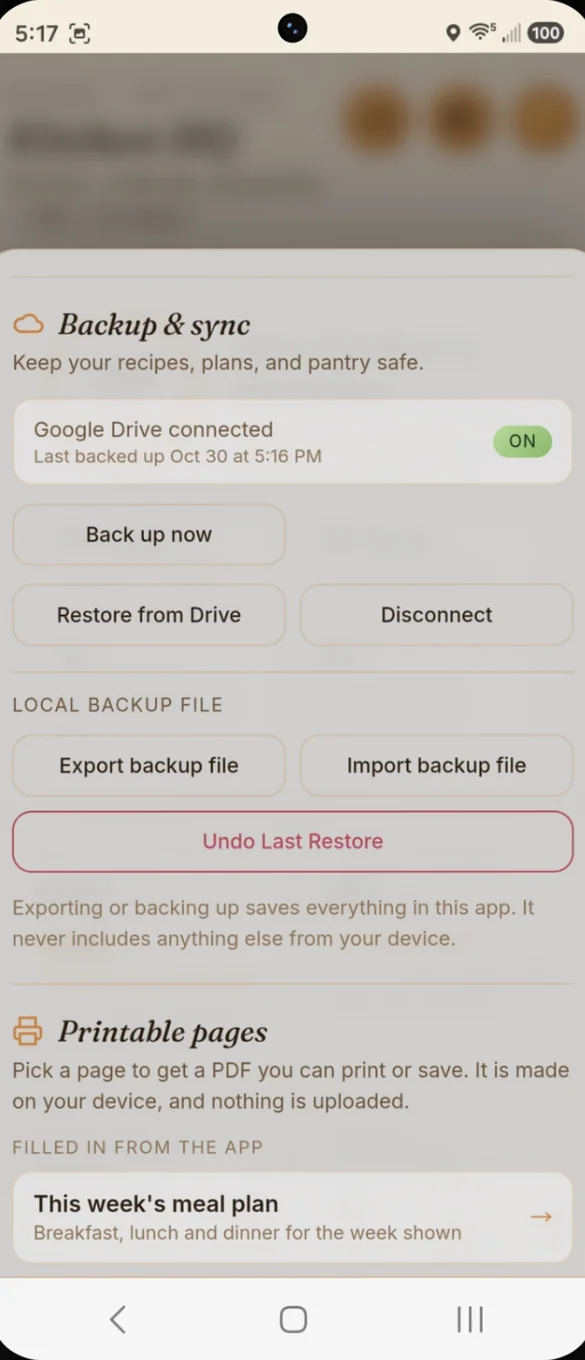
Your recipes, plans and pantry save privately on your device. Back up with one tap on the cloud to your own Google Drive, or download a backup file and keep it yourself. Drive backup is also how you move your kitchen between your phone and computer.
- One time purchase, yours forever
- Saved privately on your device
- Works offline once installed
- Optional backup to your own Google Drive
- Backup file you can download anytime
- Undo a restore if you change your mind
- No account, no login, no ads
How it works
Buy on Etsy
Your download has the app link and the 4 page bonus PDF.
Open the link
On your phone, tablet or computer.
Add it to your home screen
Then add your recipes, plan the week and stock the pantry. Install guide
Good to know: Kitchen HQ doesn't import recipes from websites or scan barcodes. Everything is entered by hand, so your recipe box stays exactly the way you want it.
It works fully offline once installed, and your data stays on your device unless you choose to back it up to your own Google Drive.
Questions
Is there a subscription?
No. You pay once on Etsy and the app is yours. No monthly fees and no ads.
Can it import recipes from websites?
No. Kitchen HQ does not import recipes from websites or scan barcodes. Everything is entered by hand, so your recipe box stays exactly the way you want it.
How does What Can I Make? work?
It checks your saved recipes against what is in your pantry right now and shows only the ones you can cook with what you have.
How is the shopping list made?
Plan your week, then build the list in one tap. It is checked against your pantry and your current list, so you skip what you already have.
Where is my data saved?
On your own device. It stays private unless you choose to back it up to your own Google Drive. You can also download a backup file anytime, and undo a restore if you change your mind.
Can I use it on my phone and my computer?
Yes. On a computer it opens a full dashboard with a sidebar. Back up on one and restore on the other to move your kitchen across.
Can I try it before I buy?
Yes. The free demo lets you tap around the real app in your browser.
What if it doesn't work on my phone?
Send a message through Etsy and I'll help you get it working. If we can't, you can get a refund within 30 days.
Try it before you buy
Tap around the real app in your browser. No sign up needed.