Life Admin HQ Household Planner App
Run your whole household from one app. Daily routines, meals, bills, gifts, passwords and home projects live together on the phone you already have. When you want it on paper, it prints as a household binder.
- One time purchase
- No account or login
- No ads
- Phone, tablet and computer
What's inside
Everything that keeps a home running, in one place, on your phone or your computer.
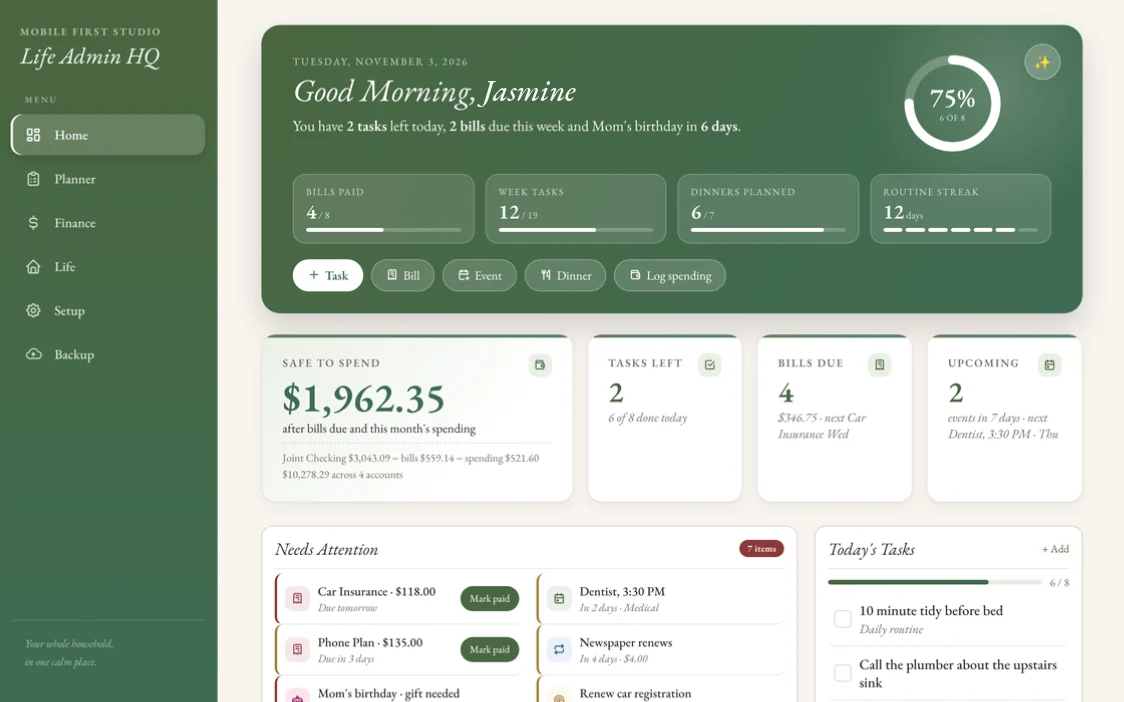
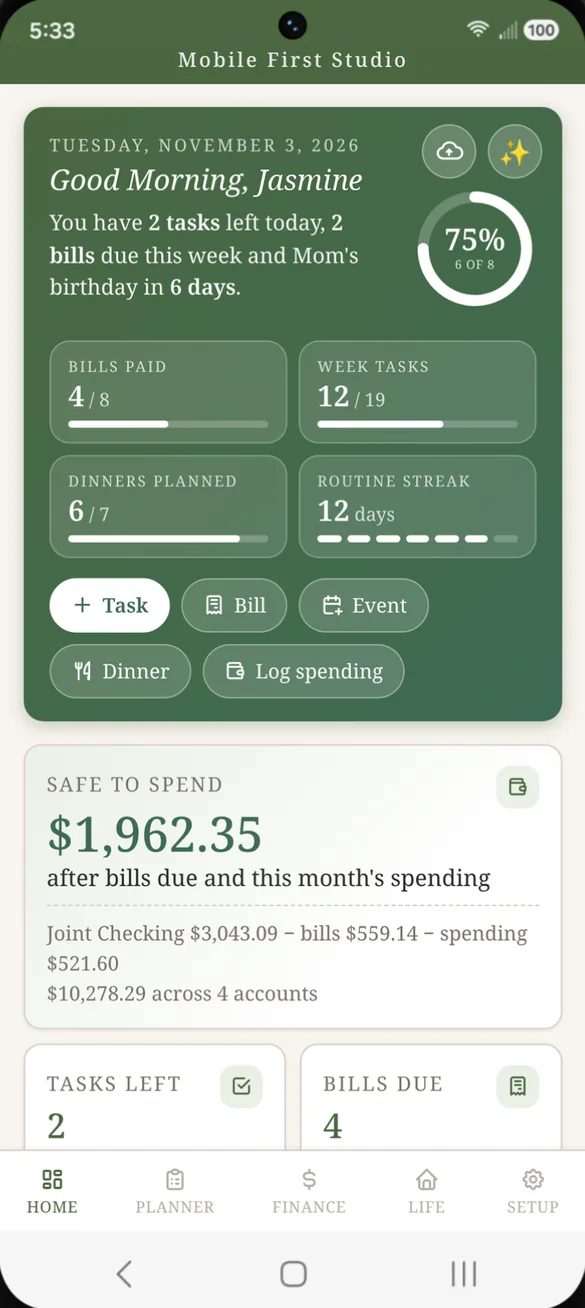
Your whole day on one screen.
Open the app and a short greeting sums up your day: tasks left, bills due this week and the next birthday coming up. Safe to Spend and what's coming next sit right below.
- Daily summary: what needs you today, in one sentence
- Progress at a glance: bills paid, week tasks, dinners planned and your routine streak
- Quick add: one tap to add a task, bill, event or dinner, or log spending
- Safe to Spend: front and center, with the math shown underneath
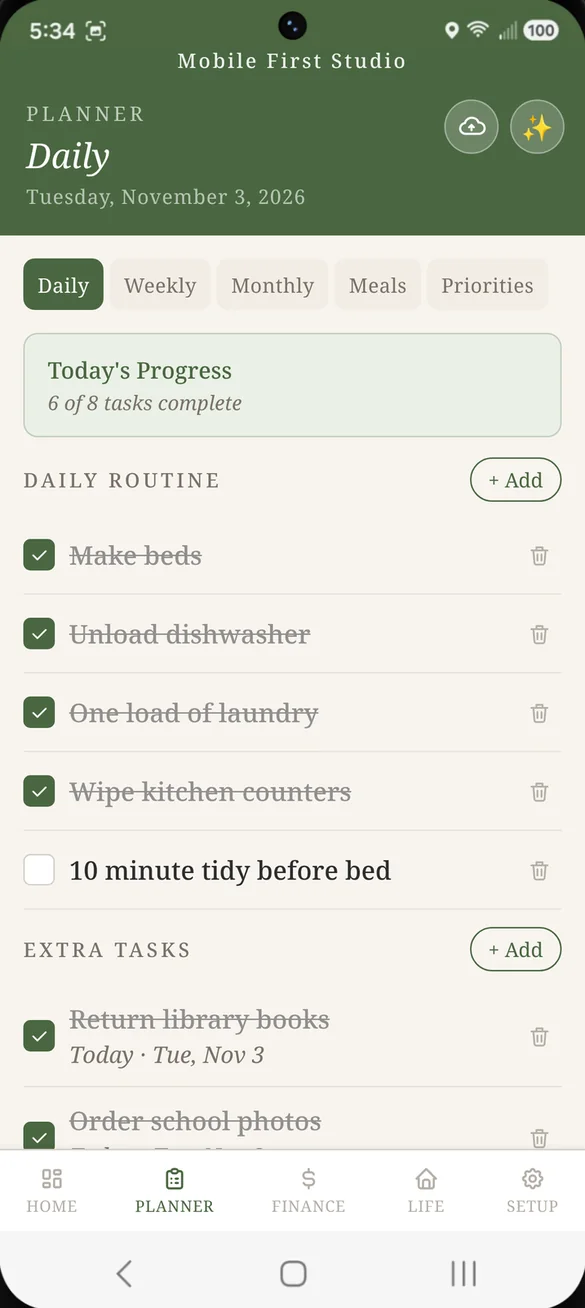
The same chores, ready every morning.
Check off your daily routine as you go, and it resets on its own each morning. One off jobs go under Extra tasks, and things coming up later wait on your On My Radar list.
- Daily routine: a checklist that resets every morning
- Extra tasks: for one off to dos
- On My Radar: for things to keep an eye on before they are due
- Priorities: a short list of what matters most right now
See this week, or the whole month.
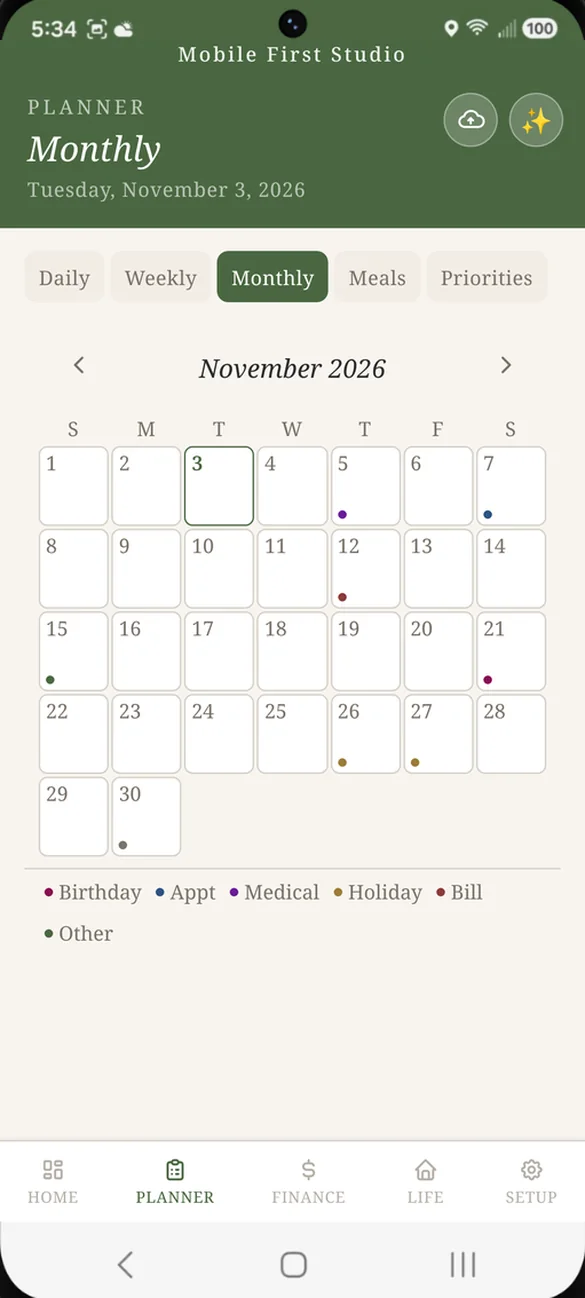
Switch to the weekly view to see every day's tasks, or open the monthly calendar to see what's ahead. Events are color coded, so bills and birthdays stand out.
- Weekly view: each day's tasks in one list
- Monthly calendar: color dots for birthdays, appointments, medical, holidays, bills and more
- Arrows: to move between weeks and months
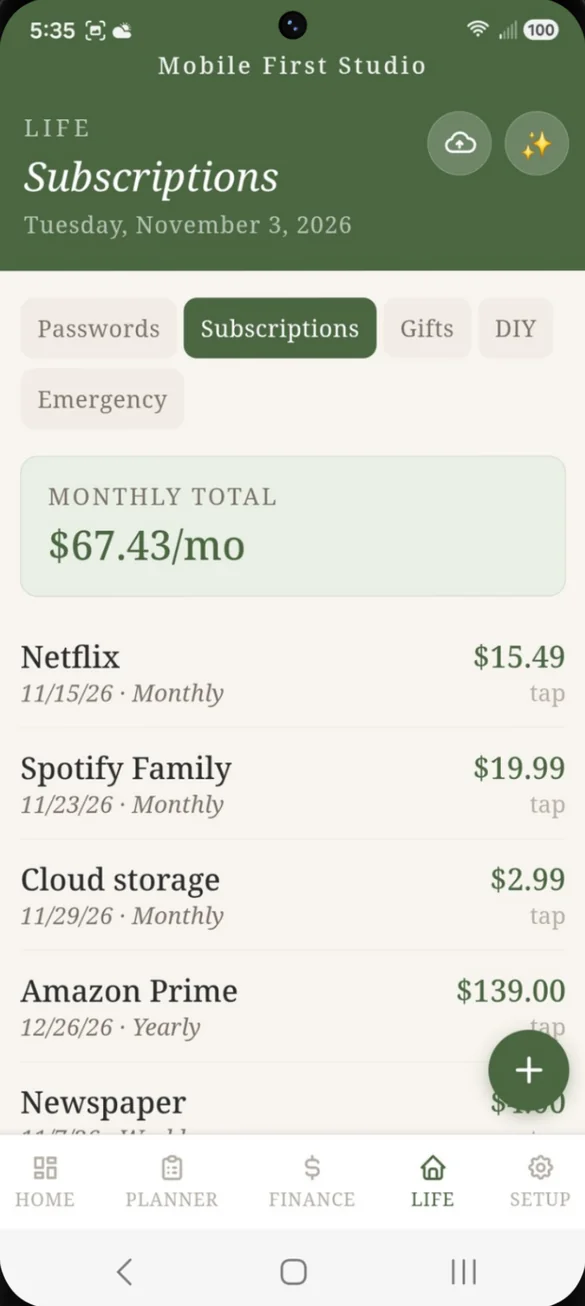
Dinner planned, groceries sorted.
Plan a dinner for each day of the week. Then keep one grocery list, split into what you already have and what you still need.
- Weekly meal plan: tap any day to plan it
- Have and Need: two lists, so you only buy what you are missing
- Add as you go: type an item in the moment you think of it
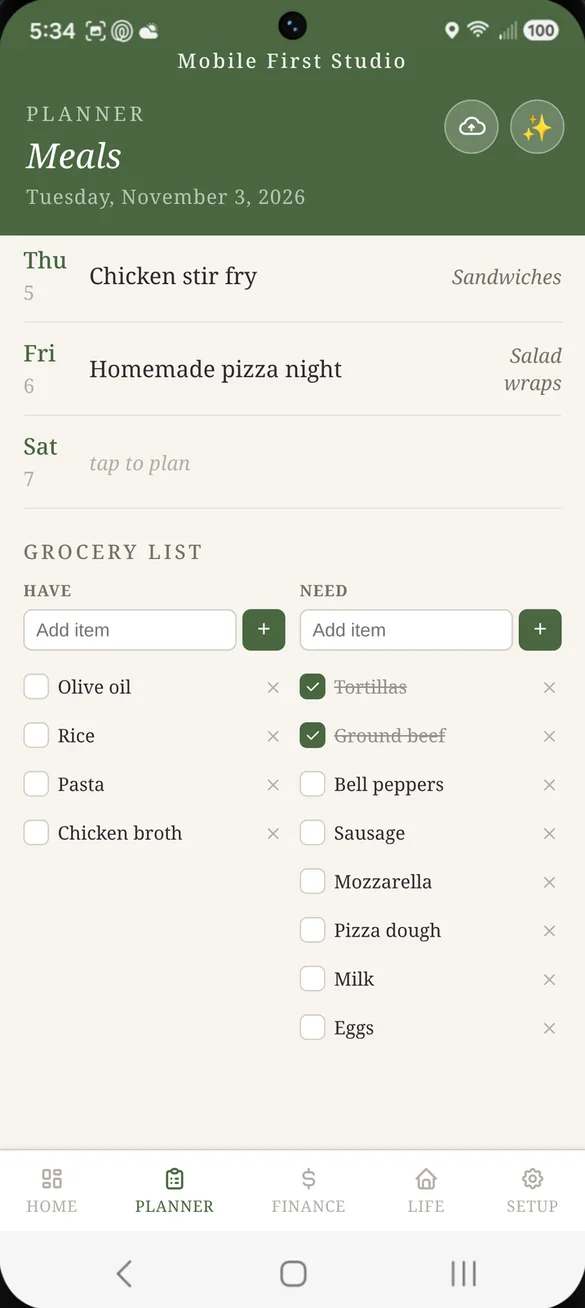
Your real balance, not just a number.
Track up to 4 accounts, plus your bills, income and variable spending, month by month. Safe to Spend takes your main balance and subtracts what is due, so you see what you can really spend.
- Up to 4 accounts: pick one as your main account
- Total Available: every account added together
- Look back or ahead: last month, this month or next month
- Bills roll over: monthly bills carry into next month on their own
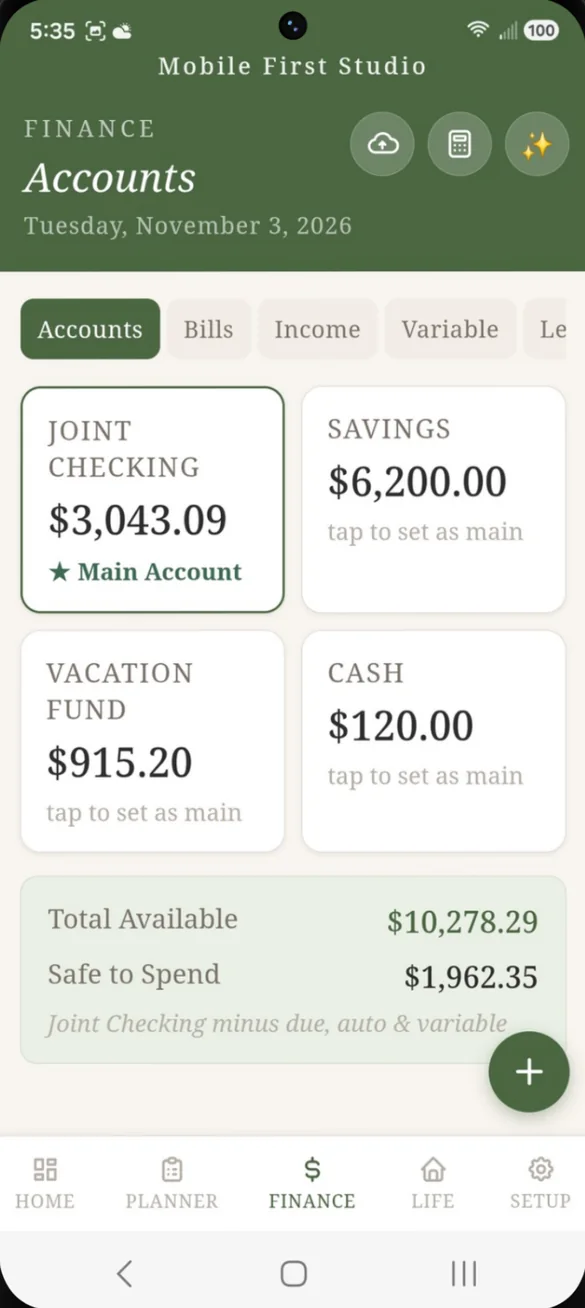
Every grocery run, counted.
Log the costs that change each month, like groceries, gas and fees. They come off Safe to Spend right away. Once one is paid, tap Add to ledger and it lands in your account ledger with the name and amount already filled in.
- Variable spending: tracked month by month
- One tap ledger: works for bills too, and marks the bill paid for you
- No retyping: you never enter the same thing twice
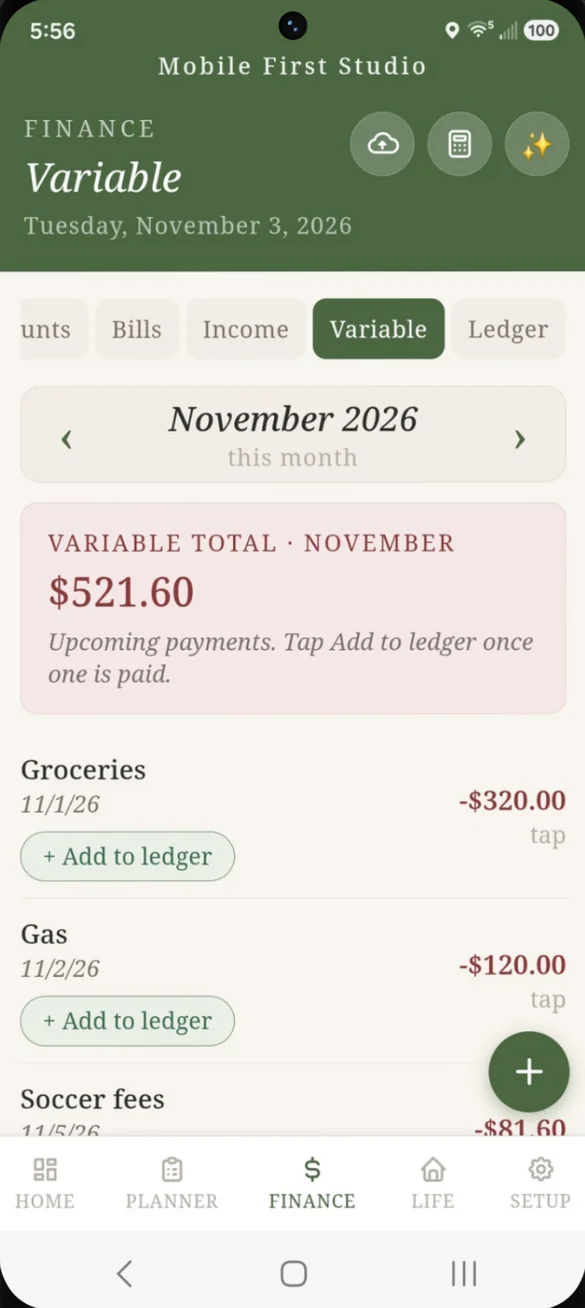
Every subscription, one true monthly total.
Add each subscription with its own billing cycle: weekly, monthly or yearly. The app turns them into one monthly total, so a yearly charge never hides in the math.
- One monthly total: weekly and yearly charges converted for you
- Renewal dates: see when each one renews next
- Tap to edit: change the amount or billing cycle anytime
Every login in one private place.
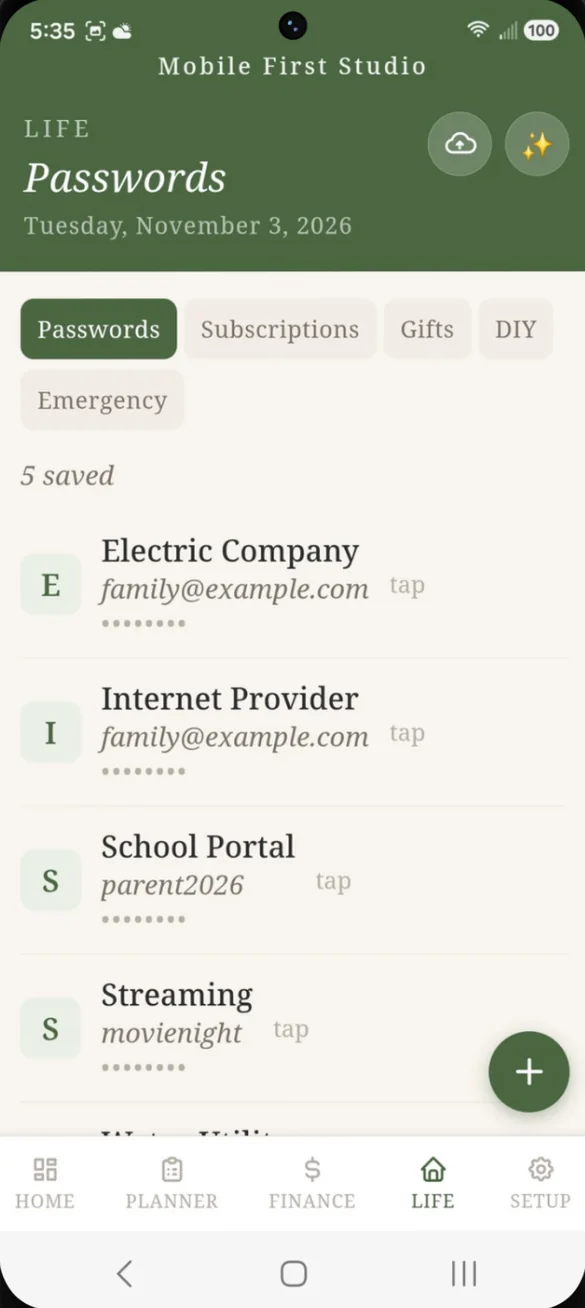
Save the site, username and password together. They stay on your device, not on our servers, so the family logins can come off the sticky notes.
- All together: site, username and password in one entry
- Hidden in the list: passwords show as dots until you tap
- Your choice to print: passwords only go in the binder if you include them
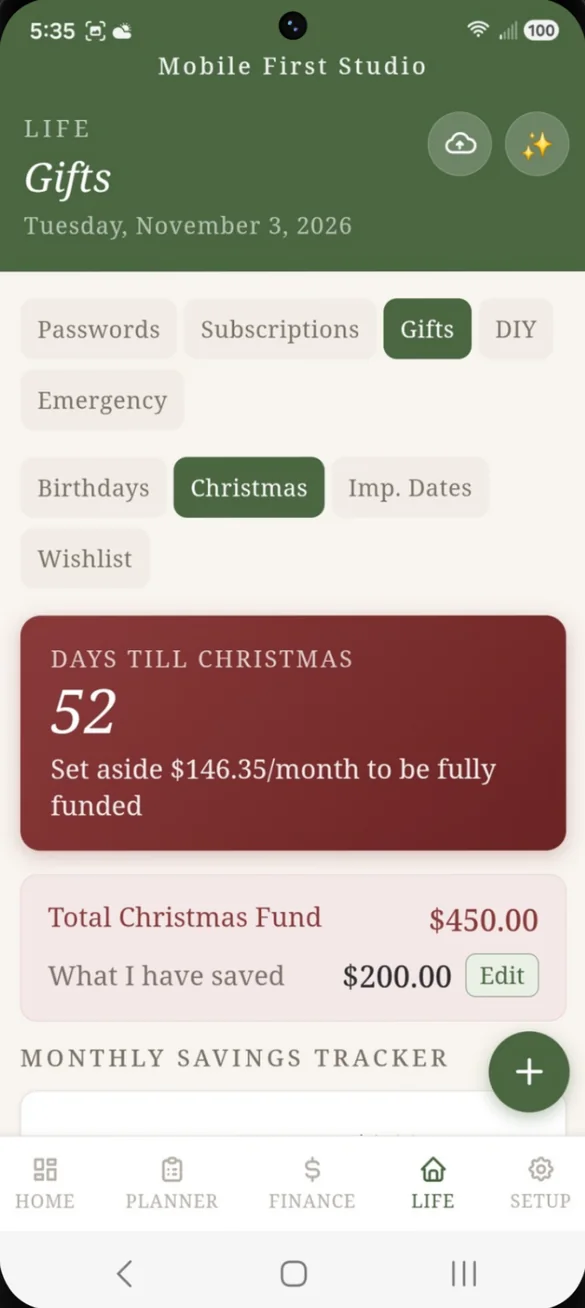
Birthdays and Christmas, budgeted ahead.
Give every birthday a savings plan that tells you how much to set aside each month. The Christmas fund counts down the days and tracks what you've saved, so gift season never sneaks up on you.
- Birthday plans: a monthly savings amount for each person
- Christmas countdown: with a suggested amount to set aside each month
- Savings tracker: what you have saved against your total budget
- Dates and wishlist: important dates and your wishlist in the same place
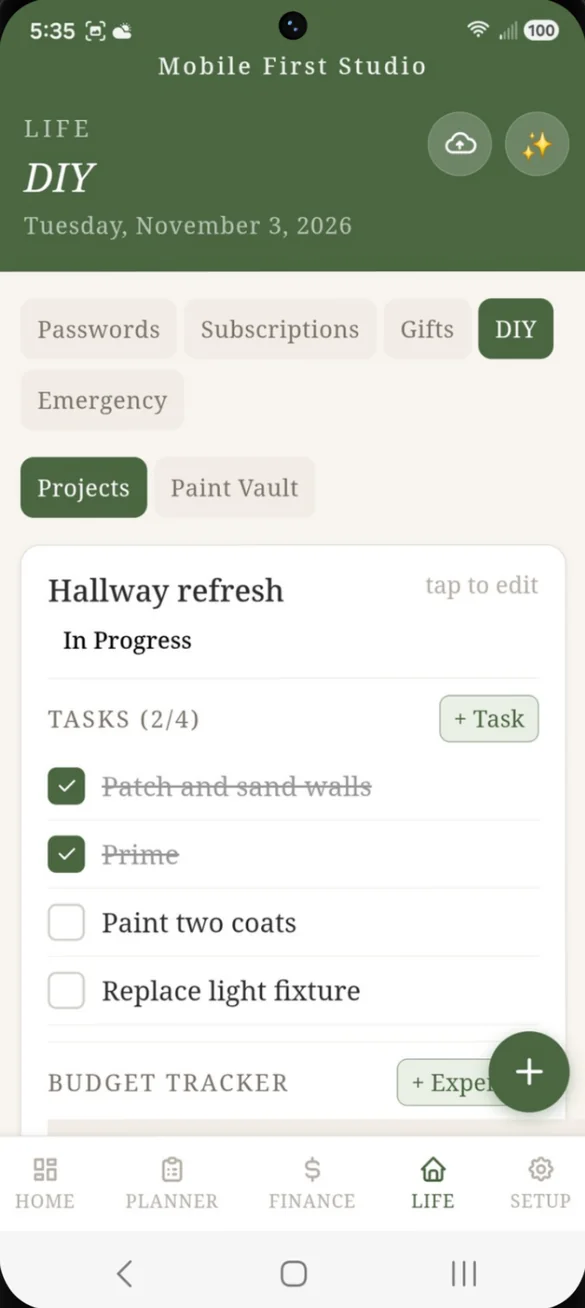
Every home project, tasks and budget together.
Give each project its own task list and budget, and see what you've spent and what's left. The paint color vault keeps every shade and finish on record.
- Task list: progress counts up as you check things off
- Budget tracker: budgeted, spent and left for each project
- Paint Vault: never guess a paint color or finish again
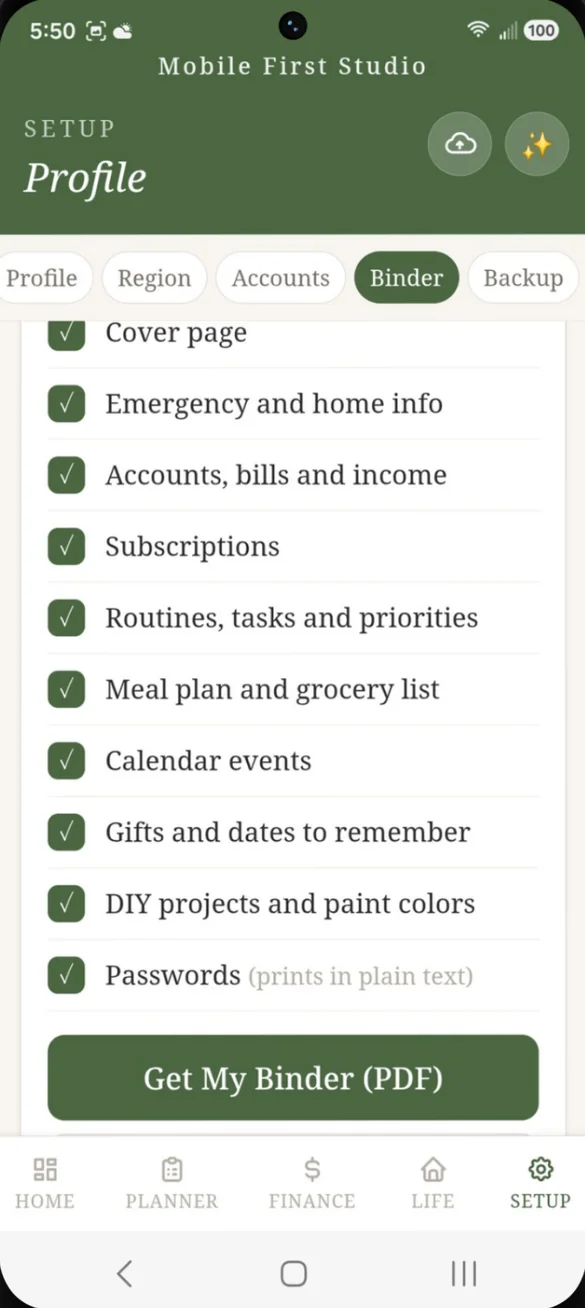
Your household, printed as a binder.
Pick the sections you want and the app makes a PDF right on your phone, using what you've already saved. Anything you haven't filled in yet prints as a blank form to finish by hand.
- 10 sections: from a cover page and emergency info to gifts and DIY projects
- Blank forms: for anything you have not filled in yet
- Made on your device: nothing is uploaded
- Print anywhere: at home, or send the PDF to a print shop
Your name, your colors.
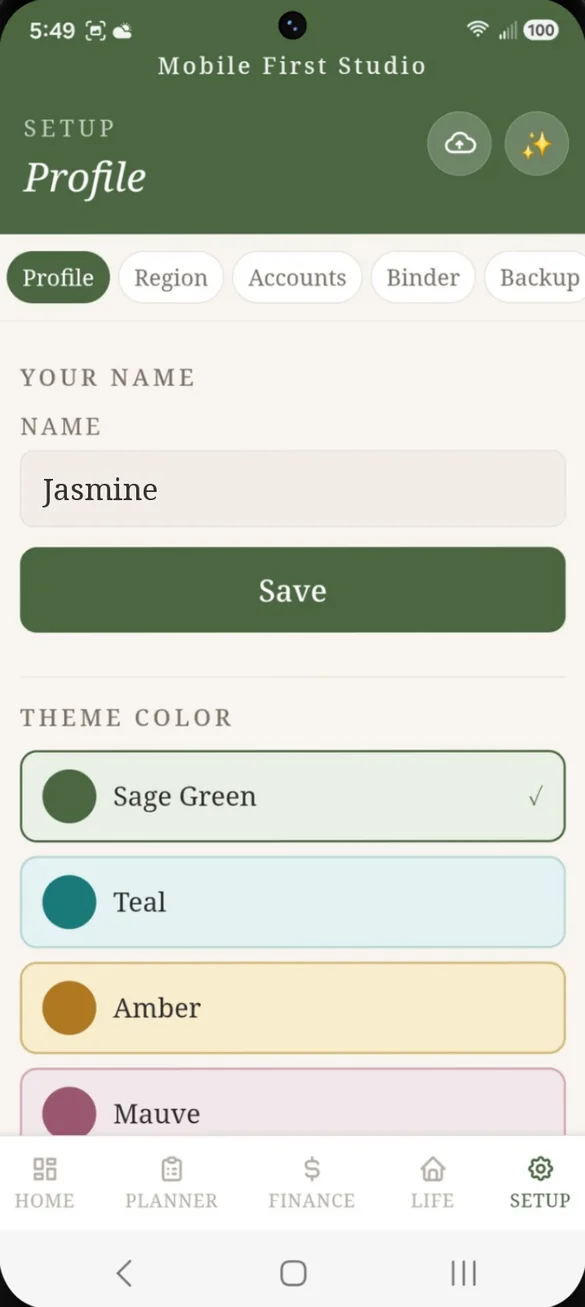
Add your name for a personal greeting and switch the whole app to one of 8 colors: Sage Green, Teal, Amber, Mauve, Terracotta, Caramel Brown, Butter Yellow or Burgundy.
- 8 color themes: one tap to switch
- Dark mode: turn it on in Setup, or press and hold the ✨ button
- Your name: in the daily greeting on the dashboard
Little extras that help
Built in calculator
One tap away in Finance, and it keeps your number when you close it.
Emergency info
Water and gas shutoffs, the fuse box, the spare key, insurance claim numbers and where your documents are kept.
14 bonus binder pages
Blank pages come with your download, ready to print and fill in by hand.
Your currency and dates
$, £, €, ₹ or your own symbol, month or day first, and a Sunday or Monday week.
Phone and computer
On a tablet or computer it opens a full screen layout with a side menu.
Works offline
Once it's on your home screen it opens without internet.
Your household stays yours.
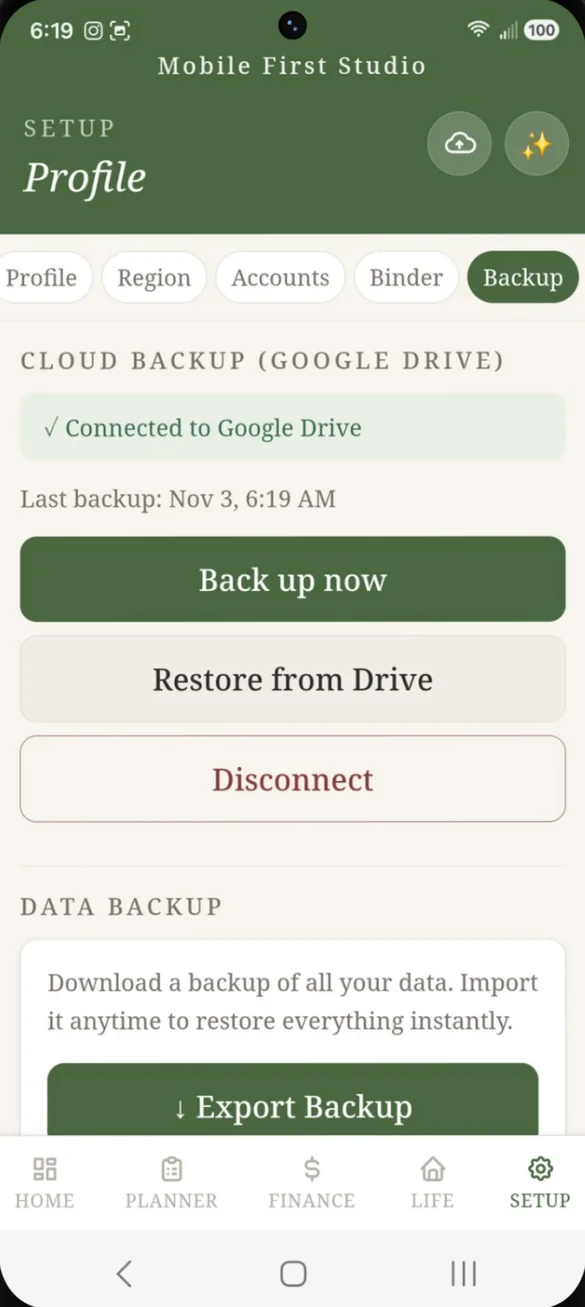
Everything saves privately on your device. You choose where backups go: a file you keep, or your own Google Drive with one tap on the cloud button. Drive backup is also how you move your household between your phone and computer.
- One time purchase, never a subscription
- Saved privately on your device
- Works offline once installed
- Optional backup to your own Google Drive
- Backup file you can export and restore anytime
- Binder PDFs made on your device, nothing uploaded
- No account, no login, no ads
How it works
Buy on Etsy
Your download has the app link and the 14 bonus binder pages.
Open the link
On your phone, tablet or computer, in Safari or Chrome.
Add it to your home screen
Or bookmark it on a computer, then start setting things up. Install guide
Good to know: this is a lot of app. If you only need one piece of it, like just gifts or just a chore chart, one of the smaller single purpose planners might suit you better.
The binder is a PDF, so you can print it at home or send the file to any print shop. See the other planners in the shop.
Questions
Is there a subscription?
No. You pay once on Etsy and the app is yours. No monthly fees and no ads.
Where is my data saved?
On your own device. There's no account, so nothing is stored with us. If you turn on Google Drive backup, a copy goes to your own Drive, and you can export a backup file anytime.
Can I use it on my phone and my computer?
Yes. It works in Safari on iPhone, Chrome on Android and any modern browser on a tablet or computer, where it opens a full screen layout with a side menu. Back up to Google Drive on one device and restore on the other to move your household across.
How does the household binder work?
Pick the sections you want and the app makes a PDF right on your device. It fills in what you've saved, and anything still empty prints as a blank form. Passwords only print if you choose to include them.
What is Safe to Spend?
Your main account balance minus the bills still due and this month's spending. It's what you can actually spend, not just a raw balance.
Is it too much if I only need one thing?
It might be. Life Admin HQ covers a lot. If you only need gift planning or a chore chart, one of the smaller single purpose planners could be a better fit.
Can I try it before I buy?
Yes. The free demo lets you tap around the real app in your browser.
What if it doesn't work on my phone?
Send a message through Etsy and I'll help you get it working. If we can't, you can get a refund within 30 days.
Try it before you buy
Tap around the real app in your browser. No sign up needed.