Meal Planner Plan the Week. Shop Once.
Turn "what's for dinner" from a nightly scramble into a plan you set once a week. Your family recipes, a shopping list built from your plan and sorted by your own aisles, and step by step cooking.
- One time purchase
- No account or login
- No ads
- Phone, tablet and computer
What's inside
Your week, your recipes and your shopping list, working together.
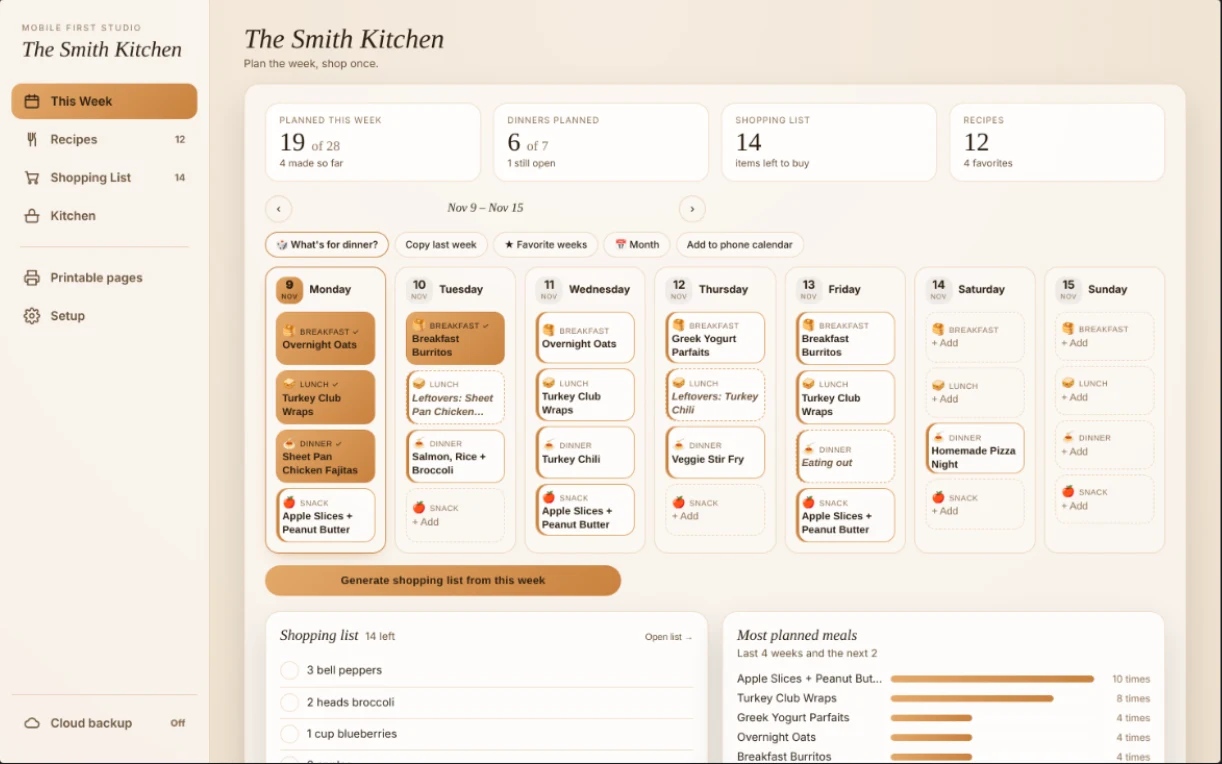
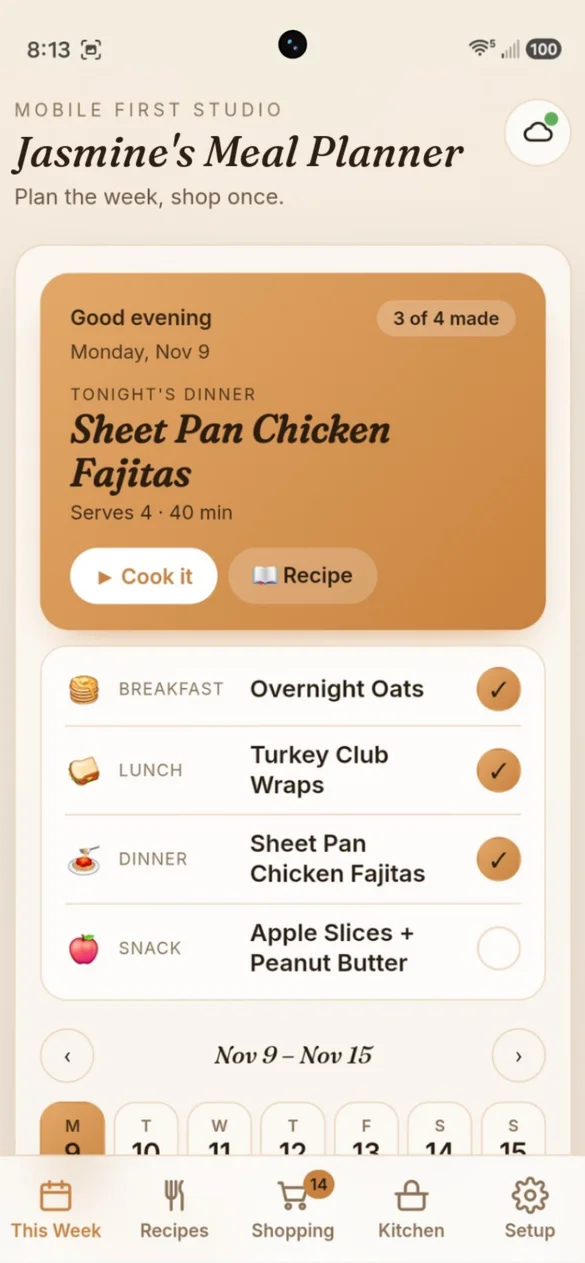
Know what's for dinner tonight.
Today's meals up top, your whole week below. Plan breakfast, lunch, dinner and a snack for all seven days, and check meals off as they get made.
- Tonight's dinner: with a button to start cooking
- Day picker: shows which days still need meals
- Can't decide?: tap Pick for me
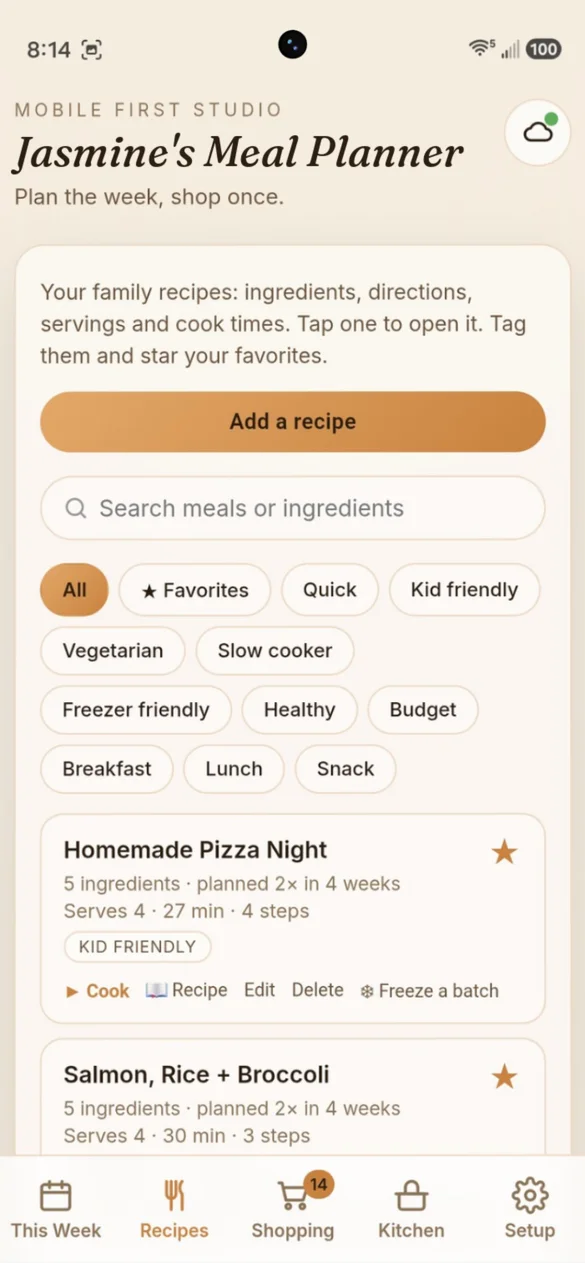
All your family recipes in one place.
Save ingredients, directions, servings and cook times. Tag them, star favorites and search by ingredient.
- 51 starter recipes: add them with one tap
- Cooking mode: step by step, with timers
- Change servings: and the amounts adjust
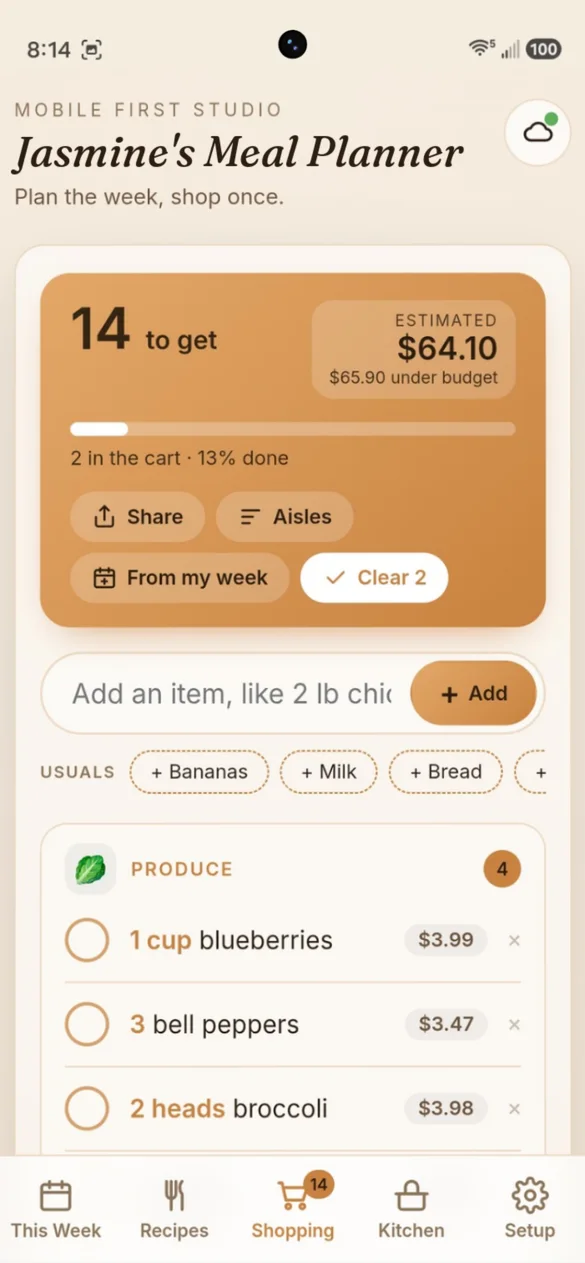
Your list, sorted by aisle.
Build it from your week with one tap. Amounts add up, and the staples you always keep are left off.
- Your own aisles: add, rename or reorder them
- See your total: next to your weekly budget
- Usual items: one tap to add them again
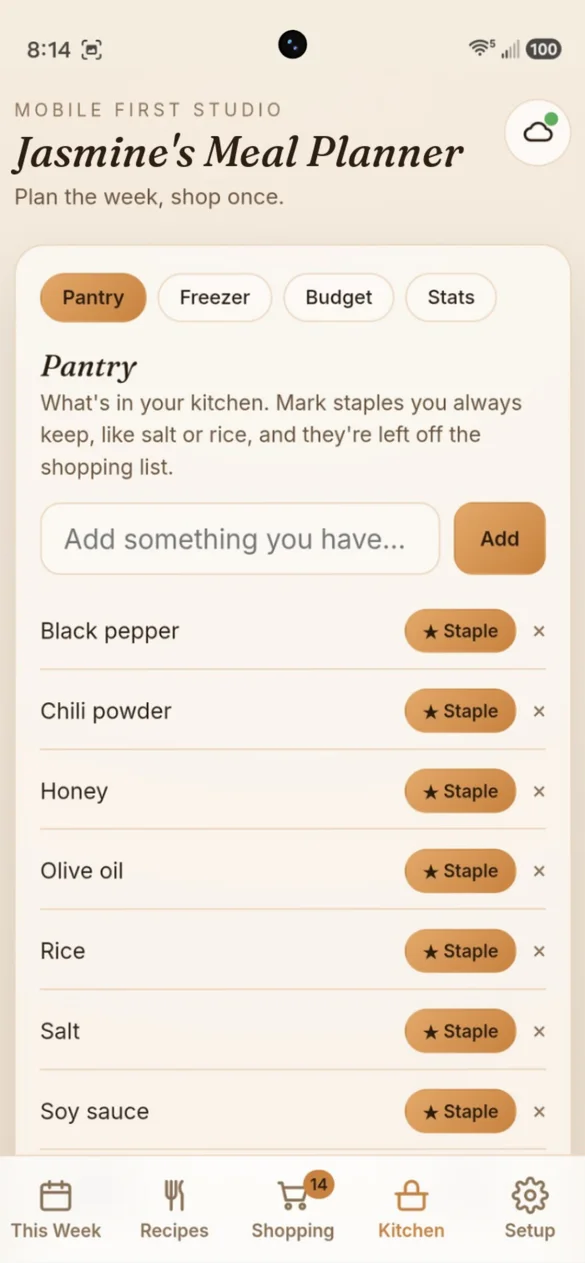
Know what you have before you shop.
Keep track of your pantry, freezer, grocery budget and kitchen stats, all in one tab.
- What can I make?: finds meals from what you have
- Staples: left off the shopping list
- Freezer list: oldest items first
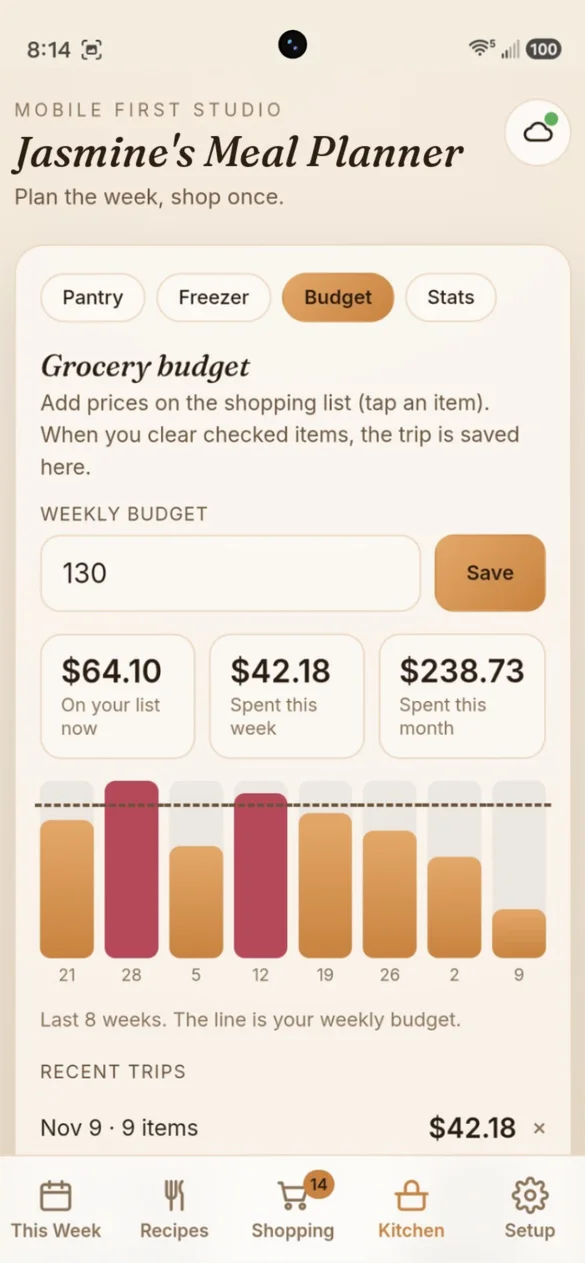
Stay on budget every week.
Add what each item costs as you shop and see your total next to your budget. Every trip is saved, so you can see where the money goes.
- Weekly budget: set your own
- Total: before you check out
- 8-week chart: with every trip saved
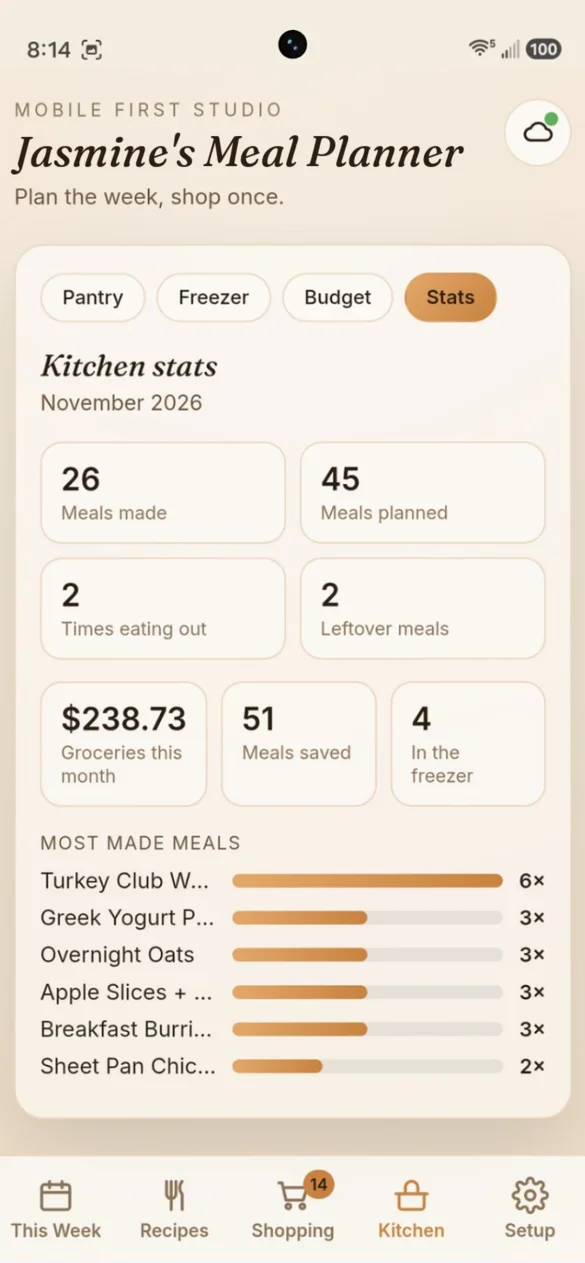
See what your family loves.
Meals made, nights out and leftovers, plus what you spent on groceries this month.
- Most made meals: at a glance
- Nights out and leftovers: counted for you
- Grocery spending: this month
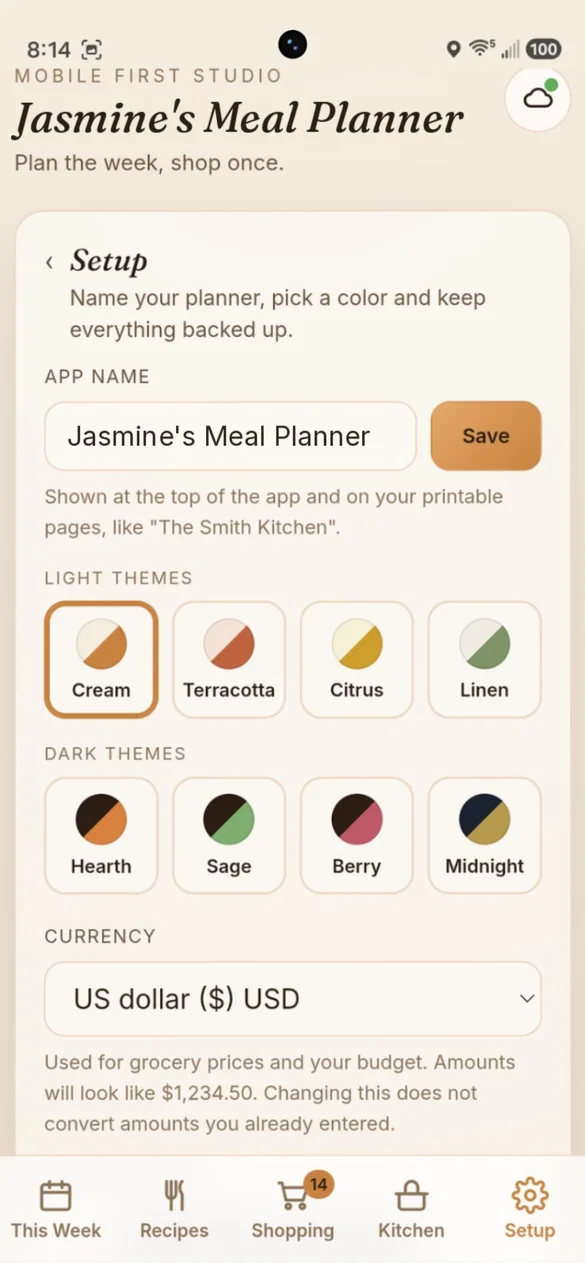
Your name. Your colors.
Name your planner, like "The Smith Kitchen", and it shows on the app and your printables. Pick a theme and your currency.
- Your planner name: on the app and printables
- 8 themes: 4 light and 4 dark
- 31 currencies: dollars, pounds, euros and more
Little extras that help
Cooking mode
Big step by step view with timers, and your screen stays on.
Leftovers and nights out
Plan tonight's dinner as tomorrow's lunch in one tap.
Copy last week
Repeat a week that worked, or save favorite weeks.
Phone calendar
Meal reminders, plus a thaw reminder the night before.
Recipe cards
Print any recipe for the fridge or a recipe binder.
Works offline
Your plan, recipes and list are there with no Wi-Fi.
Your plan stays yours.
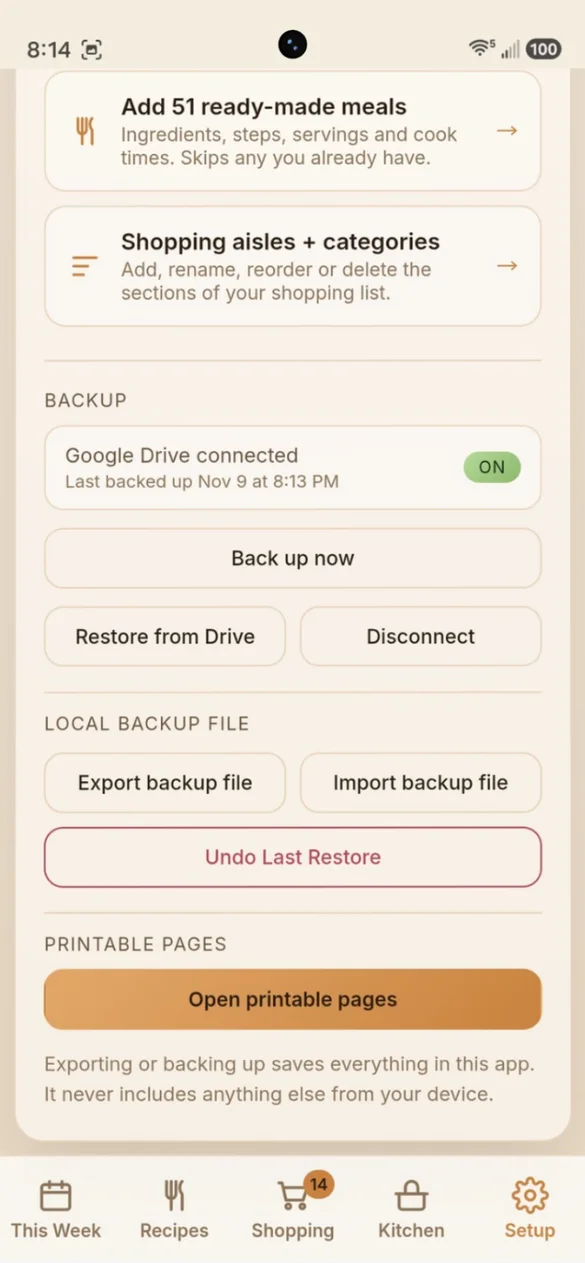
Everything saves privately on your device and works offline, with no account or login. Back up to your own Google Drive or save a backup file, and undo a restore if you change your mind. Exporting or backing up saves only what's in this app.
- One time purchase, yours forever
- Saved privately on your device, works offline
- Optional Google Drive backup, in your own account
- Backup file you can download anytime
- Undo a restore if you change your mind
- No account or login, ever
- No ads, ever
How it works
Buy on Etsy
Your download has the full app link and the bonus PDF of blank pages.
Tap the link
Open it on your phone, tablet or computer.
Add it to your home screen
Or bookmark it, then plan your first week. Install guide
Good to know: this is a web app you add to your home screen, not an App Store download, so there's nothing to install from an app store and nothing to update. Once it's on your home screen it works offline.
Each device keeps its own copy, so use Google Drive backup or a backup file to move between your phone and computer.
Questions
Is there a subscription?
No. You pay once on Etsy and the app is yours. No monthly fees and no ads.
Does it make the shopping list for me?
Yes. One tap pulls every ingredient from the week you planned, adds up the amounts and sorts them by your own aisles. Staples you always keep, like salt and rice, are left off.
Do I have to type in all my recipes?
No. Add any of the 51 starter recipes in one tap, then edit them however you like, or add your own family recipes.
Can it scale a recipe?
Yes. Change the servings, say from 4 to 8, and the ingredient amounts adjust, and so does the shopping list.
Can I share the shopping list?
Yes. Send it to a partner or text it to yourself.
Can I use it on my phone and my computer?
Yes. On a computer it opens to a full layout with the whole week side by side, and you can drag and drop meals in the month view. Back up on one and restore on the other.
Can I try it before I buy?
Yes. The free demo lets you try Meal Planner for 14 days, right on your phone. Your purchase includes the full app with no trial banner or time limit.
What if it doesn't work on my phone?
Send a message through Etsy and I'll help you get it working. If it doesn't install or work on your phone, you can get a refund within 30 days.
Try it before you buy
The real app with sample data. Nothing you type is saved.