Moon Ritual Planner Moon Phases, Rituals and Journal
Your practice, tied to the actual sky. Tonight's moon phase is worked out the moment you open the app, so your calendar, rituals, reminders and journal always match the moon as it really is.
- One time purchase
- No account or login
- No ads
- Phone, tablet and computer
What's inside
The moon, your rituals and your journal together, so your practice follows the sky.
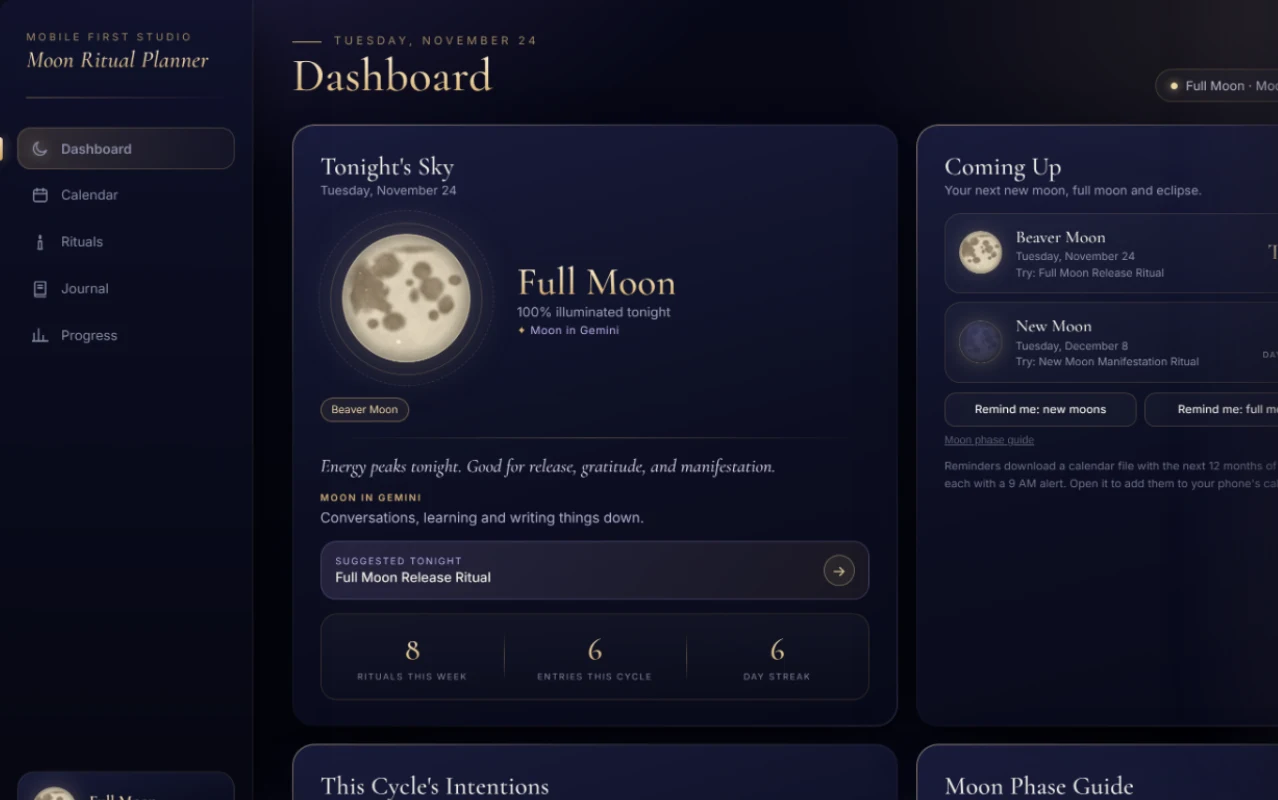
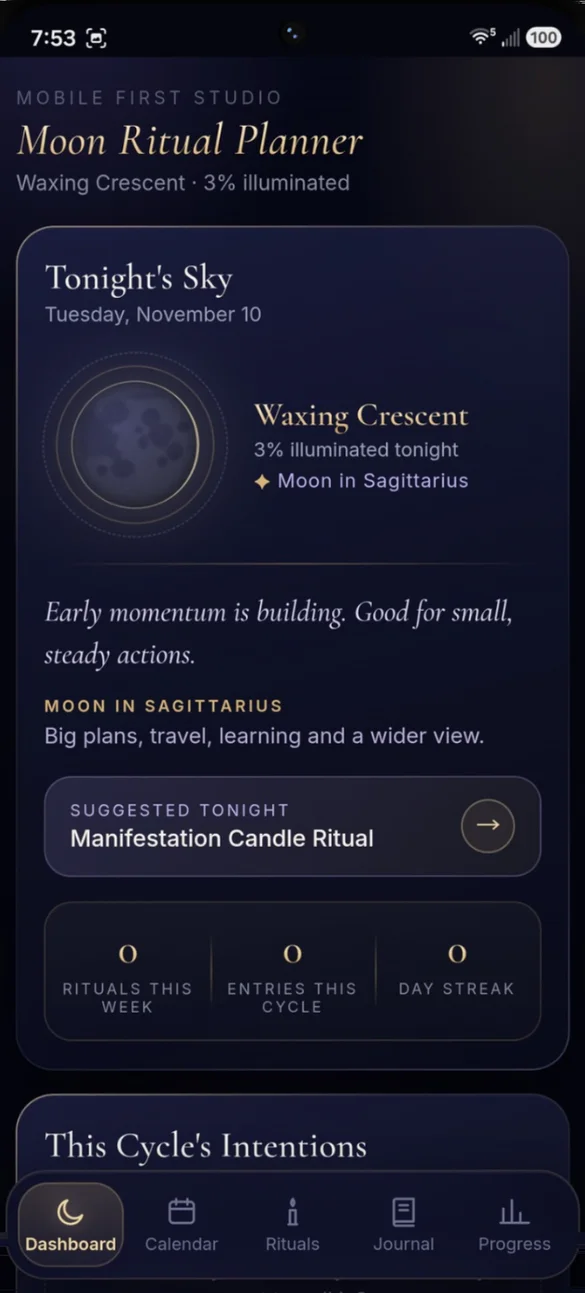
Your dashboard, lit by the real moon.
Open the app and see tonight's moon phase and how much of it is lit, a short note on the energy of this phase, and a ritual to match. It's worked out the moment you open the app.
- Moon sign: what tonight's sign is good for
- Suggested ritual: one tap opens the steps
- Your stats: rituals, entries and streak at a glance
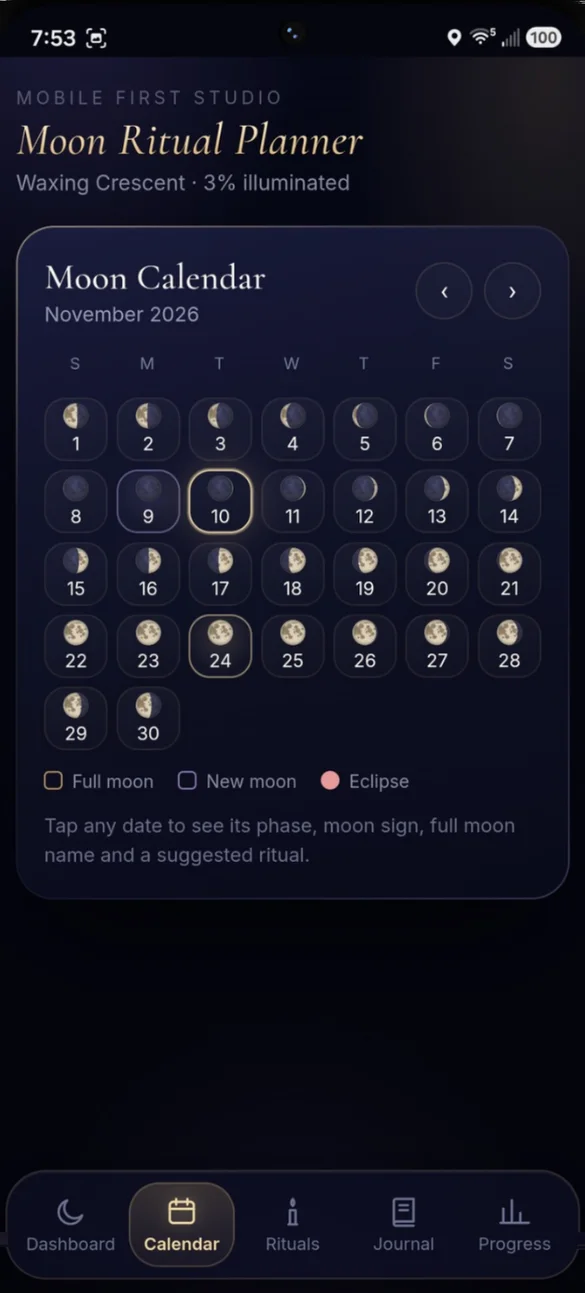
Every phase, every night of the month.
Every full moon and new moon is marked, so you can see your whole cycle at a glance. Browse any month, past or future.
- Full moon names: Wolf, Harvest, even a Blue Moon
- Eclipses: marked on the calendar through 2030
- Any month: past or future
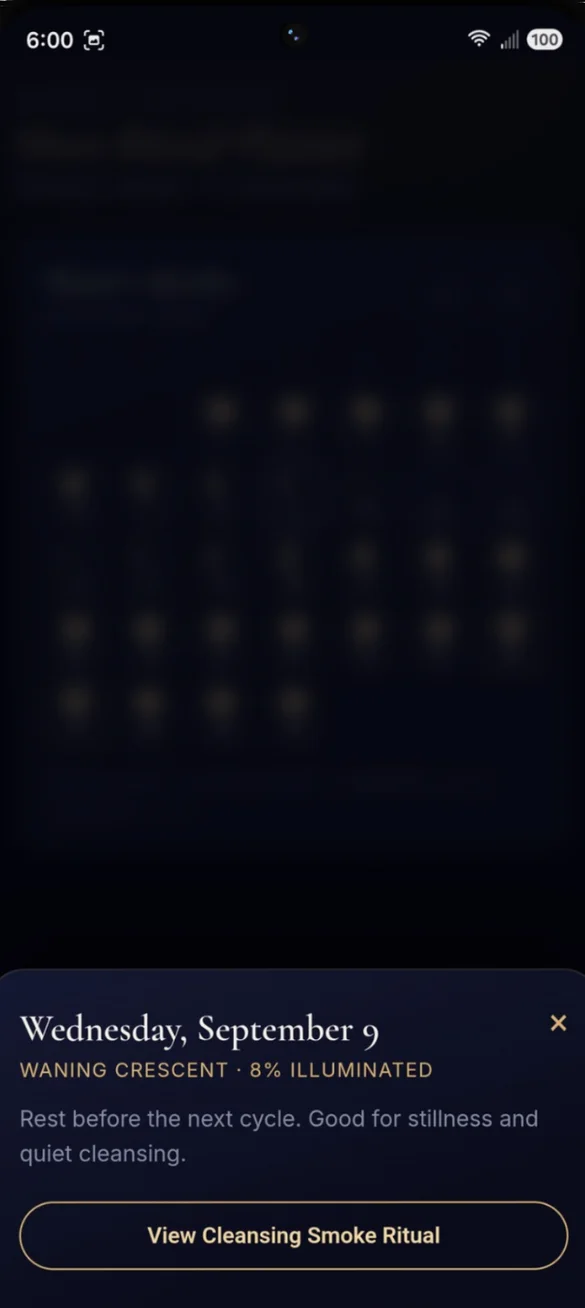
Tap a date, see its energy.
Each day opens its phase, how much of the moon is lit and a note on its energy, plus any rituals you completed that day and one tap to the ritual that fits.
- Phase and light: for any day
- What you did: rituals completed that day
- One tap: to the suggested ritual
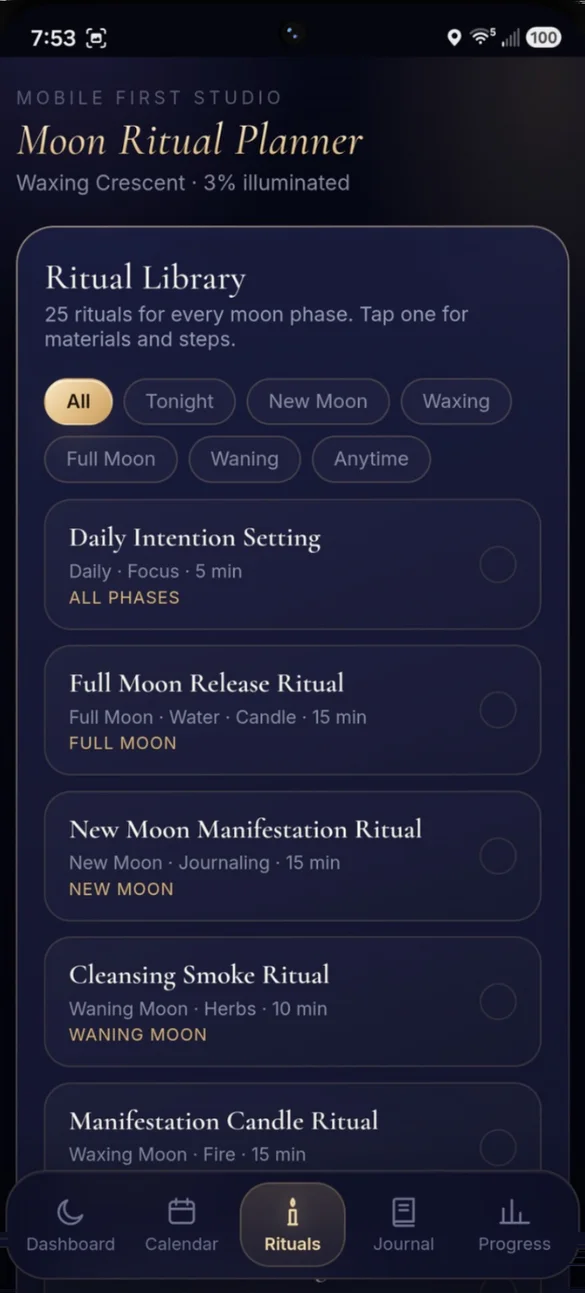
25 rituals for every moon phase.
Filter by Tonight, New Moon, Waxing, Full Moon, Waning or Anytime. Tap one to see what you need and the steps.
- Tonight: the rituals that match the moon now
- Mark it done: every ritual counts toward your streak
- Add your own: with your own materials and steps
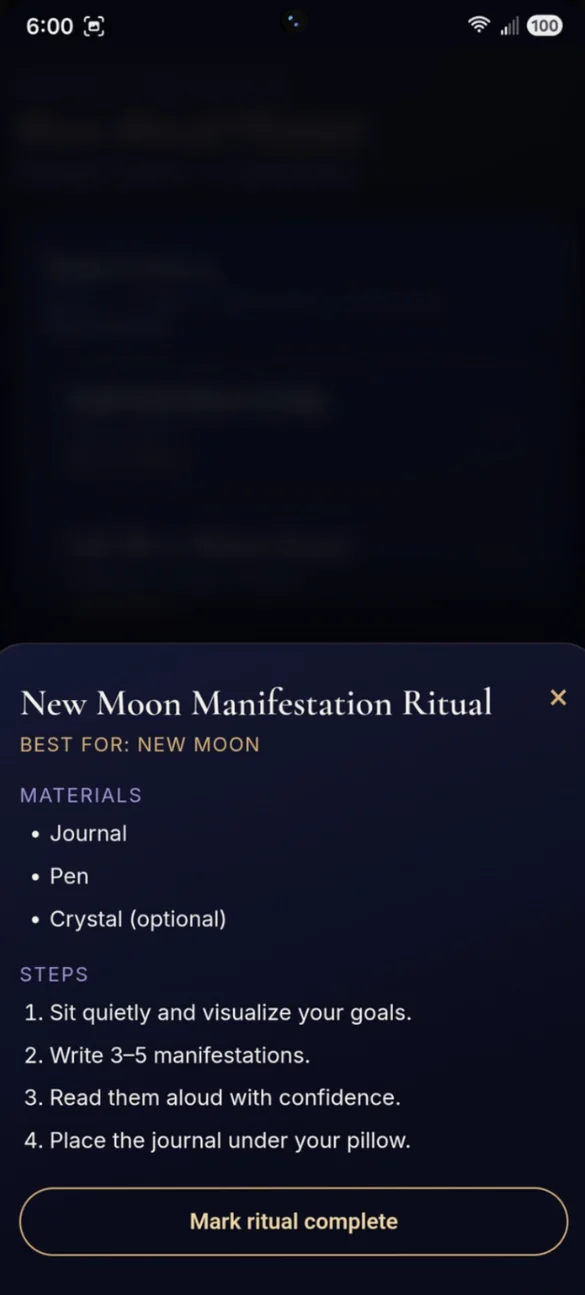
Materials, steps and a place to mark it done.
Every ritual lists exactly what you need and walks you through numbered steps, with one tap to mark it complete for the day.
- Materials: listed up front
- Numbered steps: simple and short
- Mark complete: one tap
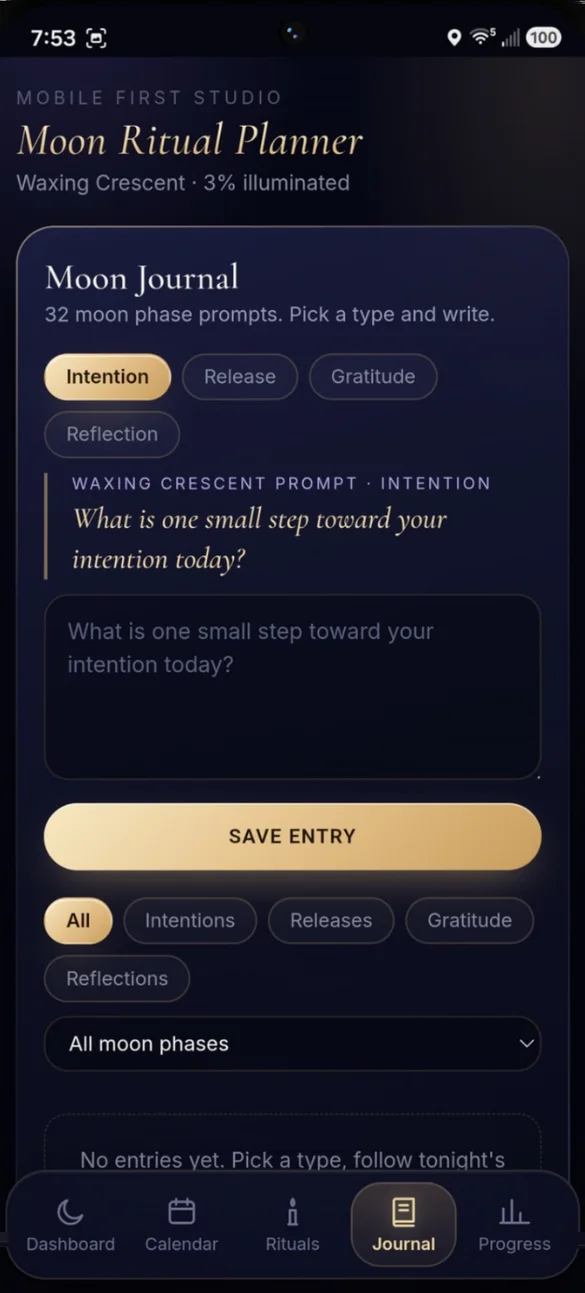
Prompts that change with the moon.
Pick a type and write. Tonight's prompt is ready, and every entry is tagged with the moon phase you wrote it under, so you can look back and see how your thoughts shift with the sky.
- 4 entry types: intention, release, gratitude and reflection
- 32 prompts: a new one for every phase
- Filters: find entries by type or moon phase
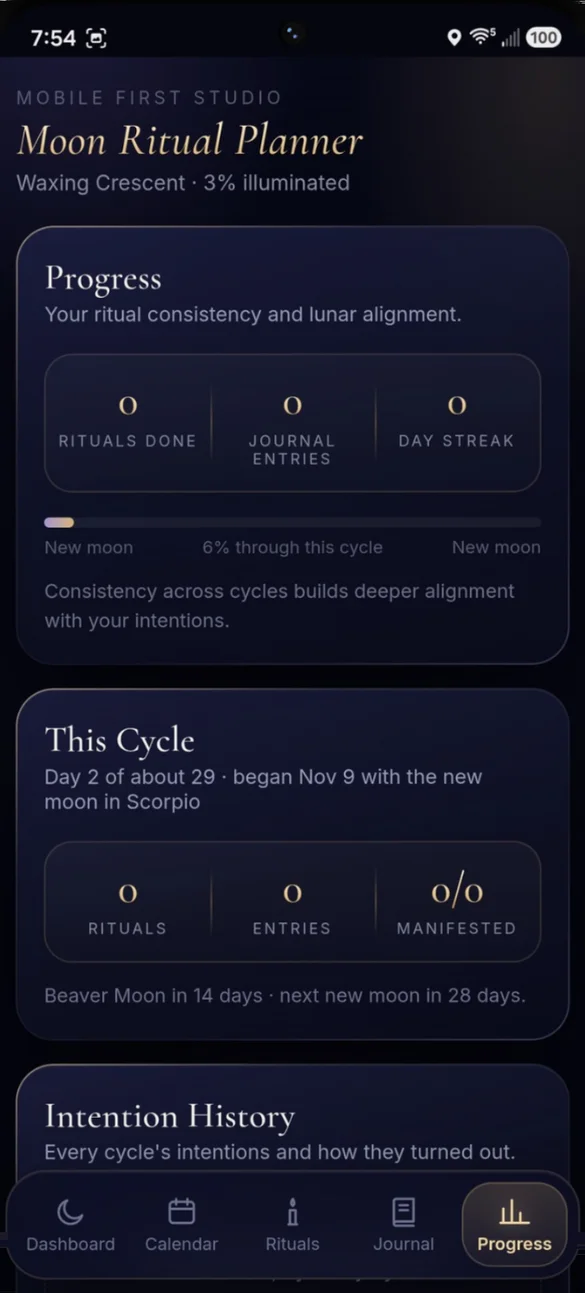
Watch your practice grow.
See rituals done, journal entries and your day streak, plus a bar showing how far you are between one new moon and the next.
- This cycle: rituals, entries and what manifested
- Countdown: days to the next full and new moon
- Intention history: every cycle saved
Print it. Keep it yours.
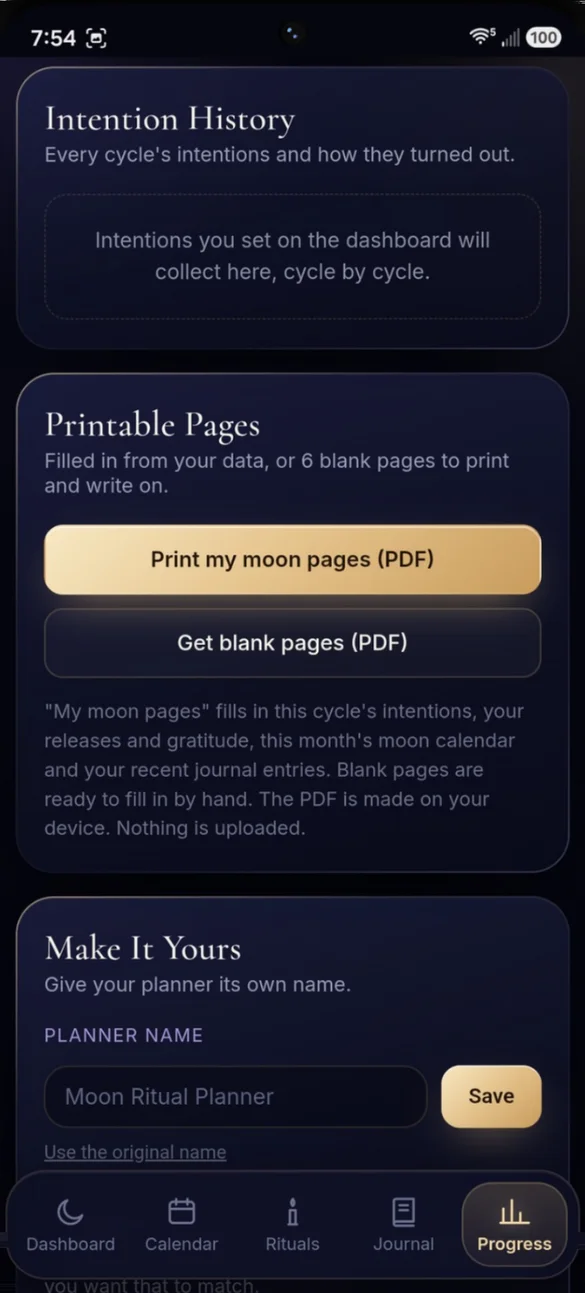
Print your moon pages as a PDF, filled in from your intentions, journal and this month's moon calendar, or get 6 blank pages to write on. Give your planner its own name too.
- My moon pages: filled in from your entries
- 6 blank pages: to print and fill in by hand
- Your planner name: at the top of the app and on printed pages
Little extras that help
Moon reminders
A year of new or full moons for your own calendar, each with a 9 AM alert.
Coming up
Your next full moon, new moon and eclipse, with the ritual that suits each one.
Moon phase guide
All eight phases, what each is good for and the ritual to try.
This cycle's intentions
Set them at the new moon and check in at the full moon.
Phone and computer
A full dashboard on your laptop, a home screen app on your phone.
Works offline
Check the moon and write in your journal with no signal.
Your practice stays yours.
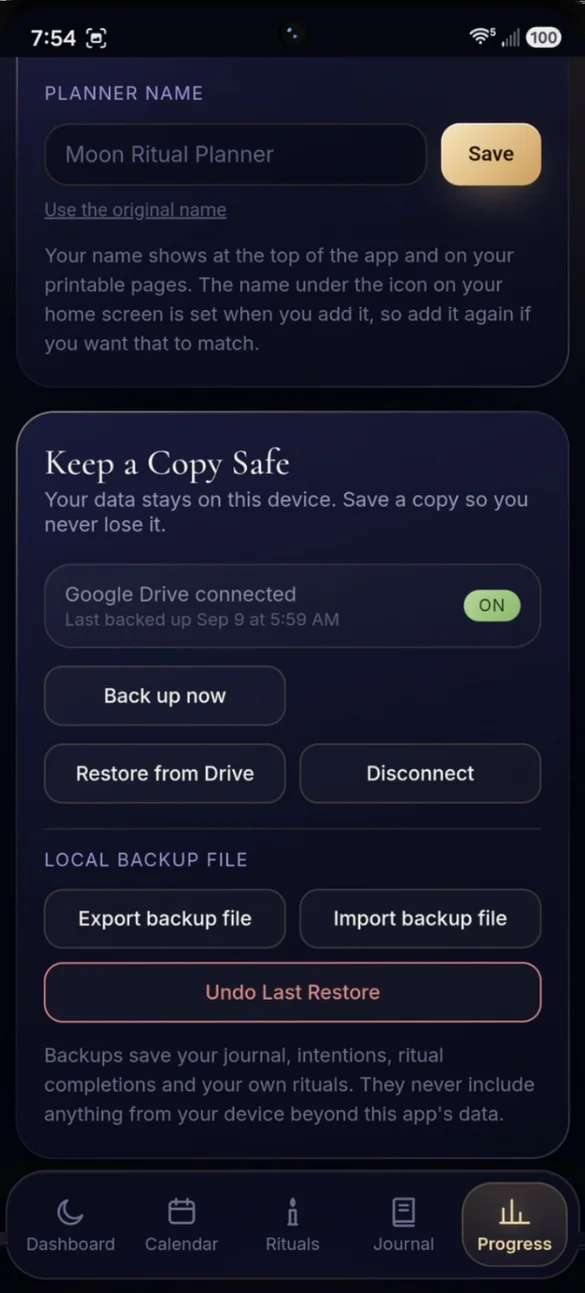
Your rituals, journal entries and progress stay on your device, with no account or login. Nothing is sent anywhere unless you connect your own Google Drive for backup. You can also export a backup file anytime, and a backup is how you move your planner between devices.
- One time purchase, yours forever
- Saved privately on your device, offline
- Optional Google Drive backup, in your own account
- Backup file you can export and import anytime
- Undo your last restore
- No account or login, ever
- No ads, ever
How it works
Buy on Etsy
Download your PDF with the link to your app.
Tap the link
Open it on your phone, tablet or computer.
Add it to your home screen
Or bookmark it, and you're set. Install guide
Good to know: the moon phase is worked out in the app from the date. It doesn't use an astrology service, so full moon and new moon dates can be a day off from other sources, and the same goes for calendar reminders.
Each device keeps its own copy, so use Google Drive backup or a backup file to move between devices. Google Drive backup needs an internet connection.
Questions
Is there a subscription?
No. You pay once on Etsy and the app is yours. No monthly fees and no ads.
Where does the moon phase come from?
The app works it out from the date, so it is always current. It doesn't use an astrology service, so a full moon or new moon date can be a day off from other sources.
Will it remind me about full and new moons?
Yes. Tap Remind me and the app saves a calendar file with the next year of new moons or full moons, each with a 9 AM alert. Open it on your phone and they appear in your own calendar.
Can I add my own rituals?
Yes. Give it a name, a moon phase, materials and steps. Your rituals sit beside the built-in ones, you can edit or delete them any time, and they are included in your backups.
Is my journal private?
Yes. Your journal, rituals and progress stay on your device. Nothing is sent anywhere unless you connect your own Google Drive for backup.
Can I use it on my phone and my computer?
Yes. You get a full dashboard on a computer and a home screen app on your phone. Each device keeps its own copy, so back up on one and restore on the other.
Can I try it before I buy?
Yes. The free demo shows the real app, and nothing you type is saved, so try every button.
What if it doesn't work on my phone?
Send a message through Etsy and I'll help you get it working. If we can't, you can get a refund within 30 days.
Try it before you buy
The real app with sample data. Nothing you type is saved.