Password Tracker Private Password Keeper App
Every login you own, locked in one private app on your phone or computer. Make strong passwords in a tap, copy them when you need them, and see which ones need fixing.
- One time purchase
- Encrypted on your device
- No account
- Phone, tablet and computer
What's inside
No more sticky notes, notebooks or the same password everywhere.
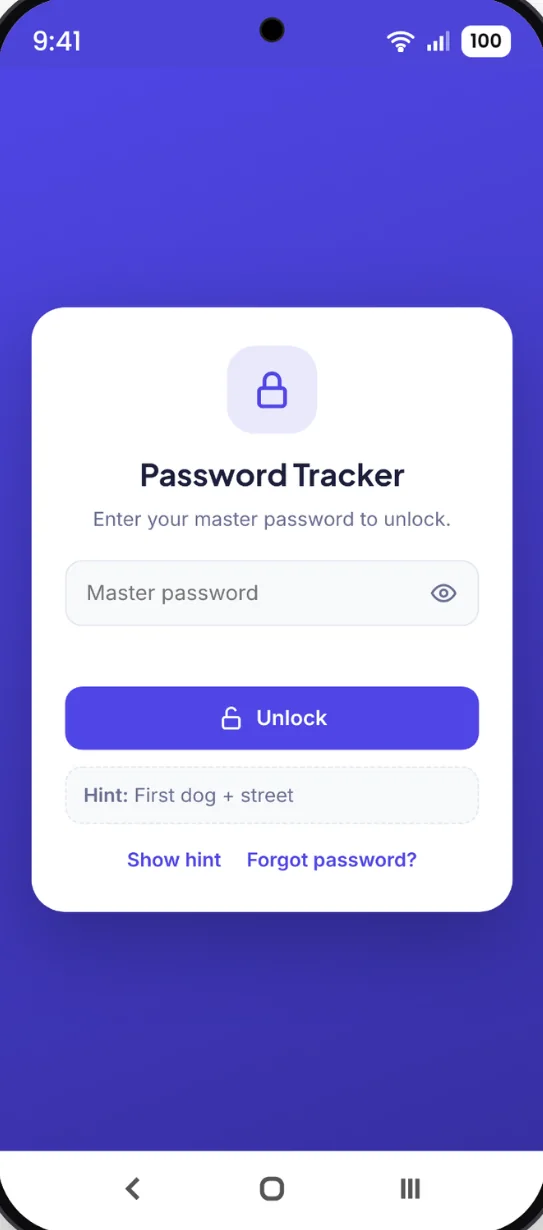
One password unlocks it all.
Everything is locked with a master password only you know. Your logins are encrypted right on your device, and the app locks itself when you step away.
- Encrypted: your logins are scrambled on your device
- Auto-lock: locks itself after you step away
- Hint: an optional reminder on the lock screen
Every login in one locked place.
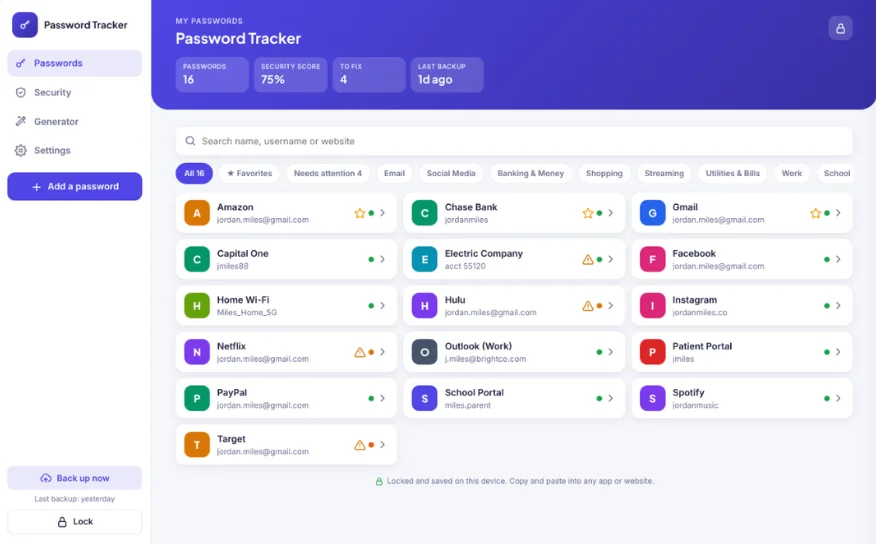
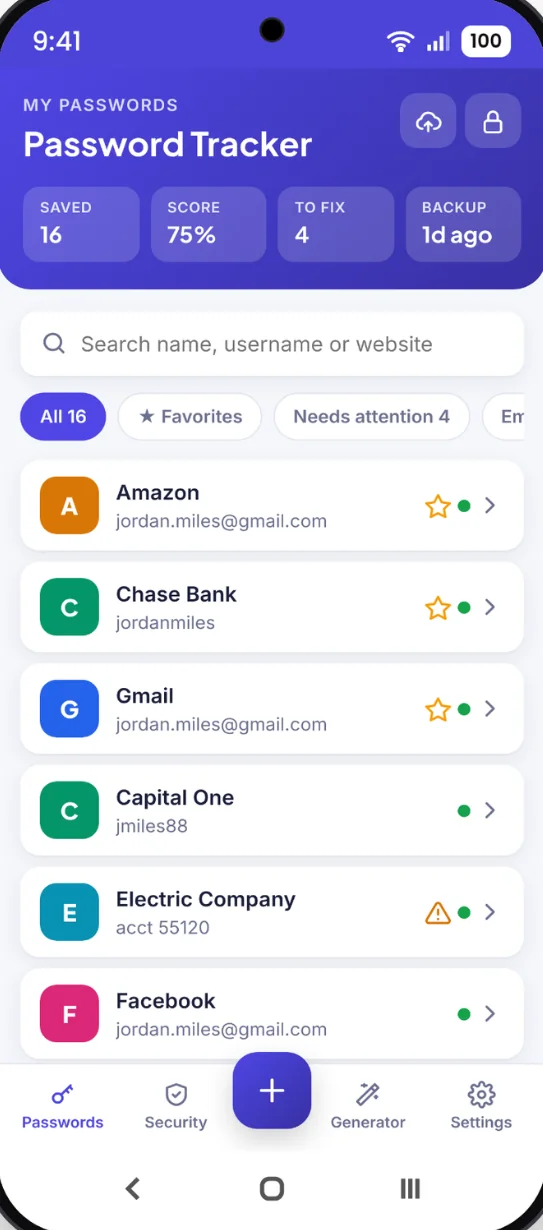
Save the name, username, password, website and notes for each account. Sort them into ready-made categories and find any login fast.
- 12 categories: Email, Banking, Streaming, Shopping, Wi-Fi and more
- Search: by name, username or website
- Favorites: keep the ones you use most at the top
Copy it in one tap.
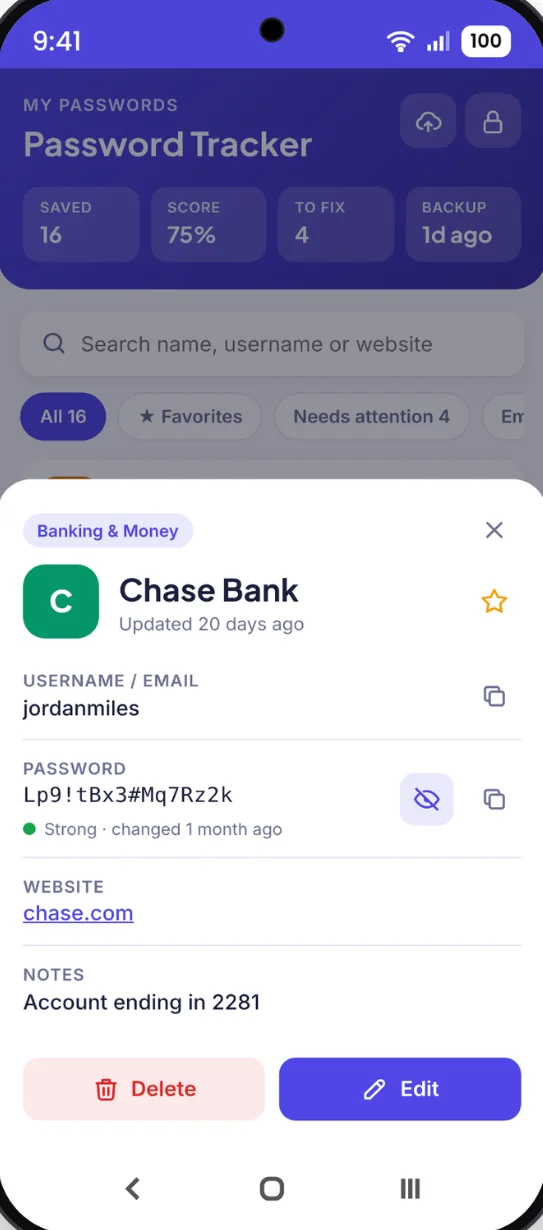
Open a login and tap copy to paste the username or password where you need it. No more retyping long passwords.
- Show or hide: reveal a password only when you need to
- Clipboard clears: 30 seconds after you copy a password
- Password history: the last 5 old passwords are kept
Strong passwords, made for you.
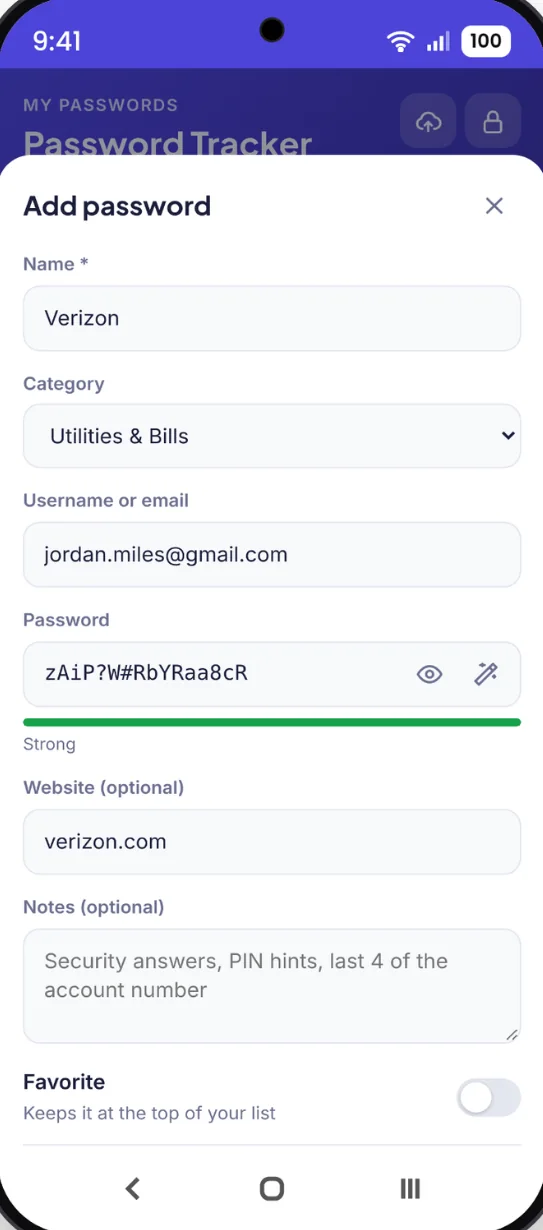
Tap the wand when you add a login and a strong password fills right in. Look-alike characters are left out, so they're easy to read and type.
- 8 to 40 characters: with capital letters, numbers and symbols
- Strength meter: on every password you save
- Notes: security answers, PIN hints or account details
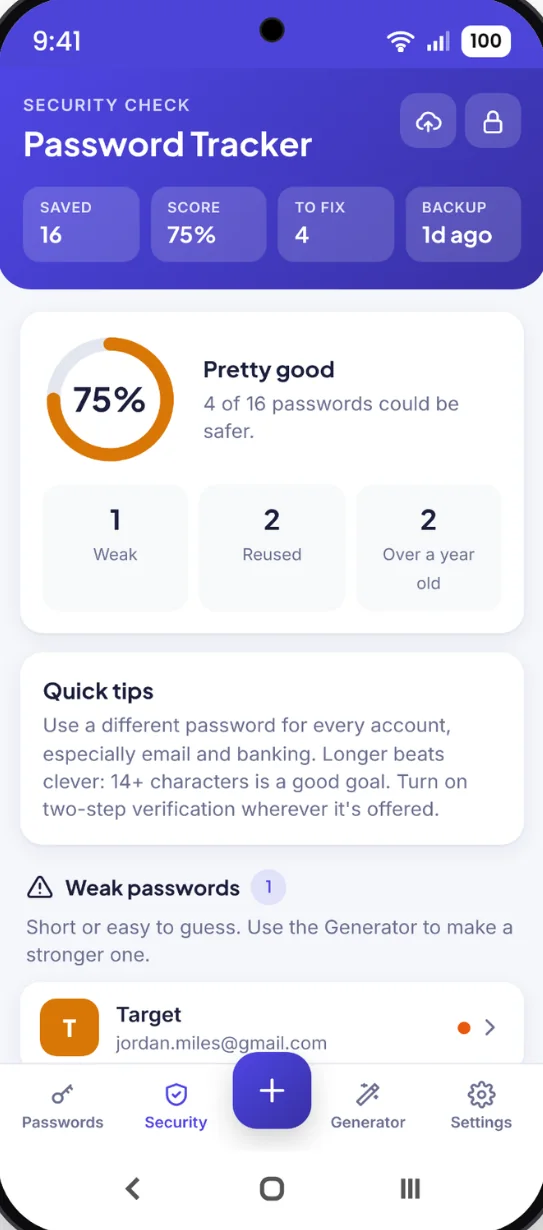
See what needs fixing.
Your security score spots weak passwords, passwords used on more than one account, and ones that haven't changed in over a year. Tap any of them to update it.
- Security score: how safe your passwords are at a glance
- Reused: finds passwords used on more than one account
- Old: flags passwords over a year old
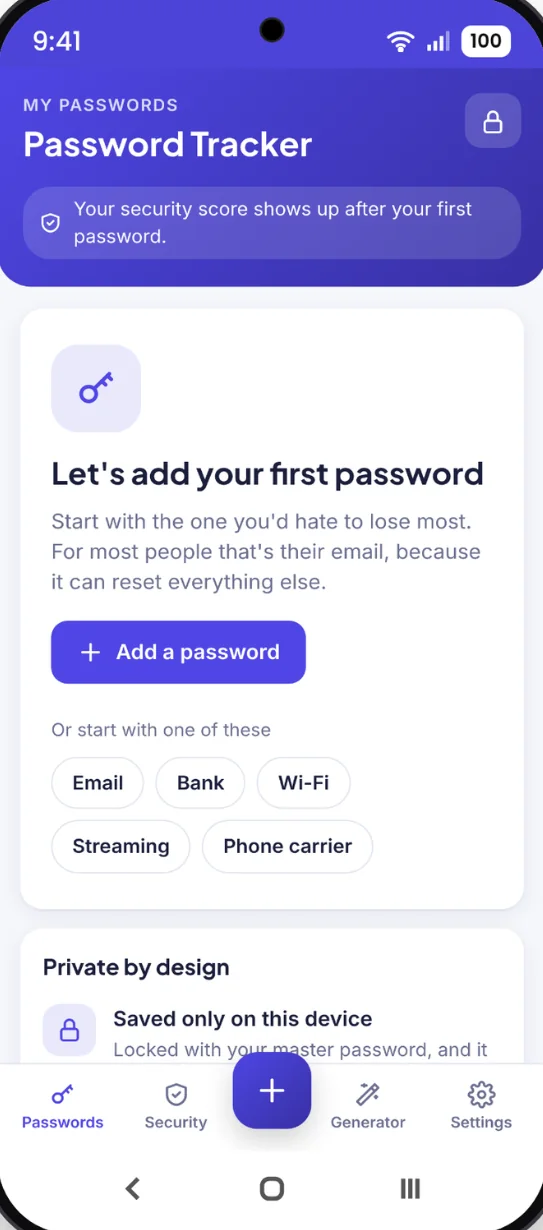
Ready in a minute.
Quick start buttons for email, bank, Wi-Fi, streaming and phone carrier get you going. Already saved passwords somewhere else? Import them all at once.
- Quick start: one tap for the logins most people need first
- Import: from Google, Chrome, Firefox, Safari, LastPass, 1Password or Bitwarden
Keep a paper copy too.
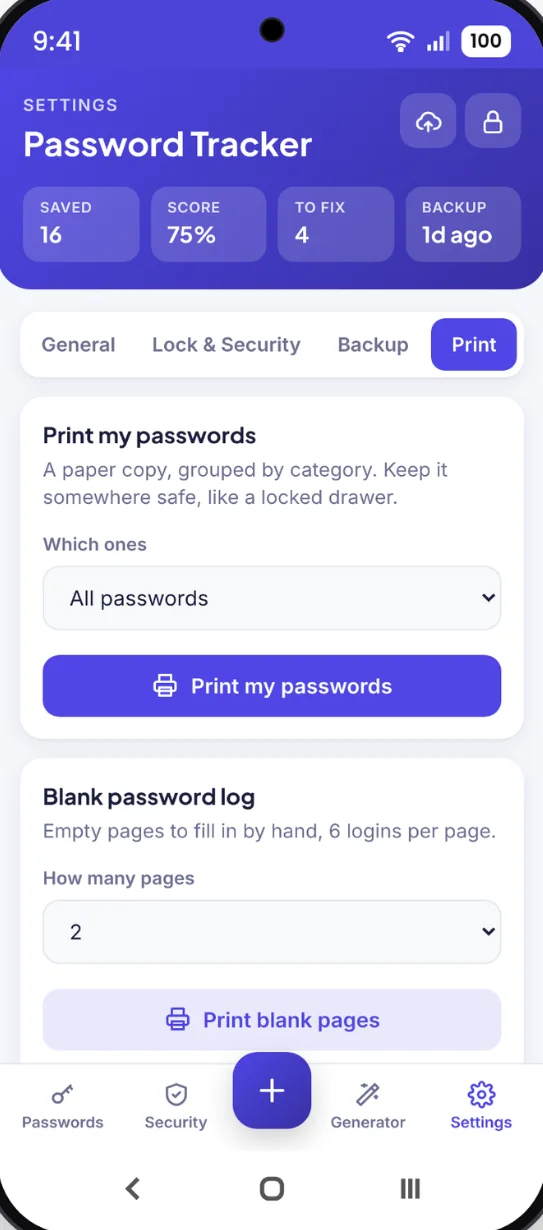
Print your saved passwords, all of them or one category, or print blank password log pages to fill in by hand. Save as a PDF right from your phone.
- Print my passwords: grouped by category
- Blank log pages: 6 logins per page
- Bonus printables: password log, quick list, Wi-Fi, streaming, two-step backup codes and more
Your colors, your name.
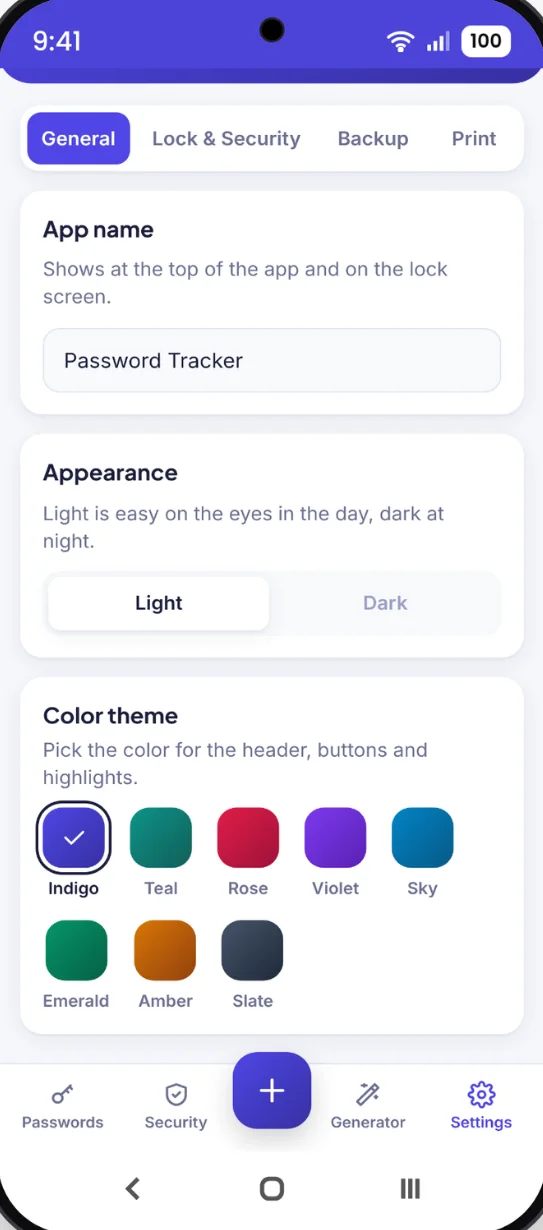
Pick a color theme, switch between light and dark mode, and rename the app.
- 8 color themes: Indigo, Teal, Rose, Violet, Sky, Emerald, Amber and Slate
- Light or dark: easy on your eyes day or night
- App name: shows at the top and on the lock screen
Little extras that help
Encrypted backups
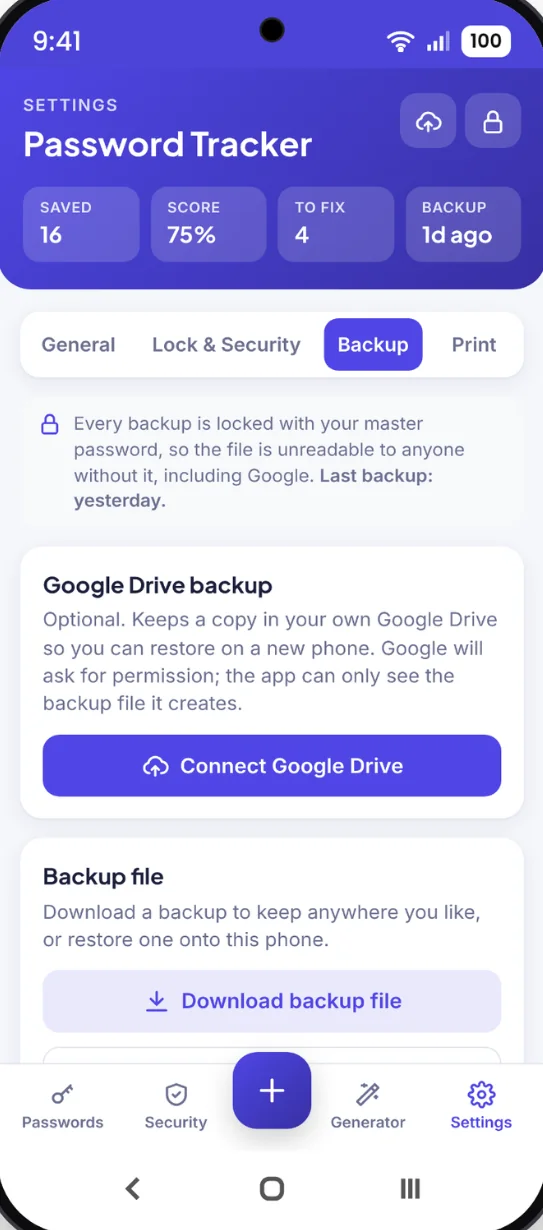
Backups are locked with your master password, so no one else can read them.
Import in one go
Bring passwords over from your browser or another password app.
Favorites
Pin the logins you use every day to the top.
Computer layout
A sidebar and a full grid of your logins on a bigger screen.
Works offline
Your passwords open with no Wi-Fi or signal.
Bonus printables
Password log, email, banking, Wi-Fi, streaming and two-step backup code pages.
Private by design
Your passwords are encrypted and saved only on your device. There is no account and nothing is sent to us. Backups are locked with your master password, so the file is unreadable to anyone without it, including Google.
- One time purchase, yours forever
- Encrypted and saved on your device
- Works offline once installed
- Optional backup to your own Google Drive
- Backup file you can download anytime
- No account, no login, no ads
How it works
Buy on Etsy
Download your PDF, plus the bonus printables.
Open the link
On your phone, tablet or computer, in Safari or Chrome.
Add it to your home screen
Set your master password and add your first login. Install guide
Good to know: your master password can't be reset or recovered, because it isn't stored anywhere. Use the hint and keep a backup.
Password Tracker doesn't fill in passwords for you. You copy and paste them into any app or website. Each phone or computer keeps its own list, and a backup moves it from one to another.
Questions
Where are my passwords stored?
On your own phone or computer, encrypted and locked with your master password. Nothing is sent to us, and there's no account to make.
What if I forget my master password?
It can't be reset or recovered, because it isn't stored anywhere. That's what keeps it private. Add a hint on the lock screen and keep a backup in case.
Does it fill in passwords for me?
No. Open a login and tap copy, then paste it into any app or website. Your clipboard clears itself 30 seconds later.
Can I bring in passwords I already saved?
Yes. Export them as a file from Google, Chrome, Firefox, Safari, LastPass, 1Password or Bitwarden, then import them all at once.
Can I use it on my phone and my computer?
Yes. Each device keeps its own list, and a backup moves your passwords from one to the other. The Guide walks through it step by step.
Is there a subscription?
No. You pay once on Etsy and the app is yours. No monthly fees and no ads.
Can I try it before I buy?
Yes. The free demo lets you tap around the real app in your browser.
What if it doesn't work on my phone?
Send a message through Etsy and I'll help you get it running. If we can't get it working, you can get a refund within 30 days.
Try it before you buy
Tap around the real app in your browser. No sign up needed.