Rental Property Tracker Rent, Tenants and Expenses
Built for landlords with a handful of rentals, not big portfolios. See who paid and who is late, keep every lease in one place, log repairs and expenses, and have your totals ready at tax time.
- One time purchase
- No account or login
- No ads
- Phone, tablet and computer
What's inside
Rent, tenants, repairs and money for every rental, on your phone or your computer.
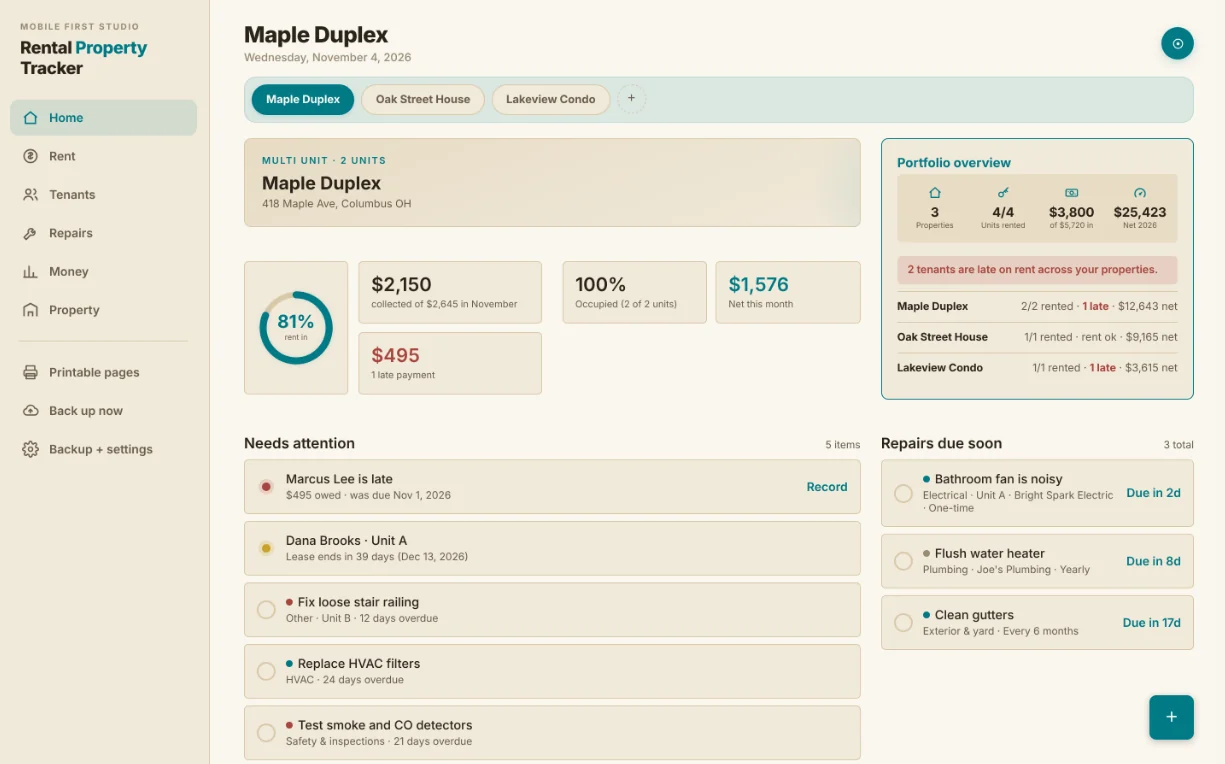
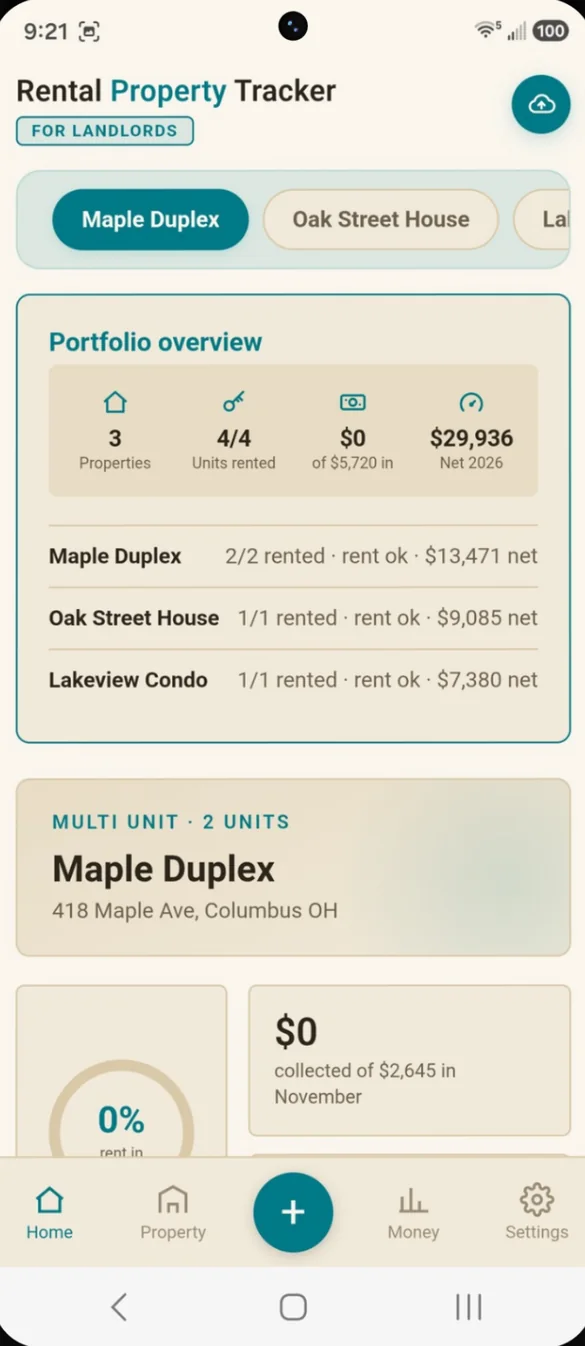
Your rentals at a glance.
Rent collected this month, late payments, occupancy and net income sit on one screen. A Needs Attention list brings late rent, lease endings, vacant units and overdue repairs to the top.
- Portfolio overview: units rented, rent collected and net income across every property
- Needs Attention: late rent, lease endings, vacant units and overdue repairs
- Switch properties: one tap from the bar at the top
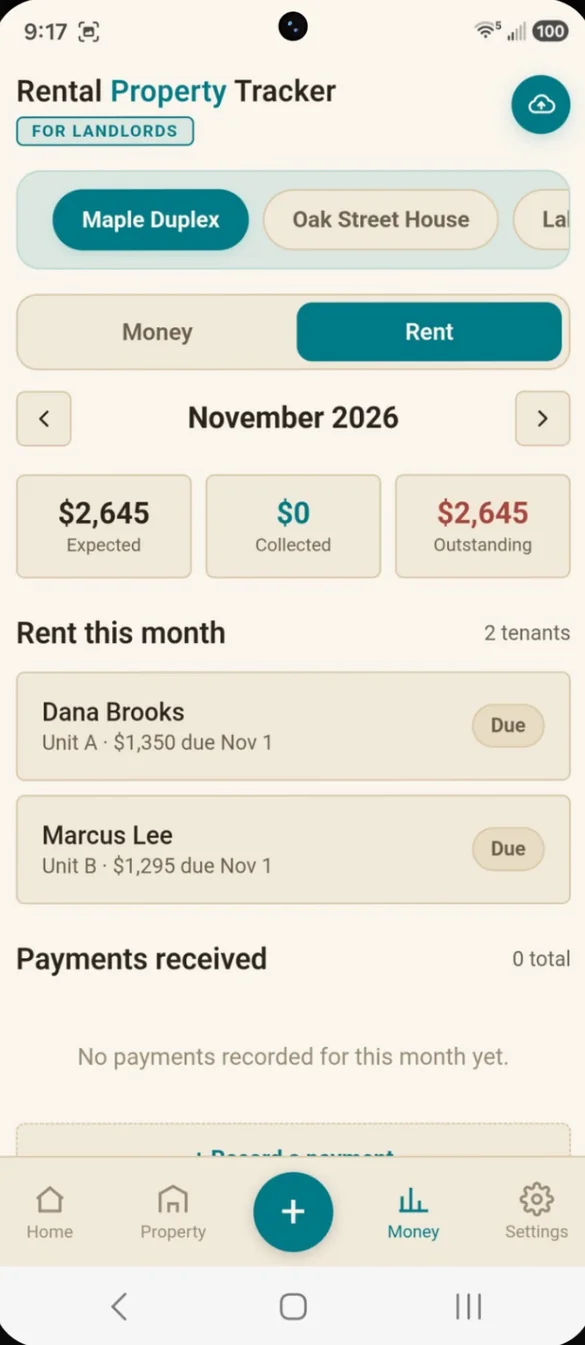
See who paid and who is late.
Every tenant's rent for the month shows as Paid, Partial, Due or Late. Set a grace period, and anything unpaid after it is flagged for you.
- Monthly totals: expected, collected and outstanding
- Record a payment: with the amount still owed filled in
- Other income: late fees, pet fees, parking, laundry and more
Every tenant and lease in one place.
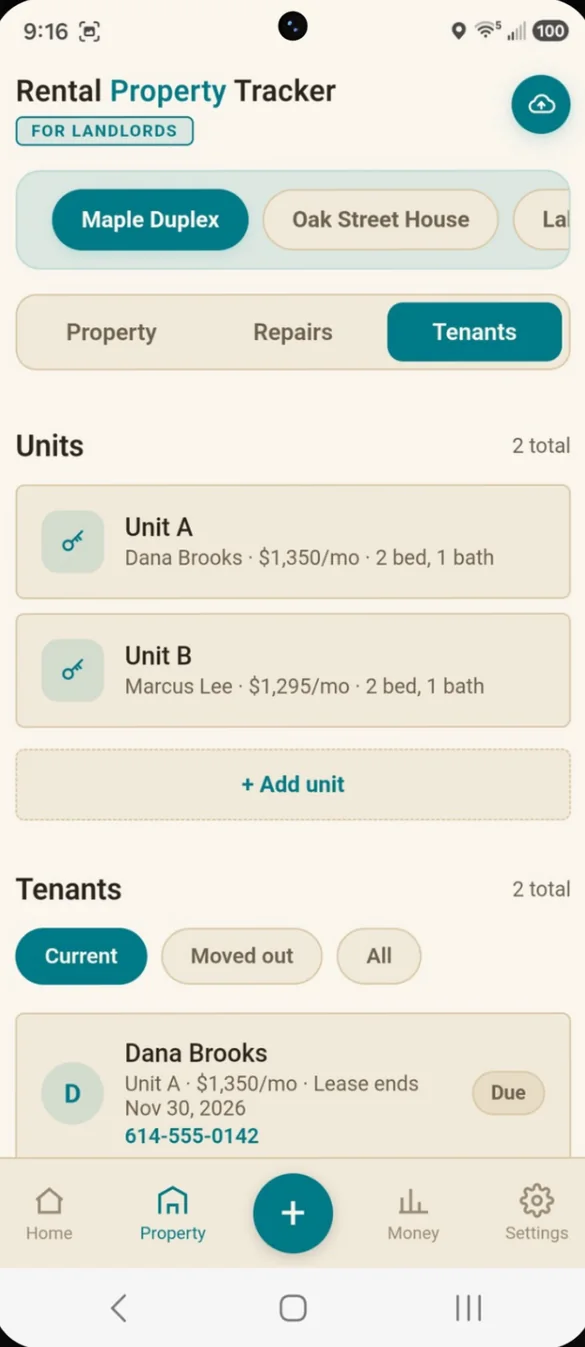
Keep each tenant's phone, email, unit, monthly rent, due day, lease dates and security deposit together. You get a heads up 60 days before a lease ends.
- Units: rent, beds and baths for each one
- Lease alerts: 60 days before a lease ends
- Tap to call: any tenant phone number
- Moved out: past tenants kept on file
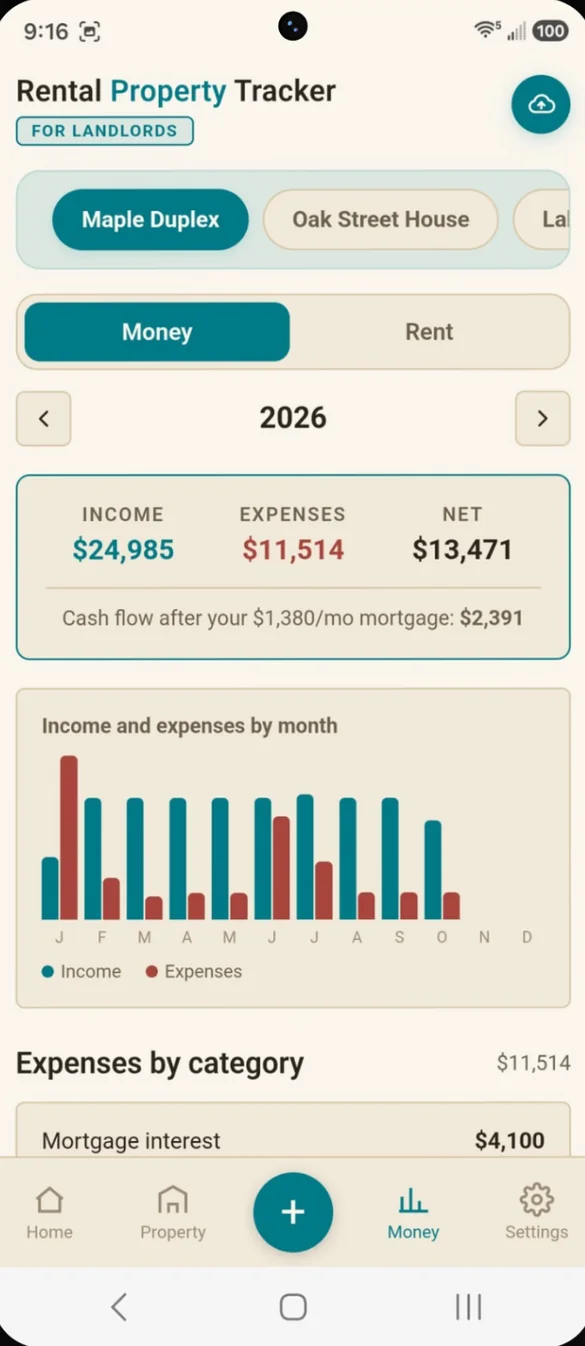
Ready for tax time.
See income, expenses and net for the year, with a month by month chart. Expenses are sorted into IRS Schedule E categories like repairs, insurance, property taxes, utilities and mortgage interest.
- Yearly totals: income, expenses and net
- Schedule E categories: expenses grouped the way the tax form asks
- Cash flow: after your monthly mortgage
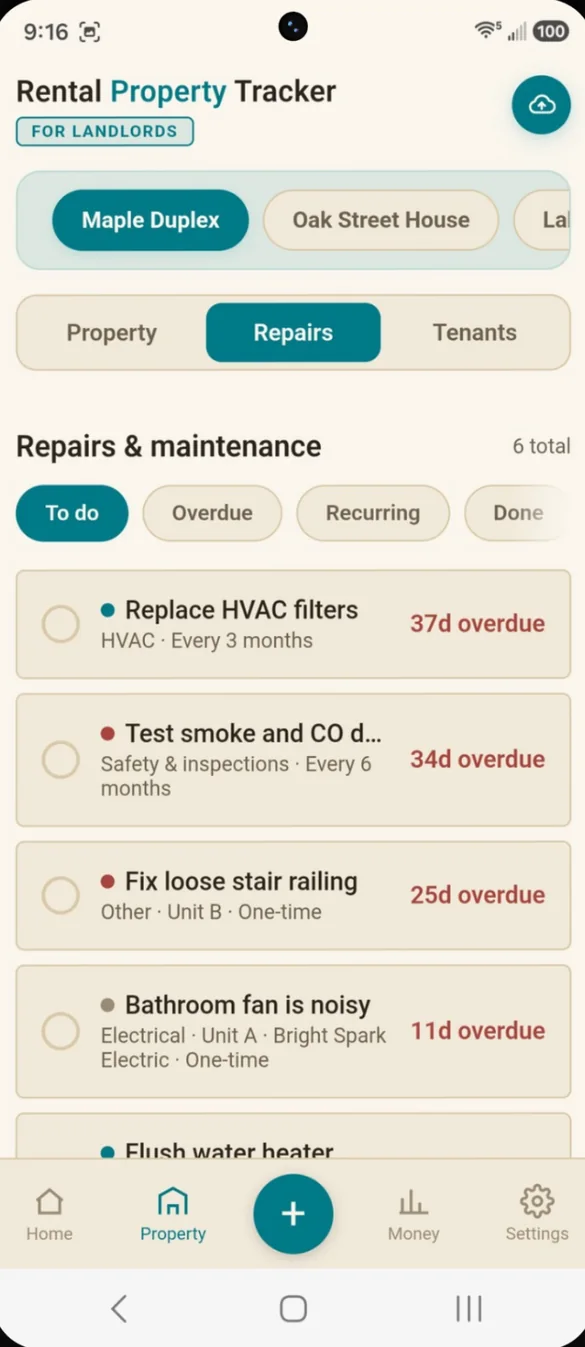
Never lose track of a repair.
Log one time repairs and recurring maintenance. Assign each one to a unit and a vendor, flag the priority, and see what is overdue.
- To do, overdue, recurring, done: filter with one tap
- Unit and vendor: linked to every repair
- Your own categories: add any you need
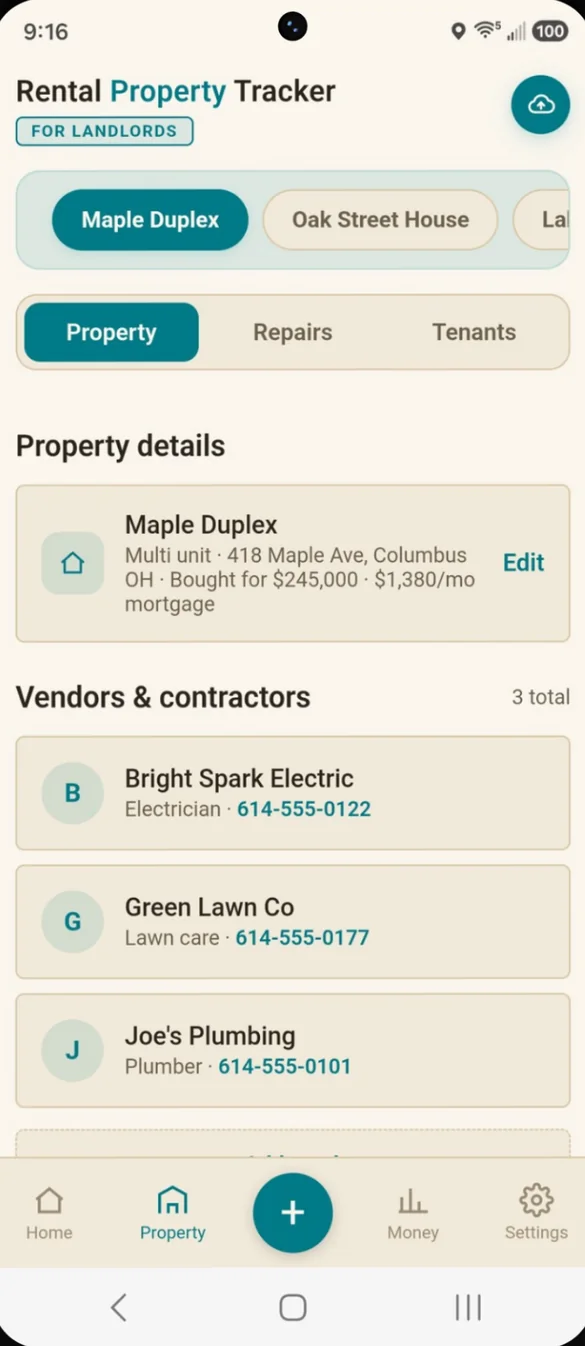
Your plumber, one tap away.
Each property keeps its own details, including what you paid for it and the monthly mortgage. Save your vendors with their phone numbers, and log appliances with the brand, model, purchase date and warranty.
- Vendors: plumber, electrician, handyman and more
- Appliances: with a photo or PDF of the manual or receipt
- Kept separate: every property has its own records
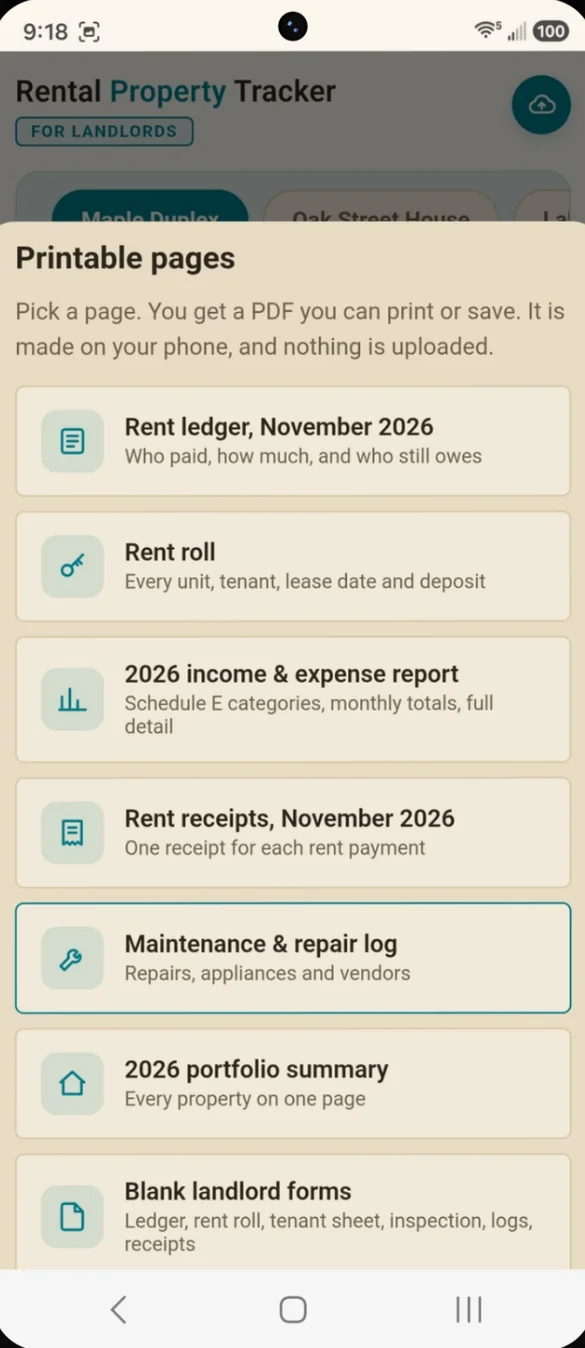
Landlord reports in seconds.
Make PDFs right on your phone, for one property or your whole portfolio. Nothing is uploaded.
- Rent ledger and rent roll: who paid, who owes, every lease and deposit
- Year end report: income and expenses by Schedule E category
- Rent receipts: one for every payment
- Maintenance log and portfolio summary: repairs, appliances and every property
Your business name on the app.
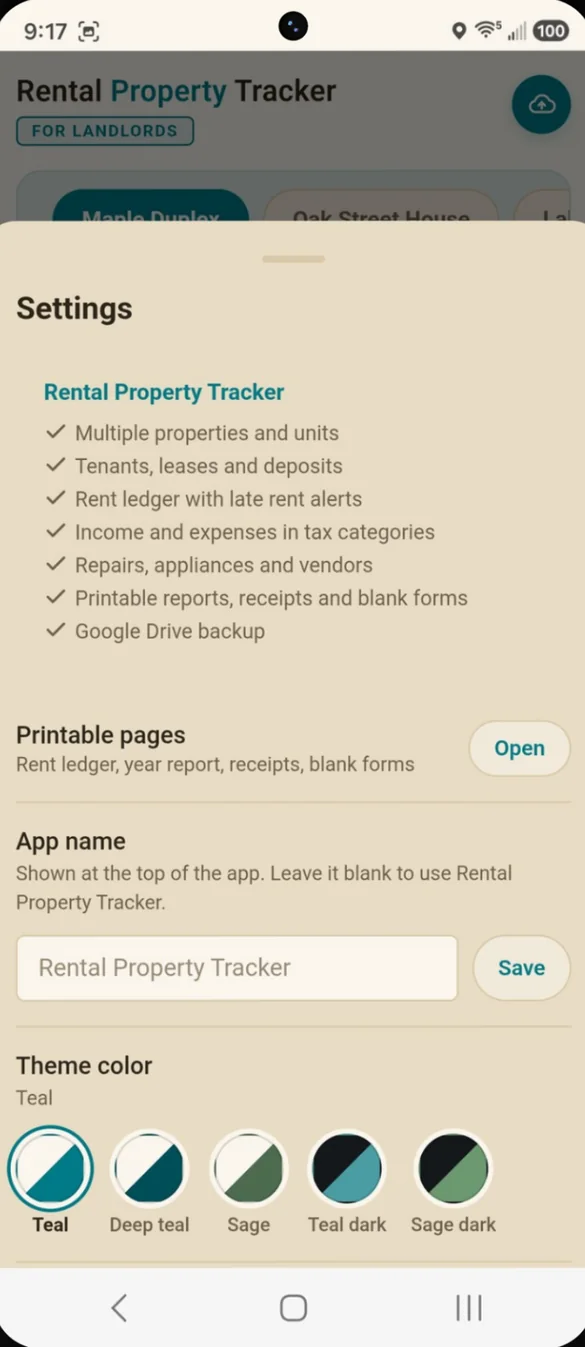
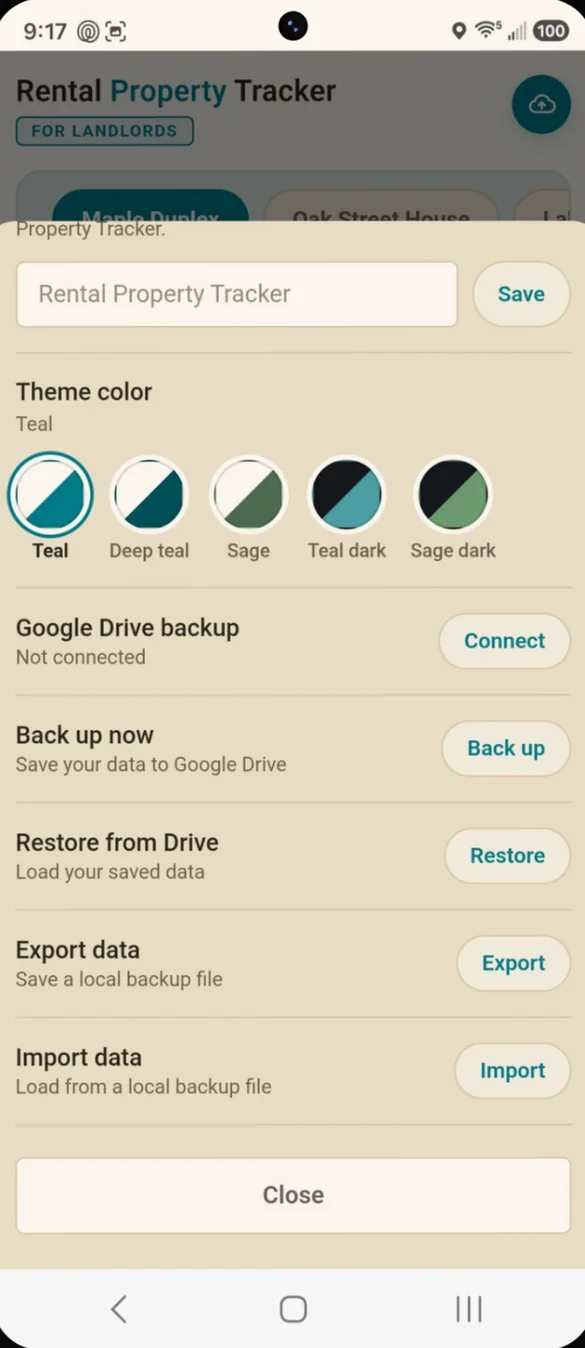
Rename the app to anything you like, such as your business name, and pick one of 5 color themes. Printable pages and backups are one tap away in Settings.
- Rename the app: shown at the top of every screen
- 5 themes: Teal, Deep Teal, Sage, Teal Dark and Sage Dark
- One place: for printables, backups and settings
Little extras that help
Multiple properties
A single family home, a duplex or a condo, each with its own units and records.
Grace period
Choose how many days before unpaid rent is flagged late.
Mortgage cash flow
Add your monthly mortgage to see what is left after it.
10 bonus blank forms
Rent ledger, inspections, expense and mileage logs, receipts and more.
Phone and computer
On a computer it opens a full dashboard with a sidebar.
Works offline
Once it's on your home screen it opens without internet.
Your tenants' details stay with you.
Everything saves privately on your device, and nothing connects to your bank. You choose where backups go: a file you download, or your own Google Drive with one tap on the cloud. Your phone and computer don't sync on their own, so backups are also how you move your records between them.
- One time purchase, yours forever
- Saved privately on your device
- Works offline once installed
- Optional backup to your own Google Drive
- Backup file you can download anytime
- Report PDFs made on your device
- No account, no login, no ads
How it works
Buy on Etsy
Your download has the app link and the 10 page bonus forms PDF.
Open the link
On your phone, tablet or computer.
Add it to your home screen
Or bookmark it, then add your first property. Install guide
Good to know: this app records rent and expenses. It does not collect payments, connect to your bank or message tenants. The Schedule E categories make tax time easier, but it is a record keeping tool, not tax advice.
Just looking after your own home? See the home maintenance apps in the shop.
Questions
Is there a subscription?
No. You pay once on Etsy and the app is yours. No monthly fees and no ads.
Does it collect rent or connect to my bank?
No. It records rent and expenses. It does not collect payments, connect to your bank or message tenants.
Can I track more than one property?
Yes. Add each rental, from a single family home to a duplex or condo, and switch between them with a tap. Each property keeps its own units, tenants, rent, expenses and repairs.
Will it help at tax time?
Expenses are sorted into IRS Schedule E categories, and you can print a year end income and expense report. It is a record keeping tool, not tax advice.
Do my phone and computer sync?
Not on their own. Everything is saved on the device you use. To move your records, back up to Google Drive or a backup file on one device and restore on the other.
I used the Premium Home Maintenance Scheduler. What happens to my data?
Your tasks, appliances and expenses carry over automatically.
Can I try it before I buy?
Yes. The free demo lets you tap around the real app in your browser.
What if it doesn't work on my phone?
Send a message through Etsy and I'll help you get it working. If we can't, you can get a refund within 30 days.
Try it before you buy
Tap around the real app in your browser. No sign up needed.