Side Hustle Hub Income, Expenses and Taxes
Stop guessing if your side hustle is actually making money. See your real profit, your real hourly rate for every hustle and what to set aside for taxes, all on your phone, without handing over your bank login.
- One time purchase
- No bank login
- No ads
- Phone, tablet and computer
What's inside
For DoorDash and Uber drivers, Etsy sellers, freelancers, pet sitters and anyone with more than one way to earn.
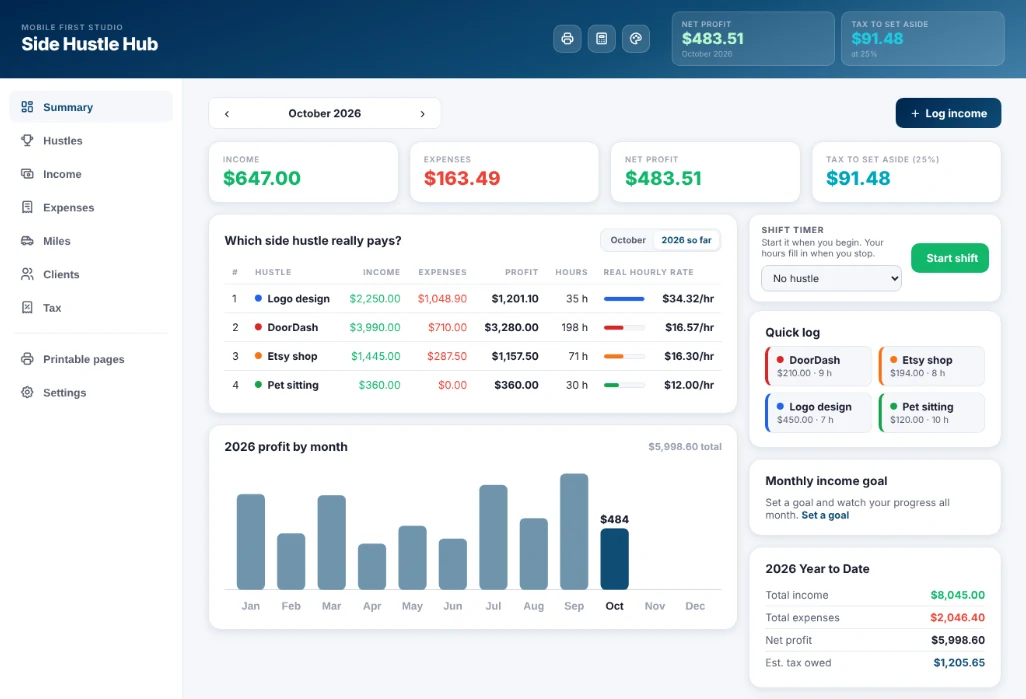
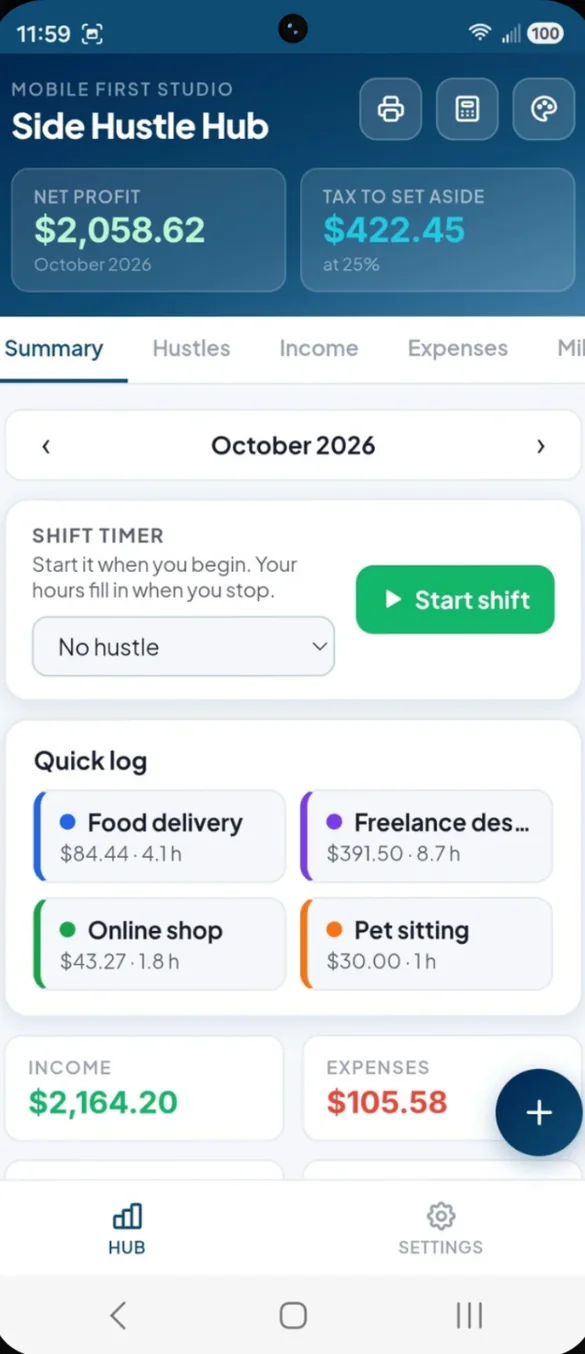
Your full picture. One screen.
Monthly income against expenses, net profit after costs and the tax to set aside, plus a 12 month profit chart, year to date totals and your monthly goal progress.
- Shift timer: tap Start shift and Stop, and your hours fill in
- Quick log: log a payment for any hustle in a couple of taps
- Tax to set aside: always at the top of the screen
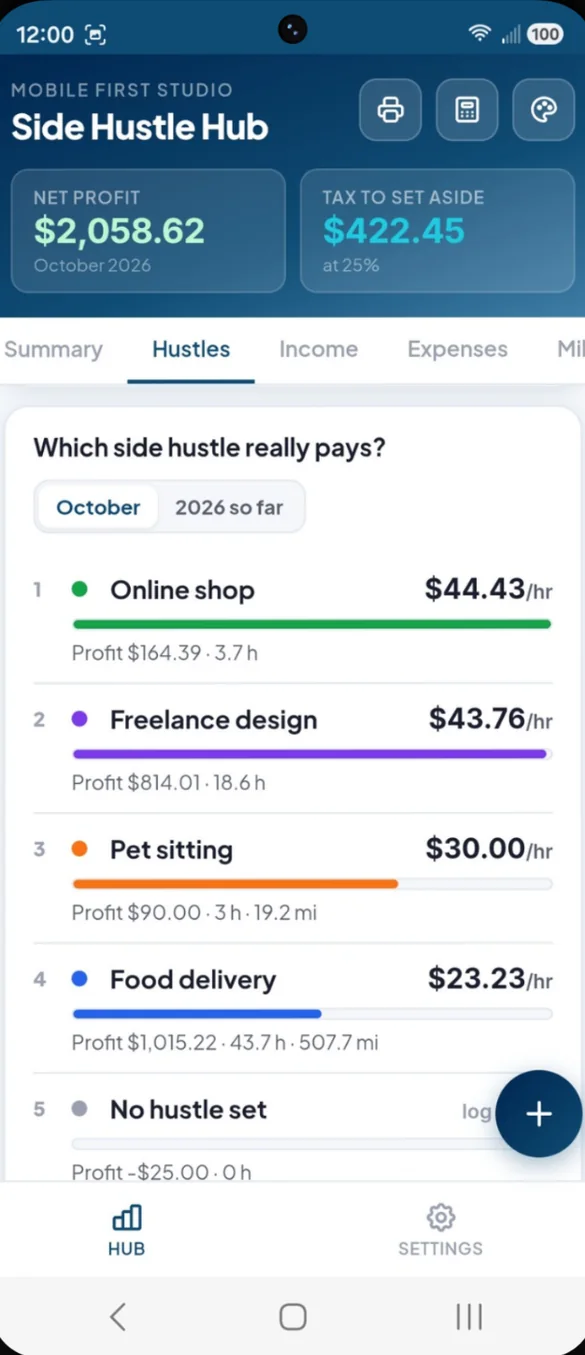
Which hustle really pays?
Log your hours and the app ranks every hustle by what it really pays per hour: profit, after that hustle's costs, divided by your hours.
- Ranked by hourly rate: best paying hustle on top
- Profit, hours and miles: for each hustle
- This month or the year: switch with one tap
- Monthly goals: set an income goal for each hustle
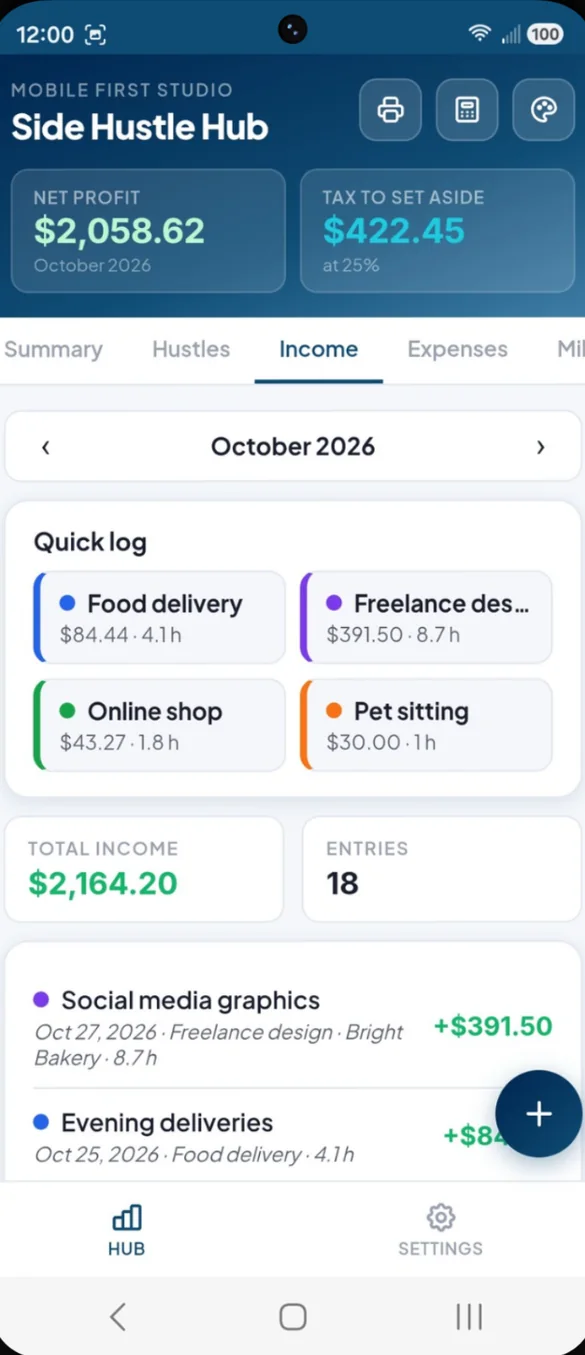
Log every payment.
Log each payment with a description, client, hustle, date and hours worked. Monthly totals add themselves up, and you can tap any entry to edit it.
- Quick log: repeat a recent payment for a hustle in one tap
- Monthly total: and the number of entries
- Linked to clients: so every client has a payment history
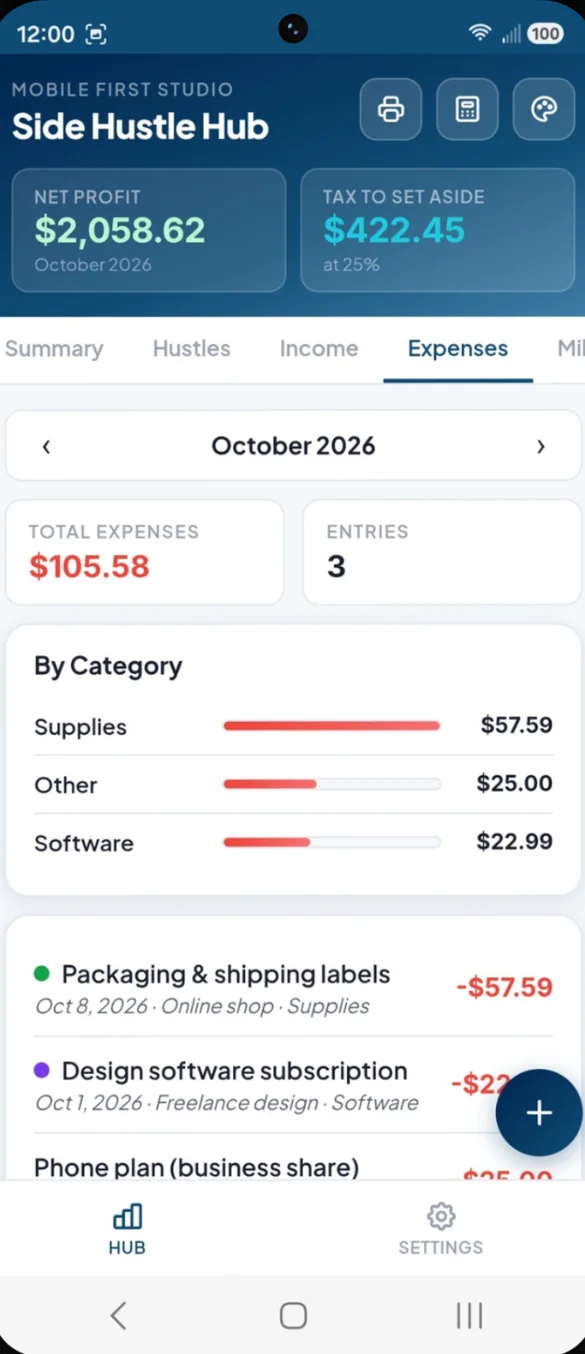
See where the money goes.
Log business expenses by category, with a bar chart of your top spending areas each month. Snap a photo of the receipt and it is saved with the expense.
- 8 built in categories: software, supplies, advertising, fees, mileage, equipment, education and other
- By category chart: your biggest costs at a glance
- Receipt photos: saved with each expense
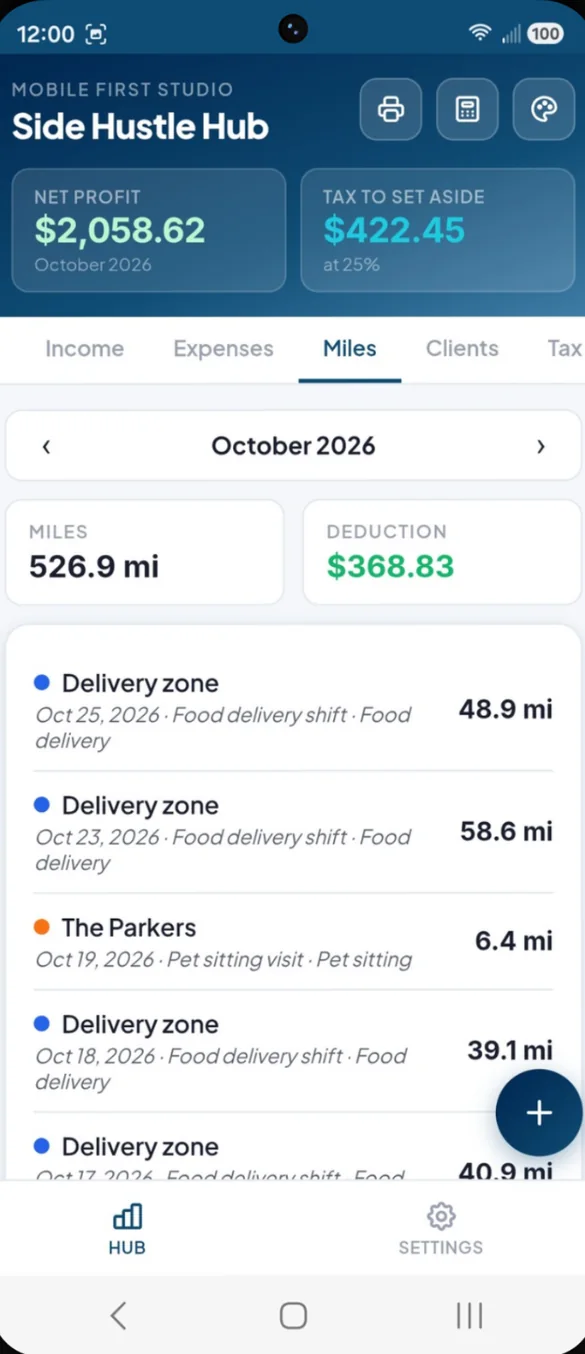
Every business mile counted.
Log each trip with the miles or odometer start and end, where you went and why. Set your rate per mile once and the app works out your mileage deduction.
- Miles or odometer: whichever is easier
- Deduction: worked out from your own rate
- Off your tax estimate: if you choose
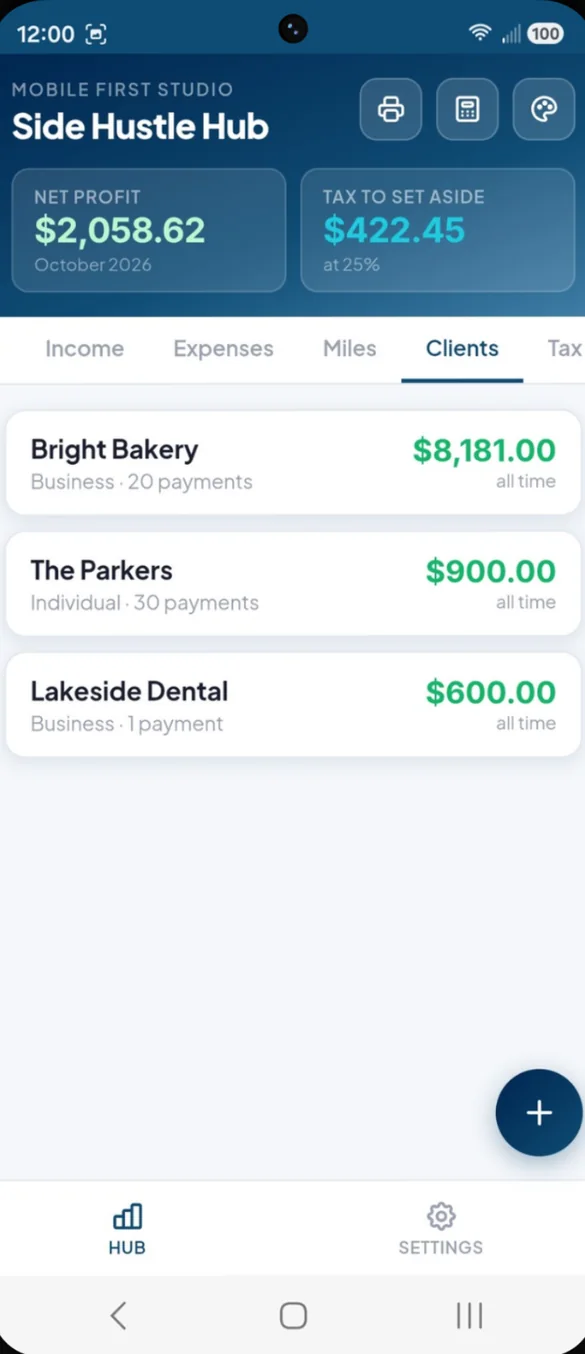
Know who pays you, and how much.
Add clients, platforms, apps, marketplaces or a part time employer as income sources, and link income to each one.
- Ranked by total paid: your best clients on top
- Payment history: tap any client to see it
- Notes: for each client
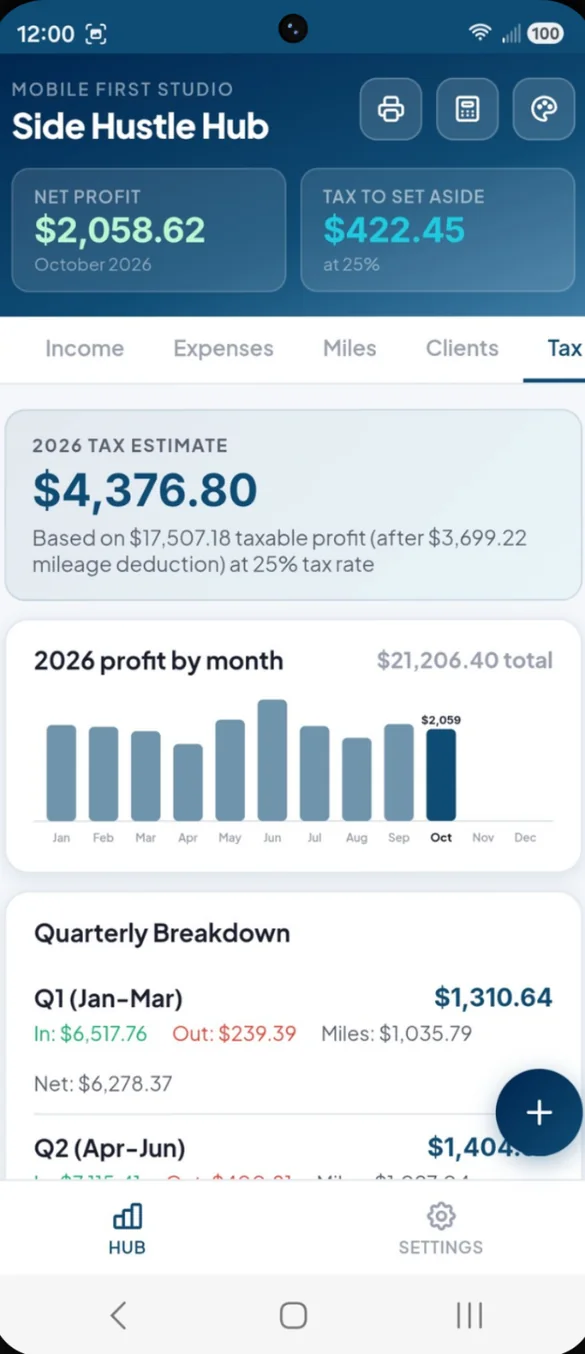
No surprise tax bill.
Set your tax rate once and quarterly estimates work themselves out from your net profit, updating every time you log something.
- Annual estimate: for the whole year
- Q1 to Q4: income, expenses, net and what to set aside each quarter
- Mileage: deduction taken off first, if you choose
Ready for your tax preparer.
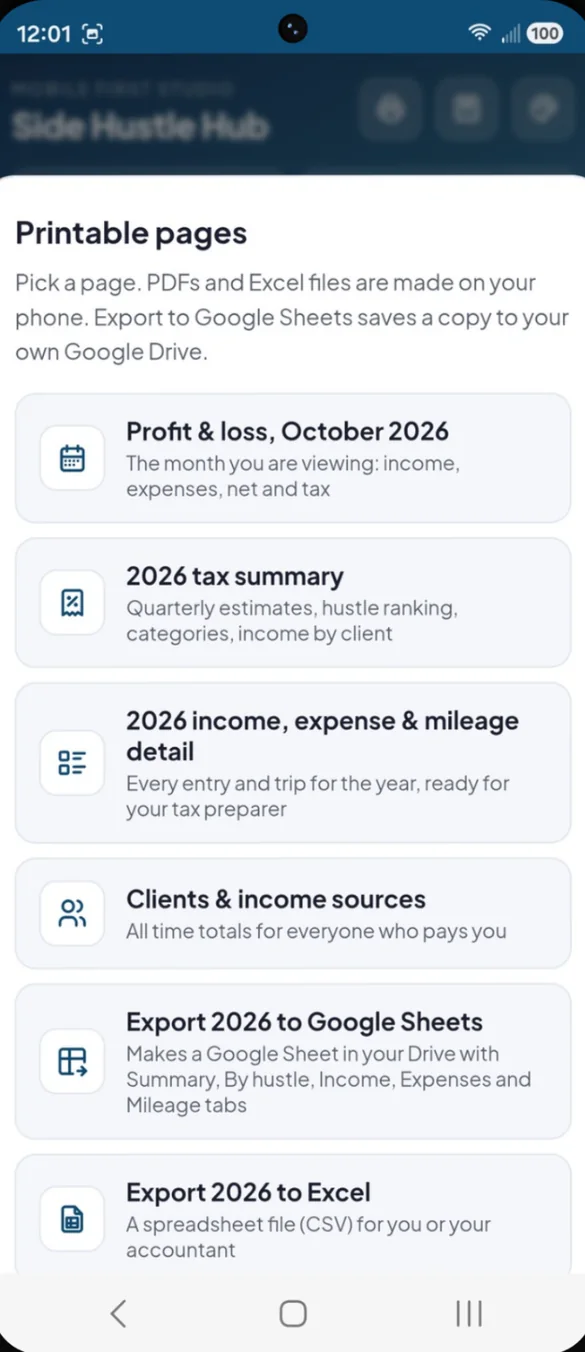
Print a profit and loss statement, a tax summary and your full income and expense detail, or blank forms to fill in by hand. The PDF is made right on your phone.
- Profit and loss: for any month
- Tax summary: quarterly estimates and your hustle ranking
- Excel export: the whole year in one tap
Set it up your way.
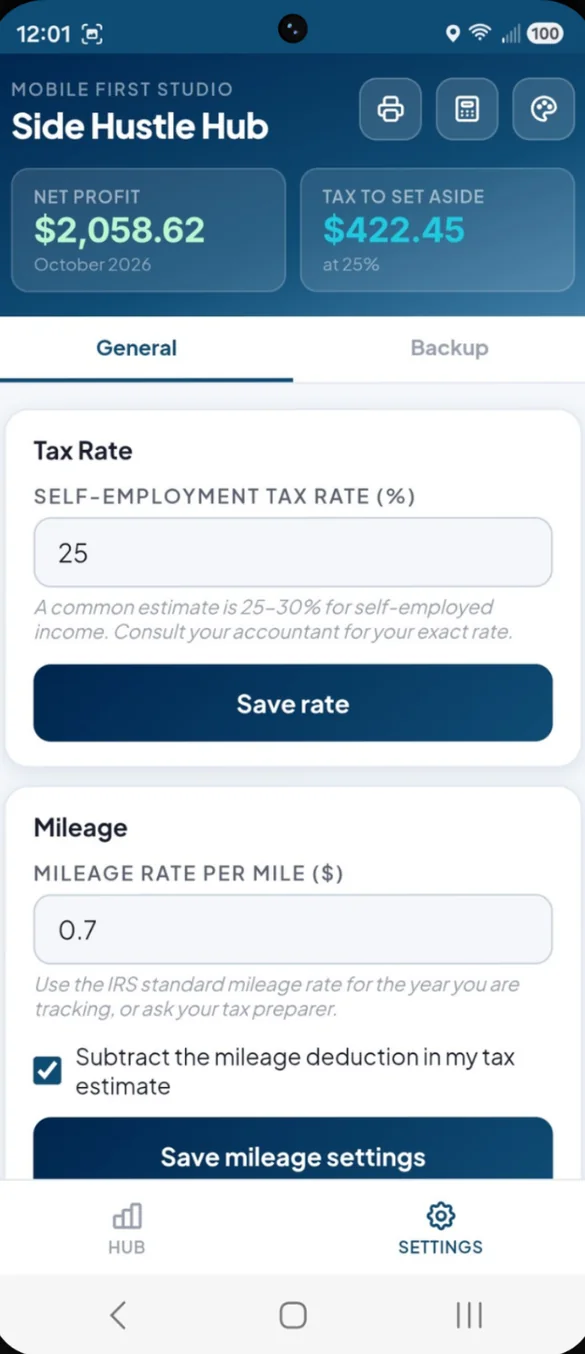
Pick your side hustles, set your tax set aside rate and add your mileage rate if you drive for work. Setup takes about a minute.
- Tax rate: your own set aside percentage
- Mileage rate: your rate per mile
- Your choice: whether miles count in your tax estimate
Little extras that help
Shift timer
Start when you begin, stop when you are done, and your hours fill in.
Monthly goals
Set an income goal for each hustle and watch your progress.
Receipt photos
Snap a photo and it is saved with the expense.
Built in calculator
One tap away in the header, without losing your place.
Bonus printable forms
Income, expense and mileage logs, a profit and loss page, a quarterly tax worksheet and a clients list.
6 themes and dark mode
Pick a color and switch between light and dark.
No bank login. Ever.
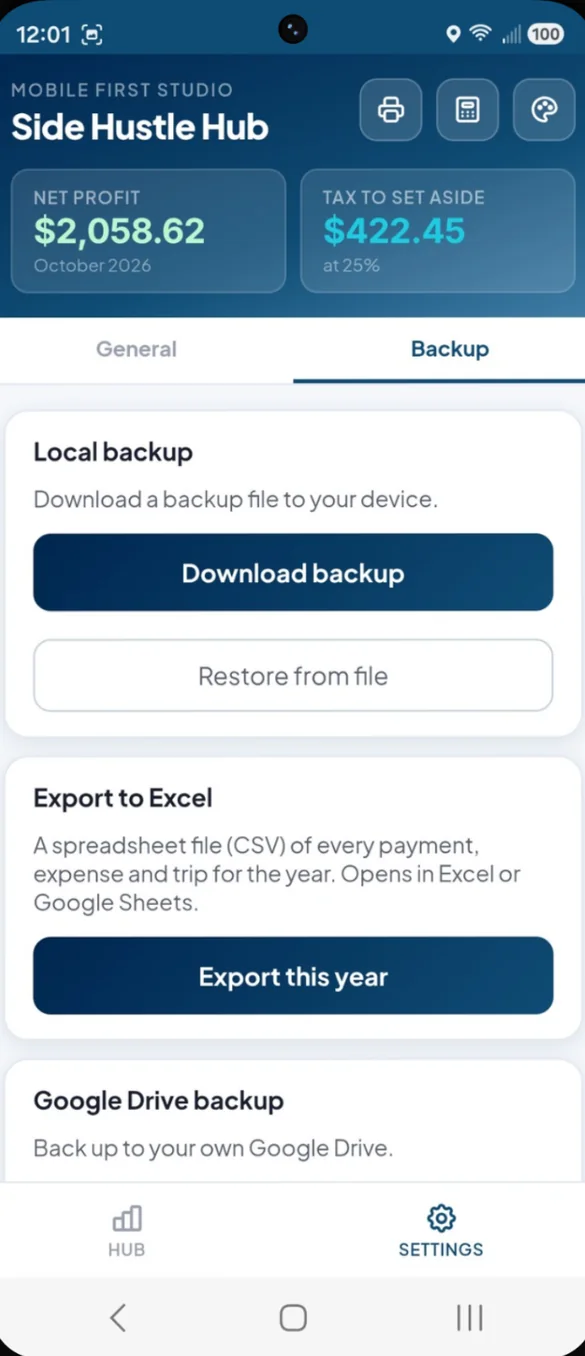
You log your own numbers, so your banking details never go to a third party. Everything saves on your device. You choose where backups go: a file you download, which includes your receipt photos, or your own Google Drive, which skips the photos to stay small.
- One time purchase, yours forever
- Saved privately on your device
- Works offline once installed
- Optional backup to your own Google Drive
- Backup file you can download anytime
- No bank login, ever
- No account, no login, no ads
How it works
Buy on Etsy
Download your PDFs, including the bonus printable forms.
Open the link
On your phone, tablet or computer.
Add it to your home screen
Or bookmark it, then pick your hustles and set your tax rate. Install guide
Good to know: the app does not connect to your bank or sync on its own. You log income and expenses yourself, which keeps your data private.
Tax estimates use the rate you enter in Settings. They are estimates only, not tax advice, so always check with a tax professional for your exact amount.
Questions
Is there a subscription?
No. You pay once on Etsy and the app is yours. No monthly fees and no ads.
Does it connect to my bank?
No. You log income and expenses yourself, which keeps your numbers private and off third party servers. There is no bank login to hand over.
What is the real hourly rate?
Profit for a hustle, after that hustle's costs, divided by the hours you worked. Your busiest hustle might turn out to pay the least.
How is the tax estimate worked out?
From your net profit and the tax rate you set in Settings. You can choose whether your mileage deduction comes off first. It is an estimate only, not tax advice, so check with a tax professional for your exact amount.
Can I give my numbers to my tax preparer?
Yes. Print a profit and loss statement or a tax summary, or export the whole year to Excel in one tap.
Are receipt photos backed up?
Receipt photos are included in your local backup file. Google Drive backups skip the photos to stay small.
Can I use it on my phone and my computer?
Yes. On a computer it opens a full dashboard with a sidebar. To move your numbers between them, back up on one and restore on the other.
What if it doesn't work on my phone?
Send a message through Etsy and I'll help you get it working. If we can't, you can get a refund within 30 days.
Try it before you buy
Tap around the real app in your browser. No sign up needed.