Student Planner Grades, GPA and Assignments
One app for your entire academic life. Track your classes, assignments, grades and GPA, with a full study toolkit and 14 printable pages, on your phone and your computer.
- One time purchase
- No account or login
- No ads
- Phone, tablet and computer
What's inside
Classes, grades, assignments and study tools together, in five clean tabs.
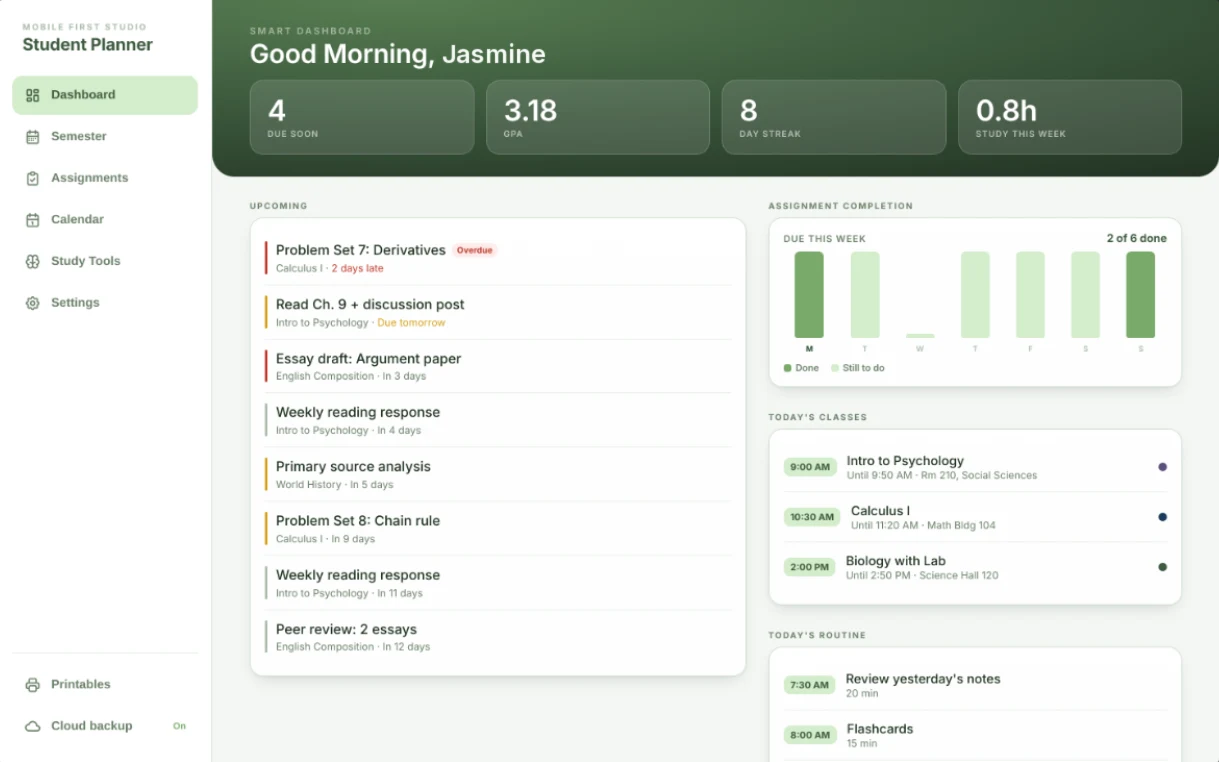
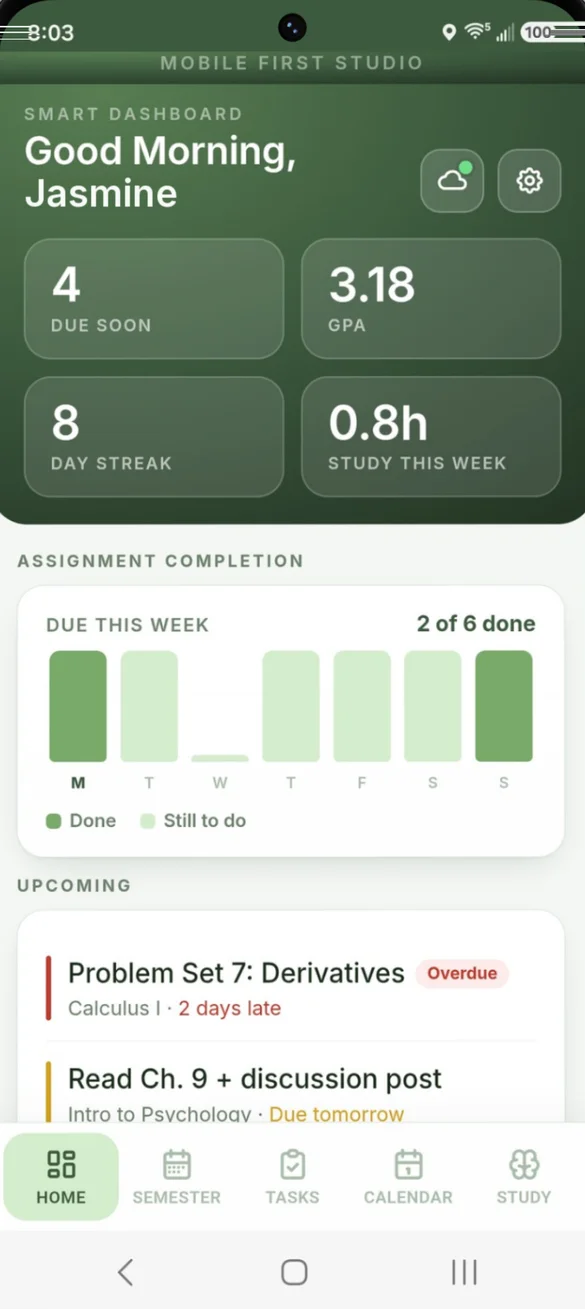
Your whole semester. One screen.
Live GPA, a due-soon counter, your day streak and study hours this week. Overdue work is flagged in red, with today's classes, today's study routine and a weekly chart of what's done.
- Live GPA: always current
- Overdue in red: at the top of your list
- Day streak: keeps you going
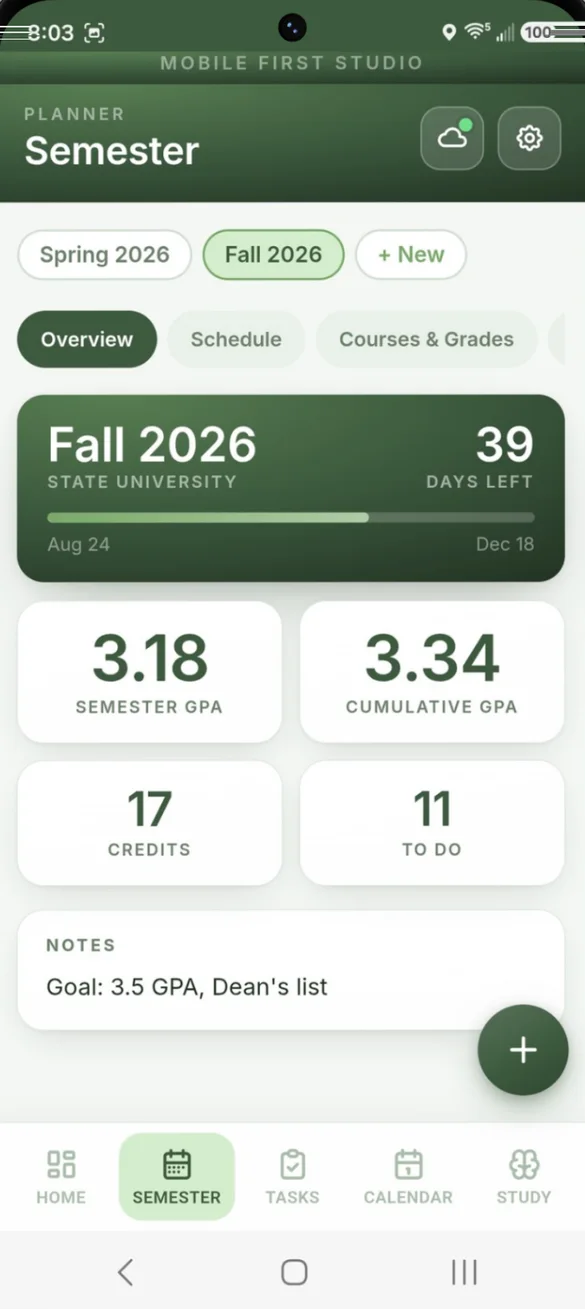
Every term, tracked.
Add each semester once and switch between them in one tap. See days left in the term, semester and cumulative GPA, credits and your goals.
- Days left: in the term
- Semester and cumulative GPA: side by side
- Past semesters: stay saved
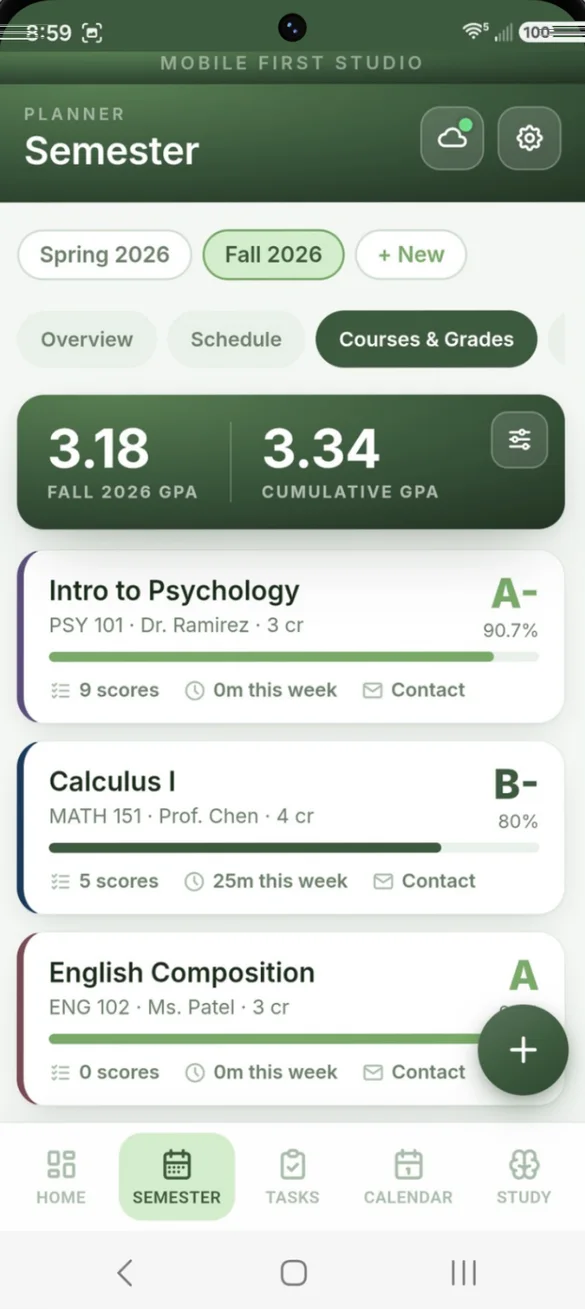
Know your grade before the report card.
Add the grade weights from your syllabus and your scores as you get them back. The app works out your letter grade and percent for every class.
- Letter grade and percent: for every class
- "What do I need on the final?": pick a grade, see the score
- Course contacts: tap to email your instructor
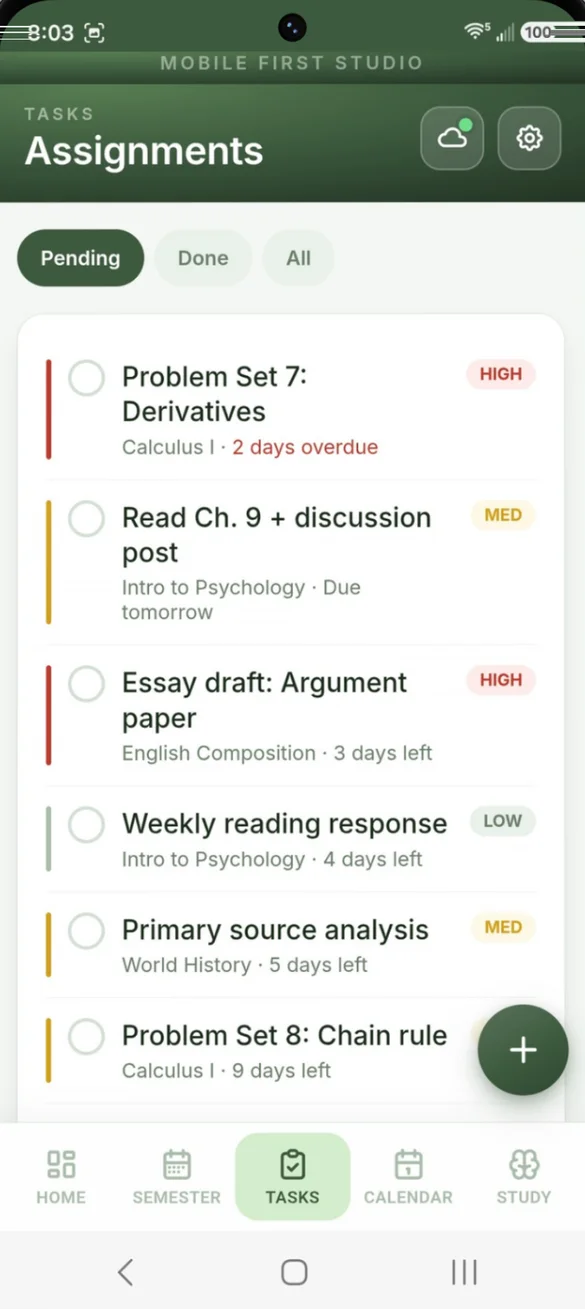
Never miss a due date.
Add every assignment with a due date, priority and notes. Make reading responses or labs repeat every week, every 2 weeks or every month.
- High, medium or low: priority
- Days left: on every task
- Pending, done or all: filter in one tap
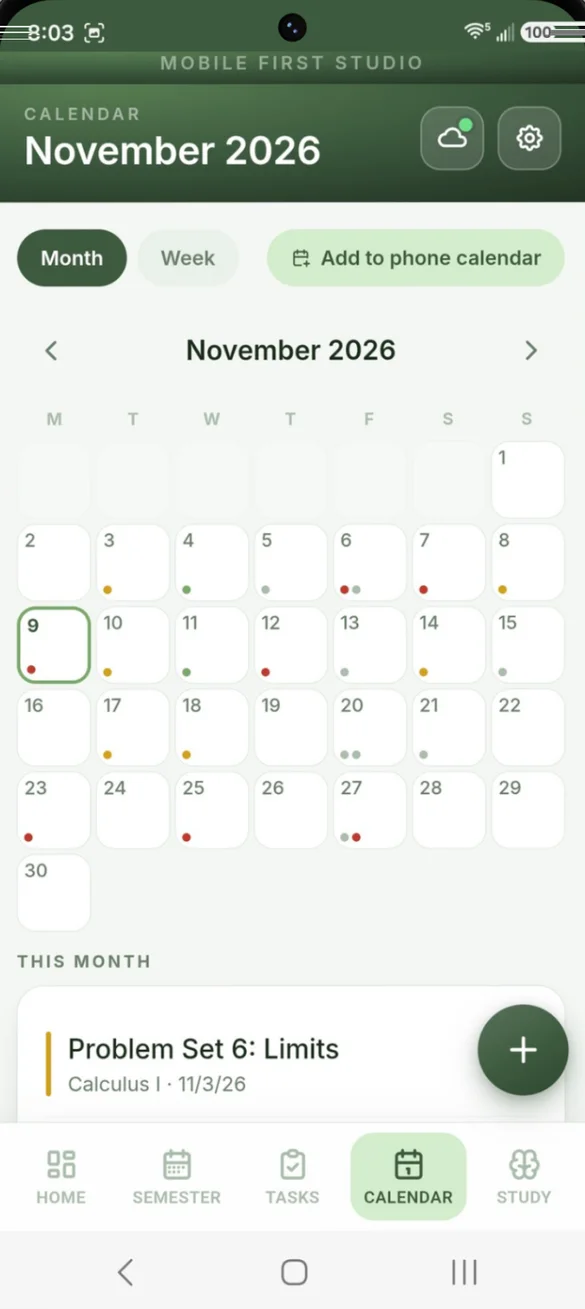
See the month at a glance.
Color coded dots for assignments, exams and events, with the full list for the month below. Tap any day to add an event.
- Color dots: for each kind of item
- Exams and syllabus dates: included
- Month or week view: switch any time
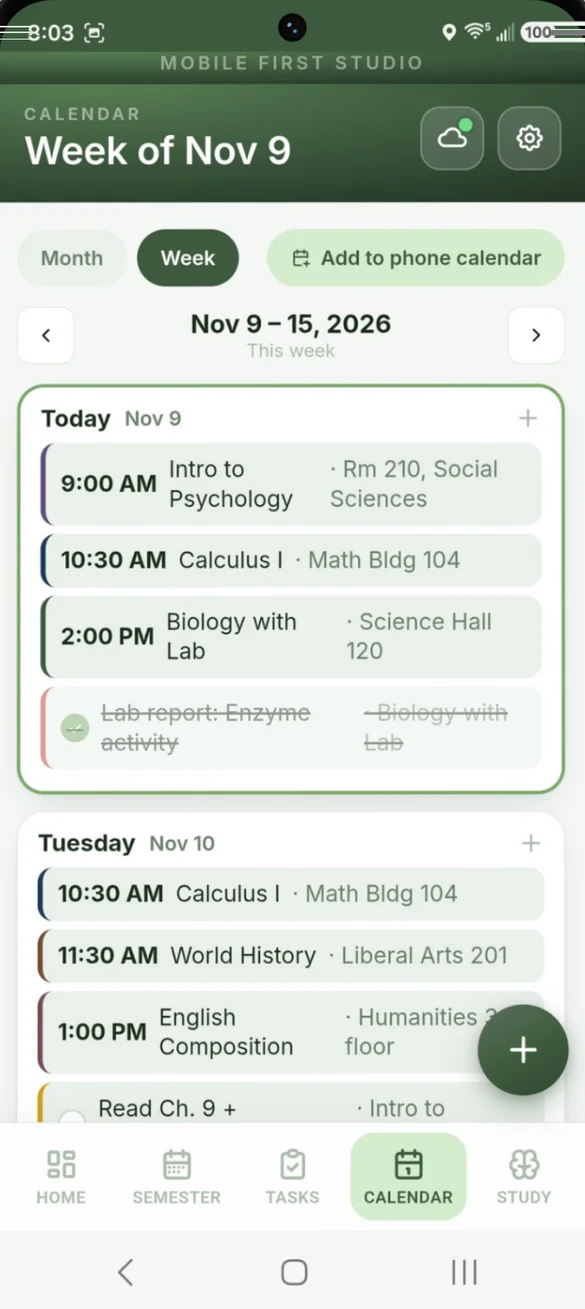
Your week, day by day.
Classes, assignments and exams together, day by day, so you can plan around them.
- Class times and rooms: for every day
- Check off work: right from the week
- Today: highlighted
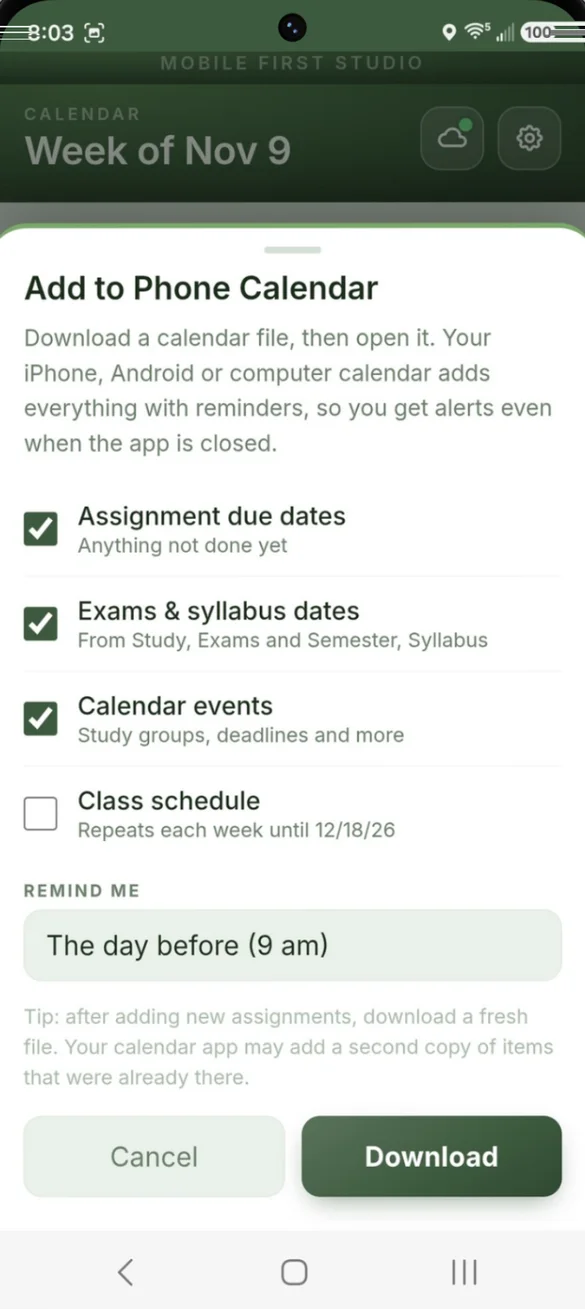
Reminders that find you.
Send your due dates, exams, events and weekly class schedule to your iPhone, Android or computer calendar. The alerts come even when the app is closed.
- You choose: what goes in
- When to remind: the morning of, the day before, or up to a week before
- Class schedule: repeats every week
Study smarter, not longer.
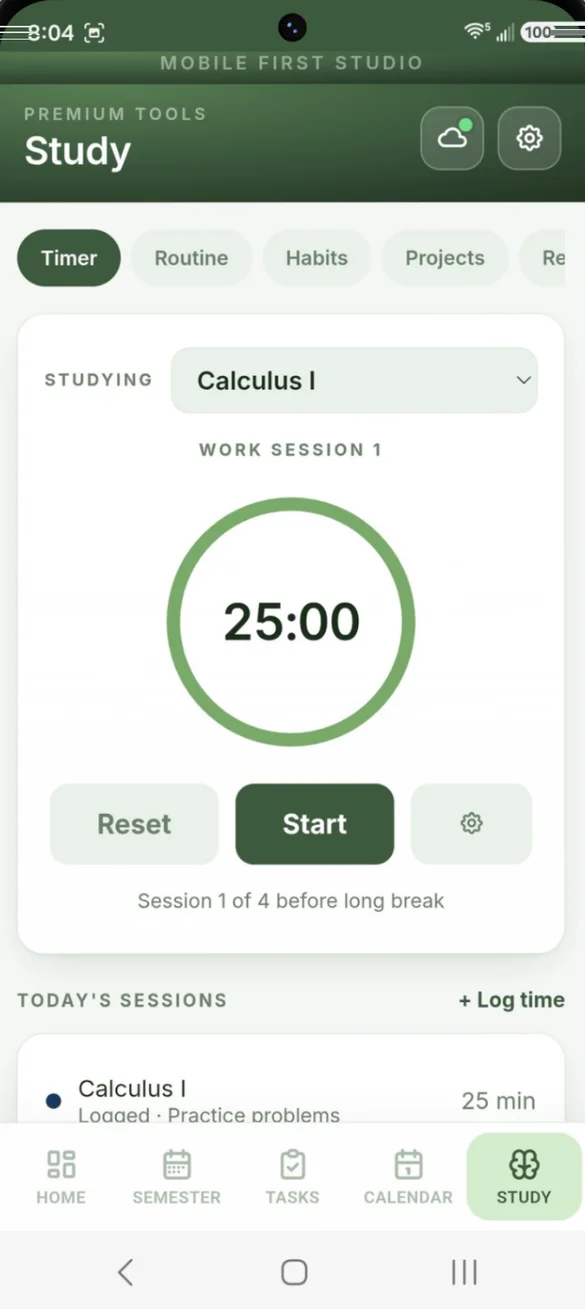
Pomodoro-style work and break sessions. Pick a course and your time is logged for you, or log study time by hand.
- Set your own: session length
- Time by course: logged for you
- Weekly totals: for each class
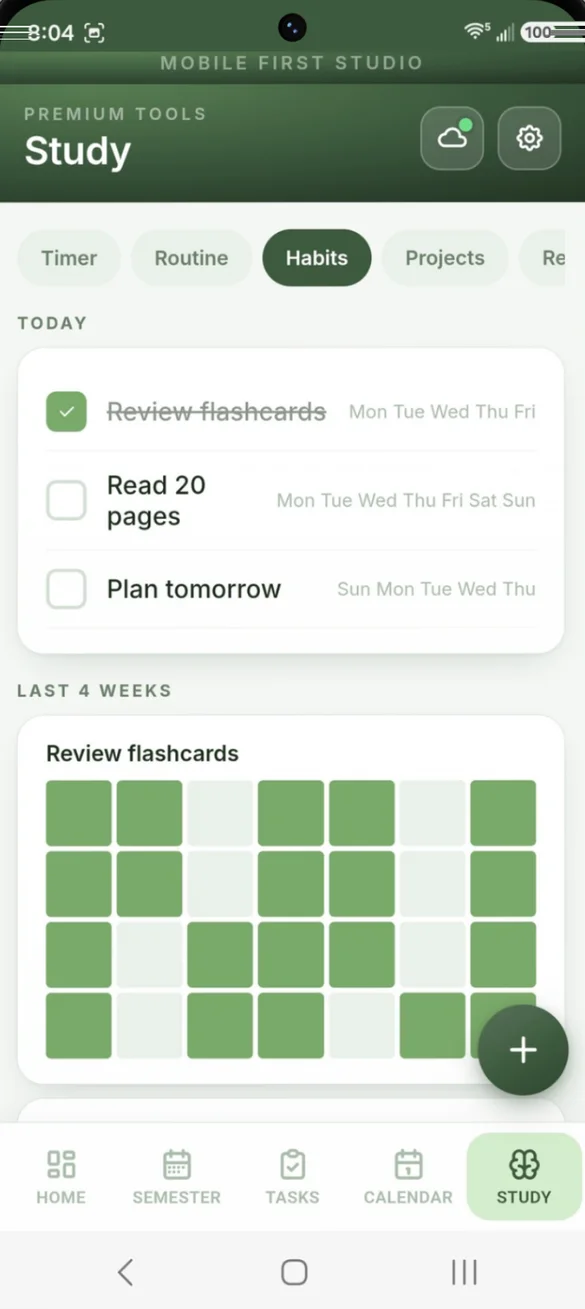
Small habits. Big results.
A daily checklist of study habits with a 4-week heatmap, plus morning and evening study routines.
- One tap: to check off
- Pick the days: for each habit
- 4-week heatmap: see your streak build
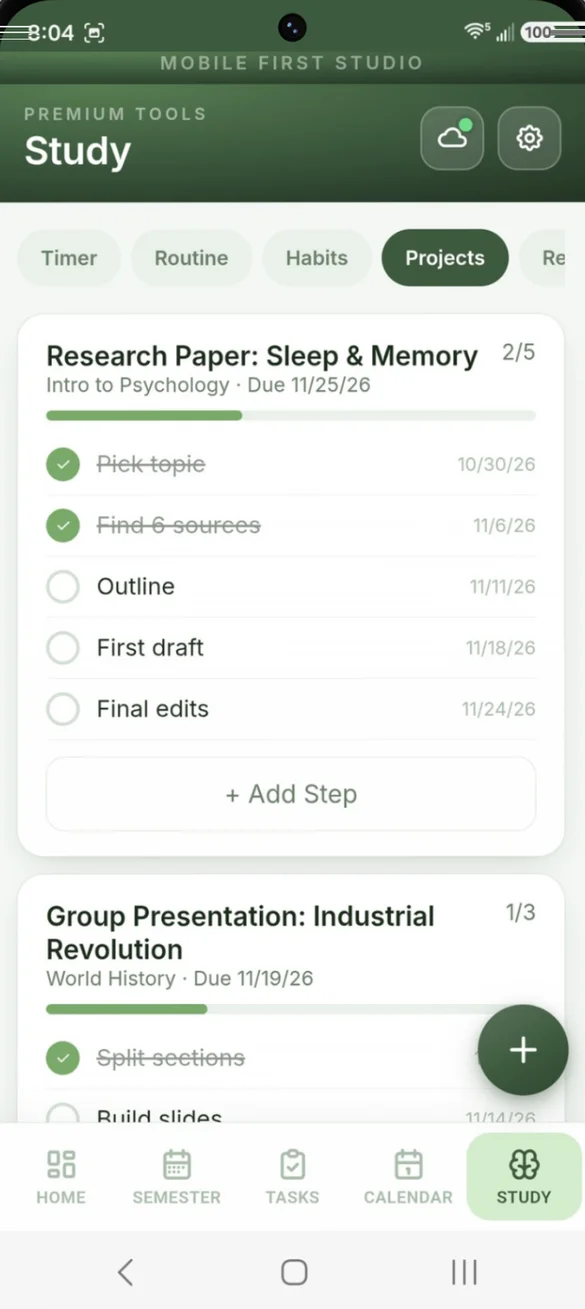
Big assignments, broken down.
Split papers and group projects into steps, each with its own due date, and watch the progress bar fill.
- Steps: with due dates
- Progress bar: for each project
- Linked: to your course
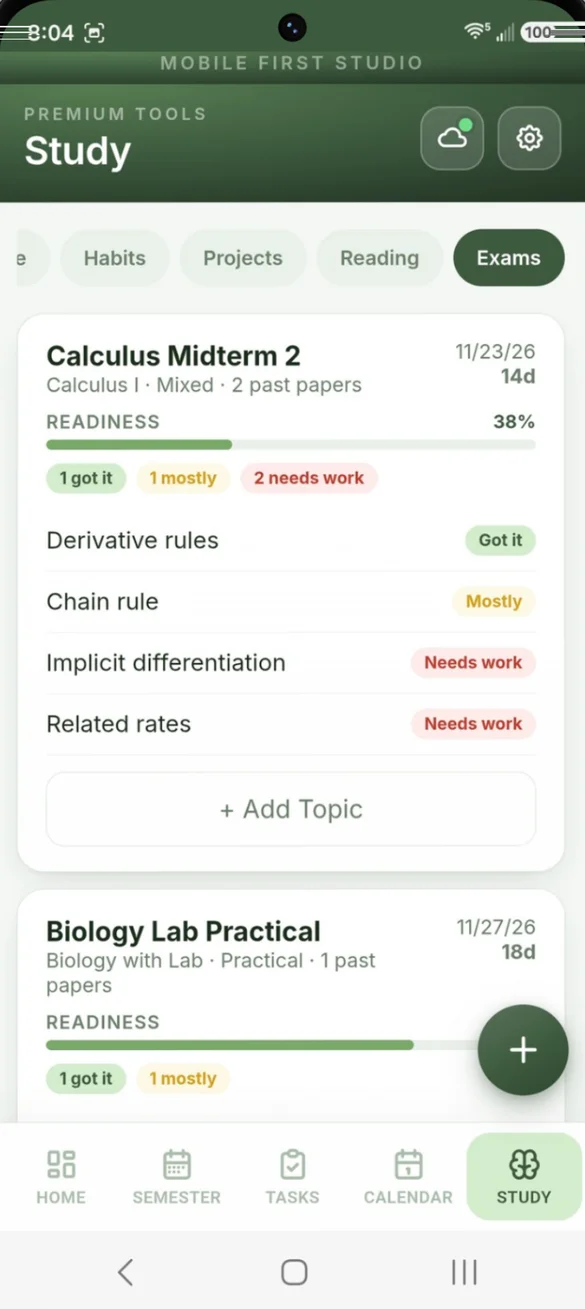
Walk in ready.
List every topic, rate it Got It, Mostly or Needs Work, and see a readiness score with a countdown to exam day.
- Readiness score: for every exam
- Countdown: to exam day
- Printable: exam prep plan
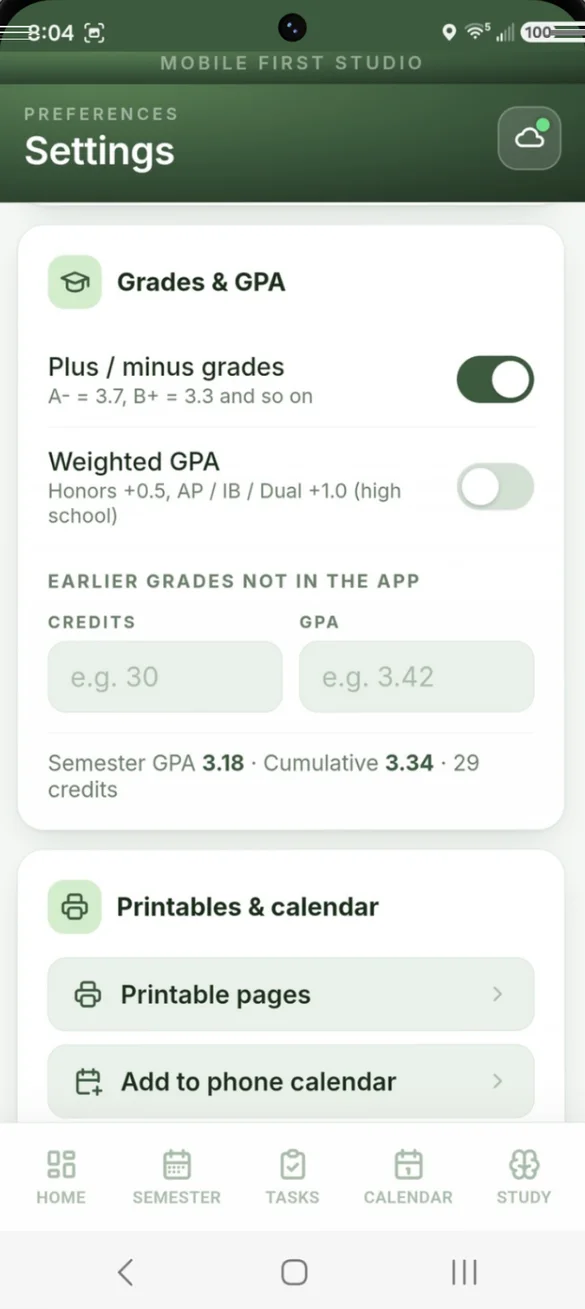
Set it up the way your school grades.
Plus/minus grades on or off, weighted GPA for Honors and AP, IB or Dual, and earlier credits for a true cumulative GPA.
- Plus/minus: on or off
- Weighted GPA: Honors +0.5, AP / IB / Dual +1.0
- Earlier credits: for cumulative GPA
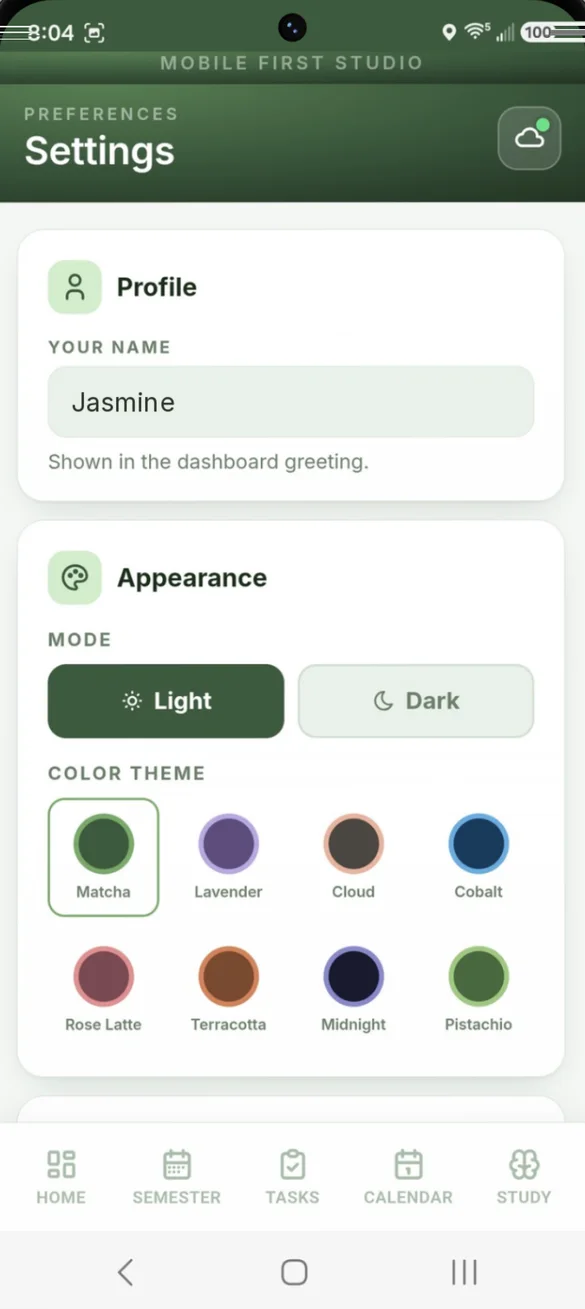
Your planner, your colors.
Add your name for the dashboard greeting, pick from 8 color themes and choose light or dark mode.
- 8 color themes: Matcha, Lavender, Cobalt and more
- Light or dark: mode
- Your name: in the greeting
Little extras that help
14 printable pages
Filled in with your classes and grades, or blank to write in by hand.
Blank pack PDF
Included in your download, in US Letter and A4.
Reading tracker
Books sorted into Reading, To Read and Finished, with page progress.
Repeating tasks
Weekly readings and labs that add themselves.
Course contacts
Instructor email, office hours, room, TA and course website.
Works offline
Check what is due anywhere, even with no signal.
Your grades stay yours.
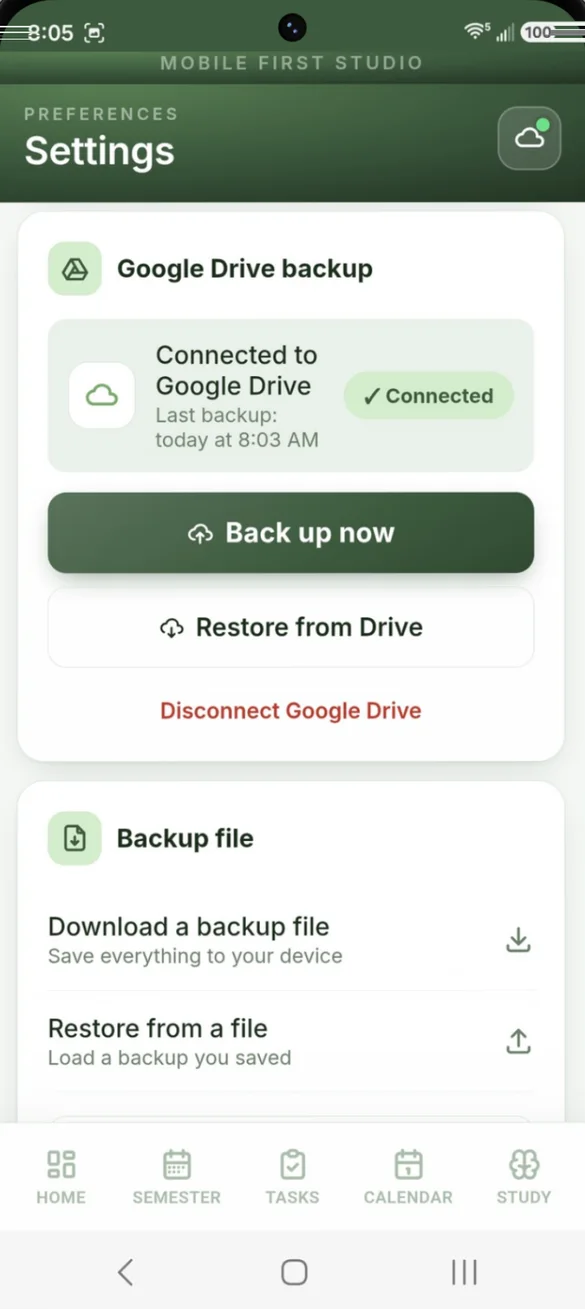
Everything saves privately on your device and works offline, with no account or login. It never connects to your school's portal. Backups go where you choose: your own Google Drive, automatic once connected, or a file you download. A backup is also how you move between your phone and computer.
- One time purchase, yours forever
- Saved privately on your device, works offline
- Optional Google Drive backup, automatic once connected
- Backup file you can download anytime
- Undo a restore if you load the wrong backup
- No account or login, ever
- No ads, ever
How it works
Buy on Etsy
Your download has the app link and the 14 printable pages.
Tap the link
Open it on your phone, tablet or computer.
Add it to your home screen
Or bookmark it, then add your semester and classes. Install guide
Good to know: this app doesn't sync with your school's portal. You add your own grades and assignments, which keeps your academic data private.
Each device keeps its own copy, so use Google Drive backup or a backup file to move between your phone and computer.
Questions
Is there a subscription?
No. You pay once on Etsy and the app is yours. No monthly fees and no ads.
Does it sync with my school's portal?
No. You add your own grades and assignments, which keeps your academic data private and off any other company's servers.
Does it work for high school and college?
Yes. Turn plus/minus grades on or off, use weighted GPA for Honors (+0.5) and AP, IB or Dual (+1.0), and add credits from earlier terms for a true cumulative GPA.
Can it tell me what I need on the final?
Yes. Pick the grade you want in a class and the app tells you the score you need on the final.
Will I get reminders?
Yes, through your phone calendar. Send due dates, exams, events and your weekly class schedule to your calendar, and choose when to be reminded. The alerts come even when the app is closed.
Can I use it on my phone and my computer?
Yes. Check what is due on your phone and plan the week on your laptop with the full desktop layout. Each device keeps its own copy, so back up on one and restore on the other.
Can I try it before I buy?
Yes. The free demo has sample classes and assignments, and nothing you type is saved, so try every button.
What if it doesn't work on my phone?
Send a message through Etsy and I'll help you get it working. If we can't, you can get a refund within 30 days.
Try it before you buy
The real app with sample data. Nothing you type is saved.