Study Tracker Study Plan, Spaced Review and Focus Timer
Know what to study today and walk into every exam ready. Add your exams and the app builds a day by day plan, brings each topic back before you'd forget it, and tracks every hour you put in.
- One time purchase
- No account or login
- No ads
- Phone, tablet and computer
What's inside
A plan for every exam and a timer to get it done, on your phone and your computer.
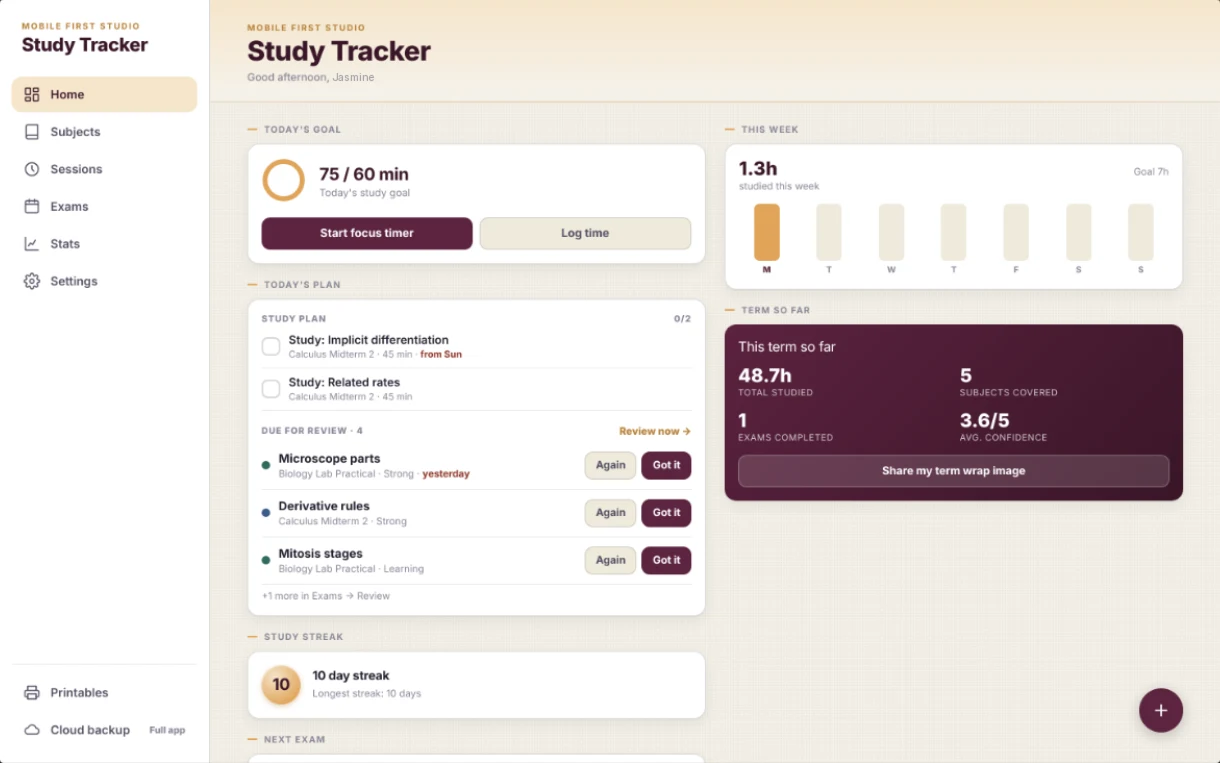
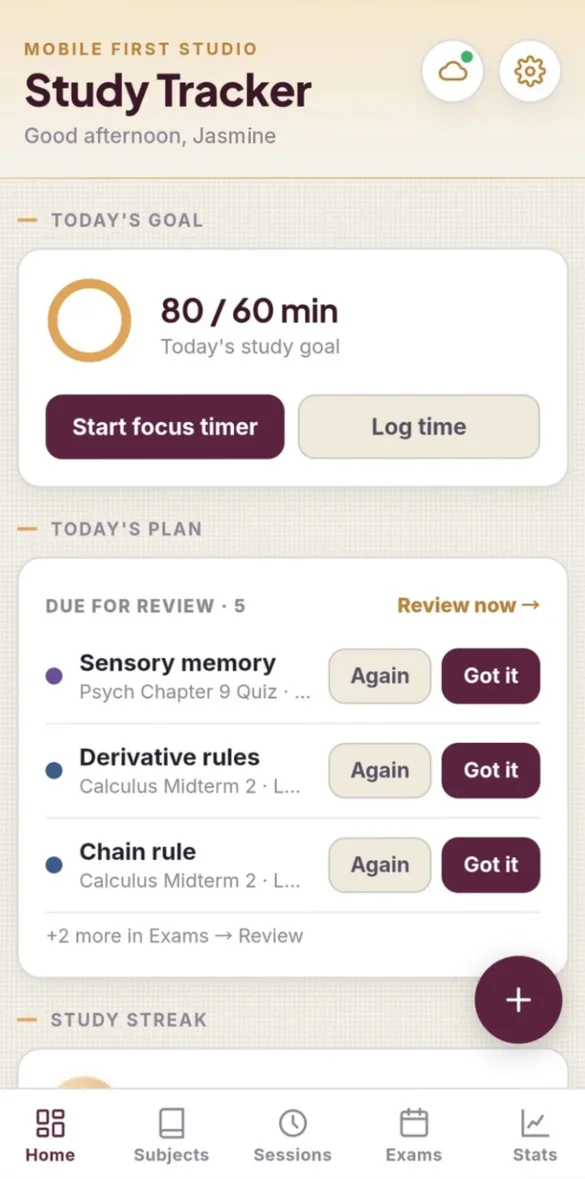
Open it. Know what's next.
Home shows your daily goal, the topics planned for today and everything due for review, all on one screen.
- Daily goal: with a progress ring
- Today's topics: from your study plan
- Reviews due today: one tap each
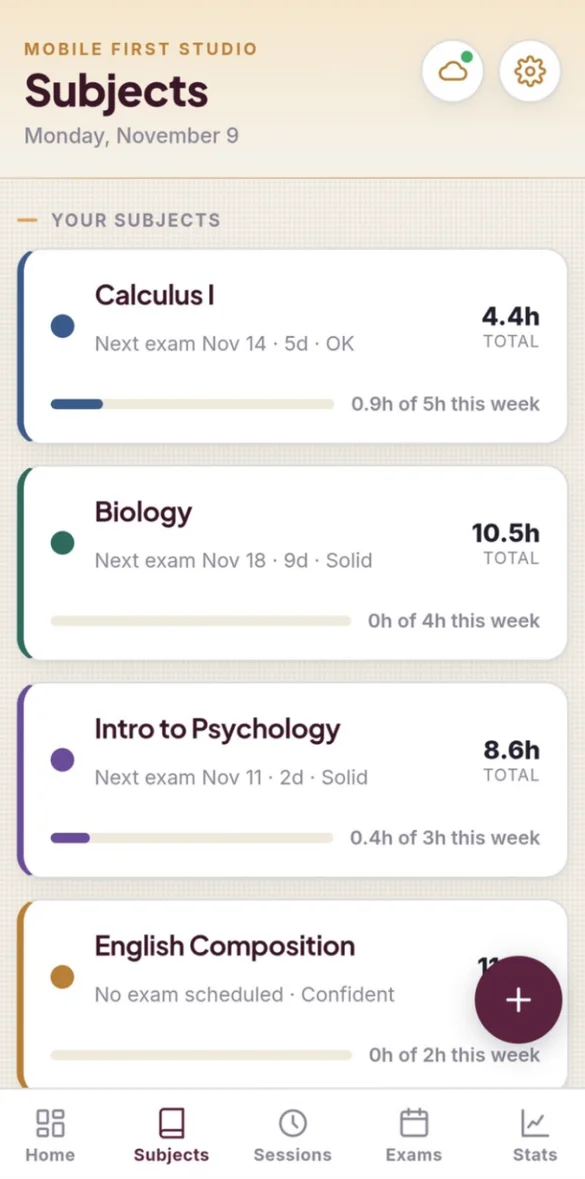
Every class at a glance.
Give each subject a color and a weekly hour goal. See total hours, your next exam and how this week is going.
- Color coded: subjects
- Weekly goal: for each class
- Next exam: and your confidence level
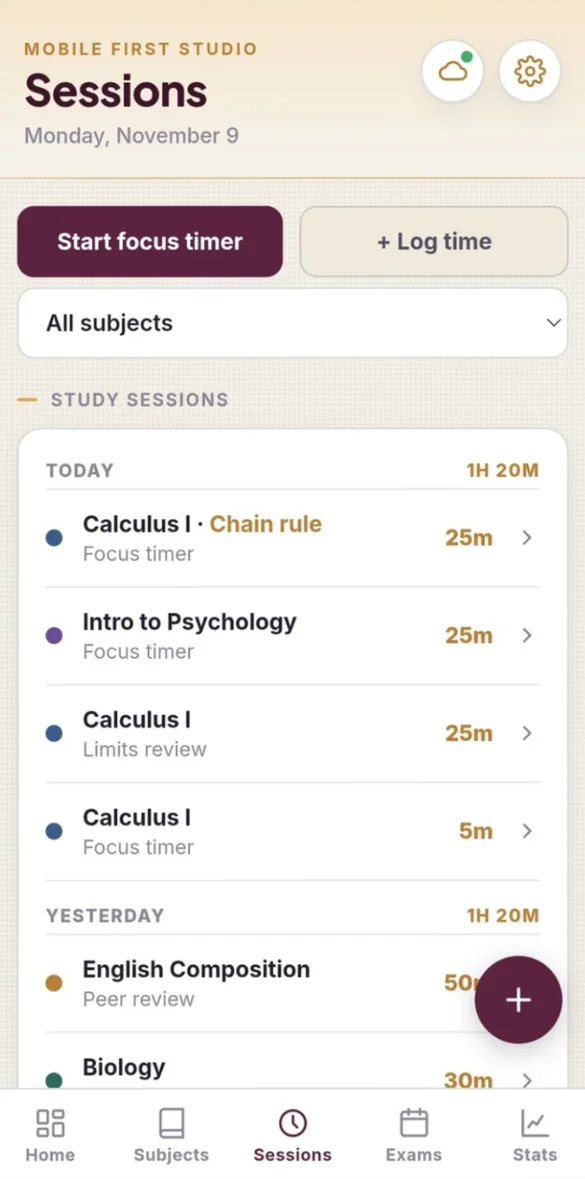
Every minute counts.
Timer sessions log themselves. Add time by hand anytime, with the topic, a note and how well you focused.
- Logs itself: from the timer
- Filter: by subject
- Focus check-in: rate it and tag the topic
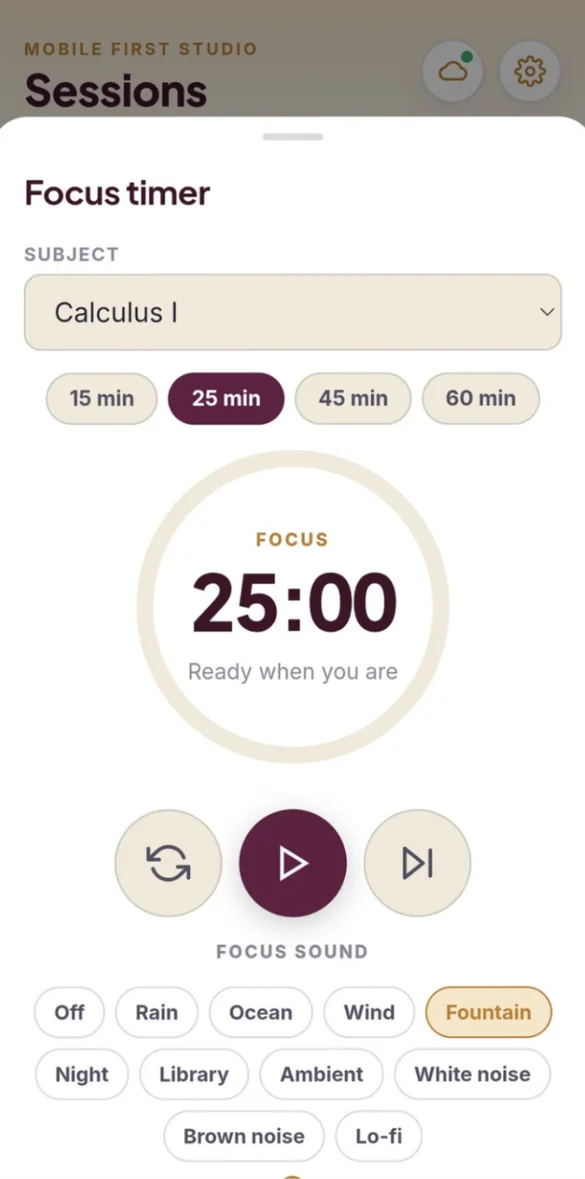
Press play. Tune out.
A Pomodoro-style timer with breaks built in and 10 calming sounds that play even offline.
- 15, 25, 45 or 60 minutes: pick your session
- Breaks: built in
- 10 sounds: rain, ocean, lo-fi and more
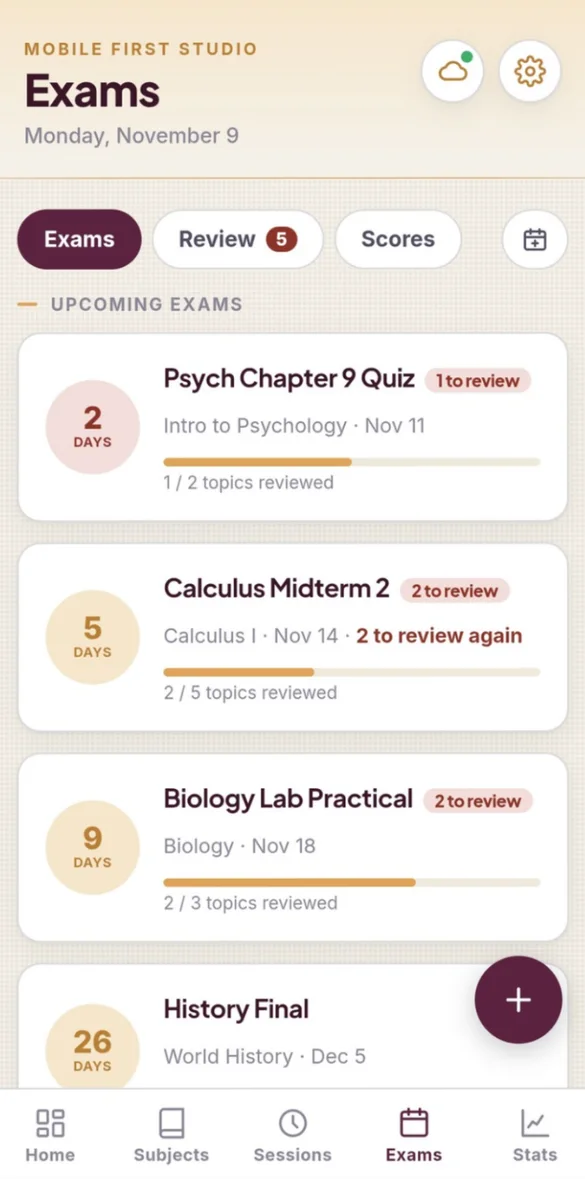
Know exactly what's left.
Every exam gets a countdown and a topic checklist with a progress bar. Ticked topics come back for review right before you would forget them.
- Countdown: for every exam
- Topic checklist: from Not started to Mastered
- Spaced review: at 1, 3, 7, 14 and 30 days
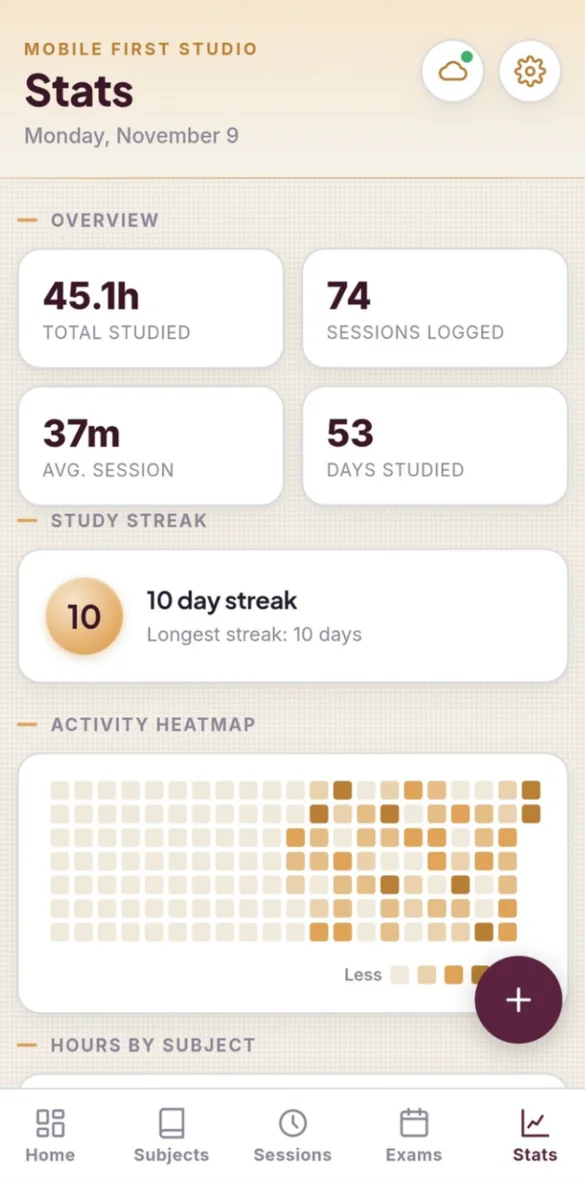
Watch your effort add up.
Total hours, streaks, a heatmap of every study day and hours by subject. It even shows when you focus best.
- Streaks: and an activity heatmap
- Hours by subject: see where your time goes
- 14 milestones: to unlock
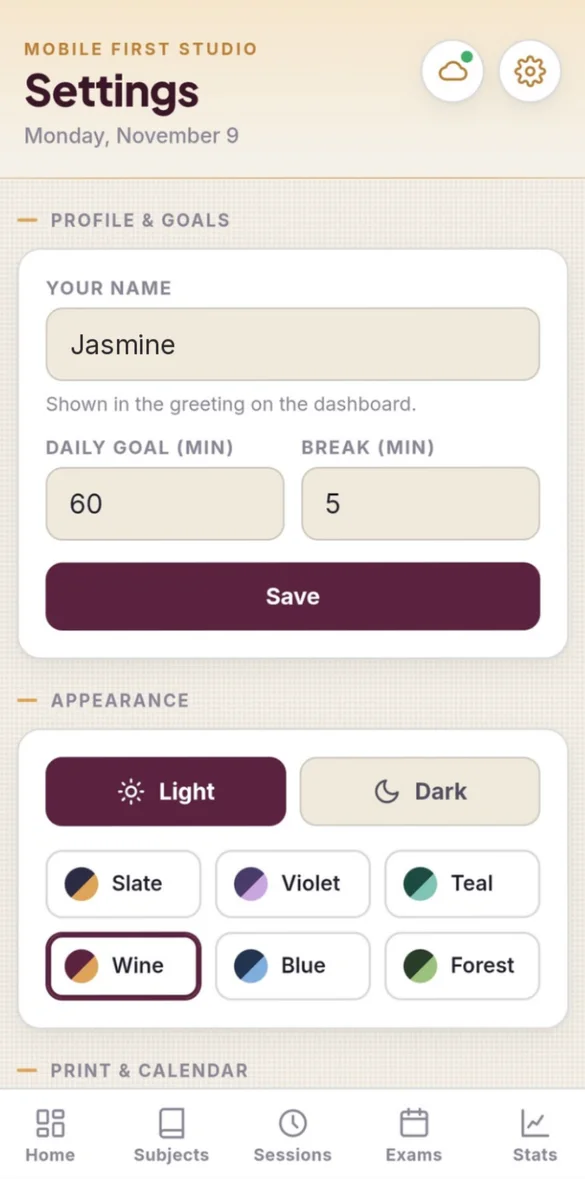
Your colors. Your goals.
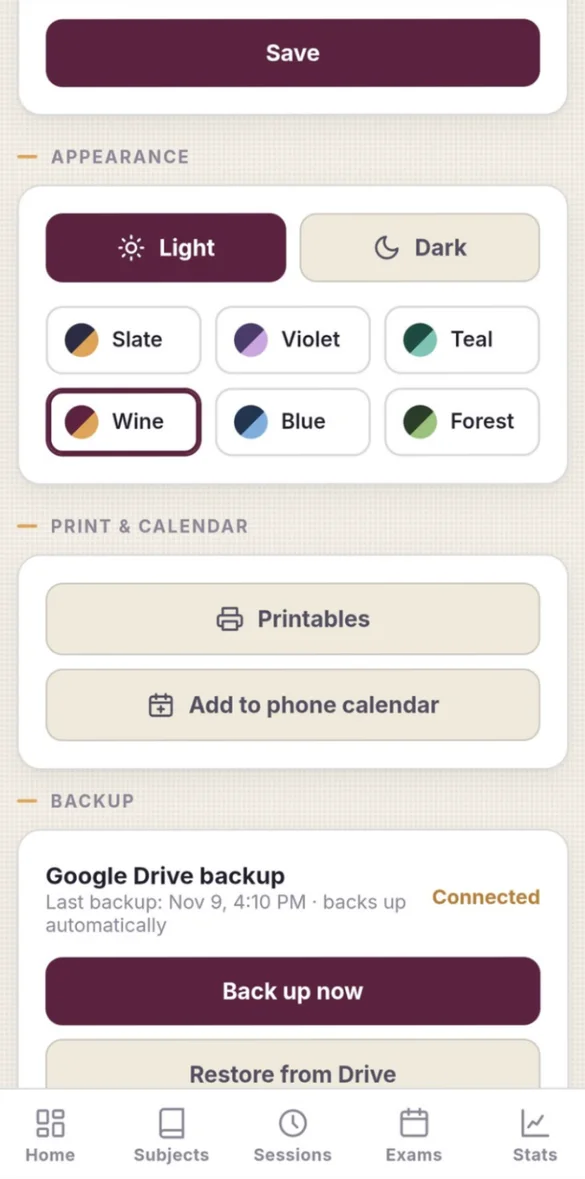
Set your daily goal and break length, pick light or dark mode, and choose from 6 color themes.
- 6 color themes: Slate, Violet, Teal, Wine, Blue and Forest
- Light or dark: mode
- Your own daily goal: and break length
On paper and on your phone.
Print 7 planner pages filled with your study data or blank. Send exams, plan blocks and review dates to your phone's calendar with reminders.
- 7 printable pages: your info or blank
- Letter and A4: paper sizes
- Phone calendar: a heads-up even when the app is closed
Little extras that help
Study plan builder
Spreads your topics over the days you have left before each exam.
Focus check-in
Stats shows when you focus best: time of day, session length and subject.
Practice test scores
A chart, average and change for each subject.
Term Wrap
Save an image of your term to share your progress.
Bonus PDF
All 7 blank pages in US Letter and A4, including Cornell notes.
Phone and computer
Run the timer on your phone, plan your week on your laptop.
Your data stays yours.
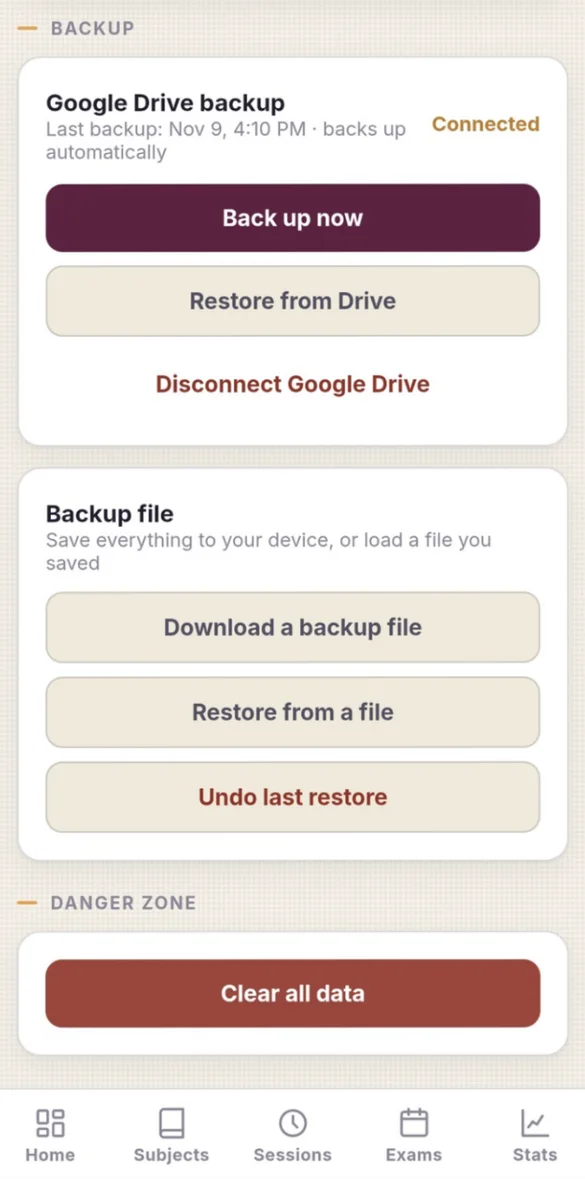
Everything stays on your device and works offline, with no account or login. There's no syncing with school portals or course catalogs. Back up to your own Google Drive automatically, or save a backup file anytime.
- One time purchase, yours forever
- Saved privately on your device, works offline
- Optional automatic Google Drive backup, in your own account
- Backup file you can download anytime
- Undo a restore for 7 days
- No account or login, ever
- No ads, ever
How it works
Buy on Etsy
Your download has the app link and a bonus PDF of 7 blank pages.
Tap the link
Open it on your phone, tablet or computer.
Add it to your home screen
Or bookmark it, then add your subjects and your next exam. Install guide
Good to know: you add your own subjects and exams. There's no syncing with school portals or course catalogs, which keeps your data private.
Your data stays on the device you use. To move it to a new phone or between your phone and laptop, back up on one and restore on the other.
Questions
Is there a subscription?
No. You pay once on Etsy and the app is yours. No monthly fees and no ads.
How does the study plan work?
Pick an exam and the days you can study, and the app spreads your topics over the time you have left. It saves the day before the exam for a full review, and anything you miss rolls over.
What is spaced review?
Tick a topic when you have learned it and it comes back after 1, 3, 7, 14 and 30 days. Tap Got it to move it forward or Again to see it tomorrow.
Do the focus sounds work offline?
Yes. All 10 sounds, from rain and ocean to brown noise and lo-fi, play even with no signal.
Does it sync with my school's portal?
No. You add your own subjects and exams, which keeps your data private and off any other company's servers.
Can I use it on my phone and my computer?
Yes. On a computer it opens in a full desktop layout with a side menu. Your data stays on the device you use, so back up on one and restore on the other.
Can I try it before I buy?
Yes. The free demo has sample subjects and exams, and nothing you type is saved, so try every button.
What if it doesn't work on my phone?
Send a message through Etsy and I'll help you get it working. If we can't, you can get a refund within 30 days.
Try it before you buy
The real app with sample data. Nothing you type is saved.