Symptom & Medication Tracker Symptoms, Doses and Patterns
Your symptoms, your medications and your patterns, ready for your next appointment. For migraines, pain, fatigue or a chronic illness, for you or someone you care for, all in one private place.
- One time purchase
- No account or login
- Optional passcode lock
- Phone, tablet and computer
What's inside
Log how you feel, check off every dose, and walk into appointments with a clear record.
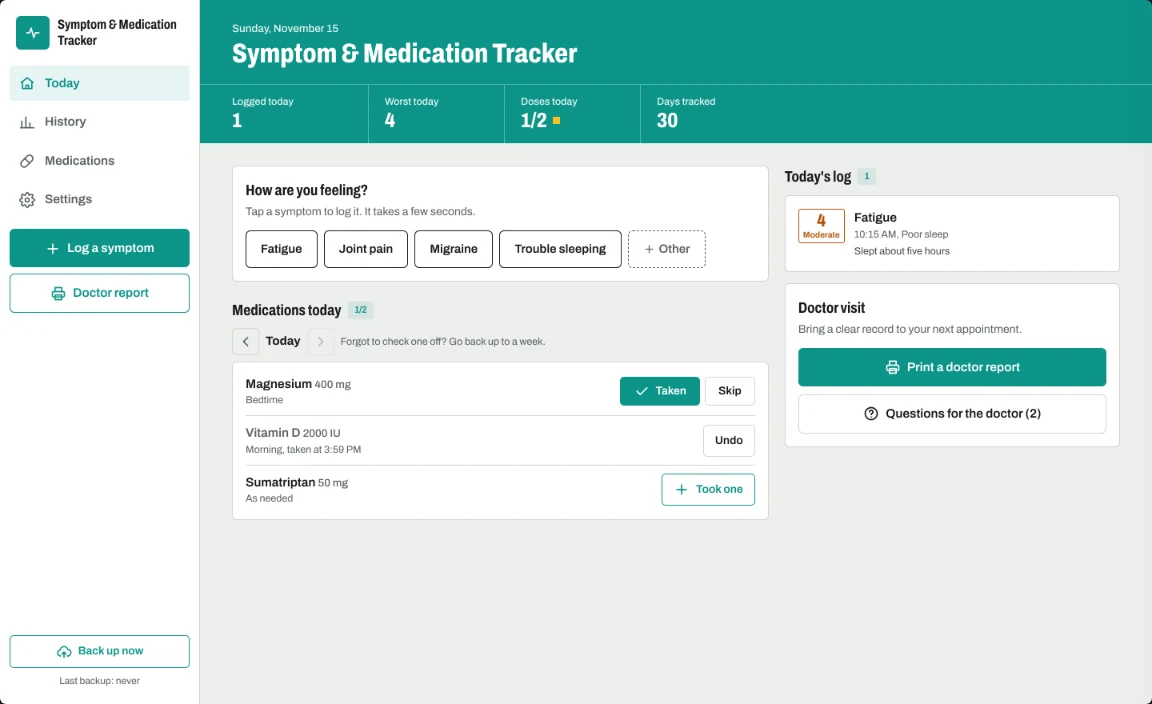
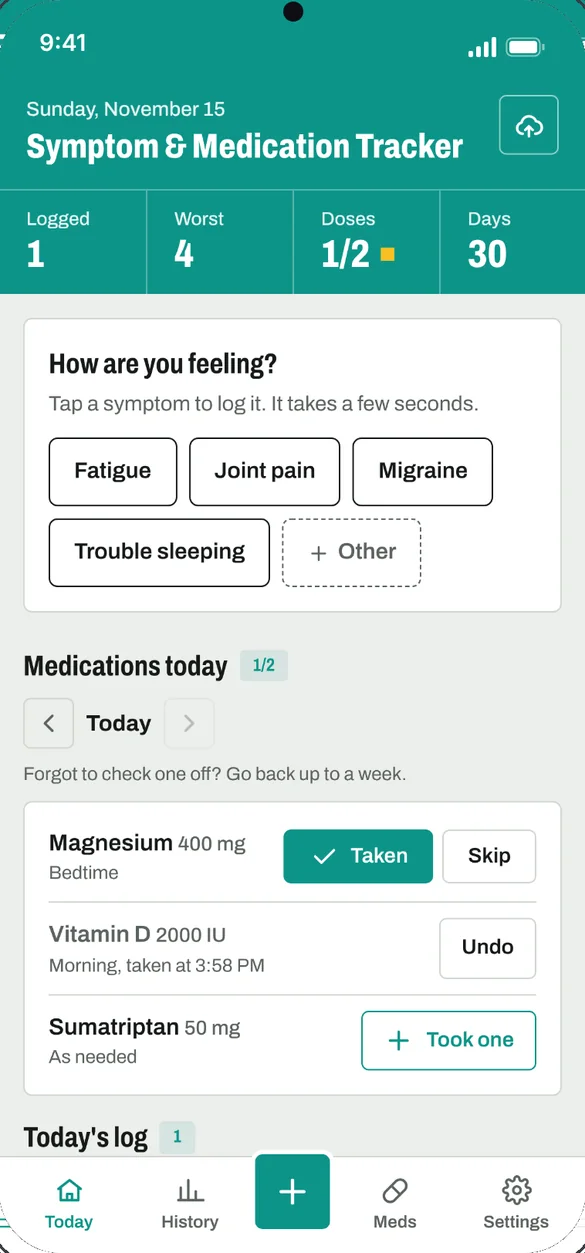
Your whole day on one screen.
A button for each symptom, today's doses, everything you logged today and your doctor visit tools, all in one place.
- One tap: for each symptom
- Today's doses: taken, skipped or took one
- Doctor visit: print a report or open your questions
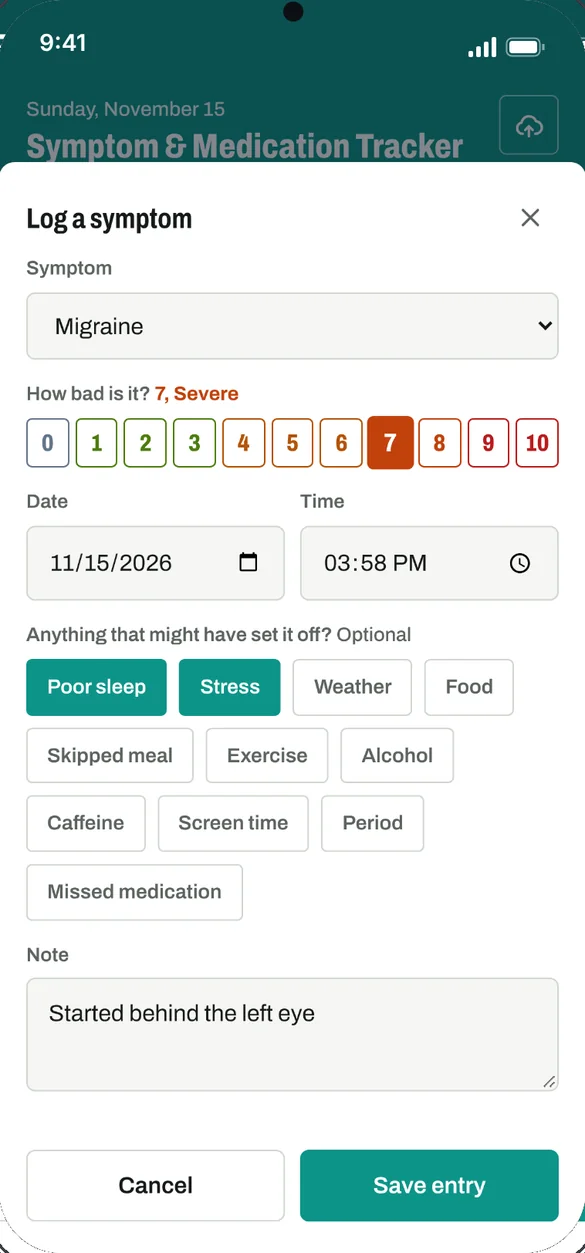
Log it in seconds.
Tap a symptom and pick how bad it is from 0 to 10. Add the time, what might have set it off and a note about what it felt like or what helped.
- 0 to 10 scale: colored from mild to severe
- Possible triggers: poor sleep, stress, weather, food and more, or add your own
- 13 common symptoms: like headache, migraine, fatigue, pain and nausea, or add your own
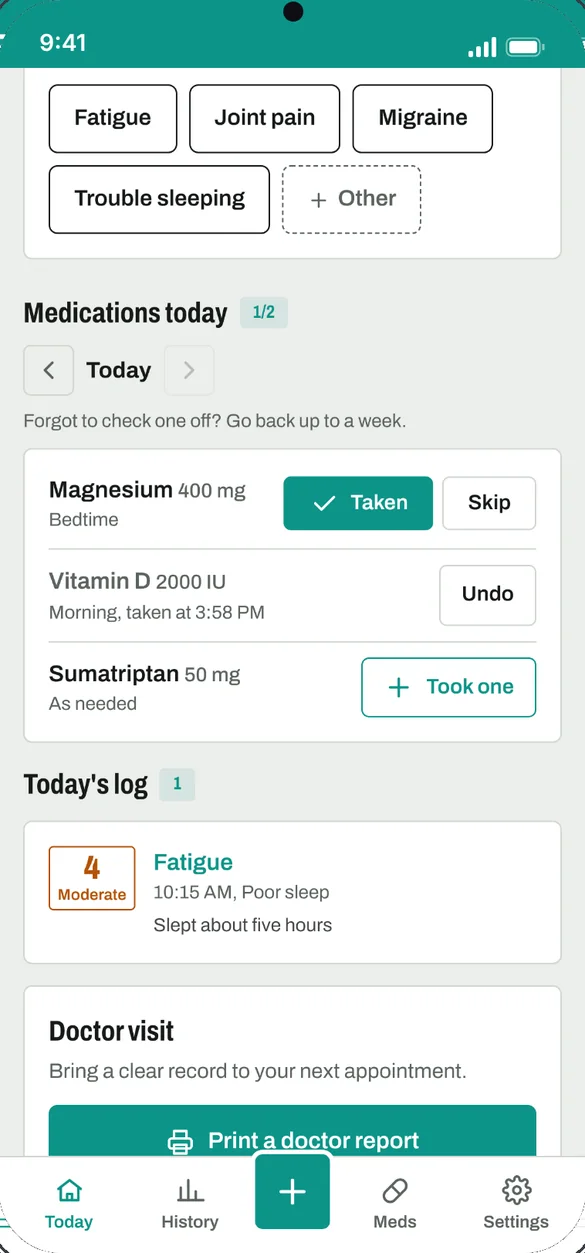
Check off every dose.
Add each medicine, vitamin or supplement with its dose and when it is taken. Each day, mark every dose taken or skipped.
- When it is taken: morning, midday, evening, bedtime or as needed
- Took one: for as needed medicines
- Go back a week: to fill in a dose you forgot to check off
See the pattern.
Daily severity charts for the last 7, 30 or 90 days, for all symptoms together and for each one. Colors run from mild to severe so bad days stand out.
- Days affected: and days with none logged
- Average and worst: for each symptom
- 7, 30 or 90 days: switch with one tap
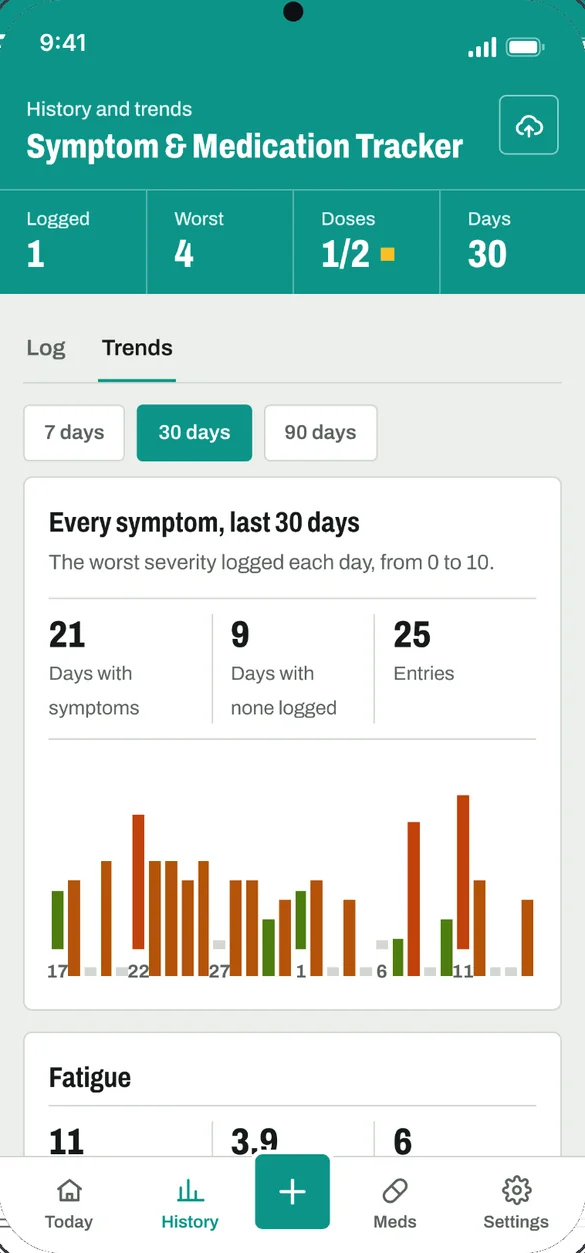
Spot what sets it off.
Trends counts which triggers come up most often. It also shows how many doses were taken for each medication.
- Possible triggers: ranked by how often you noted them
- Doses taken: for each medication
- Taken vs missed: once you have enough days, compare how you felt
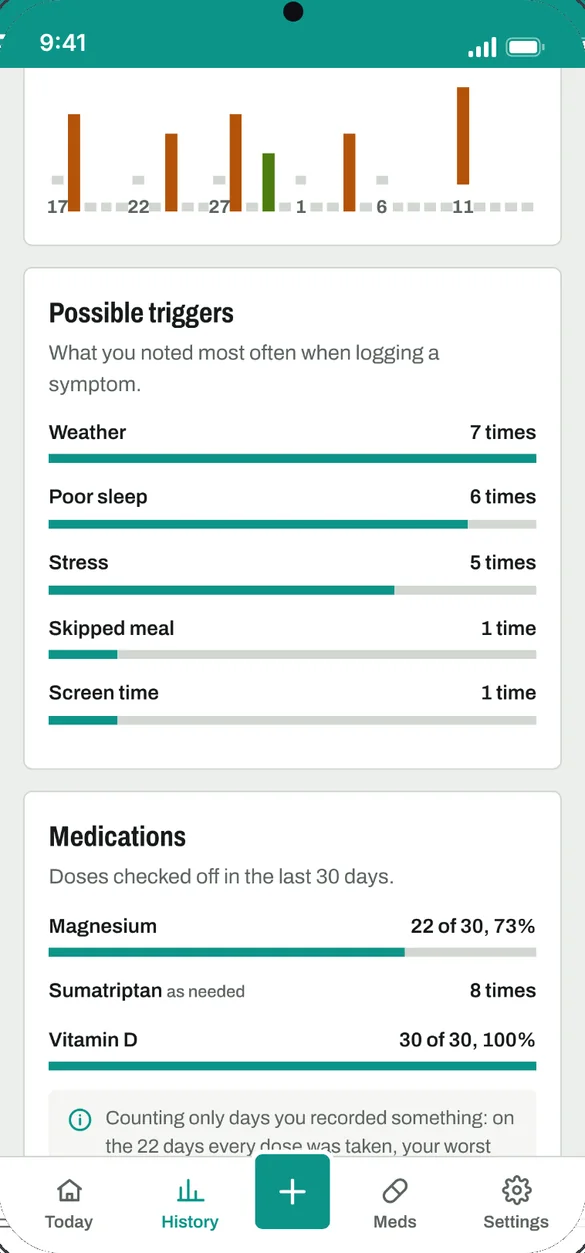
Every day, in order.
Every symptom and dose, listed by day. Filter to one symptom, and tap any symptom entry to edit it.
- Filter: to one symptom or medication
- Tap to edit: any symptom entry
- 7, 30 or 90 days: of history
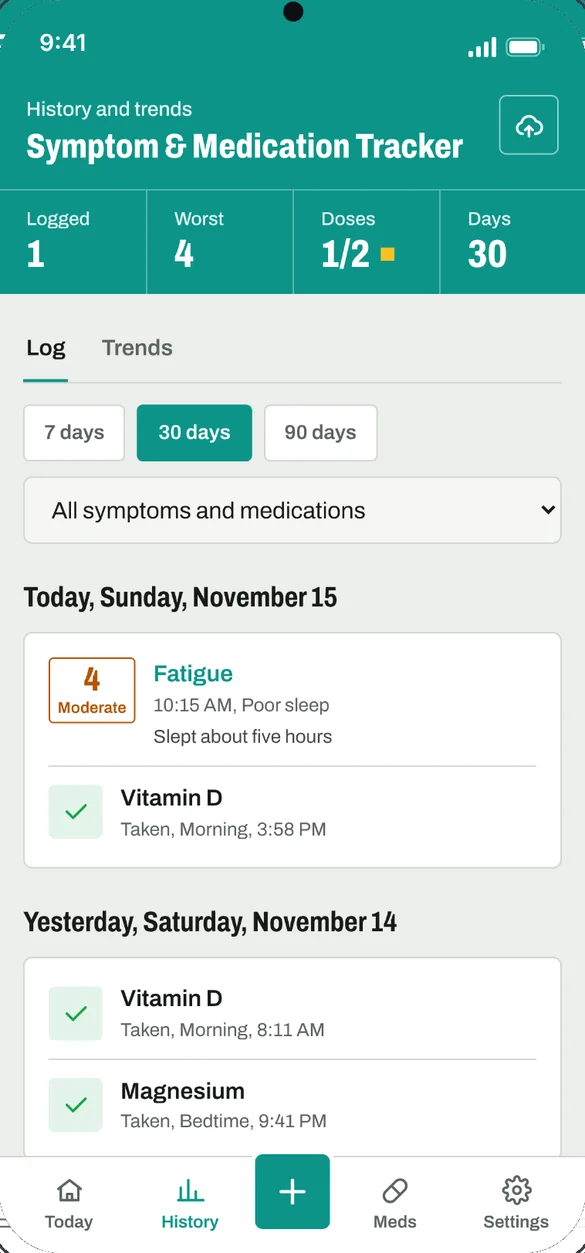
Everything you take, in one list.
Keep every medicine with its dose, when it is taken and what it is for. Print a one page list to keep in a wallet or hand to a doctor or pharmacist.
- Medicines, vitamins, supplements: all in one list
- One page list: with space for allergies, doctor, pharmacy and emergency contact
- Stopped medicines: kept on record
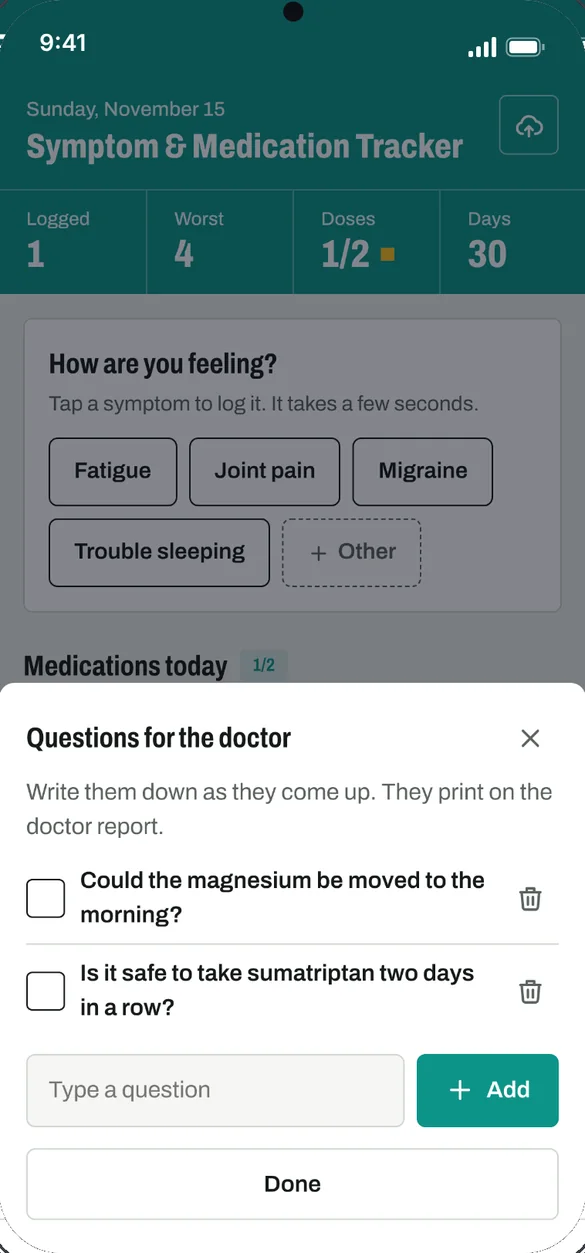
Walk in with a clear record.
Write questions down as they come up and check them off at the appointment. Print a report for the last 7, 30 or 90 days to bring along.
- Doctor report: medications, symptom summary, triggers, full log and your questions
- Questions list: they print on the report
- Made on your phone: no upload needed
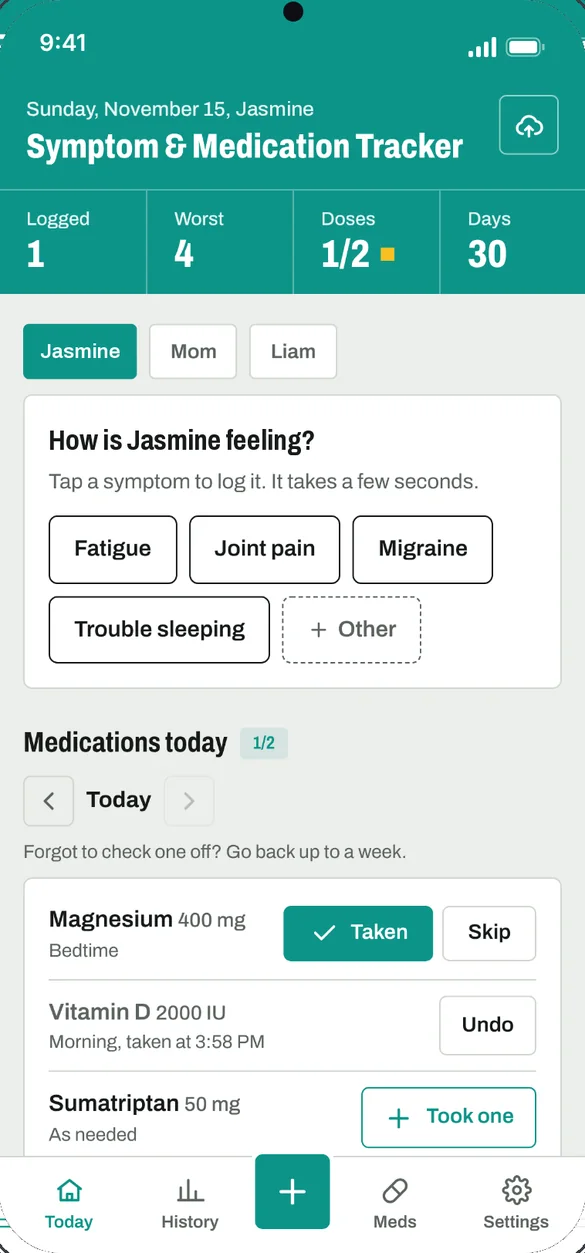
Track the whole family.
Each person gets their own symptoms, medications and history. Useful for a child, a partner or a parent you care for.
- Switch with one tap: at the top of Today
- Separate records: symptoms, doses and history for each
- Separate reports: for each person
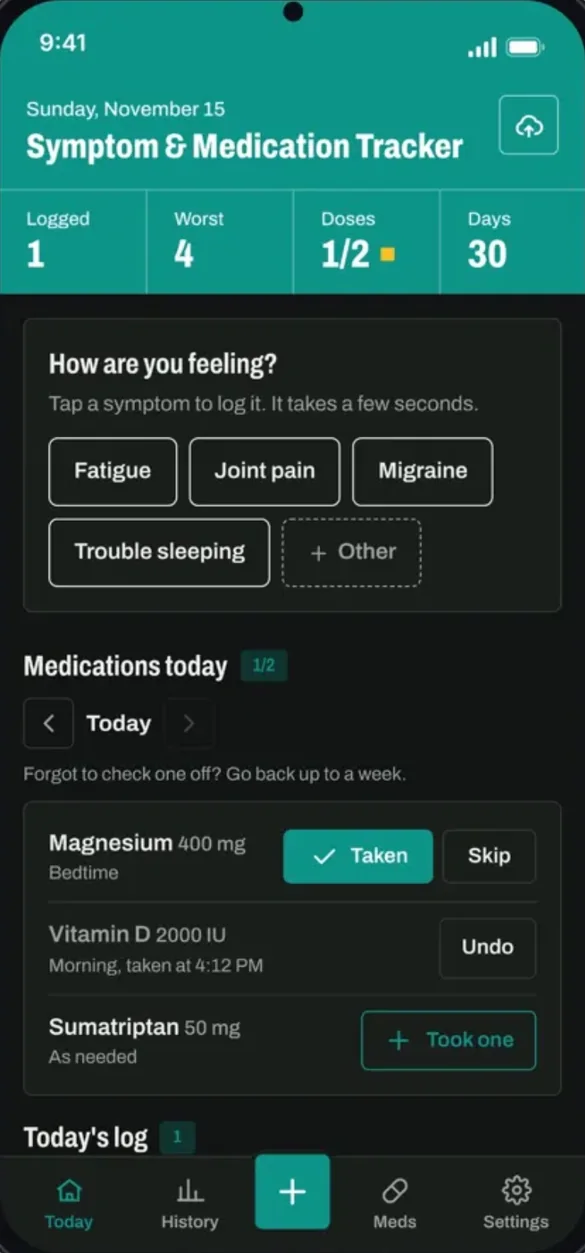
Your colors, light or dark.
Choose from 8 color themes, switch to dark mode and rename the app.
- 8 color themes: pick the one you like
- Dark mode: easier on the eyes at night
- Rename the app: make it your own
Little extras that help
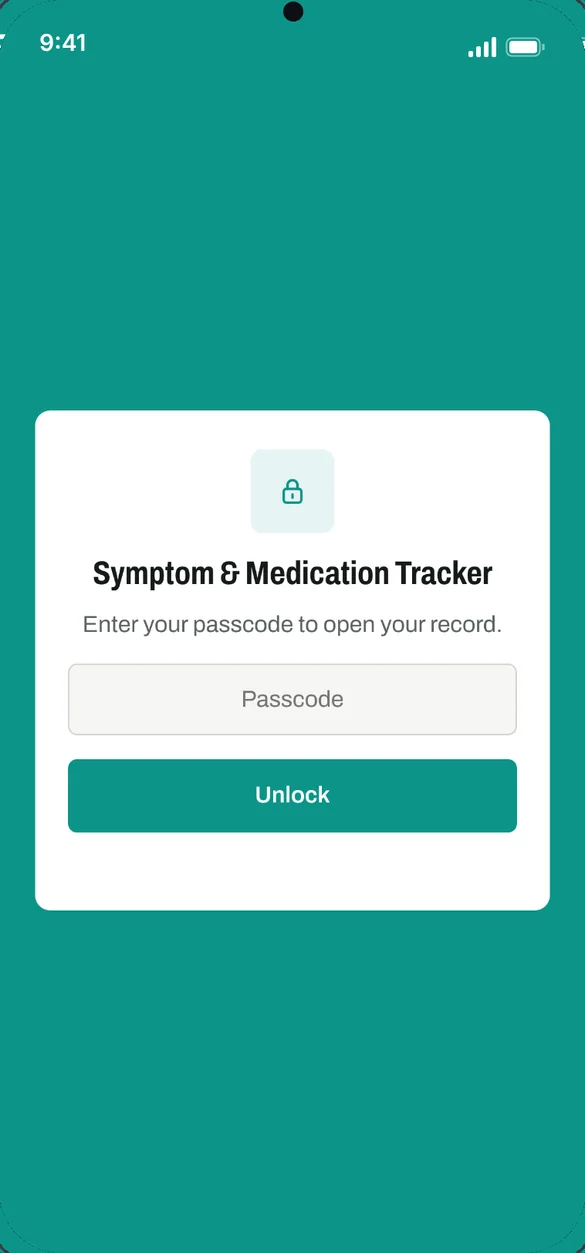
Passcode lock
Your record is encrypted on your device and locks after five minutes away.
Spreadsheets
Save your symptom and medication logs as files for Excel, Numbers or Google Sheets.
Blank printables
A blank symptom log and weekly medication chart to fill in by hand.
5 bonus pages
Symptom log, medication chart, medication list, doctor questions and a monthly calendar.
Phone and computer
On a computer it opens full screen with a sidebar.
Works offline
Log a symptom anywhere, even with no signal.
Your health record stays yours.
Your record is saved on your device, with no account and no ads. Set a passcode and it is encrypted on your device and opens only with that passcode. Backups go where you choose: a file you download, or your own Google Drive. Backup files, spreadsheets and Drive backups are not encrypted, so keep them somewhere safe.
- One time purchase, yours forever
- Saved privately on your device
- Works offline once installed
- Optional passcode lock that encrypts your record
- Optional backup to your own Google Drive
- Backup file with undo after a restore
- No account, no login, no ads
How it works
Buy on Etsy
Download your PDFs, including the 5 bonus printable pages.
Tap the link
Open the link in the PDF on your phone, tablet or computer.
Add it to your home screen
Or bookmark it, then pick your symptoms. Install guide
Good to know: this is a record keeper, not medical advice. It doesn't send reminders or push notifications, check doses or warn about interactions. Always follow your doctor's and pharmacist's instructions.
Each device keeps its own copy, so use a backup to move your record. If you set a passcode and forget it, it cannot be reset. The free demo uses sample data, and printing, backup, spreadsheets and the passcode lock are in the full app.
Questions
Is there a subscription?
No. You pay once on Etsy and the app is yours. No monthly fees and no ads.
Does it send medication reminders?
No. It's for logging by hand. It doesn't send reminders or push notifications, check doses or warn about interactions.
Is this medical advice?
No. It's a record keeper. Always follow your doctor's and pharmacist's instructions.
Can I track someone I care for?
Yes. Track up to 6 people, like a child, a partner or a parent. Each person gets their own symptoms, medications, history and questions.
How private is it?
Your record is saved on your device, with no account. Set a passcode and the record is encrypted on your device. Backup files, spreadsheets and Google Drive backups are not encrypted, so keep them somewhere safe.
What if I forget my passcode?
A passcode cannot be reset, so keep a backup file somewhere safe.
Can I use it on my phone and my computer?
Yes, but each device keeps its own copy. To move your record, download a backup file or use Google Drive, then restore it on the other device.
What if it doesn't work on my phone?
Send a message through Etsy and I'll help you get it working. If the app doesn't install or work on your phone, you can get a refund within 30 days.
Try it before you buy
Tap around the real app with sample data. Nothing you type is saved.