Travel Planner Itinerary, Budget and Packing
Every trip you'll ever take, planned in one place. Your flights, hotel, itinerary, budget, packing list and travel journal together, on your phone and your computer.
- One time purchase
- No account or login
- No ads
- Phone, tablet and computer
What's inside
Everything for the trip together, so you're not juggling five different tools.
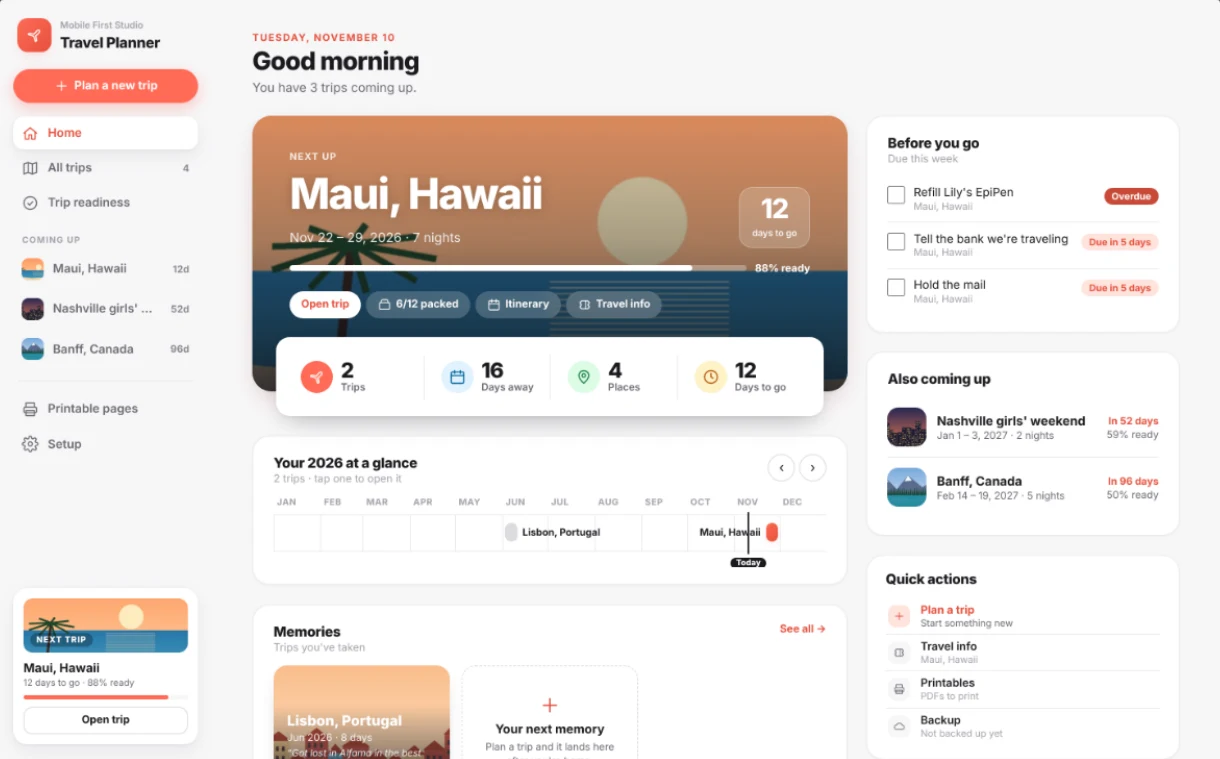
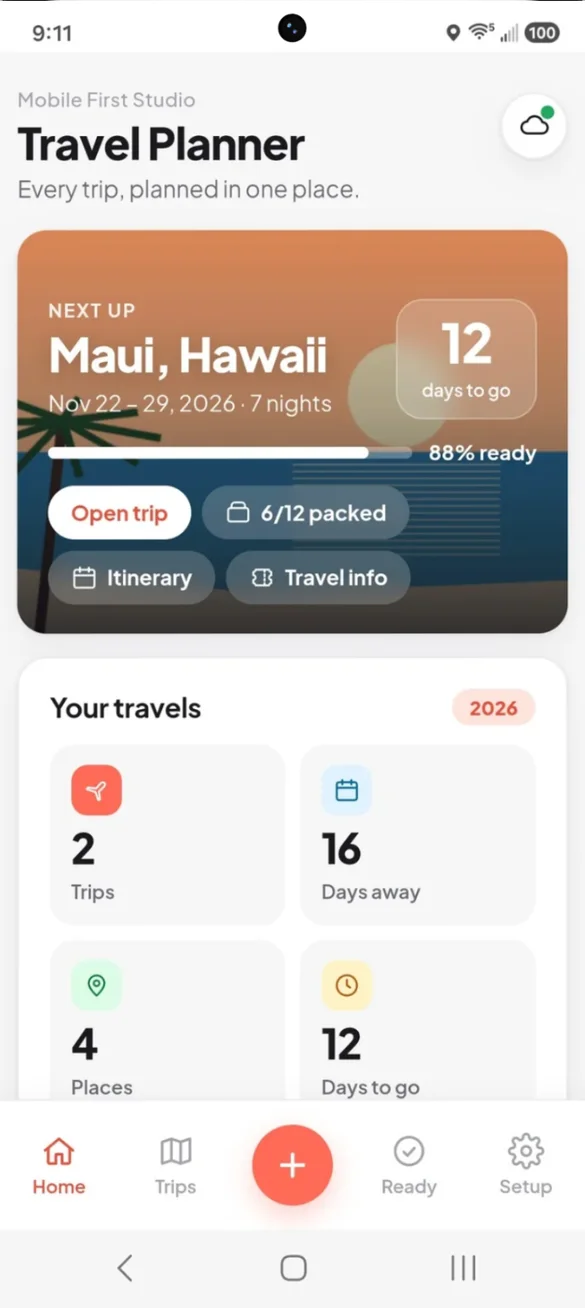
Your next trip, front and center.
Open the app and see your next trip with a big countdown, how ready you are, and one tap to your packing list, itinerary or travel info.
- Big countdown: days to go, right on the card
- Readiness: how prepped you are at a glance
- Your travels: trips, days away and places this year
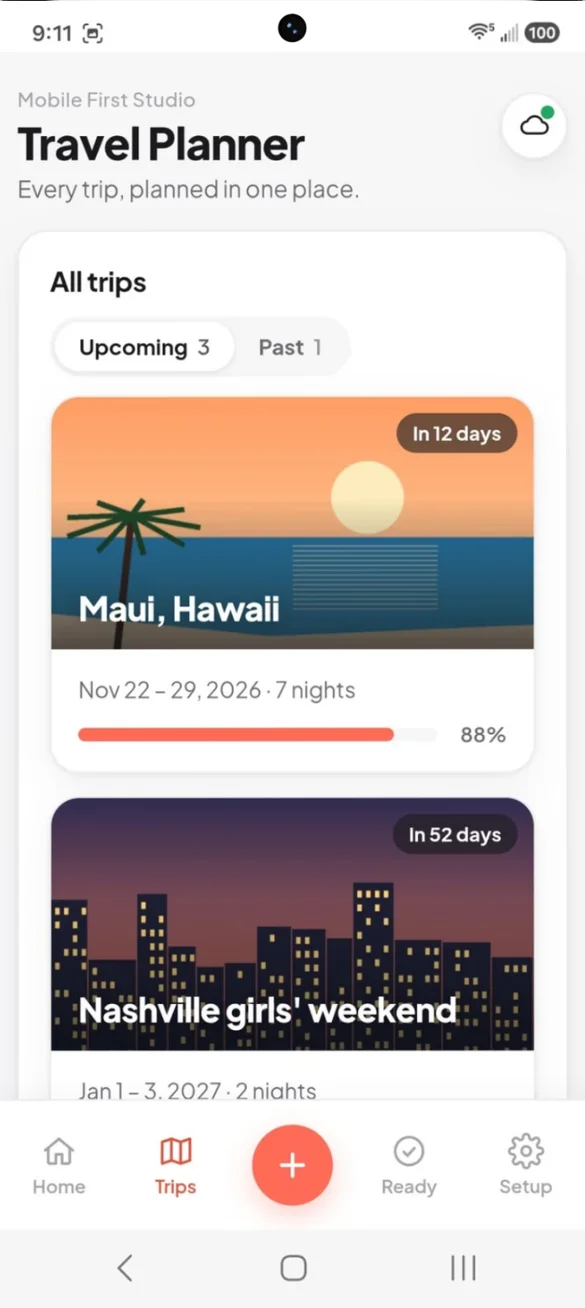
Every trip in one place.
Plan as many trips as you want, each with its own cover photo. Past trips are tucked away as memories, not deleted.
- Upcoming and past: all your trips kept
- Countdown badges: "In 12 days" on every card
- Percent ready: see which trip needs attention
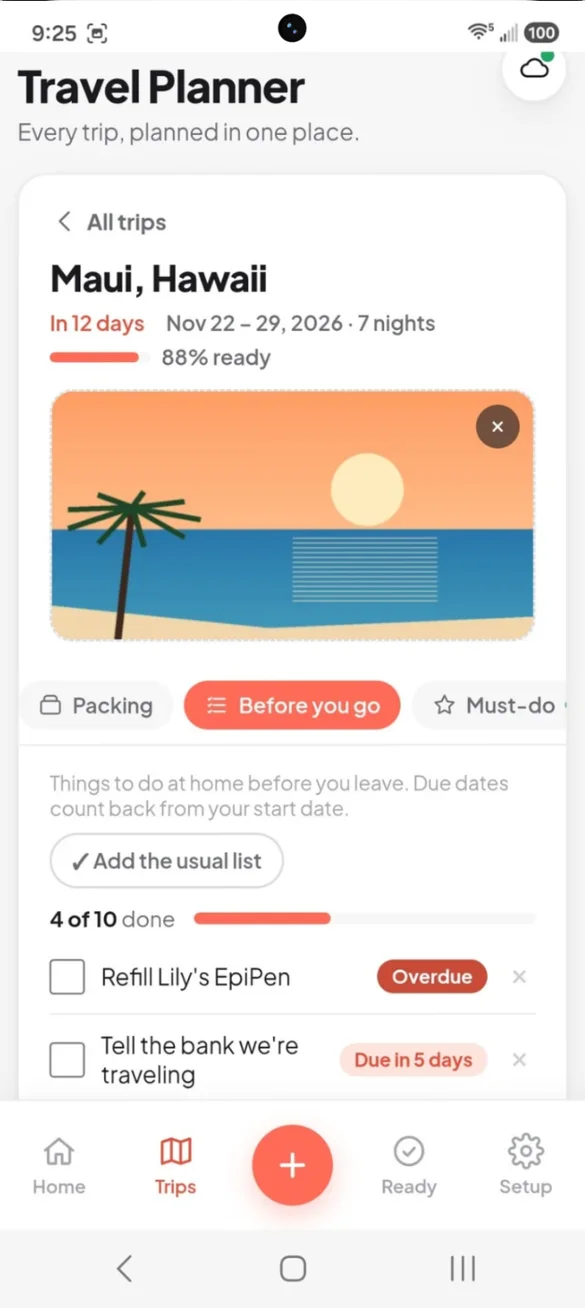
The to-do list for home.
Start with the usual list, like hold the mail, tell the bank and refill prescriptions, or add your own. Each item gets a due date, and anything due this week shows on Home.
- The usual list: add common to-dos in one tap
- Due dates: counted back from your start date
- Overdue alerts: so nothing slips
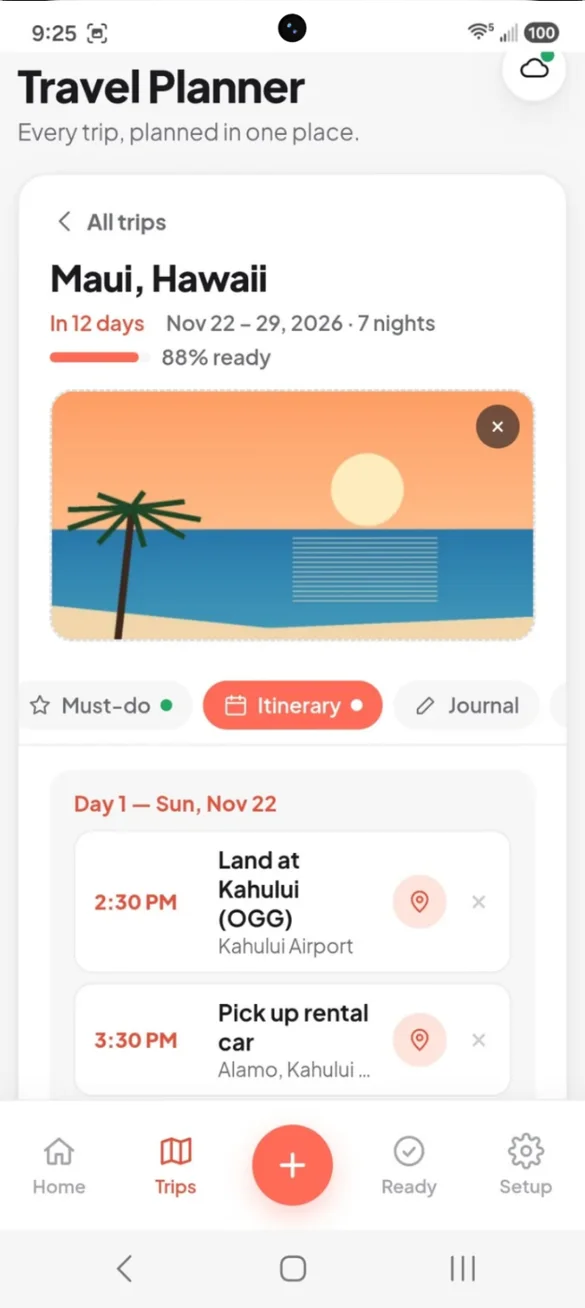
Every day, planned.
Once your dates are set, every day of the trip gets its own page. Add plans with times and places, sorted for you, and tap a place to open it in Maps.
- Timed plans: "2:30 PM, land at Kahului"
- Tap for Maps: open any place in one tap
- What's next: Home shows your next plan during the trip
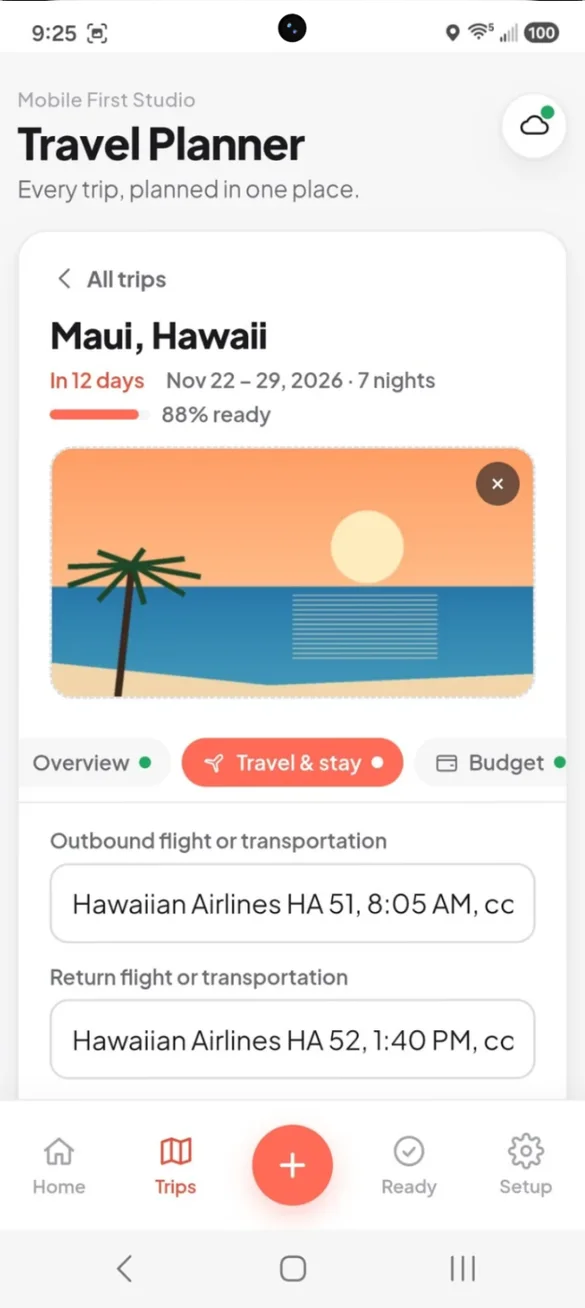
Every booking, one place.
Keep your flights or transportation, hotel name and address, confirmation number, check in and check out, and Wi-Fi password together.
- Flights: going and coming home
- Where you're staying: address, check in and check out
- Travel info card: all of it on one screen, even offline
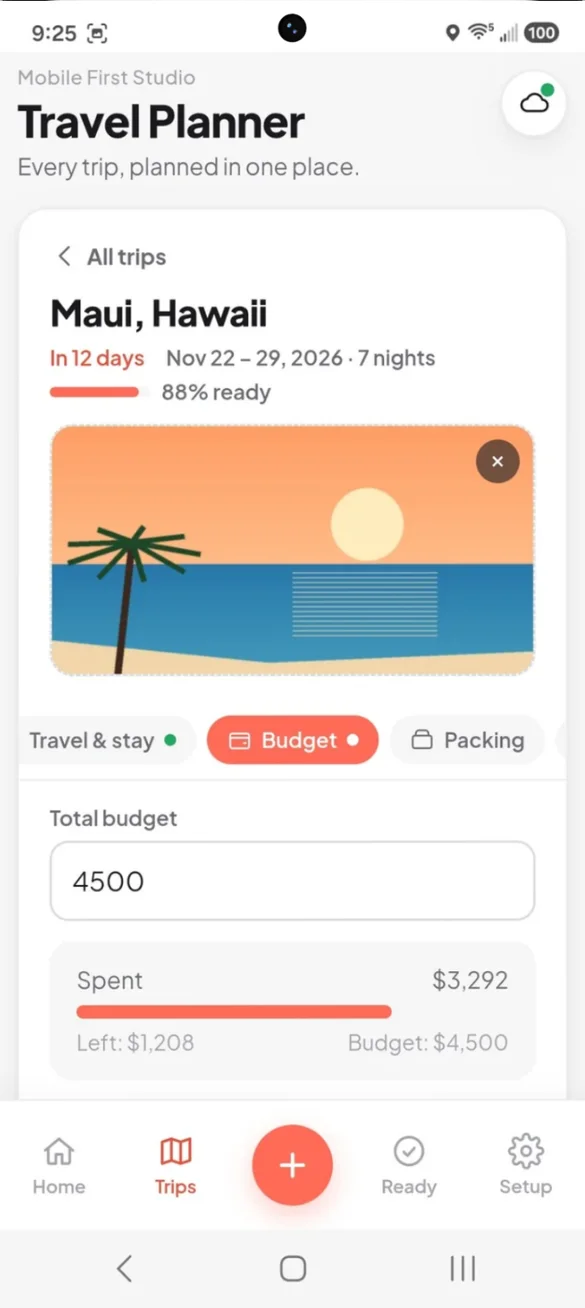
Know what's spent and what's left.
Set a total budget and log every expense by category, with a breakdown of where the money went. Traveling with others? Mark who paid and the app works out who owes whom.
- By category: transport, lodging, food and more
- Split costs: see who owes whom
- Your currency: dollars, euros, pounds and more
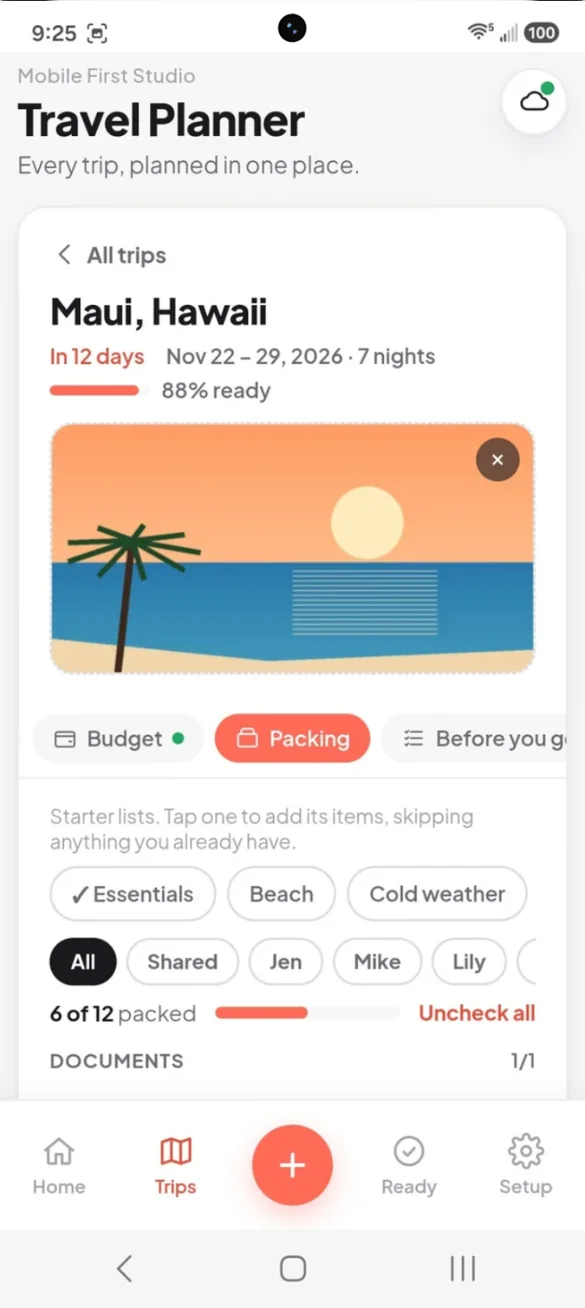
Never forget the charger again.
Start from a starter list or build your own, grouped by documents, clothing, toiletries, electronics, kids and more, with a progress bar as you pack.
- 8 starter lists: essentials, beach, city, kids and more
- Pack by person: tag items for each traveler
- Uncheck all: reuse the list for the next trip
Don't miss the good stuff.
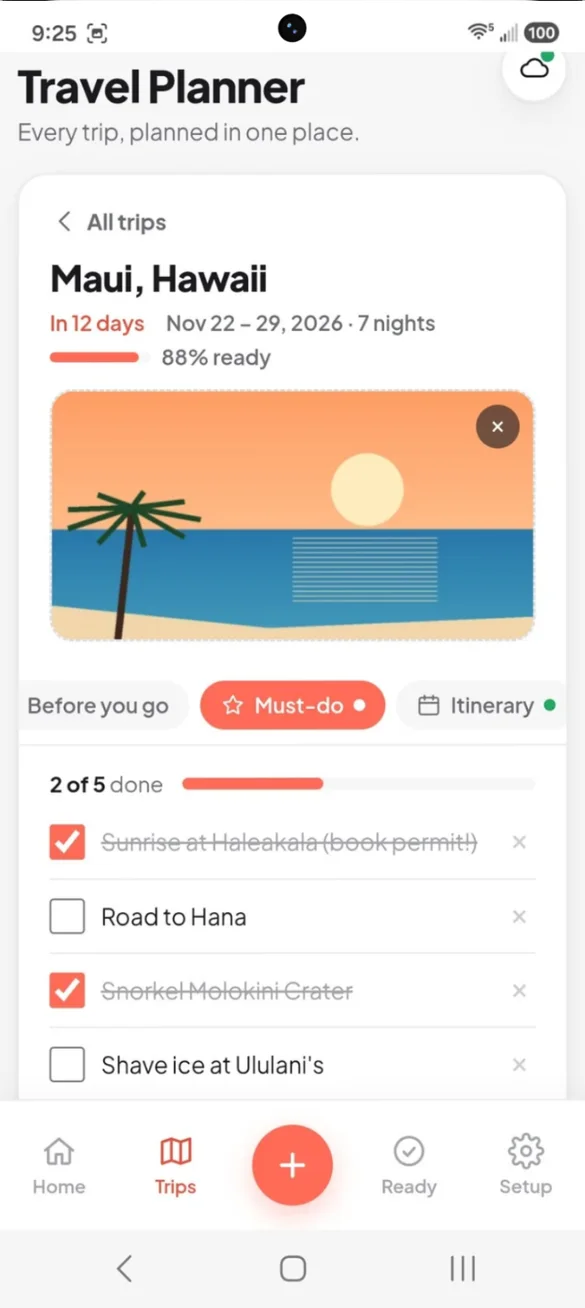
Keep a running list of every restaurant, landmark and experience you don't want to miss, and check them off as you go.
- Add as many as you want: type a few at once
- Check them off: as you go
- Prints too: part of your trip packet
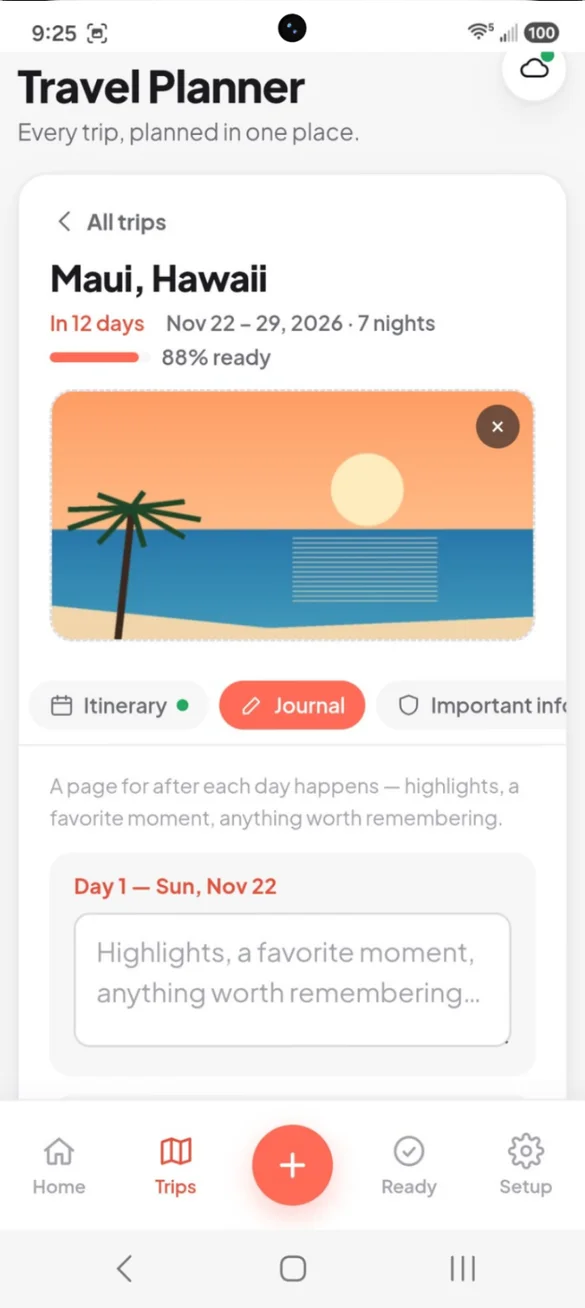
Remember every day.
A page for each day of the trip, for highlights and favorite moments. Past trips become memories with days away, money spent and your journal notes.
- One page per day: ready when your dates are set
- Write as you go: a few lines each night
- Trip memories: look back on past trips
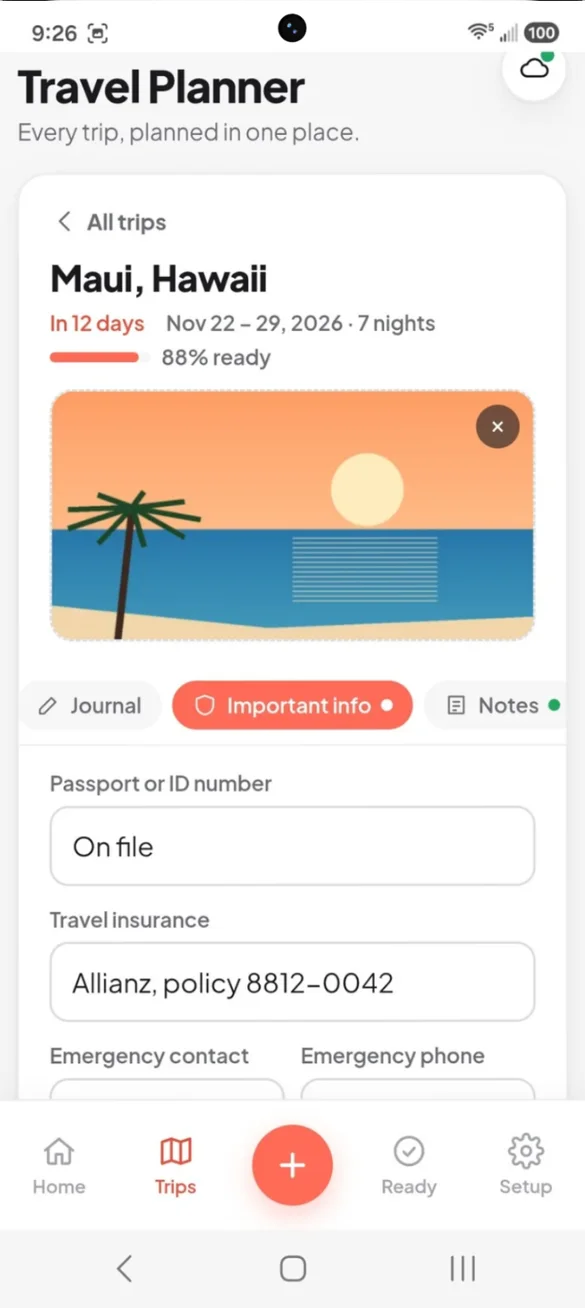
The things you can't lose.
Store passport details, travel insurance, emergency contacts, and home and pet care notes for whoever's watching the house.
- Travel insurance: policy number at hand
- Emergency contact: one tap to call
- Home and pet care: notes for the house sitter
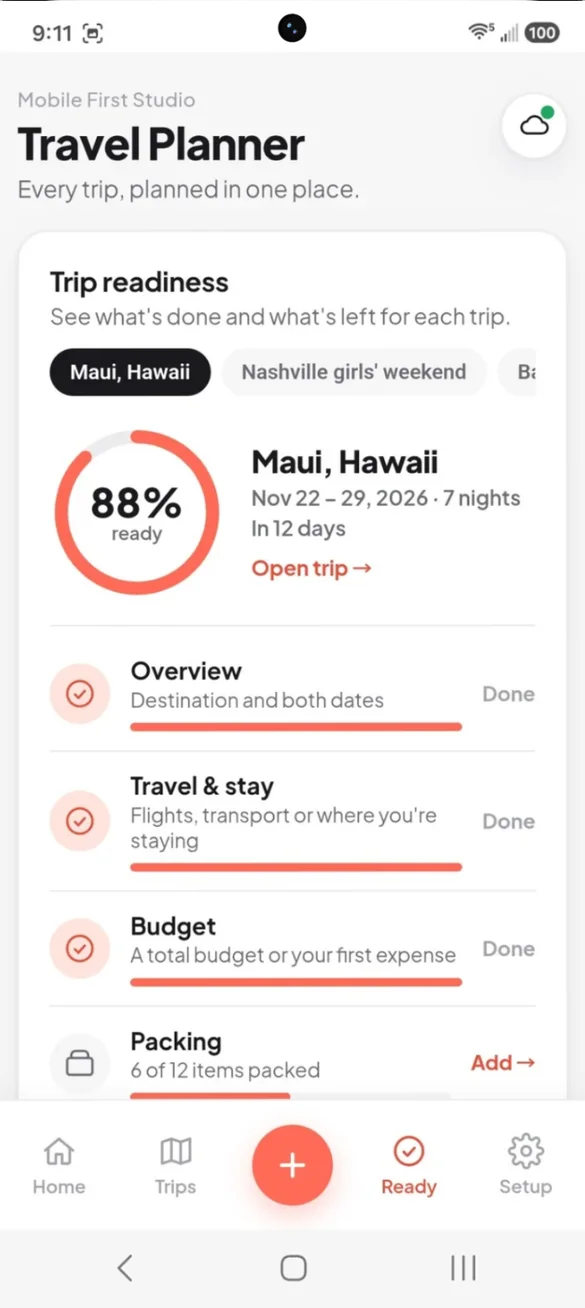
See what's left at a glance.
Every part of the trip, with what's done and what's missing. Tap any section to jump straight to it.
- Readiness ring: one number for how prepped you are
- Every section checked: travel, budget, packing and more
- Switch trips: see each upcoming trip
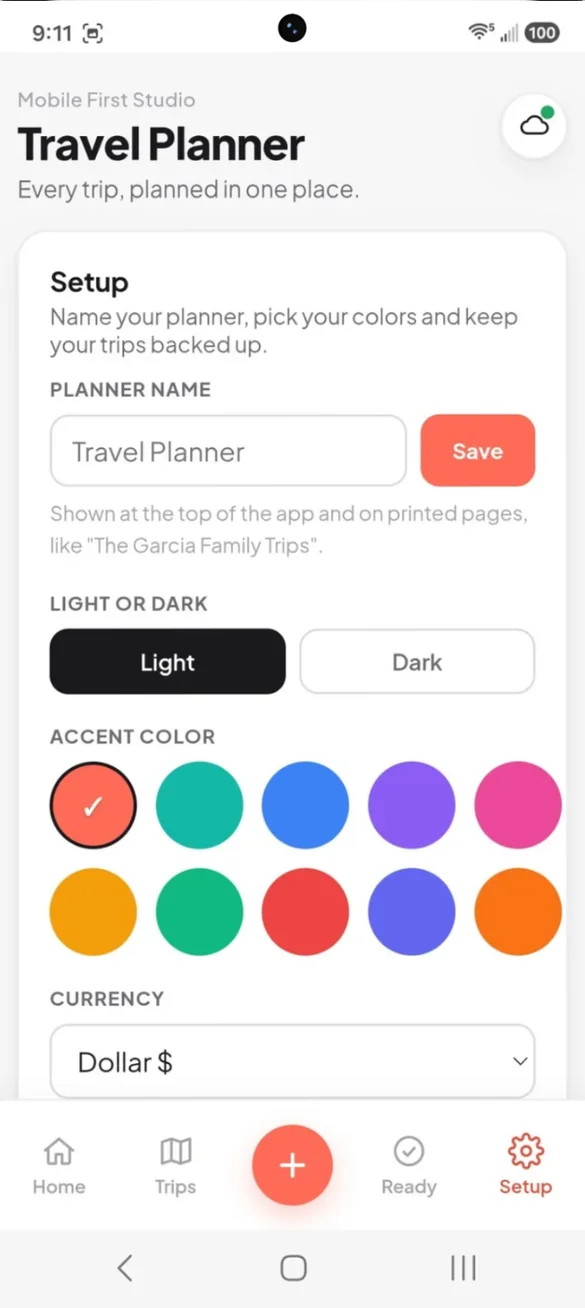
Your planner, your look.
Give your planner its own name, like "The Garcia Family Trips". Pick from 10 accent colors, light or dark mode, and your currency.
- Your planner name: at the top and on printed pages
- 10 accent colors: and light or dark
- Your currency: set once, used everywhere
Little extras that help
Travel info card
Flights, hotel and Wi-Fi on one big screen, with copy and call buttons.
Add to calendar
The whole trip, timed plans and before you go reminders.
Share the plan
Text or email the schedule to family or a pet sitter.
Printable pages
A full trip packet, or blank planner pages to fill in by hand.
Use as template
Copy a trip with its packing list and must-dos for next time.
Works offline
Your plans are there at the airport, even with no signal.
Your trips stay yours.
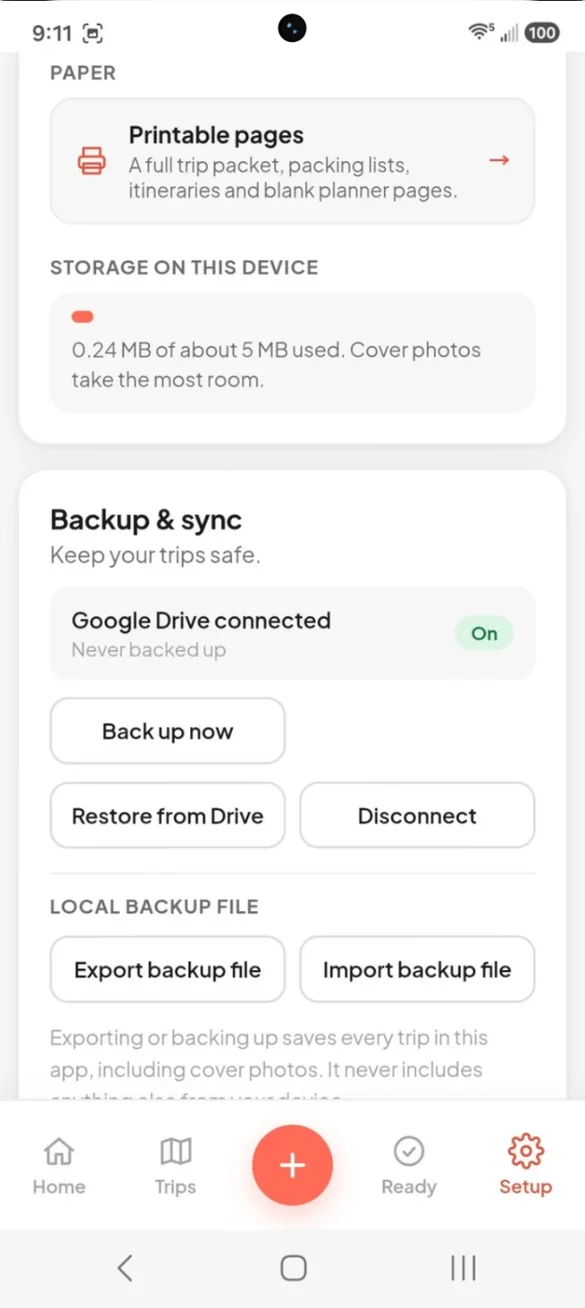
Everything saves privately on your device and works offline, with no account or login. Printable pages are made right on your device, and nothing is uploaded. Backups go where you choose: your own Google Drive, or a file you download. A backup is also how you move your trips between devices.
- One time purchase, yours forever
- Saved privately on your device, offline
- Optional Google Drive backup, in your own account
- Backup file you can download anytime
- Printable PDFs made on your device
- No account or login, ever
- No ads, ever
How it works
Buy on Etsy
Download your PDF with the link to your app.
Tap the link
Open it on your phone, tablet or computer.
Add it to your home screen
Or bookmark it, then plan your first trip. Install guide
Good to know: the app doesn't book travel or pull in live flight or weather info. It's your private planner for everything you've booked.
Plan as many trips as you want. Cover photos take the most space, so Setup shows how much room you've used and reminds you to back up when it's getting full. Each device keeps its own copy, so use a backup to move between devices.
Questions
Is there a subscription?
No. You pay once on Etsy and the app is yours. No monthly fees and no ads.
Does it book travel or track my flight?
No. It doesn't book travel or pull in live flight or weather info. It's your private planner for everything you've already booked.
Will my travel info work without signal?
Yes. Your travel info card is saved on your phone, so your flights, hotel, confirmation numbers and Wi-Fi password are there at the airport with no signal.
Can it split costs with friends or family?
Yes. Add who is going, mark who paid for each expense, and the app works out who owes whom.
How many trips can I plan?
As many as you want, each with its own cover photo, itinerary, budget and packing list. Setup shows how much room you have used, since cover photos take the most space.
Can I share the plan?
Yes. Send your dates, flights, hotel, day by day schedule and emergency contact to family or a pet sitter in a text or email, or add the trip to your phone calendar.
Can I use it on my phone and my computer?
Yes. You get easy tabs on your phone and a full dashboard with a side menu on a computer. Each device keeps its own copy, so back up on one and restore on the other.
What if it doesn't work on my phone?
Send a message through Etsy and I'll help you get it working. If we can't, you can get a refund within 30 days.
Try it before you buy
The real app with sample data. Nothing you type is saved.