Ultimate Finance Hub Budget Planner App
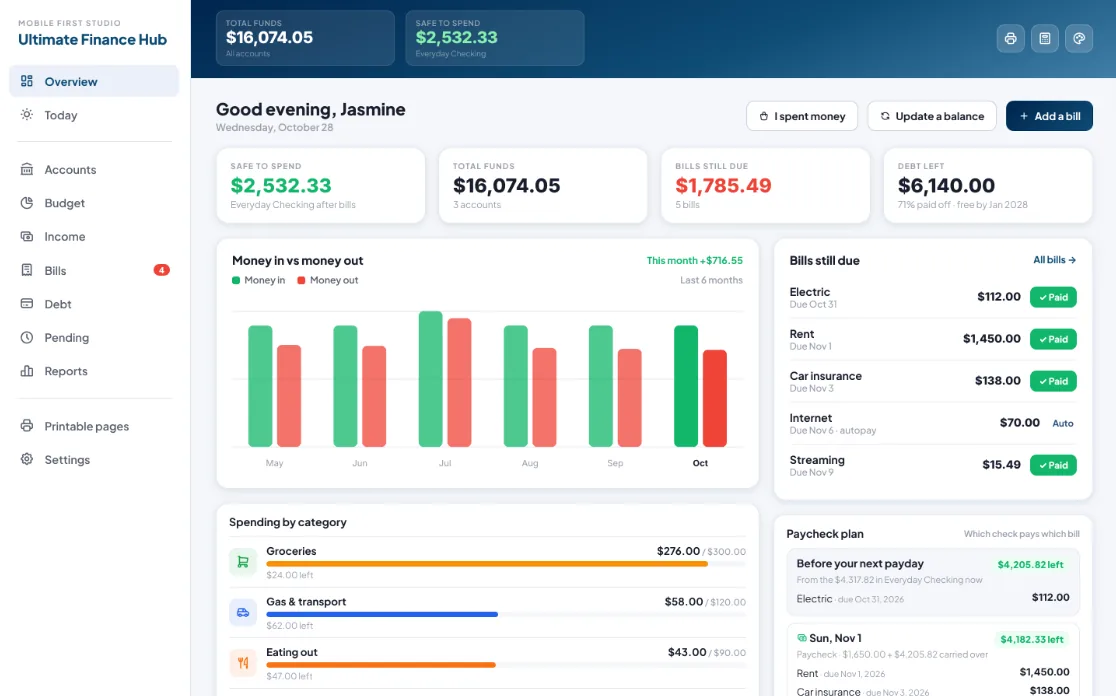
Our most complete finance app, built around one number: Safe to Spend. Budget by category and by paycheck, track bills, accounts, income and debt, and close out every month, all without linking your bank.
- One time purchase
- No bank login
- No ads
- Phone, tablet and computer
What's inside
Everything for your money in one app, on your phone or your computer.
One number before you spend.
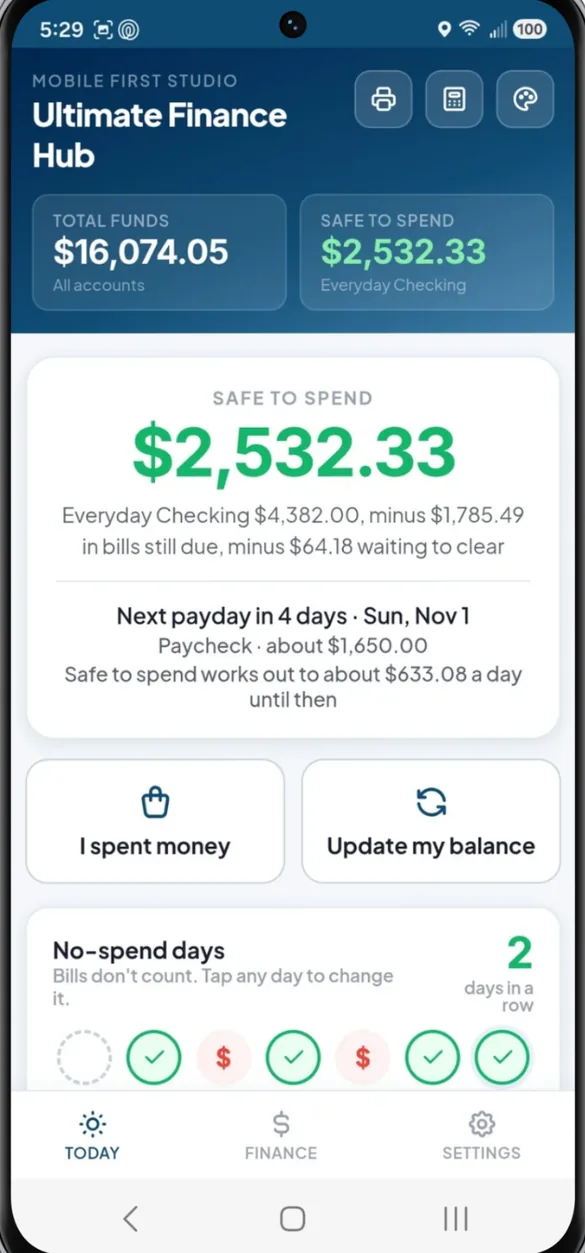
Safe to Spend takes your bills still due and anything pending out of your main balance first, so you know what's really yours. The Today screen also counts down to payday and shows how much you can spend per day until then.
- Safe to Spend: main balance minus bills due and pending
- Payday countdown: days to payday plus a daily spending amount
- Quick logging: I spent money and Update my balance, one tap each
- No spend streak: tap the days you skipped extra spending, bills don't count
Give every category a limit.
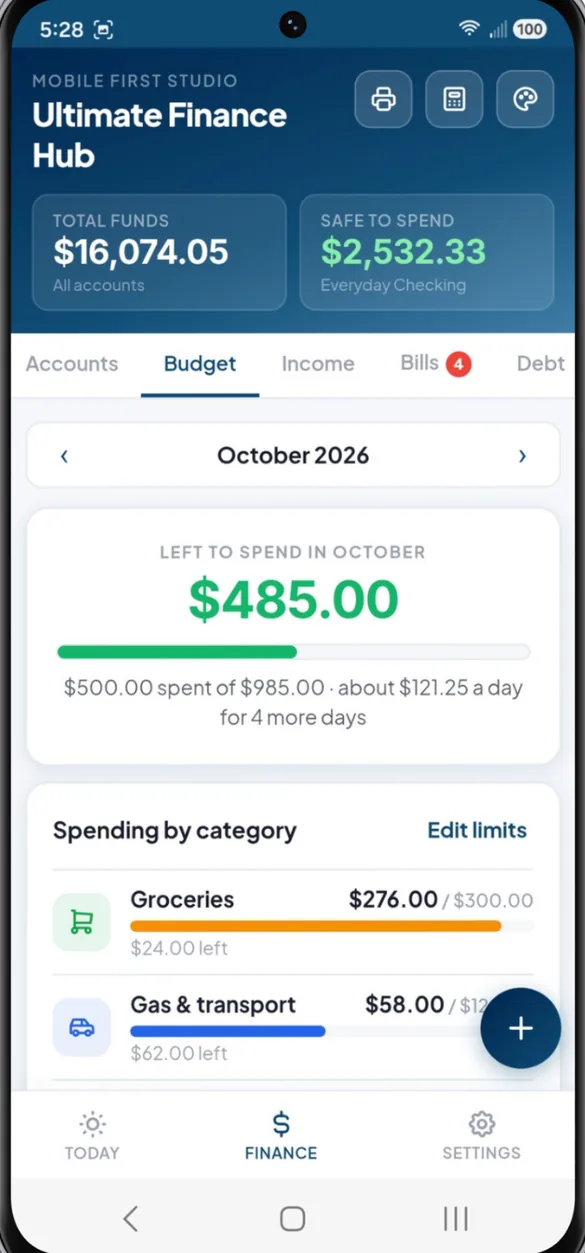
Set limits for 9 spending categories like groceries, gas, eating out, and kids and family. Spending sorts itself as you log it, and the bars fill up as the month goes.
- Color warnings: bars turn orange when you're close and red when you're over
- Daily amount: how much you can spend per day for the rest of the month
- Suggested limits: the app suggests limits from your last 3 months
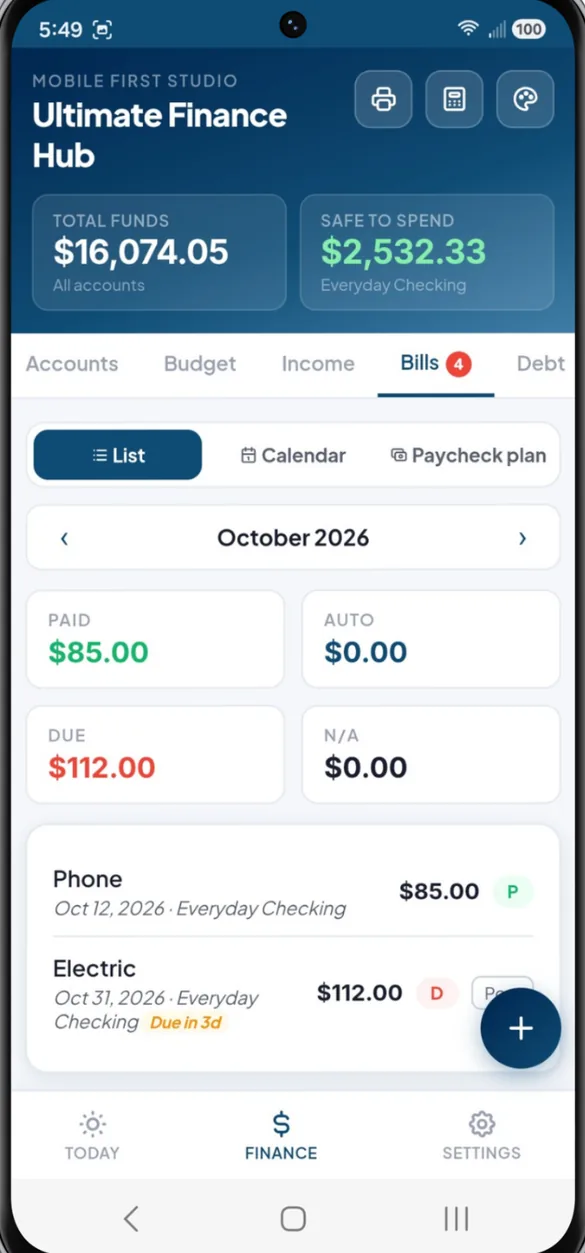
Know which check pays which bill.
Add recurring bills once and they fill in every month, including quarterly and annual ones. The paycheck plan lines each bill up under the paycheck that lands before it's due, and carries leftover money forward.
- Status badges: Paid, Auto, Due or N/A, with a count of what's still due
- Bill calendar: every bill on its due date, with paydays shaded green
- Paycheck plan: weekly, every 2 weeks, twice a month or monthly pay
- Paid from: pick which account or card each bill came out of
Every account. One dashboard.
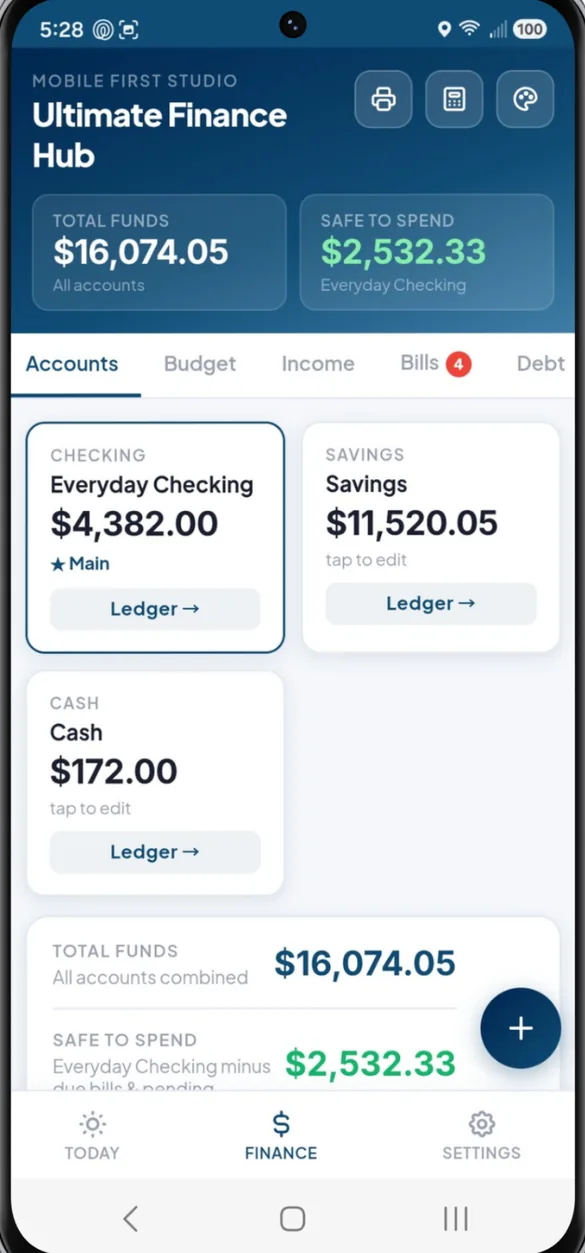
Track up to 8 checking, savings, cash or investment accounts. Each one keeps its own ledger with a running balance, and Total Funds adds everything together.
- Total Funds: all your accounts in one number
- Ledgers: every transaction and running balance, month by month
- Savings goals: set a target and deadline and watch the progress ring fill
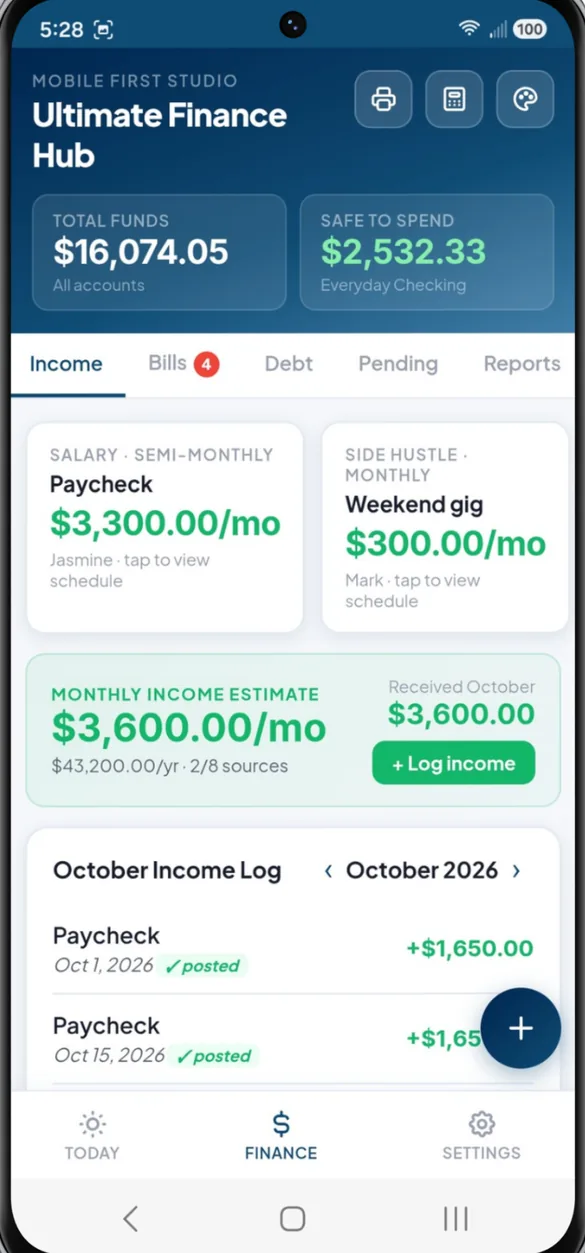
Know when money is coming in.
Add every income source: salary, benefits, side gigs. Set how often it pays once, and when money lands, tap Payday, adjust the amount if it changed, and you're done.
- Any schedule: weekly, every 2 weeks, twice a month, monthly or irregular
- Monthly estimate: what you should bring in this month based on real pay dates
- Income log: every paycheck posted, month by month
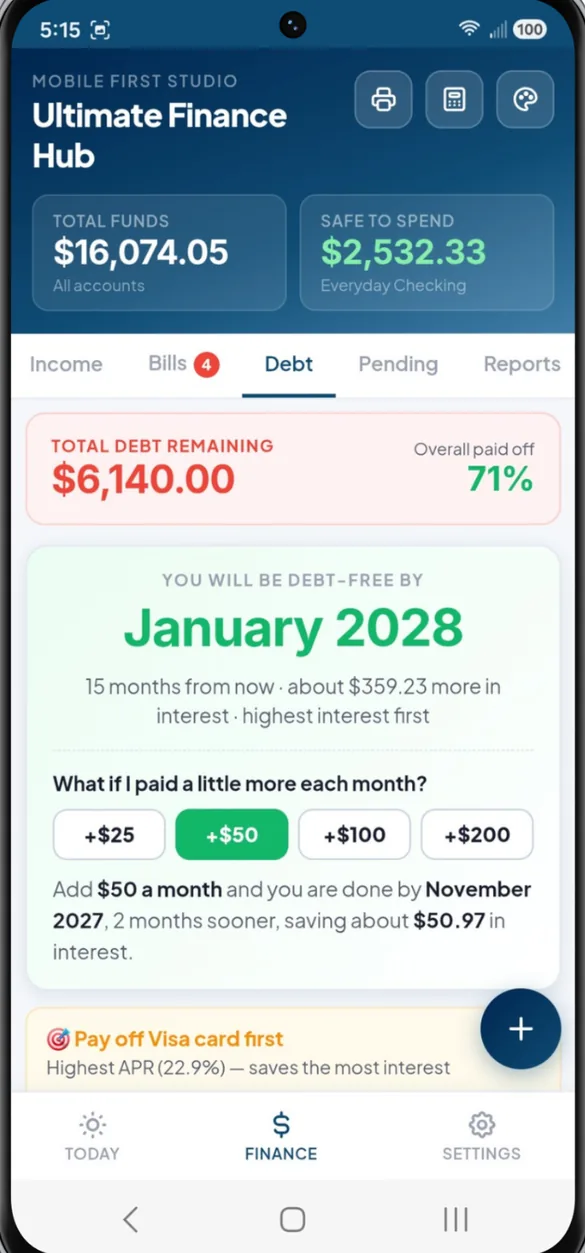
See your debt free date.
Track credit cards with their limit and available credit, and loans with their payoff progress. Pick avalanche or snowball and the app shows when you'll be done.
- Debt free date: based on your balances, rates and payments
- What if: tap +$25, +$50, +$100 or +$200 to see how much sooner you finish
- Interest saved: see how much an extra payment saves you
- Charges and payments: log both, so card balances stay accurate
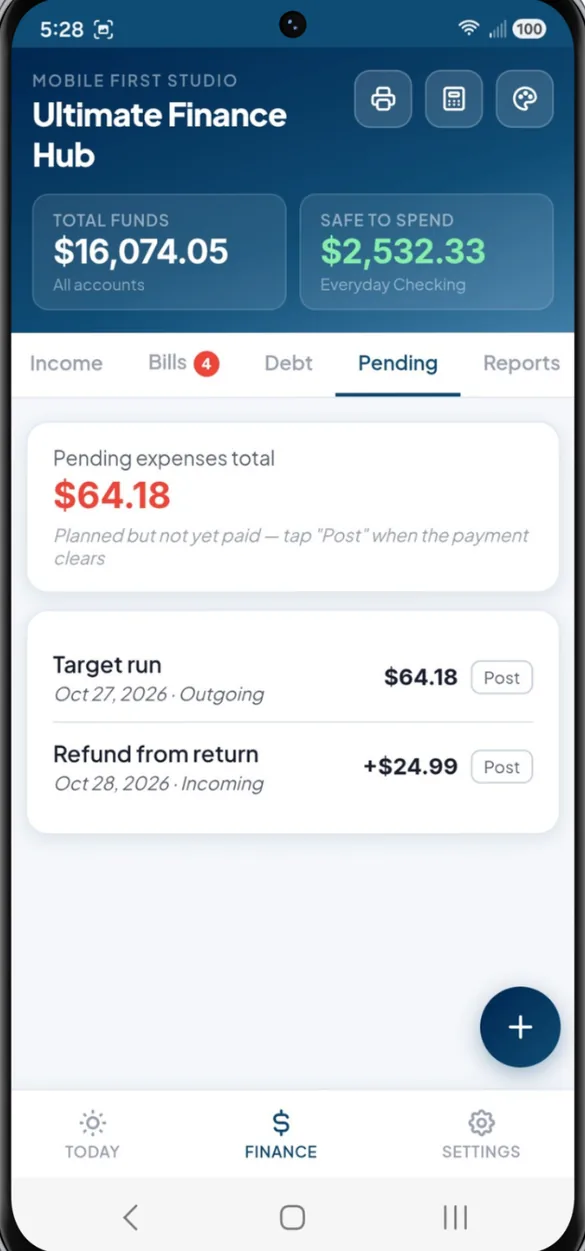
Spent it, but it hasn't cleared?
Log it in Pending and it comes off Safe to Spend right away. When it clears, tap Post and choose the account or credit card it came from, with no double counting.
- Outgoing and incoming: track charges and expected deposits
- Post anywhere: to any account or straight to a credit card
Close out every month.
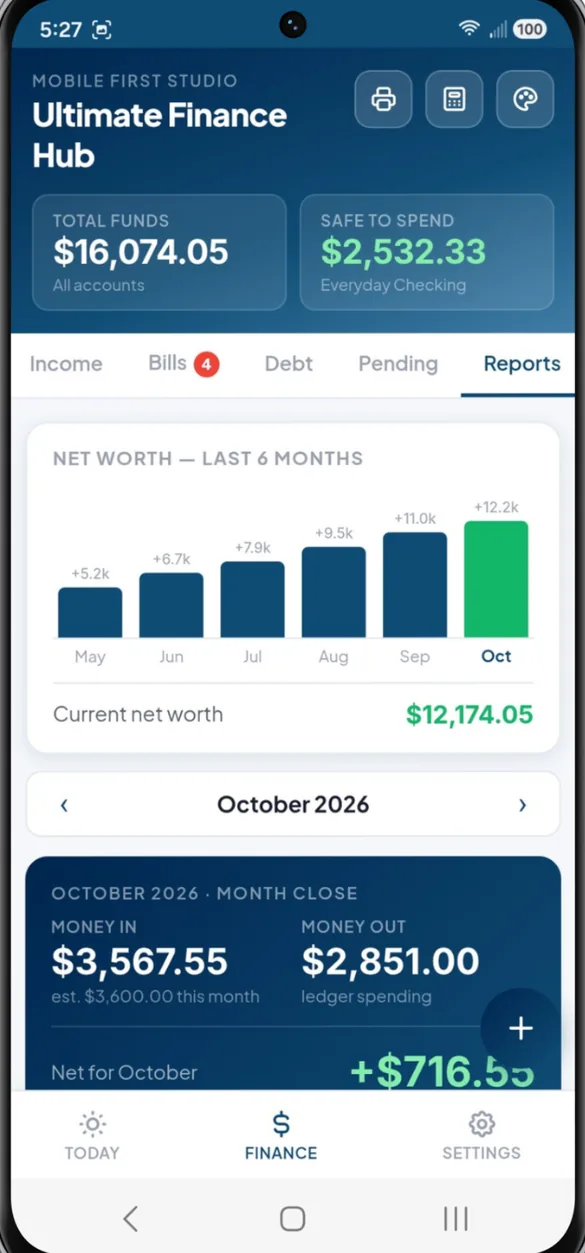
A month close built from your own ledger: money in, money out and net. Plus a 6 month net worth chart, a bill breakdown by status and a snapshot of every debt.
- Net worth chart: builds month by month as you use the app
- Month close: money in, money out and what's left
- Debt snapshot: balances and available credit for every card
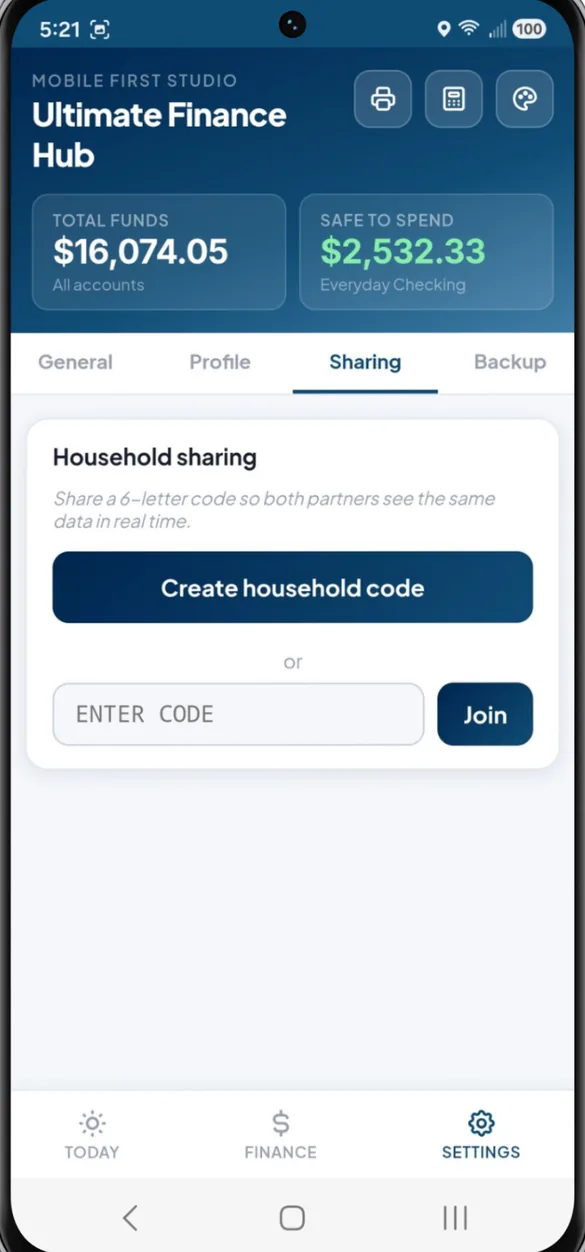
One budget for two phones.
Create a household code and enter it on your partner's phone. You both see the same accounts, bills and budget, and a bill paid on one phone shows paid on the other.
- 6 letter code: connects a partner's phone in seconds
- Both names: label each paycheck and gig by person
- Stop anytime: turn sharing off with one tap
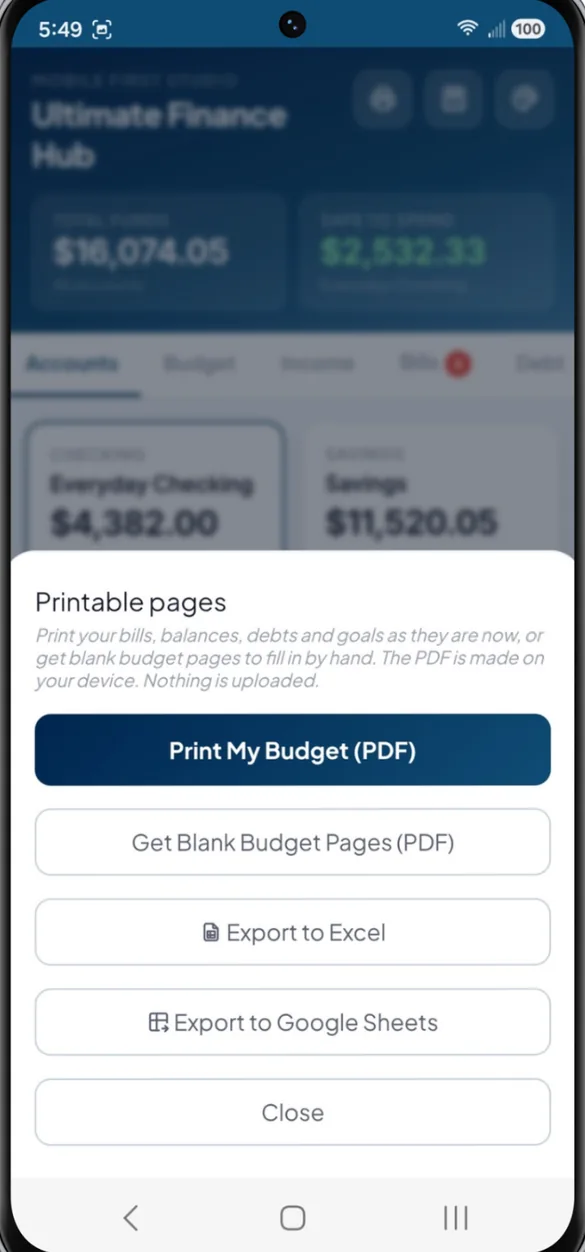
Your money on paper or in a spreadsheet.
Print your real numbers or blank pages to fill in by hand. The PDF is made right on your device. Prefer spreadsheets? Export everything in one tap.
- Print my budget: balances, bills, debts and goals on paper
- Blank pages: budget pages to fill in by hand
- Excel and Google Sheets: every transaction, bill, debt and goal in one file
Little extras that help
Built in calculator
Always one tap away in the header, so you never switch apps.
6 themes and dark mode
Navy, Forest, Violet, Rose, Slate or Amber, in light or dark.
Savings goals
A target, a deadline and a progress ring for each goal.
Bill calendar
Every due date on one calendar, paydays shaded green.
Works offline
Once it's on your home screen it opens without internet.
Bonus printables
Monthly budget, paycheck budget, bill tracker, spending log, debt and savings pages.
No bank login. Ever.
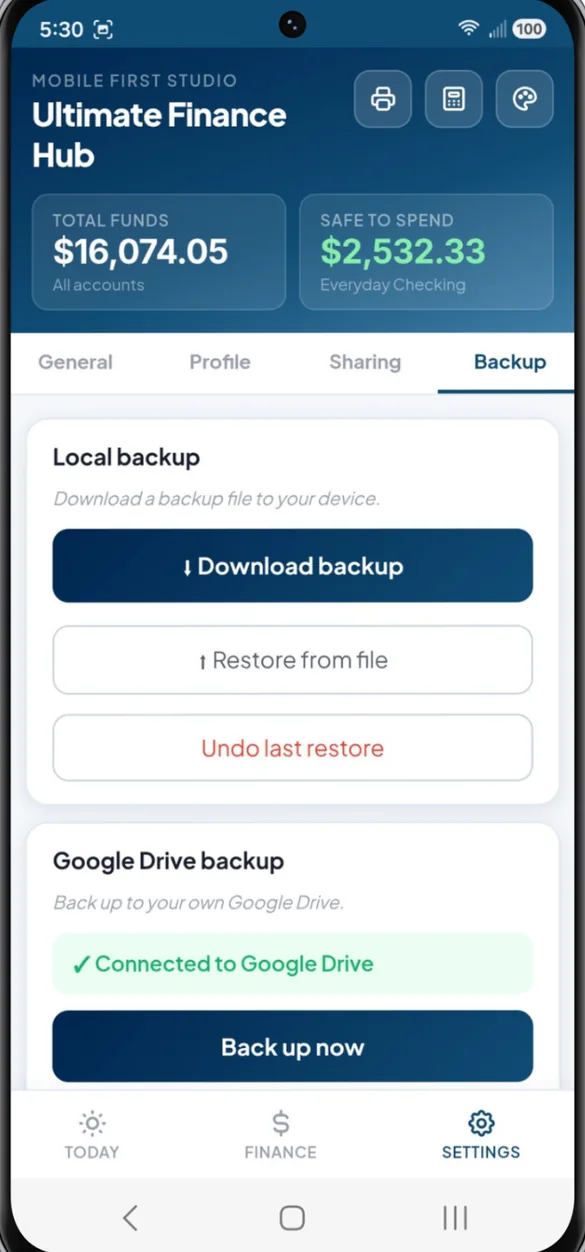
You log your own numbers, so your banking details never go to a third party. Everything saves on your device, and you choose where backups go: a file you keep, or your own Google Drive.
- One time purchase, never a subscription
- Saved privately on your device
- Works offline once installed
- Optional backup to your own Google Drive
- Backup file with restore and undo
- Optional household sharing with a 6 letter code
- No account, no login, no ads
How it works
Buy on Etsy
Download your PDFs, including the bonus printables.
Tap the link
On your phone, tablet or computer, in Safari or Chrome.
Add it to your home screen
Answer 3 quick setup questions and you're tracking. Install guide
Good to know: the app doesn't connect to your bank. You log transactions yourself, which keeps your money data private.
Your net worth chart builds as you use the app month by month. Want something simpler? See the other finance apps in the shop.
Questions
Does it connect to my bank?
No. You enter your own balances and spending, which is exactly what keeps your money details off other companies' servers. There's no bank login to hand over.
Is there a subscription?
No. You pay once on Etsy and the app is yours. No monthly fees and no ads.
What is Safe to Spend?
Your main account balance minus the bills still due this month and anything pending. It's the money that's actually free to use right now.
Can my partner and I use it together?
Yes. Turn on household sharing and enter the same 6 letter code on both phones. Bills, accounts and the budget stay in sync, and you can turn sharing off anytime.
Does it work on iPhone, Android and a computer?
Yes. It works in Safari on iPhone, Chrome on Android, and any modern browser on a tablet or computer, where it opens a full dashboard with a side menu.
Can I print it or get it in a spreadsheet?
Yes. Print your real numbers or blank budget pages as a PDF, or export everything to Excel or Google Sheets. Your download also includes a bonus printable pages PDF.
Can I try it before I buy?
Yes. The free demo lets you tap around the real app in your browser.
What if it doesn't work on my phone?
Send a message through Etsy and I'll help you get it running. If we can't get it working, you can get a refund within 30 days.
Try it before you buy
Tap around the real app in your browser. No sign up needed.