Ultimate Healing Habits Tracker Daily Habits and a Guided Reset
Check in with how you feel, track four daily healing habits, and walk through a three step reset whenever a hard moment hits. Then see how much it's actually helping.
- One time purchase
- No account or login
- No ads
- Phone, tablet and computer
What's inside
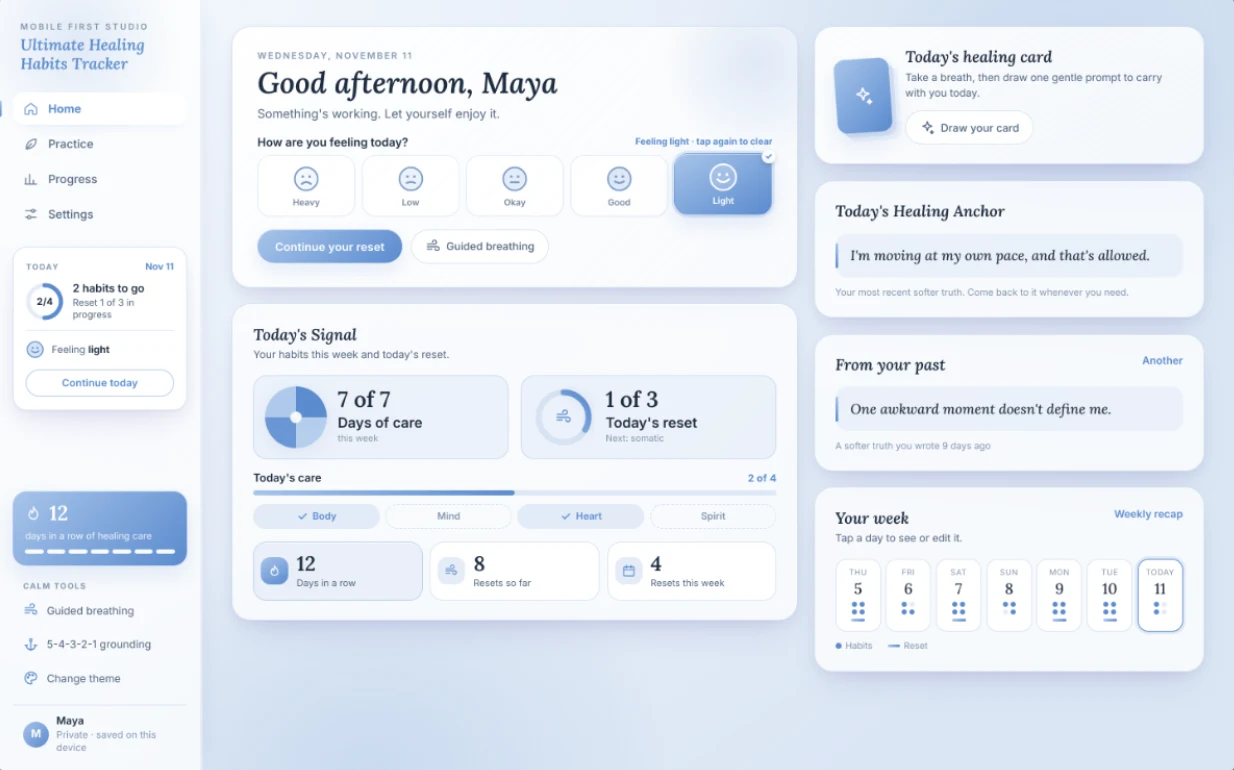
Daily habits, a guided reset and calm tools, with proof of what helps.
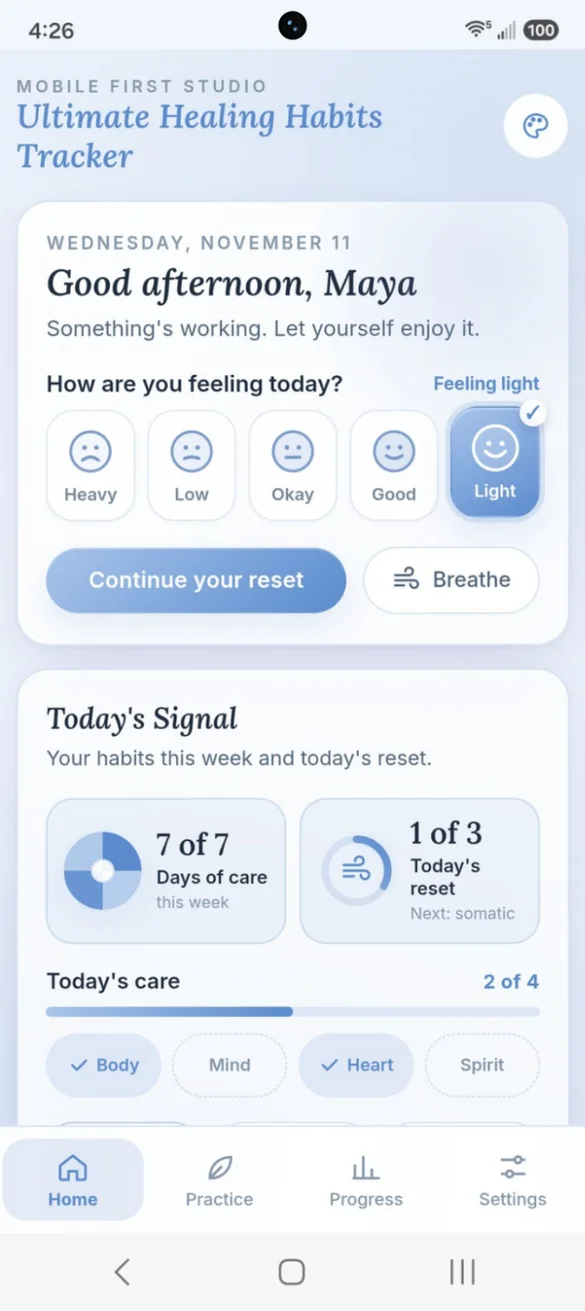
Check in. Care for yourself.
Tap how you're feeling, from Heavy to Light, and your greeting gently responds. Today's Signal shows your days of care this week, your reset progress and which of your four habits you've logged today.
- One tap: mood check-in
- Four kinds of care: body, mind, heart and spirit
- Your week: and streak at a glance
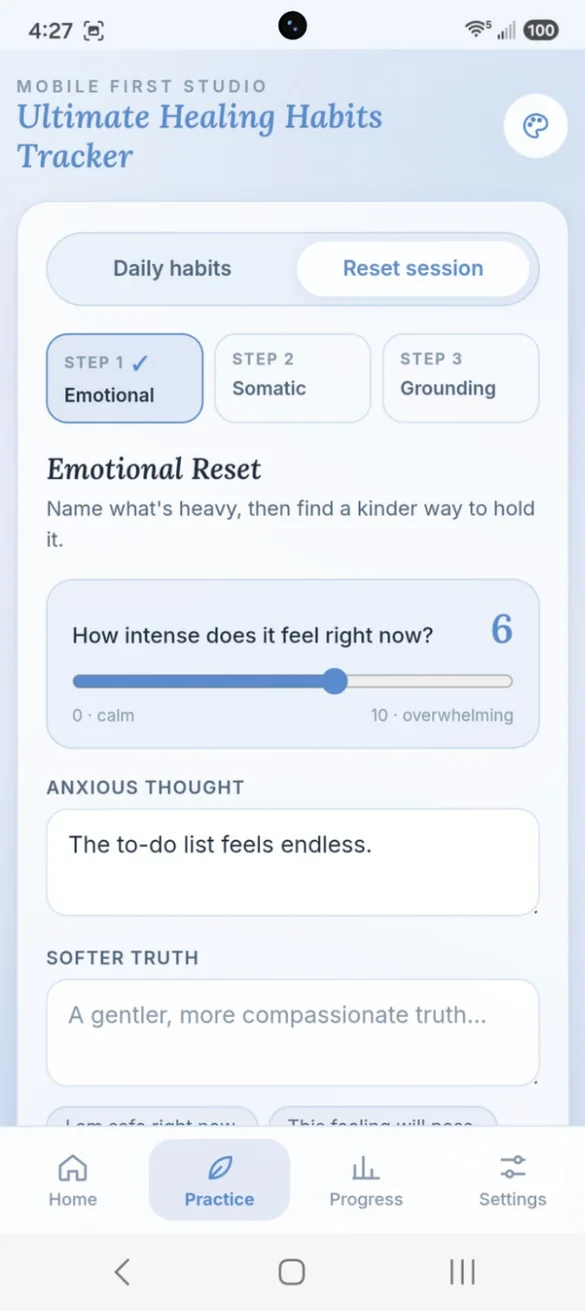
For the moments that feel heavy.
Rate how intense it feels from 0 to 10, name the anxious thought and find a softer truth, calm your body, ground yourself, and rate it again.
- Three guided steps: emotional, somatic and grounding
- Before and after: a 0 to 10 rating
- Saves as you go: come back to a reset any time
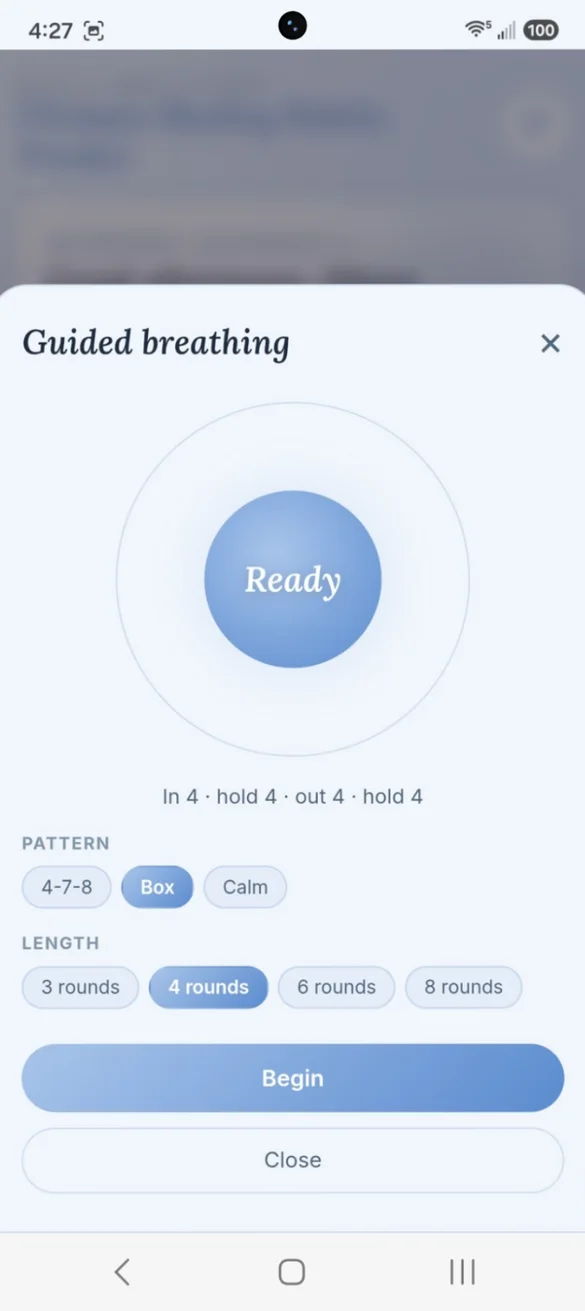
Breathe. Slow down. Come back.
A guided breathing circle with Box, Calm and 4-7-8 breathing, and a 5-4-3-2-1 grounding walk through your senses. Add either one to your reset or today's habits when you finish.
- Three patterns: Box, Calm and 4-7-8
- Choose a length: 3 to 8 rounds
- Grounding: a 5-4-3-2-1 walk through your senses
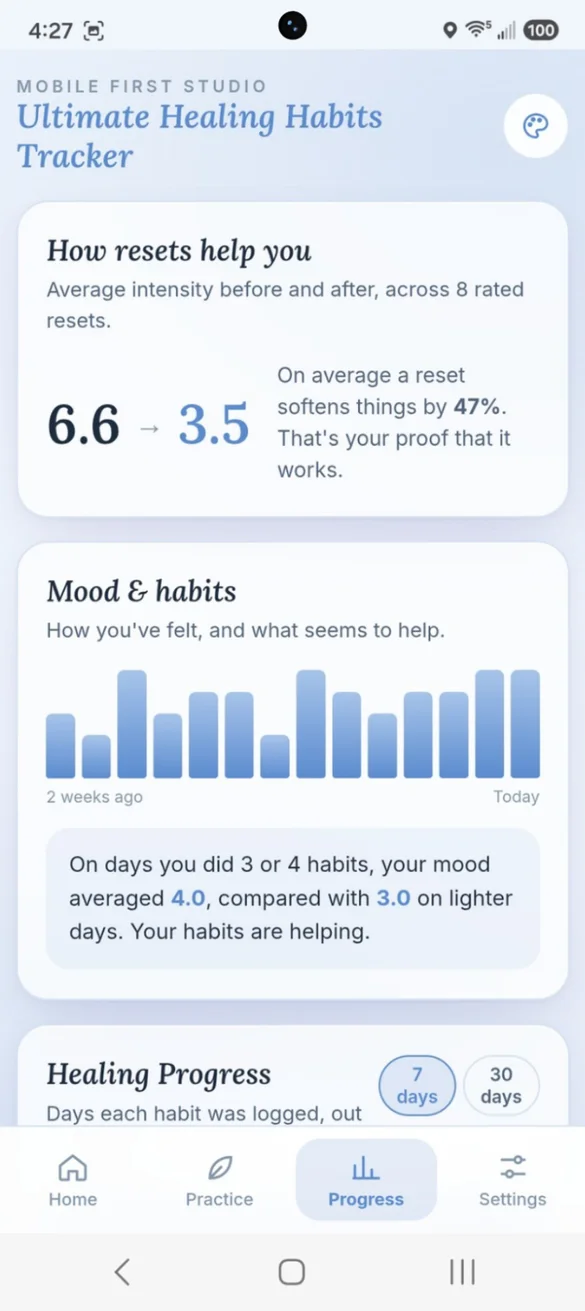
See what's really helping.
See your average intensity before and after every rated reset, and how your mood changes on the days you care for yourself.
- Before and after: your average across resets
- Mood and habits: what seems to help
- 7 and 30 days: habit scores and a 5-week calendar
Your space. Your way.
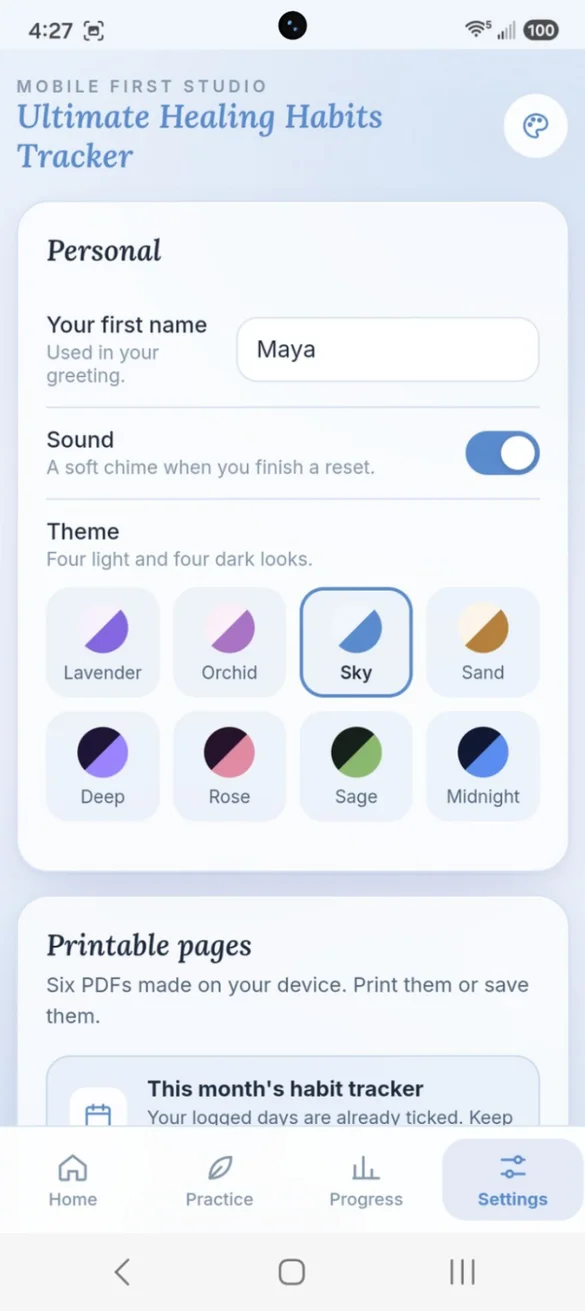
Add your first name for a personal greeting, turn on a soft chime when you finish a reset, and choose from eight themes, four light and four dark.
- Personal greeting: with your name
- 8 themes: Lavender, Orchid, Sky, Sand, Deep, Rose, Sage and Midnight
- A soft chime: when you finish a reset
Take your healing off the screen.
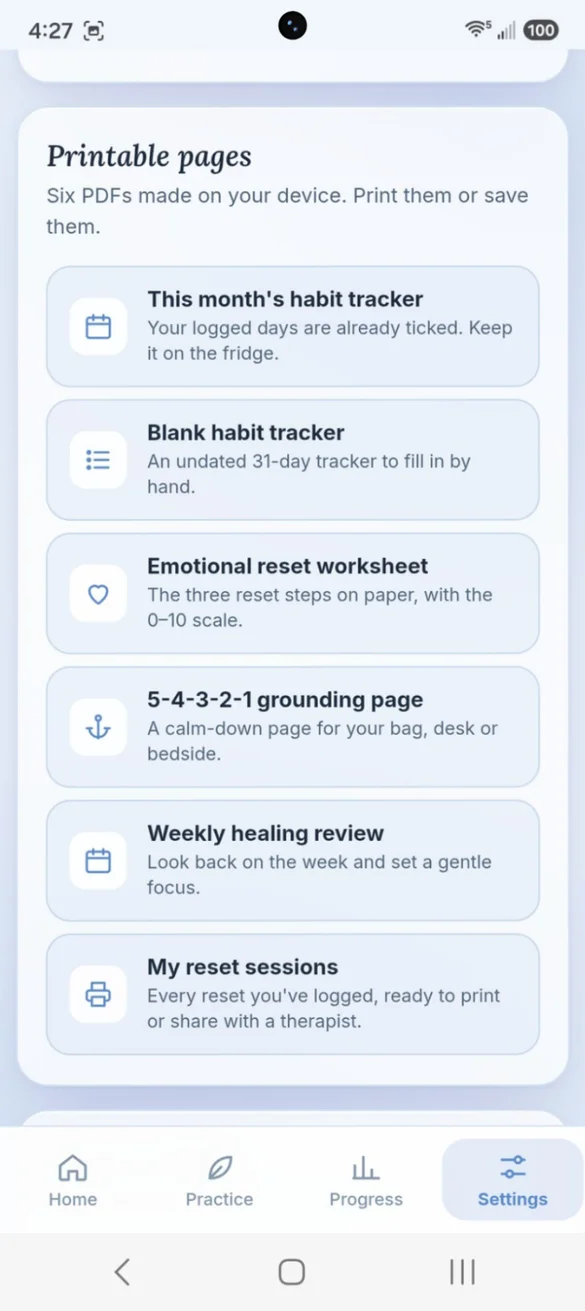
Six PDFs made right in the app: this month's habit tracker with your days already ticked, a blank tracker, an emotional reset worksheet, a 5-4-3-2-1 grounding page, a weekly healing review and your reset sessions.
- Habit trackers: monthly and blank
- Worksheets: reset and grounding
- Your sessions: ready to share with a therapist
Little extras that help
Today's healing card
Draw one gentle prompt to carry with you today.
Healing Anchor
Your most recent softer truth, shown on your home screen.
Quick picks
Tap Walk, Journaled or Meditation, or add your own.
Bonus PDF
8 printable pages, including a calm-down plan and 30 healing prompts.
Phone and computer
Log on your phone, see your progress on a full desktop dashboard.
Works offline
Run a reset anywhere, even with no signal.
Private. Protected. Always yours.
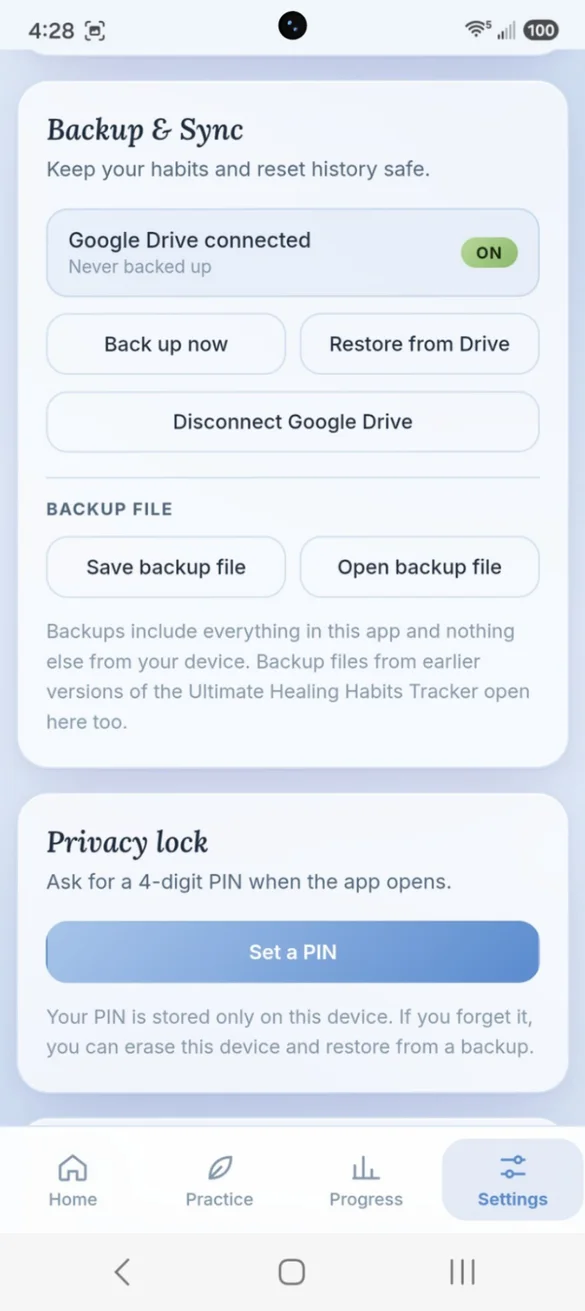
Everything stays on your device and works offline, with no account or login. Add a 4-digit PIN if you share your phone. Nothing is sent anywhere unless you back up to your own Google Drive, or you can save a backup file yourself. Your data is never sold or shared.
- One time purchase, yours forever
- Saved privately on your device, works offline
- Optional 4-digit PIN lock
- Optional Google Drive backup, in your own account
- Backup file you can save anytime
- No account or login, ever
- No ads, ever
How it works
Buy on Etsy
Download your PDF with the link to your app.
Tap the link
Open it on your phone, tablet or computer.
Add it to your home screen
Or bookmark it, then check in for the first time. Install guide
Good to know: this app does not diagnose or treat any condition. It is a self-guided tracking and reset tool. If you are in crisis, please contact your local emergency number, or call or text 988 in the US.
Already using the Ultimate Healing Habits Tracker? Your habits and reset history carry over. Each device keeps its own copy, so use Google Drive backup or a backup file to move between devices.
Questions
Is there a subscription?
No. You pay once on Etsy and the app is yours. No monthly fees and no ads.
What is the difference between daily habits and a reset?
Your daily habits track ongoing care across body, mind, heart and spirit. A reset session is a guided three step process you can run any time a moment feels heavy.
Does it show if it is helping?
Yes. Progress shows your average intensity before and after every rated reset, and how your mood changes on days you care for yourself.
I used the earlier Ultimate Healing Habits Tracker. Do I keep my history?
Yes. Your habits and reset history carry over, and backup files from earlier versions open here too.
Can I share my resets with a therapist?
Yes. One of the printables lists every reset you have logged, ready to print or share.
What if I forget my PIN?
Your PIN is stored only on your device. If you forget it, you can erase the app on that device and restore from a backup, so keep a backup turned on.
Can I use it on my phone and my computer?
Yes. You get a full desktop dashboard on a computer. Each device keeps its own copy, so back up on one and restore on the other.
What if it doesn't work on my phone?
Send a message through Etsy and I'll help you get it working. If it doesn't install or work on your phone, you can get a refund within 30 days.
Try it before you buy
The real app with sample data. Nothing you type is saved.