Ultimate Wedding Planner Budget, Guests and Seating
Plan your whole wedding in one app. Your guests, budget, vendors, checklist, seating chart and wedding day schedule live together on your home screen, instead of in a spreadsheet, a notes app and a group text.
- One time purchase
- No account or login
- No ads
- Phone, tablet and computer
What's inside
Everything for the wedding in one place, on your phone or your computer.
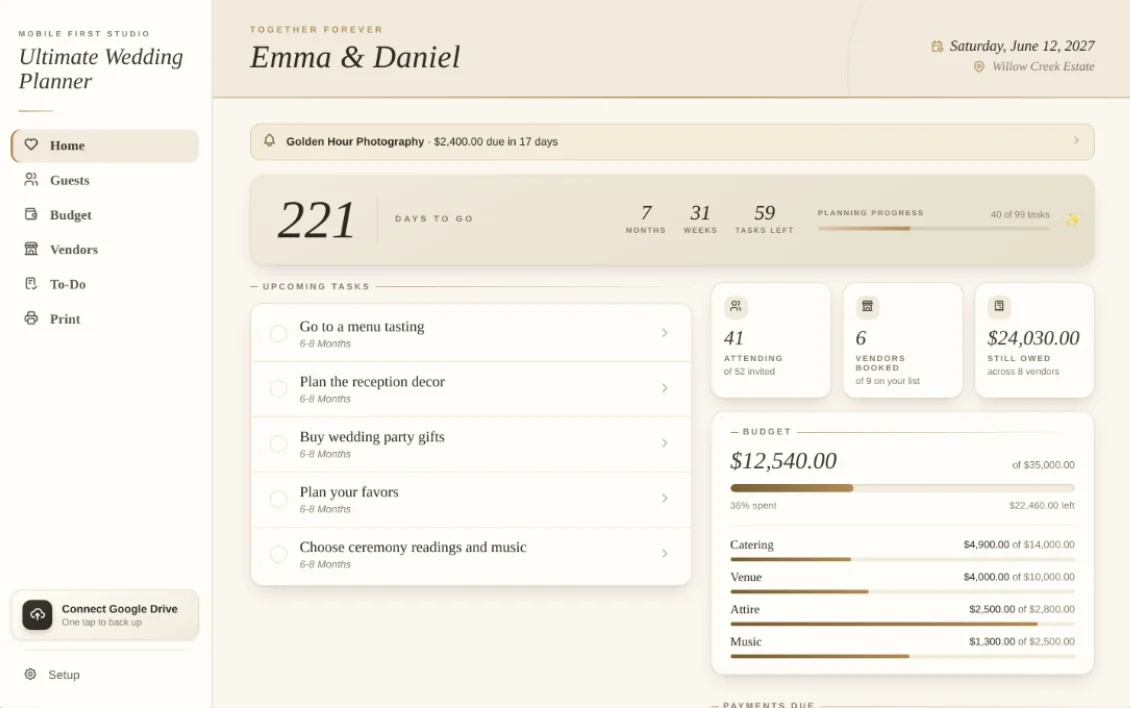
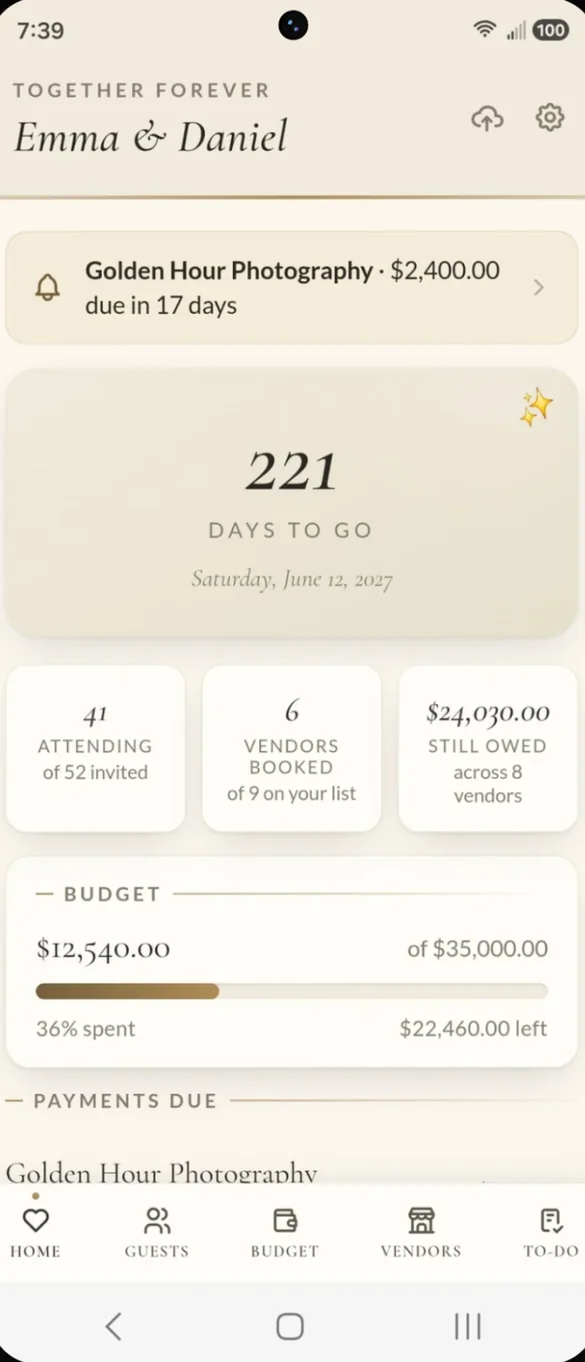
Your whole wedding at a glance.
Open the app and see your countdown, your real attending headcount, budget progress and the next tasks on your list, all on one screen.
- Countdown: days to go, plus months, weeks and tasks left on a computer
- Payment reminders: a banner when a vendor payment is coming due or overdue
- Quick numbers: attending guests, vendors booked and what you still owe
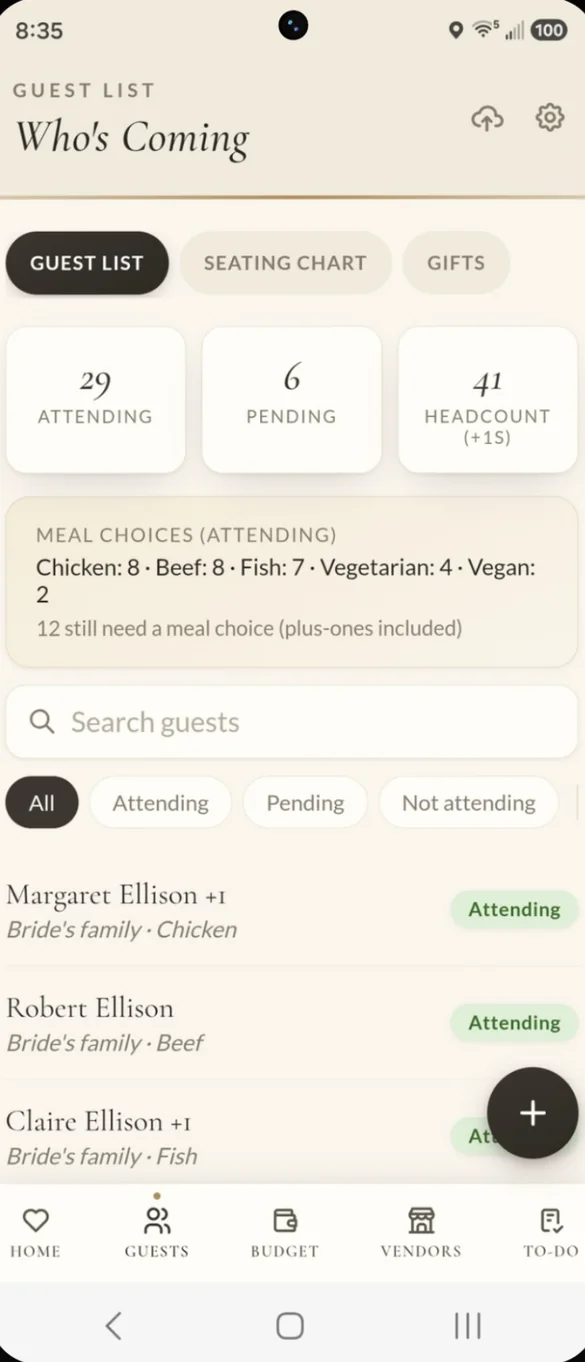
Know exactly who is coming.
Track RSVP status, plus-ones and meal choices for every guest, including each plus-one. The headcount and meal totals add themselves up, so your caterer gets real numbers.
- Real headcount: plus-ones included
- Meal totals: and how many guests still need to choose
- Search and filter: by name, RSVP or side
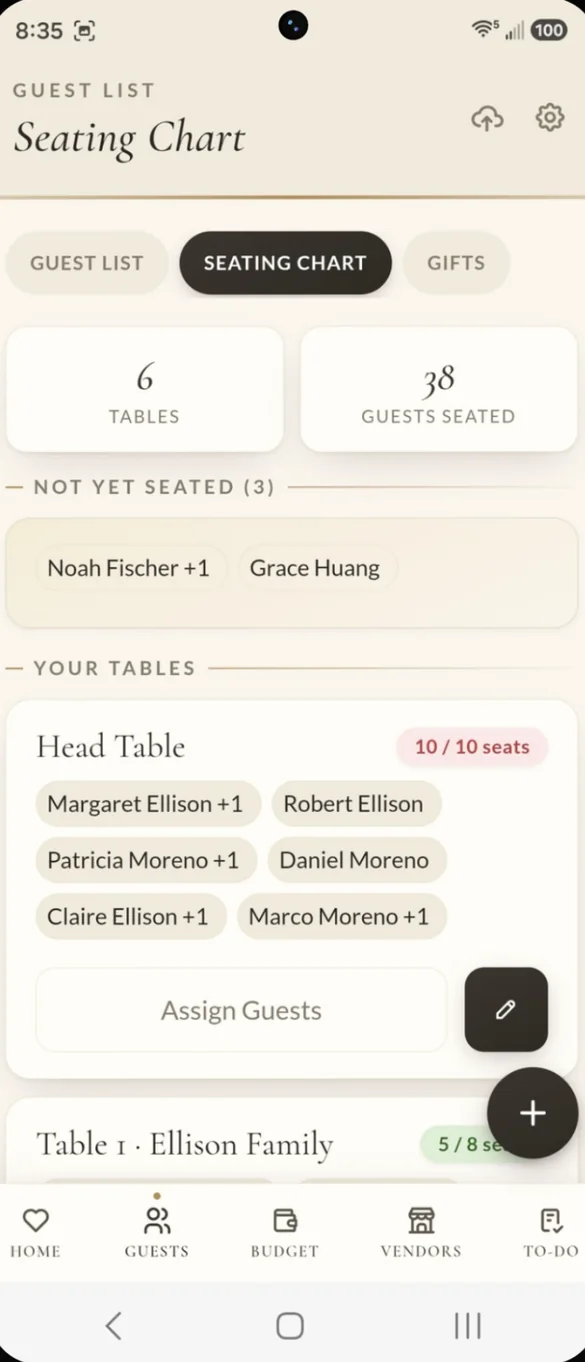
Every guest, a seat.
Name your tables, set the number of seats and tap to assign guests. Plus-ones take their own seat, so a table never ends up overbooked.
- Your tables: named and sized the way you want
- Not yet seated: see who still needs a spot
- Seat counts: each table shows how full it is
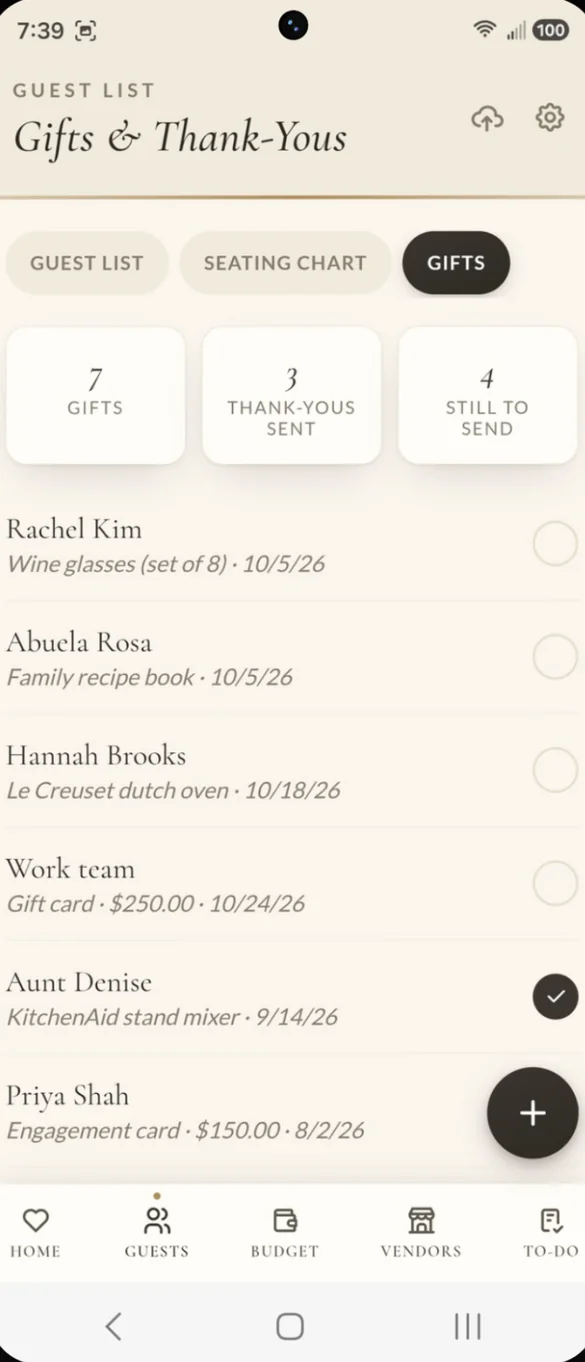
Never miss a thank-you.
Log each gift as it arrives, then tick it off when the thank-you card goes out. Cash gifts are totaled for you.
- Who gave what: and the date it arrived
- Thank-yous: sent and still to send
- Cash gifts: added up automatically
Every dollar, accounted for.
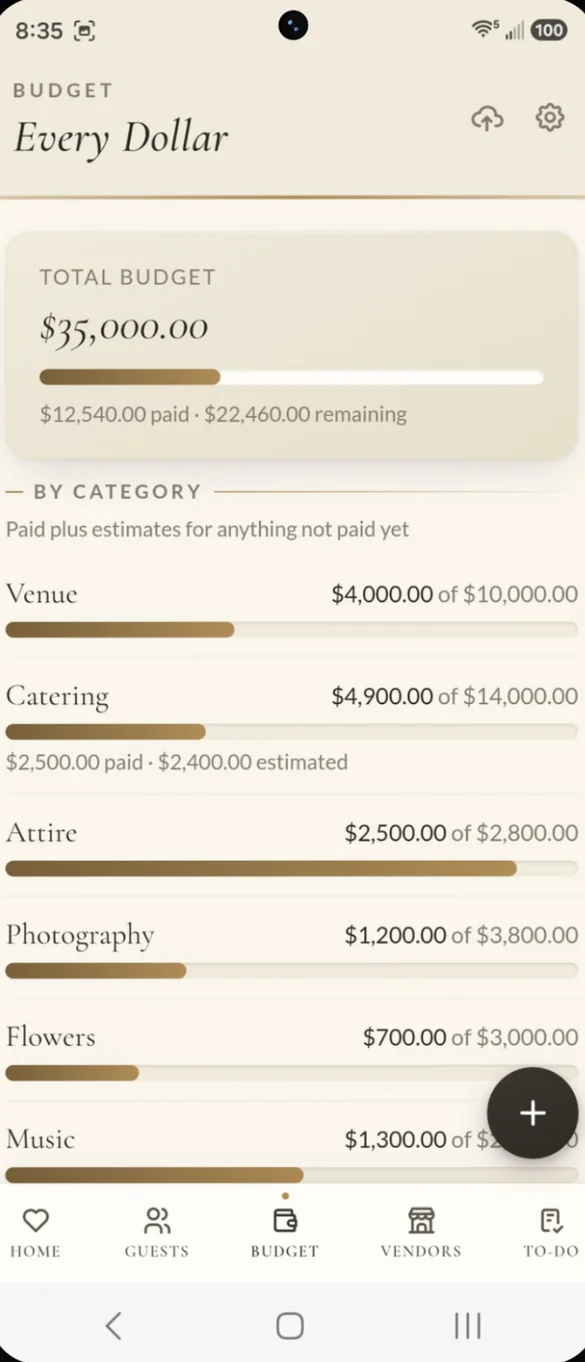
Set a total budget and a budget for each category. Log each expense with an estimated and actual cost, and see what is paid, what is left and when a category goes over.
- Total budget: paid and remaining at a glance
- By category: venue, catering, attire, photography and more
- Estimates count: paid plus estimates for anything not paid yet
Your whole team, organized.
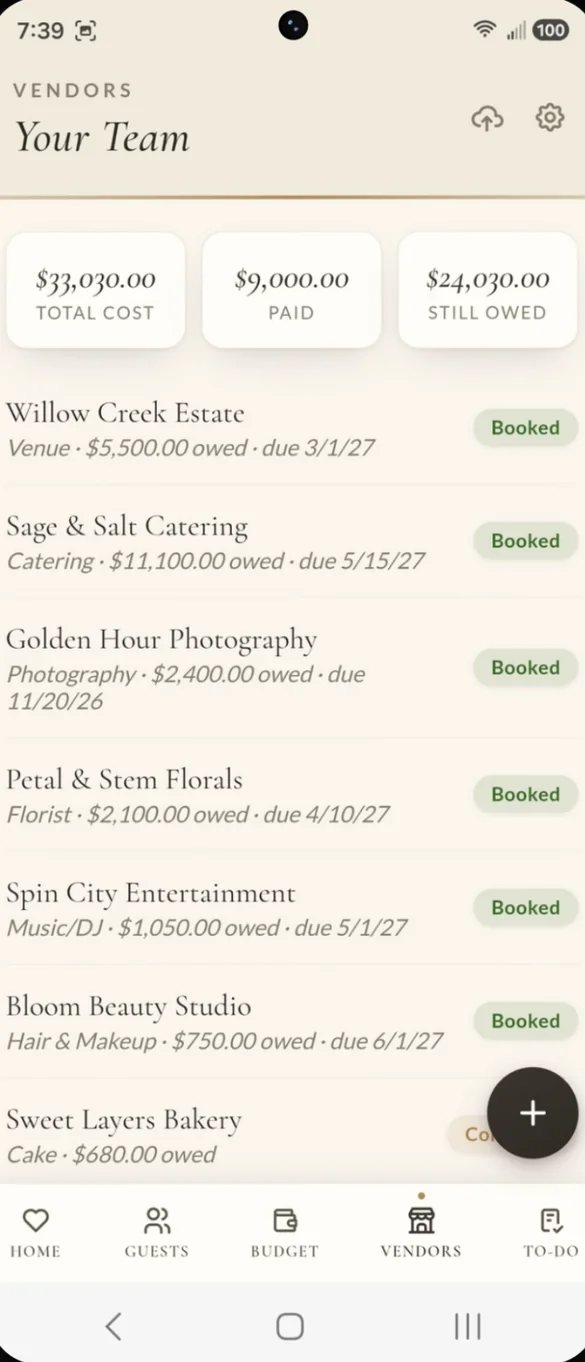
Keep quotes, deposits and balances for everyone you book in one place, with balance due dates and contact info. Track each vendor from researching to contacted to booked.
- Totals: total cost, paid and still owed
- Due dates: for every balance
- Status: researching, contacted or booked
Know what to do, and when.
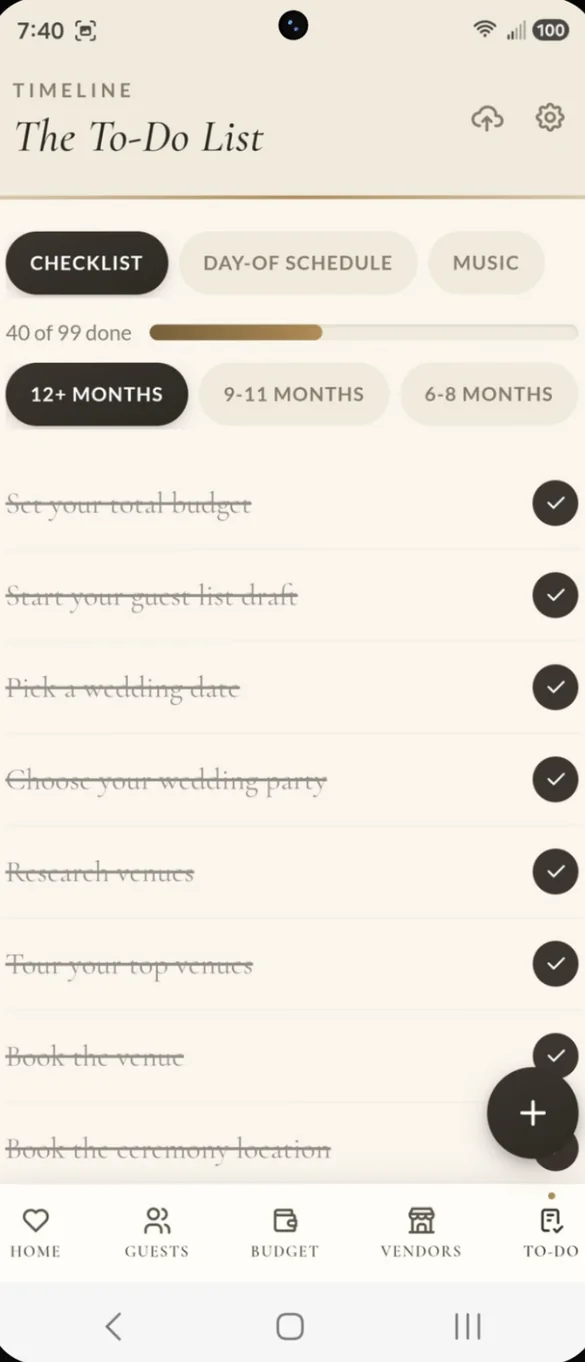
A ready made checklist laid out month by month, from 12 months or more out to the final weeks. Add your own tasks, and anything overdue gets flagged.
- 99 tasks: ready on day one
- Month by month: grouped by how far out you are
- Progress bar: fills up as you check things off
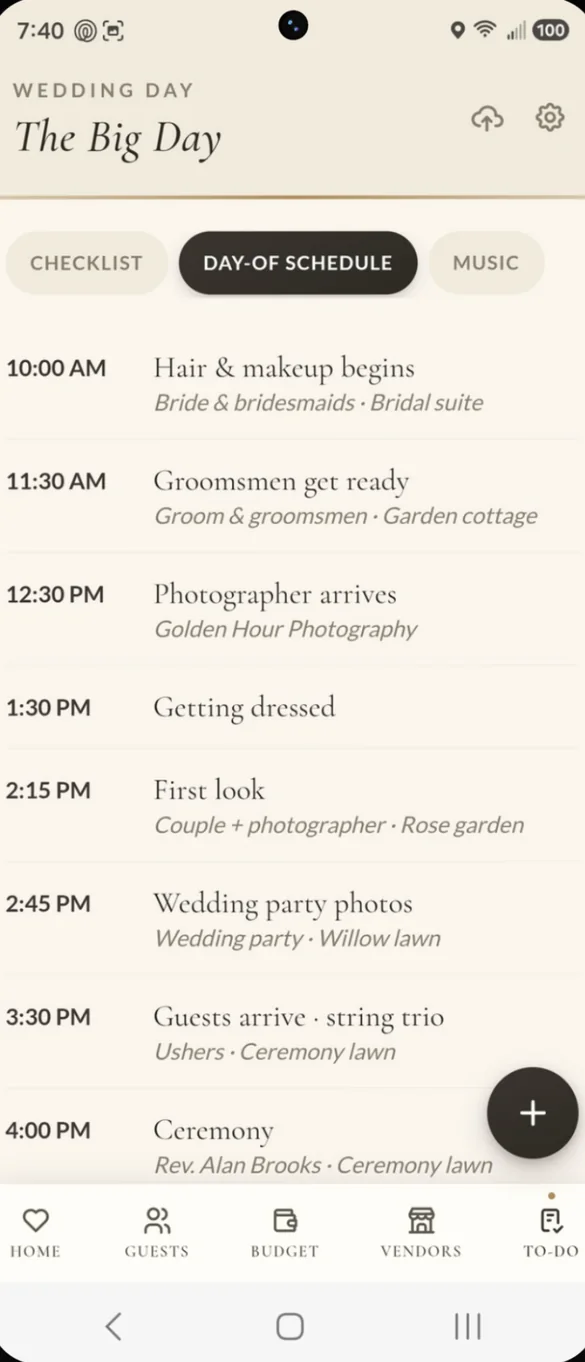
The big day, hour by hour.
Start from a sample schedule and make it yours, with the time, who and where for every moment. Print it on its own page for your coordinator.
- Time, who and where: for every moment
- Sample to start: so you are not building from scratch
- Print it alone: one page for your coordinator
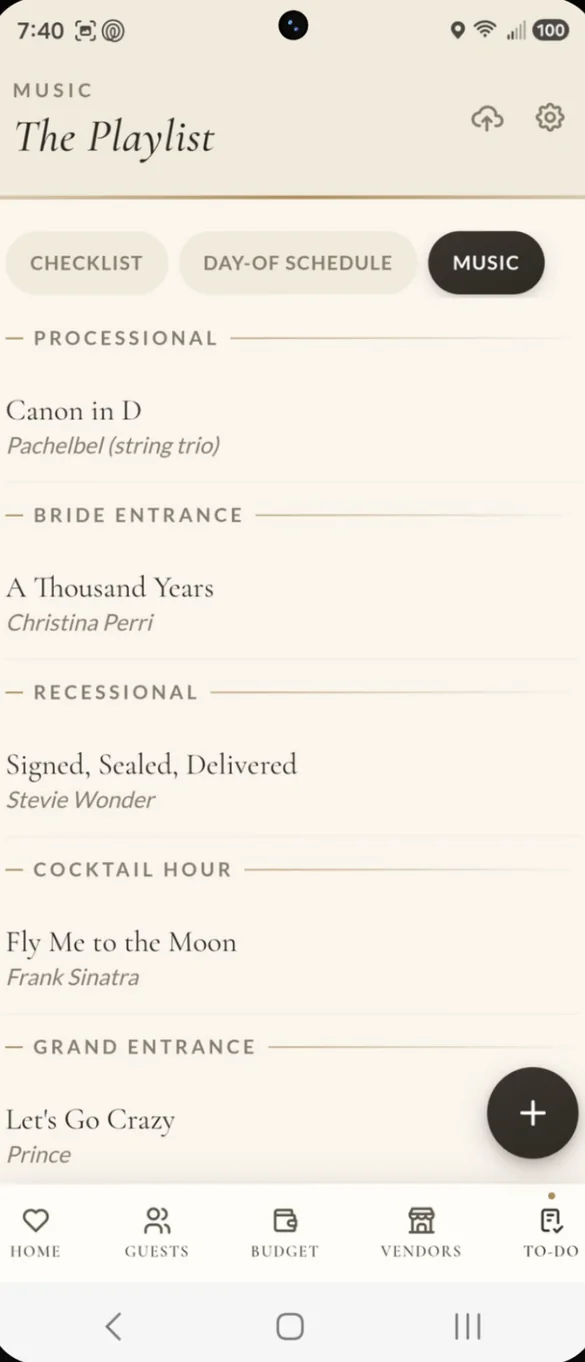
A song for every moment.
Pick songs for each big moment, from the processional to the last dance. Add a do not play list for your DJ.
- Every moment: processional, entrances, first dance and more
- Do not play: a list your DJ can follow
- In your report: the playlist prints with everything else
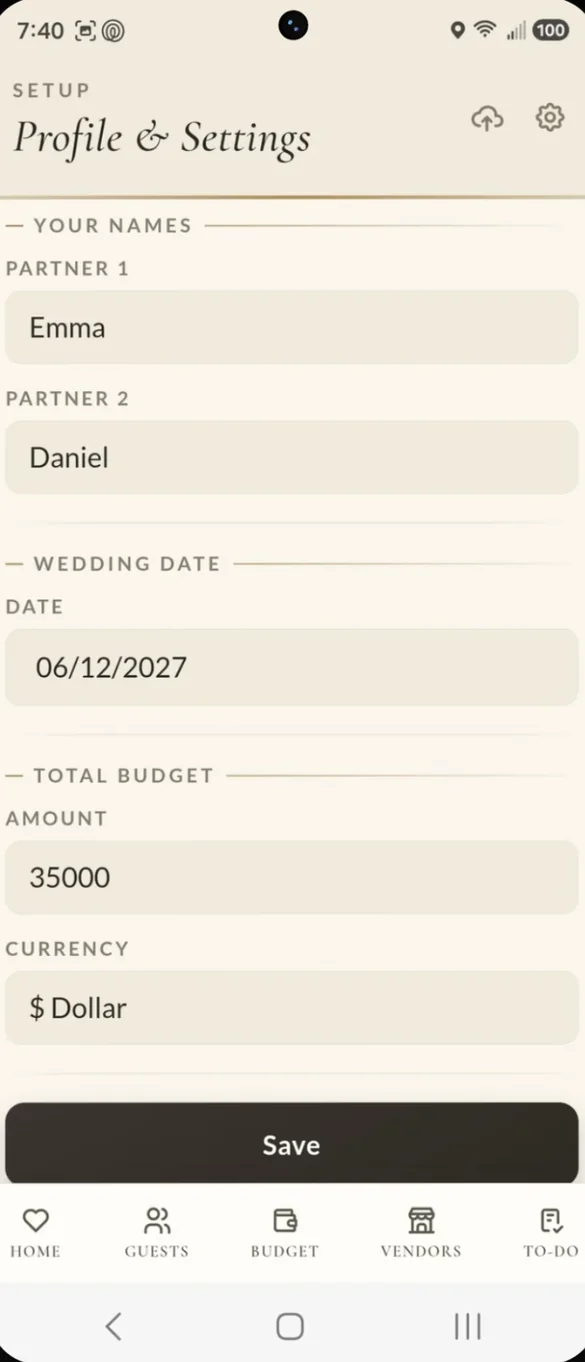
Make it yours in a minute.
Add your names, wedding date and total budget, and the whole app fills in. Pick from 10 currencies in Setup.
- Your names: on the dashboard
- Countdown: starts as soon as you add your date
- 10 currencies: to choose from
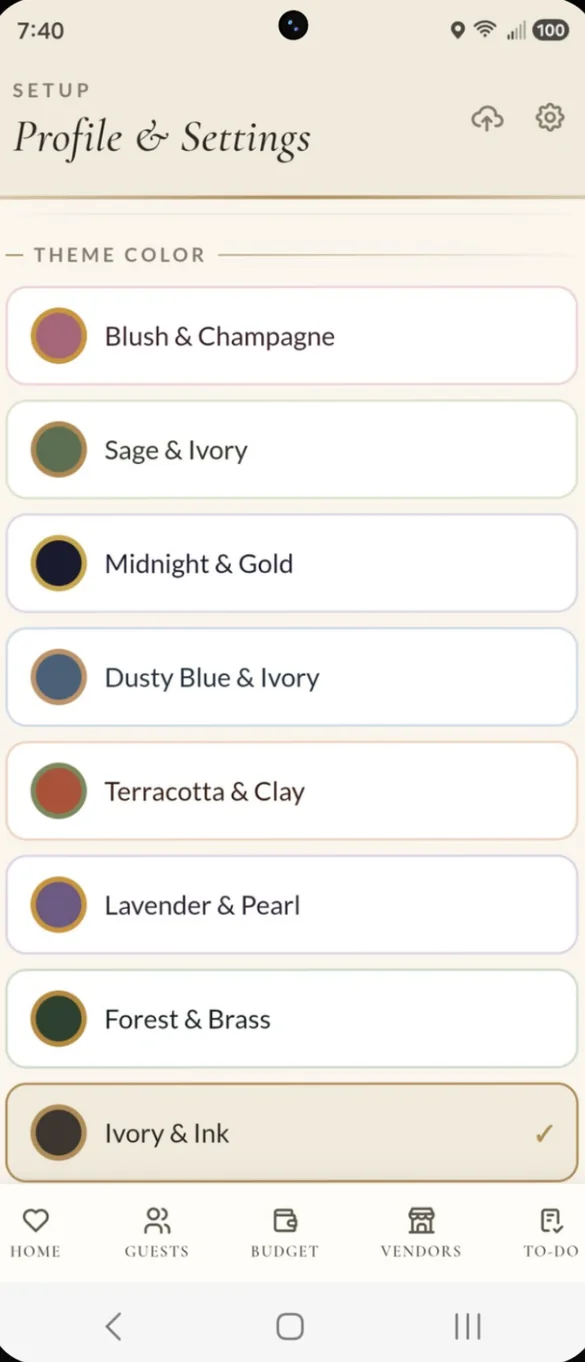
Match your wedding colors.
Choose from 10 color themes, from Blush and Champagne to Gothic Noir for moody, dramatic weddings. Tap the sparkle on your countdown to switch instantly.
- 10 themes: light and dark styles
- One tap: from the sparkle on your countdown
- Your report too: prints in the colors of your theme
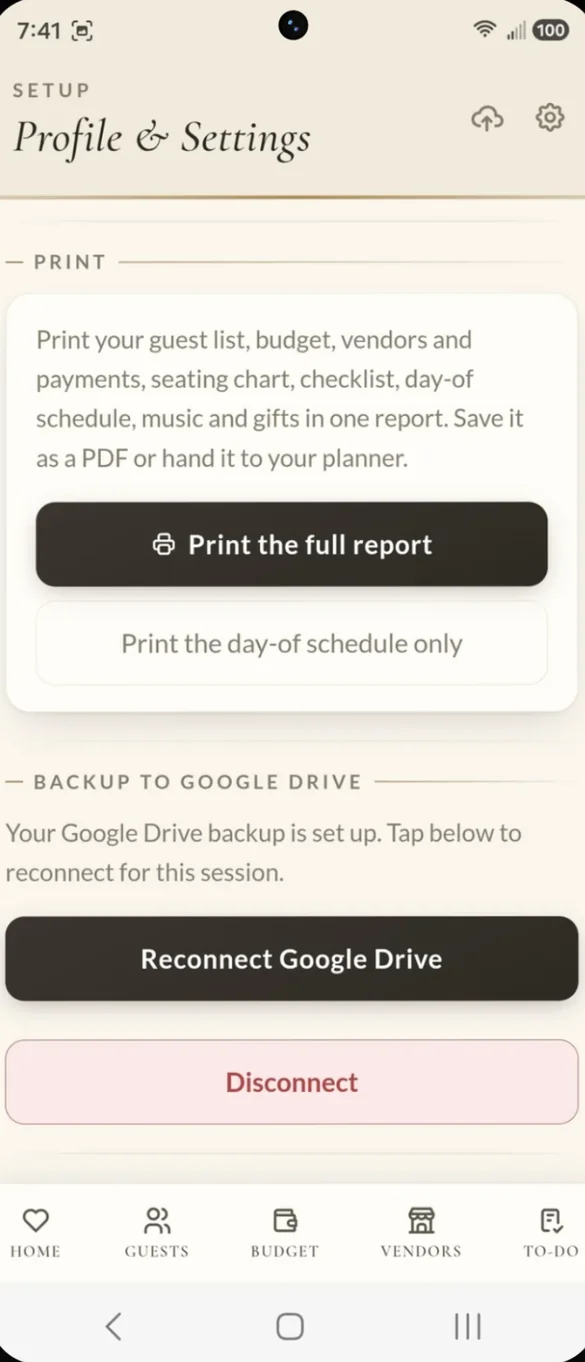
Print it or save it as a PDF.
One tap turns your guest list, budget, vendors and payments, seating chart, checklist, schedule, music and gifts into a clean report. Save it as a PDF or hand it to your planner or family.
- Full report: everything in one document
- Day of schedule: printed on its own
- Share it: with your planner or family
Little extras that help
18 bonus printable pages
A paper planner with a budget worksheet, guest list, seating chart and checklist. Print as many as you like.
Spreadsheet export
Download your guests, budget or vendors as a file for Excel, Google Sheets or Numbers.
Payment reminders
A reminder pops up when a vendor payment is coming due or overdue.
Meal totals
Every guest's meal, plus-ones included, added up for your caterer.
Phone and computer
On a computer it opens a full screen layout with a side menu.
Works offline
Once it's on your home screen it opens without internet.
Your wedding stays yours.
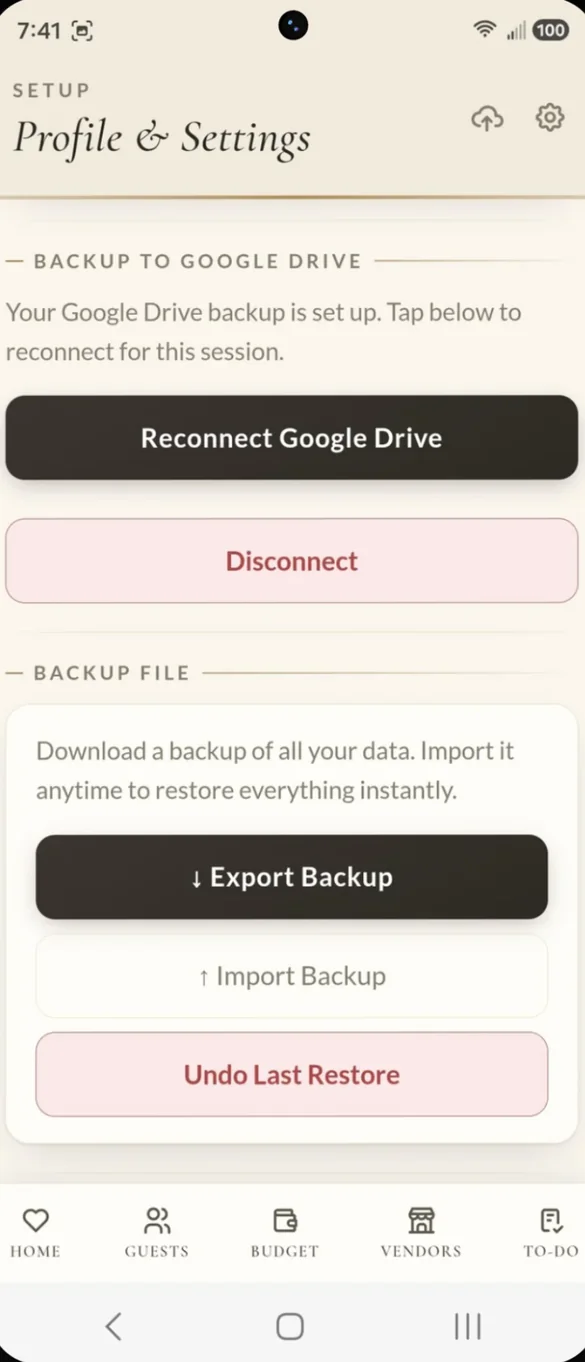
Your plans are saved on your own device, not on our servers. You choose where backups go: a file you keep, or your own Google Drive with one tap on the cloud icon. Drive backup is also how you move your wedding between your phone and computer.
- One time purchase, never a subscription
- Saved privately on your device
- Works offline once installed
- Optional backup to your own Google Drive
- Backup file you can export and restore, with undo
- Nothing locked behind an upgrade
- No account, no login, no ads
How it works
Buy on Etsy
Your download has the app link and the 18 bonus printable pages.
Open the link
On your phone, tablet or computer, in Safari or Chrome.
Add it to your home screen
Then add your names, date and budget. Install guide
Good to know: everything is included in one version, with nothing locked behind an upgrade.
On Android, Google Play Protect may show a warning when you install. Tap Install anyway. It's a false alarm because this is a web app, not an app store download.
Questions
Is there a subscription?
No. You pay once on Etsy and the app is yours. Everything is included, with nothing locked behind an upgrade.
Can I move my wedding to another phone or computer?
Yes. Back up on one device, then restore that backup on the other. You can use your own Google Drive or a backup file.
Does the headcount include plus-ones?
Yes. Every plus-one counts toward your headcount and has their own meal choice, so your caterer gets real numbers.
Can I use it on my phone and my computer?
Yes. It works in Safari on iPhone, Chrome or Samsung Internet on Android, and any modern browser on a computer, where it opens a full screen layout with a side menu.
Can I print my plans?
Yes. One tap makes a full report with your guests, budget, vendors and payments, seating chart, checklist, schedule, music and gifts. You can also print the day of schedule on its own for your coordinator.
Where is my wedding saved?
On your own device, not on our servers. If you turn on Google Drive backup, the backup goes to your own Drive account.
Android shows a Play Protect warning. Is that safe?
Yes. Play Protect sometimes warns about web apps that are not from an app store. Tap Install anyway. If anything goes wrong, send me a message.
What if it doesn't work on my phone?
Send a message through Etsy and I'll help you get it working. If we can't, you can get a refund within 30 days.
Try it before you buy
Tap around the real app in your browser. No sign up needed.