ADHD Budget Planner Safe to Spend Until Payday
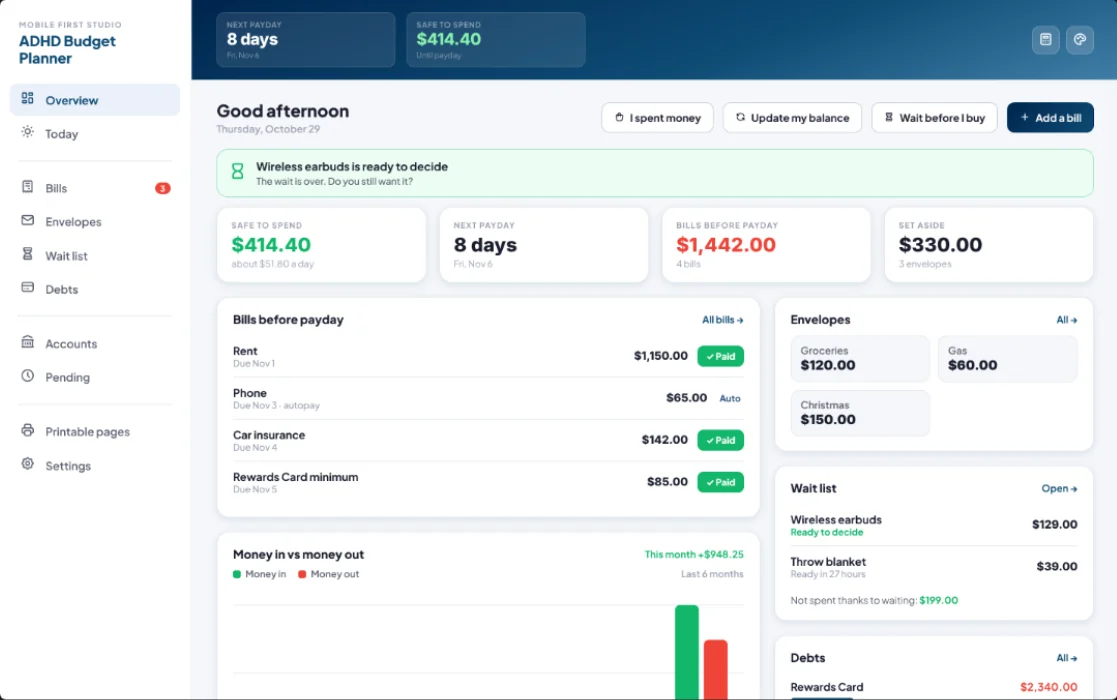
One number that tells you what is safe to spend until payday. Bills, envelopes and pending charges are already taken out, so you can stop doing the math in your head. Set up takes about 3 minutes.
- One time purchase
- No bank login
- No ads
- Phone, tablet and computer
What's inside
Everything you need to stop guessing, and nothing you don't.
One number, until payday.
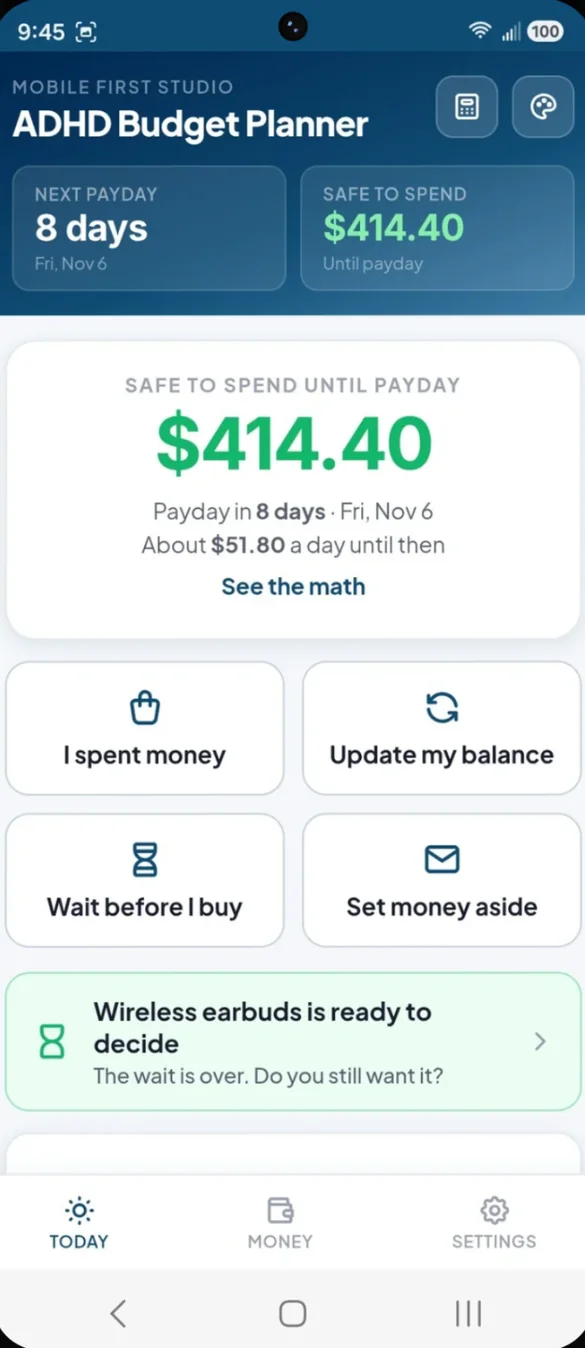
Safe to Spend shows what you can spend until payday, plus about how much that is per day. Bills, envelopes and pending charges are already taken out. Tap See the math to see how it is worked out.
- Per day: about how much you can spend each day until payday
- Big buttons: I spent money, Update my balance, Wait before I buy and Set money aside
- Bills below: the ones due before payday, with a one tap Paid button
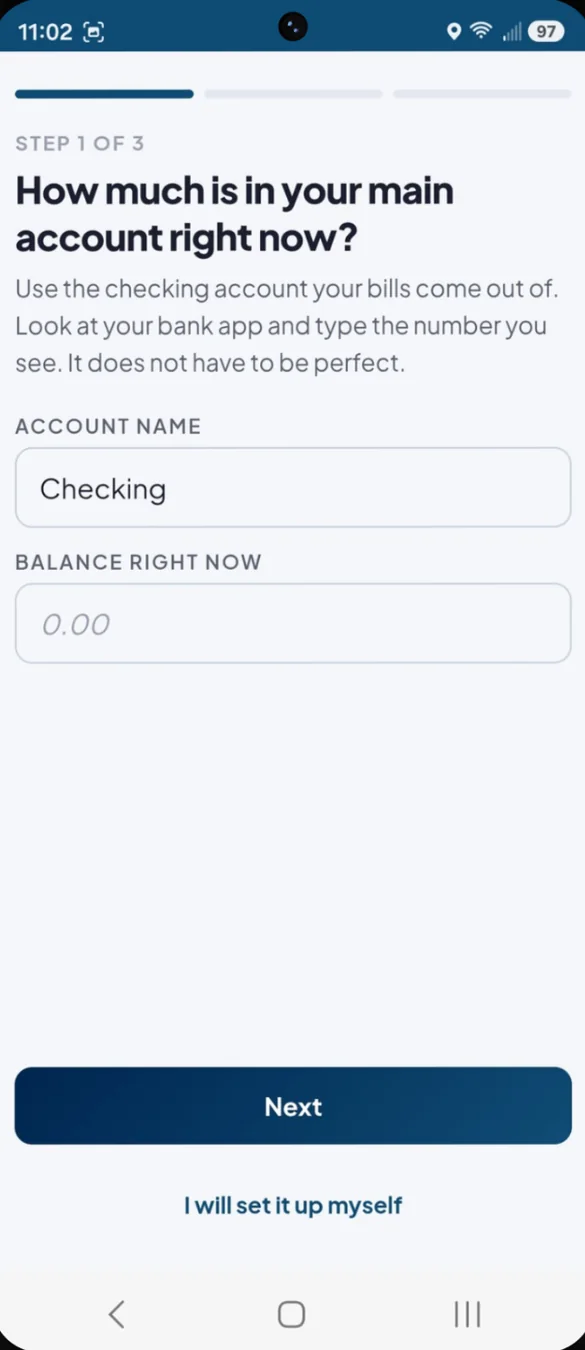
Three questions and you are set up.
Tell the app your main balance, your payday and the bills still due before it. Setup takes about 3 minutes, and your number shows up right away.
- Your balance: what is in checking right now
- Your payday: and how often you get paid
- Bills still due: before your next payday
Set it once. Never forget it.
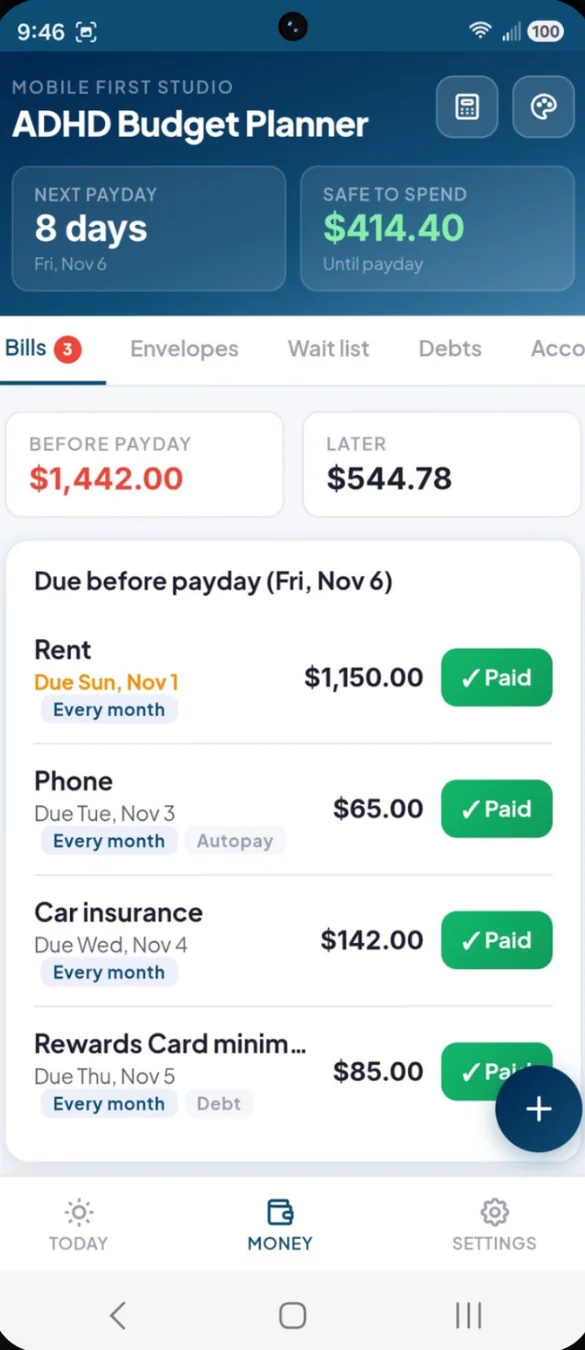
Add a bill once and it repeats weekly, every 2 weeks, monthly or yearly. Only bills due before payday come off Safe to Spend.
- Before payday and later: two totals, so you know what is coming
- Autopay: autopay bills come out on their due date
- Tap Paid: and undo it if you tapped by mistake
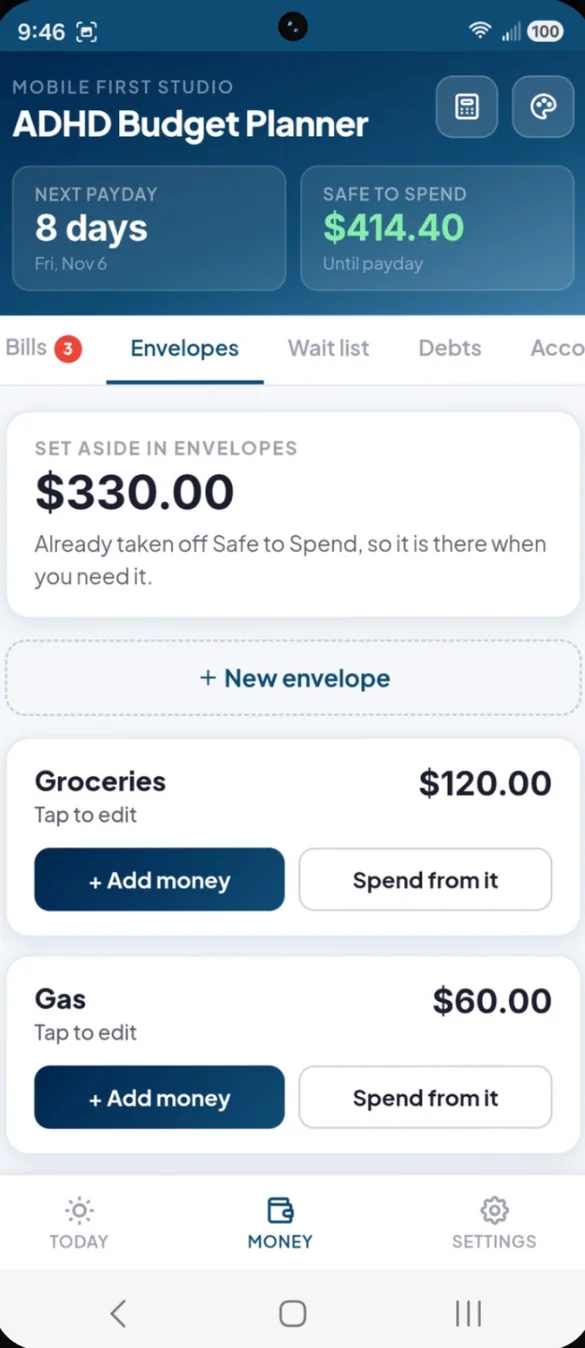
Give your money a job.
Set money aside for groceries, gas, Christmas or anything else. It comes off Safe to Spend, so you cannot spend it by accident.
- Add money or spend from it: one tap each
- Goals: give an envelope a goal and watch it fill up
- Already counted: envelope money is out of Safe to Spend
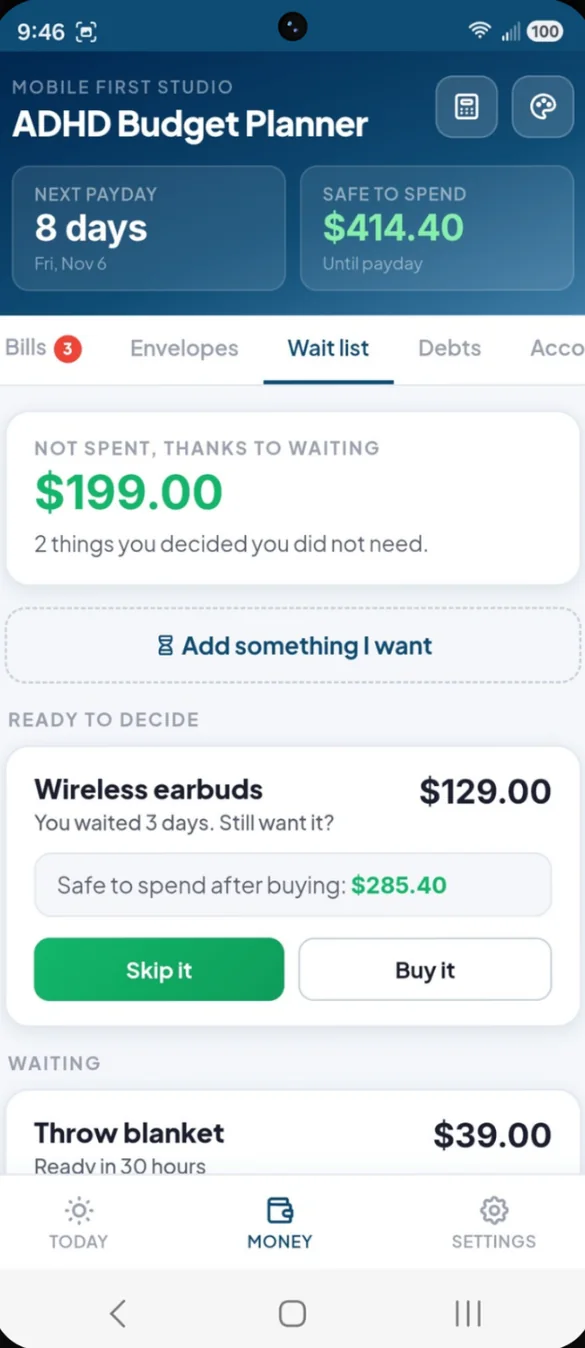
Want it now? Ask again later.
Put something on the wait list for 1 day to 1 week. When the wait is over, choose Skip it or Buy it.
- See the effect: what Safe to Spend would be if you buy it
- Running total: of what you decided not to spend
- A nudge: Today tells you when something is ready to decide
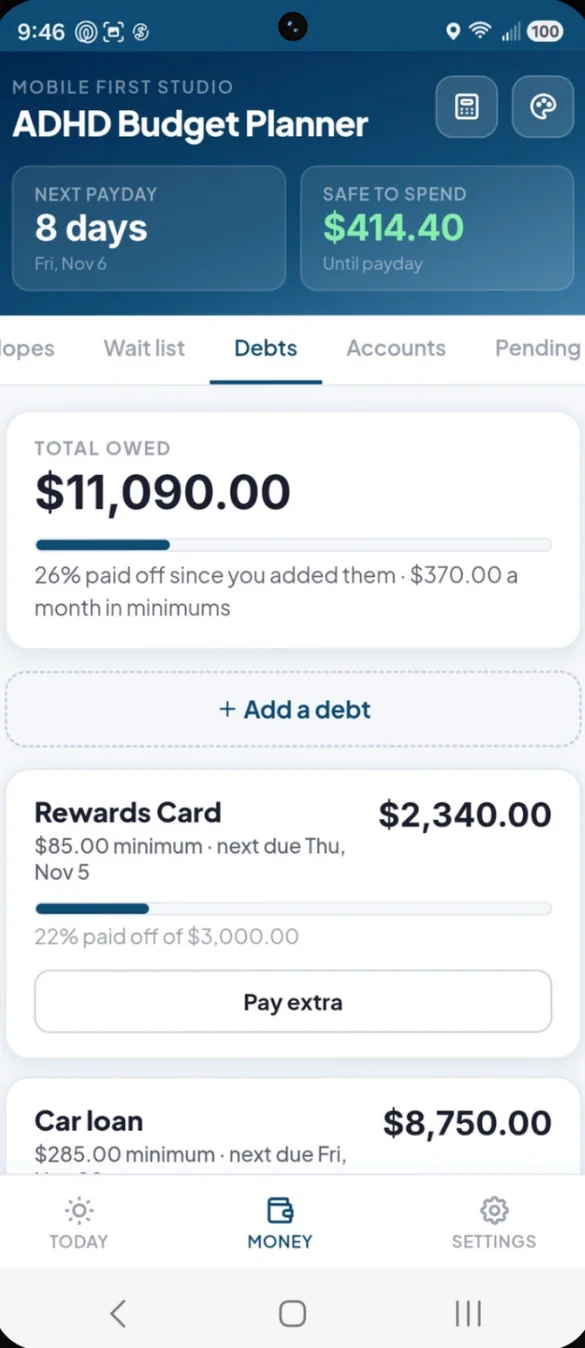
See every debt go down.
A simple list of what you owe and how much you have paid off. No complicated payoff math.
- Total owed: and percent paid off since you added them
- Minimums as bills: so they come off Safe to Spend
- Pay extra: any time, and the balance goes down
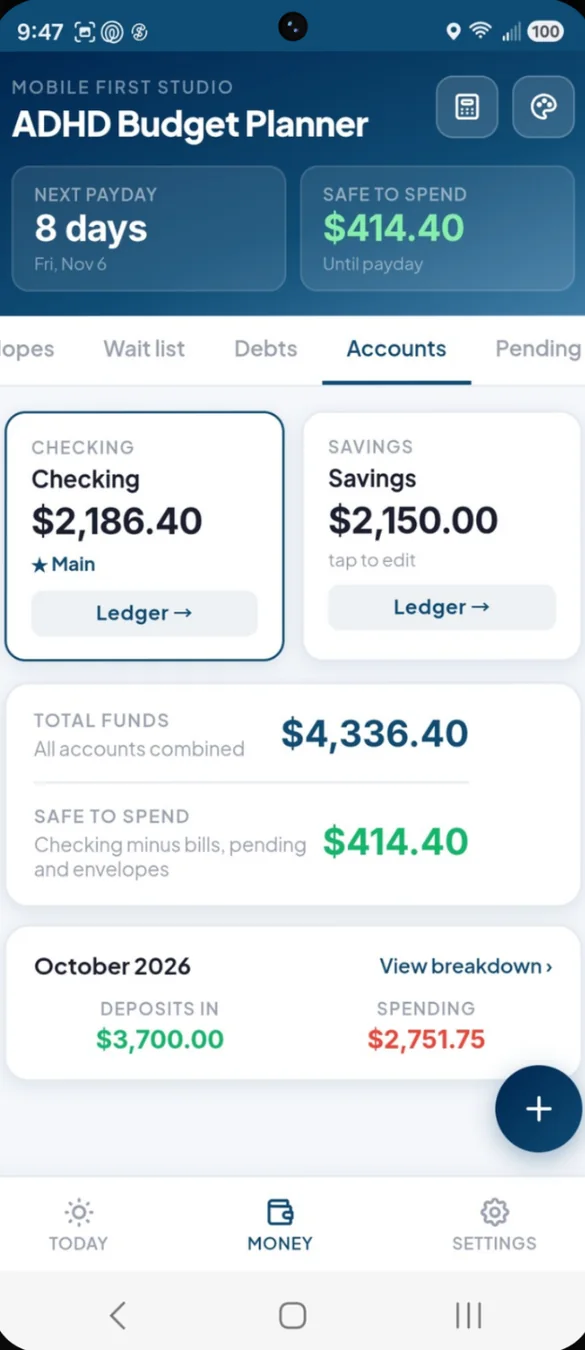
All your money in one place.
Checking, savings and anything else, each with its own running list of what came in and went out.
- Main account: the one Safe to Spend is based on
- Total funds: every account added together
- This month: deposits in and spending, with a breakdown by category
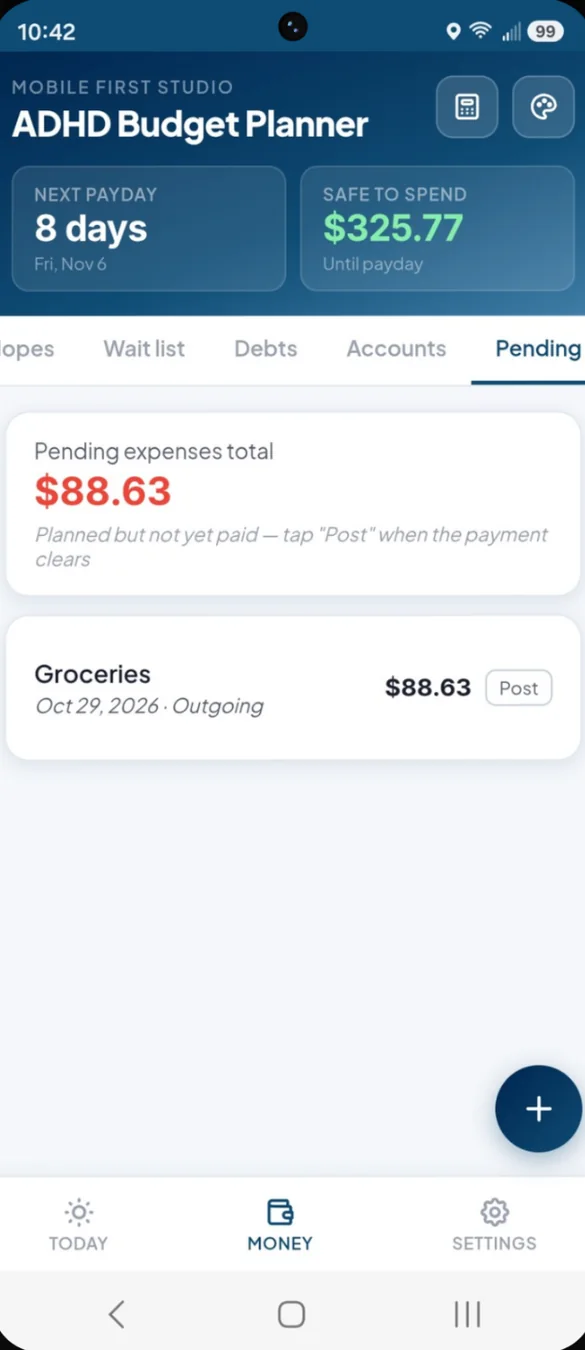
Not cleared yet? Still counted.
Add charges that have not come out of your bank yet, so you never spend that money twice.
- Counted right away: pending charges come off Safe to Spend
- Tap Post: when the charge clears
- Nothing to remember: it is all on the list
On paper or in a spreadsheet.
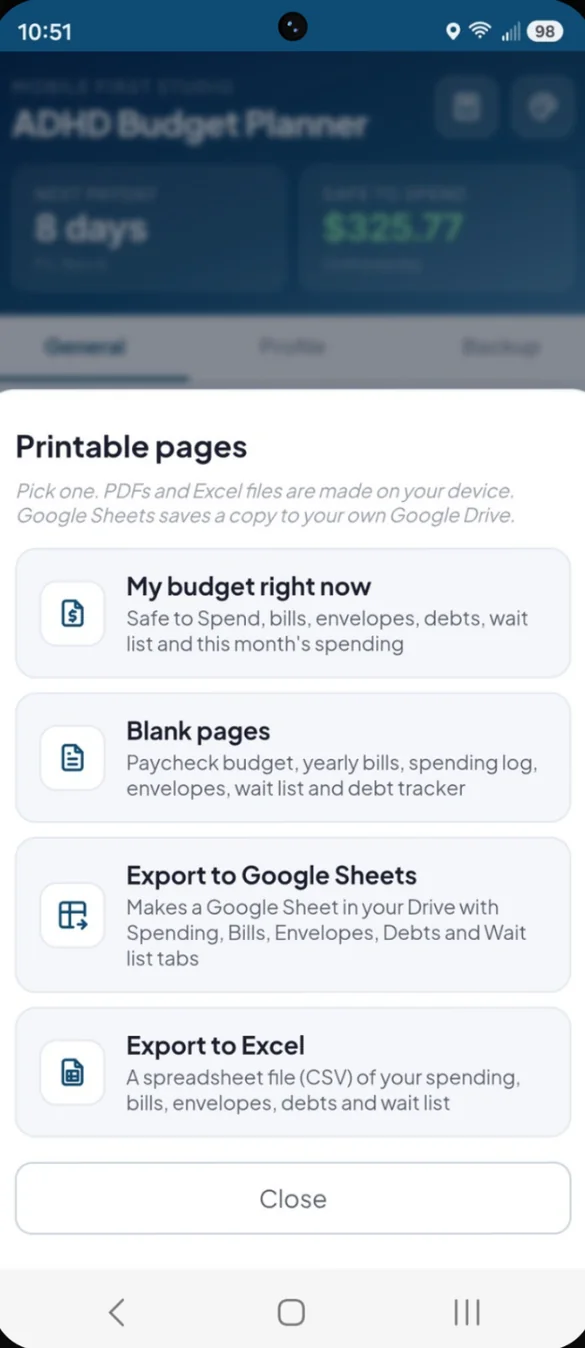
Print your budget as it is right now, or print blank pages to fill in by hand. Export your spending, bills, envelopes, debts and wait list to Google Sheets or Excel.
- My budget right now: Safe to Spend, bills, envelopes, debts, wait list and spending
- 6 blank pages: paycheck budget, yearly bills, spending log and more
- Spreadsheets: a Google Sheet in your own Drive, or a file for Excel
Your colors, and a fresh start.
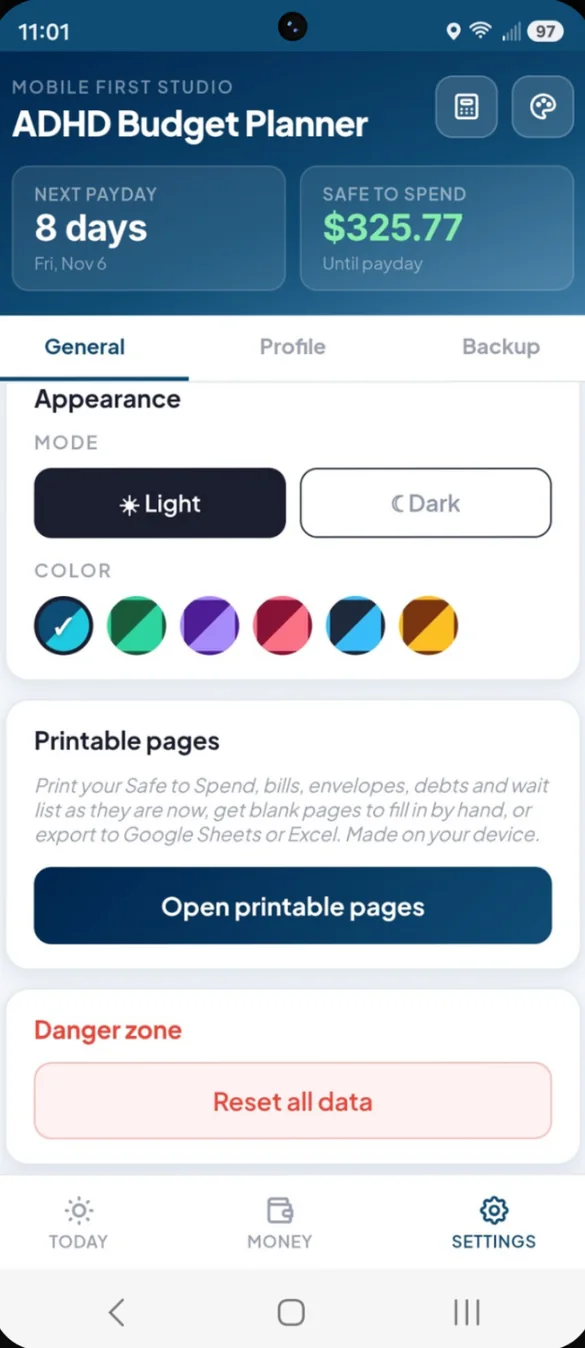
Pick one of 6 color themes, in light or dark. Want a do over? Reset everything and start again from the 3 setup questions.
- 6 themes: each in light or dark
- Reset all data: from Settings, with a confirm step
- Printables: one tap away in Settings
Little extras that help
I spent money
Type the amount, tap a category, done. See your new Safe to Spend before you save.
Undo on everything
Every money action has an undo, so a wrong tap is never a problem.
Missed a few days?
Type in what your bank app shows and you are back on track.
Paydays
Weekly, every 2 weeks, twice a month or monthly. Change the amount if a check was different.
Built in calculator
Always one tap away in the header.
Works offline
Once it's on your home screen it opens without internet.
No bank login. Ever.
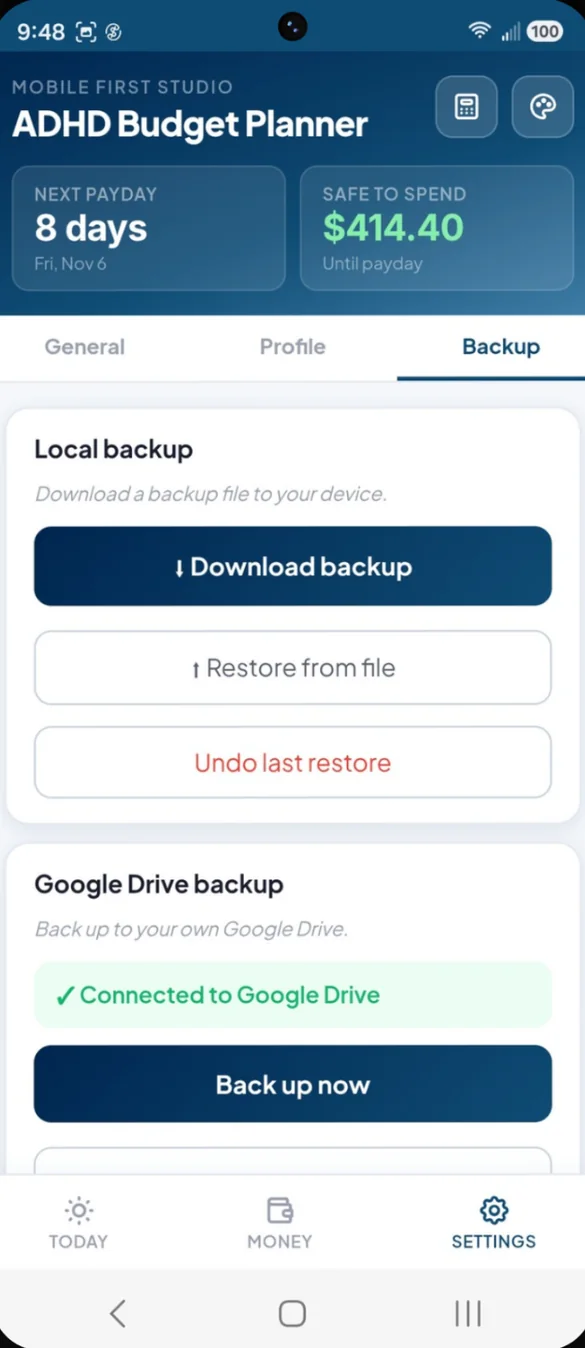
You type in your own numbers, so your banking details never go to a third party. Everything saves on your device. You choose where backups go: a file you download, or your own Google Drive. If you export to Google Sheets, the sheet is saved to your own Drive.
- One time purchase, no subscription ever
- Saved privately on your device
- Works offline once installed
- Optional backup to your own Google Drive
- Backup file with restore and undo
- No bank login, ever
- No account, no login, no ads
How it works
Buy on Etsy
Download your PDFs, including the 6 bonus printable pages.
Tap the link
Open the link in the PDF on your phone, tablet or computer.
Add it to your home screen
Answer 3 quick questions and your number shows up. Install guide
Good to know: the app does not connect to your bank. The debt list is kept simple on purpose, with no payoff plans or interest math. This is a budgeting tool, not financial advice.
Want more? Ultimate Finance Hub adds income tracking, a monthly budget by category, savings goals, reports and household sharing.
Questions
Is there a subscription?
No. You pay once on Etsy and the app is yours. No monthly fees and no ads.
Does it connect to my bank?
No. You type in your balance and your spending, which keeps your money private. There is no bank login to hand over.
What is Safe to Spend?
Your balance minus the bills due before payday, the money in your envelopes and anything pending. Tap See the math to see exactly how it is worked out.
What if I stop using it for a few days?
No catching up. Type in what your bank app shows and you are back on track.
Does it make a debt payoff plan?
No. The debt list is kept simple on purpose, with balances and how much you have paid off, but no payoff plans or interest math. Debt Payoff Planner in the shop does snowball and avalanche plans.
Can I use it on my phone and my computer?
Yes. On a computer it opens a full view with a side menu and an overview page. To move your budget between them, back up on one and restore on the other.
Can I try it before I buy?
Yes. The free demo is the real app with example numbers filled in. Nothing you type is saved, and it resets when you close it.
What if it doesn't work on my phone?
Send a message through Etsy and I'll help you get it working. If we can't, you can get a refund within 30 days.
Try it before you buy
The real app with example numbers filled in. Nothing you type is saved.