Car Maintenance Tracker Service, Reminders and Costs
Know exactly what your car needs and when, without being a car person. The app builds a maintenance plan, reminds you before things are due and keeps every service, receipt and cost in one place for every car you own.
- One time purchase
- No account or login
- No ads
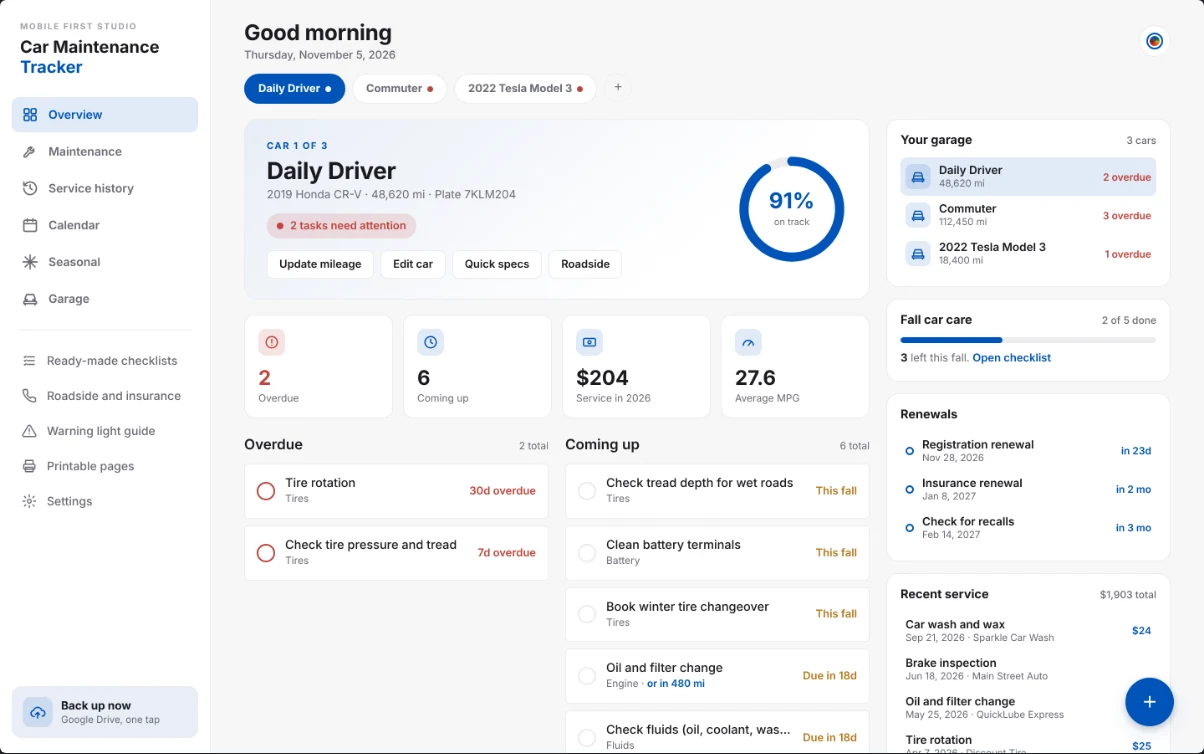
- Phone, tablet and computer
What's inside
Every car in the household, with a plan, a history and reminders for each one.
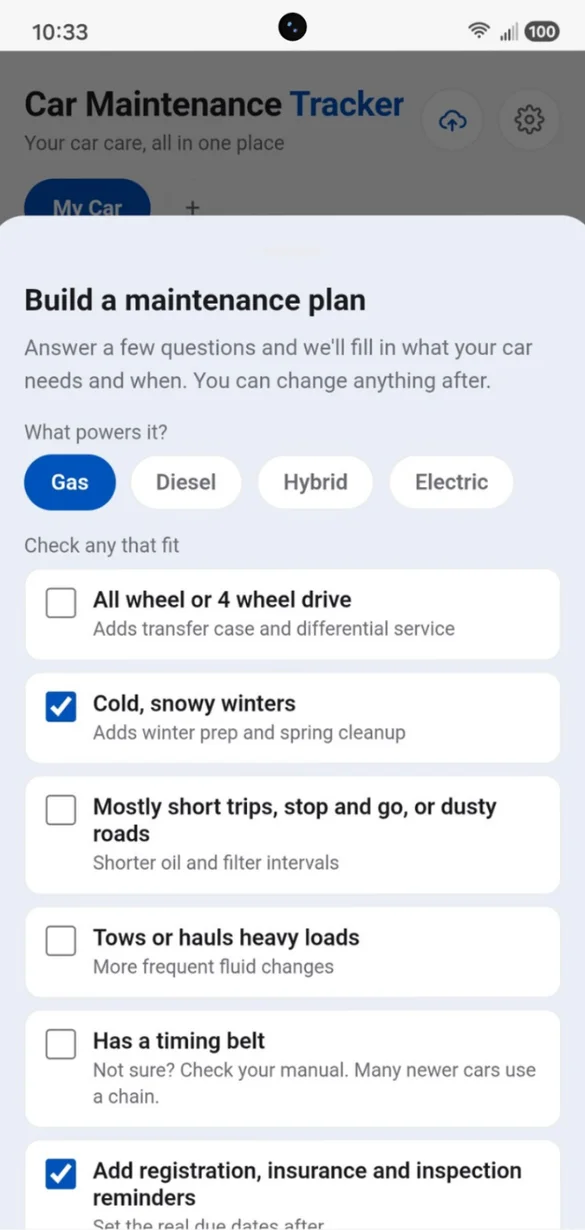
A plan made for your car.
Tell it what powers your car and how you drive, and it fills in what your car needs and when, with a plain English tip for every task.
- Gas, diesel, hybrid or electric: pick one
- Winter, towing and short trips: check any that fit
- Change anything: after
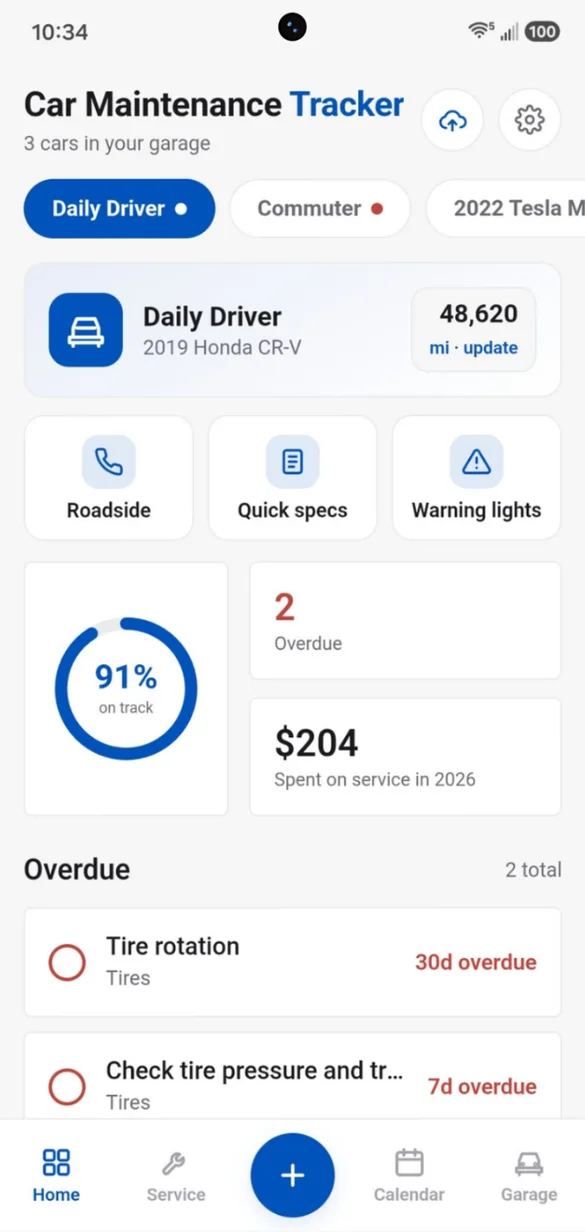
See what's due at a glance.
How on track each car is, what's overdue and what you've spent on service this year, all on one screen.
- Every car: switch with one tap
- Roadside help: one tap away
- Overdue tasks: at the top
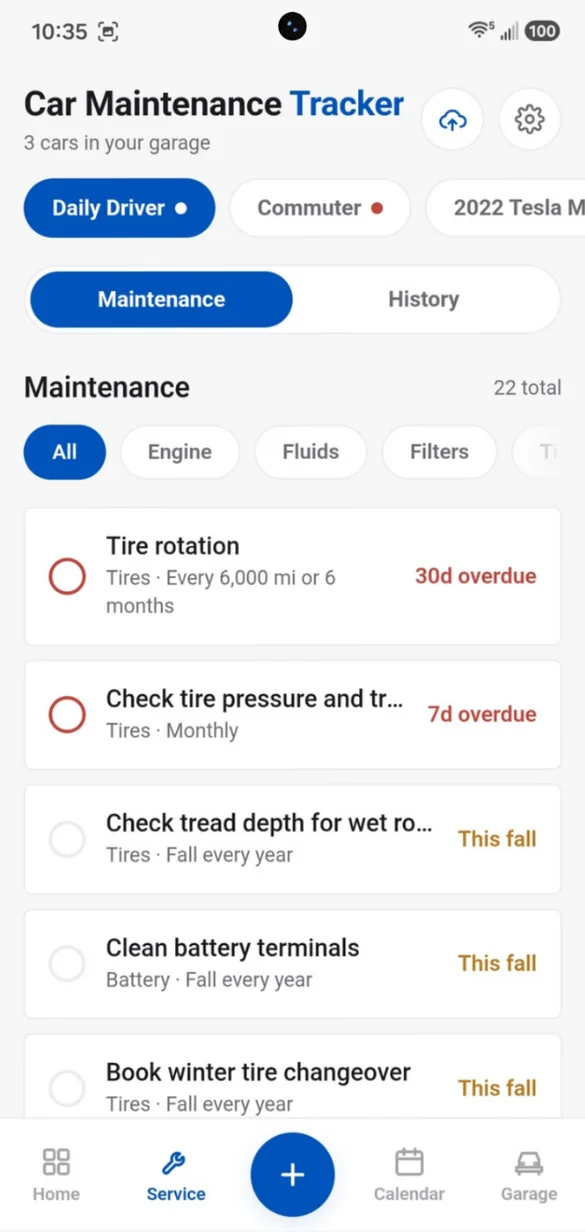
Never miss an oil change.
Every task on its own schedule, by date, by mileage, or whichever comes first. Mark a task done and the next due date updates.
- Filter: by engine, tires, fluids and more
- Tap the circle: to mark it done
- Next due date: updates for you
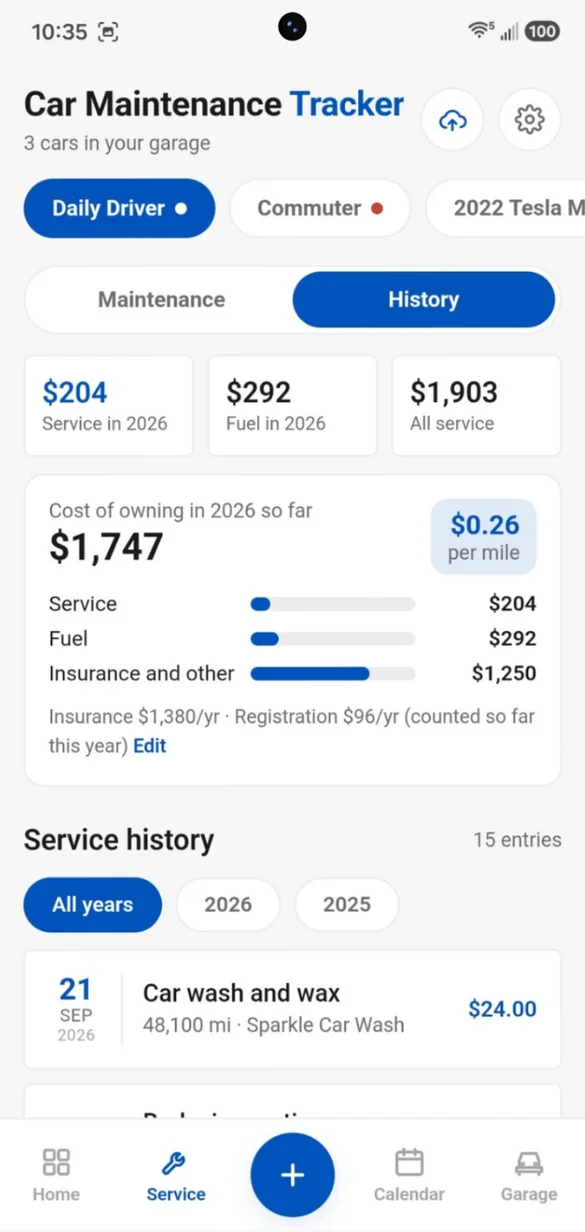
Know what your car costs.
Log every service with the date, mileage, shop and cost, and snap a photo of the receipt. See what owning the car really costs, with a cost per mile.
- Receipt photos: attached to the service
- Cost of owning: service, fuel, insurance and registration
- Filter by year: see your totals
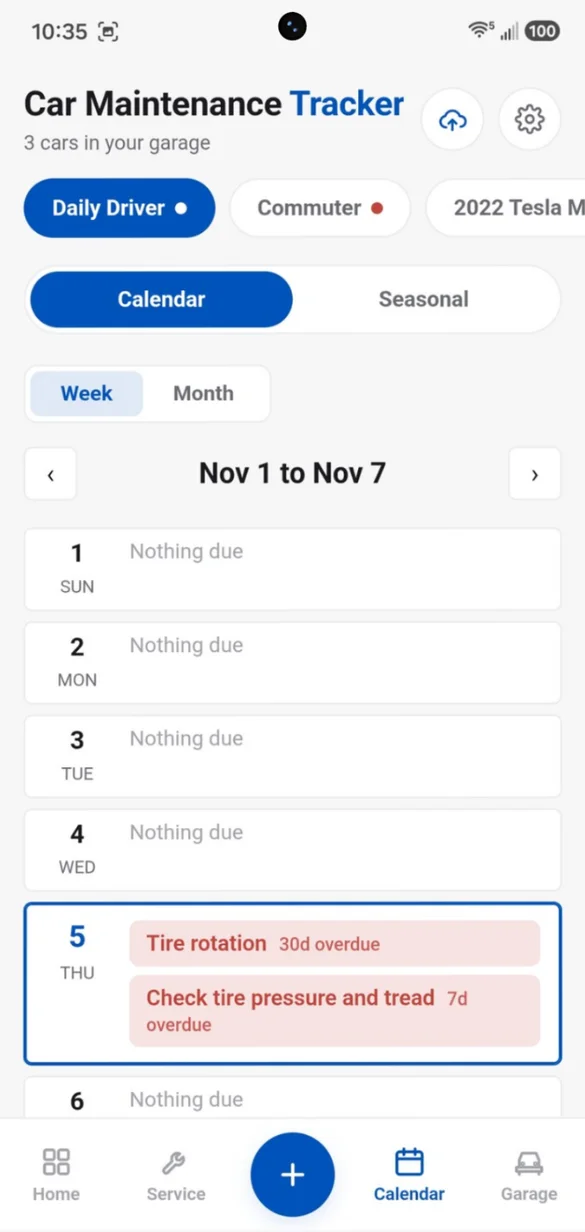
Your week, at a glance.
See what's due this week or flip to a month view. Add reminders to your phone's calendar in one tap.
- Week and month: views
- Mileage tasks: get an estimated date
- Alerts: a week before
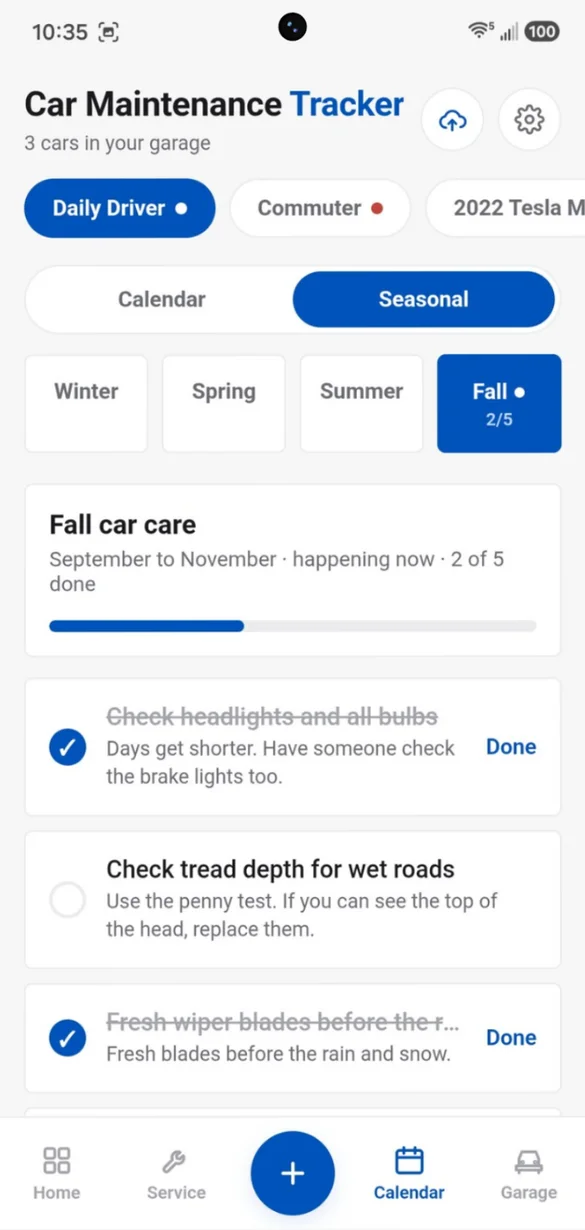
Ready for every season.
Winter, spring, summer and fall checklists that come back every year, with a tip for each one.
- Check them off: as you go
- Progress bar: for each season
- Northern or Southern: Hemisphere
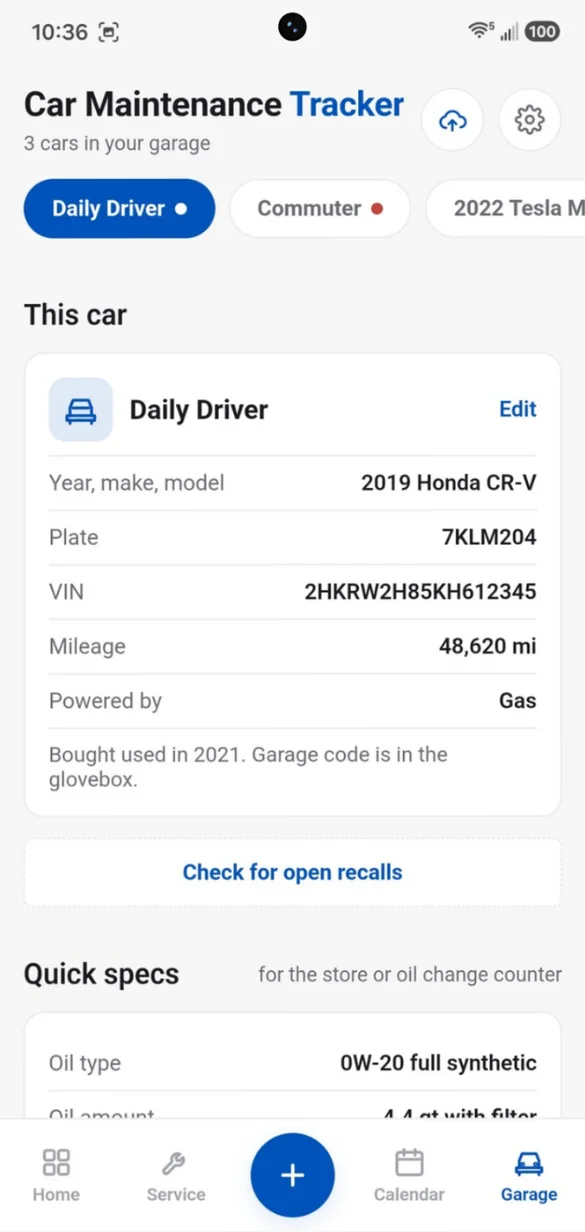
Every detail in one place.
Plate, VIN, mileage, oil type, tire size and more, saved for each car. Type in the VIN to fill in the year, make and model.
- Quick specs: for the parts store
- Recall check: for cars sold in the US
- Unlimited cars: trucks, SUVs and motorcycles
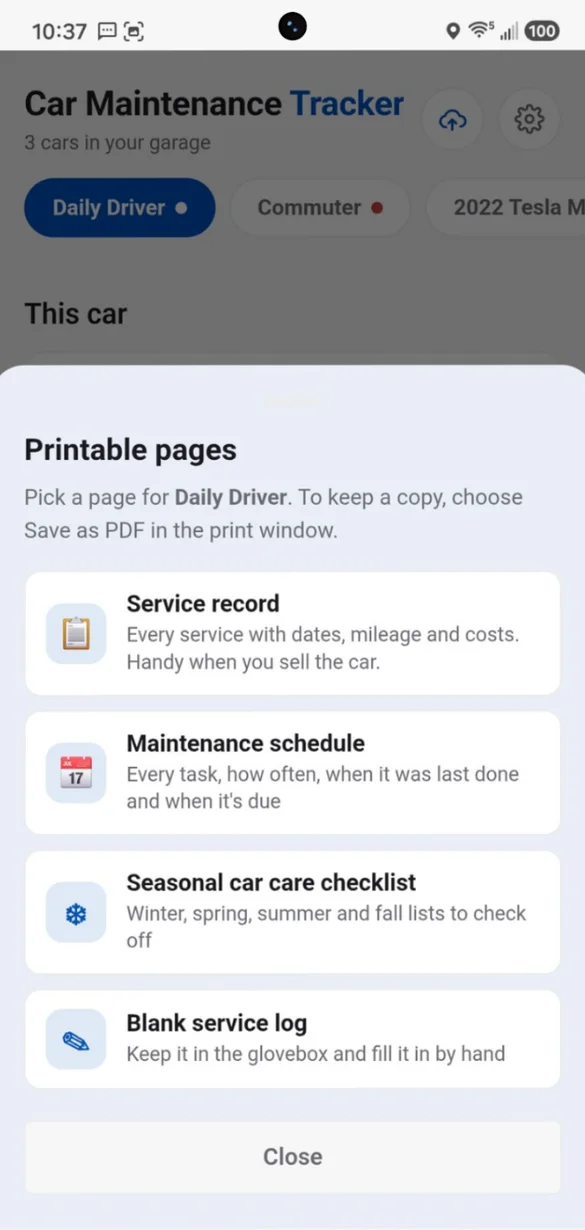
Print it when you need it.
Print your service record, maintenance schedule, seasonal checklist or a blank log, or save it as a PDF.
- Service record: handy when you sell the car
- Blank log: for the glovebox
- Made from your own cars: and saved as a PDF
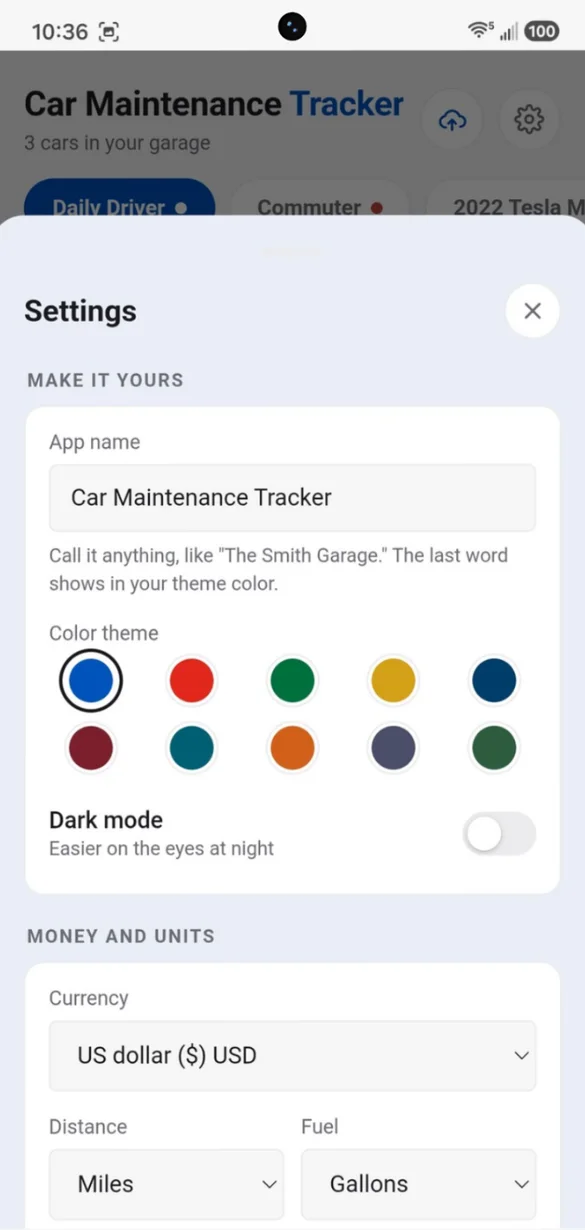
Your app, your way.
Rename the app, pick a color theme, and choose your currency and units.
- 10 color themes: plus dark mode
- Any currency: pick yours
- Miles or kilometers: gallons or liters
Little extras that help
Warning light guide
What the most common dashboard lights mean, and whether to pull over.
Roadside and insurance
Big call buttons, with your plate, VIN and policy number.
Fuel and mileage logs
Fuel economy worked out for you, plus a nudge to update the mileage.
VIN lookup
Fills in the year, make and model for you.
Ready-made checklists
Maintenance, paperwork, renewals and seasonal care, each with a tip.
Works offline
Check your oil type at the store, even with no signal.
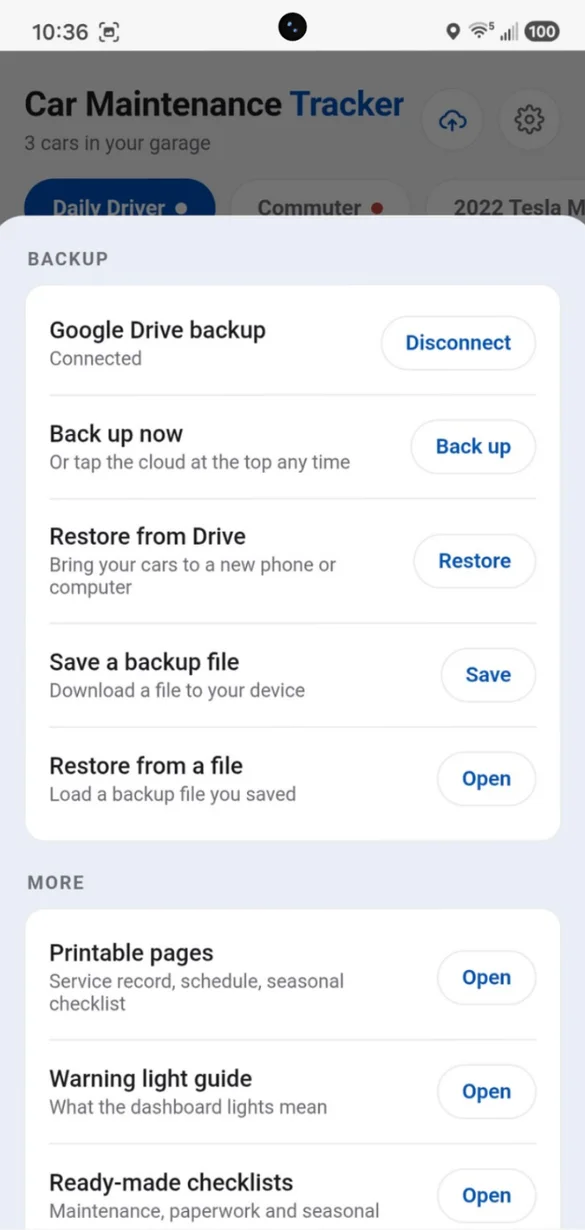
Your cars, safe and sound.
Everything saves privately on your device and works offline, with no account or sign up. Back up to your own Google Drive with one tap, or save a backup file to your device. A backup is also how you bring your cars to a new phone or computer.
- One time purchase, yours forever
- Saved privately on your device, offline
- Optional Google Drive backup, in your own account
- Backup file you can download anytime
- No sign up needed
- No account or login, ever
- No ads, ever
How it works
Buy on Etsy
Your download has the link to your app.
Tap the link
Open it on your phone, tablet or computer.
Add it to your home screen
Or bookmark it, then answer a few questions to build your plan. Install guide
Good to know: this app is made for personal and household cars. It tracks odometer readings for maintenance, not trips or a mileage log for tax deductions. Suggested intervals are common guidelines, so check your owner's manual for your car's exact schedule. The recall check covers vehicles sold in the US.
Running vans, trucks or cars for a business? Fleet Maintenance Tracker adds a fleet dashboard, business cost tracking and trip logging.
Questions
Is there a subscription?
No. You pay once on Etsy and the app is yours. No monthly fees and no ads.
I'm not a car person. Where do I start?
Answer a few quick questions, like what powers your car and whether you get snowy winters, and the app fills in a maintenance plan with a plain English tip for every task. You can change anything after.
Can it remind me by mileage?
Yes. Schedule a task by date, by mileage, or both. Mileage tasks get an estimated due date based on how much you drive, so they show up on your calendar too.
How many cars can I add?
As many as you have: cars, trucks, SUVs or motorcycles. Each one keeps its own plan, history, fuel log, specs and documents.
Are the intervals right for my car?
They're common guidelines. Check your owner's manual for your car's exact schedule, and change any task to match.
Can I use it on my phone and my computer?
Yes. On a computer you get a full dashboard with everything side by side. Each device keeps its own copy, so back up on one and restore on the other.
I run cars for a business. Is this the right app?
This one is made for personal and household cars. Fleet Maintenance Tracker adds a fleet dashboard, business cost tracking and trip logging.
What if it doesn't work on my phone?
Send a message through Etsy and I'll help you get it working. If we can't, you can get a refund within 30 days.
Try it before you buy
The real app with sample data. Nothing you type is saved.