Daily Expense Tracker See Exactly Where Your Money Goes
No bank to link and no months of history to sort. Log an expense in seconds, watch your daily and weekly totals update and see where your money goes, one entry at a time.
- One time purchase
- No account or login
- No ads
- Phone, tablet and computer
What's inside
Log it, see it, print it. Nothing to set up first.
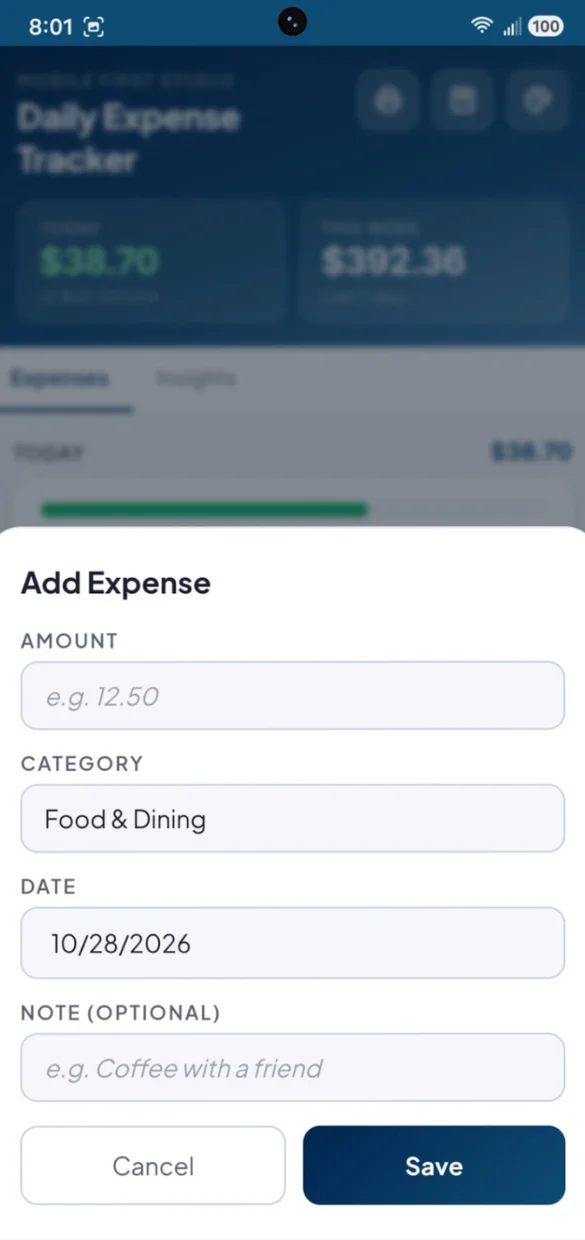
Log a purchase in seconds.
Amount, category, date and an optional note. That is it.
- 8 categories: from Food & Dining to Bills & Utilities
- Backdate: anything you forgot to log
- Notes: like "coffee with a friend"
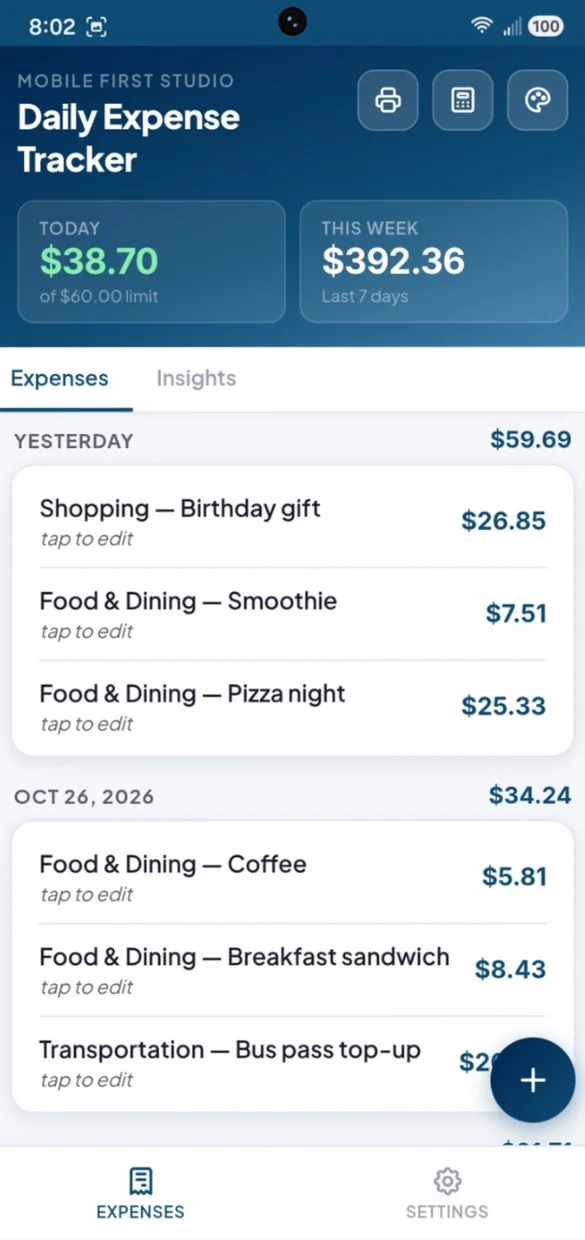
Every purchase, grouped by day.
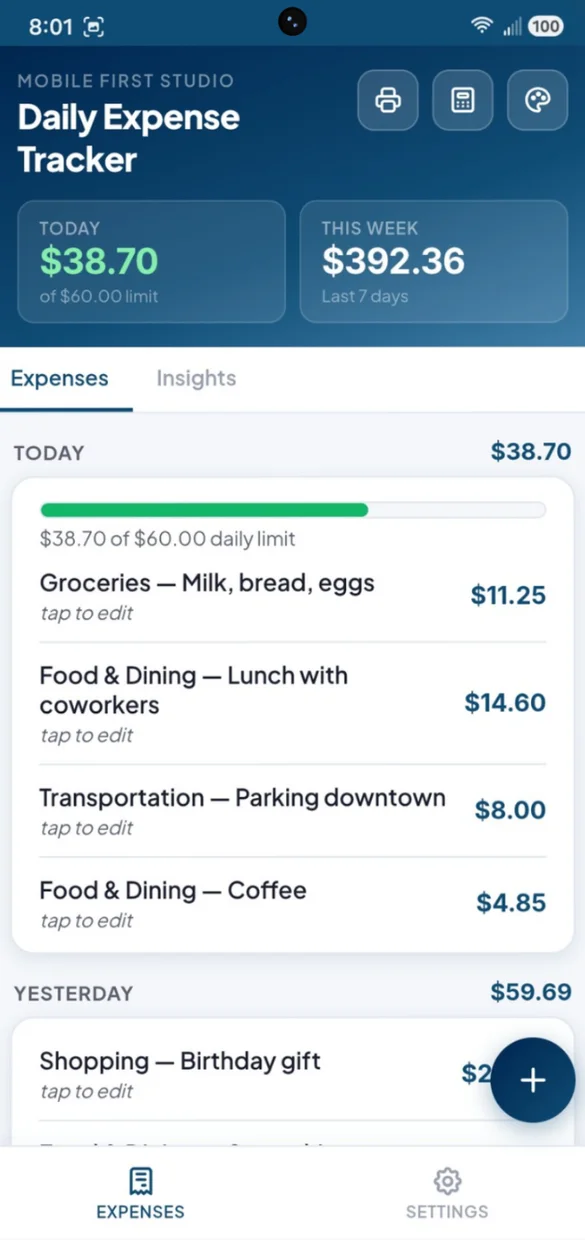
Scroll back through your spending with a total for each day built in.
- Day by day: with a subtotal for every day
- Tap any entry: to edit or delete it
- Nothing to set up: it fills in as you log
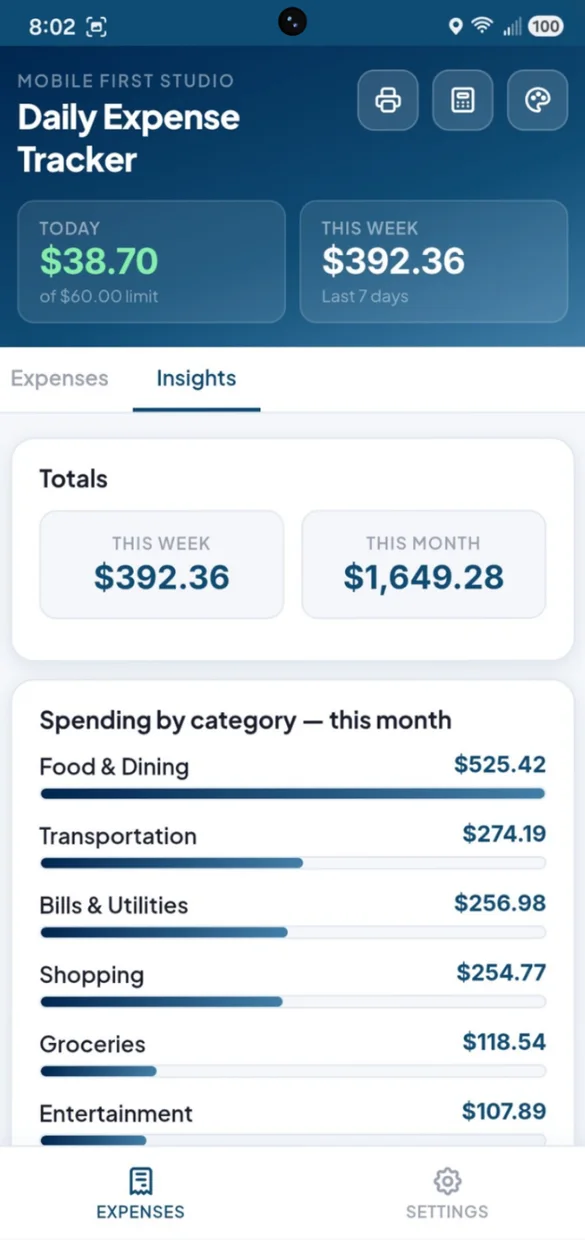
Find out what is eating your budget.
See this week and this month side by side, and your spending by category ranked from highest to lowest.
- Totals: this week and this month
- By category: ranked highest to lowest
- Bars: so the big spenders jump out
On paper or in a spreadsheet.
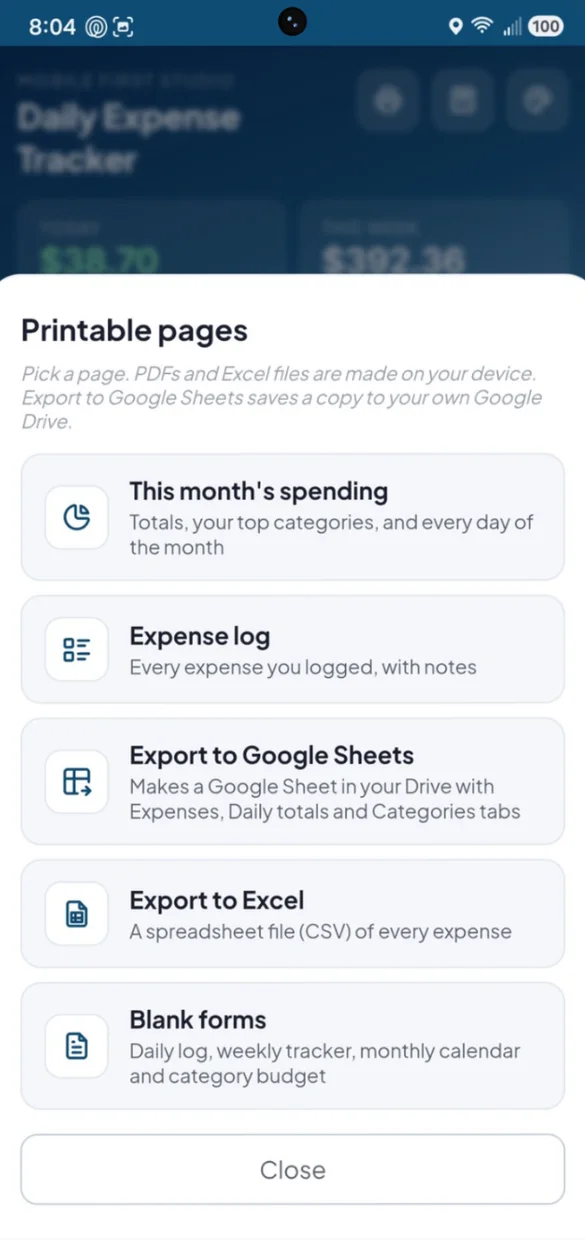
Print this month or your full expense log. PDFs and spreadsheet files are made right on your device.
- This month: totals, top categories and every day
- Blank forms: daily log, weekly tracker, monthly calendar and category budget
- Excel and Google Sheets: a CSV file, or a Sheet in your own Drive
Know where you stand before you go over.
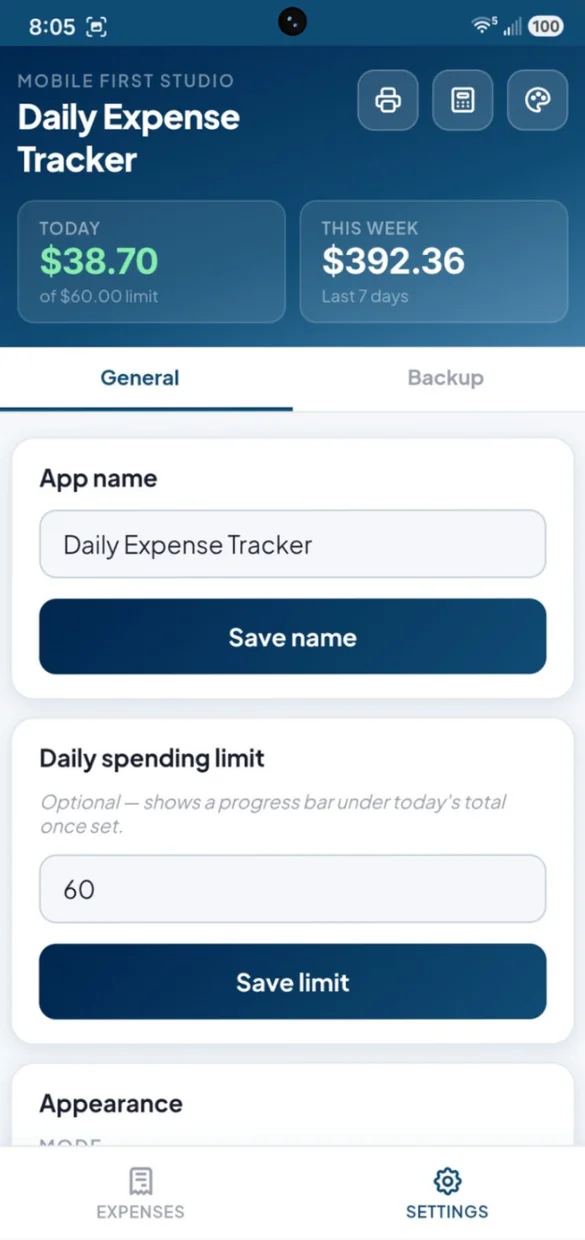
Set an optional daily spending limit in Settings, and give the app your own name.
- Progress bar: under today's total
- Green to red: as you get close to your limit
- Start fresh: clear everything for a new month
Little extras that help
Today and this week
Your totals for today and the last 7 days, always at the top.
No-spend days
Print the monthly calendar and circle the days you spent nothing.
Built-in calculator
Add up a receipt or split a bill before you log it.
6 themes and dark mode
Navy, Forest, Violet, Rose, Slate and Amber. Tap to change colors, long press for dark mode.
Your own app name
Rename the app, handy for gifting or shared use.
Works offline
Log a purchase with no Wi-Fi or signal.
Your spending stays yours.
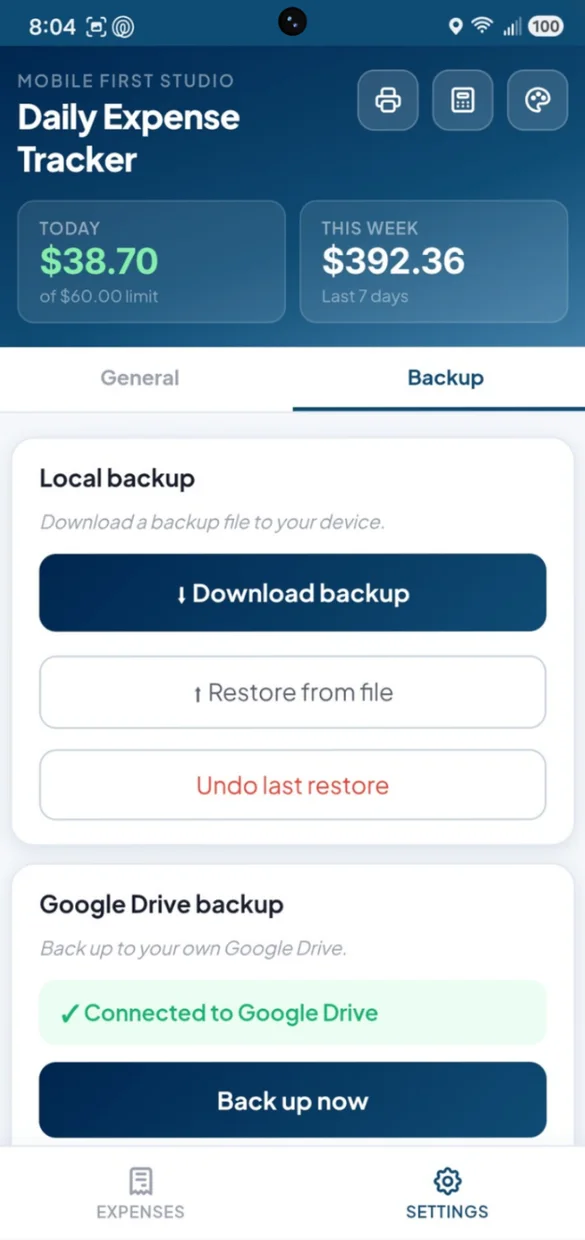
Everything saves privately on your device and works offline, with no account or login. Connect your own Google Drive, or download a backup file and keep it yourself. One tap undoes a restore.
- One time purchase, yours forever
- Saved privately on your device, offline
- Optional Google Drive backup, in your own account
- Backup file you can download anytime
- Undo a restore with one tap
- No account or login, ever
- No ads, ever
How it works
Buy on Etsy
Download your app PDF and your bonus printable pages.
Tap the link
Open it on your phone, tablet or computer.
Add it to your home screen
Or bookmark it, then log your first expense. Install guide
Good to know: this app only tracks day to day spending. It does not include bills, debt, income or multiple accounts, and it does not connect to your bank, so every entry is logged by hand.
Want the bigger picture? Ultimate Finance Hub adds full accounts, bill tracking and pending expenses.
Questions
Is there a subscription?
No. You pay once on Etsy and the app is yours. No monthly fees and no ads.
How quick is it to log an expense?
Add an amount, pick a category and save. The date is filled in for today, and a note is optional. You can also change the date to log something you forgot.
How does the daily limit work?
Turn on an optional daily limit in Settings. A progress bar fills in under today's total as you spend, shifting from green to yellow to red so you know where you stand before you go over.
What categories are there?
Food & Dining, Groceries, Transportation, Shopping, Entertainment, Bills & Utilities, Health and Other. Insights ranks them from highest to lowest each month.
Does it connect to my bank or track bills and income?
No. It only tracks day to day spending, and every entry is logged by hand, on purpose, to keep it simple and private. It does not include bills, debt, income or multiple accounts.
I want accounts and bills too. Is there an app for that?
Yes. Ultimate Finance Hub builds on this with full accounts, bill tracking and pending expenses in one place. Simple Finance Hub and Finance Hub are smaller versions of it.
Can I use it on my phone and my computer?
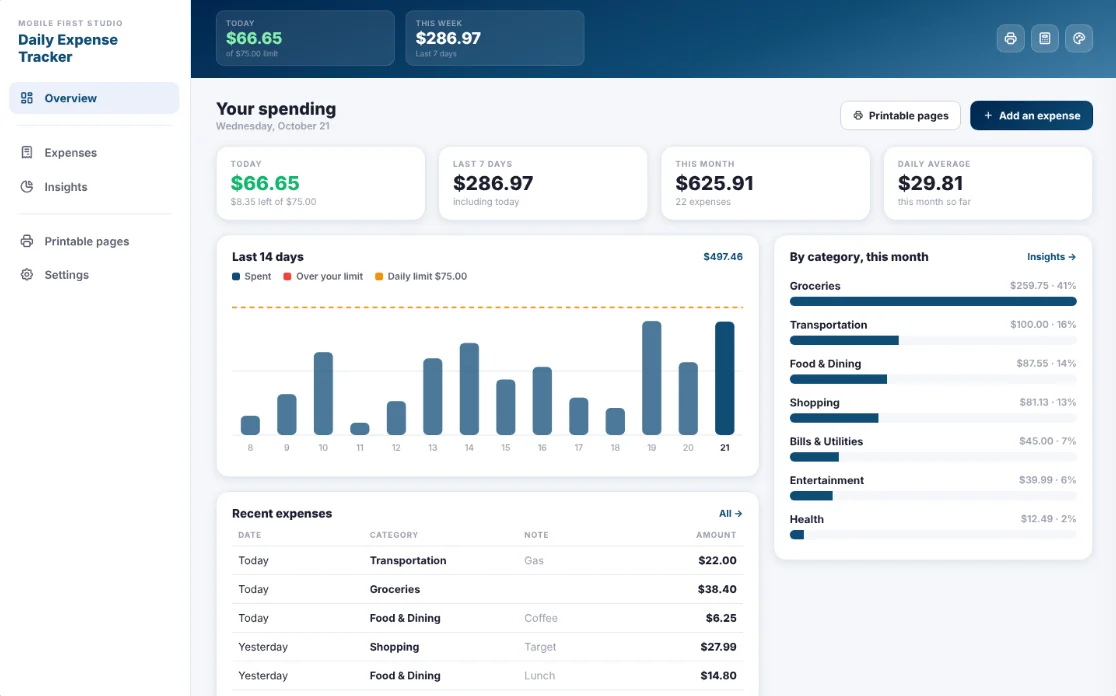
Yes. On a computer it opens as a full dashboard with a side menu, today, the last 7 days, this month, your daily average, a 14 day chart with your limit marked and recent expenses. Back up on one and restore on the other.
What if it doesn't work on my phone?
Send a message through Etsy and I'll help you get it working. If it doesn't install or work on your phone, you can get a refund within 30 days.
Try it before you buy
The real app with sample data. Nothing you type is saved.