Daily HQ Daily, Weekly and Monthly
Your daily tasks, weekly view and monthly calendar, all in one simple app you'll actually use. No more juggling sticky notes, three different apps and a notes file you can never find.
- One time purchase
- No account or login
- No ads
- Phone, tablet and computer
What's inside
Made for ADHD brains and anyone who has given up on a planner before.
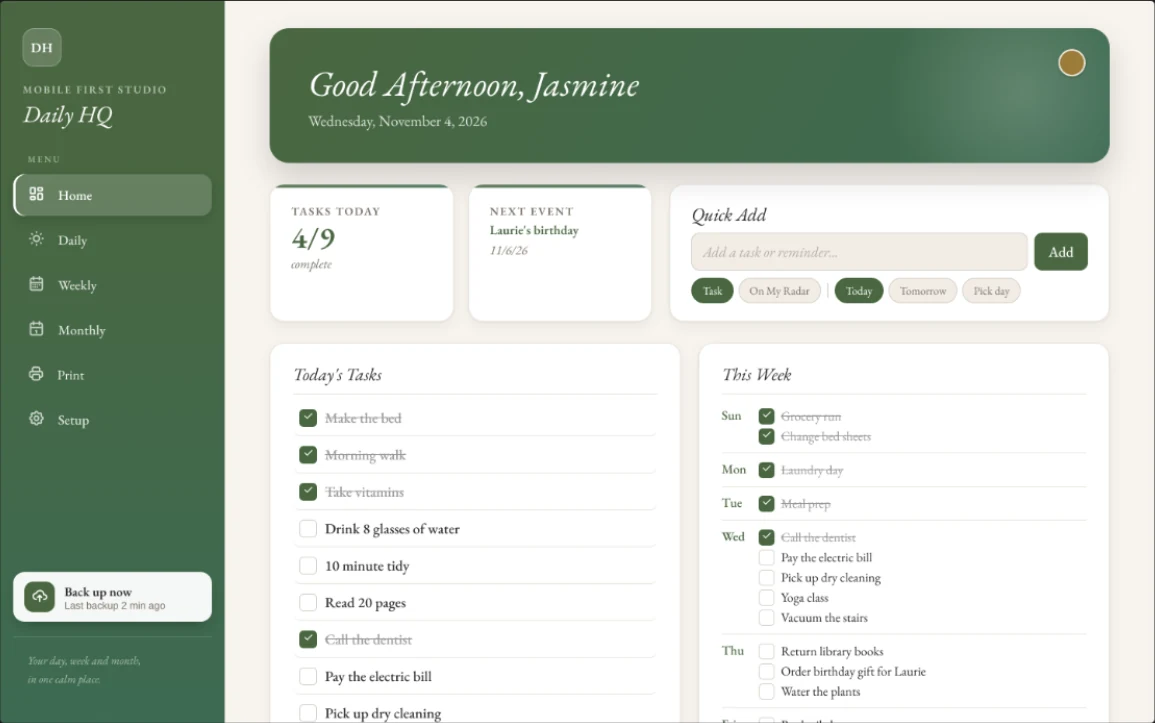
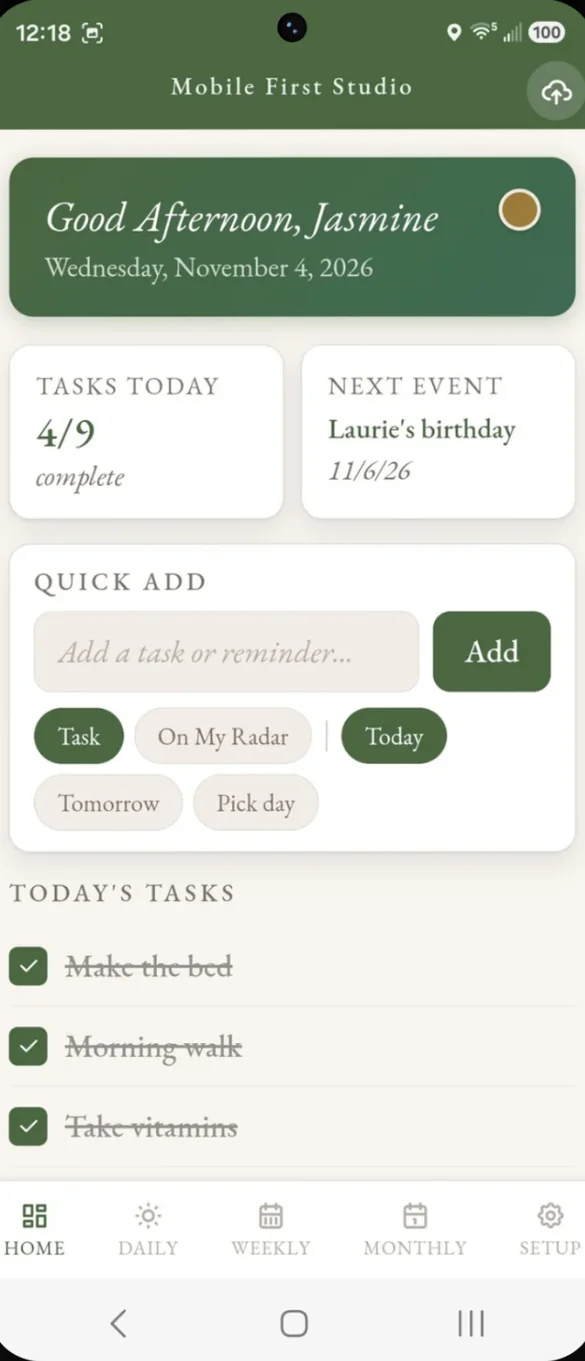
Your whole day at a glance.
Open the app and see today's tasks, your next event and how far you've gotten. No digging required.
- Tasks today: how many are done
- Next event: always in view
- Quick Add: type a task and drop it on today, tomorrow or any day
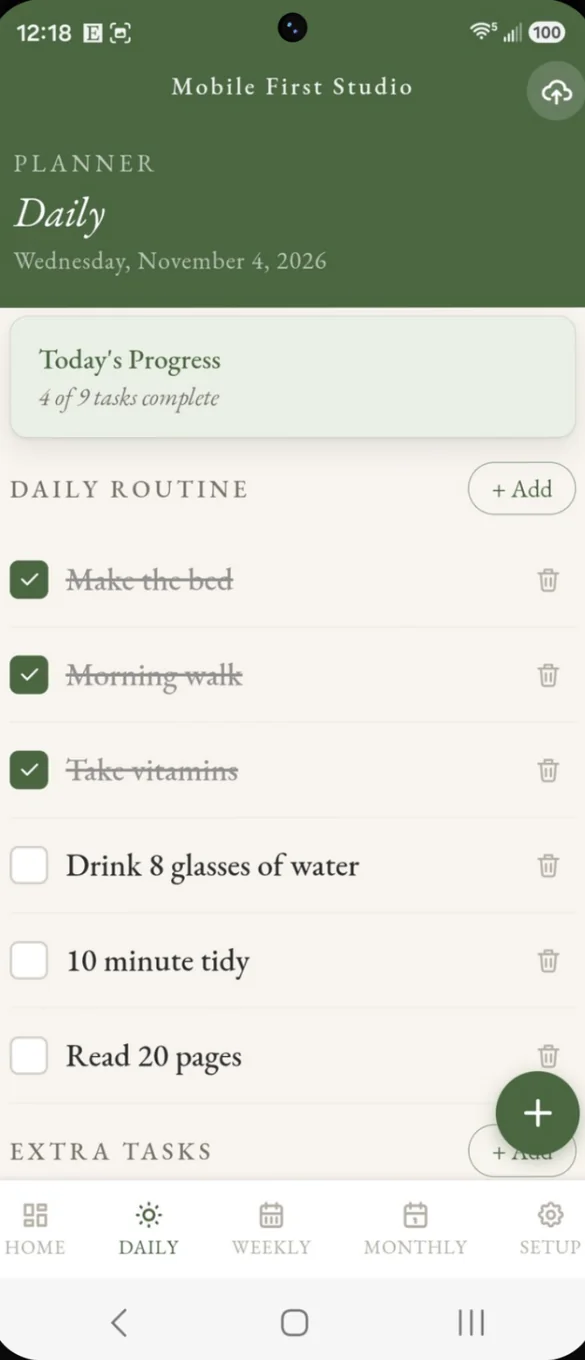
The same tasks, ready every morning.
Your daily routine resets on its own each morning. One off jobs go under Extra tasks, and On My Radar holds the things to keep an eye on before they are due.
- Daily routine: a checklist that resets every morning
- Extra tasks: for one off jobs as they come up
- On My Radar: for things to track before they are due
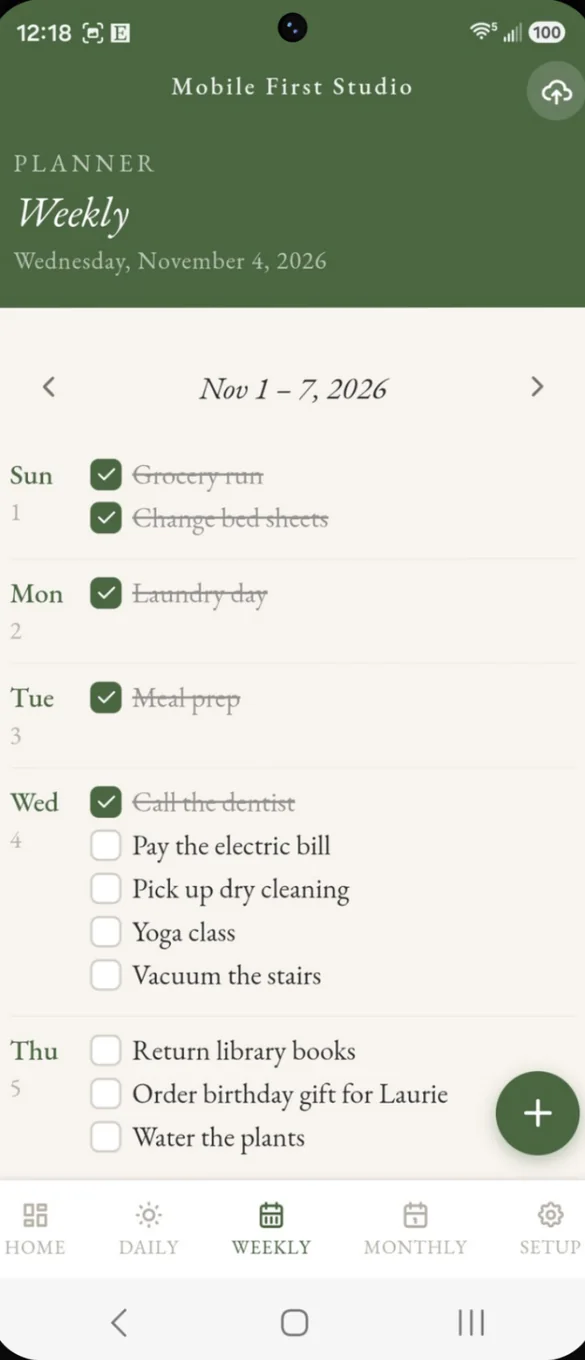
See your whole week.
Your full week laid out Sunday through Saturday, so you can see what is ahead. Check things off right from the week view.
- Sunday to Saturday: every day in one list
- Tap any day: to add a task
- Arrows: to move between weeks
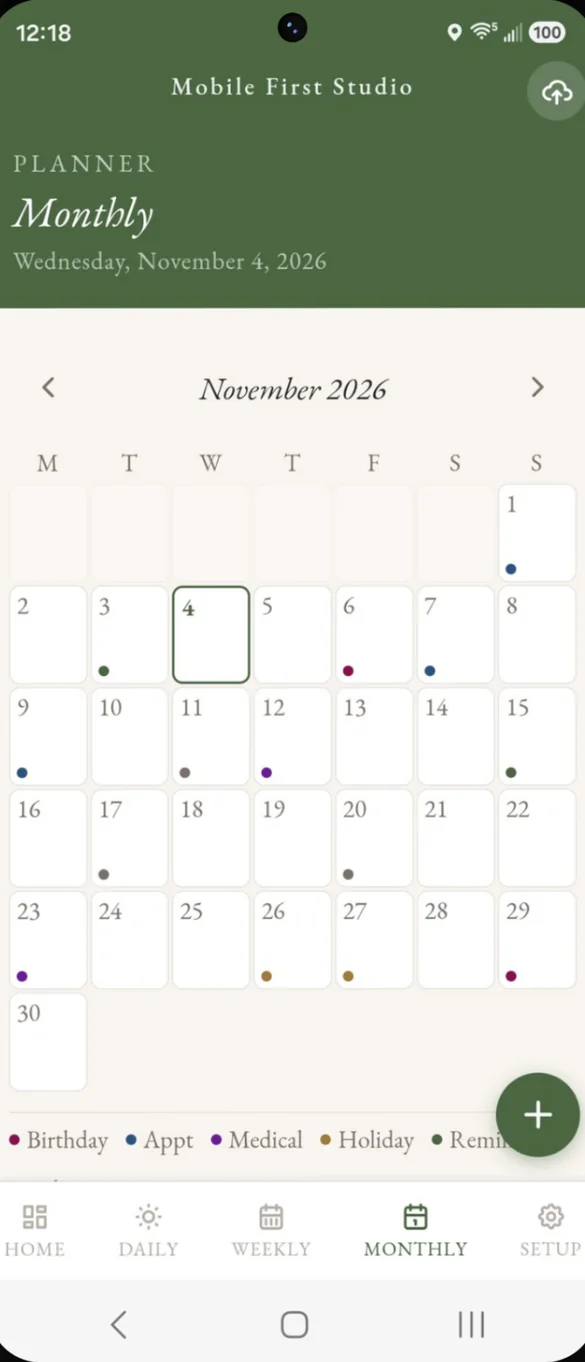
Birthdays, appointments and holidays, color coded.
A full month calendar sorted by category, so you know what is what at a glance. Tap any day to see or add what is happening.
- Six event types: birthday, appointment, medical, holiday, reminder and other
- Color dots: on every day with an event
- Tap any day: to see or add events
Make it look like yours.
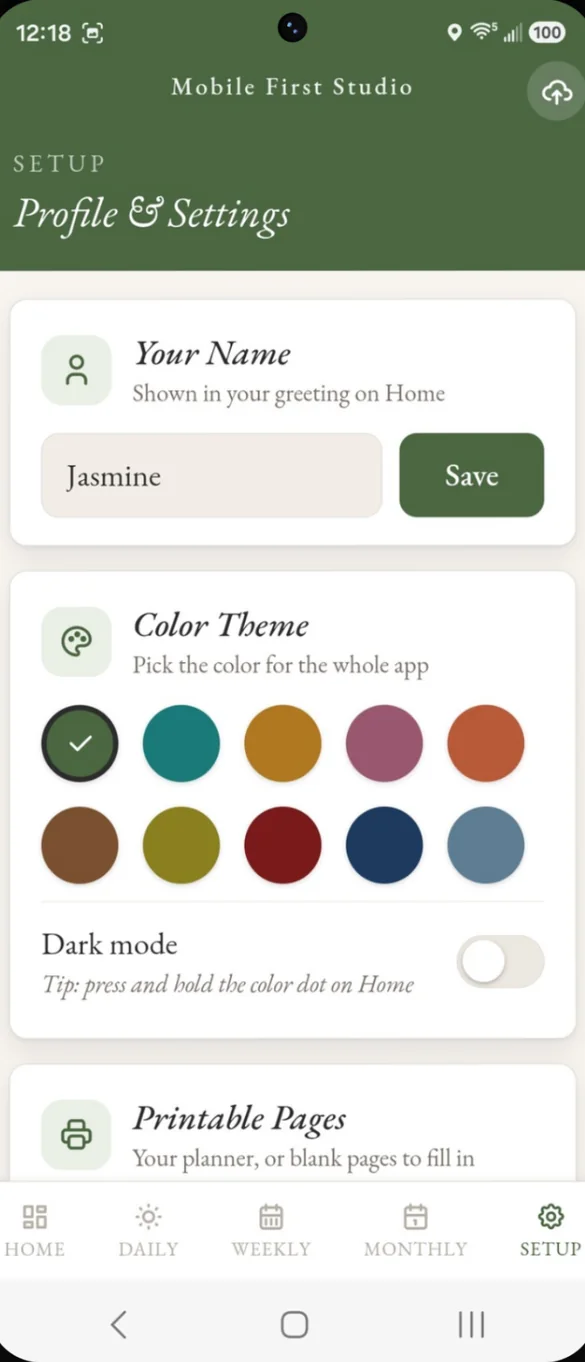
Add your name for a personal greeting and pick one of ten color themes for the whole app. Turn on dark mode, or press and hold the color dot on Home.
- Your name: in the greeting on Home
- 10 color themes: from sage green to deep navy
- Dark mode: in Setup or from the color dot
Print it or save it as a PDF.
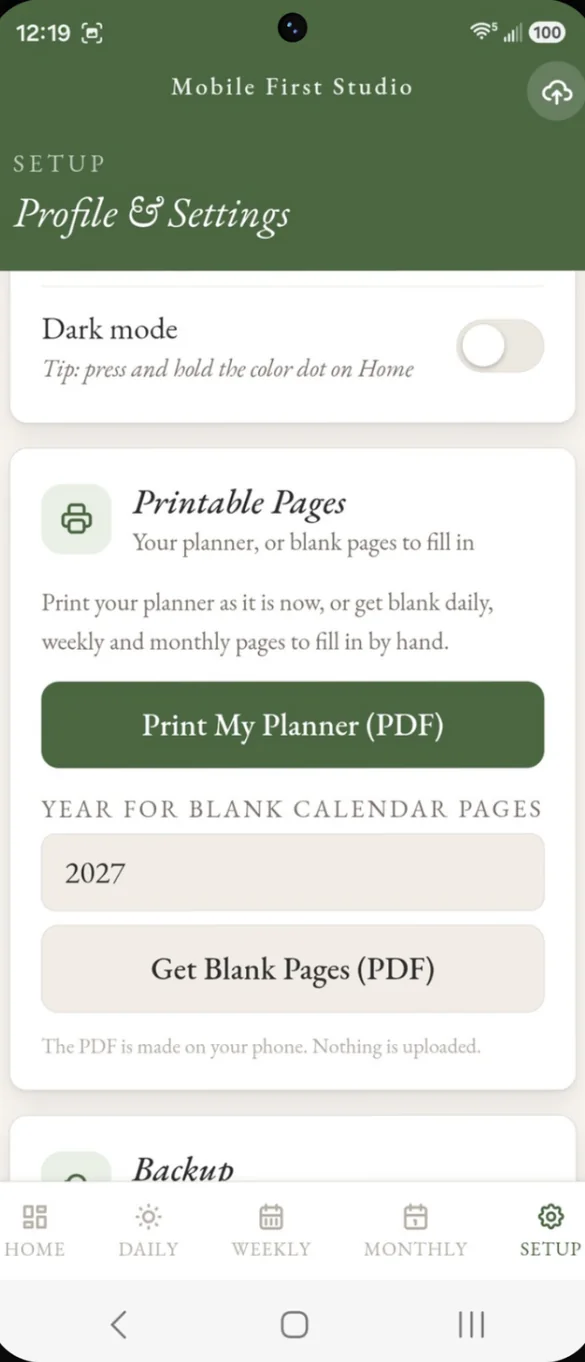
Print your planner as it is right now, or get blank daily, weekly and monthly pages for any year from 2026 to 2030. The PDF is made on your phone, and nothing is uploaded.
- Print My Planner: everything as it is now
- Blank pages: daily, weekly and monthly
- Any year: from 2026 to 2030
Little extras that help
No streak to lose
Skip a few days and pick right back up. Your routine resets each morning.
One app instead of three
Your daily, weekly and monthly views together, instead of reminders, calendar and notes apps.
Bonus 2027 planner
16 printable pages: a year at a glance, 12 monthly calendars, and weekly and daily pages.
Dark mode
Turn it on in Setup, or press and hold the color dot on Home.
Phone and computer
On a computer it opens a full layout with a side menu.
Works offline
Once it's on your home screen it opens without internet.
Your planner stays yours.
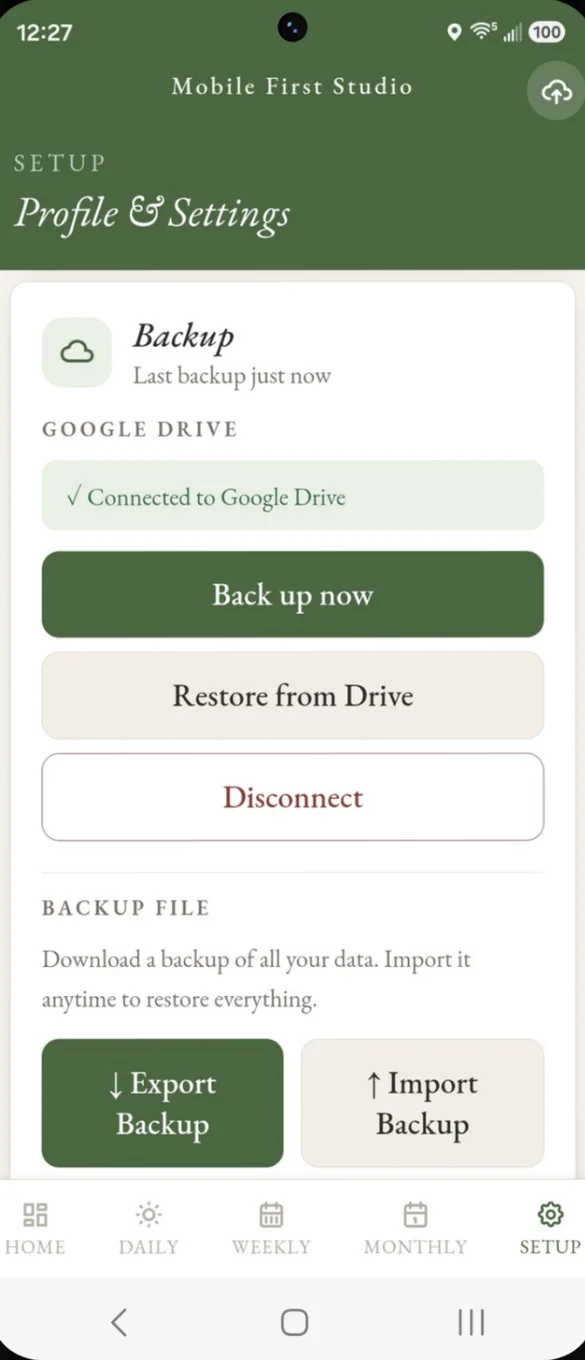
Everything saves privately on the device you use. You choose where backups go: a file you download, or your own Google Drive with one tap. Drive backup is also how you move your planner between your phone and computer, or to a new phone.
- One time purchase, no subscriptions ever
- Saved privately on your device
- Works offline once installed
- Optional backup to your own Google Drive
- Backup file you can download and restore
- Printable PDFs made on your phone
- No account, no login, no ads
How it works
Buy on Etsy
Your PDFs arrive instantly, including the bonus 2027 printable planner.
Open the link
On your phone, tablet or computer, in any browser.
Add it to your home screen
Or bookmark it on a computer. It takes less than a minute. Install guide
Good to know: Daily HQ is a planner, not a full household system. It doesn't include finance or bill tracking, a password vault or a subscription tracker.
Want those too? Life Admin HQ includes everything in Daily HQ plus all three. Daily HQ is a planning tool, not a medical product.
Questions
Is there a subscription?
No. You pay once on Etsy and the app is yours. No monthly fees and no ads.
What happens if I skip a few days?
Nothing to catch up on. Your routine resets each morning and there is no streak to lose, so you can pick right back up.
Is it made for ADHD?
It is made for ADHD brains and anyone who has given up on a planner before: quick to use and easy to read. No diagnosis needed. It is a planning tool, not a medical product.
Does it track bills or passwords?
No. Daily HQ is a planner, not a full household system. Life Admin HQ includes everything in Daily HQ plus finance and bill tracking, a password vault and a subscription tracker.
Can I print my planner?
Yes. Print your planner as it is, or get blank daily, weekly and monthly pages for any year from 2026 to 2030. The PDF is made right on your phone.
How do I move it to a new phone?
Your data is saved on the device you use. Back up first, to your own Google Drive or a backup file, then restore on the new phone.
Can I try it before I buy?
Yes. The free demo lets you tap around the real app in your browser.
What if it doesn't work on my phone?
Send a message through Etsy and I'll help you get it working. If the app doesn't install or work on your phone, you can get a refund within 30 days.
Try it before you buy
Tap around the real app in your browser. No sign up needed.