Debt Payoff Planner Know Which Debt to Pay First
Put every credit card and loan in one place, pick snowball or avalanche, and see exactly where your next dollar should go. Watch your debt-free date and the interest you save update as you pay.
- One time purchase
- No account or login
- No ads
- Phone, tablet and computer
What's inside
Your debts, your plan and your finish date, all in one app.
Every balance, in one list.
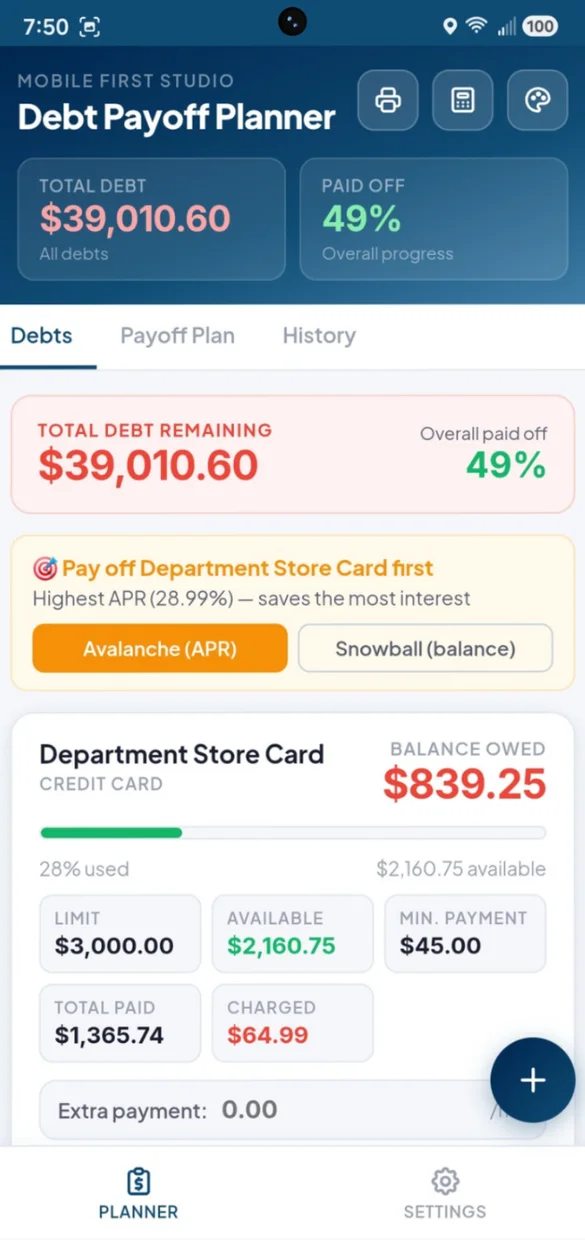
Add each credit card and loan with its balance, APR and minimum payment. Your total debt and how much you have paid off sit at the top of the app.
- Credit cards: limit, amount used and available credit
- Loans: how far you have paid down the original balance
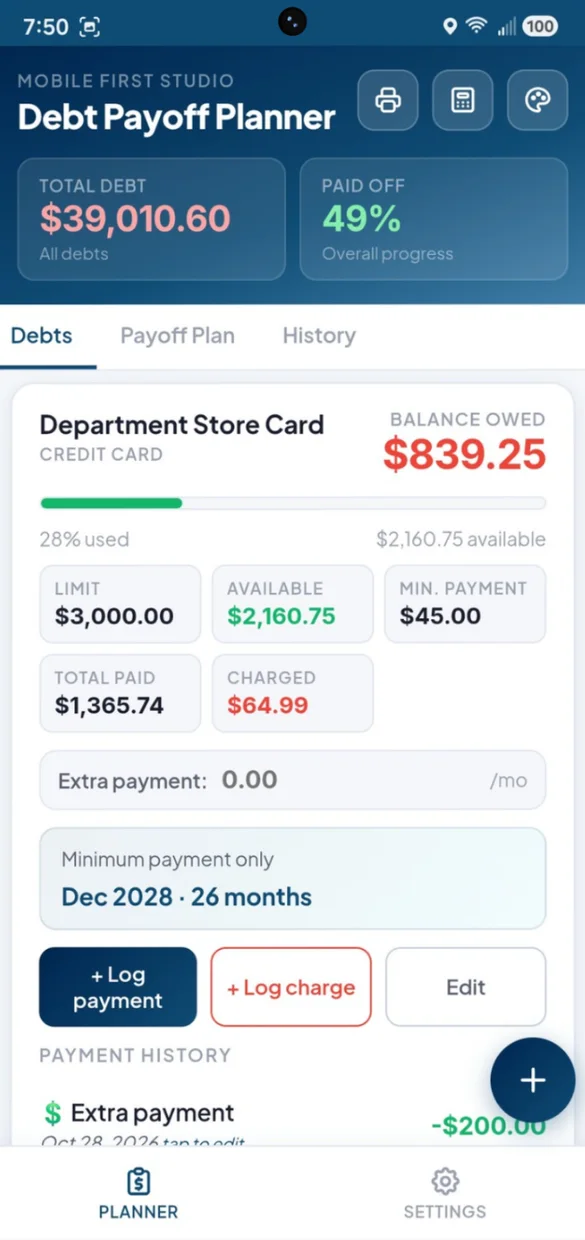
- Minimums only: the date each debt would be paid off
Snowball or avalanche. You choose.
Pay the smallest balance first for quick wins, or the highest interest rate first to save the most. The app tells you which debt to pay off first.
- Snowball: smallest balance first
- Avalanche: highest APR first
- Switch anytime: and your plan updates
Put extra money where it counts.
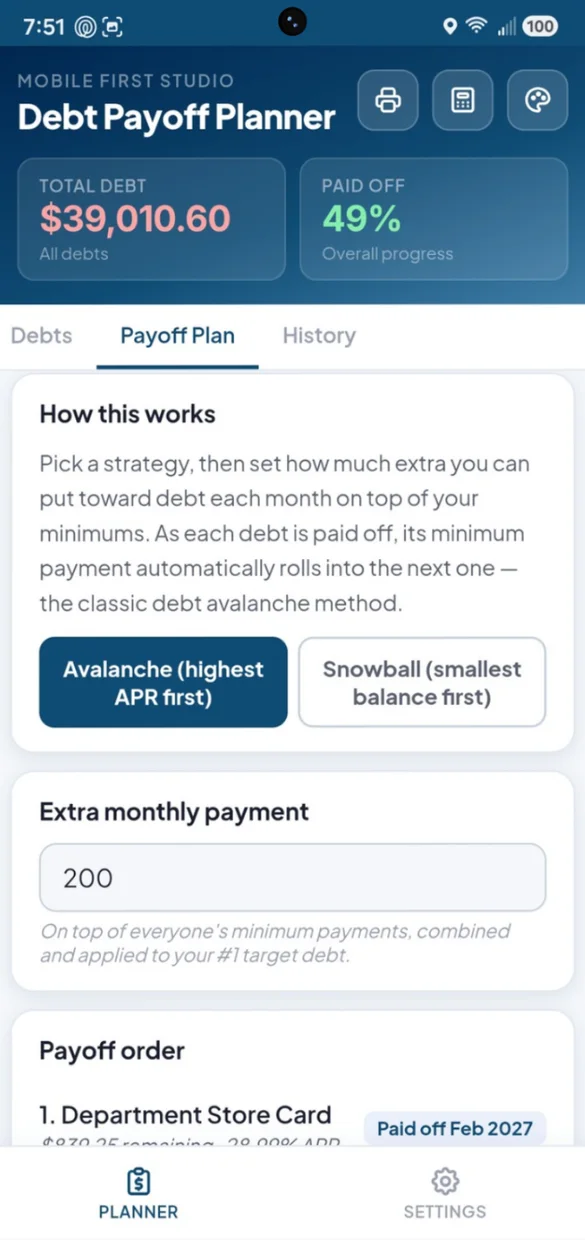
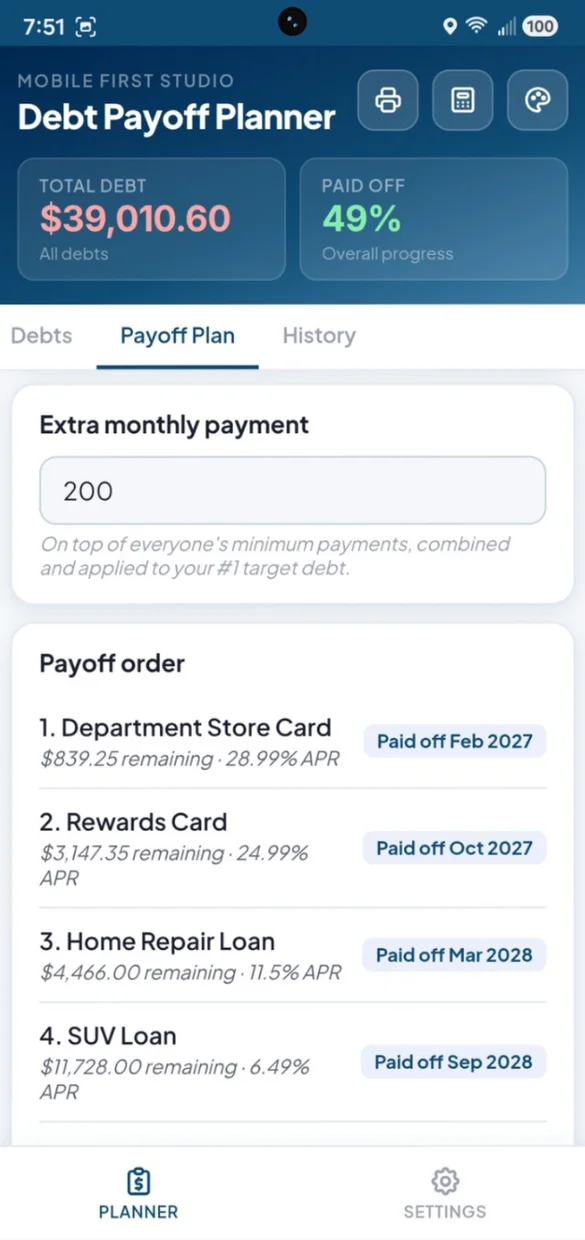
Set one extra amount each month. It stacks on top of your minimums and rolls onto the next debt as each one is paid off.
- Payoff order: every debt, in the order to pay it
- Paid off dates: for each debt in your plan
- Extra on one debt: shows its own new finish date
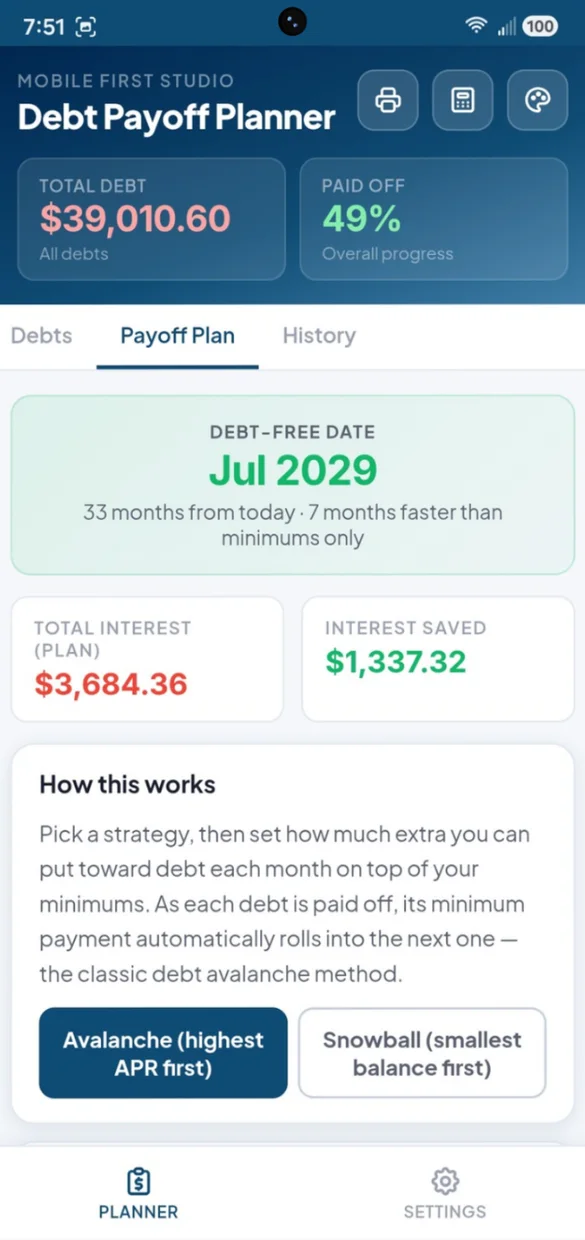
See the day you are debt free.
Your debt-free date, how many months sooner you finish than paying minimums, and the interest your plan saves.
- Debt-free date: and how many months away it is
- Total interest: left on your plan
- Interest saved: compared to paying minimums only
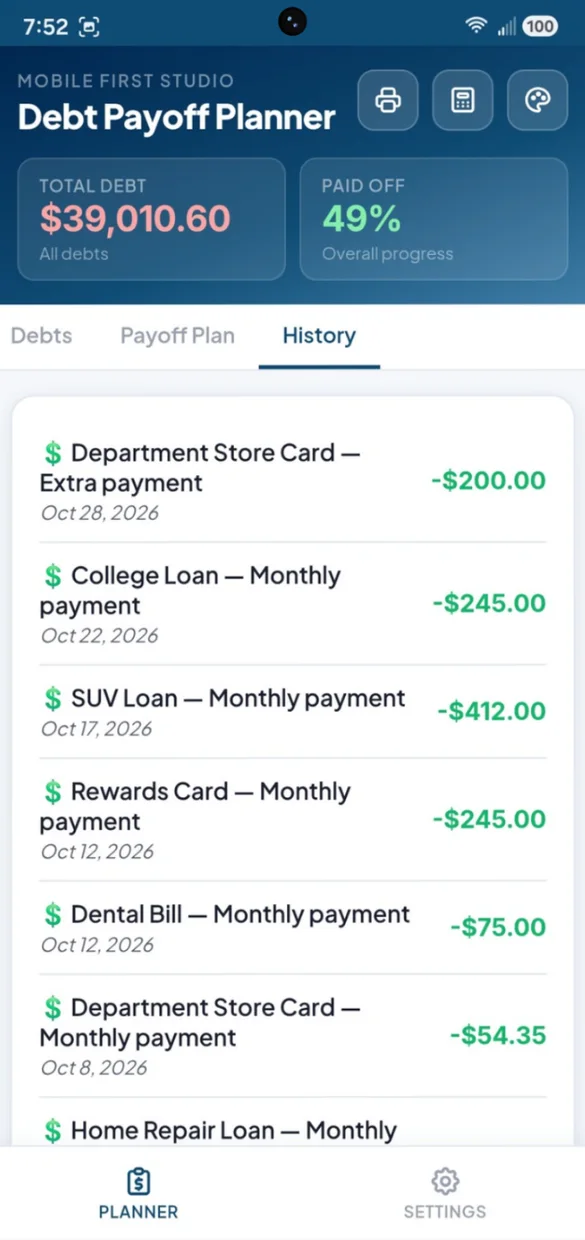
Every payment, logged.
Log a payment, or a new charge, against any debt with an optional note. See them all together in one running history.
- Log payment: or log a charge
- Notes: like "extra payment" or "annual fee"
- One history: for every debt
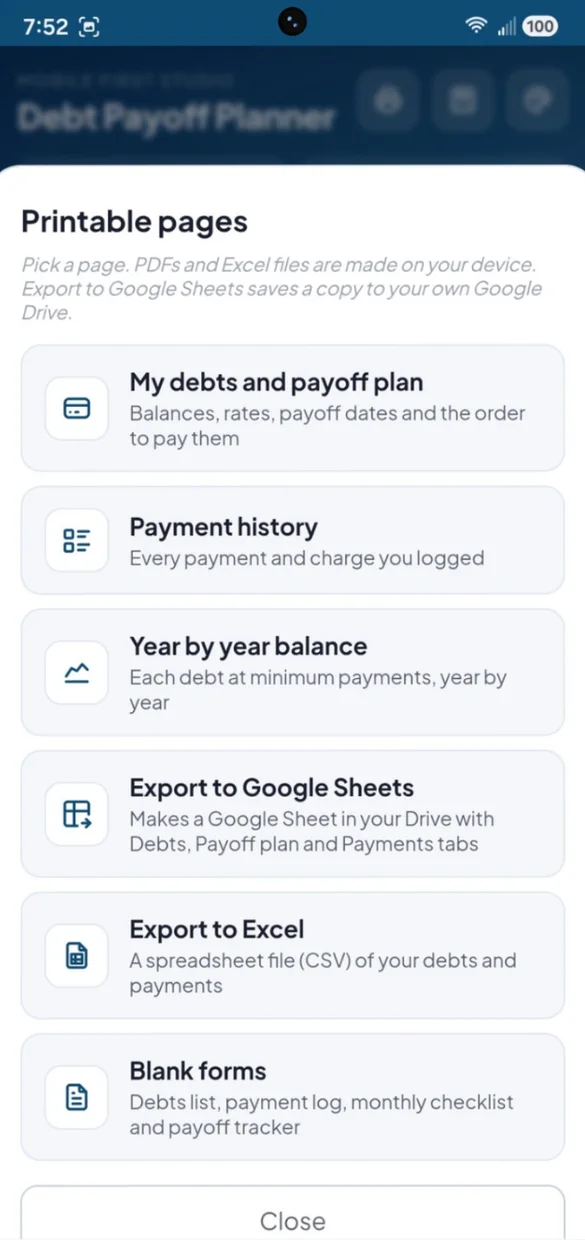
On paper or in a spreadsheet.
Print your plan, your payments or blank forms. PDFs and spreadsheet files are made right on your device.
- Debts and payoff plan: balances, rates, dates and order
- Year by year balance: each debt at minimum payments
- Excel and Google Sheets: a CSV file, or a Sheet in your own Drive
Little extras that help
Built-in calculator
Check a number without leaving the app.
Light or dark
Switch modes and pick from 6 color themes.
Your own app name
Rename the app to whatever you like.
Start fresh
Paid it all off? Clear everything from Settings and begin a new plan.
Bonus forms PDF
A debts list, payment log, monthly checklist and a payoff tracker you color in.
Works offline
Log a payment even with no Wi-Fi.
Your debt numbers stay yours.
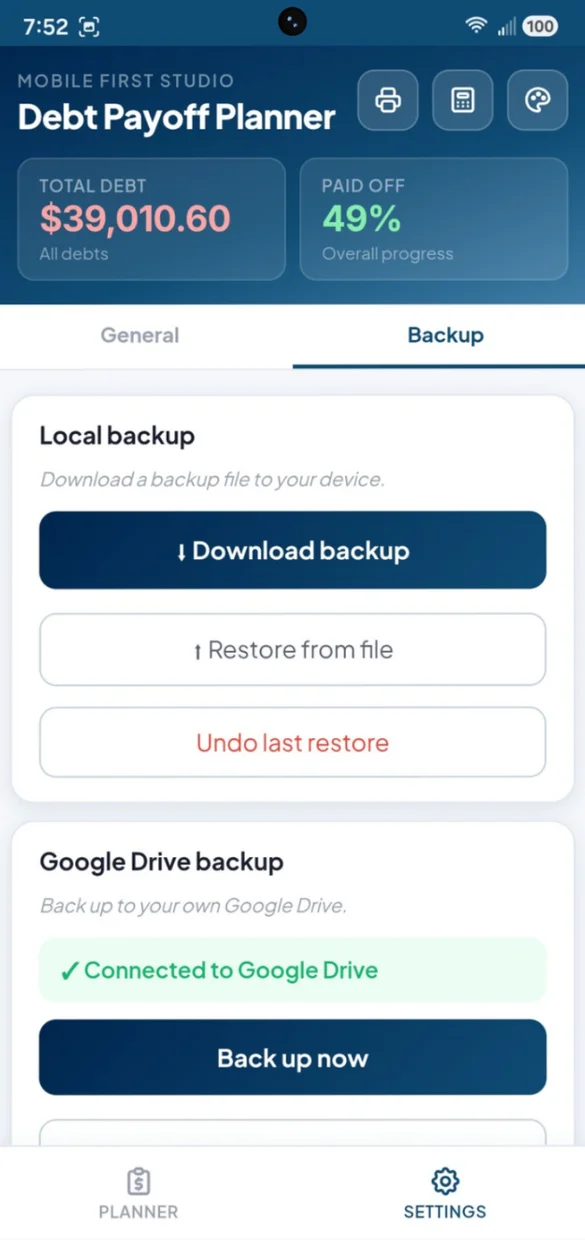
Everything saves privately on your device and works offline, with no account or login. Connect your own Google Drive for a live copy plus a week of daily snapshots, or download a backup file and keep it yourself. One tap undoes a restore.
- One time purchase, yours forever
- Saved privately on your device, offline
- Optional Google Drive backup, in your own account
- A week of daily Drive snapshots
- Backup file you can download anytime
- Undo a restore with one tap
- No account or login, ever
- No ads, ever
How it works
Buy on Etsy
Download your app PDF and your bonus printable forms.
Tap the link
Open it on your phone, tablet or computer.
Add it to your home screen
Or bookmark it, then add your first debt. Install guide
Good to know: this is a web app, so there is nothing to download from an app store and updates arrive on their own. Your plan is worked out from the balances, rates and payments you enter. It does not connect to your bank.
The free demo is a separate trial, so anything you enter there stays in the demo.
Questions
Is there a subscription?
No. You pay once on Etsy and the app is yours. No monthly fees and no ads.
Snowball or avalanche, which should I pick?
Avalanche pays your highest interest rate first, so you usually pay less interest overall. Snowball pays your smallest balance first, so you clear debts sooner and feel the wins. Switch between them and the app updates your payoff order, your debt-free date and the interest you save.
What kinds of debt can I add?
Credit cards, car loans, mortgages, student loans, personal loans or anything else you owe. Add the balance, the APR and the minimum payment. Cards also show your limit and available credit, and loans show how far you have paid them down.
How does the extra payment work?
Set one extra amount each month. It goes on top of your minimums and is applied to your first target debt. When that debt is paid off, its payment rolls onto the next one. You can also add extra to a single debt and see its new finish date right away.
Can I print my plan or open it in a spreadsheet?
Yes. Print your debts and payoff plan, your payment history, a year by year balance for each debt or blank forms to fill in by hand. You can also export a spreadsheet file (CSV) that opens in Excel, or make a Google Sheet in your own Drive.
Can I use it on my phone and my computer?
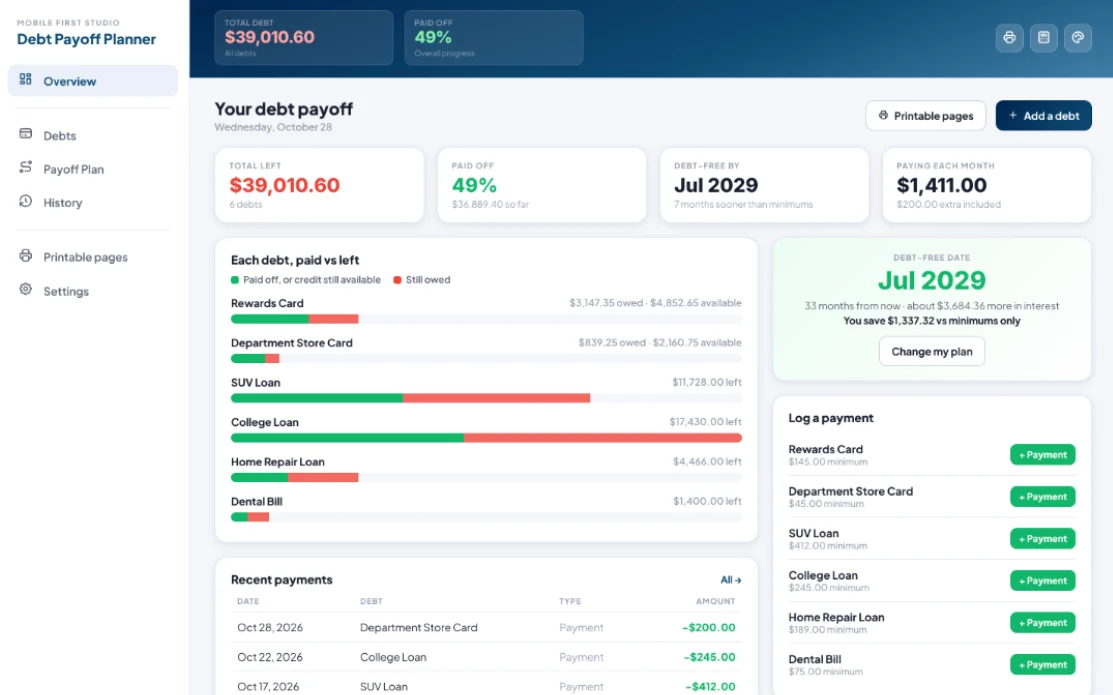
Yes. On a computer it opens as a full dashboard with a side menu, your debt-free date, every balance at a glance, recent payments and quick payment buttons. Back up on one and restore on the other.
I also want to manage my credit cards. Is there an app for that?
Yes. Credit Card Tracker picks the best card for each purchase, tracks due dates and also has a payoff plan. Debt Payoff Planner covers every kind of debt, not just cards.
What if it doesn't work on my phone?
Send a message through Etsy and I'll help you get it working. If it doesn't install or work on your phone, you can get a refund within 30 days.
Try it before you buy
The real app with sample data. Nothing you type is saved.