Home Maintenance Tracker Maintenance, Chores and Costs
Run your household day to day and season to season. The app builds your maintenance plan, keeps your cleaning schedule and chores, logs what every job cost and reminds you on your phone's calendar.
- One time purchase
- No account or login
- No ads
- Phone, tablet and computer
What's inside
Sticky notes and half remembered warranty dates aren't a system. This is.
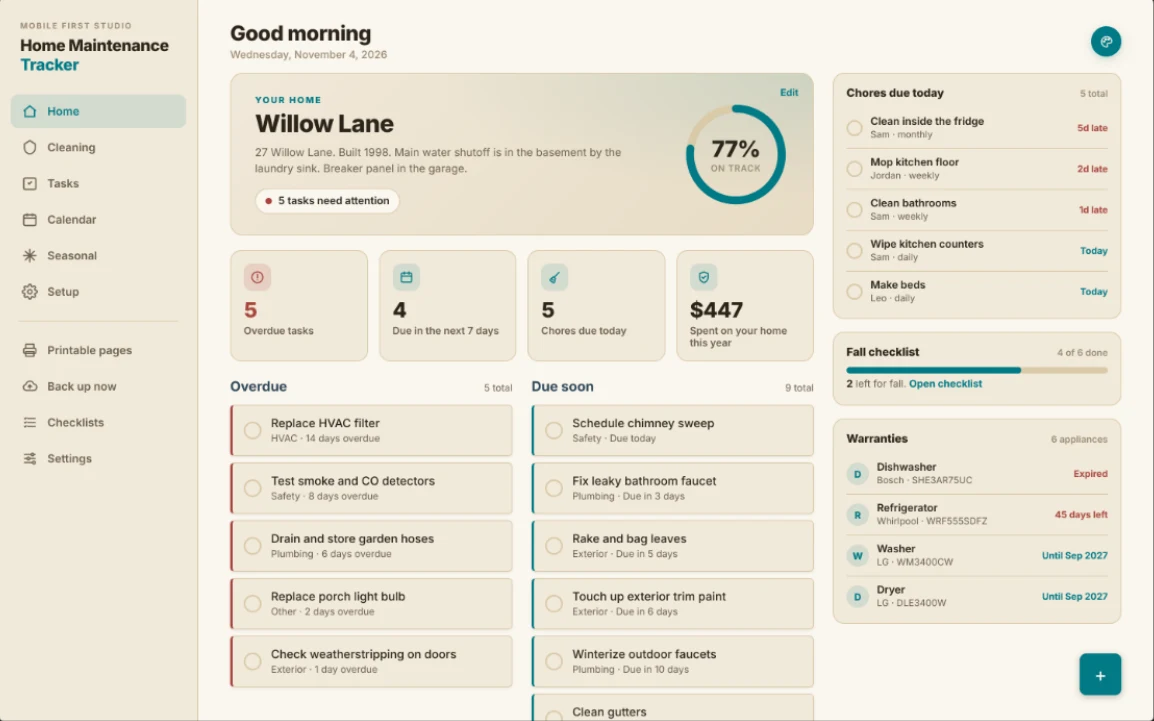
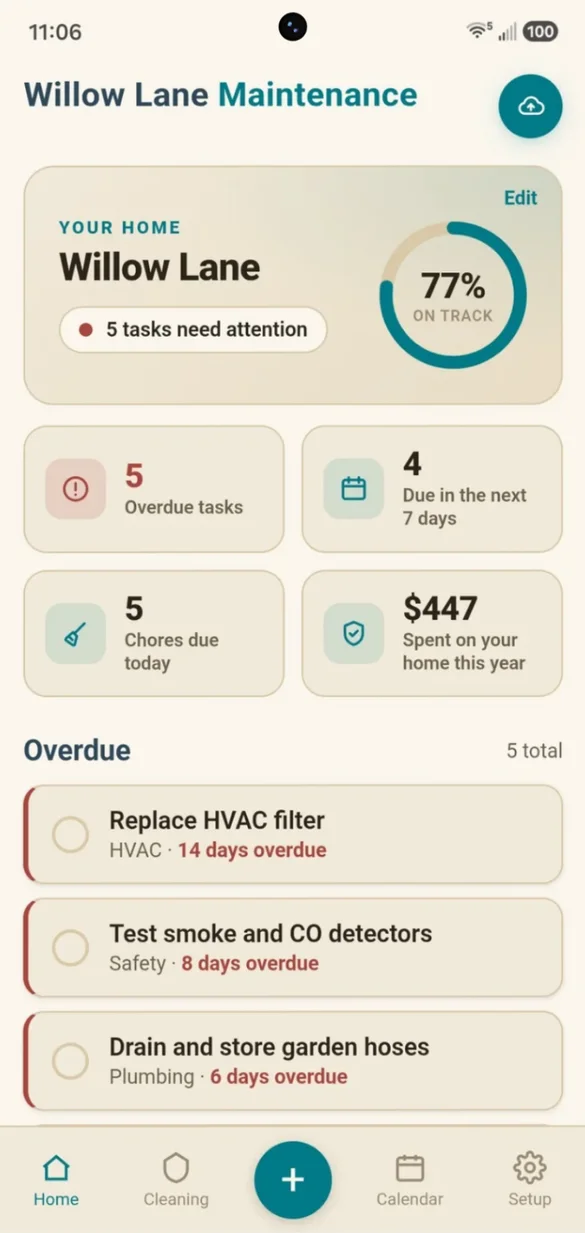
Your whole home, at a glance.
See what's overdue, what's coming up and how your home is doing, the moment you open the app.
- On-track score: a live progress ring
- Overdue tasks: flagged in red
- Spent this year: adds up on its own
A cleaning routine that runs itself.
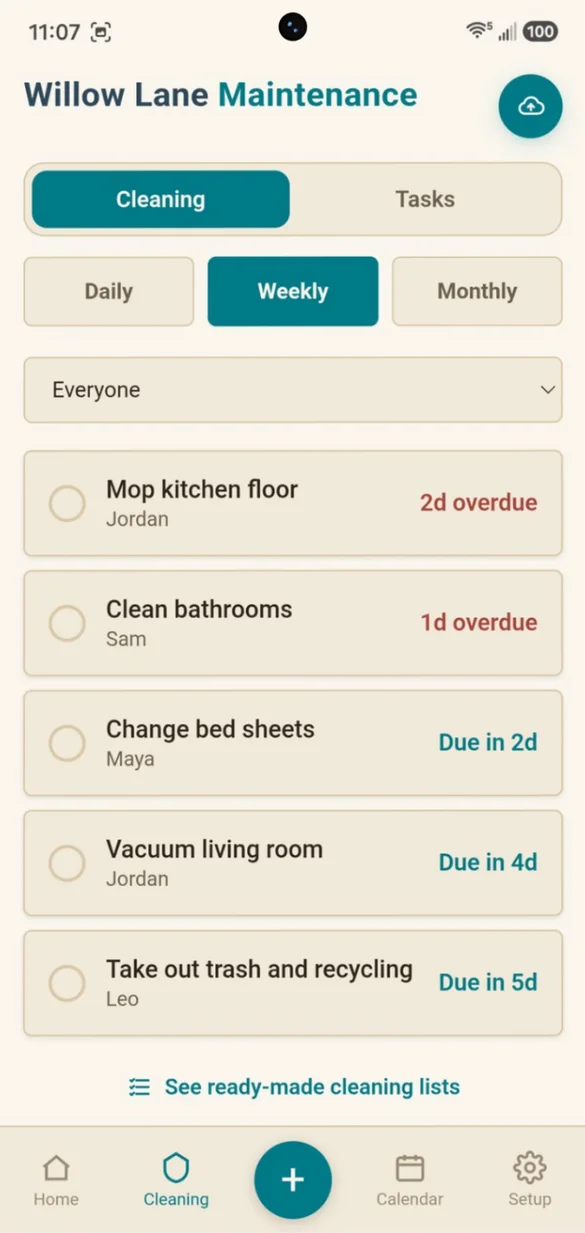
Daily, weekly and monthly chores, kept separate from maintenance, each with who's doing it and when it's due.
- Assign chores: to anyone in the house
- Resets: on its own after you tick it off
- Ready-made lists: to get started
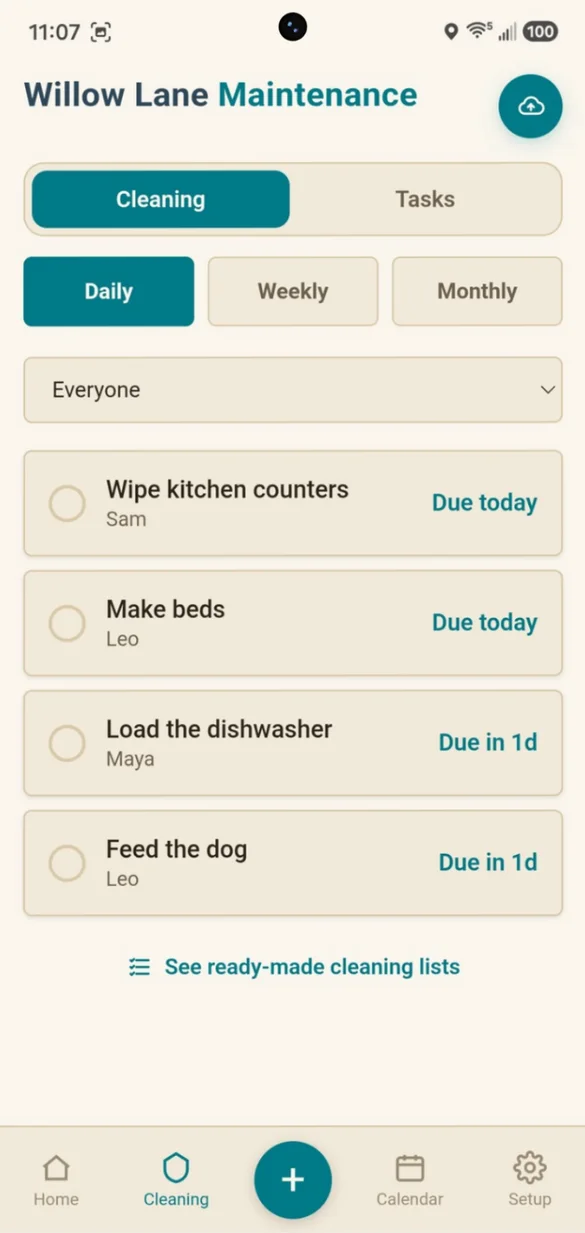
Share the load.
Give every chore a name, so everyone knows what's theirs this week.
- See who is behind: overdue chores in red
- Filter by person: or see everyone
- Print: a weekly chore chart
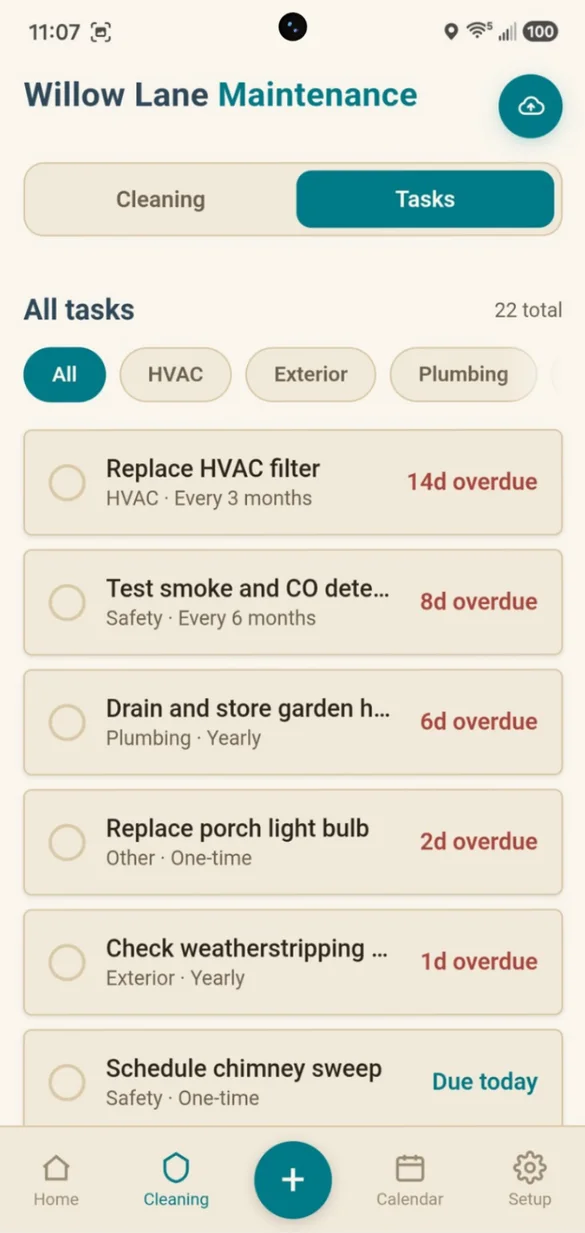
Every job, on schedule.
Filters, detectors, gutters and more, each one repeating on its own schedule and sorted by what is due soonest.
- Repeats: monthly, every 3 or 6 months, yearly, custom or once
- Categories: HVAC, Exterior, Plumbing, Safety and more
- Log each job: with date, cost, vendor and a note
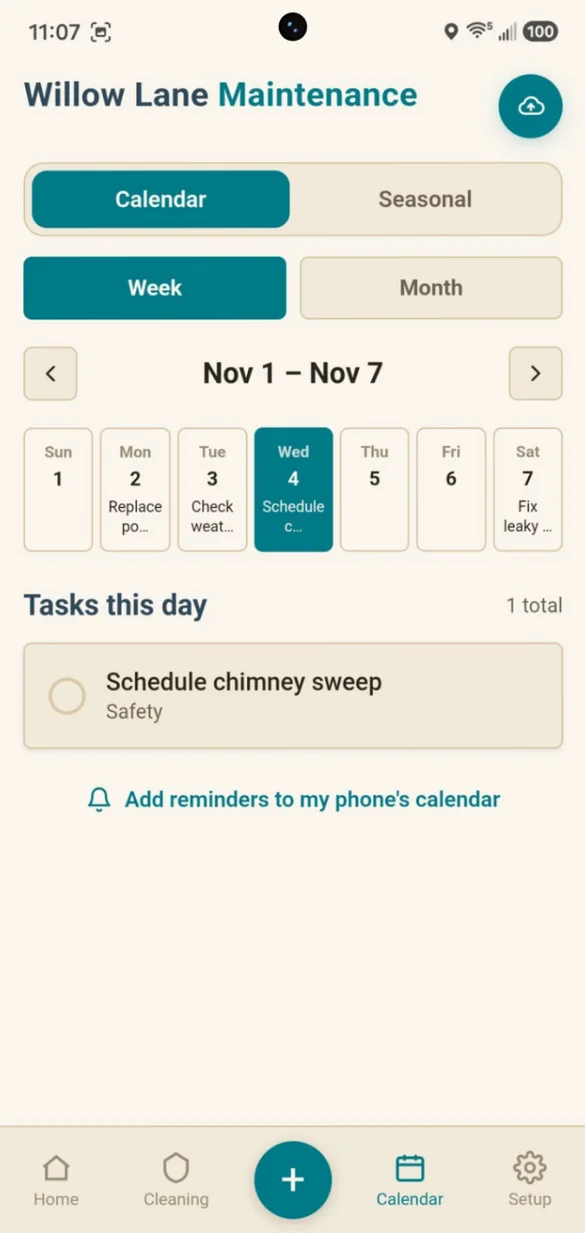
See your week ahead.
Every task on the day it's due, in a week or month view, so you can plan around your schedule.
- Week and month: views
- Tap a day: to see its tasks
- Phone reminders: added to your phone's calendar
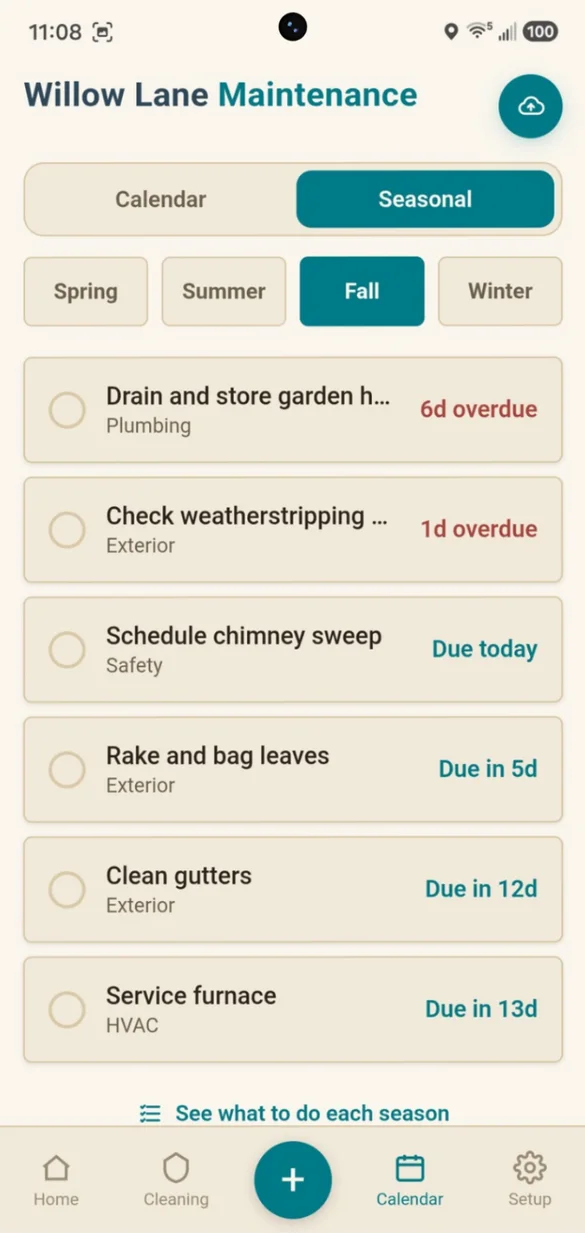
The right job at the right time.
Tag any task with a season and check it off in its own Spring, Summer, Fall or Winter checklist.
- A checklist: for every season
- What's due: this season
- Ideas: for what to do each season
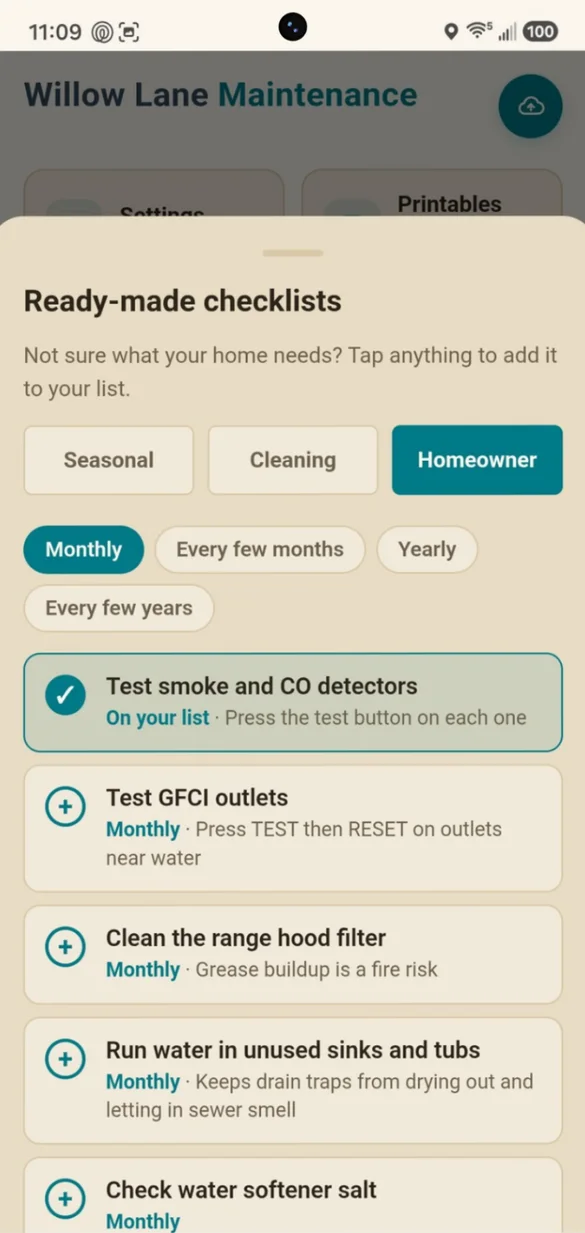
Not sure what your home needs?
Tap any item to add it to your plan, with how often to do it and a short reason why it matters.
- Seasonal, cleaning and homeowner: lists
- A short tip: on why each job matters
- One tap: to add
Everything about your home, in one place.
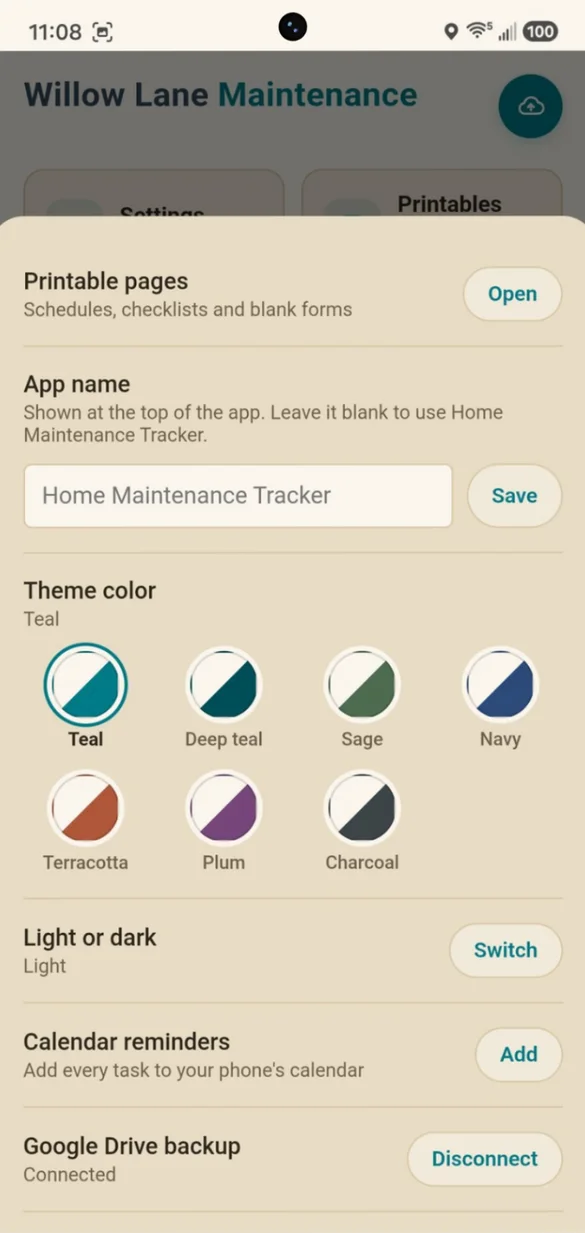
Appliances, warranties, home facts, vendors and household members, all saved together. Build My Plan fills in your tasks from what your home has.
- Appliance profiles: brand, model and warranty date
- Warranty alerts: before coverage runs out
- Home facts and vendors: shutoffs, filter sizes, your plumber
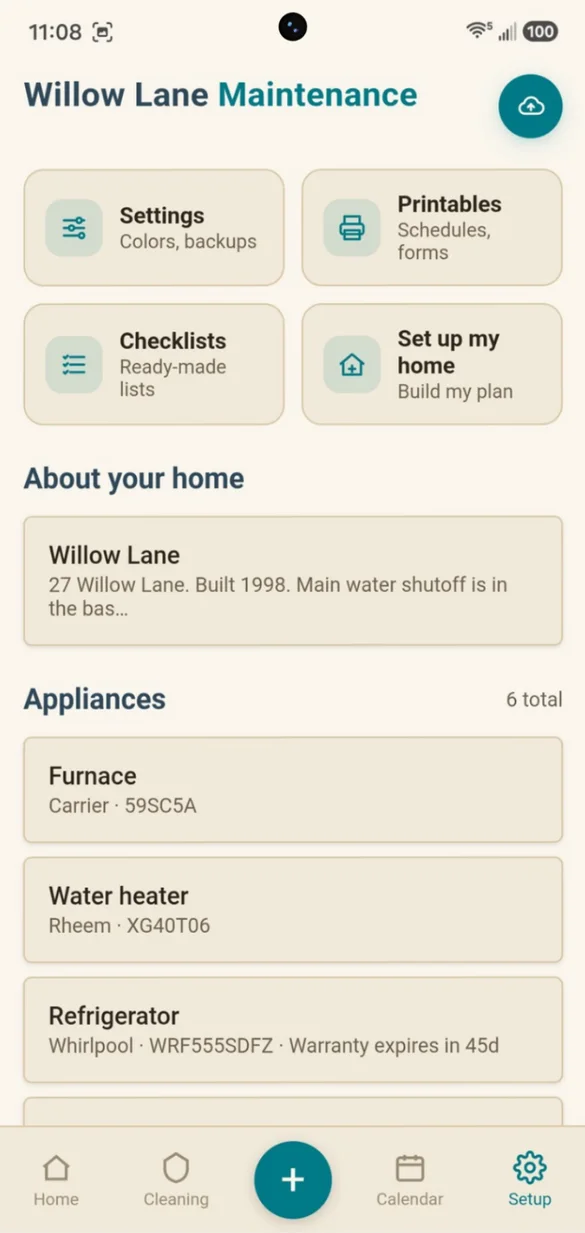
Print it or save it as a PDF.
Your schedule, calendar, checklists and records, made from your own info right on your phone.
- 7 printable reports: from your own data
- 10 blank forms: to fill in by hand
- Nothing is uploaded: PDFs are made on your device
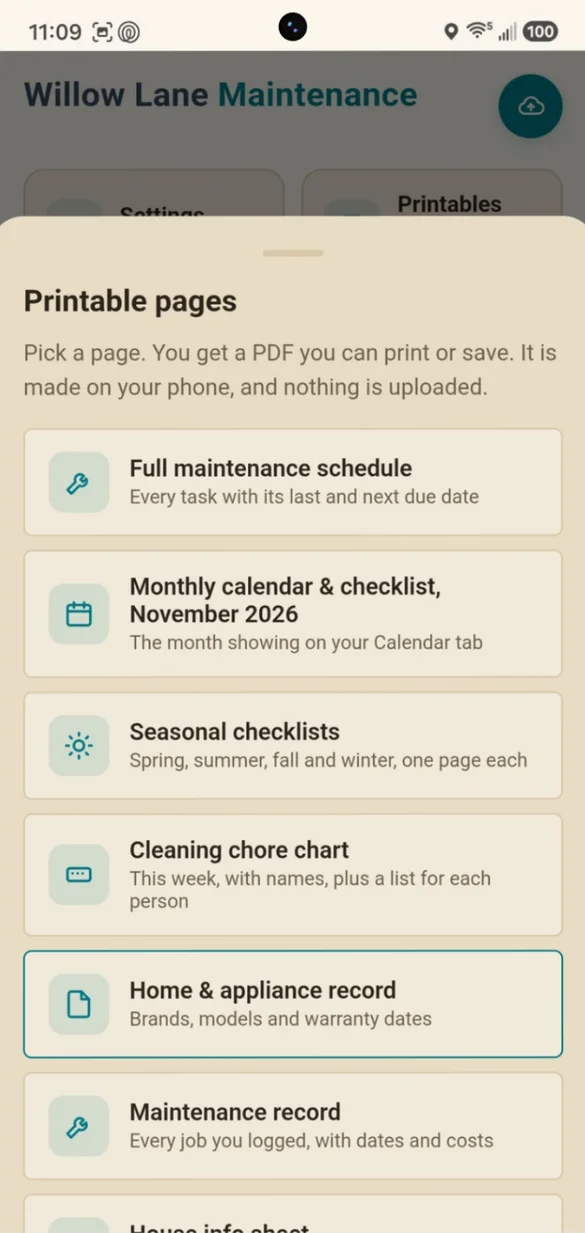
Your colors. Your name.
Pick a theme, switch to dark mode and give the app your own name.
- 7 color themes: Teal, Sage, Navy, Plum and more
- Light or dark: for every theme
- Rename the app: put your home's name on it
Little extras that help
Build My Plan
Tap what your home has and your plan is filled in for you.
Warranty alerts
A heads up before an appliance warranty runs out.
Manuals and receipts
Attach a photo or PDF to any appliance.
Home facts
Filter sizes, shutoffs, breaker panel, paint colors, wifi and trash days.
Cost history
Every job logged, with your yearly spending added up.
Works offline
Check your list in the hardware store, even with no signal.
Your home details stay yours.
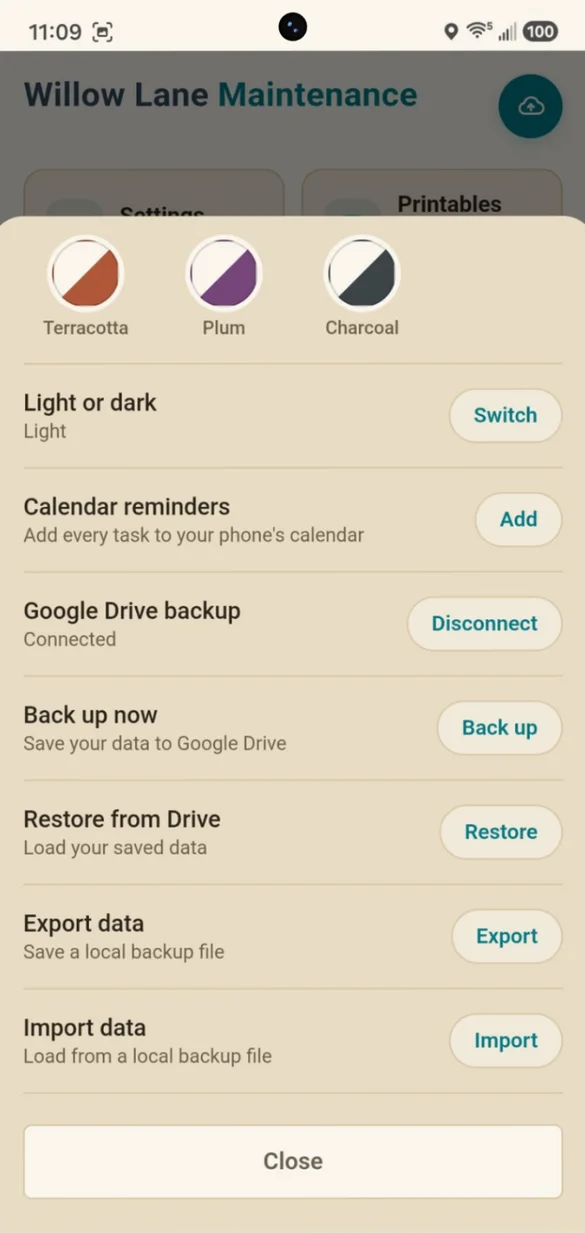
Everything is saved on your own device, and nothing is sent to us or any outside company. The only exception is Google Drive backup, which is optional and goes to your own Google account. Printable pages are made right on your device, so your home details never leave it.
- One time purchase, yours forever
- Saved privately on your device, offline
- Optional Google Drive backup, one tap from the cloud button
- Backup file you can download anytime
- Printable PDFs made on your device
- No account or login, ever
- No ads, ever
How it works
Buy on Etsy
Your download has the link to your app.
Tap the link
Open it on your phone, tablet or computer.
Add it to your home screen
Or bookmark it, then tap what your home has to build your plan. Install guide
Good to know: your phone and computer don't sync on their own. Use Google Drive backup or the backup file to move your records between them.
On Android, use Chrome. Own rental properties? Rental Property Tracker covers rent, tenants, leases, repairs and expenses.
Questions
Is there a subscription?
No. You pay once on Etsy and the app is yours. No monthly fees and no ads.
I don't know what my home needs. Where do I start?
Tap what your home has, like a furnace, gutters, a fireplace or a pool, and the app fills in your maintenance plan. Ready-made checklists add more, one tap at a time, with a short reason for each job.
Can my family share the chores?
Yes. Add household members, assign chores and filter the list by person. You can print a weekly chore chart with names, plus a list for each person.
Will it remind me?
Yes, through your phone's calendar. Add any task, or all of them at once, and each reminder repeats on the task's own schedule.
Does it track what I spend?
Yes. Log each job with the date, cost, vendor and a note. Every task keeps its full history, and your yearly spending adds up on its own.
Can I use it on my phone and my computer?
Yes. On a computer it opens to a full dashboard with a sidebar. Your devices don't sync on their own, so use Google Drive backup or a backup file to move your records between them.
Do you have something for rental properties?
Yes. Rental Property Tracker covers rent, tenants, leases, repairs and expenses for every rental you own.
What if it doesn't work on my phone?
Send a message through Etsy and I'll help you get it working. If we can't, you can get a refund within 30 days.
Try it before you buy
The real app with sample data. Nothing you type is saved.