Sinking Funds Planner Save Ahead for Every Bill You Know Is Coming
Car repairs, holiday gifts, annual insurance, vet bills, travel. Give each one its own fund and see exactly what to set aside each month, so an expected bill never turns into an emergency.
- One time purchase
- No account or login
- No ads
- Phone, tablet and computer
What's inside
Every fund, its monthly number and every deposit, all in one app.
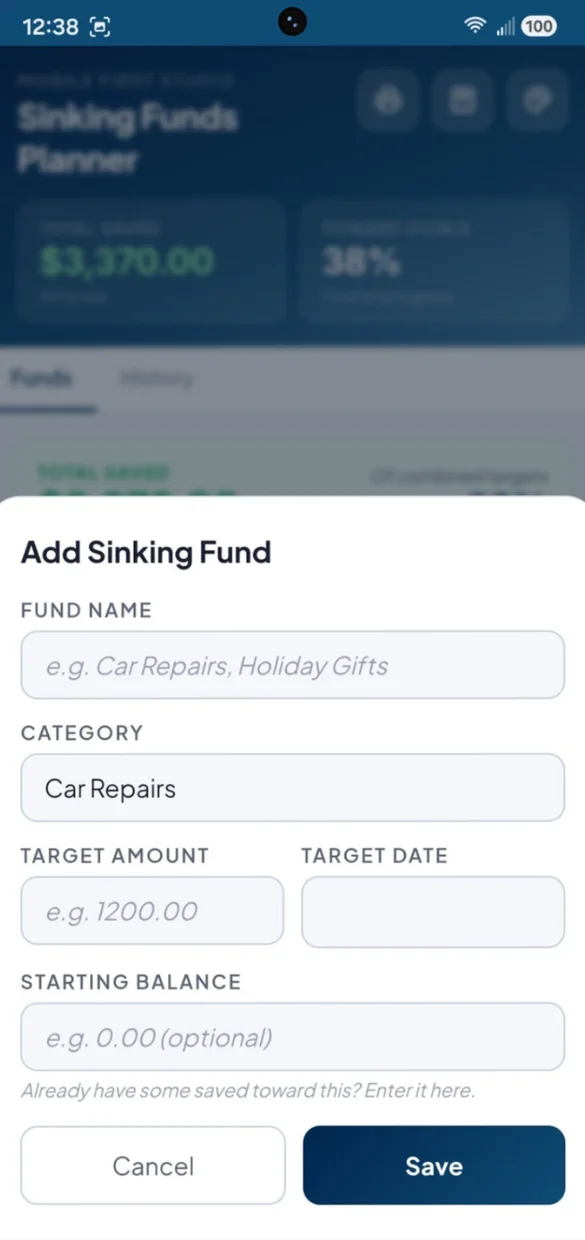
A fund for every cost you know is coming.
Give each fund a name, a category, a target amount and an optional target date.
- Categories: car repairs, home repairs, holiday gifts, annual insurance, vet bills, travel and other
- Starting balance: pick up where you already are
- Target date: optional, for a monthly number
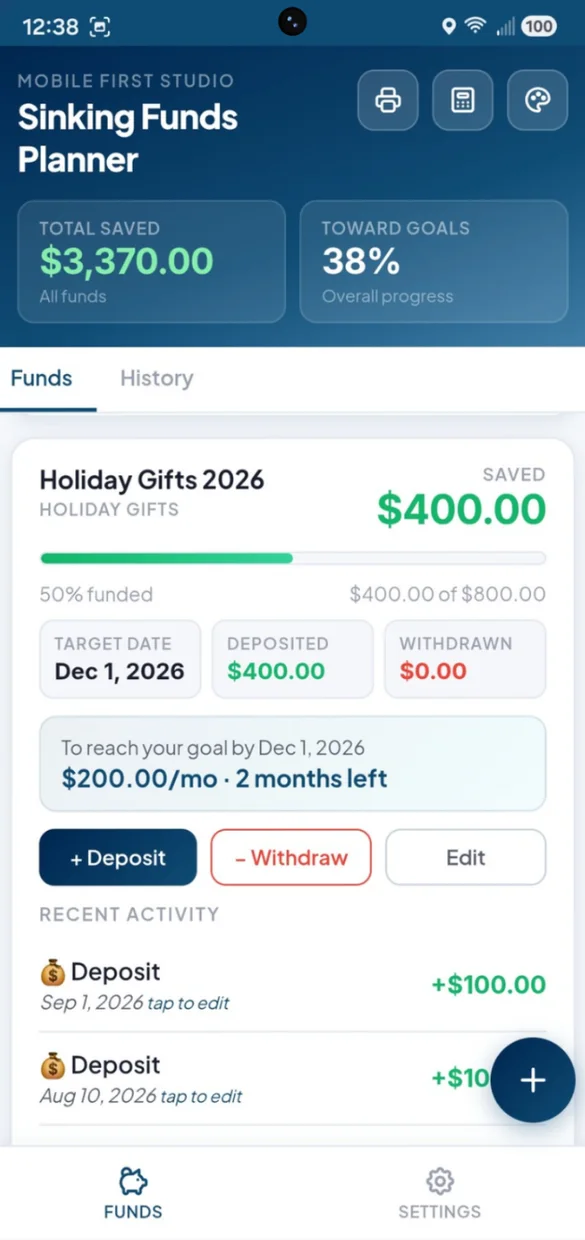
No more guessing how much to save.
Set a target date and the app tells you what to set aside each month to get there.
- Per month: and how many months are left
- Updates: when you deposit, withdraw or change the target
- Fully funded: shows when you reach the goal early
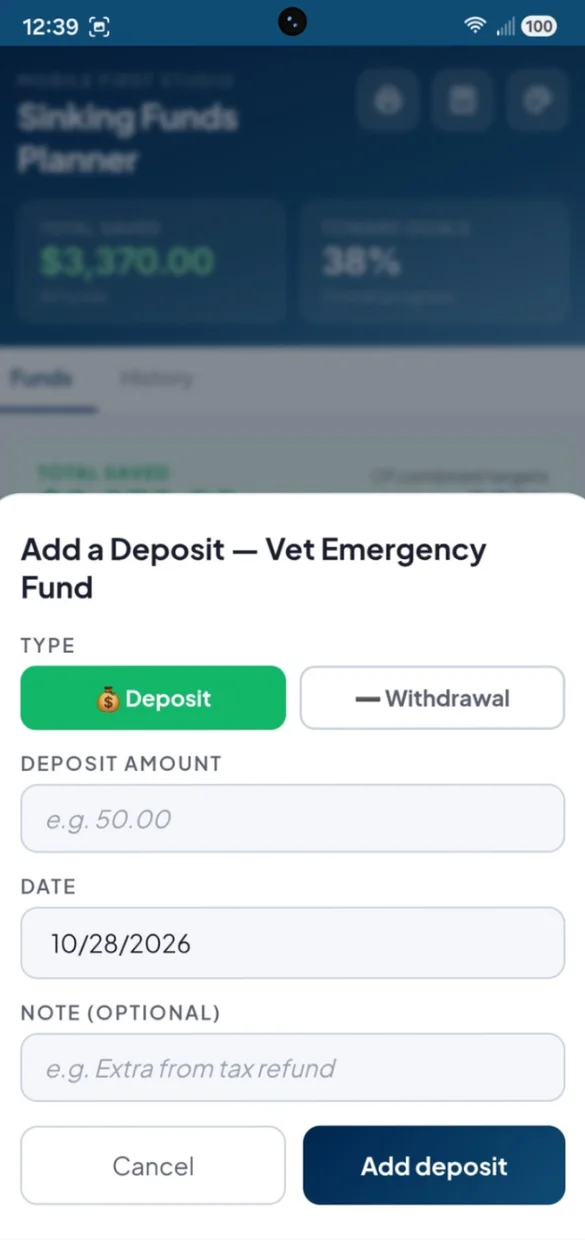
Log every dollar in and out.
Add a deposit when you save and a withdrawal when you spend from a fund. The balance updates right away.
- One tap: to switch between deposit and withdrawal
- Notes: like "extra from tax refund"
- Recent activity: on every fund
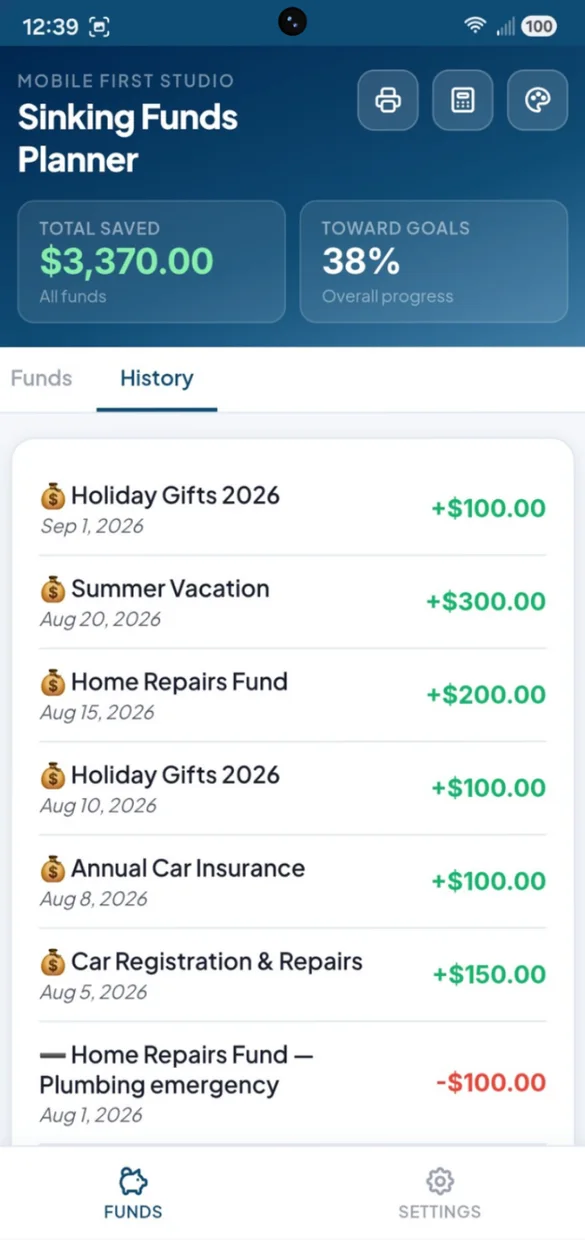
See where every dollar came from and went.
Every deposit and withdrawal across all your funds, newest first, with the fund name on each.
- Every fund: in one list
- Withdrawals: shown with the reason you noted
- Tap to edit: if you made a mistake
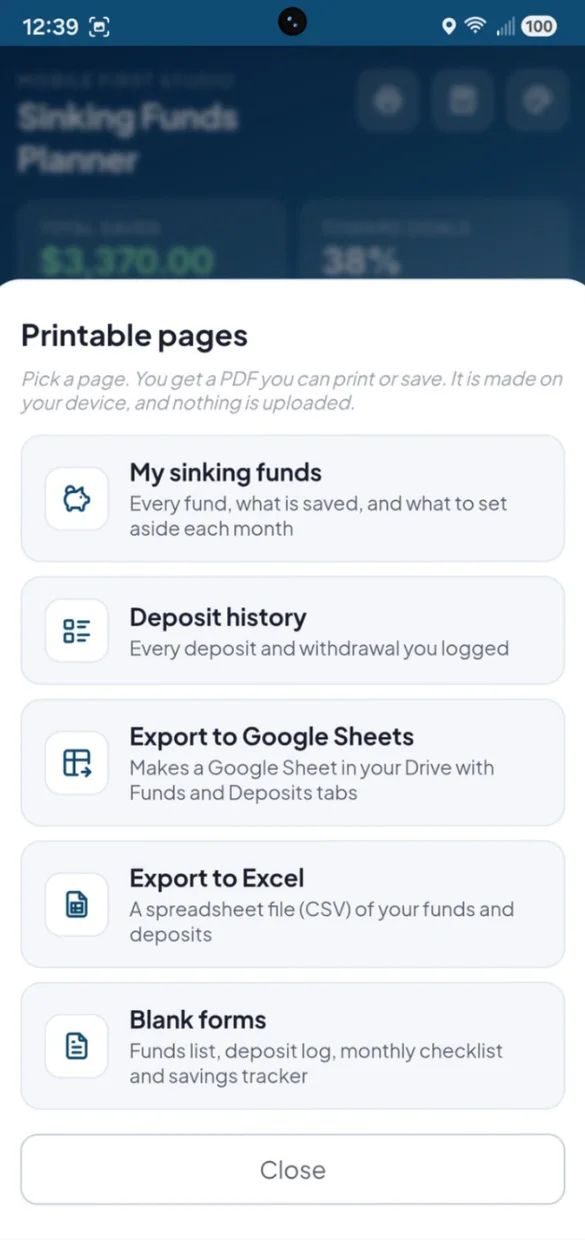
On paper or in a spreadsheet.
Print your funds or your deposit history. PDFs and spreadsheet files are made right on your device.
- My sinking funds: what is saved and what to set aside each month
- Blank forms: a funds list, deposit log, monthly checklist and savings tracker
- Excel and Google Sheets: a CSV file, or a Sheet in your own Drive
Little extras that help
Total saved
Your total across every fund and your overall progress, always at the top.
Past due dates
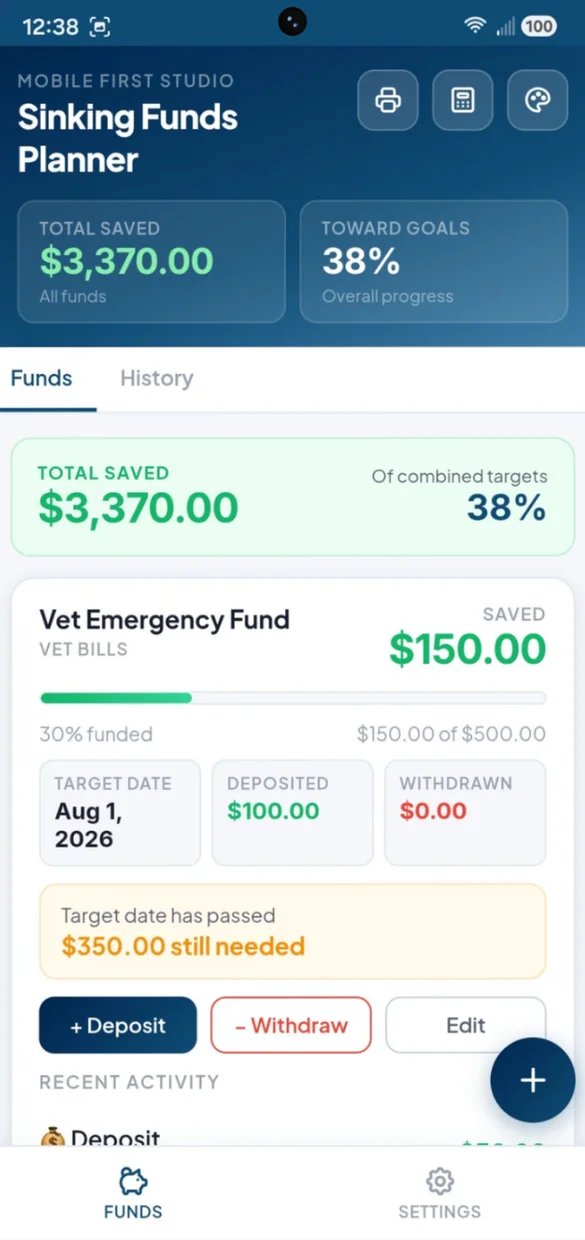
If a target date passes, the fund shows exactly what is still needed.
Built-in calculator
Add up a receipt or split a bill without leaving the app.
Light or dark
Switch modes and pick from 6 color themes.
Start fresh
Rename the app, or clear everything from Settings for a new year of funds.
Works offline
Log a deposit even with no Wi-Fi.
Your savings numbers stay yours.
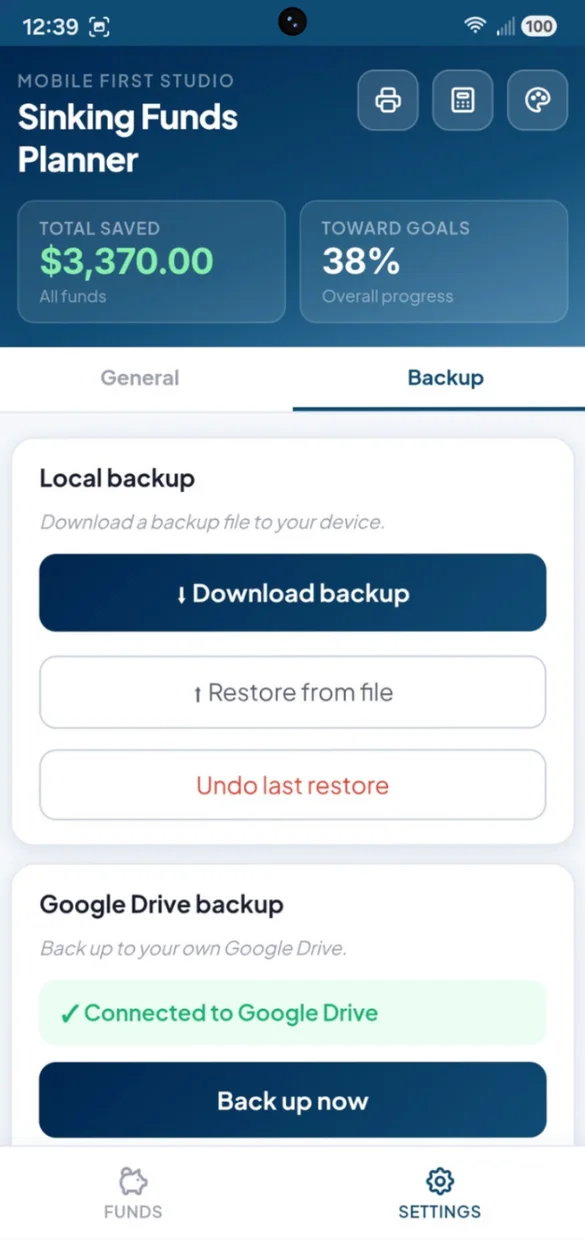
Everything saves privately on your device and works offline, with no account or login. Connect your own Google Drive for a live copy plus a week of daily snapshots, or download a backup file and keep it yourself. One tap undoes a restore.
- One time purchase, yours forever
- Saved privately on your device, offline
- Optional Google Drive backup, in your own account
- A week of daily Drive snapshots
- Backup file you can download anytime
- Undo a restore with one tap
- No account or login, ever
- No ads, ever
How it works
Buy on Etsy
Download your app PDF and your bonus printable forms.
Tap the link
Open it on your phone, tablet or computer.
Add it to your home screen
Or bookmark it, then add your first fund. Install guide
Good to know: this is a web app, so there is nothing to download from an app store and updates arrive on their own. You log your own deposits and withdrawals, so it does not connect to your bank.
Paying down debt too? Try Debt Payoff Planner. Saving just for gifts? Try Gift Savings Tracker.
Questions
Is there a subscription?
No. You pay once on Etsy and the app is yours. No monthly fees and no ads.
What is a sinking fund?
Money you set aside a little at a time for a cost you know is coming, like car repairs, holiday gifts or annual insurance. When the bill arrives, the money is already there.
How does it work out the monthly amount?
Give a fund a target amount and a target date. The app shows what to set aside each month and how many months are left, and it updates when you deposit, withdraw or change the target.
Do I need a target date?
No. The target date is optional. Without one, you still see what you have saved and how close you are to the target.
What happens if a target date passes?
The fund shows that the date has passed and exactly how much is still needed. If you reach your goal early, the fund shows as fully funded.
Can I print my funds or open them in a spreadsheet?
Yes. Print your funds with what is saved and the monthly amount for each, your deposit history or blank forms to fill in by hand. You can also export a spreadsheet file (CSV) that opens in Excel, or make a Google Sheet in your own Drive.
Can I use it on my phone and my computer?
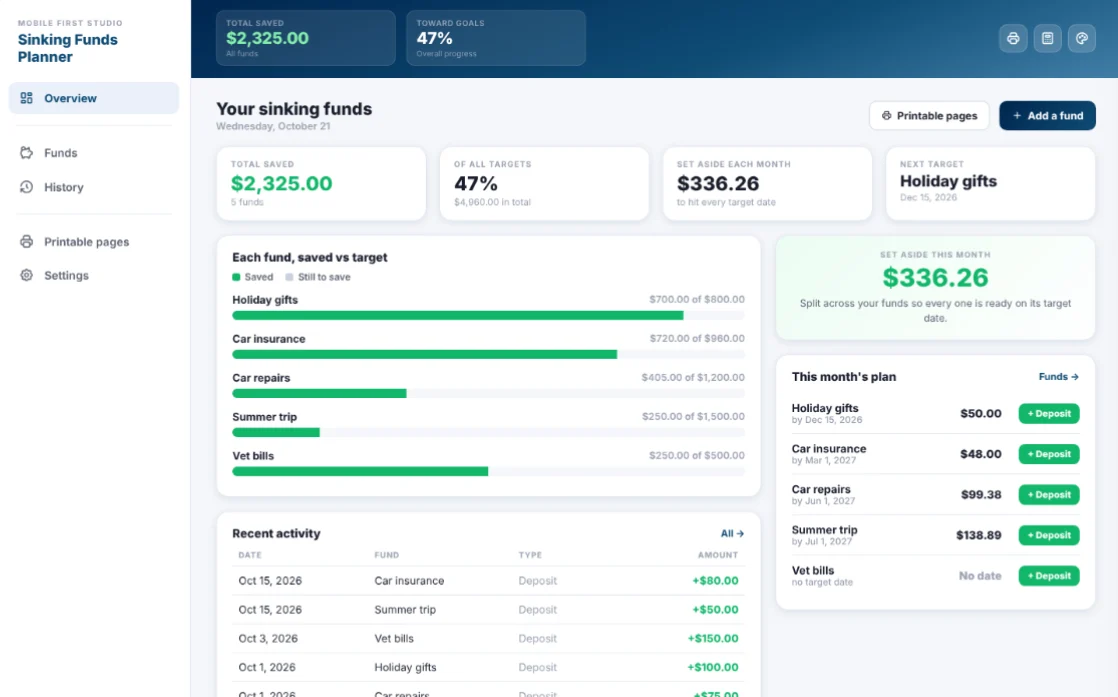
Yes. On a computer it opens as a full dashboard with a side menu, your total saved, how much to set aside this month, each fund's progress and a quick deposit button for every fund. Back up on one and restore on the other.
What if it doesn't work on my phone?
Send a message through Etsy and I'll help you get it working. If it doesn't install or work on your phone, you can get a refund within 30 days.
Try it before you buy
The real app with sample data. Nothing you type is saved.