Student Loan Tracker A Real Payoff Plan With a Debt-Free Date
Federal, private or refinanced, log every student loan you are juggling in one place. Pick avalanche or snowball, add an extra payment, and see the order to pay them and the date you will be done.
- One time purchase
- No account or login
- No ads
- Phone, tablet and computer
What's inside
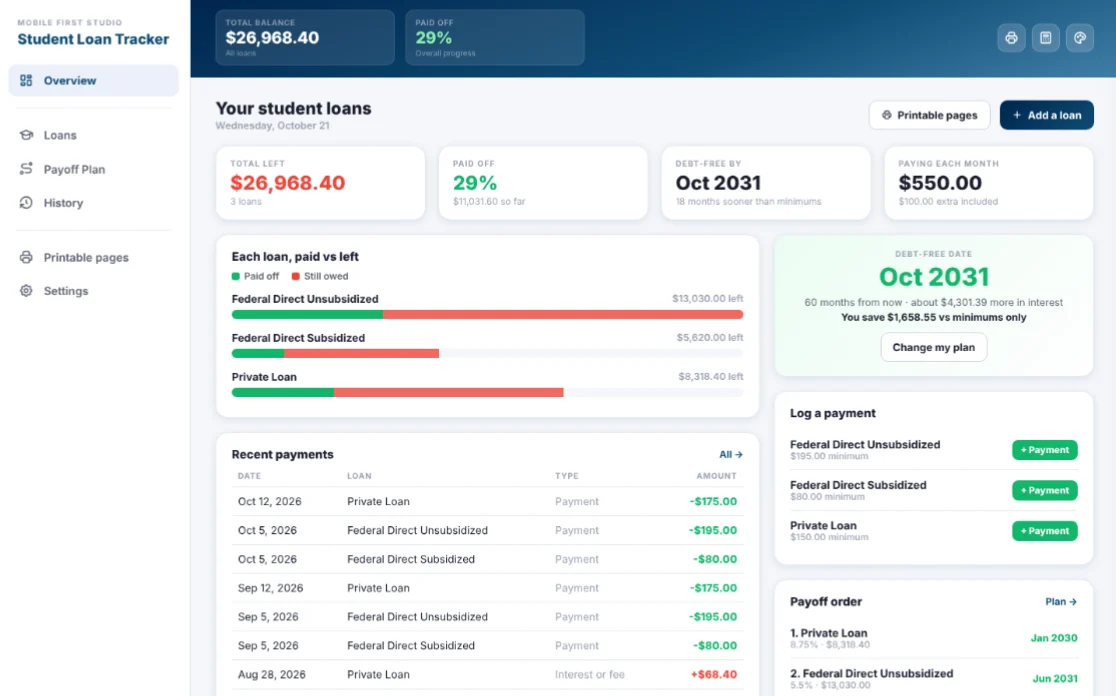
Your loans, your payments and your payoff plan, all in one app.
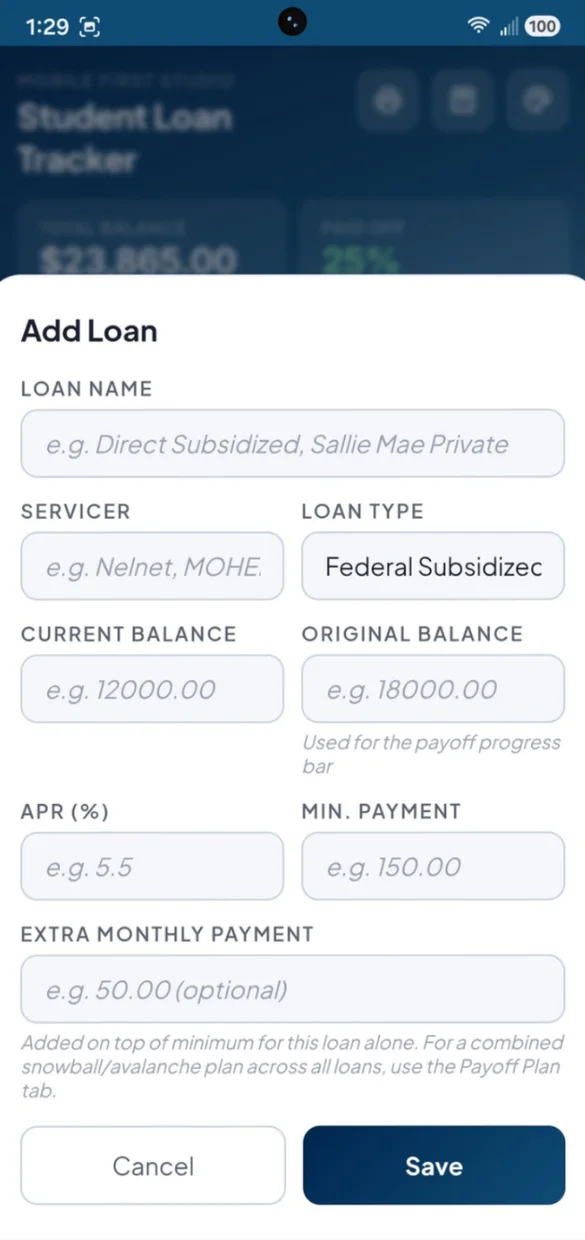
All your loans, clearly organized.
Add each loan with the details that matter for a payoff plan.
- Loan types: Federal Subsidized, Federal Unsubsidized, Parent PLUS, Private or Refinanced
- Servicer: Nelnet, MOHELA, SoFi or whoever holds the loan
- Progress bar: how much of the original balance you have paid off
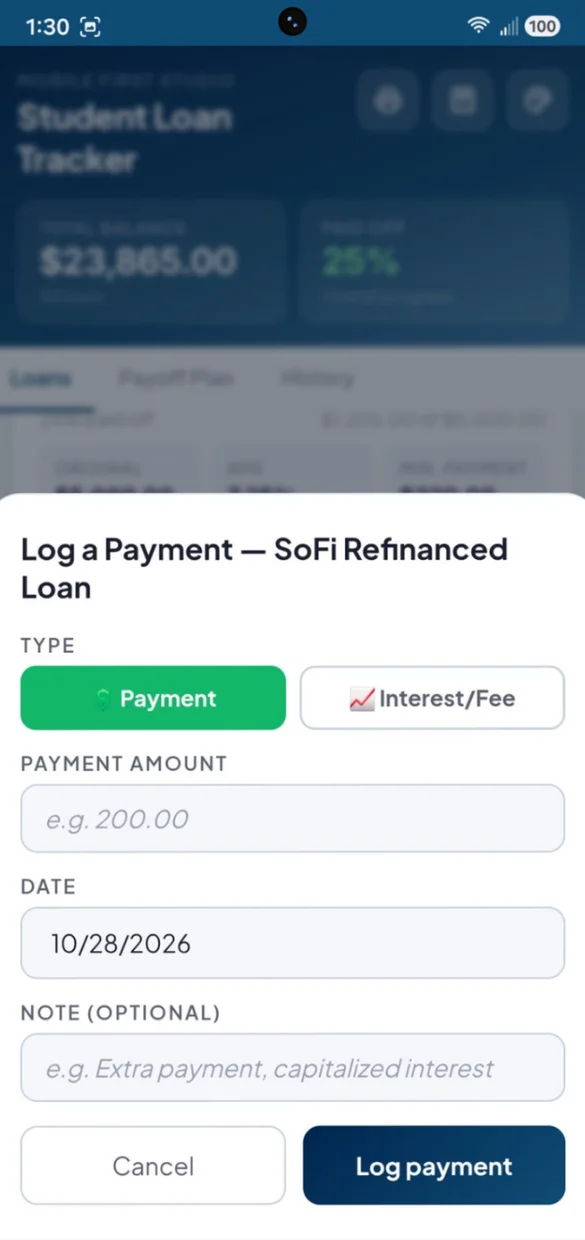
Track what goes in and what gets added.
Student loans do not just shrink from payments. They can grow from capitalized interest, so you can log both.
- Payment: brings a balance down
- Interest or fee: when capitalized interest or a fee is added
- Edit or delete: any entry, and your balance updates
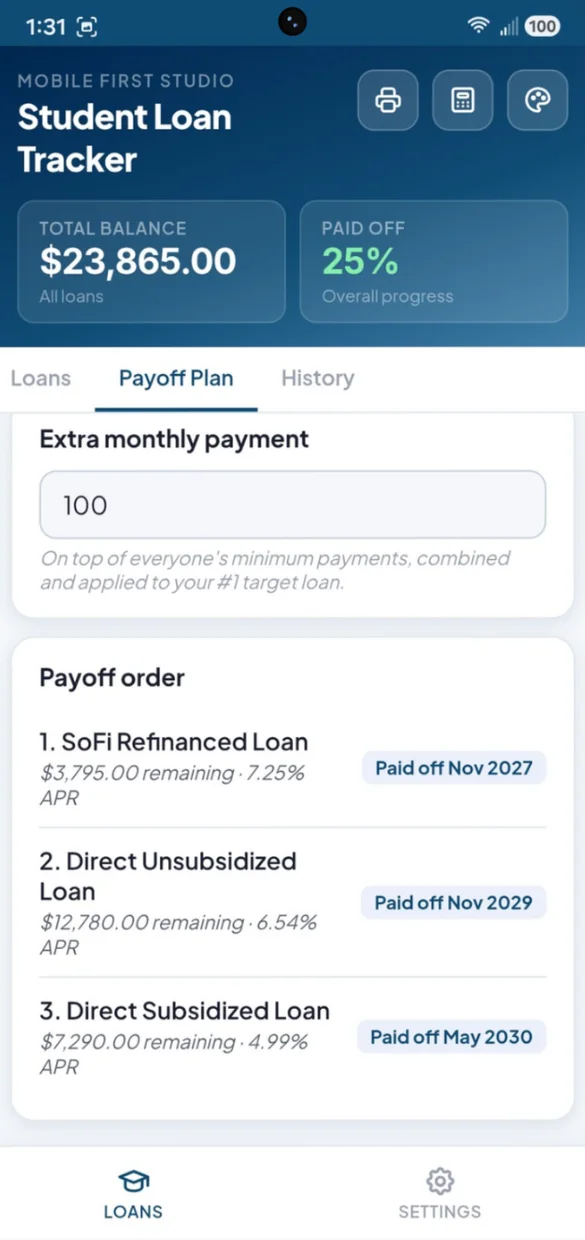
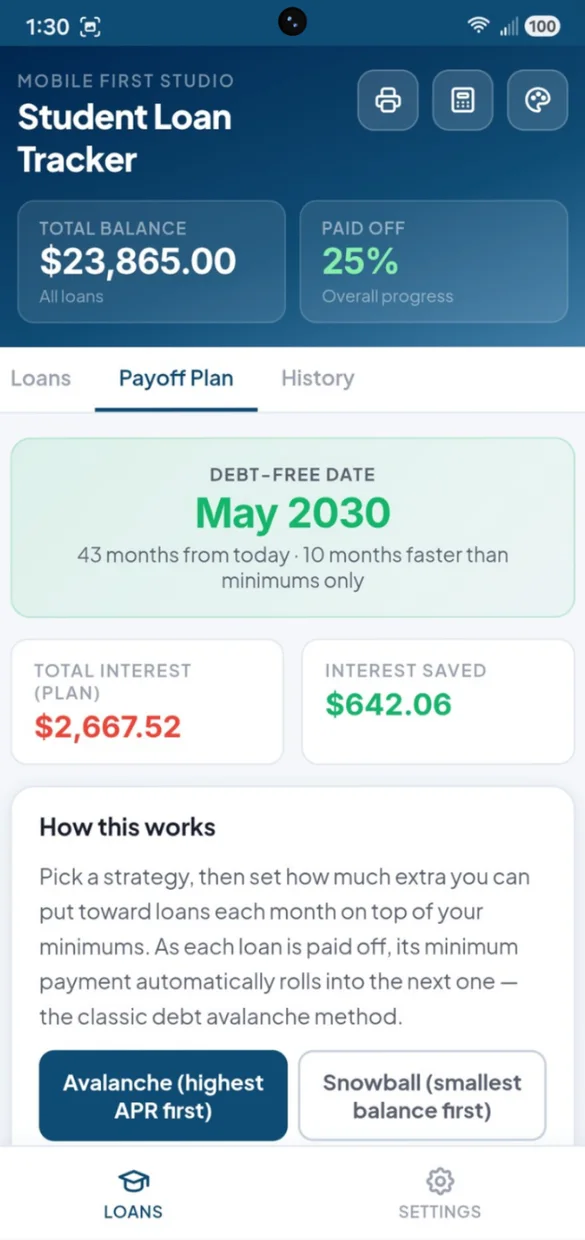
Avalanche or snowball. You choose.
Pick a strategy, set one extra monthly payment and get a real debt-free date.
- Payoff order: loans ranked with a paid off date for each
- Debt-free date: and how many months sooner than minimums
- Interest: total for your plan and how much you save
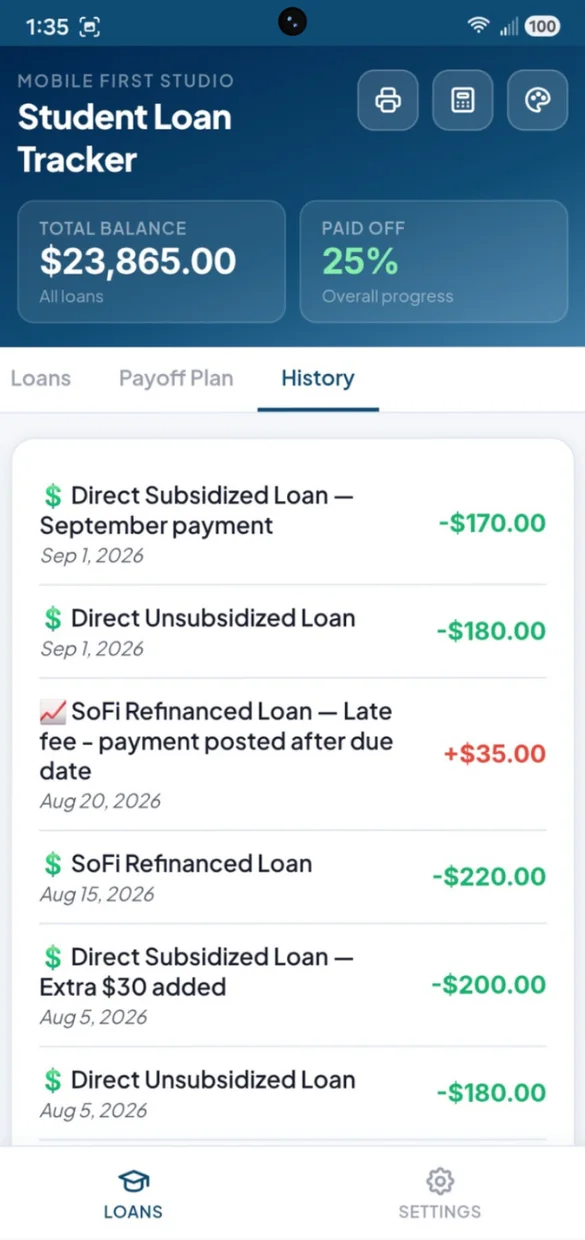
Every payment, in one list.
Every payment and interest charge across all your loans, newest first.
- Colors: payments in green, interest and fees in red
- Notes: like "extra 30 added" with each entry
- Tap to edit: or delete any entry
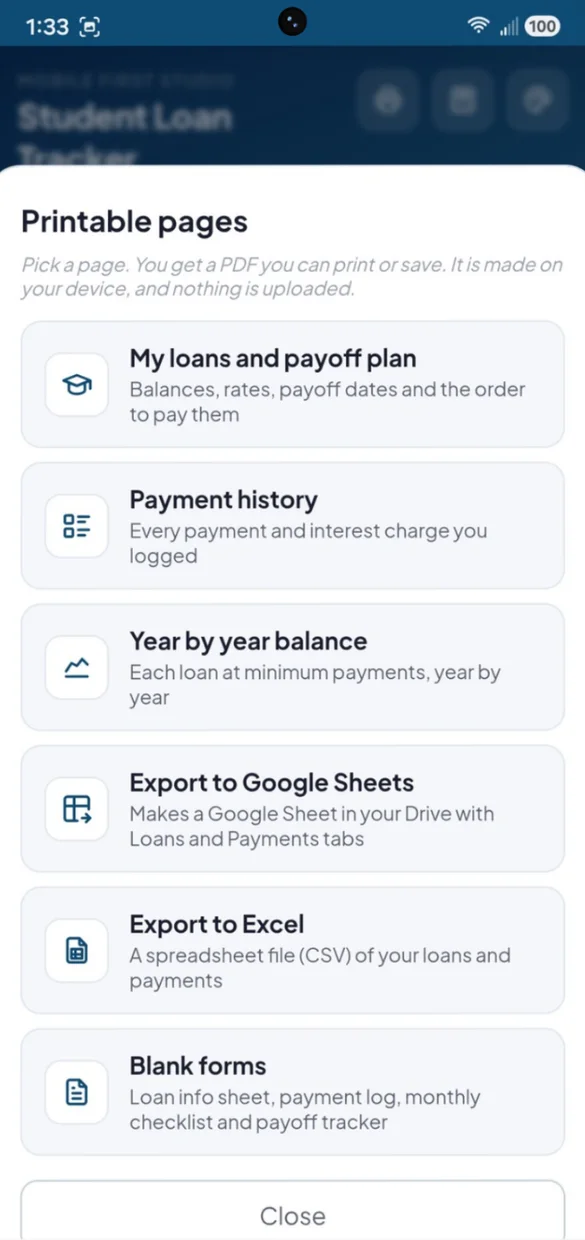
On paper or in a spreadsheet.
Print your plan or your payments. PDFs and spreadsheet files are made right on your device.
- Loans and payoff plan: balances, rates, dates and the order to pay
- Year by year balance: each loan at minimum payments
- Excel and Google Sheets: a CSV file, or a Sheet in your own Drive
Little extras that help
Amortization projection
See how each loan shrinks year by year at minimum payment only.
Overall progress
Your total balance and percent paid off across every loan, always at the top.
Built-in calculator
Try out different extra payment amounts without leaving the app.
Light or dark
Switch modes and pick from 6 color themes.
Bonus forms PDF
A loan info sheet, payment log, monthly checklist and a color-in payoff tracker.
Works offline
Log a payment even with no Wi-Fi.
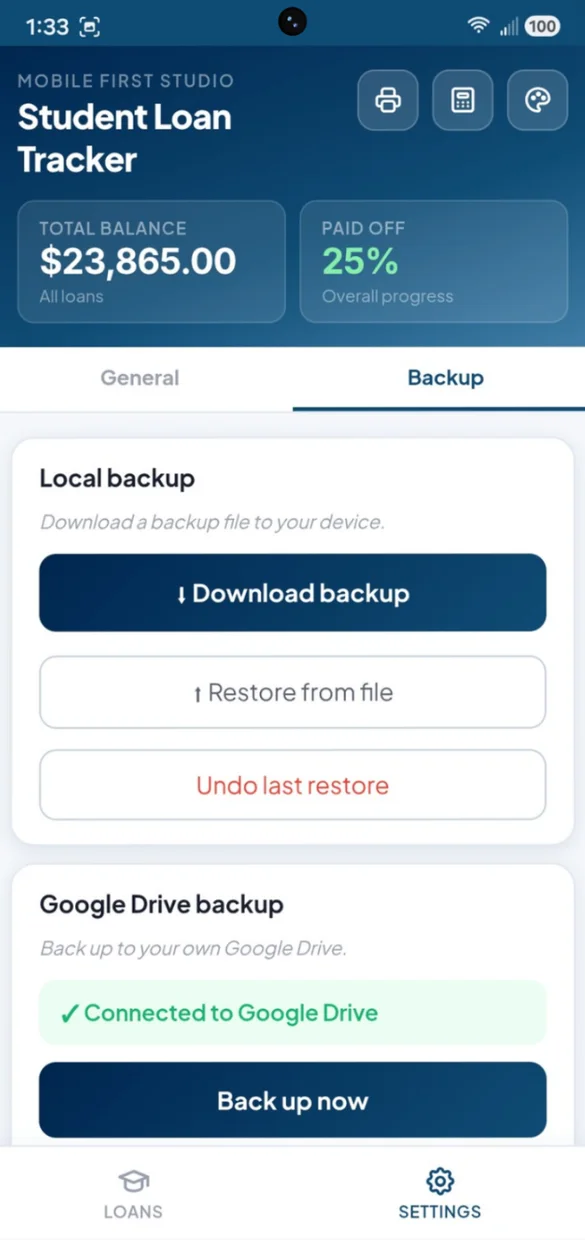
Your loan numbers stay yours.
Everything saves privately on your device and works offline, with no account or login. Connect your own Google Drive for a live copy plus a week of daily snapshots, or download a backup file and keep it yourself. One tap undoes a restore.
- One time purchase, yours forever
- Saved privately on your device, offline
- Optional Google Drive backup, in your own account
- A week of daily Drive snapshots
- Backup file you can download anytime
- Undo a restore with one tap
- No account or login, ever
- No ads, ever
How it works
Buy on Etsy
Download your app PDF and your bonus printable forms.
Tap the link
Open it on your phone, tablet or computer.
Add it to your home screen
Or bookmark it, then add your loans and see your debt-free date. Install guide
Good to know: this is a web app, so there is nothing to download from an app store and updates arrive on their own. Your plan is worked out from the balances, rates and payments you enter. It does not connect to your servicer or your bank.
The free demo is a separate trial, so anything you enter there stays in the demo.
Questions
Is there a subscription?
No. You pay once on Etsy and the app is yours. No monthly fees and no ads.
What kinds of student loans can I track?
Federal Subsidized, Federal Unsubsidized, Parent PLUS, Private and Refinanced loans. Add the servicer, current and original balance, APR and minimum payment for each one.
Can I track capitalized interest?
Yes. Log a payment to bring a balance down, or log an interest or fee charge when capitalized interest or a late fee is added. Every entry has a date and an optional note, and you can edit or delete any of them.
Avalanche or snowball, which should I pick?
Avalanche pays your highest APR first, so you usually pay less interest overall. Snowball pays your smallest balance first, so you clear loans sooner and feel the wins. Switch between them and your payoff order, debt-free date and interest saved update.
How does the extra payment work?
Set one combined extra monthly payment. It goes on top of your minimums and is applied to your number one target loan. When a loan is paid off, its minimum rolls into the next one. You can also add extra to a single loan.
Can I print my plan or open it in a spreadsheet?
Yes. Print your loans and payoff plan, your payment history or a year by year balance for each loan. You can also export to Google Sheets in your own Drive, or download a spreadsheet file (CSV) for Excel.
I have credit cards and car loans too. Is there an app for that?
Yes. Debt Payoff Planner works the same way for every kind of debt, from credit cards to car loans. Student Loan Tracker is made for student loans, with loan types, servicers and capitalized interest.
What if it doesn't work on my phone?
Send a message through Etsy and I'll help you get it working. If it doesn't install or work on your phone, you can get a refund within 30 days.
Try it before you buy
The real app with sample data. Nothing you type is saved.