Subscription Tracker Everything You Pay For, and What It Really Costs
Subscriptions are easy to sign up for and easy to lose track of. Keep one clear list of everything you pay for, see your real monthly and yearly total, and spot renewals and price increases before they sneak by.
- One time purchase
- No account or login
- No ads
- Phone, tablet and computer
What's inside
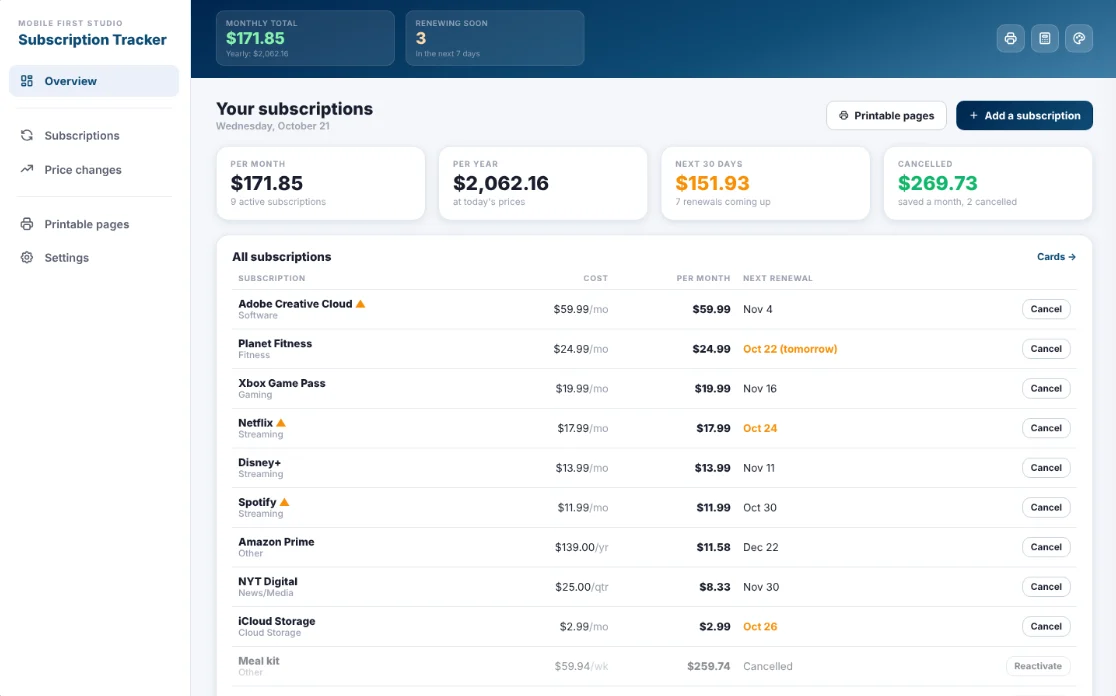
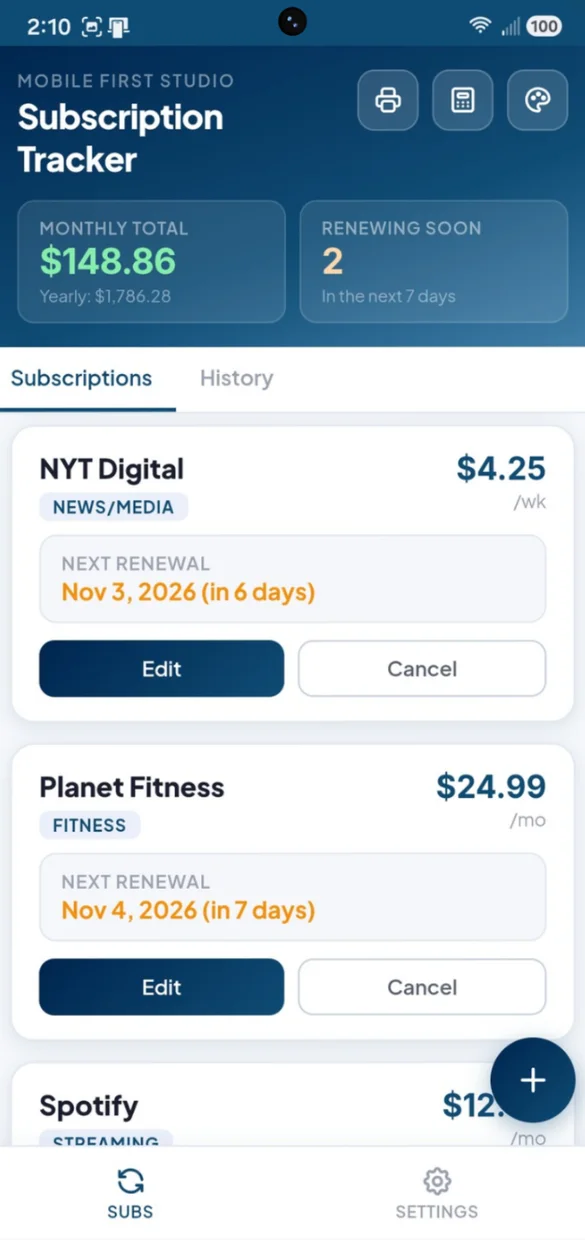
Your subscriptions, renewal dates and price changes, all in one app.
Every subscription, in one list.
Add each one once with its name, category, cost and how often it bills.
- Billing cycles: weekly, monthly, quarterly or yearly
- 8 categories: Streaming, Software, Fitness, Gaming, News and Media, Cloud Storage, Utilities and Other
- One real total: a true monthly total with the yearly cost below it
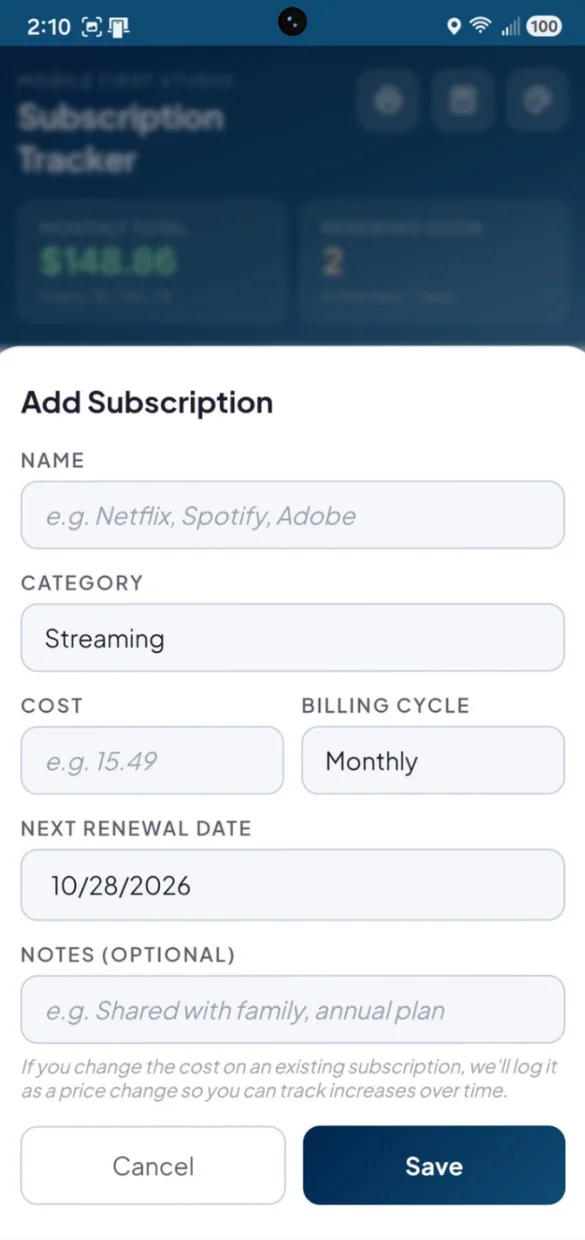
Prices creep up. Now you will notice.
Update a cost and the app logs the change for you, with no extra step.
- Old and new price: plus the date it changed
- A banner: right on the subscription card
- History tab: every price change in one place
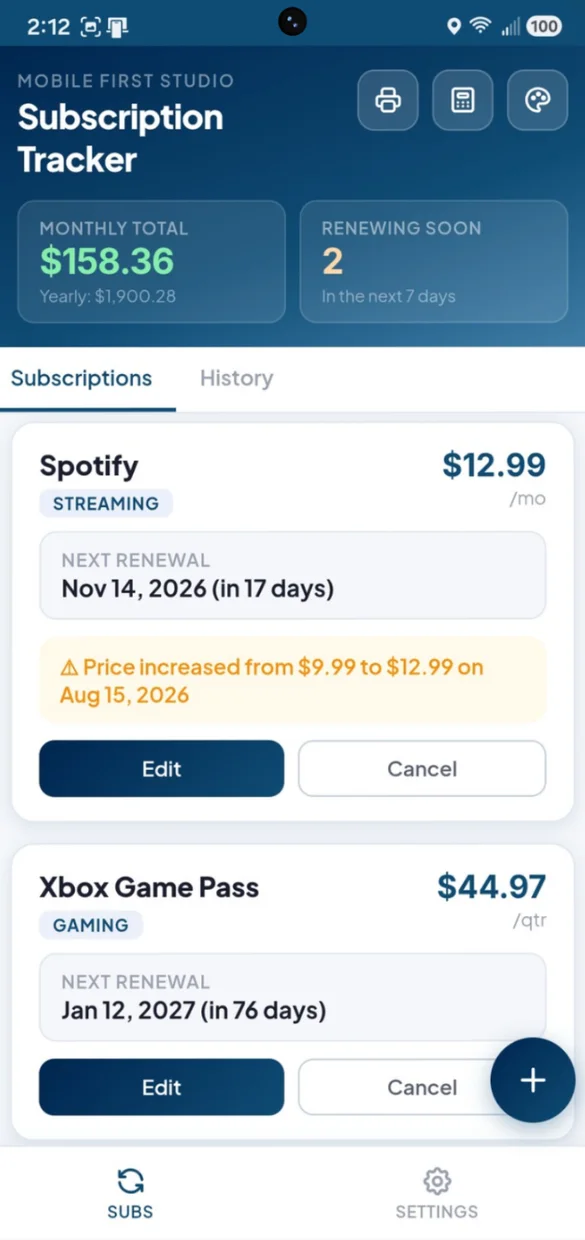
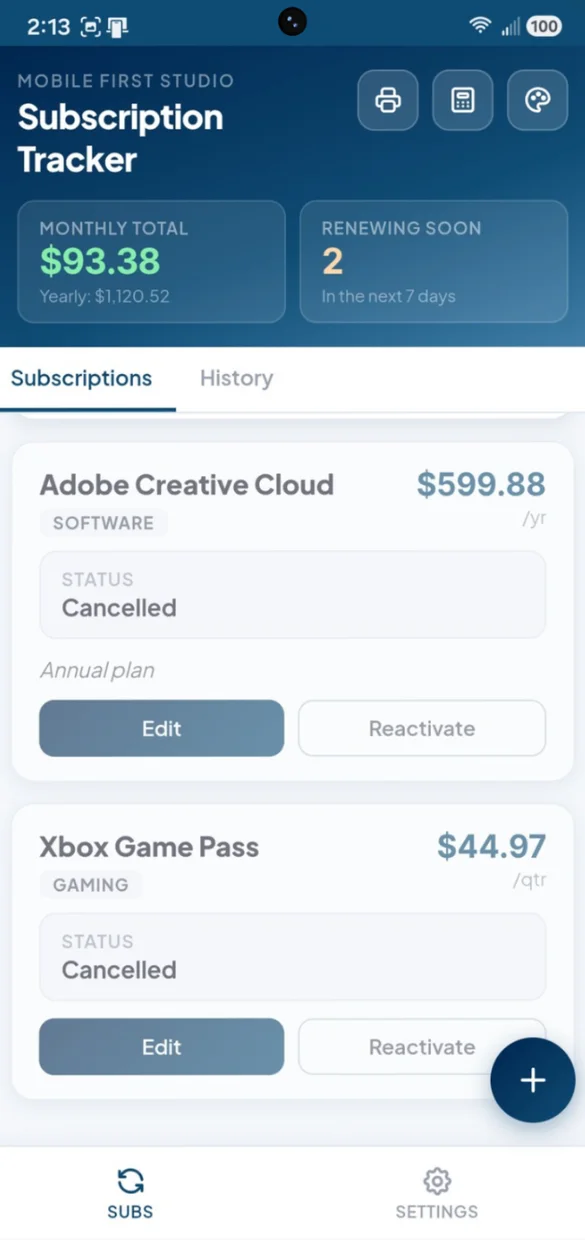
Cancelled does not mean deleted.
Mark a subscription cancelled and it stays in your list, clearly labeled and out of your totals.
- Sorted below: your active subscriptions
- Reactivate: in one tap if you sign up again
- Price history: kept even while cancelled
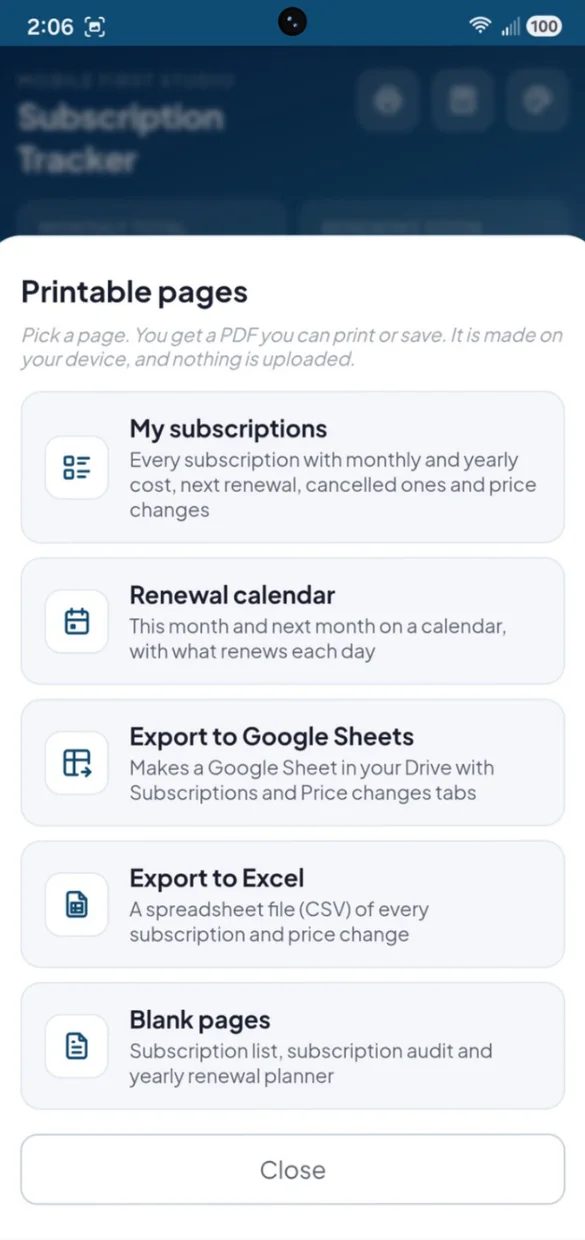
On paper or in a spreadsheet.
Print your list or a renewal calendar. PDFs and spreadsheet files are made right on your device, and nothing is uploaded.
- My subscriptions: monthly and yearly costs, cancelled ones and price changes
- Renewal calendar: this month and next, with what renews each day
- Google Sheets and Excel: subscriptions and price changes
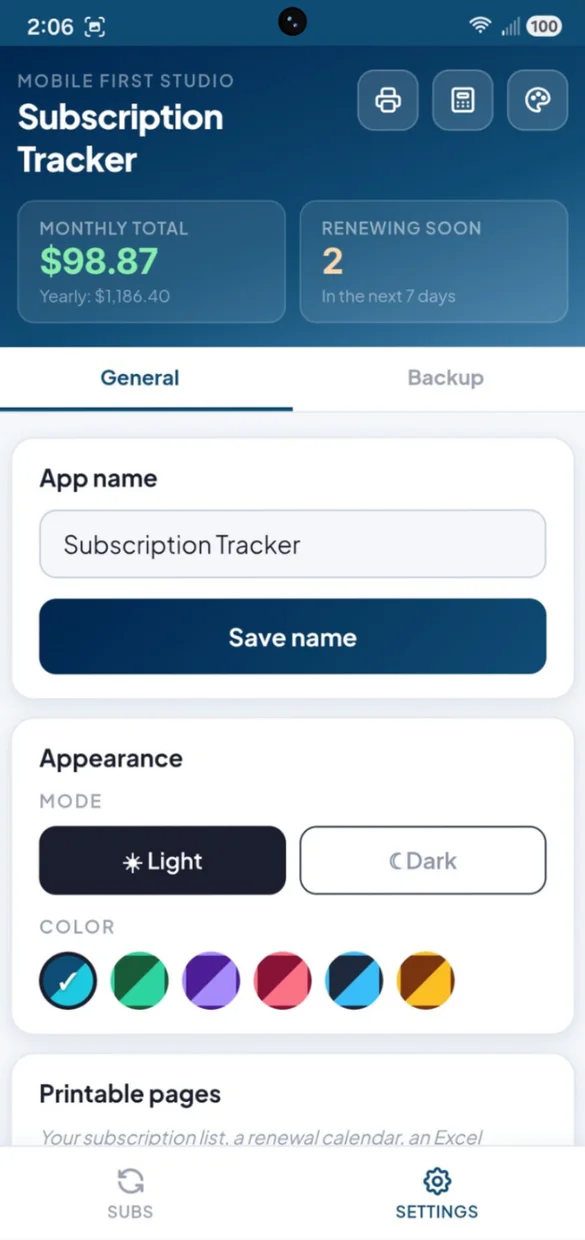
Your name. Your colors.
Rename the app, pick light or dark and choose a color.
- 6 color themes: Navy, Forest, Violet, Rose, Slate and Amber
- Light or dark: tap once, or long press the theme button
- Start fresh: clear everything in one confirmed tap
Little extras that help
Renewing Soon
A count of everything due in the next 7 days, always at the top.
Dates roll forward
Entered a date months ago? It moves to the next real renewal.
What you saved
On a computer, see how much cancelling has saved you each month.
Built-in calculator
Split a shared plan or compare annual and monthly pricing.
Bonus PDF
A subscription list, an audit to decide what to keep and a yearly renewal planner.
Works offline
Check what is renewing with no Wi-Fi or signal.
Your subscriptions stay yours.
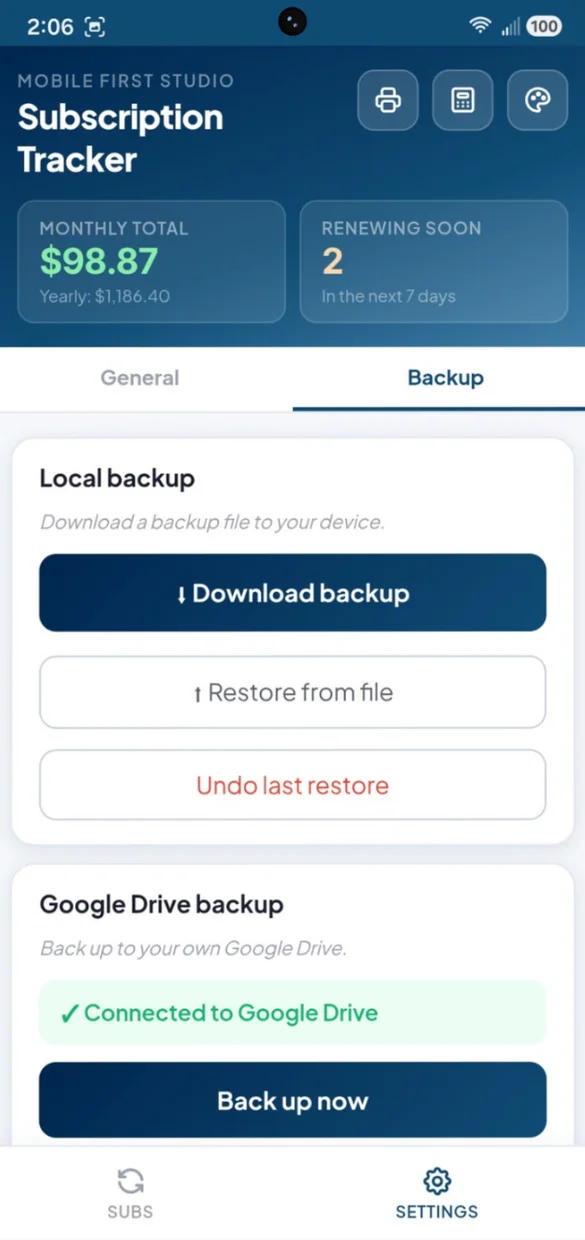
Everything saves privately on your device and works offline, with no account or login. Connect your own Google Drive, or download a backup file and keep it yourself. One tap undoes a restore.
- One time purchase, yours forever
- Saved privately on your device, offline
- Optional Google Drive backup, in your own account
- Backup file you can download anytime
- Undo a restore with one tap
- No account or login, ever
- No ads, ever
How it works
Buy on Etsy
Download your app PDF and your bonus printable pages.
Tap the link
Open it on your phone, tablet or computer.
Add it to your home screen
Or bookmark it, then add your first subscription. Install guide
Good to know: this app is for subscriptions you enter yourself, not automatic bank monitoring. It does not connect to your bank or card, and it does not send push notifications or emails. Open it any time to see what is renewing soon and what has changed.
Want to track one time or irregular bills like utilities or insurance too? Take a look at Bill Due Date Calendar.
Questions
Is there a monthly fee?
No. You pay once on Etsy and the app is yours. No monthly fees and no ads.
How does it handle different billing cycles?
Weekly, monthly, quarterly or yearly. Each cost is turned into a monthly amount behind the scenes, so your monthly and yearly totals are right even when everything bills on a different schedule.
How do renewal dates work?
Each subscription shows its next renewal date and how many days away it is. Renewing Soon counts anything due in the next 7 days. If you enter a date that has already passed, the app rolls it forward to the next real renewal.
How does it catch price increases?
When you update a subscription's cost, the app logs the old price, the new price and the date. The card shows a price increase banner, and every change is saved in the History tab.
What happens when I cancel something?
Mark it cancelled instead of deleting it. It stays in your list, clearly labeled and left out of your totals, and you can reactivate it in one tap if you sign up again.
Does it connect to my bank or card?
No. You enter your subscriptions yourself. It does not watch your bank or card for charges, and it does not send push notifications or emails, on purpose, to keep it simple and private. Open the app any time to see what is renewing soon.
Can I use it on my phone and my computer?
Yes. On a computer it opens as a full dashboard with per month, per year, the next 30 days of renewals and what you have saved by cancelling, plus a table of every subscription, cost by category and recent price changes. Back up on one and restore on the other.
What if it doesn't work on my phone?
Send a message through Etsy and I'll help you get it working. If it doesn't install or work on your phone, you can get a refund within 30 days.
Try it before you buy
The real app with sample data. Nothing you type is saved.