Tax Deduction Log Business Write Offs, All Year
Log every deductible expense the moment it happens, so nothing gets left off your return. No more scrambling every tax season to remember what you spent on your business.
- One time purchase
- No bank login
- No ads
- Phone, tablet and computer
What's inside
For freelancers, side hustlers and small business owners who want tax time to be easy.
Log it the moment it happens.
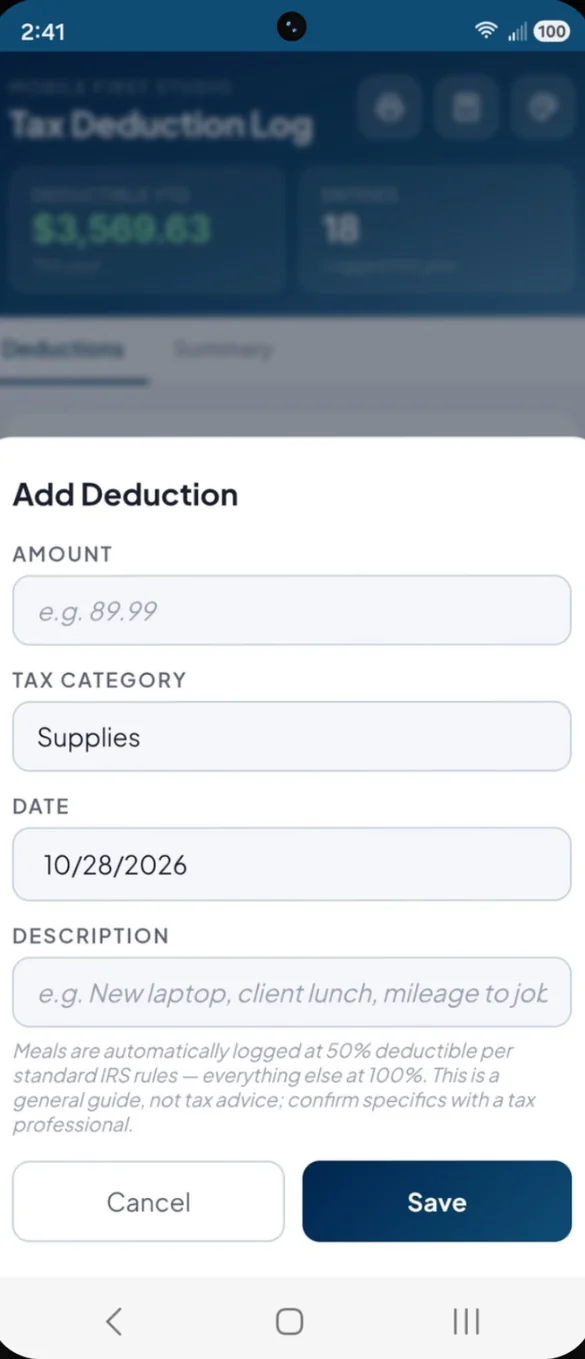
Add each expense with an amount, a tax category, the date and a short description. Every entry goes into your running log, and you can tap any entry to edit it.
- 12 tax categories: from home office and vehicle to software, insurance and education
- Meals at 50%: worked out for you, everything else at 100%
- Edit anytime: tap an entry to fix it
See it by category and year.
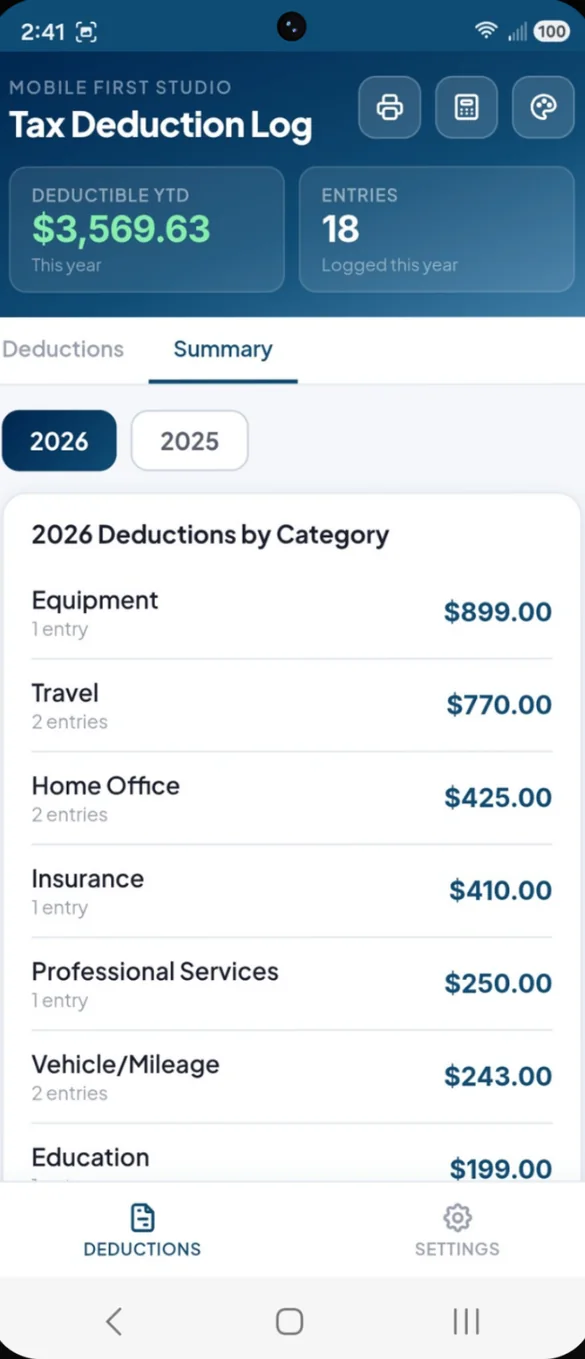
The Summary tab breaks your deductions down by category, with totals and entry counts. Switch years any time to look back.
- By category: total and number of entries for each
- Any year: switch between years with one tap
- Deductible YTD: always at the top of the screen
Your year, ready for your accountant.
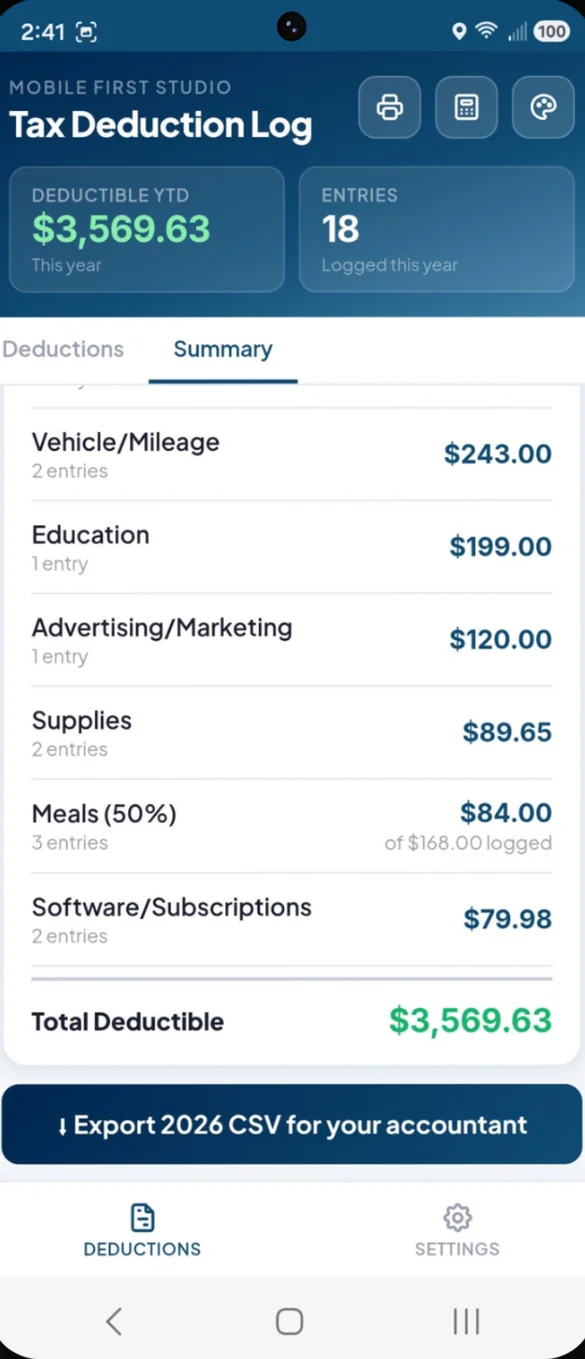
When it is time to file, export a complete CSV in one tap. It opens in Excel or Google Sheets, and on iPhone you can send it straight to your accountant from the share sheet.
- Every entry: date, category, description, amount and deductible amount
- Total row: at the bottom
- Total deductible: shown at the end of the summary
On paper or in a spreadsheet.
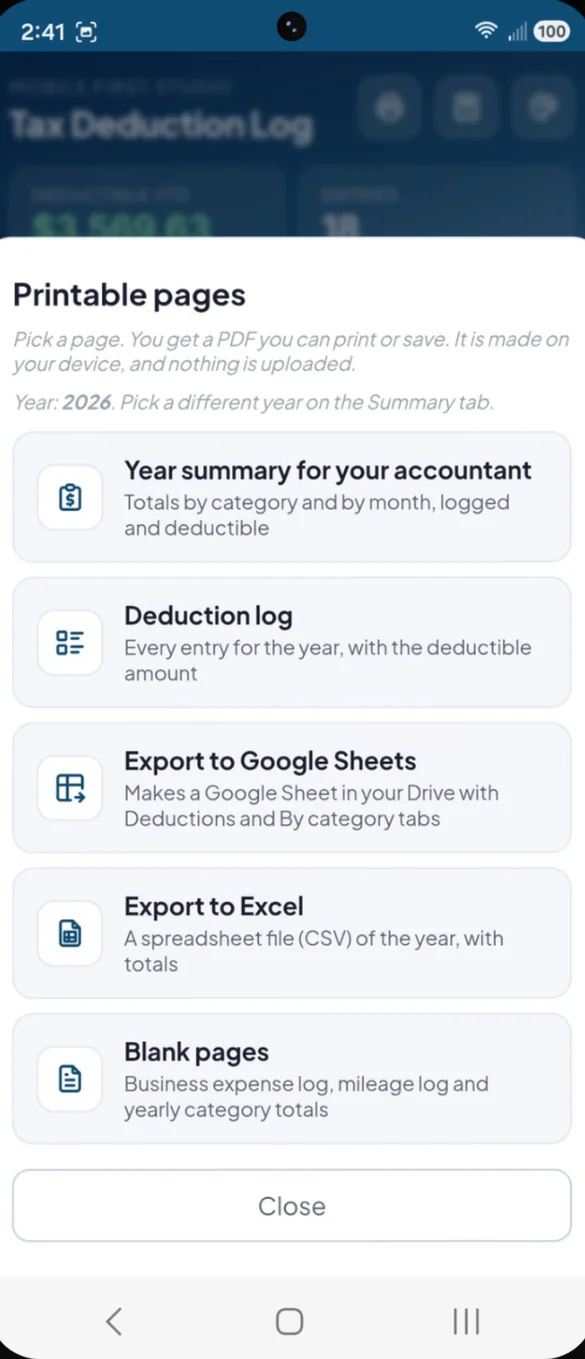
Print a year summary for your tax preparer, or your full deduction log. Prefer Google Sheets? One tap makes a Google Sheet in your own Drive.
- Year summary: totals by category and by month
- Deduction log: every entry for the year with the deductible amount
- Google Sheets: Deductions and By category tabs, in your own Drive
- Blank pages: business expense log, mileage log and yearly totals
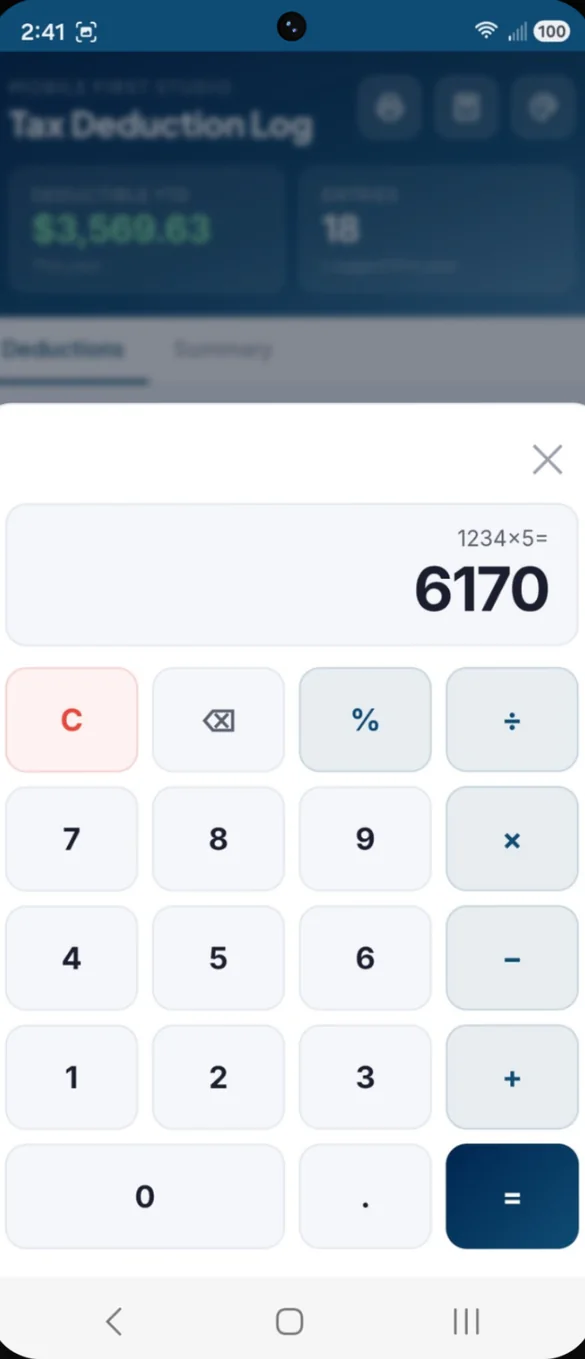
A calculator, built right in.
Add up a receipt, work out a mileage total or split a shared expense without leaving the app.
- One tap: from the header
- Standard math: add, subtract, multiply, divide and percentages
- Stay in the app: no switching to another calculator
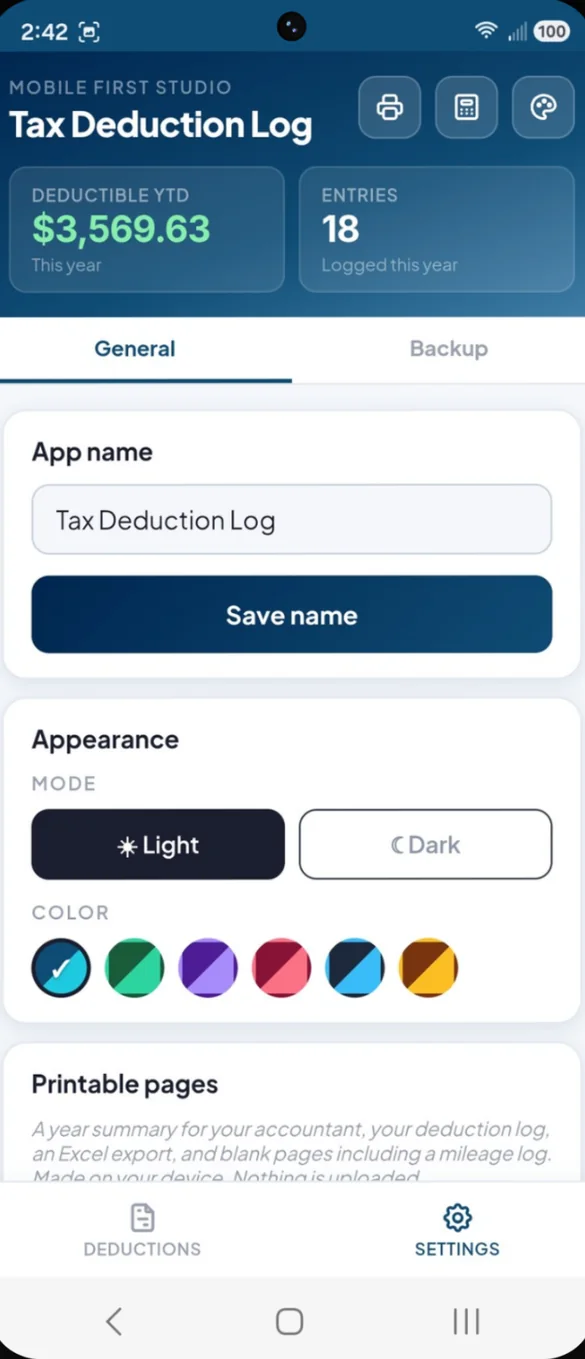
Make it yours.
Rename the app, pick light or dark mode, and choose from 6 colors. A reset in Settings clears everything when you want a fresh start.
- 6 colors: navy, forest, violet, rose, slate and amber
- Light or dark: a long press on the color button switches
- Reset: clear all deductions with a confirm step
Little extras that help
Meals at 50%
Meals are counted at the standard 50% rate automatically.
Any tax year
Switch years to look back at past deductions.
Share from iPhone
Send the CSV straight to your accountant from the share sheet.
Bonus printables
Business expense log, mileage log and yearly totals sheet.
Phone and computer
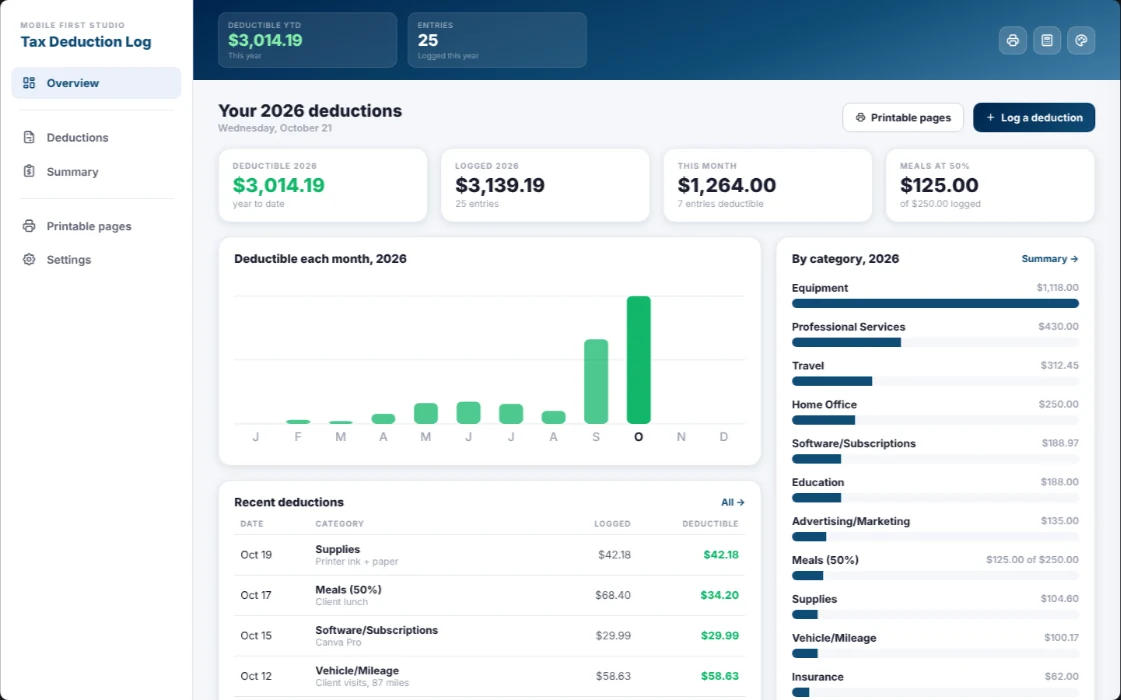
On a computer it opens a full dashboard with a monthly chart.
Works offline
Log a receipt anywhere, even with no signal.
Your deductions stay yours.
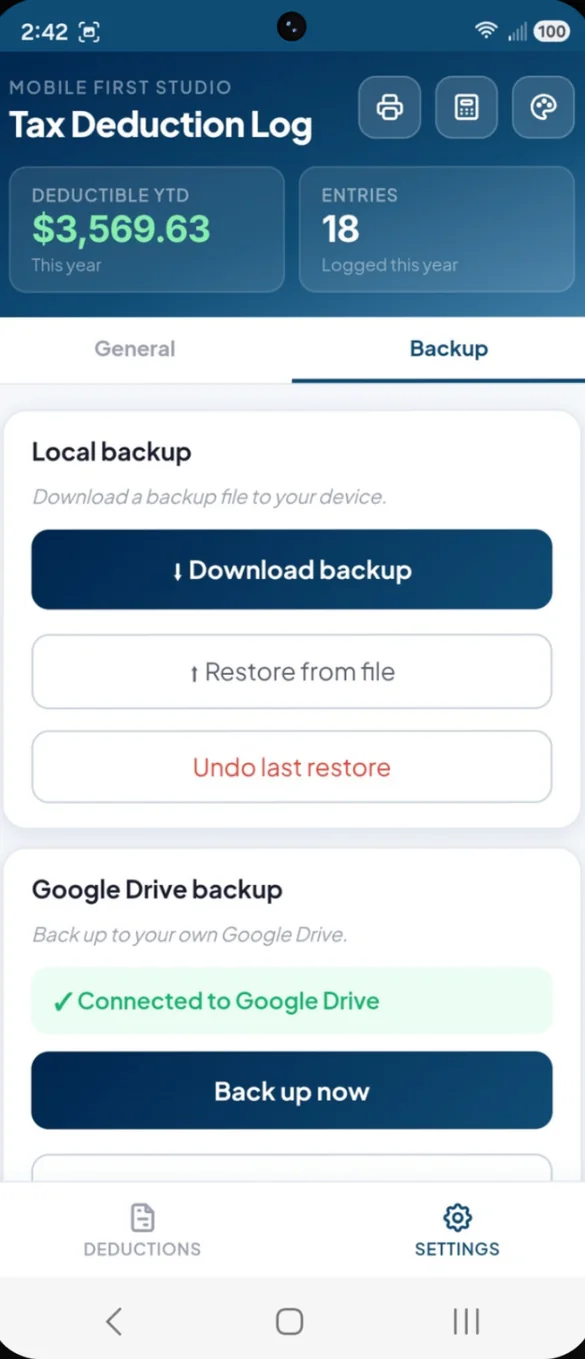
Everything is saved on your device, and nothing is required to go anywhere else. Backups go where you choose: a file you download, or your own Google Drive. If you export to Google Sheets, the sheet is made in your own Drive.
- One time purchase, yours forever
- Saved privately on your device
- Works offline once installed
- Optional backup to your own Google Drive
- Backup file with undo after a restore
- No bank login, ever
- No account, no login, no ads
How it works
Buy on Etsy
Download your PDFs, including the bonus printable pages.
Tap the link
Open the link in the PDF on your phone, tablet or computer.
Add it to your home screen
Or bookmark it, then log your first expense. Install guide
Good to know: this app logs expenses and estimates deductible amounts. It is not a tax filing or advice service. It doesn't connect to your bank, file your taxes or replace a tax professional. The 50% meals rule follows the general IRS guideline, so confirm specifics with your accountant.
Want more? Side Hustle Hub adds income, mileage and a tax set aside. For everyday personal spending, see Daily Expense Tracker.
Questions
Is there a subscription?
No. You pay once on Etsy and the app is yours. No monthly fees and no ads.
Does it connect to my bank?
No. You log each expense yourself, which keeps it simple and private. It does not import expenses from your bank.
Does it file my taxes?
No. It is a place to log expenses and estimate deductible amounts, not a tax filing or advice service, and it does not replace a tax professional.
How are meals handled?
Meals are counted at the standard 50 percent deductible rate and every other category at 100 percent. That follows the general IRS guideline, but always confirm the specifics with your accountant.
How do I get my deductions to my accountant?
Export a CSV in one tap with every entry and a total row, or make a Google Sheet in your own Drive. You can also print a year summary with totals by category and by month.
Can I look back at past years?
Yes. The Summary tab lets you switch years any time, and exports and printouts work for any year.
Can I try it before I buy?
Yes. The free demo opens with sample data and resets when you close it, so nothing you try there carries over to the full app.
What if it doesn't work on my phone?
Send a message through Etsy and I'll help you get it working. If we can't, you can get a refund within 30 days.
Try it before you buy
The real app with sample data. It resets when you close it.