Tip & Hourly Income Tracker Know What Every Shift Really Paid
Log every shift with your hours, wage and tips, and see your real hourly rate, wages and tips combined. Know which shifts paid the best, not just which ones felt busiest.
- One time purchase
- No account or login
- No ads
- Phone, tablet and computer
What's inside
Your shifts, your real hourly rate and where your money comes from.
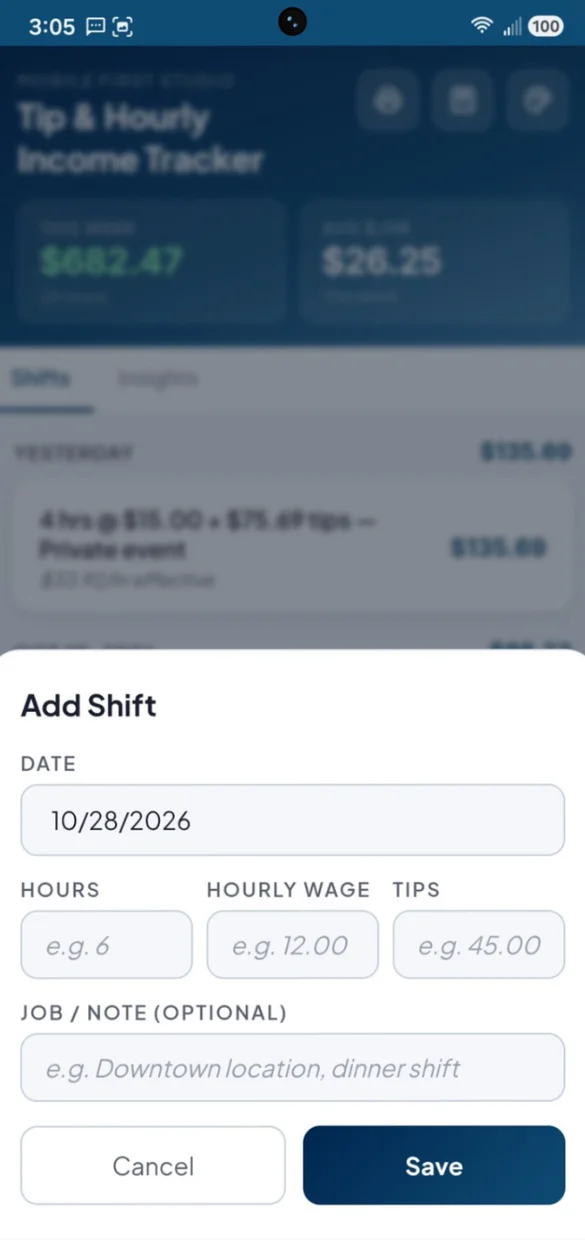
Hours, wage, tips. Done.
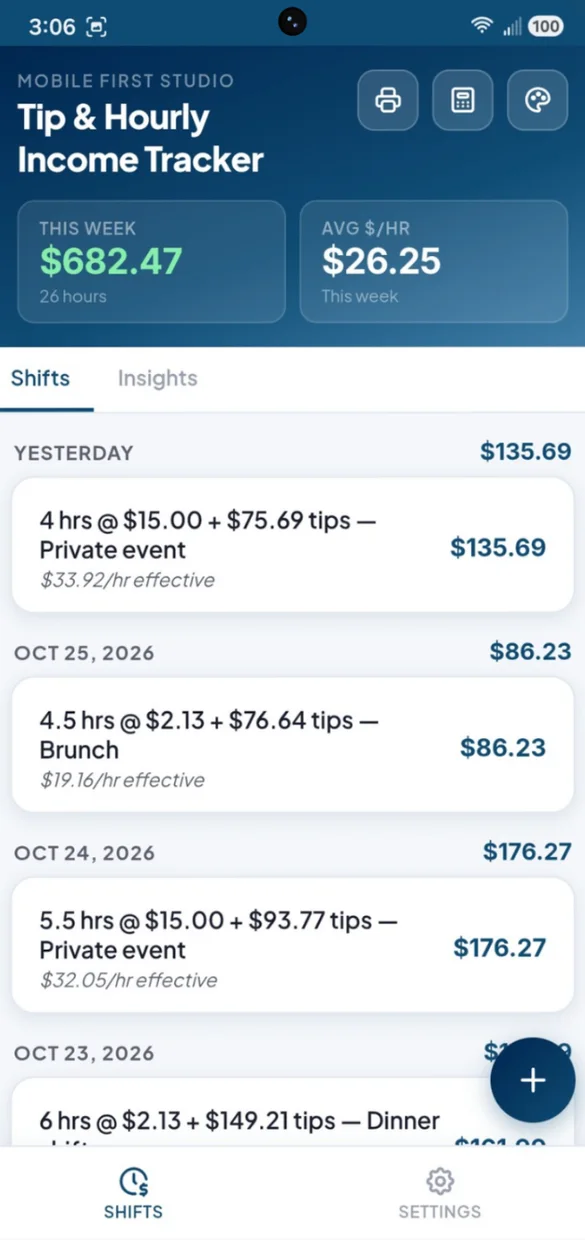
Add a shift with the numbers that matter in a few taps. Tap any shift later to edit it.
- Date and hours: plus your hourly wage and tips
- Job or note: like "downtown location, dinner shift"
- Grouped: by day on your phone, by week on a computer
Your earnings, zoomed out.
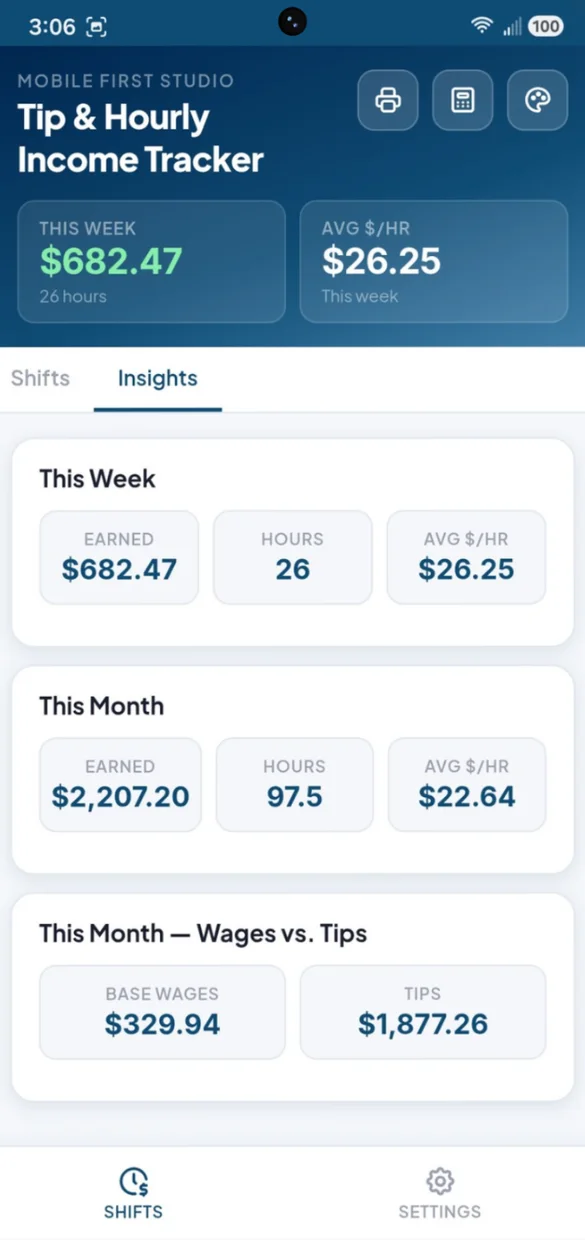
Step back from single shifts and see the bigger picture for the week and the month.
- This week and month: earned, hours and average per hour
- Wages vs tips: where your money really comes from
- Fair averages: worked out from total pay and total hours
On paper or in a spreadsheet.
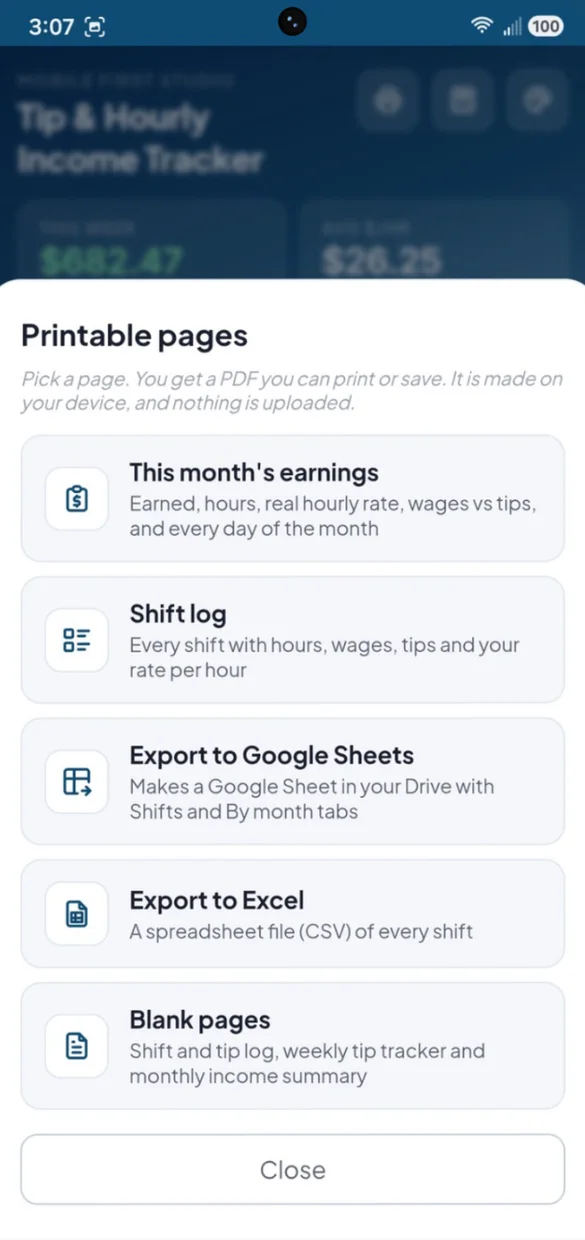
Print this month or your full shift log. PDFs and spreadsheet files are made right on your device, and nothing is uploaded.
- This month: earned, hours, real hourly rate, wages and tips
- Blank pages: a shift and tip log, weekly tip tracker and monthly summary
- Google Sheets and Excel: with a tab of monthly totals in Sheets
Your name. Your colors.
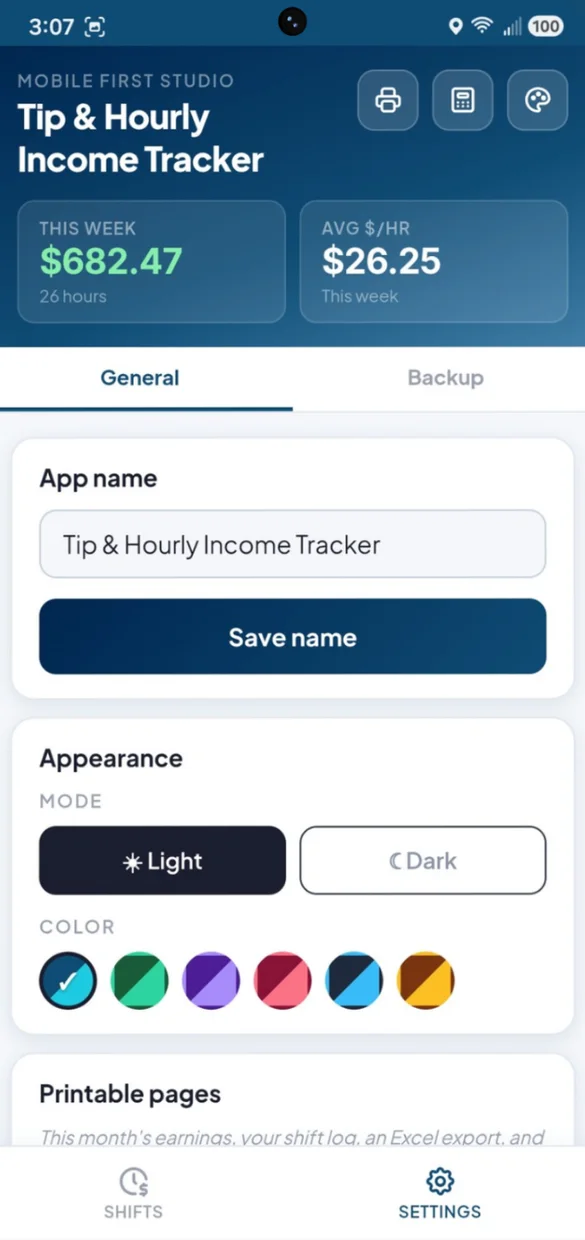
Rename the app, pick light or dark and choose a color.
- 6 color themes: Navy, Forest, Violet, Rose, Slate and Amber
- Light or dark: whichever suits your shift
- Start fresh: clear all shifts in one confirmed tap
Little extras that help
Real hourly rate
Every shift shows what it really paid per hour, wages and tips combined.
Best paying day
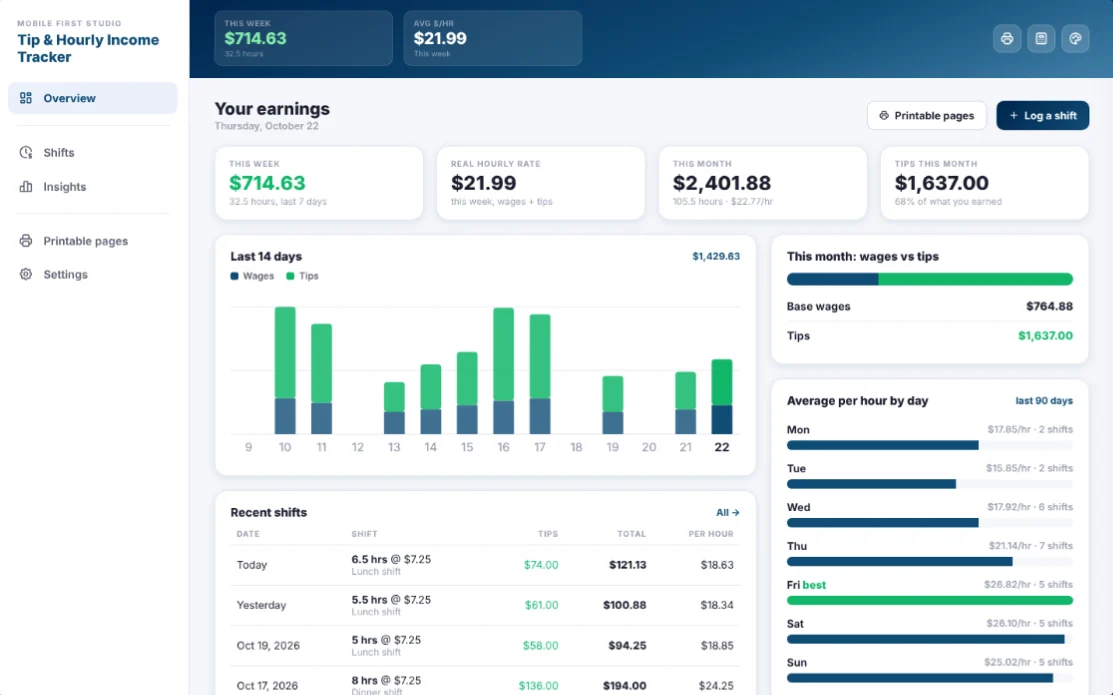
On a computer, see your average per hour for each day of the week.
Always at the top
This week's earnings and your real hourly rate stay in the header.
Built-in calculator
Add up your tips or split them with coworkers.
Bonus PDF
A shift and tip log, a weekly tip tracker and a monthly income summary.
Works offline
Log a shift on your break or on the way home.
Your earnings stay yours.
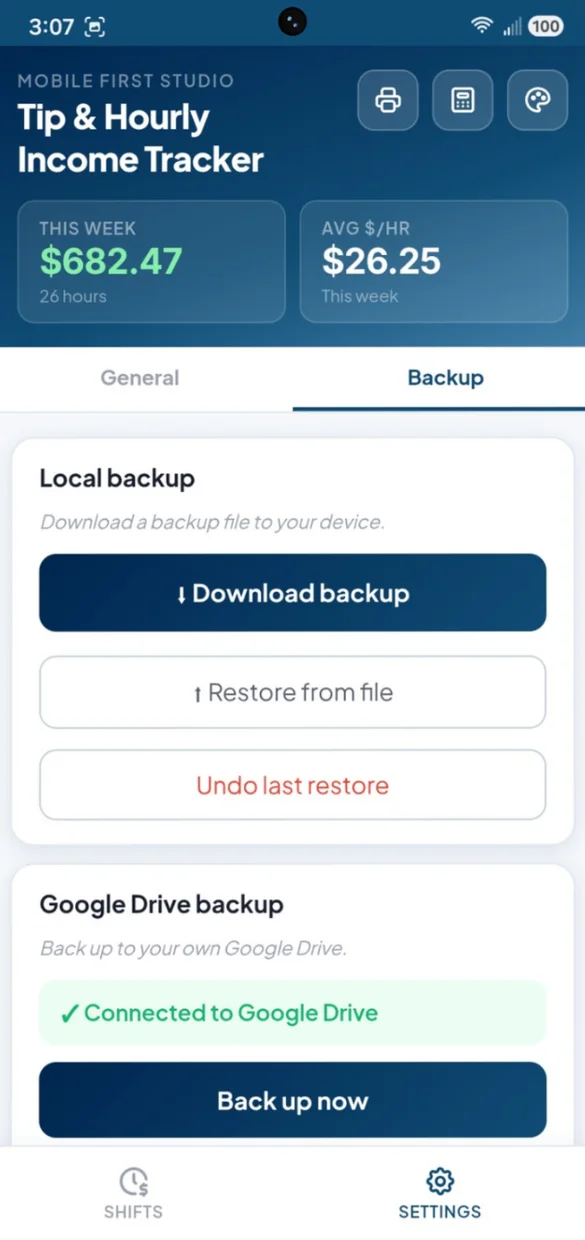
Everything saves privately on your device and works offline, with no account or login. Connect your own Google Drive for a live copy plus a week of daily snapshots, or download a backup file and keep it yourself. One tap undoes a restore.
- One time purchase, yours forever
- Saved privately on your device, offline
- Optional Google Drive backup, in your own account
- A week of daily Drive snapshots
- Backup file you can download anytime
- Undo a restore with one tap
- No account or login, ever
- No ads, ever
How it works
Buy on Etsy
Download your app PDF and your bonus printable pages.
Tap the link
Open it on your phone, tablet or computer.
Add it to your home screen
Or bookmark it, then log your first shift. Install guide
Good to know: this app is for logging shifts and tips by hand. It does not connect to your employer, payroll or bank, and it does not do taxes.
Also drive, deliver or freelance? Side Hustle Hub adds expenses, mileage and a tax set aside.
Questions
Is there a subscription?
No. You pay once on Etsy and the app is yours. No monthly fees and no ads.
What is my real hourly rate?
Your wages and tips for a shift added together, divided by the hours you worked. Every shift shows its own rate, so you can see which shifts really paid the best.
How are the weekly and monthly averages worked out?
From your total pay and total hours, not by averaging each shift. That way one long slow shift does not count the same as a short busy one.
Can I see my wages and tips separately?
Yes. Insights splits this month into base wages and tips, so you know where your income really comes from. On a computer you also see your average per hour for each day of the week.
Does it connect to my employer, payroll or bank, or do taxes?
No. It is for logging shifts and tips by hand, on purpose, to keep it simple and private. It does not do taxes.
I also drive, deliver or freelance. Is there an app for that?
Yes. Side Hustle Hub adds expenses, mileage and a tax set aside in one app.
Can I use it on my phone and my computer?
Yes. On a computer it opens as a full dashboard with this week, your real hourly rate, this month and tips this month, a 14 day chart of wages and tips, recent shifts and your best paying day. Back up on one and restore on the other.
What if it doesn't work on my phone?
Send a message through Etsy and I'll help you get it working. If it doesn't install or work on your phone, you can get a refund within 30 days.
Try it before you buy
The real app with sample data. Nothing you type is saved.