ADHD Daily Planner Top 3, Brain Dump and Focus
A calm, simple planner for the days your brain has 40 tabs open. Get it out of your head, pick three things, start small, and let the rest wait.
- One time purchase
- No account or login
- No ads
- Phone, tablet and computer
What's inside
Most to do apps show you everything at once. This one shows you less, on purpose.
Just three things that matter.
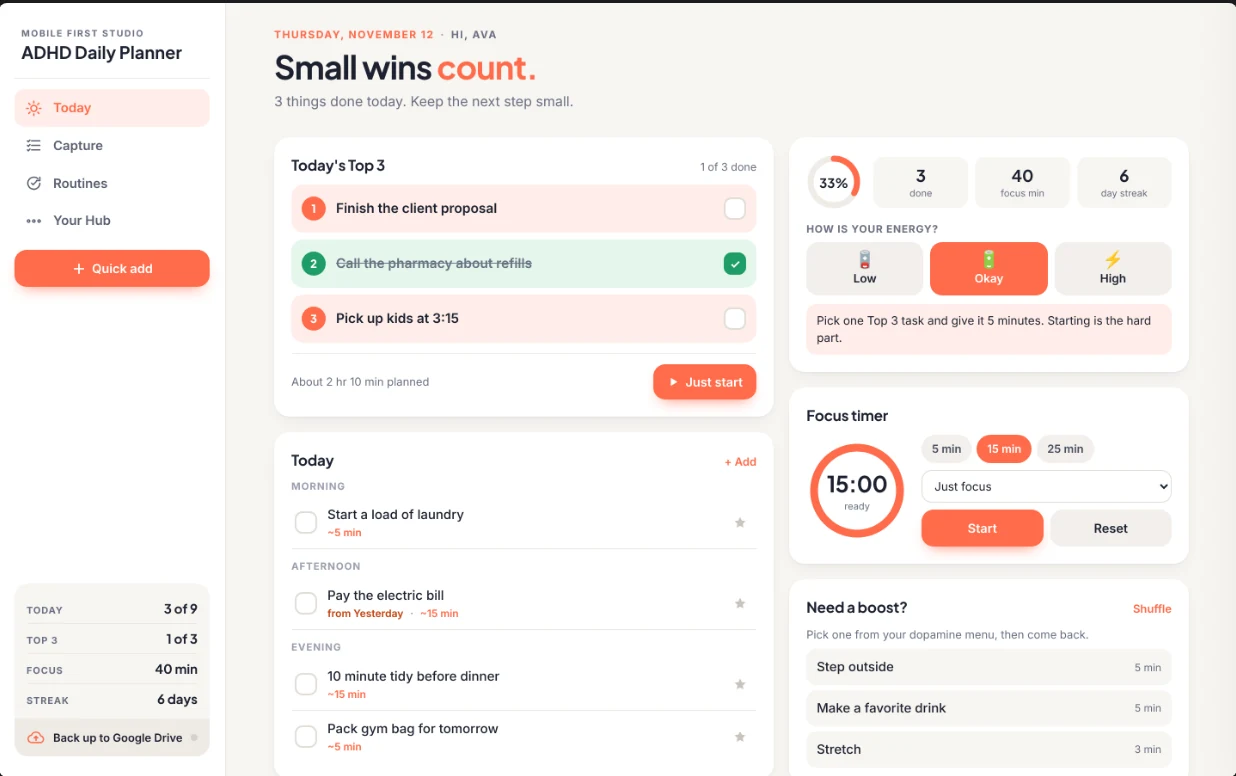
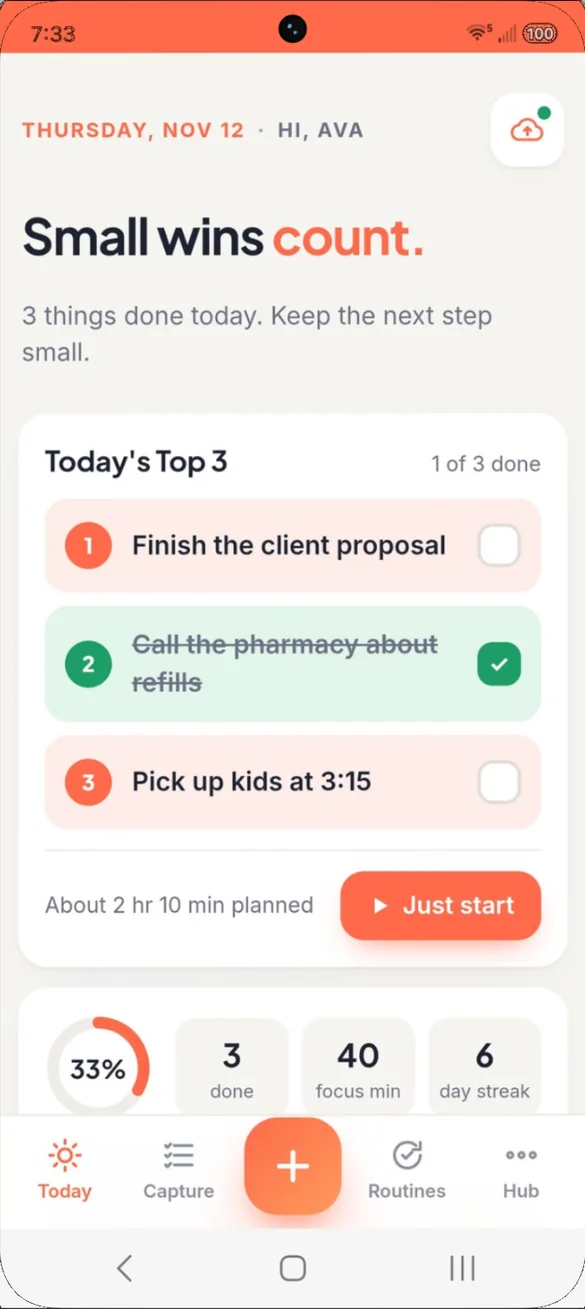
Open the app and see your Top 3, not a list of 40. Stuck? Tap Just start for your next tiny step and a 5 minute timer.
- Top 3: pick three and let the rest wait
- Just start: your next tiny step with a 5 minute timer
- Time guesses: see how full your day really is
Plan around how you feel.
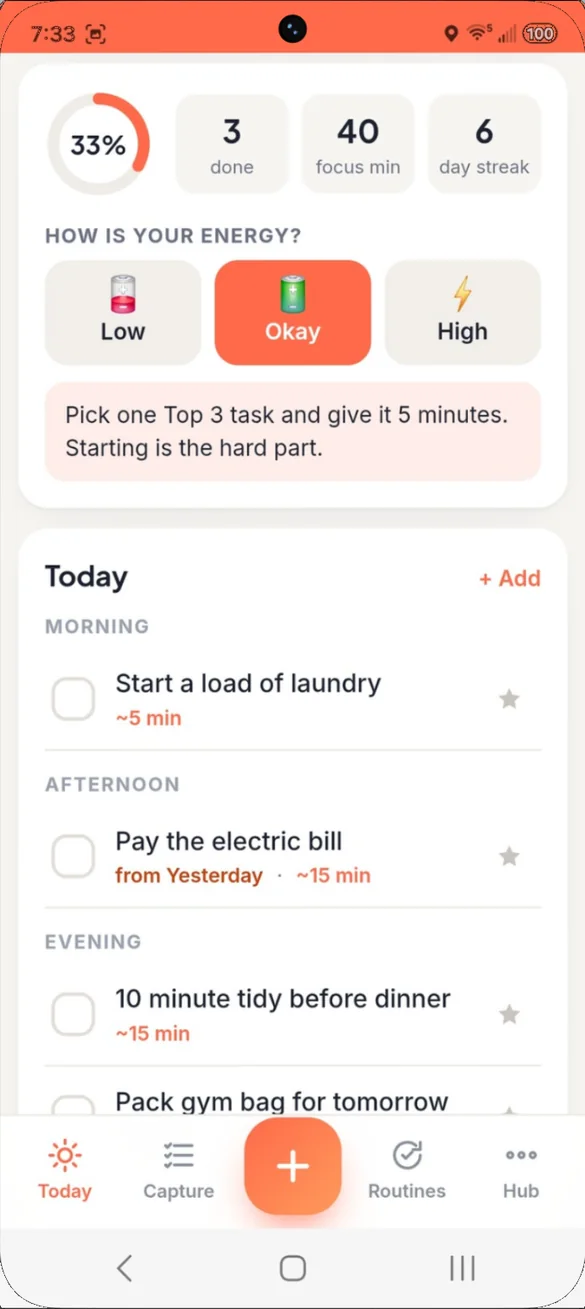
Tell the app your energy, low, okay or high, and it adjusts its advice to match the day you are actually having.
- Energy check: low, okay or high
- Time blocks: morning, afternoon and evening
- Carried over: unfinished tasks wait for you, no guilt
Five minutes is enough to start.
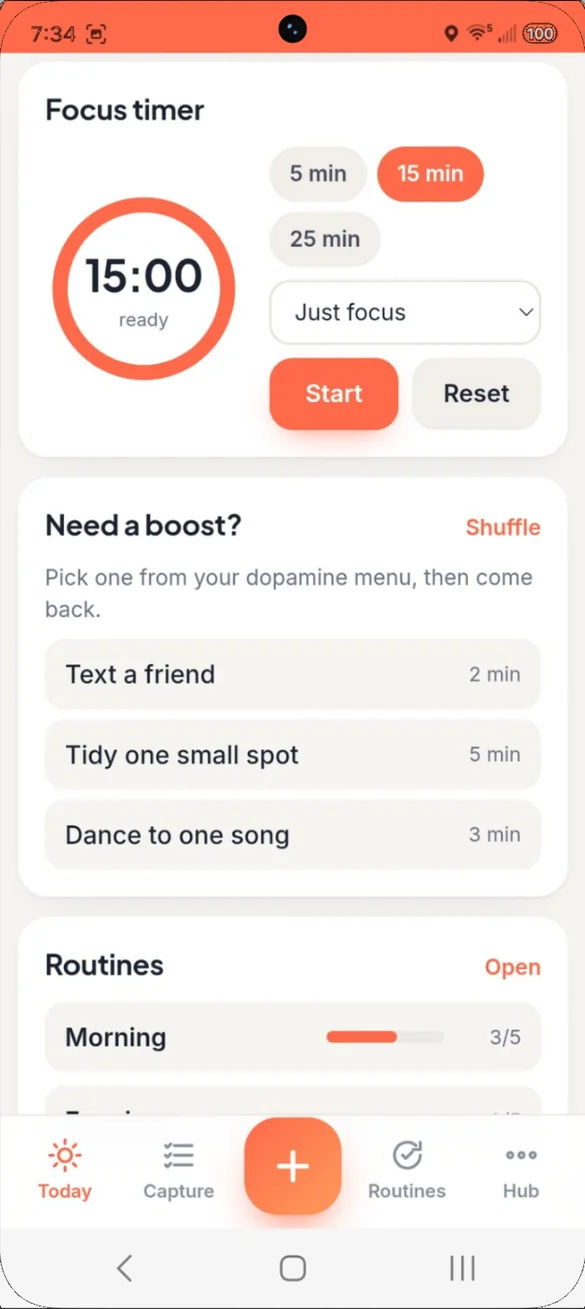
A visual timer for 5, 15 or 25 minutes, linked to the task you are working on.
- 5, 15 or 25 minutes: pick what feels doable
- Linked to a task: so your focus time counts
- Need a boost: a quick lift from your dopamine menu
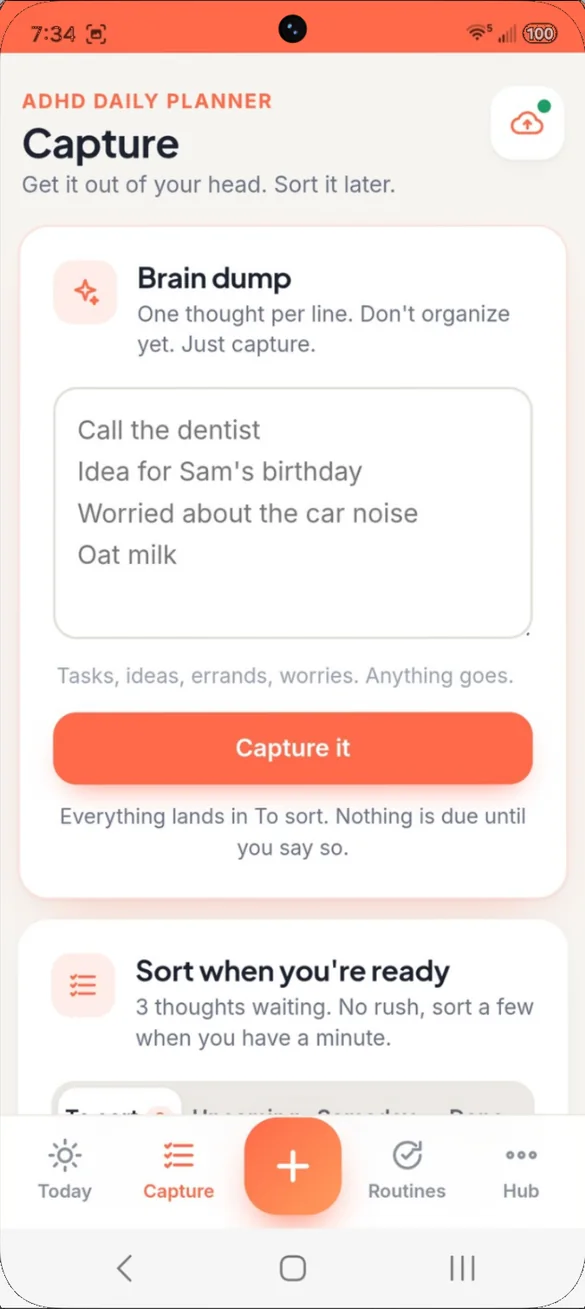
Get it out of your head.
Type everything on your mind, one thought per line, in seconds. Do not organize yet. Just capture.
- One per line: tasks, ideas, errands and worries
- Nothing due: until you say so
- Quick add: from any screen
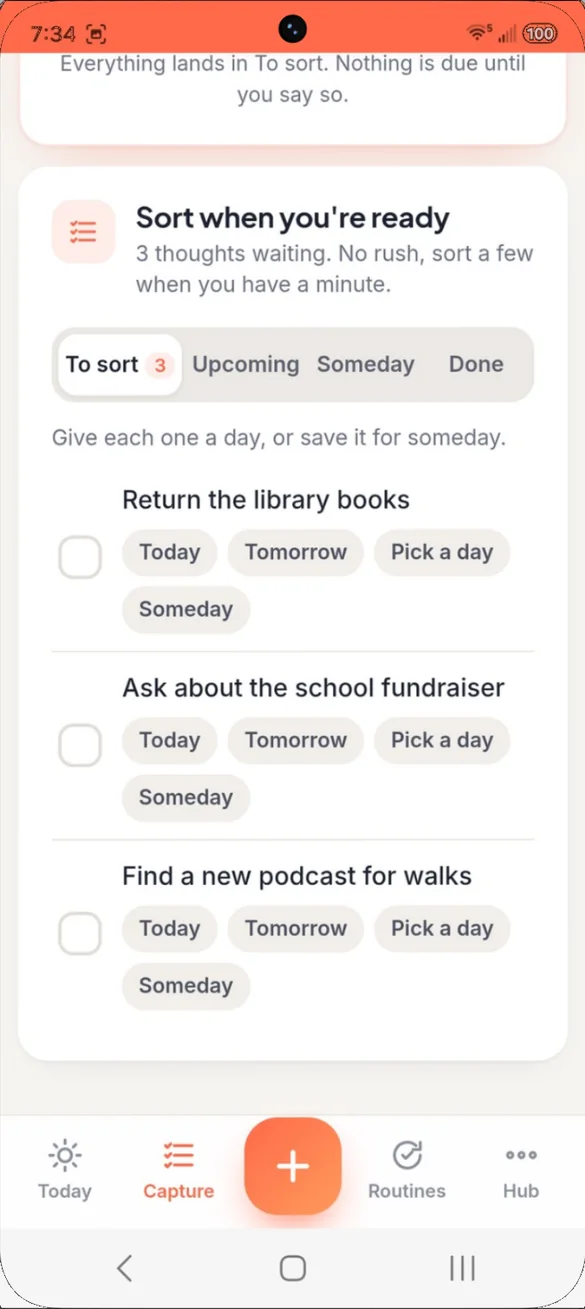
Sort it when you're ready.
Give each thought a day, save it for someday, or leave it until you are ready. Split a big task into tiny steps and always see the next one.
- One tap: today, tomorrow or pick a day
- Someday: ideas wait quietly
- Phone reminders: add any task to your phone's calendar with an alert
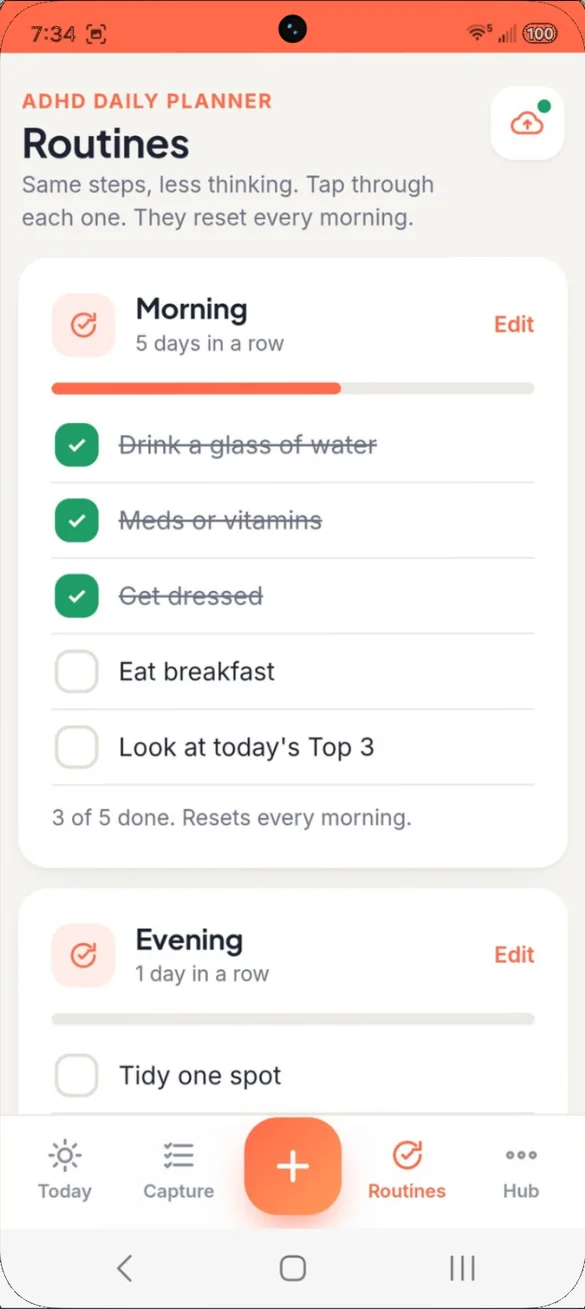
Same steps, less thinking.
Checklists for the things you do every day, so you never have to remember the steps. They reset every morning.
- Fresh each day: checklists reset every morning
- Progress bar: see how many steps are done
- Days in a row: watch a routine stick
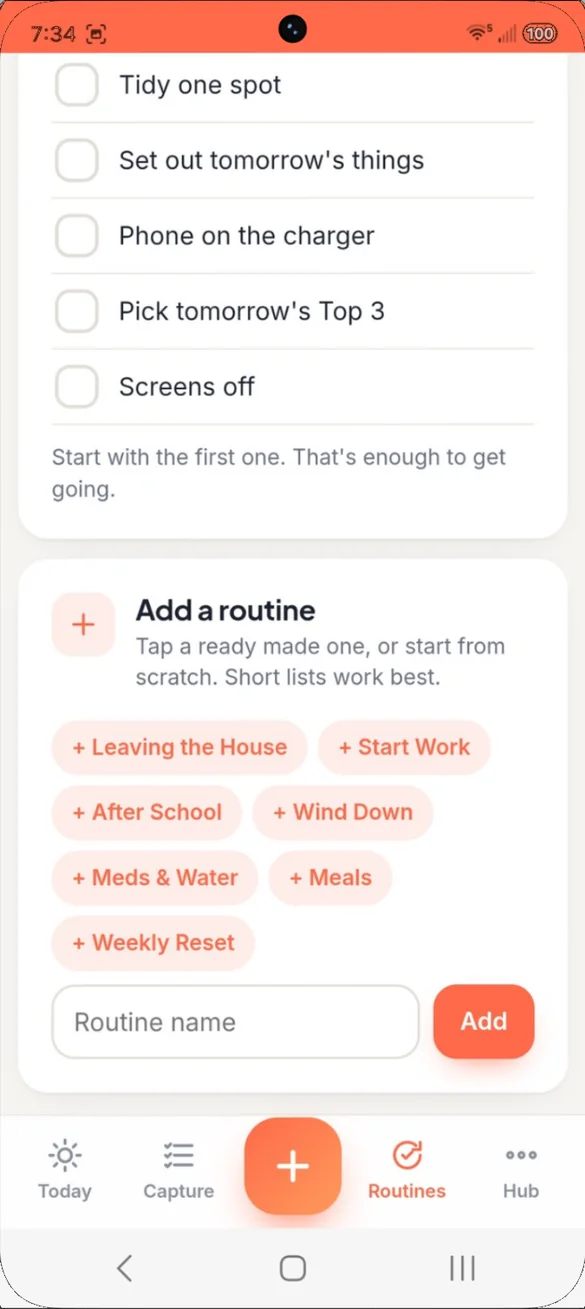
Tap one and you're set.
Start from a ready made routine, then make it yours. Or build your own from scratch.
- Daily basics: Meds and Water, Meals
- Out the door: Leaving the House and Start Work
- End the day: Wind Down, plus a Weekly Reset
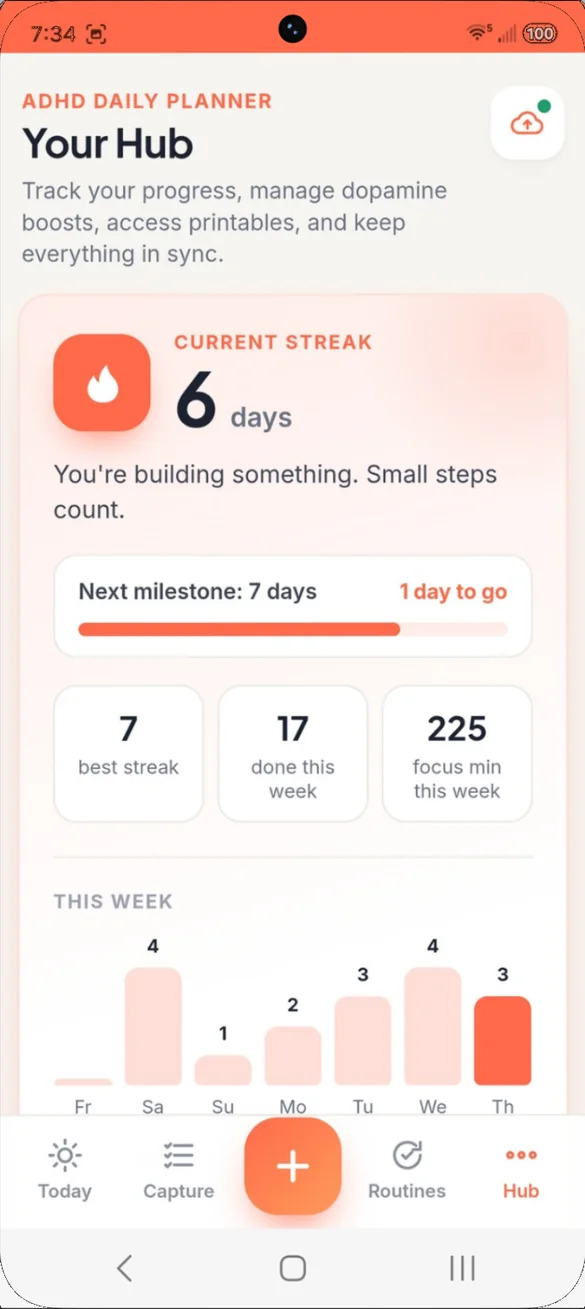
Progress you can see.
A gentle streak with milestones, a weekly chart and a 5 week view. Lighter days still count.
- Streak: with gentle milestones
- This week: tasks done and focus minutes
- 5 week view: good days add up
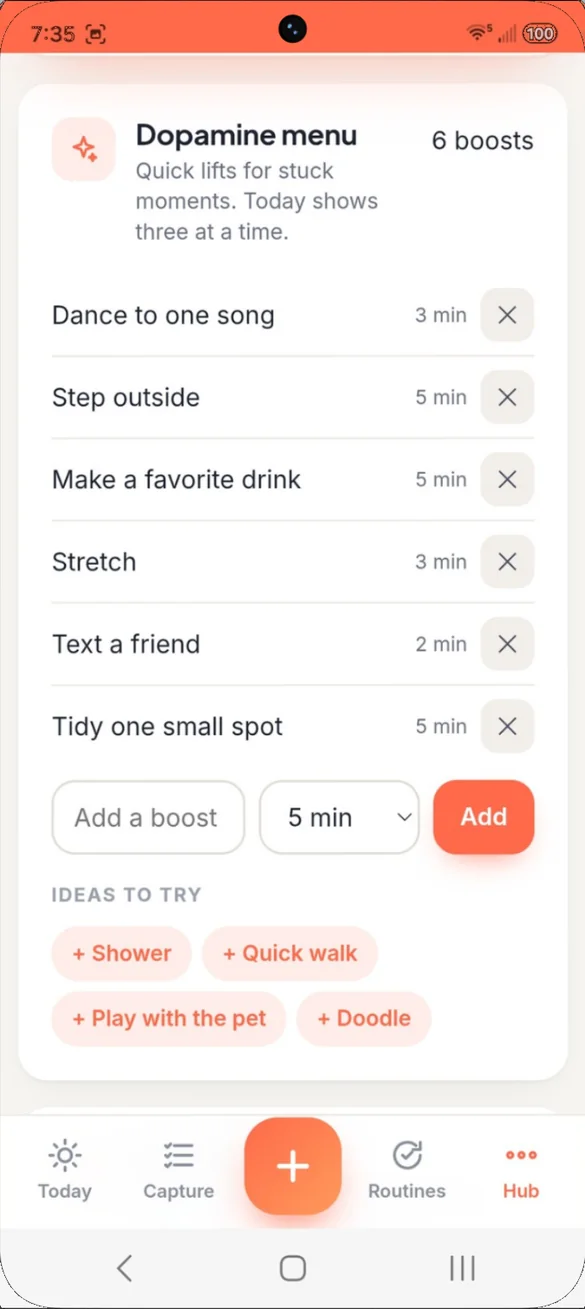
Quick lifts for stuck moments.
Your own list of small things that get you moving again, with a timer so you know when to come back.
- Your list: whatever works for you
- Timed: know when to come back
- Ideas to try: tap to add
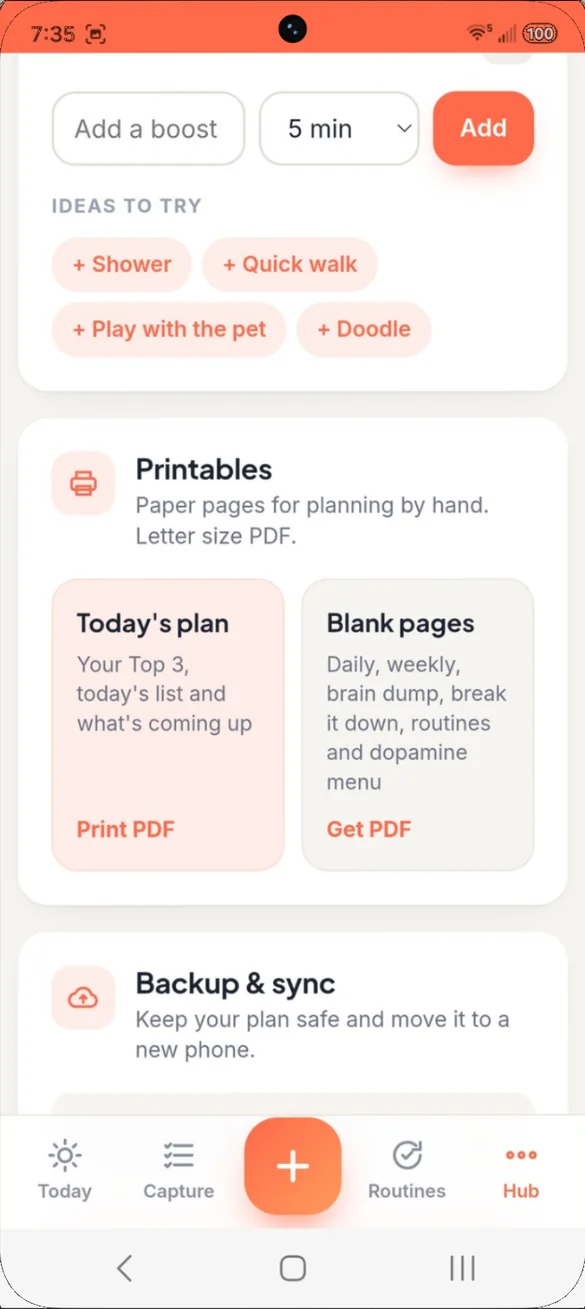
Plan on paper too.
Print today's plan, or get blank pages to fill in by hand. The PDF is made right on your phone.
- Today's plan: your Top 3, list and what is coming up
- Blank pages: daily, weekly, brain dump, routines and more
- Letter size: print or save
Little extras that help
Break it down
Split a big task into tiny steps and always see the next one.
Phone reminders
Add any task to your phone's calendar with an alert.
Make it yours
Your name, your own app name and six color themes.
Bonus printable pack
ADHD planner pages for the days you would rather plan on paper.
Phone and computer
On a computer it opens a full dashboard with a side menu.
Works offline
Once it's on your home screen it opens without internet.
Your plan stays yours.
Everything saves privately on the device you use, and it works offline. You choose where backups go: a file you download, or your own Google Drive. A backup is also how you move your plan to a new phone or between your phone and computer.
- One time purchase, no subscriptions ever
- Saved privately on your device
- Works offline once installed
- Optional backup to your own Google Drive
- Backup file you can download and restore
- Printable PDFs made on your phone
- No account, no login, no ads
How it works
Buy on Etsy
Your PDFs arrive instantly, including the bonus ADHD printable pack.
Open the link
On your phone, tablet or computer, in any browser.
Add it to your home screen
Or bookmark it on a computer. It takes less than a minute. Install guide
Good to know: this is a daily planner, not a calendar. It doesn't include a monthly calendar view, finance or bill tracking, or a habit tracker grid. Reminders go through your phone's own calendar app. It is a planning tool, not a medical product.
Want more? Daily HQ adds a weekly view and a color coded monthly calendar, and Life Admin HQ adds finance, bills, a password vault and a subscription tracker.
Questions
Is there a subscription?
No. You pay once on Etsy and the app is yours. No monthly fees and no ads.
What happens if I skip a few days?
Nothing to catch up on. Pick right back up. Your routines reset each morning and lighter days still count toward your streak.
Do I need an ADHD diagnosis?
No. It is made for ADHD brains and anyone who has given up on a planner before. It is a planning tool, not a medical product.
Does it send reminders?
Reminders go through your phone's own calendar. Add any task to your phone's calendar with an alert.
Does it have a monthly calendar?
No. It is a daily planner, not a calendar. For a weekly view and monthly calendar, see Daily HQ.
Can I use it on my phone and my computer?
Yes. On a computer it opens a full dashboard with a side menu. Your data is saved on the device you use, so back up on one and restore on the other to move your plan.
Can I try it before I buy?
Yes. The free demo lets you tap around the real app in your browser.
What if it doesn't work on my phone?
Send a message through Etsy and I'll help you get it working. If the app doesn't install or work on your phone, you can get a refund within 30 days.
Try it before you buy
Tap around the real app in your browser. No sign up needed.